light HONDA CIVIC HATCHBACK 2021 (in English) User Guide
[x] Cancel search | Manufacturer: HONDA, Model Year: 2021, Model line: CIVIC HATCHBACK, Model: HONDA CIVIC HATCHBACK 2021Pages: 711, PDF Size: 37.1 MB
Page 33 of 711
31
Quick Reference Guide
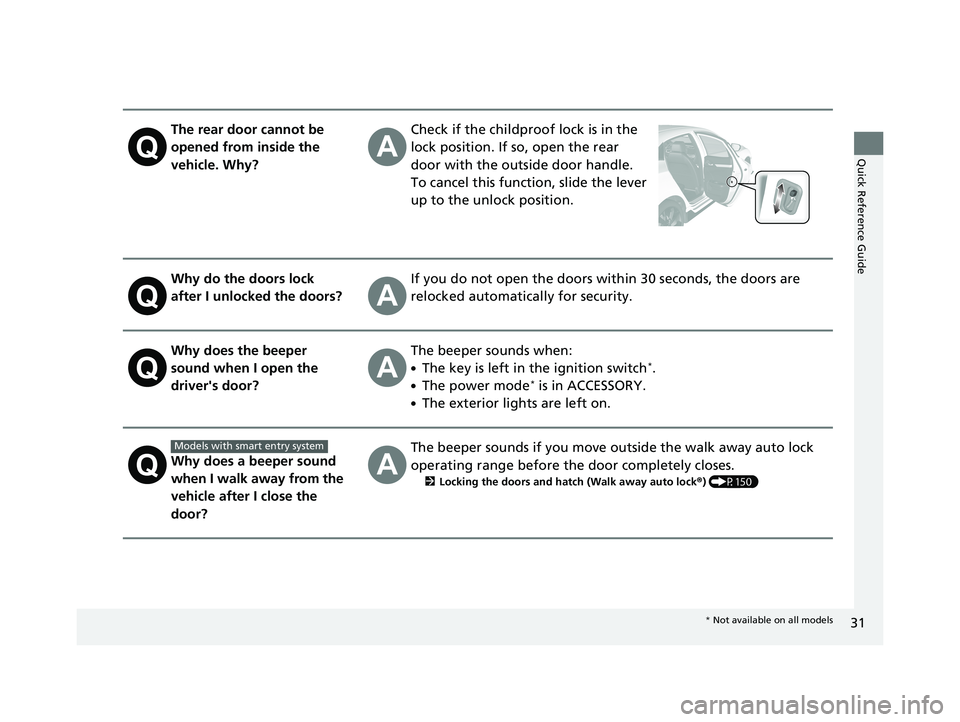
The rear door cannot be
opened from inside the
vehicle. Why?Check if the childproof lock is in the
lock position. If so, open the rear
door with the outside door handle.
To cancel this function, slide the lever
up to the unlock position.
Why do the doors lock
after I unlocked the doors?If you do not open the doors within 30 seconds, the doors are
relocked automatically for security.
Why does the beeper
sound when I open the
driver's door?The beeper sounds when:
●The key is left in the ignition switch*.
●The power mode* is in ACCESSORY.
●The exterior lights are left on.
Why does a beeper sound
when I walk away from the
vehicle after I close the
door?
The beeper sounds if you move outside the walk away auto lock
operating range before the door completely closes.
2Locking the doors and hatch (Walk away auto lock ®) (P150)
Models with smart entry system
* Not available on all models
21 CIVIC 5D HUM-31TGG6400_01.book 31 ページ 2020年8月28日 金曜日 午後1時4 8分
Page 56 of 711
uuAirbags uFront Airbags (SRS)
54
Safe DrivingThe airbags have advanced features to help reduce the likelihood of airbag related
injuries to smaller occupants.
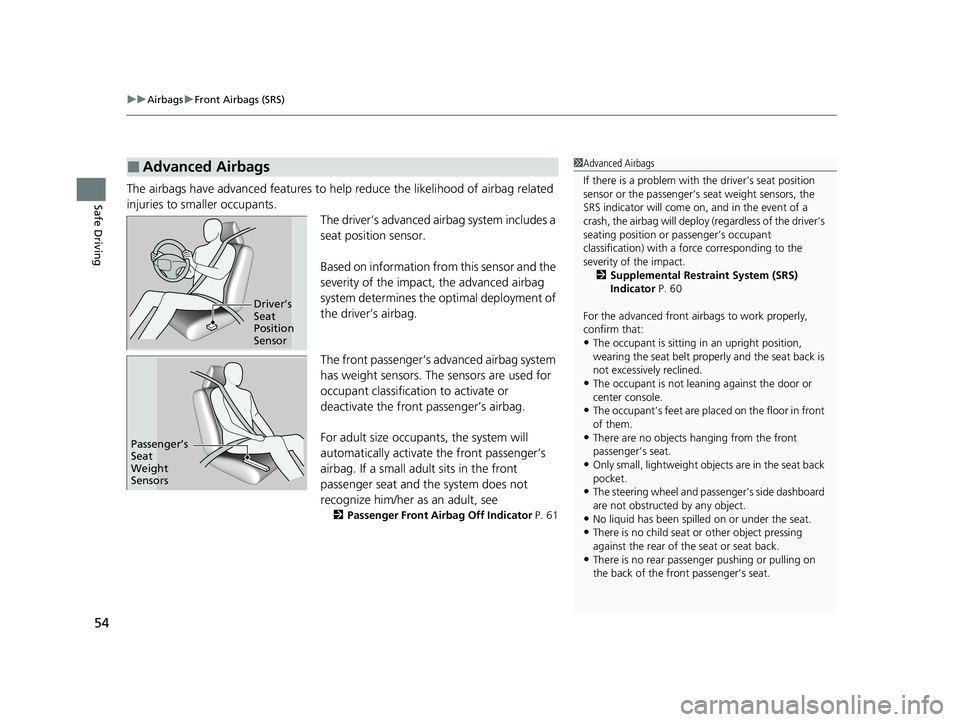
The driver’s advanced airbag system includes a
seat position sensor.
Based on information from this sensor and the
severity of the impact, the advanced airbag
system determines the optimal deployment of
the driver’s airbag.
The front passenger’s advanced airbag system
has weight sensors. The sensors are used for
occupant classification to activate or
deactivate the front passenger’s airbag.
For adult size occupants, the system will
automatically activate the front passenger’s
airbag. If a small adul t sits in the front
passenger seat and the system does not
recognize him/her as an adult, see
2 Passenger Front Airbag Off Indicator P. 61
■Advanced Airbags1Advanced Airbags
If there is a problem with the driver’s seat position
sensor or the passenger’s s eat weight sensors, the
SRS indicator will come on, and in the event of a
crash, the airbag will deploy (regardless of the driver’s
seating position or passenger’s occupant
classification) with a force corresponding to the
severity of the impact. 2 Supplemental Restraint System (SRS)
Indicator P. 60
For the advanced front airbags to work properly,
confirm that:
•The occupant is sitting in an upright position,
wearing the seat belt prope rly and the seat back is
not excessively reclined.
•The occupant is not leaning against the door or
center console.
•The occupant’s feet are plac ed on the floor in front
of them.
•There are no objects ha nging from the front
passenger’s seat.
•Only small, lightweight objec ts are in the seat back
pocket.
•The steering wheel and passenger’s side dashboard
are not obstructed by any object.
•No liquid has been spille d on or under the seat.•There is no child seat or other object pressing
against the rear of the seat or seat back.
•There is no rear passenger pushing or pulling on
the back of the front passenger’s seat.
Driver’s
Seat
Position
Sensor
Passenger’s
Seat
Weight
Sensors
21 CIVIC 5D HUM-31TGG6400_01.book 54 ページ 2020年8月28日 金曜日 午後1時4 8分
Page 63 of 711
Continued61
uuAirbags uAirbag System Indicators
Safe Driving■When the passenger front airbag off
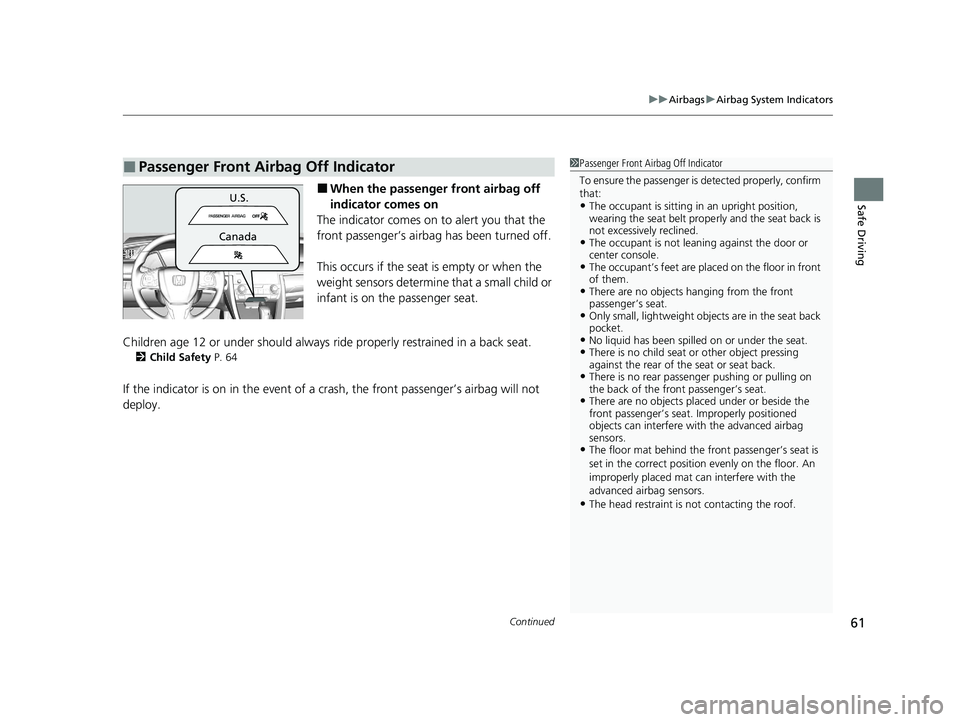
indicator comes on
The indicator comes on to alert you that the
front passenger’s airbag has been turned off.
This occurs if the seat is empty or when the
weight sensors determine that a small child or
infant is on the passenger seat.
Children age 12 or under shou ld always ride properly restrained in a back seat.
2Child Safety P. 64
If the indicator is on in the event of a cr ash, the front passenger’s airbag will not
deploy.
■Passenger Front Airbag Off Indicator1 Passenger Front Airbag Off Indicator
To ensure the passenger is detected properly, confirm
that:
•The occupant is sitting in an upright position,
wearing the seat belt prope rly and the seat back is
not excessively reclined.
•The occupant is not leaning against the door or
center console.
•The occupant’s feet are plac ed on the floor in front
of them.
•There are no objects ha nging from the front
passenger’s seat.
•Only small, lightweight objec ts are in the seat back
pocket.
•No liquid has been spille d on or under the seat.•There is no child seat or other object pressing
against the rear of the seat or seat back.
•There is no rear passenger pushing or pulling on
the back of the front passenger’s seat.
•There are no objects placed under or beside the
front passenger’s seat . Improperly positioned
objects can interfere with the advanced airbag
sensors.
•The floor mat behind the front passenger’s seat is
set in the correct position evenly on the floor. An
improperly placed mat can interfere with the
advanced airbag sensors.
•The head restraint is not contacting the roof.
U.S.
Canada
21 CIVIC 5D HUM-31TGG6400_01.book 61 ページ 2020年8月28日 金曜日 午後1時4 8分
Page 94 of 711
92
uuIndicators u
Instrument Panel
IndicatorNameOn/BlinkingExplanationMessage
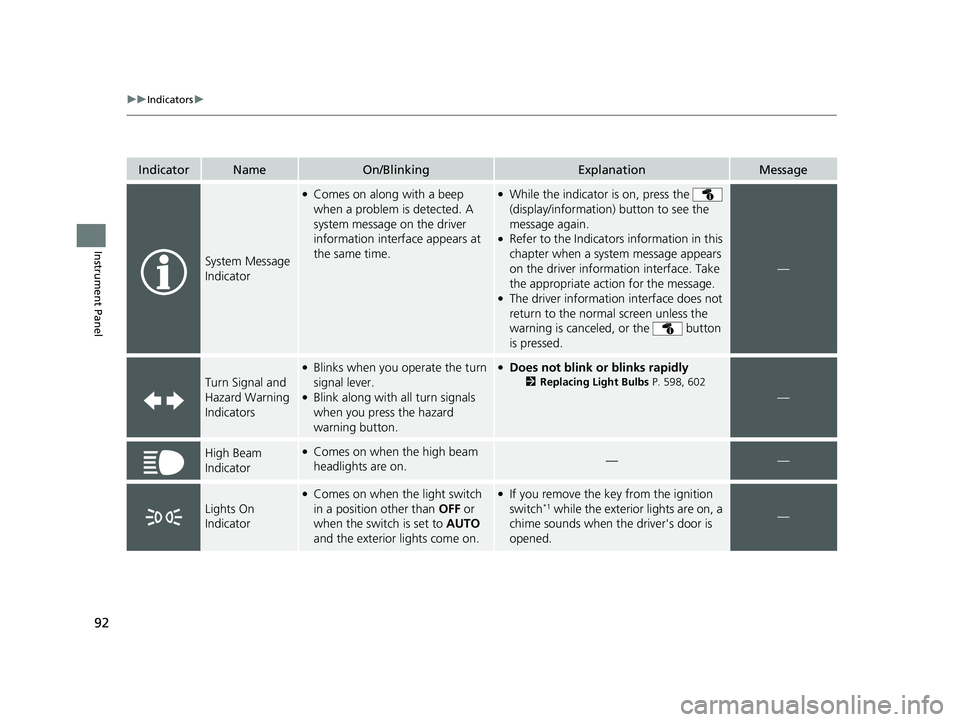
System Message
Indicator
●Comes on along with a beep
when a problem is detected. A
system message on the driver
information interface appears at
the same time.●While the indicator is on, press the
(display/information ) button to see the
message again.
●Refer to the Indicators information in this
chapter when a system message appears
on the driver information interface. Take
the appropriate action for the message.
●The driver information interface does not
return to the normal screen unless the
warning is canceled, or the button
is pressed.
—
Turn Signal and
Hazard Warning
Indicators
●Blinks when you operate the turn
signal lever.
●Blink along with all turn signals
when you press the hazard
warning button.
●Does not blink or blinks rapidly
2 Replacing Light Bulbs P. 598, 602
—
High Beam
Indicator●Comes on when the high beam
headlights are on.——
Lights On
Indicator
●Comes on when the light switch
in a position other than OFF or
when the switch is set to AUTO
and the exterior lights come on.●If you remove the key from the ignition
switch*1 while the exterior lights are on, a
chime sounds when the driver's door is
opened.—
21 CIVIC 5D HUM-31TGG6400_01.book 92 ページ 2020年8月28日 金曜日 午後1時4 8分
Page 95 of 711
93
uuIndicators u
Continued
Instrument Panel
IndicatorNameOn/BlinkingExplanationMessage
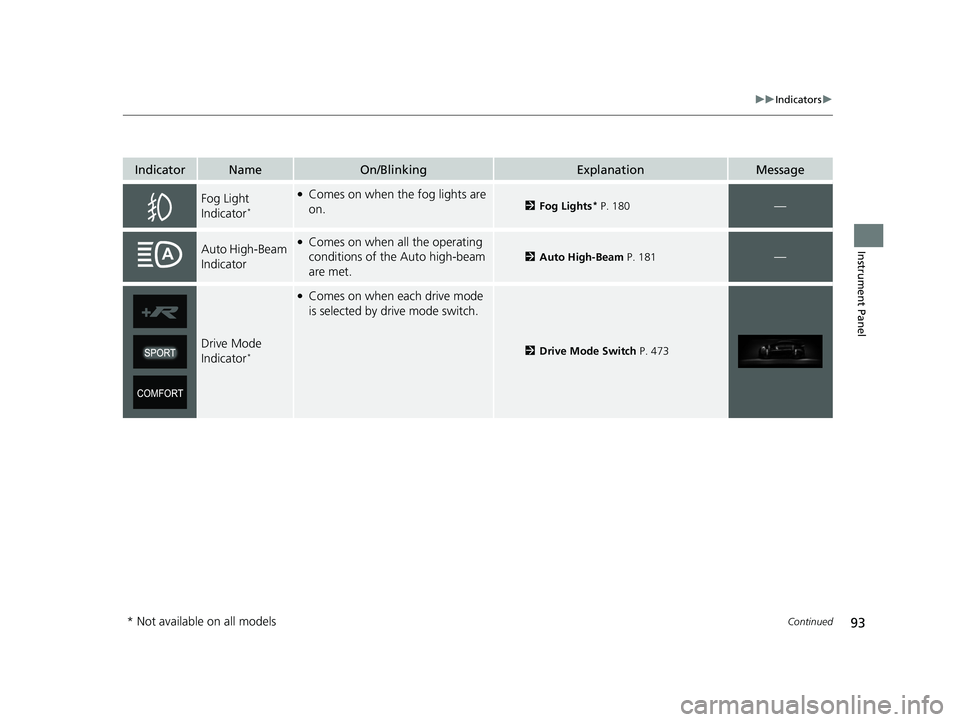
Fog Light
Indicator*
●Comes on when the fog lights are
on.2Fog Lights* P. 180—
Auto High-Beam
Indicator●Comes on when all the operating
conditions of the Auto high-beam
are met.
2Auto High-Beam P. 181—
Drive Mode
Indicator*
●Comes on when each drive mode
is selected by drive mode switch.
2Drive Mode Switch P. 473
* Not available on all models
21 CIVIC 5D HUM-31TGG6400_01.book 93 ページ 2020年8月28日 金曜日 午後1時4 8分
Page 110 of 711
108
uuIndicators uDriver Information Interface Wa rning and Information Messages
Instrument Panel
MessageConditionExplanation
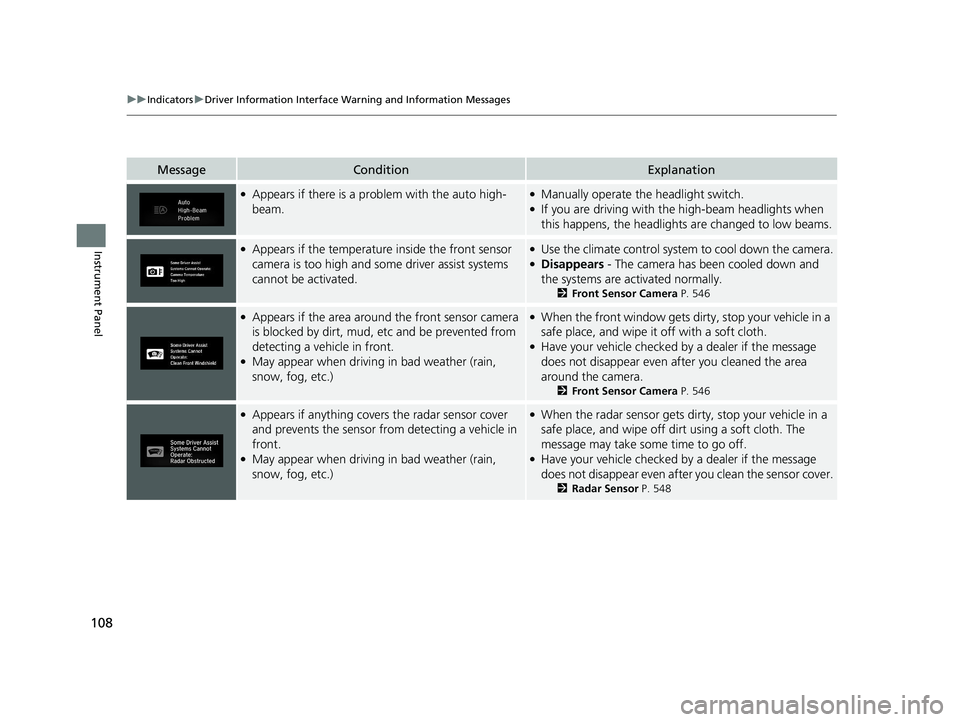
●Appears if there is a problem with the auto high-
beam.●Manually operate the headlight switch.●If you are driving with the high-beam headlights when
this happens, the headlight s are changed to low beams.
●Appears if the temperature inside the front sensor
camera is too high and some driver assist systems
cannot be activated.●Use the climate control system to cool down the camera.●Disappears - The camera has been cooled down and
the systems are activated normally.
2Front Sensor Camera P. 546
●Appears if the area around the front sensor camera
is blocked by dirt, mud, etc and be prevented from
detecting a vehicle in front.
●May appear when driving in bad weather (rain,
snow, fog, etc.)
●When the front window gets dirty, stop your vehicle in a
safe place, and wipe it off with a soft cloth.
●Have your vehicle checked by a dealer if the message
does not disappear even after you cleaned the area
around the camera.
2 Front Sensor Camera P. 546
●Appears if anything covers the radar sensor cover
and prevents the sensor from detecting a vehicle in
front.
●May appear when driving in bad weather (rain,
snow, fog, etc.)
●When the radar sensor gets di rty, stop your vehicle in a
safe place, and wipe off dirt using a soft cloth. The
message may take some time to go off.
●Have your vehicle checked by a dealer if the message
does not disappear even after you clean the sensor cover.
2 Radar Sensor P. 548
21 CIVIC 5D HUM-31TGG6400_01.book 108 ページ 2020年8月28日 金曜日 午後1時 48分
Page 122 of 711
120
uuIndicators uDriver Information Interface Wa rning and Information Messages
Instrument Panel
MessageConditionExplanation
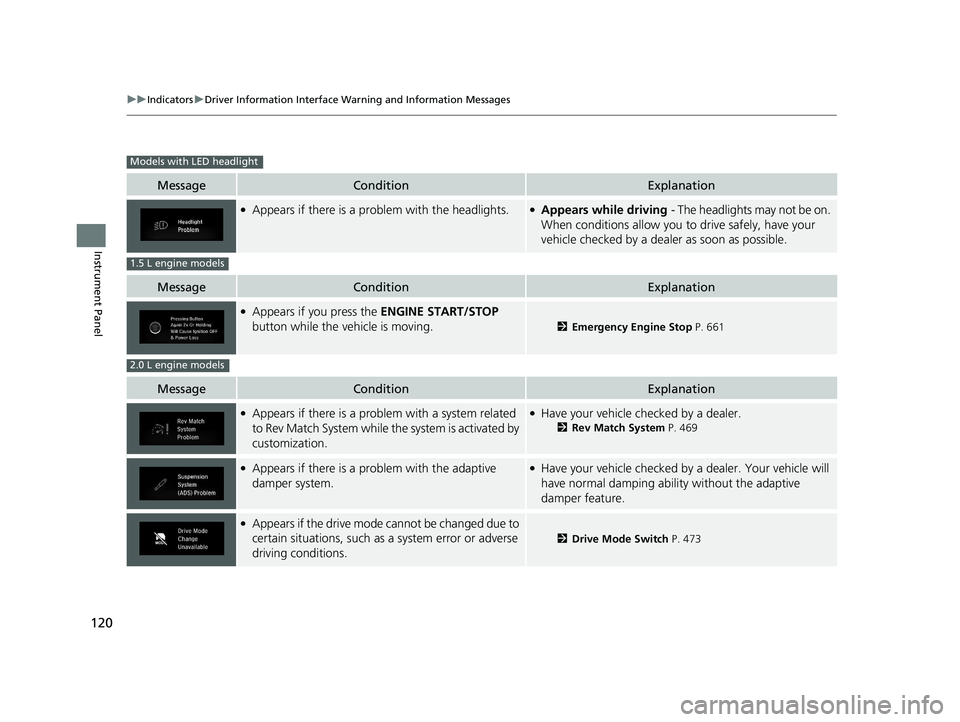
●Appears if there is a problem with the headlights.●Appears while driving - The headlights may not be on.
When conditions allow you to drive safely, have your
vehicle checked by a deal er as soon as possible.
MessageConditionExplanation
●Appears if you press the ENGINE START/STOP
button while the vehicle is moving.
2 Emergency Engine Stop P. 661
MessageConditionExplanation
●Appears if there is a problem with a system related
to Rev Match System while the system is activated by
customization.●Have your vehicle checked by a dealer.
2Rev Match System P. 469
●Appears if there is a problem with the adaptive
damper system.●Have your vehicle checked by a dealer. Your vehicle will
have normal damping ability without the adaptive
damper feature.
●Appears if the drive mode cannot be changed due to
certain situations, such as a system error or adverse
driving conditions.
2 Drive Mode Switch P. 473
Models with LED headlight
1.5 L engine models
2.0 L engine models
21 CIVIC 5D HUM-31TGG6400_01.book 120 ページ 2020年8月28日 金曜日 午後1時 48分
Page 125 of 711
123
uuGauges and Driver Information Interface uGauges
Instrument Panel
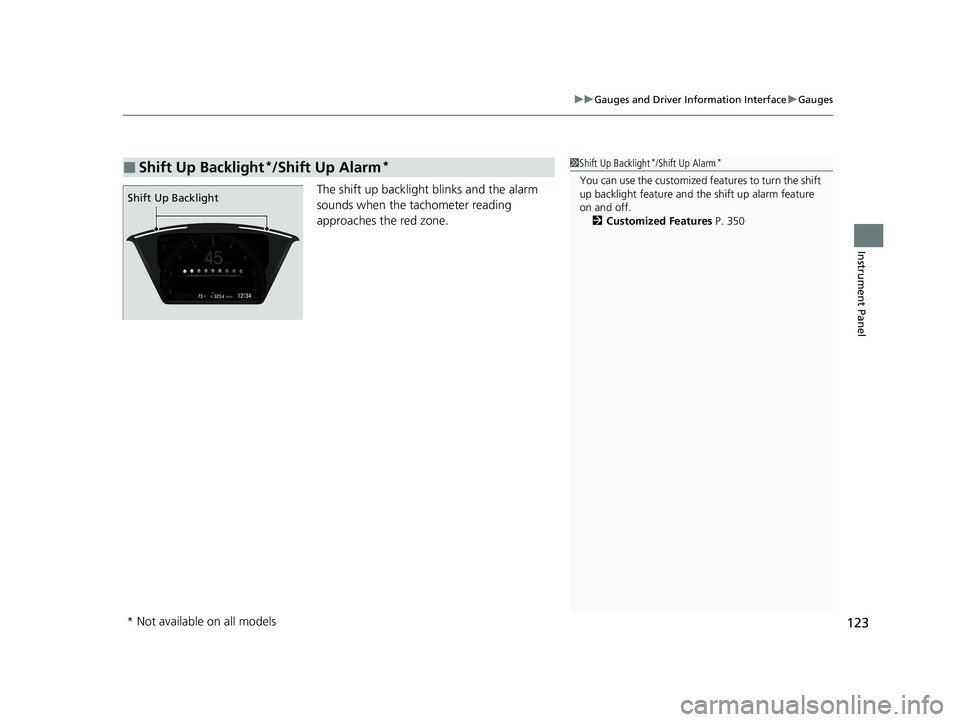
The shift up backlight blinks and the alarm
sounds when the ta chometer reading
approaches the red zone.
■Shift Up Backlight*/Shift Up Alarm*1 Shift Up Backlight*/Shift Up Alarm*
You can use the customized features to turn the shift
up backlight feature and th e shift up alarm feature
on and off. 2 Customized Features P. 350
Shift Up Backlight
* Not available on all models
21 CIVIC 5D HUM-31TGG6400_01.book 123 ページ 2020年8月28日 金曜日 午後1時 48分
Page 133 of 711
131
uuGauges and Driver Information Interface uDriver Information Interface
Continued
Instrument Panel
Displays the strength (G) and direction of the load that is applied to the vehicle
during driving.
Displays the brake pressure in PSI when the brake is applied.
Displays the accelerator po sition in degrees of %.
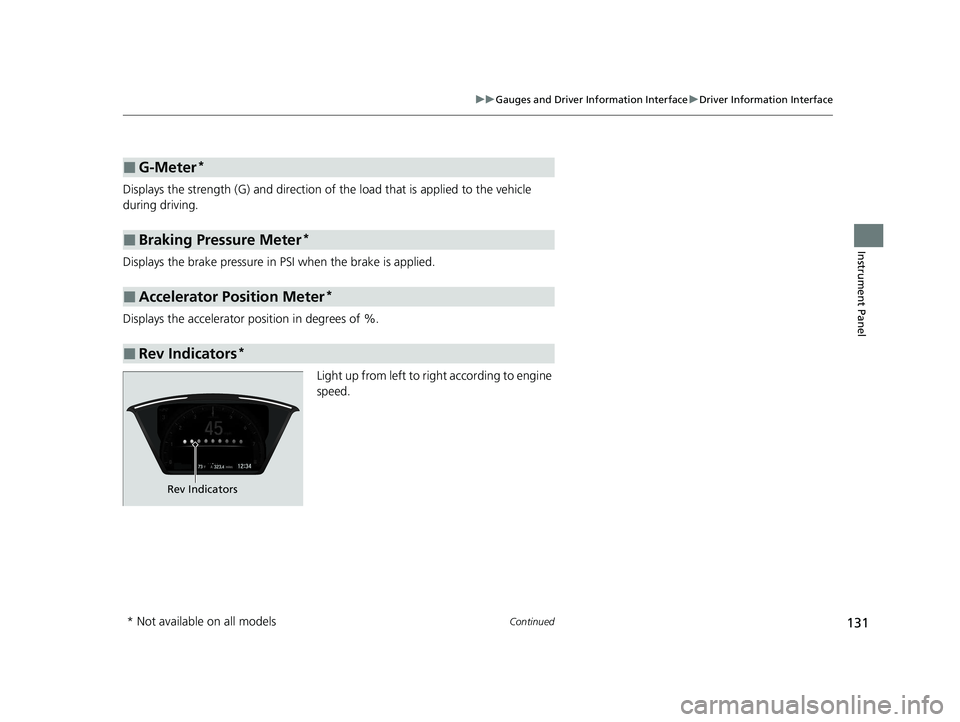
Light up from left to righ t according to engine
speed.
■G-Meter*
■Braking Pressure Meter*
■Accelerator Position Meter*
■Rev Indicators*
Rev Indicators
* Not available on all models
21 CIVIC 5D HUM-31TGG6400_01.book 131 ページ 2020年8月28日 金曜日 午後1時 48分
Page 137 of 711
135
uuGauges and Driver Information Interface uDriver Information Interface
Continued
Instrument Panel
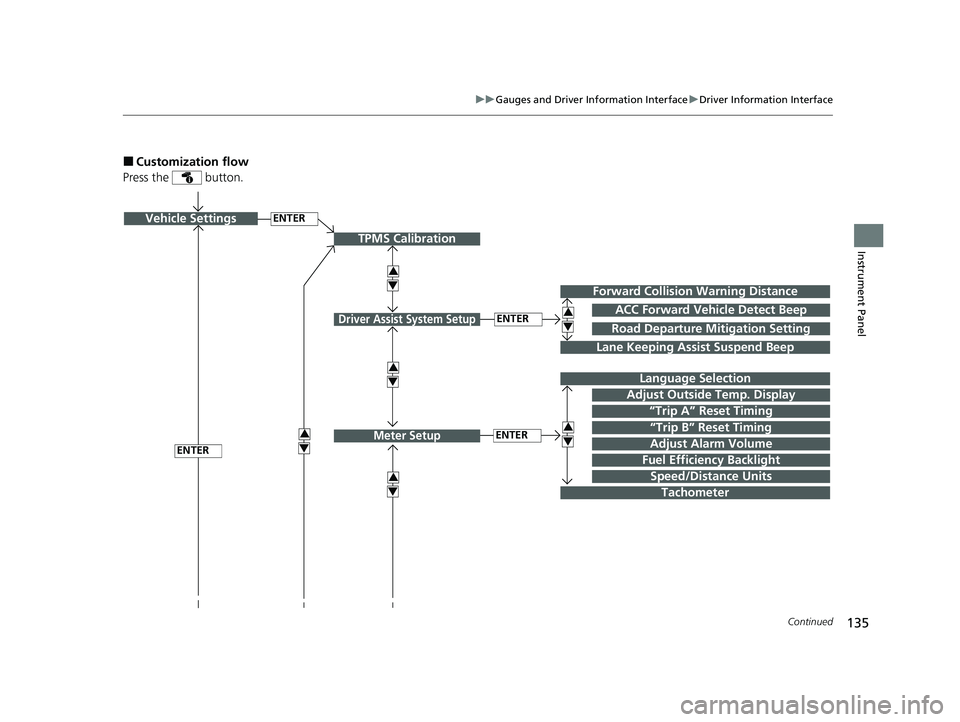
■Customization flow
Press the button.
ENTERVehicle Settings
“Trip A” Reset Timing
Language Selection
Adjust Outside Temp. Display
3
4
TPMS Calibration
ENTER
“Trip B” Reset Timing
Fuel Efficiency Backlight
3
4
ACC Forward Vehicle Detect Beep
3
4Tachometer
ENTER
Forward Collision Warning Distance
3
4
3
4
Lane Keeping Assist Suspend Beep
Road Departure Mitigation Setting
Adjust Alarm Volume
Speed/Distance Units
3
4
ENTER
Driver Assist System Setup
Meter Setup
21 CIVIC 5D HUM-31TGG6400_01.book 135 ページ 2020年8月28日 金曜日 午後1時 48分