window HONDA CR-V 2018 (in English) Owner's Guide
[x] Cancel search | Manufacturer: HONDA, Model Year: 2018, Model line: CR-V, Model: HONDA CR-V 2018Pages: 679, PDF Size: 23.22 MB
Page 176 of 679
uuOperating the Switches Around the Steering Wheel uENGINE START/STOP Button*
174
Controls
If you open the driver’s doo r when the power mode is set to ACCESSORY, a warning
buzzer sounds.
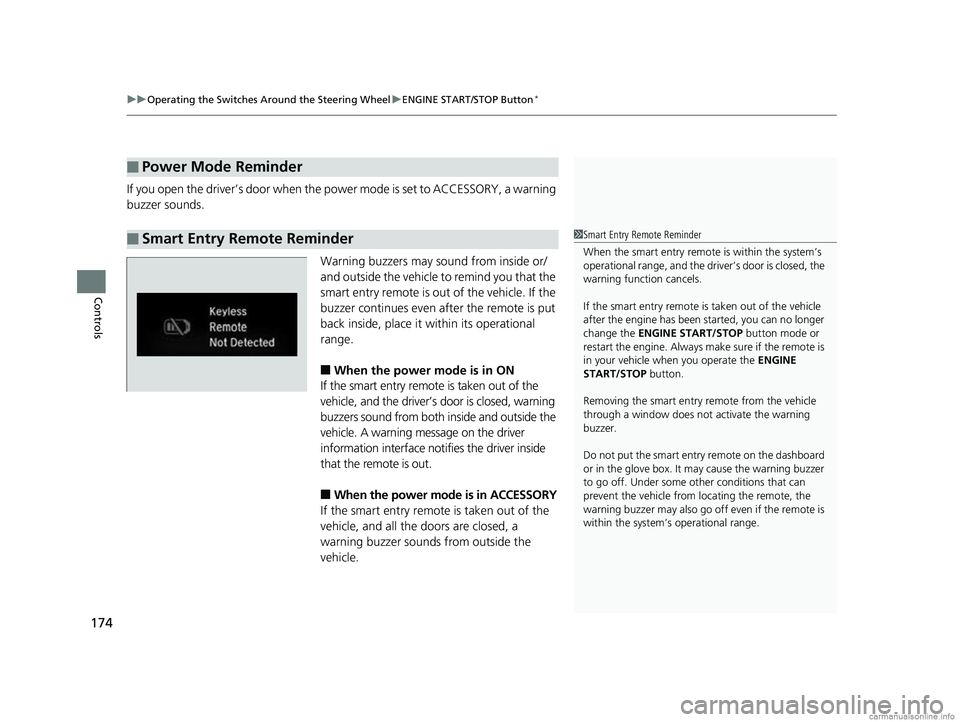
Warning buzzers may sound from inside or/
and outside the vehicle to remind you that the
smart entry remote is out of the vehicle. If the
buzzer continues even after the remote is put
back inside, place it within its operational
range.
■When the power mode is in ON
If the smart entry remote is taken out of the
vehicle, and the driver’s door is closed, warning
buzzers sound from both inside and outside the
vehicle. A warning message on the driver
information interface notifies the driver inside
that the remote is out.
■When the power mode is in ACCESSORY
If the smart entry remote is taken out of the
vehicle, and all the doors are closed, a
warning buzzer sounds from outside the
vehicle.
■Power Mode Reminder
■Smart Entry Remote Reminder1 Smart Entry Remote Reminder
When the smart entry remote is within the system’s
operational range, and the driv er’s door is closed, the
warning function cancels.
If the smart entry remote is taken out of the vehicle
after the engine has been started, you can no longer
change the ENGINE START/STOP button mode or
restart the engine. Always make sure if the remote is
in your vehicle when you operate the ENGINE
START/STOP button.
Removing the smart entry remote from the vehicle
through a window does not activate the warning
buzzer.
Do not put the smart entr y remote on the dashboard
or in the glove box. It may cause the warning buzzer
to go off. Under some other conditions that can
prevent the vehicle from locating the remote, the
warning buzzer may al so go off even if the remote is
within the system’s operational range.
18 CR-V-31TLA6100.book 174 ページ 2017年9月7日 木曜日 午後3時56分
Page 192 of 679
190
uuOperating the Switches Around the Steering Wheel uDefogger/Heated Door Mirror*
Controls
Defogger/Heated Door Mirror*
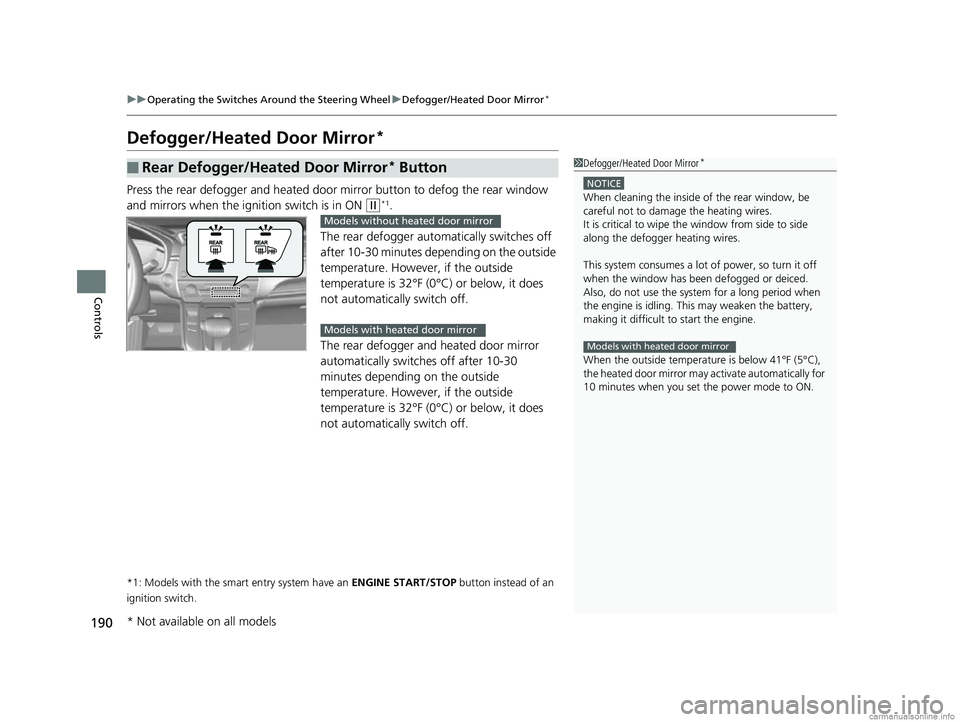
Press the rear defogger and heated door mirror button to defog the rear window
and mirrors when the ignition switch is in ON
(w*1.
The rear defogger automatically switches off
after 10-30 minutes depending on the outside
temperature. However, if the outside
temperature is 32°F (0°C) or below, it does
not automatically switch off.
The rear defogger and heated door mirror
automatically switches off after 10-30
minutes depending on the outside
temperature. However, if the outside
temperature is 32°F (0°C) or below, it does
not automatically switch off.
*1: Models with the smart entry system have an ENGINE START/STOP button instead of an
ignition switch.
■Rear Defogger/Heated Door Mirror* Button1 Defogger/Heated Door Mirror*
NOTICE
When cleaning the inside of the rear window, be
careful not to damage the heating wires.
It is critical to wipe the window from side to side
along the defogger heating wires.
This system consumes a lot of power, so turn it off
when the window has been defogged or deiced.
Also, do not use the system for a long period when
the engine is idling. This may weaken the battery,
making it difficult to start the engine.
When the outside temperature is below 41°F (5°C),
the heated door mirror may activate automatically for
10 minutes when you set the power mode to ON.
Models with heated door mirror
Models without heated door mirror
Models with heated door mirror
* Not available on all models
18 CR-V-31TLA6100.book 190 ページ 2017年9月7日 木曜日 午後3時56分
Page 193 of 679
191
uuOperating the Switches Around the Steering Wheel uDefogger/Heated Door Mirror*
Controls
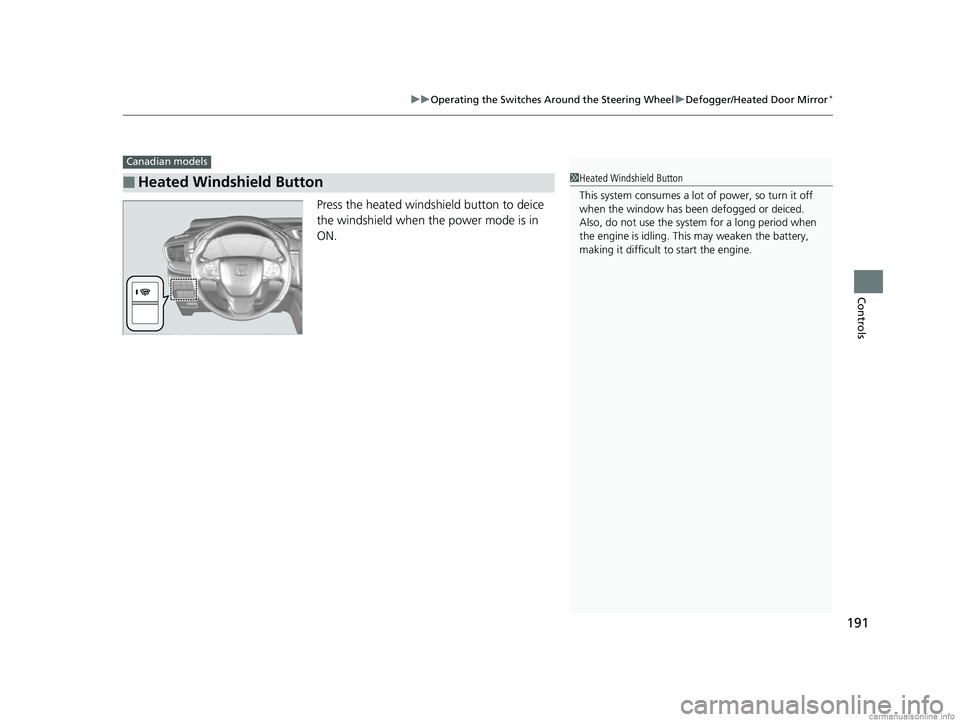
Press the heated windshield button to deice
the windshield when the power mode is in
ON.
■Heated Windshield Button
Canadian models
1Heated Windshield Button
This system consumes a lot of power, so turn it off
when the window has been defogged or deiced.
Also, do not use the system for a long period when
the engine is idling. This may weaken the battery,
making it difficult to start the engine.
18 CR-V-31TLA6100.book 191 ページ 2017年9月7日 木曜日 午後3時56分
Page 228 of 679
226
Controls
Climate Control System
Using Automatic Climate Control
The automatic climate control system maintains the interior temperature you select.
The system also selects the proper mix of heated or cooled air that raises or lowers
the interior temperature to your pr eference as quickly as possible.
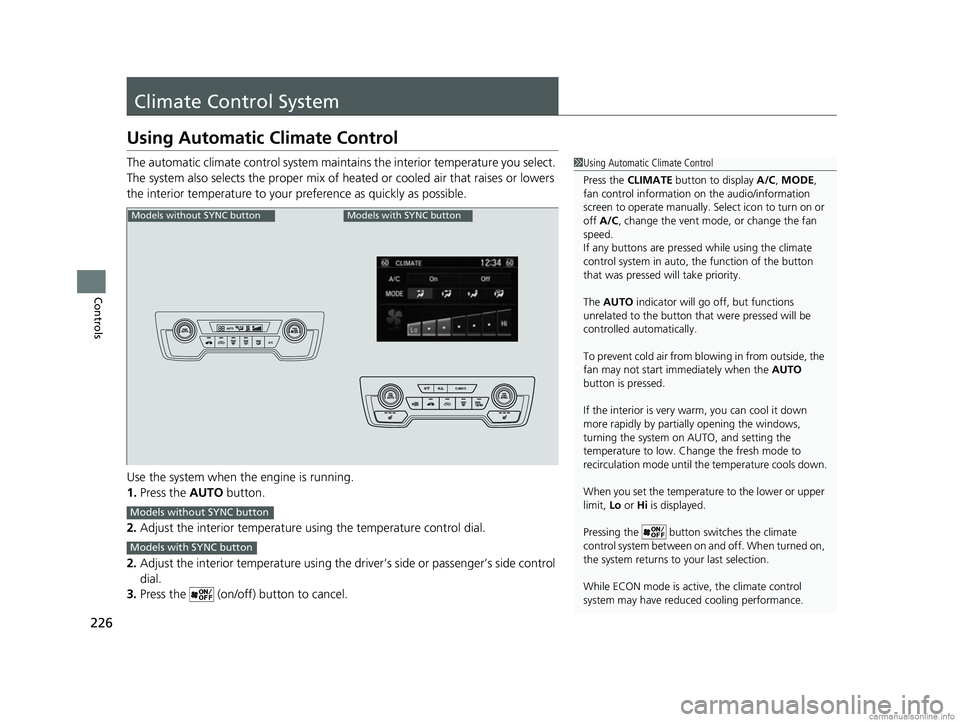
Use the system when the engine is running.
1. Press the AUTO button.
2. Adjust the interior temperature us ing the temperature control dial.
2. Adjust the interior temperature using the dr iver’s side or passenger’s side control
dial.
3. Press the (on/off) button to cancel.1Using Automatic Climate Control
Press the CLIMATE button to display A/C, MODE,
fan control information on the audio/information
screen to operate manually. Select ic on to turn on or
off A/C , change the vent mode , or change the fan
speed.
If any buttons are presse d while using the climate
control system in auto, the function of the button
that was pressed will take priority.
The AUTO indicator will go off, but functions
unrelated to the button that were pressed will be
controlled automatically.
To prevent cold air from bl owing in from outside, the
fan may not start i mmediately when the AUTO
button is pressed.
If the interior is very warm, you can cool it down
more rapidly by partial ly opening the windows,
turning the system on AUTO, and setting the
temperature to low. Change the fresh mode to
recirculation mode until the temperature cools down.
When you set the temperat ure to the lower or upper
limit, Lo or Hi is displayed.
Pressing the button switches the climate
control system between on and off. When turned on,
the system returns to your last selection.
While ECON mode is active, the climate control
system may have reduced cooling performance.
Models without SYNC buttonModels with SYNC button
Models without SYNC button
Models with SYNC button
18 CR-V-31TLA6100.book 226 ページ 2017年9月7日 木曜日 午後3時56分
Page 229 of 679
Continued227
uuClimate Control System uUsing Automatic Climate Control
Controls
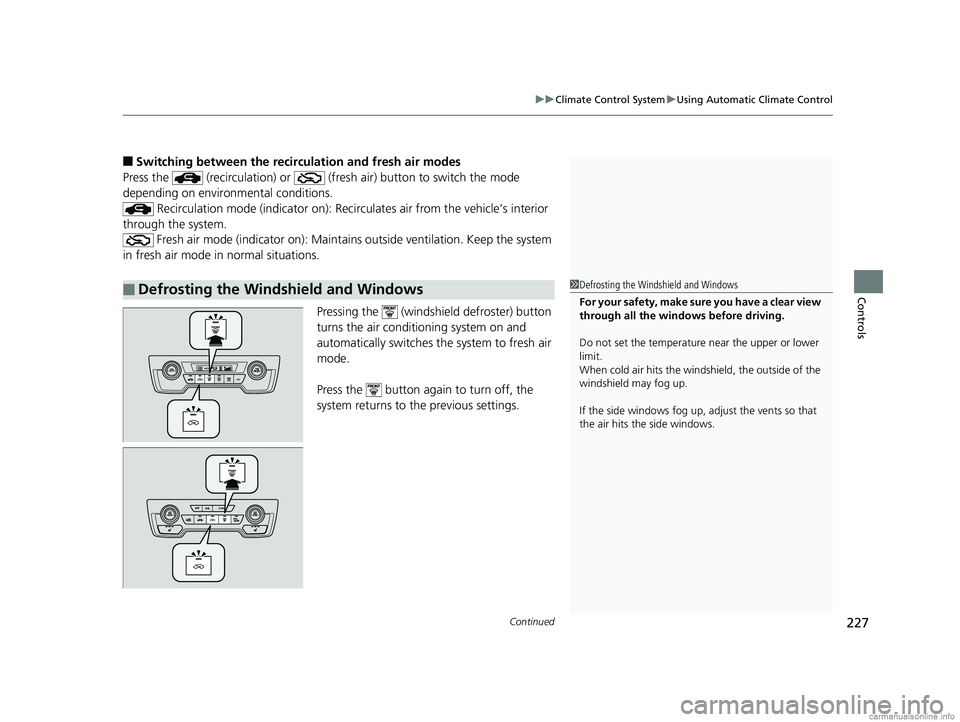
■Switching between the recirc ulation and fresh air modes
Press the (recirculation) or (fre sh air) button to switch the mode
depending on environmental conditions.
Recirculation mode (indicator on): Recirculates air from the vehicle’s interior
through the system. Fresh air mode (indicator on): Maintain s outside ventilation. Keep the system
in fresh air mode in normal situations.
Pressing the (windshield defroster) button
turns the air conditioning system on and
automatically switches the system to fresh air
mode.
Press the button again to turn off, the
system returns to the previous settings.
■Defrosting the Windshield and Windows1 Defrosting the Windshield and Windows
For your safety, make sure you have a clear view
through all the windows before driving.
Do not set the temperatur e near the upper or lower
limit.
When cold air hits the windshield, the outside of the
windshield may fog up.
If the side windows fog up, adjust the vents so that
the air hits th e side windows.
18 CR-V-31TLA6100.book 227 ページ 2017年9月7日 木曜日 午後3時56分
Page 230 of 679
uuClimate Control System uUsing Automatic Climate Control
228
Controls
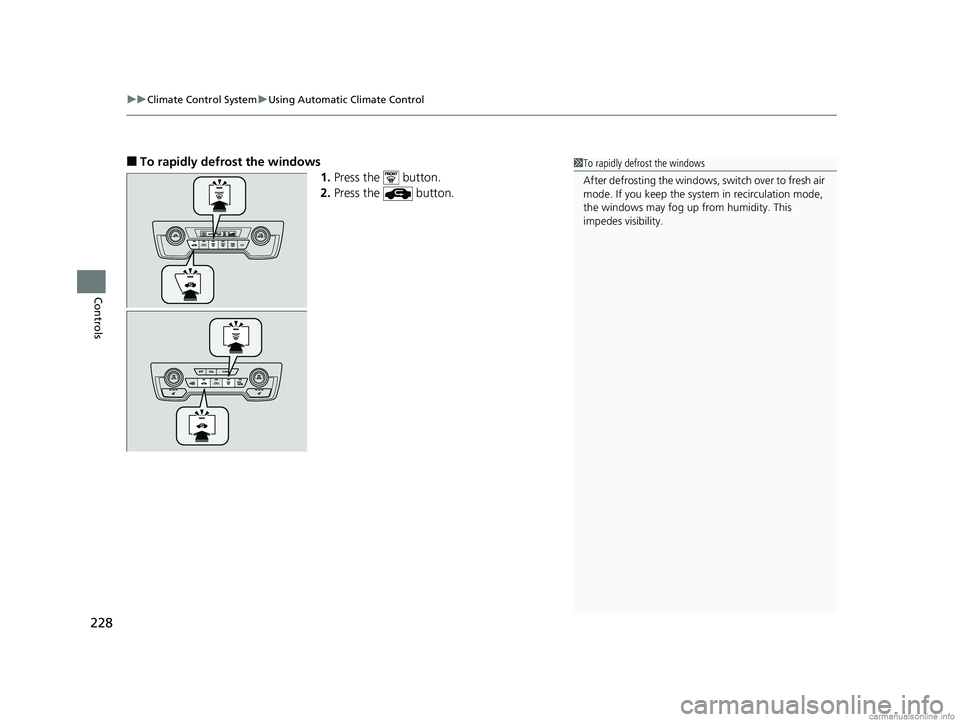
■To rapidly defrost the windows
1.Press the button.
2. Press the button.1To rapidly defrost the windows
After defrosting the windows, switch over to fresh air
mode. If you keep the syst em in recirculation mode,
the windows may fog up from humidity. This
impedes visibility.
18 CR-V-31TLA6100.book 228 ページ 2017年9月7日 木曜日 午後3時56分
Page 287 of 679
285
uuAudio System Basic Operation uVoice Control Operation
Continued
Features
Voice Control Operation
Your vehicle has a voice control syst em that allows hands-free operation.
The voice control system uses the (Talk) and (hang-up/back) buttons on
the steering wheel and a microphone near the map lights on the ceiling.
To achieve optimum voice recognition when using the voice control system:
• Make sure the correct screen is displa yed for the voice command that you are
using.
The system recognizes only certain commands.
Available voice commands.
2 Voice Portal Screen P. 286
•Close the windows and moonroof*.
• Adjust the dashboard and side vents so air does not blow onto the microphone
on the ceiling.
• Speak clearly in a natural speaking vo ice without pausing between words.
• Reduce any background noise if possible. The system may misinterpret your
command if more than one person is speaking at the same time.
■Voice Recognition
1Voice Control Operation
When you press the button, a helpful prompt asks
what you would like to do. Press and release the
button again to bypass th is prompt and give a
command.
1 Voice Recognition
The voice control system can only be used from the
driver’s seat because the microphone unit removes
noises from the front passenger’s side.
* Not available on all models
18 CR-V-31TLA6100.book 285 ページ 2017年9月7日 木曜日 午後3時56分
Page 344 of 679
342
uuGeneral Information on the Audio System uHonda App License Agreement
Features
E. Information Collection and Storage
1. Information Collection , Use, Transmission and Storage of Data. Consent to Use of Data:
You agree that HONDA and PROVIDERS may
collect and use your information gathered in any manner as part of product support services related to the SOFTWARE or related services.
HONDA may share such information with third parties, including, without limitation, PROV IDERS, third party software and service s
suppliers, their affiliates and/or their design ated agents, solely to improve their products or to provide services or technologies to you.
HONDA, third party software and systems supp liers, their affiliates and/or their designated agent may disclose this information to others,
but not in a form that pe rsonally identifies you.
2. Information Storage.
Depending on the type of multimedia system you have in your VEHICLE, certain information may be stored for ease
of use of the SOFTWARE including, without limitation, search hi story, location history in certain applications, previous and saved
destinations, map locations within certain applications, and device numbers and contact information.
(a) Vehicle Health Information.
Your VEHICLE may remotely trans mit information regarding the status and health of your VEHICLE
(“VEHICLE INFORMATION”) to HONDA without notification to you. VEHICLE INFORMATION may contain VEHICLE maintenance and
malfunction status that is derived from VEHICLE diagnostic data and includes, but is not limited to, status of powered doors and windows,
battery life data, battery charging data, VEHICLE speed, coolant temperat ure, air compressor revolution, output power, warning codes,
diagnostic trouble codes, fuel injection volume, and engine rotati ons per minute. VEHICLE HEALTH INFORMATION may be used by HONDA
for research and development, to deliver HO NDA SERVICES and information to you, and to contact you, and is retained only for a period
of time necessary to fulfill these goals.
(b) VEHICLE Geolocation Data (non-navigation/map based).
If you opt-in to geolocation-based SERVICES, your vehicle’s geolocation data
(latitude and longitude) will be automatically sent from your VEHICLE to HONDA and PROVIDERS.
(c) You understand that the inputting or uploading of information to your VEHICLE’s multimedia system or the SOFTWARE or SERVICES is
at your own risk and that HONDA is not resp onsible for unauthorized access to or use of any personal or other information. All information
uploaded to the SOFTWARE and SERVICES may be stored on your VEHI CLES’s multimedia system and you understand that the security and
safety of your VEHICLE’s multimedia system is your sole responsibility.
18 CR-V-31TLA6100.book 342 ページ 2017年9月7日 木曜日 午後3時56分
Page 368 of 679
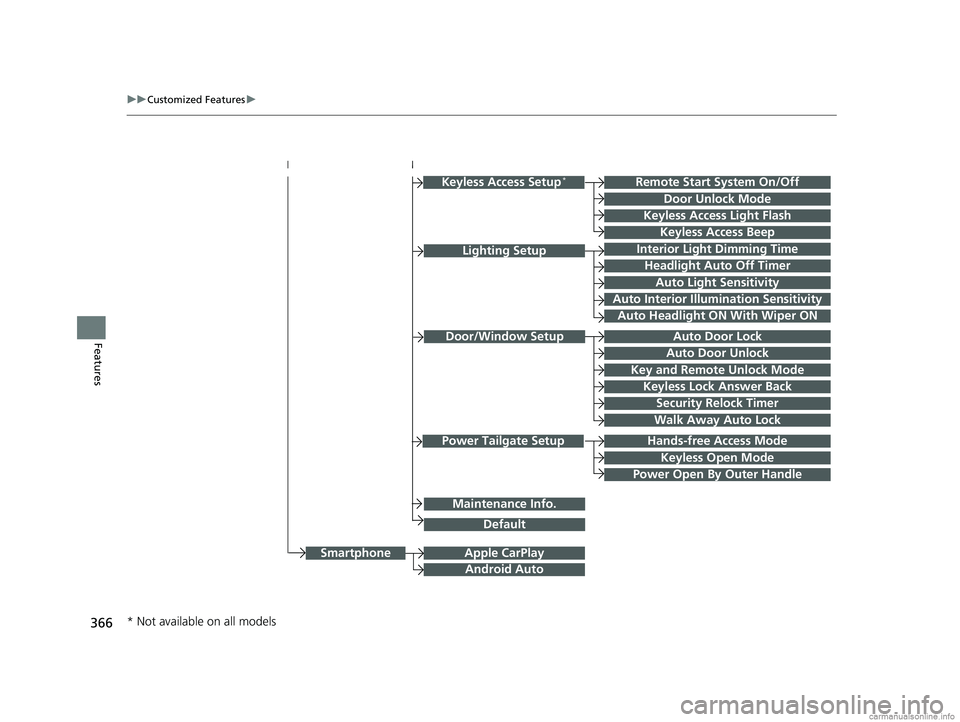
366
uuCustomized Features u
Features
Hands-free Access Mode
Keyless Open Mode
Lighting SetupInterior Light Dimming Time
Headlight Auto Off Timer
Auto Light Sensitivity
Auto Interior Illumination Sensitivity
Auto Door Lock
Key and Remote Unlock Mode
Door/Window Setup
Apple CarPlay
Maintenance Info.
Android Auto
Keyless Lock Answer Back
Security Relock Timer
Walk Away Auto Lock
Keyless Access Setup*
Keyless Access Light Flash
Door Unlock Mode
Remote Start System On/Off
Keyless Access Beep
Smartphone
Power Tailgate Setup
Power Open By Outer Handle
Default
Auto Door Unlock
Auto Headlight ON With Wiper ON
* Not available on all models
18 CR-V-31TLA6100.book 366 ページ 2017年9月7日 木曜日 午後3時56分
Page 383 of 679
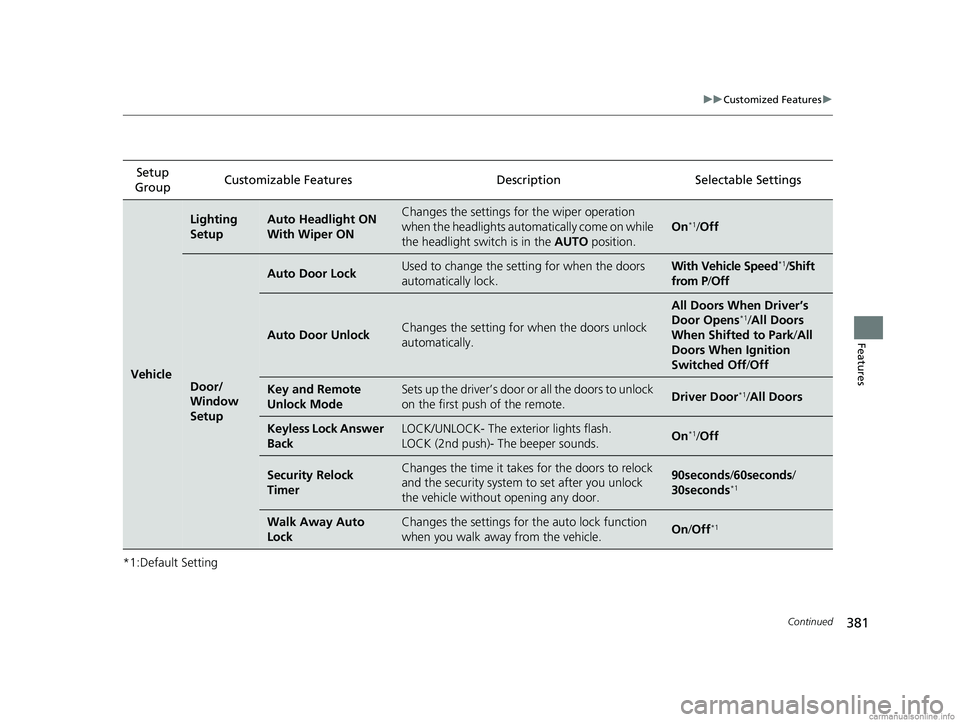
381
uuCustomized Features u
Continued
Features
*1:Default SettingSetup
Group Customizable Features Descri
ption Selectable Settings
Vehicle
Lighting
SetupAuto Headlight ON
With Wiper ONChanges the settings for the wiper operation
when the headlights automatically come on while
the headlight switch is in the AUTO position.
On*1/Off
Door/
Window
Setup
Auto Door LockUsed to change the se tting for when the doors
automatically lock.With Vehicle Speed*1/ Shift
from P/ Off
Auto Door UnlockChanges the setting for when the doors unlock
automatically.
All Doors When Driver’s
Door Opens*1/ All Doors
When Shifted to Park /All
Doors When Ignition
Switched Off /Off
Key and Remote
Unlock ModeSets up the driver’s door or all the doors to unlock
on the first push of the remote.Driver Door*1/All Doors
Keyless Lock Answer
BackLOCK/UNLOCK- The exterior lights flash.
LOCK (2nd push)- The beeper sounds.On*1/Off
Security Relock
TimerChanges the time it takes for the doors to relock
and the security system to set after you unlock
the vehicle without opening any door.90seconds /60seconds /
30seconds*1
Walk Away Auto
LockChanges the settings for the auto lock function
when you walk away from the vehicle.On /Off*1
18 CR-V-31TLA6100.book 381 ページ 2017年9月7日 木曜日 午後3時56分