park assist HONDA CR-V HYBRID 2020 (in English) User Guide
[x] Cancel search | Manufacturer: HONDA, Model Year: 2020, Model line: CR-V HYBRID, Model: HONDA CR-V HYBRID 2020Pages: 687, PDF Size: 41.59 MB
Page 516 of 687
uuHonda Sensing ®u Adaptive Cruise Control (ACC) with Low Speed Follow
514
Driving
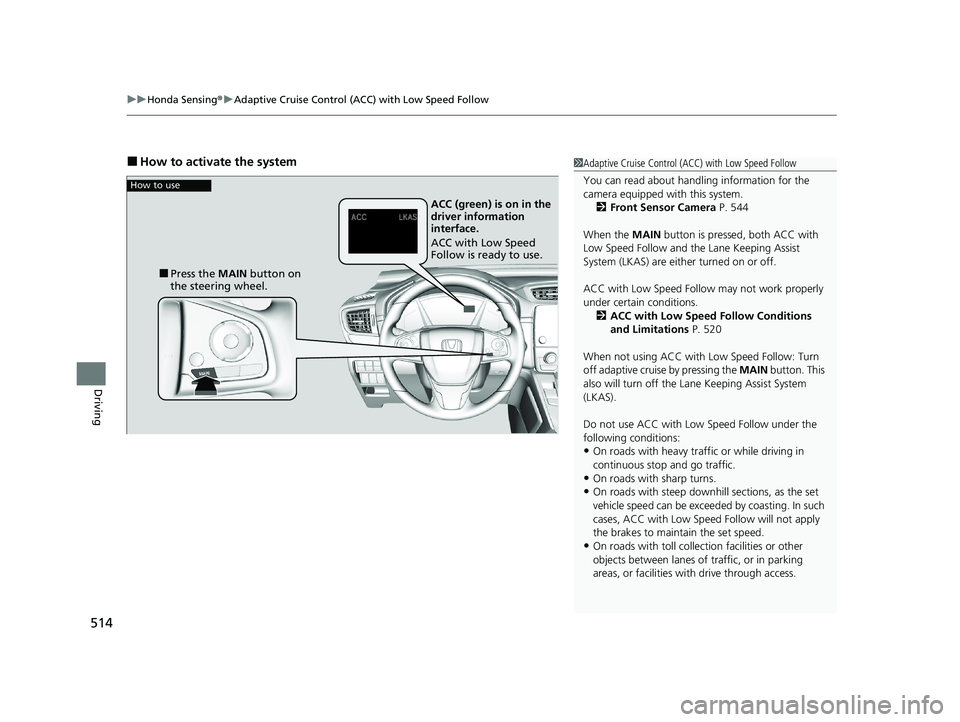
■How to activate the system1Adaptive Cruise Control (ACC) with Low Speed Follow
You can read about handling information for the
camera equipped with this system.
2 Front Sensor Camera P. 544
When the MAIN button is pressed, both ACC with
Low Speed Follow and the Lane Keeping Assist
System (LKAS) are either turned on or off.
ACC with Low Speed Follow may not work properly
under certain conditions.
2 ACC with Low Speed Follow Conditions
and Limitations P. 520
When not using ACC with Low Speed Follow: Turn
off adaptive cruise by pressing the MAIN button. This
also will turn off the Lane Keeping Assist System
(LKAS).
Do not use ACC with Low Speed Follow under the
following conditions:
•On roads with heavy traf fic or while driving in
continuous stop and go traffic.
•On roads with sharp turns.•On roads with steep downhill sections, as the set
vehicle speed can be exceeded by coasting. In such
cases, ACC with Low Speed Follow will not apply
the brakes to maintain the set speed.
•On roads with toll collection facilities or other
objects between lanes of traffic, or in parking
areas, or faci lities with driv e through access.
How to use
■Press the MAIN button on
the steering wheel. ACC (green) is on in the
driver information
interface.
ACC with Low Speed
Follow is ready to use.
20 CR-V HYBRID HMIN-31TPG6000.book 514 ページ 2019年11月28日 木曜日 午後1時50分
Page 517 of 687
Continued515
uuHonda Sensing ®u Adaptive Cruise Control (ACC) with Low Speed Follow
Driving
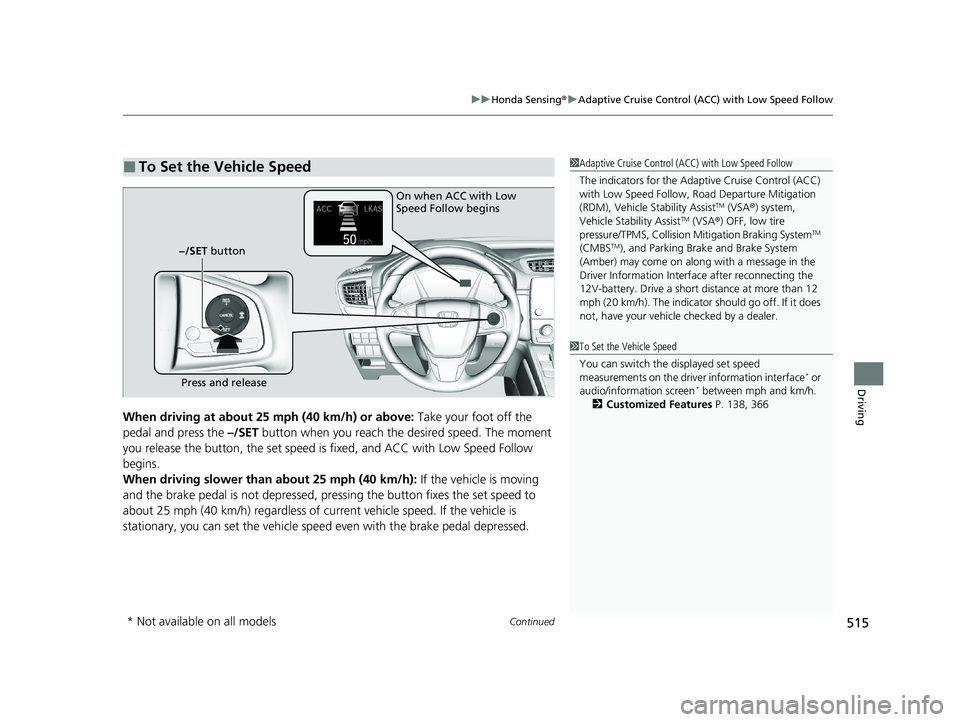
When driving at about 25 mph (40 km/h) or above: Take your foot off the
pedal and press the –/SET button when you reach the desired speed. The moment
you release the button, th e set speed is fixed, and ACC with Low Speed Follow
begins.
When driving slower than about 25 mph (40 km/h): If the vehicle is moving
and the brake pedal is not depressed, pr essing the button fixes the set speed to
about 25 mph (40 km/h) regardless of current vehicle speed. If the vehicle is
stationary, you can set the vehicle speed even with the brake pedal depressed.
■To Set the Vehicle Speed1 Adaptive Cruise Control (ACC) with Low Speed Follow
The indicators for the Adaptive Cruise Control (ACC)
with Low Speed Follow, Road Departure Mitigation
(RDM), Vehicle Stability Assist
TM (VSA ®) system,
Vehicle Stability AssistTM (VSA ®) OFF, low tire
pressure/TPMS, Collision Mitigation Braking SystemTM
(CMBSTM), and Parking Brake and Brake System
(Amber) may come on along with a message in the
Driver Information Interf ace after reconnecting the
12V-battery. Drive a short distance at more than 12
mph (20 km/h). The indicator should go off. If it does
not, have your vehicle checked by a dealer.
On when ACC with Low
Speed Follow begins
Press and release
−/SET button
1
To Set the Vehicle Speed
You can switch the displayed set speed
measurements on the driv er information interface
* or
audio/information screen* between mph and km/h.
2 Customized Features P. 138, 366
* Not available on all models
20 CR-V HYBRID HMIN-31TPG6000.book 515 ページ 2019年11月28日 木曜日 午後1時50分
Page 543 of 687
Continued541
uuHonda Sensing ®u Road Departure Mitigation (RDM) System
Driving
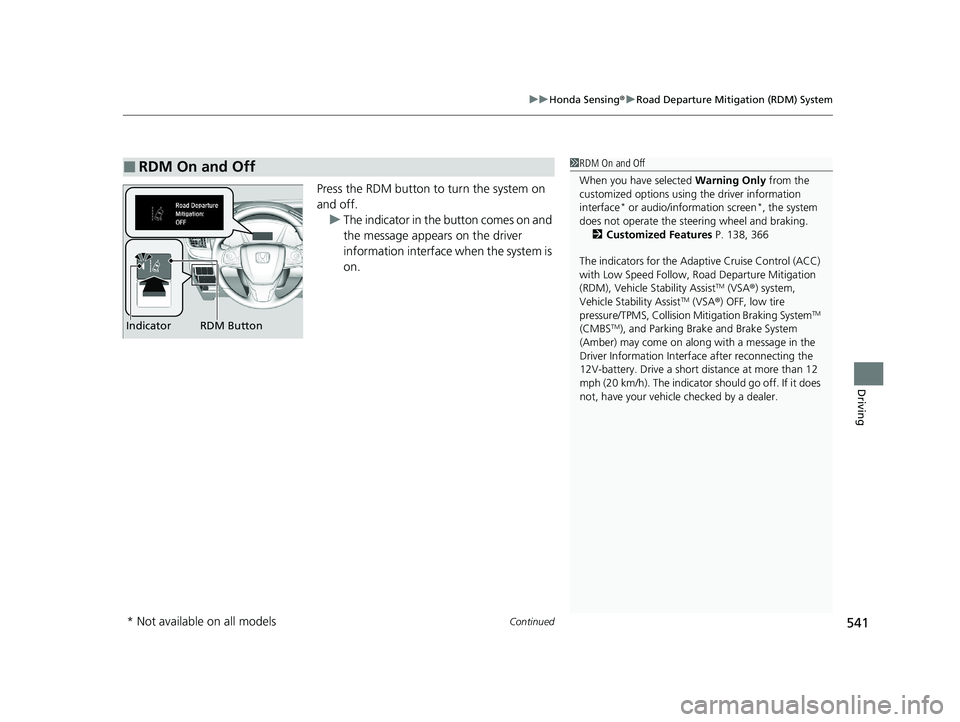
Press the RDM button to turn the system on
and off.
u The indicator in the button comes on and
the message appears on the driver
information interface when the system is
on.
■RDM On and Off1RDM On and Off
When you have selected Warning Only from the
customized options using the driver information
interface
* or audio/information screen*, the system
does not operate the steering wheel and braking. 2 Customized Features P. 138, 366
The indicators for the Adaptive Cruise Control (ACC)
with Low Speed Follow, Road Departure Mitigation
(RDM), Vehicle Stability Assist
TM (VSA ®) system,
Vehicle Stability AssistTM (VSA ®) OFF, low tire
pressure/TPMS, Collision Mitigation Braking SystemTM
(CMBSTM), and Parking Brake and Brake System
(Amber) may come on along with a message in the
Driver Information Interf ace after reconnecting the
12V-battery. Drive a short distance at more than 12
mph (20 km/h). The indicator should go off. If it does
not, have your vehicle checked by a dealer.RDM Button
Indicator
* Not available on all models
20 CR-V HYBRID HMIN-31TPG6000.book 541 ページ 2019年11月28日 木曜日 午後1時50分
Page 547 of 687
545
uuHonda Sensing ®u Front Sensor Camera
Driving
1Front Sensor Camera
Do not place an object on the top of the instrument
panel. It may reflect onto the windshield and prevent
the system from detecting lane lines properly.
If the Some Driver Assist Systems Cannot
Operate:Camera Temperature Too High :
message appears:
•Use the climate control system to cool down the
interior and, if necessary, also use defroster mode
with the air flow directed toward the camera.
•Start driving the vehicle to lower the windshield
temperature, which cool s down the area around
the camera.
If the Some Driver Assist Systems Cannot
Operate:Clean Front Windshield : message
appears:
•Park your vehicle in a sa fe place, and clean the
windshield. If the message does not disappear after
you have cleaned the winds hield and driven for a
while, have your vehicle checked by a dealer.
20 CR-V HYBRID HMIN-31TPG6000.book 545 ページ 2019年11月28日 木曜日 午後1時50分
Page 614 of 687
612
uu12-volt Battery uCharging the 12-volt Battery
Maintenance
Charging the 12-volt Battery
Disconnect both battery cables to prevent da maging your vehicle's electrical system.
Always disconnect the negative (–) cable first, and reconnect it last.1 12-volt Battery
When you find corrosion, cl ean the battery terminals
by applying a baking powder and water solution.
Clean the terminals with a damp towel. Cloth/towel
dry the battery. Coat the terminals with grease to
help prevent future corrosion.
When replacing the battery, the replacement must be
of the same specifications.
Consult a dealer for more information.
The indicators for the Adaptive Cruise Control (ACC)
with Low Speed Follow, Road Departure Mitigation
System, Vehicle Stability Assist
TM (VSA ®) system,
Vehicle Stability AssistTM (VSA ®) OFF, Collision
Mitigation Braking SystemTM (CMBSTM), Low Tire
Pressure/TPMS, and Parking Brake and Brake System
(Amber) may come on along with a message in the
Driver Information Interf ace after reconnecting the
12-volt battery. Drive a shor t distance at more than
12 mph (20 km/h). The indicator should go off. If it
does not, have your vehicl e checked by a dealer.
20 CR-V HYBRID HMIN-31TPG6000.book 612 ページ 2019年11月28日 木曜日 午後1時50分
Page 642 of 687
640
Handling the Unexpected
Power System Won’t Start
Checking the Procedure
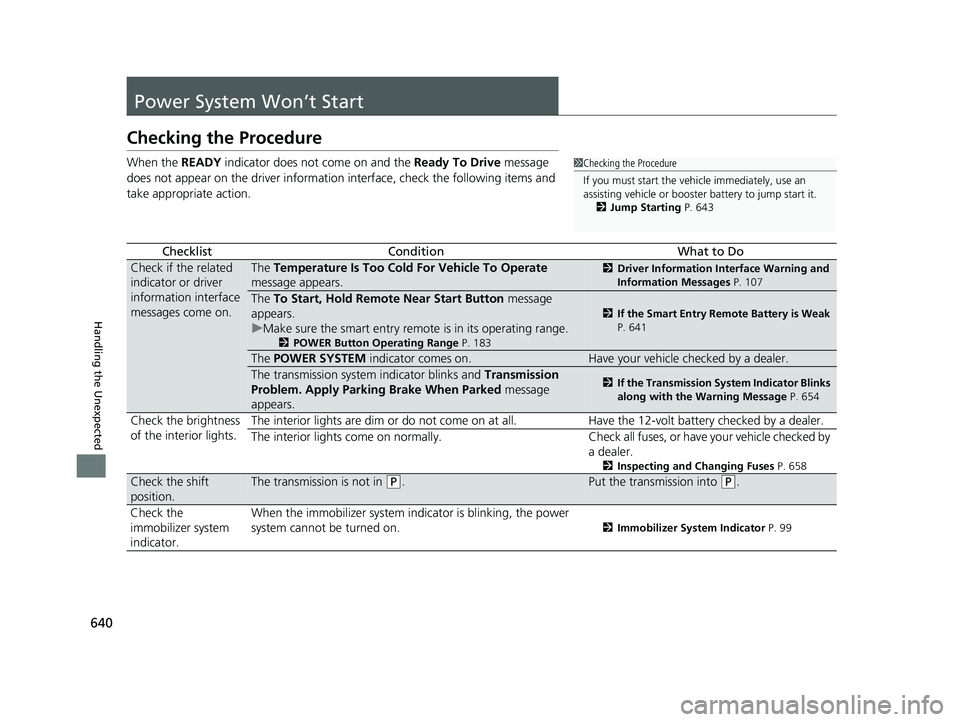
When the READY indicator does not come on and the Ready To Drive message
does not appear on the driver information interface, check the following items and
take appropriate action.
ChecklistConditionWhat to Do
Check if the related
indicator or driver
information interface
messages come on.The Temperature Is Too Cold For Vehicle To Operate
message appears.2 Driver Information Interface Warning and
Information Messages P. 107
The To Start, Hold Remote Near Start Button message
appears.
u Make sure the smart entry remote is in its operating range.
2 POWER Button Operating Range P. 183
2If the Smart Entry Remote Battery is Weak
P. 641
The POWER SYSTEM indicator comes on.Have your vehicle checked by a dealer.
The transmission system indicator blinks and Transmission
Problem. Apply Parking Brake When Parked message
appears.2 If the Transmission System Indicator Blinks
along with the Warning Message P. 654
Check the brightness
of the interior lights.The interior lights are dim or do not come on at
all. Have the 12-volt battery checked by a dealer.
The interior lights come on normally. Check al l fuses, or have your vehicle checked by
a dealer.
2 Inspecting and Changing Fuses P. 658
Check the shift
position.The transmission is not in (P.Put the transmission into (P.
Check the
immobilizer system
indicator. When the immobilizer system in
dicator is blinking, the power
system cannot be turned on.
2 Immobilizer System Indicator P. 99
1Checking the Procedure
If you must start the vehi cle immediately, use an
assisting vehicle or booster battery to jump start it.
2 Jump Starting P. 643
20 CR-V HYBRID HMIN-31TPG6000.book 640 ページ 2019年11月28日 木曜日 午後1時50分
Page 646 of 687
uuJump Starting u
644
Handling the Unexpected
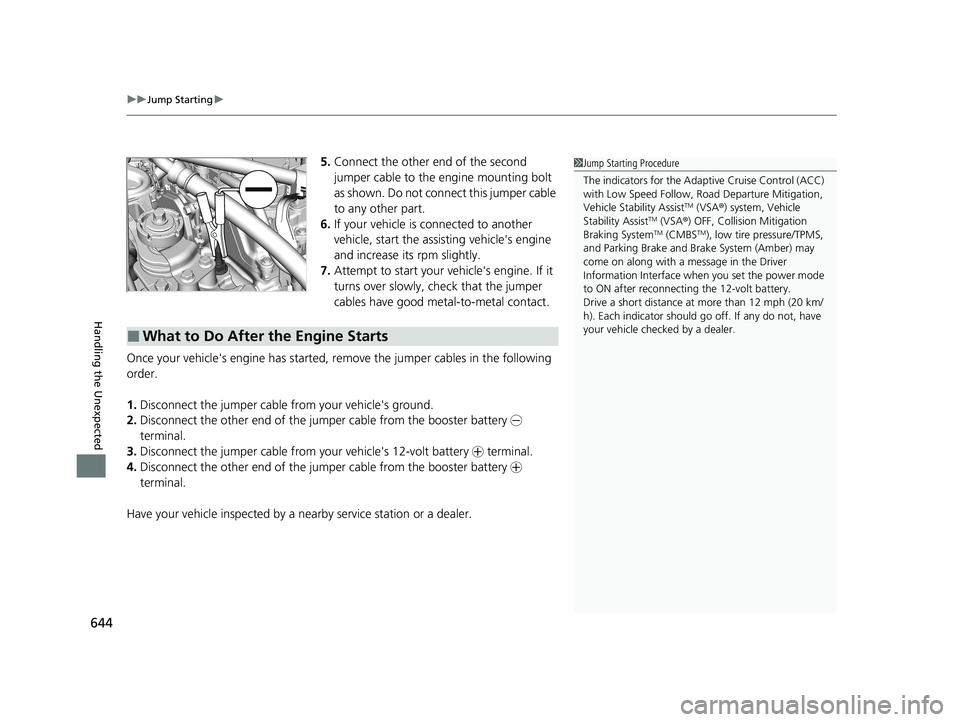
5.Connect the other end of the second
jumper cable to the engine mounting bolt
as shown. Do not connect this jumper cable
to any other part.
6. If your vehicle is connected to another
vehicle, start the assi sting vehicle's engine
and increase its rpm slightly.
7. Attempt to start your vehicle's engine. If it
turns over slowly, check that the jumper
cables have good metal-to-metal contact.
Once your vehicle's engine has started, re move the jumper cables in the following
order.
1. Disconnect the jumper cable from your vehicle's ground.
2. Disconnect the other end of the jumper cable from the booster battery -
terminal.
3. Disconnect the jumper cable from your vehicle's 12-volt battery + terminal.
4. Disconnect the other end of the jumper cable from the booster battery +
terminal.
Have your vehicle inspected by a n earby service station or a dealer.
■What to Do After the Engine Starts
1Jump Starting Procedure
The indicators for the Adaptive Cruise Control (ACC)
with Low Speed Follow, Roa d Departure Mitigation,
Vehicle Stability Assist
TM (VSA ®) system, Vehicle
Stability AssistTM (VSA ®) OFF, Collision Mitigation
Braking SystemTM (CMBSTM), low tire pressure/TPMS,
and Parking Brake and Br ake System (Amber) may
come on along with a message in the Driver
Information Interface when you set the power mode
to ON after reconnecting the 12-volt battery.
Drive a short distance at more than 12 mph (20 km/
h). Each indicator should go off. If any do not, have
your vehicle checked by a dealer.
20 CR-V HYBRID HMIN-31TPG6000.book 644 ページ 2019年11月28日 木曜日 午後1時50分
Page 679 of 687
677
Index
USB Flash Drives...................... 261, 317, 343
USB Port(s) .............................................. 241
Voice Control Operation ......................... 293
Wallpaper Setup ............................. 250, 278
Wi-Fi Connection .................................... 327
Audio/Information Screen ............... 248, 269
Authorized Manuals ................................ 673
Auto Door Locking/Unlocking ................ 163
Auto High-Beam ...................................... 192
Indicator ................................................... 99
Automatic Brake Hold ............................. 551
Indicator ........................................... 91, 551
Automatic Brake Hold System Indicator ................................................... 91
Automatic Intermittent Wipers .............. 196
Automatic Lighting .................................. 188
Average Fuel Economy ............................ 128
Average Fuel Economy Records .............. 129
Average Speed ......................................... 128
AWD (All-Wheel Drive) ............................ 488
B
Battery........................................................ 12
Charging System Indicator ........................ 93
High Voltage..................................... 12, 498
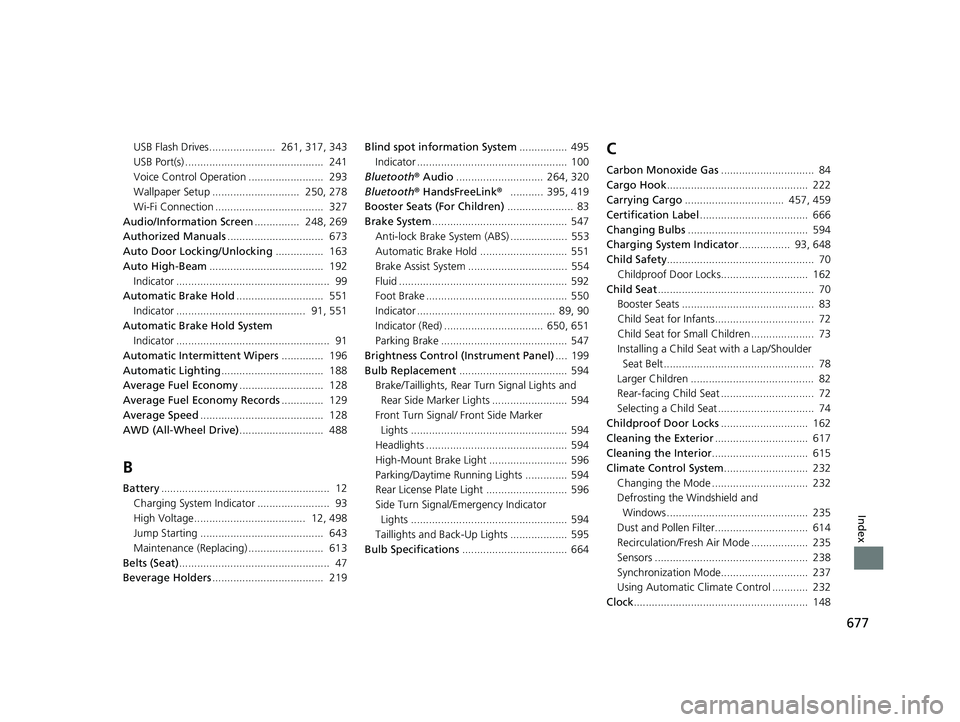
Jump Starting ......................................... 643
Maintenance (Replacing) ......................... 613
Belts (Seat) .................................................. 47
Beverage Holders ..................................... 219 Blind spot information System
................ 495
Indicator .................................................. 100
Bluetooth® Audio............................. 264, 320
Bluetooth® HandsFreeLink® ........... 395, 419
Booster Seats (For Children) ...................... 83
Brake System ............................................. 547
Anti-lock Brake System (ABS) ................... 553
Automatic Brake Hold ............................. 551
Brake Assist System ................................. 554
Fluid ........................................................ 592
Foot Brake ............................................... 550
Indicator .............................................. 89, 90
Indicator (Red) ................................. 650, 651
Parking Brake .......................................... 547
Brightness Control (Instrument Panel) .... 199
Bulb Replacement .................................... 594
Brake/Taillights, Rear Turn Signal Lights and
Rear Side Marker Lights ......................... 594
Front Turn Signal/ Front Side Marker
Lights .................................................... 594
Headlights ............................................... 594
High-Mount Brake Light .......................... 596
Parking/Daytime Running Lights .............. 594
Rear License Plate Light ........................... 596
Side Turn Signal/Em ergency Indicator
Lights .................................................... 594
Taillights and Back-Up Lights ................... 595
Bulb Specifications ................................... 664
C
Carbon Monoxide Gas ............................... 84
Cargo Hook ............................................... 222
Carrying Cargo ................................. 457, 459
Certification Label .................................... 666
Changing Bulbs ........................................ 594
Charging System Indicator ................. 93, 648
Child Safety ................................................. 70
Childproof Door Locks............................. 162
Child Seat .................................................... 70
Booster Seats ............................................ 83
Child Seat for Infants................................. 72
Child Seat for Small Children ..................... 73
Installing a Child Seat with a Lap/Shoulder
Seat Belt .................................................. 78
Larger Children ......................................... 82
Rear-facing Child Seat ............................... 72
Selecting a Child Seat ................................ 74
Childproof Door Locks ............................. 162
Cleaning the Exterior ............................... 617
Cleaning the Interior ................................ 615
Climate Control System ............................ 232
Changing the Mode ................................ 232
Defrosting the Windshield and Windows ............................................... 235
Dust and Pollen Filter............................... 614
Recirculation/Fresh Air Mode ................... 235
Sensors ................................................... 238
Synchronization Mode............................. 237
Using Automatic Climate Control ............ 232
Clock .......................................................... 148
20 CR-V HYBRID HMIN-31TPG6000.book 677 ページ 2019年11月28日 木曜日 午後1時50分
Page 682 of 687
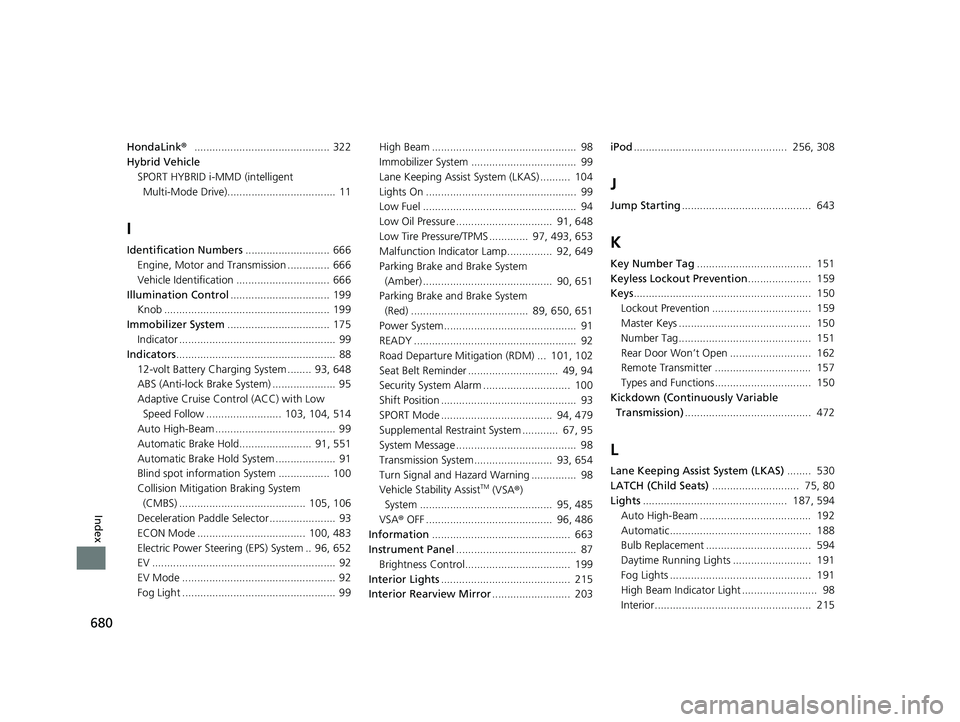
680
Index
HondaLink®............................................. 322
Hybrid Vehicle
SPORT HYBRID i-MMD (intelligent
Multi-Mode Drive).................................... 11
I
Identification Numbers ............................ 666
Engine, Motor and Transmission .............. 666
Vehicle Identification ............................... 666
Illumination Control ................................. 199
Knob ....................................................... 199
Immobilizer System .................................. 175
Indicator .................................................... 99
Indicators ..................................................... 88
12-volt Battery Charging System ........ 93, 648
ABS (Anti-lock Brake System) ..................... 95
Adaptive Cruise Control (ACC) with Low
Speed Follow ......................... 103, 104, 514
Auto High-Beam ........................................ 99
Automatic Brake Hold........................ 91, 551
Automatic Brake Hold System .................... 91
Blind spot information System ................. 100
Collision Mitigation Braking System
(CMBS) .......................................... 105, 106
Deceleration Paddle Selector ...................... 93
ECON Mode .................................... 100, 483
Electric Power Steering (EPS) System .. 96, 652
EV ............................................................. 92
EV Mode ................................................... 92
Fog Light ................................................... 99 High Beam ................................................ 98
Immobilizer System ................................... 99
Lane Keeping Assist System (LKAS) .......... 104
Lights On .................................................. 99
Low Fuel ................................................... 94
Low Oil Pressure ................................ 91, 648
Low Tire Pressure/TPMS ............. 97, 493, 653
Malfunction Indicator Lamp............... 92, 649
Parking Brake a
nd Brake System
(Amber) ........................................... 90, 651
Parking Brake a nd Brake System
(Red) ....................................... 89, 650, 651
Power System............................................ 91
READY ...................................................... 92
Road Departure Mitiga tion (RDM) ... 101, 102
Seat Belt Reminder .............................. 49, 94
Security System Alarm ............................. 100
Shift Position ............................................. 93
SPORT Mode ..................................... 94, 479
Supplemental Restraint System ............ 67, 95
System Message ........................................ 98
Transmission System.......................... 93, 654
Turn Signal and Hazard Warning ............... 98
Vehicle Stability Assist
TM (VSA ®)
System ............................................ 95, 485
VSA ® OFF .......................................... 96, 486
Information .............................................. 663
Instrument Panel ........................................ 87
Brightness Control................................... 199
Interior Lights ........................................... 215
Interior Rearview Mirror .......................... 203iPod
................................................... 256, 308
J
Jump Starting ........................................... 643
K
Key Number Tag ...................................... 151
Keyless Lockout Prevention ..................... 159
Keys ........................................................... 150
Lockout Prevention ................................. 159
Master Keys ............................................ 150
Number Tag............................................ 151
Rear Door Won’t Open ........................... 162
Remote Transmitter ................................ 157
Types and Functions................................ 150
Kickdown (Continuously Variable Transmission) .......................................... 472
L
Lane Keeping Assist System (LKAS) ........ 530
LATCH (Child Seats) ............................. 75, 80
Lights ................................................ 187, 594
Auto High-Beam ..................................... 192
Automatic............................................... 188
Bulb Replacement ................................... 594
Daytime Running Lights .......................... 191
Fog Lights ............................................... 191
High Beam Indicator Light ......................... 98
Interior.................................................... 215
20 CR-V HYBRID HMIN-31TPG6000.book 680 ページ 2019年11月28日 木曜日 午後1時50分