light HONDA FIT 2020 (in English) User Guide
[x] Cancel search | Manufacturer: HONDA, Model Year: 2020, Model line: FIT, Model: HONDA FIT 2020Pages: 599, PDF Size: 41.91 MB
Page 30 of 599
28
Quick Reference Guide
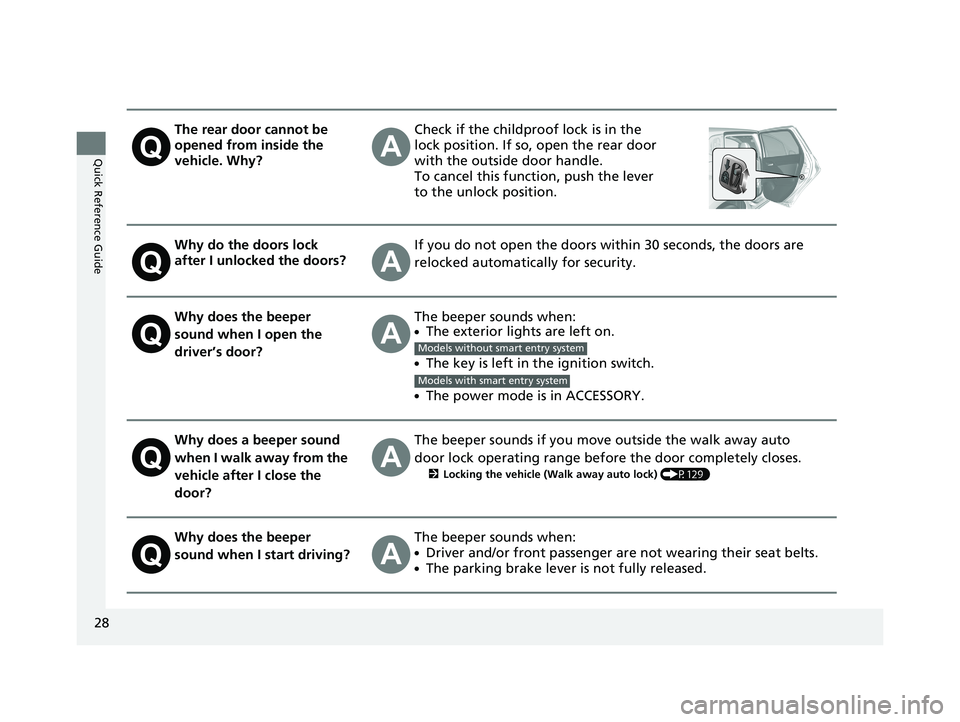
The rear door cannot be
opened from inside the
vehicle. Why?Check if the childproof lock is in the
lock position. If so, open the rear door
with the outside door handle.
To cancel this function, push the lever
to the unlock position.
Why do the doors lock
after I unlocked the doors?If you do not open the doors within 30 seconds, the doors are
relocked automatically for security.
Why does the beeper
sound when I open the
driver’s door?The beeper sounds when:●The exterior lights are left on.
●The key is left in the ignition switch.
●The power mode is in ACCESSORY.
Why does a beeper sound
when I walk away from the
vehicle after I close the
door?The beeper sounds if you move outside the walk away auto
door lock operating range before the door completely closes.
2Locking the vehicle (Walk away auto lock) (P129)
Why does the beeper
sound when I start driving?The beeper sounds when:
●Driver and/or front passenger are not wearing their seat belts.
●The parking brake lever is not fully released.
Models without smart entry system
Models with smart entry system
20 FIT-31T5A6500.book 28 ページ 2019年9月26日 木曜日 午後4時41分
Page 86 of 599
84
uuIndicators u
Instrument Panel
*1:Models with the smart entry system have an ENGINE START/STOP button instead of an ignition switch.
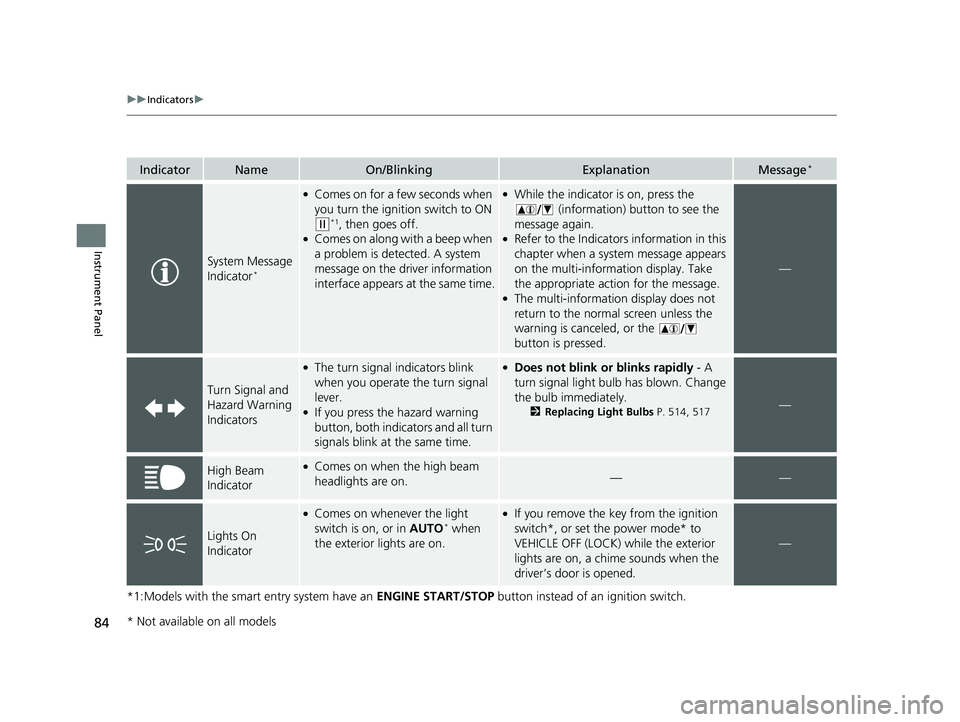
IndicatorNameOn/BlinkingExplanationMessage*
System Message
Indicator*
●Comes on for a few seconds when
you turn the ignition switch to ON
(w*1, then goes off.●Comes on along with a beep when
a problem is detected. A system
message on the driver information
interface appears at the same time.
●While the indicator is on, press the
(information) button to see the
message again.
●Refer to the Indicators information in this
chapter when a system message appears
on the multi-information display. Take
the appropriate action for the message.
●The multi-information display does not
return to the normal screen unless the
warning is canceled, or the
button is pressed.
—
Turn Signal and
Hazard Warning
Indicators
●The turn signal indicators blink
when you operate the turn signal
lever.
●If you press the hazard warning
button, both indicators and all turn
signals blink at the same time.
●Does not blink or blinks rapidly - A
turn signal light bulb has blown. Change
the bulb immediately.
2 Replacing Light Bulbs P. 514, 517—
High Beam
Indicator●Comes on when the high beam
headlights are on.——
Lights On
Indicator
●Comes on whenever the light
switch is on, or in AUTO* when
the exterior lights are on.
●If you remove the key from the ignition
switch*, or set the power mode* to
VEHICLE OFF (LOCK) while the exterior
lights are on, a chime sounds when the
driver’s door is opened.
—
* Not available on all models
20 FIT-31T5A6500.book 84 ページ 2019年9月26日 木曜日 午後4時41分
Page 87 of 599
85
uuIndicators u
Continued
Instrument Panel
*1:Models with the smart entry system have an ENGINE START/STOP button instead of an ignition switch.
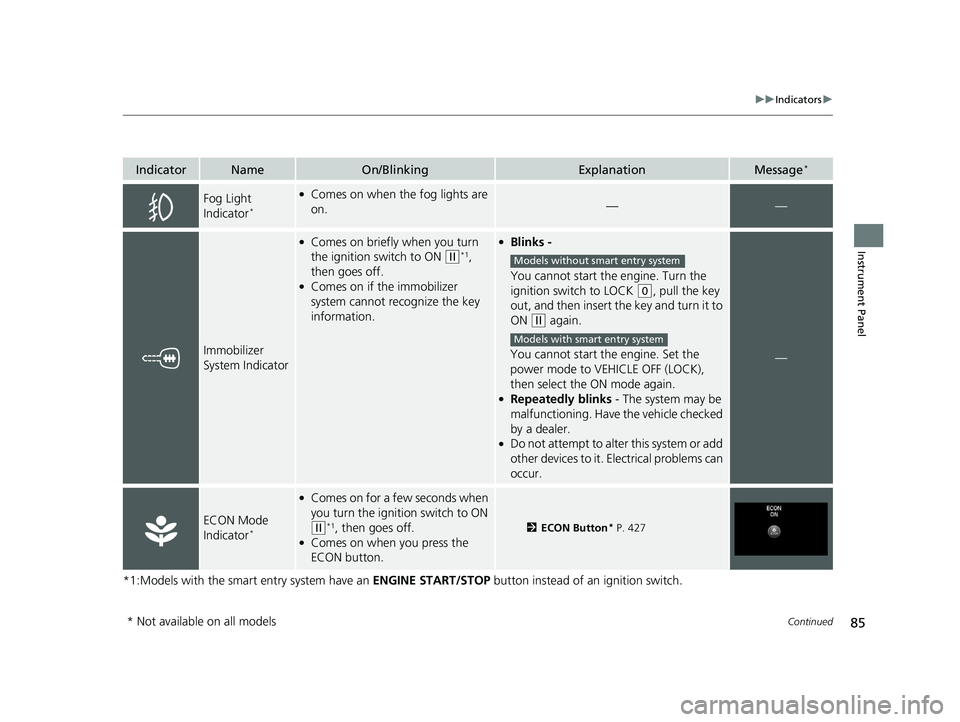
IndicatorNameOn/BlinkingExplanationMessage*
Fog Light
Indicator*
●Comes on when the fog lights are
on.——
Immobilizer
System Indicator
●Comes on briefly when you turn
the ignition switch to ON
(w*1,
then goes off.
●Comes on if the immobilizer
system cannot recognize the key
information.
●Blinks -
You cannot start the engine. Turn the
ignition switch to LOCK
(0, pull the key
out, and then insert the key and turn it to
ON
(w again.
You cannot start the engine. Set the
power mode to VEHICLE OFF (LOCK),
then select the ON mode again.
●Repeatedly blinks - The system may be
malfunctioning. Have the vehicle checked
by a dealer.
●Do not attempt to alter this system or add
other devices to it. Electrical problems can
occur.
—
ECON Mode
Indicator*
●Comes on for a fe w seconds when
you turn the igniti on switch to ON
(w*1, then goes off.●Comes on when you press the
ECON button.
2ECON Button* P. 427
Models without smart entry system
Models with smart entry system
* Not available on all models
20 FIT-31T5A6500.book 85 ページ 2019年9月26日 木曜日 午後4時41分
Page 104 of 599
102
uuIndicators uMulti-Information Display Warn ing and Information Messages*
Instrument Panel
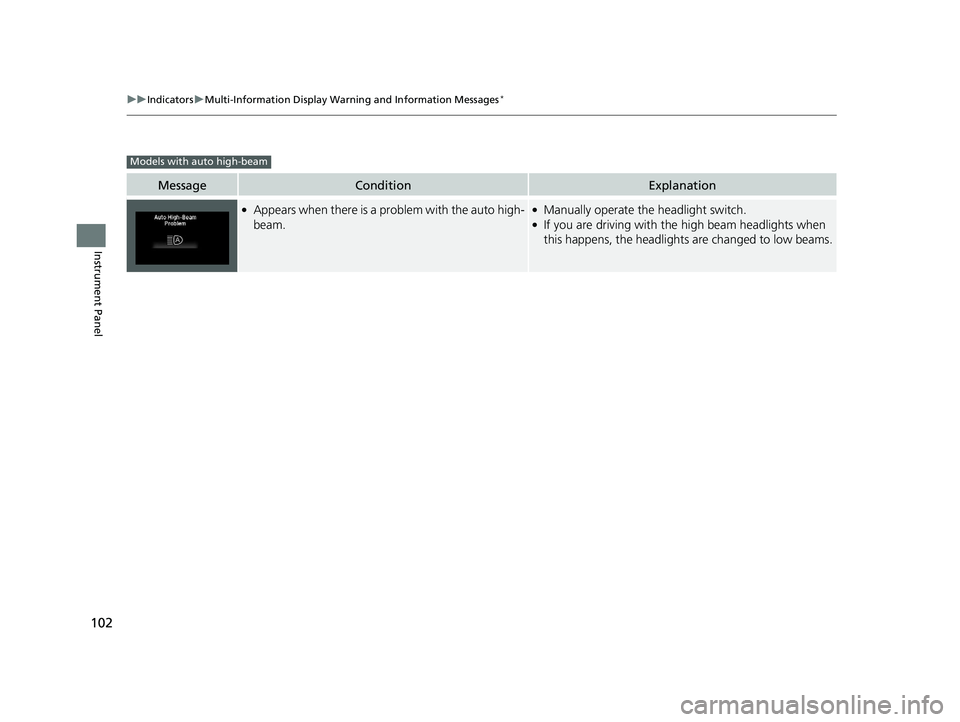
MessageConditionExplanation
●Appears when there is a problem with the auto high-
beam.●Manually operate the headlight switch.●If you are driving with the high beam headlights when
this happens, the headlights are changed to low beams.
Models with auto high-beam
20 FIT-31T5A6500.book 102 ページ 2019年9月26日 木曜日 午後4時41分
Page 114 of 599
112
uuGauges and Displays uMulti-Information Display*
Instrument Panel
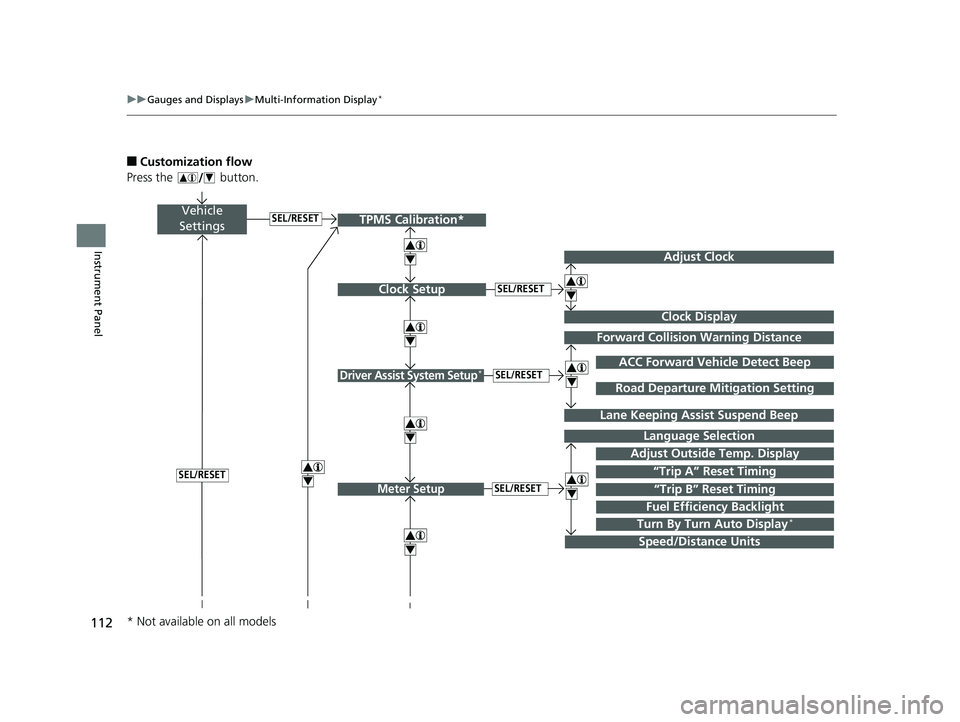
■Customization flow
Press the button.
Vehicle
Settings
Adjust Outside Temp. Display
Language Selection
Adjust Clock
4
4
Driver Assist System Setup*
Meter Setup“Trip B” Reset TimingSEL/RESET
SEL/RESET
SEL/RESET
“Trip A” Reset Timing4
ACC Forward Vehicle Detect Beep
Lane Keeping Assi st Suspend Beep
4
SEL/RESET
Forward Collision Warning Distance
4
4
SEL/RESET
Speed/Distance Units
Road Departure Mitigation Setting
Clock Display
Clock Setup
4
Fuel Efficiency Backlight
Turn By Turn Auto Display*
TPMS Calibration*
4
* Not available on all models
20 FIT-31T5A6500.book 112 ページ 2019年9月26日 木曜日 午後4時41分
Page 115 of 599
113
uuGauges and Displays uMulti-Information Display*
Continued
Instrument Panel
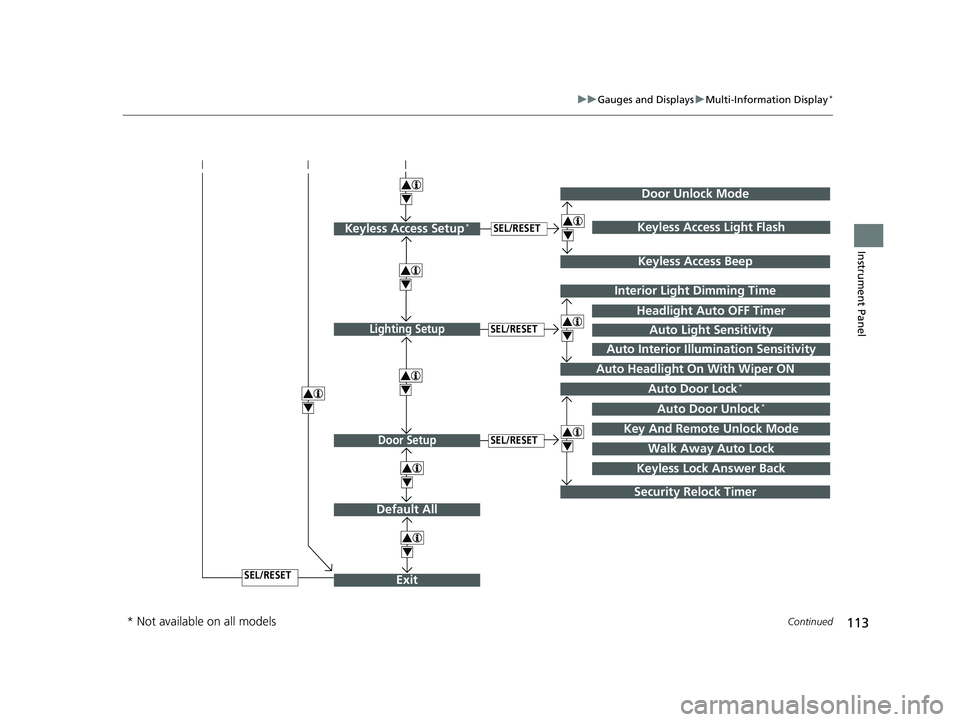
Exit
4
4
Door Setup
Default All
SEL/RESET
4
SEL/RESET
Lighting SetupSEL/RESET
4Auto Door Lock*
Auto Door Unlock*
Key And Remote Unlock Mode
Walk Away Auto Lock
Interior Light Dimming Time
Headlight Auto OFF Timer
Auto Headlight On With Wiper ON
4
4
Security Relock Timer
Auto Light Sensitivity
Auto Interior Illumination Sensitivity
Keyless Lock Answer Back
Door Unlock Mode
Keyless Access Setup*SEL/RESET
Keyless Access Beep
4Keyless Access Light Flash
4
4
* Not available on all models
20 FIT-31T5A6500.book 113 ページ 2019年9月26日 木曜日 午後4時41分
Page 117 of 599
115
uuGauges and Displays uMulti-Information Display*
Continued
Instrument Panel
*1 : Default Setting
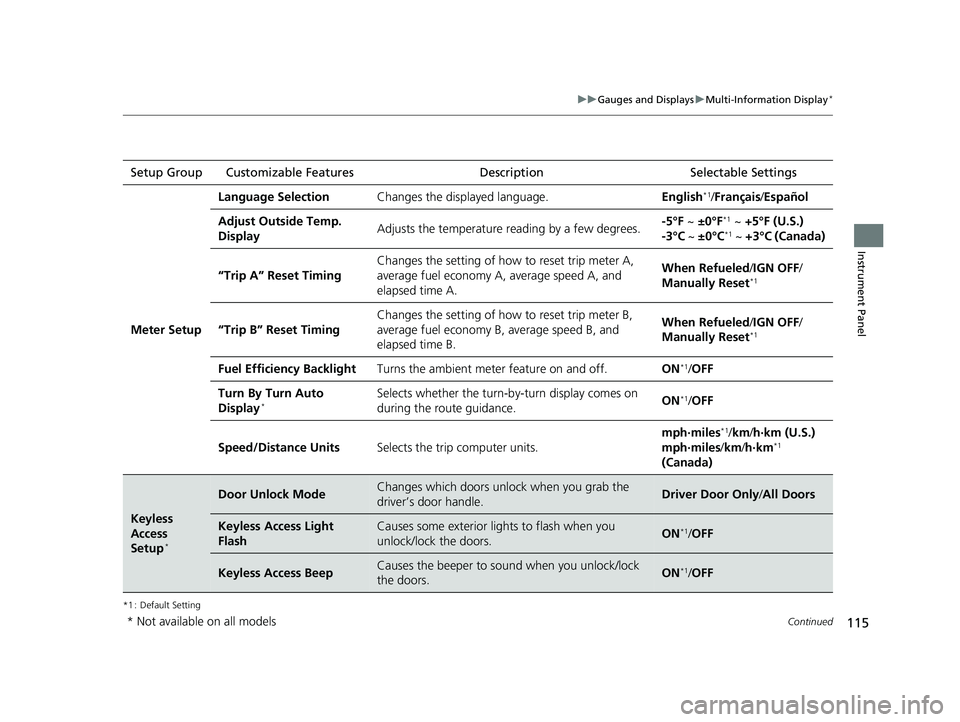
Setup Group Customizable Features Description Selectable Settings
Meter Setup
Language SelectionChanges the displayed language.English*1/Français /Español
Adjust Outside Temp.
DisplayAdjusts the temperature r eading by a few degrees.-5°F ~ ±0°F*1 ~ +5°F (U.S.)
-3°C ~ ±0°C*1 ~ +3°C (Canada)
“Trip A” Reset Timing
Changes the setting of how to reset trip meter A,
average fuel economy A, average speed A, and
elapsed time A.When Refueled /IGN OFF /
Manually Reset*1
“Trip B” Reset Timing
Changes the setting of ho w to reset trip meter B,
average fuel economy B, average speed B, and
elapsed time B.When Refueled /IGN OFF /
Manually Reset*1
Fuel Efficiency BacklightTurns the ambient meter feature on and off.ON*1/ OFF
Turn By Turn Auto
Display*Selects whether the turn-b y-turn display comes on
during the route guidance.ON*1/ OFF
Speed/Distance UnitsSelects the trip computer units.
mph∙miles*1/ km/ h∙km (U.S.)
mph∙miles /km/ h∙km*1
(Canada)
Keyless
Access
Setup
*
Door Unlock ModeChanges which doors unlock when you grab the
driver’s door handle.Driver Door Only /All Doors
Keyless Access Light
FlashCauses some exterior li ghts to flash when you
unlock/lock the doors.ON*1/ OFF
Keyless Access BeepCauses the beeper to sound when you unlock/lock
the doors.ON*1/OFF
* Not available on all models
20 FIT-31T5A6500.book 115 ページ 2019年9月26日 木曜日 午後4時41分
Page 118 of 599
116
uuGauges and Displays uMulti-Information Display*
Instrument Panel
*1 : Default Setting
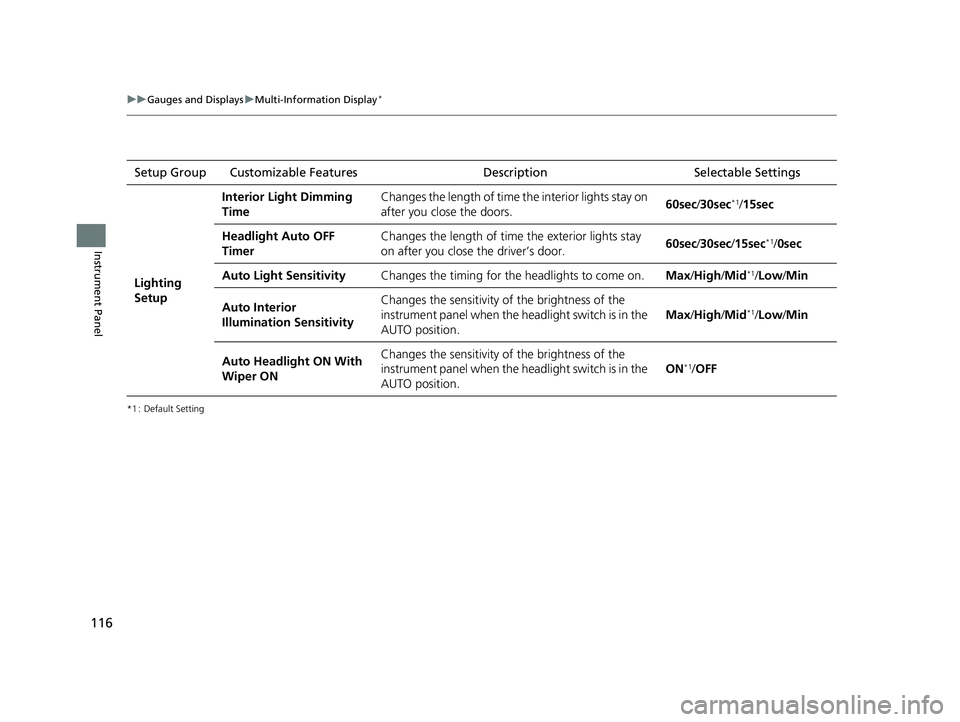
Setup Group Customizable Features DescriptionSelectable Settings
Lighting
Setup
Interior Light Dimming
TimeChanges the length of time the interior lights stay on
after you close the doors.60sec/30sec*1/15sec
Headlight Auto OFF
TimerChanges the length of time the exterior lights stay
on after you close the driver’s door.60sec /30sec /15sec*1/ 0sec
Auto Light SensitivityChanges the timing for the headlights to come on.Max/High /Mid*1/Low/ Min
Auto Interior
Illumination SensitivityChanges the sensitivity of the brightness of the
instrument panel when the headlight switch is in the
AUTO position.
Max/High /Mid*1/Low/ Min
Auto Headlight ON With
Wiper ONChanges the sensitivity of the brightness of the
instrument panel when the headlight switch is in the
AUTO position.
ON*1/OFF
20 FIT-31T5A6500.book 116 ページ 2019年9月26日 木曜日 午後4時41分
Page 119 of 599
117
uuGauges and Displays uMulti-Information Display*
Continued
Instrument Panel
*1 : Default Setting
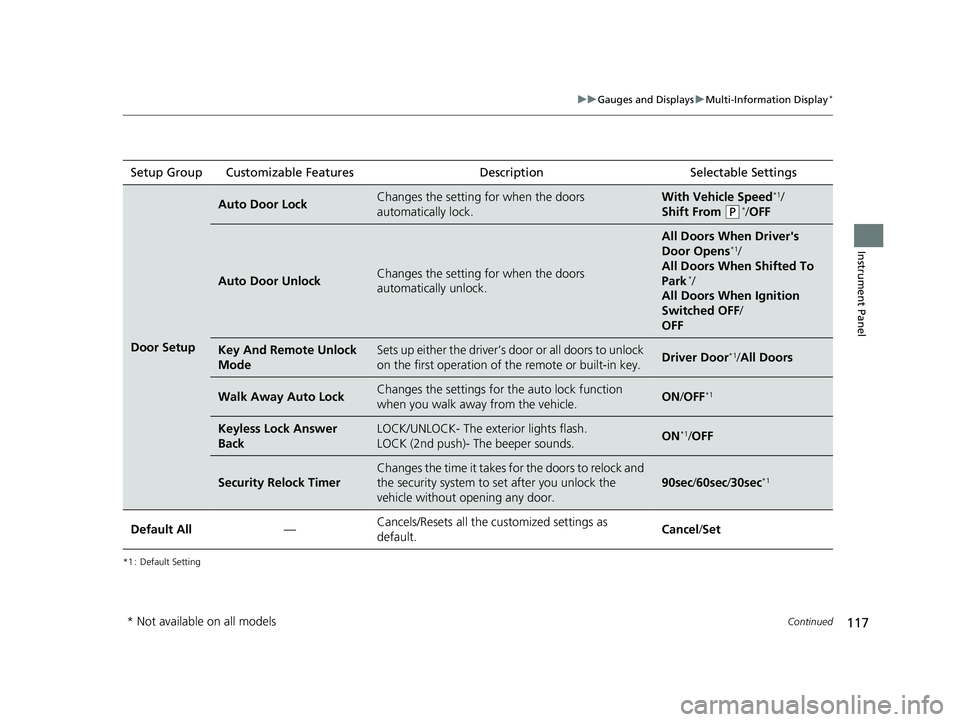
Setup Group Customizable Features Description Selectable Settings
Door Setup
Auto Door LockChanges the setting for when the doors
automatically lock.With Vehicle Speed*1/
Shift From
(P*/ OFF
Auto Door UnlockChanges the setting for when the doors
automatically unlock.
All Doors When Driver's
Door Opens*1/
All Doors When Shifted To
Park
*/
All Doors When Ignition
Switched OFF /
OFF
Key And Remote Unlock
ModeSets up either the driver’s door or all doors to unlock
on the first operation of the remote or built-in key.Driver Door*1/ All Doors
Walk Away Auto LockChanges the settings for the auto lock function
when you walk away from the vehicle.ON /OFF*1
Keyless Lock Answer
BackLOCK/UNLOCK- The exterior lights flash.
LOCK (2nd push)- The beeper sounds.ON*1/OFF
Security Relock Timer
Changes the time it takes for the doors to relock and
the security system to set after you unlock the
vehicle without opening any door.
90sec /60sec /30sec*1
Default All—Cancels/Resets all the customized settings as
default.Cancel /Set
* Not available on all models
20 FIT-31T5A6500.book 117 ページ 2019年9月26日 木曜日 午後4時41分
Page 123 of 599
121
Controls
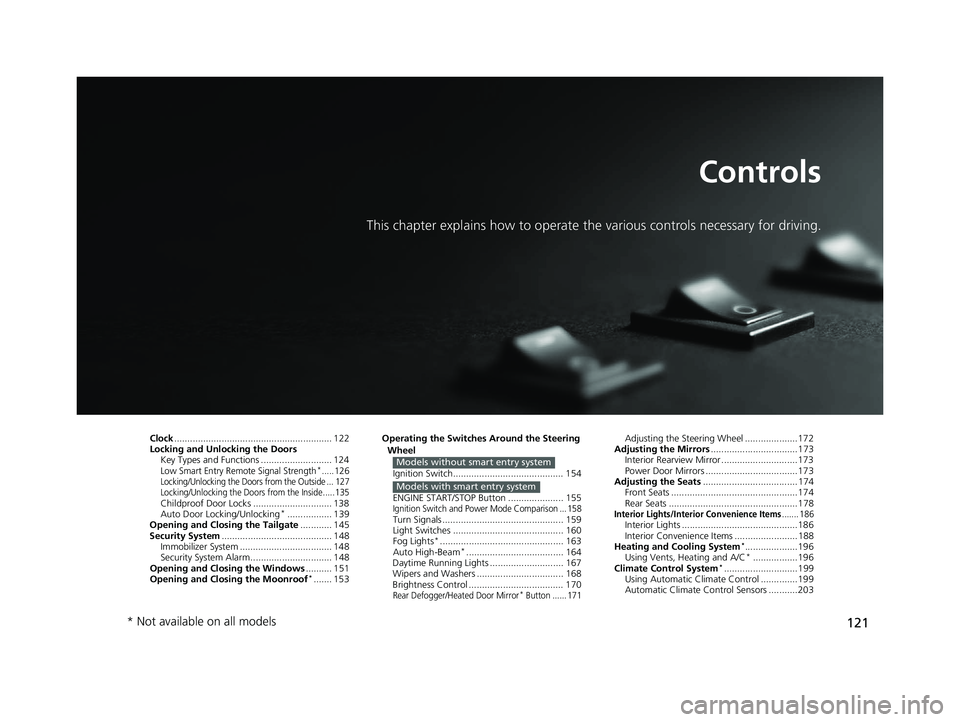
This chapter explains how to operate the various controls necessary for driving.
Clock............................................................ 122
Locking and Unlocking the Doors Key Types and Functions ........................... 124
Low Smart Entry Remote Signal Strength*.....126Locking/Unlocking the Doors from the Outside ... 127
Locking/Unlocking the Doors from the Inside .....135
Childproof Door Locks .............................. 138
Auto Door Locking/Unlocking*................. 139
Opening and Closing the Tailgate ............ 145
Security System .......................................... 148
Immobilizer System ......... ..................... ..... 148
Security System Alarm ............................... 148
Opening and Closing the Windows .......... 151
Opening and Closing the Moonroof
*....... 153 Operating the Switches Around the Steering
Wheel
Ignition Switch.......................................... 154
ENGINE START/STOP Button ..................... 155
Ignition Switch and Power Mode Comparison ... 158Turn Signals .............................................. 159
Light Switches .......................................... 160
Fog Lights
*............................................... 163
Auto High-Beam*..................................... 164
Daytime Running Lights ............................ 167
Wipers and Washers ................................. 168
Brightness Control .................................... 170
Rear Defogger/Heated Door Mirror* Button ...... 171
Models without smart entry system
Models with smart entry system
Adjusting the Steering Wheel ....................172
Adjusting the Mirrors .................................173
Interior Rearview Mirror .............................173
Power Door Mirrors ...................................173
Adjusting the Seats .................................... 174
Front Seats ................................................174
Rear Seats .................................................178
Interior Lights/Interior Convenience Items....... 186Interior Lights ............................................186
Interior Convenience Items ........................188
Heating and Cooling System
*....................196
Using Vents, Heating and A/C*.................196
Climate Control System*............................199
Using Automatic Climate Control ..............199
Automatic Climate Control Sensors ...........203
* Not available on all models
20 FIT-31T5A6500.book 121 ページ 2019年9月26日 木曜日 午後4時41分