brake HONDA PILOT 2021 (in English) User Guide
[x] Cancel search | Manufacturer: HONDA, Model Year: 2021, Model line: PILOT, Model: HONDA PILOT 2021Pages: 739, PDF Size: 44.86 MB
Page 33 of 739
31
Quick Reference Guide
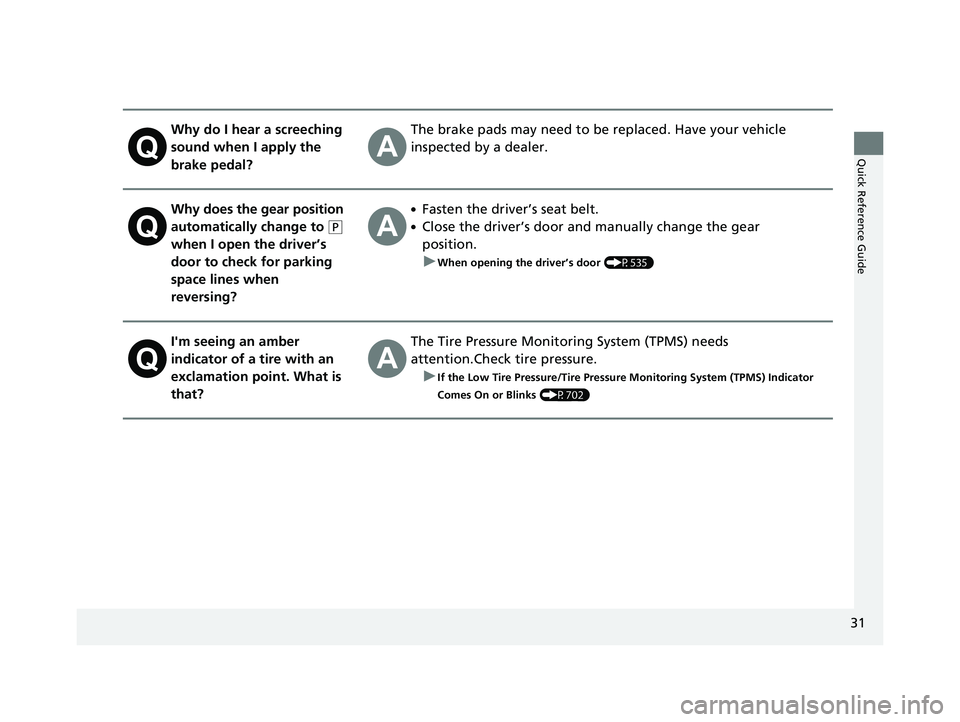
Why do I hear a screeching
sound when I apply the
brake pedal?The brake pads may need to be replaced. Have your vehicle
inspected by a dealer.
Why does the gear position
automatically change to
(P
when I open the driver’s
door to check for parking
space lines when
reversing?
●Fasten the driver’s seat belt.
●Close the driver’s door and manually change the gear
position. u
When opening the driver’s door (P535)
I'm seeing an amber
indicator of a tire with an
exclamation point. What is
that?The Tire Pressure Monitoring System (TPMS) needs
attention.Check tire pressure. u
If the Low Tire Pressure/Tire Pressure Monitoring System (TPMS) Indicator
Comes On or Blinks
(P702)
21 PILOT-31TG76500.book 31 ページ 2020年3月18日 水曜日 午後4時38分
Page 84 of 739
82
Instrument Panel
Indicators
IndicatorNameOn/BlinkingExplanationMessage
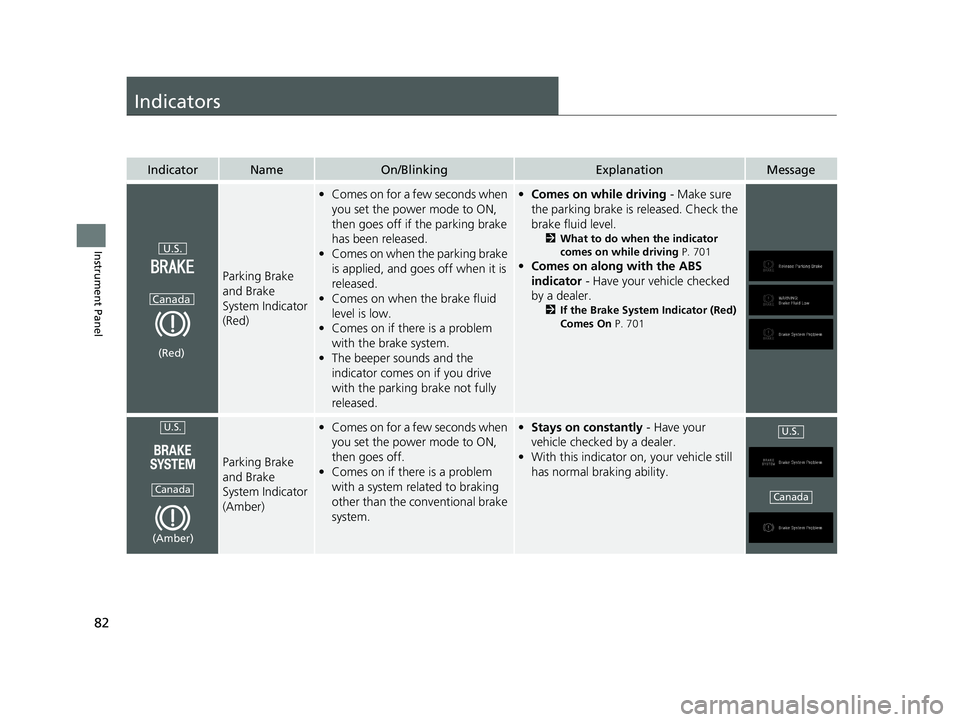
Parking Brake
and Brake
System Indicator
(Red)
•Comes on for a few seconds when
you set the power mode to ON,
then goes off if the parking brake
has been released.
• Comes on when the parking brake
is applied, and goes off when it is
released.
• Comes on when the brake fluid
level is low.
• Comes on if there is a problem
with the brake system.
• The beeper sounds and the
indicator comes on if you drive
with the parking brake not fully
released.•Comes on while driving - Make sure
the parking brake is released. Check the
brake fluid level.
2 What to do when the indicator
comes on while driving P. 701
•Comes on along with the ABS
indicator - Have your vehicle checked
by a dealer.
2 If the Brake System Indicator (Red)
Comes On P. 701
Parking Brake
and Brake
System Indicator
(Amber)
•Comes on for a few seconds when
you set the power mode to ON,
then goes off.
• Comes on if there is a problem
with a system related to braking
other than the conventional brake
system.•Stays on constantly - Have your
vehicle checked by a dealer.
• With this indicator on, your vehicle still
has normal braking ability.
U.S.
Canada
(Red)
U.S.
Canada
(Amber)
U.S.
Canada
21 PILOT-31TG76500.book 82 ページ 2020年3月18日 水曜日 午後4時38分
Page 86 of 739
84
uuIndicators u
Instrument Panel
IndicatorNameOn/BlinkingExplanationMessage
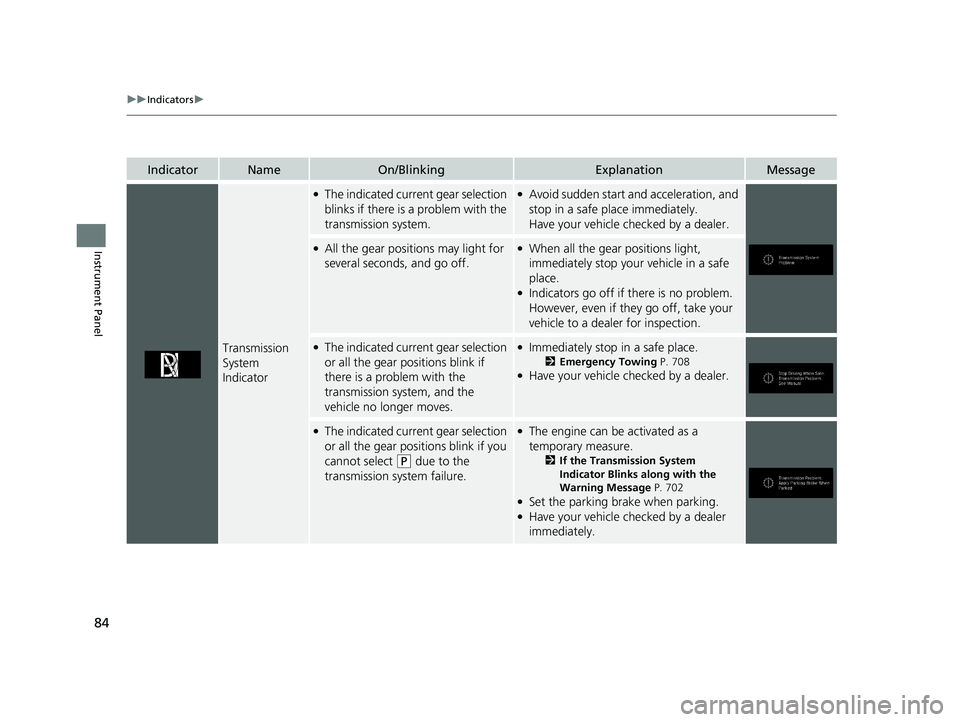
Transmission
System
Indicator
●The indicated current gear selection
blinks if there is a problem with the
transmission system.●Avoid sudden start and acceleration, and
stop in a safe place immediately.
Have your vehicle checked by a dealer.
●All the gear positions may light for
several seconds, and go off.●When all the gear positions light,
immediately stop your vehicle in a safe
place.
●Indicators go off if there is no problem.
However, even if they go off, take your
vehicle to a dealer for inspection.
●The indicated current gear selection
or all the gear positions blink if
there is a problem with the
transmission system, and the
vehicle no longer moves.●Immediately stop in a safe place.
2Emergency Towing P. 708●Have your vehicle checked by a dealer.
●The indicated current gear selection
or all the gear positions blink if you
cannot select
(P due to the
transmission system failure.
●The engine can be activated as a
temporary measure.
2 If the Transmission System
Indicator Blinks along with the
Warning Message P. 702
●Set the parking brake when parking.●Have your vehicle checked by a dealer
immediately.
21 PILOT-31TG76500.book 84 ページ 2020年3月18日 水曜日 午後4時38分
Page 87 of 739
85
uuIndicators u
Continued
Instrument Panel
IndicatorNameOn/BlinkingExplanationMessage
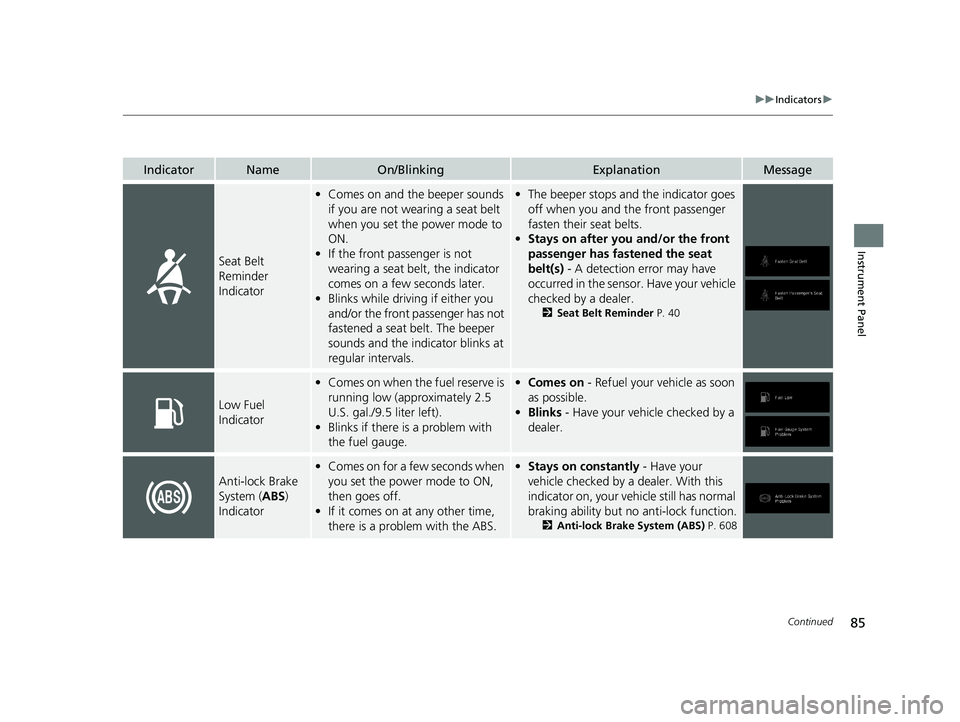
Seat Belt
Reminder
Indicator
•Comes on and the beeper sounds
if you are not wearing a seat belt
when you set the power mode to
ON.
• If the front passenger is not
wearing a seat belt, the indicator
comes on a few seconds later.
• Blinks while driving if either you
and/or the front passenger has not
fastened a seat belt. The beeper
sounds and the indicator blinks at
regular intervals.•The beeper stops and the indicator goes
off when you and the front passenger
fasten their seat belts.
• Stays on after you and/or the front
passenger has fastened the seat
belt(s) - A detection error may have
occurred in the sensor. Have your vehicle
checked by a dealer.
2 Seat Belt Reminder P. 40
Low Fuel
Indicator
•Comes on when the fuel reserve is
running low (approximately 2.5
U.S. gal./9.5 liter left).
• Blinks if there is a problem with
the fuel gauge.•Comes on - Refuel your vehicle as soon
as possible.
• Blinks - Have your vehicle checked by a
dealer.
Anti-lock Brake
System ( ABS)
Indicator
• Comes on for a few seconds when
you set the power mode to ON,
then goes off.
• If it comes on at any other time,
there is a problem with the ABS.•Stays on constantly - Have your
vehicle checked by a dealer. With this
indicator on, your vehicle still has normal
braking ability but no anti-lock function.
2 Anti-lock Brake System (ABS) P. 608
21 PILOT-31TG76500.book 85 ページ 2020年3月18日 水曜日 午後4時38分
Page 88 of 739
86
uuIndicators u
Instrument Panel
IndicatorNameOn/BlinkingExplanationMessage
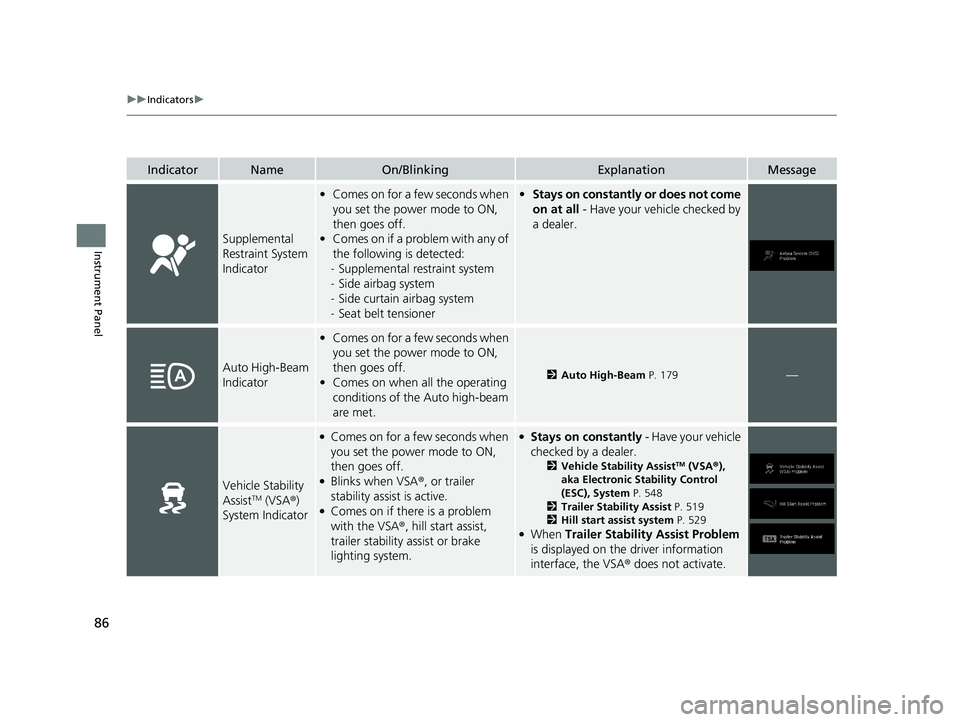
Supplemental
Restraint System
Indicator
•Comes on for a few seconds when
you set the power mode to ON,
then goes off.
• Comes on if a problem with any of
the following is detected:
- Supplemental restraint system
- Side airbag system
- Side curtain airbag system
- Seat belt tensioner• Stays on constantly or does not come
on at all - Have your vehicle checked by
a dealer.
Auto High-Beam
Indicator
• Comes on for a few seconds when
you set the power mode to ON,
then goes off.
• Comes on when all the operating
conditions of the Auto high-beam
are met.
2 Auto High-Beam P. 179—
Vehicle Stability
AssistTM (VSA®)
System Indicator
●Comes on for a few seconds when
you set the power mode to ON,
then goes off.
●Blinks when VSA ®, or trailer
stability assist is active.
●Comes on if there is a problem
with the VSA ®, hill start assist,
trailer stability assist or brake
lighting system.
●Stays on constantly - Have your vehicle
checked by a dealer.
2 Vehicle Stability AssistTM (VSA ®),
aka Electronic Stability Control
(ESC), System P. 548
2 Trailer Stability Assist P. 519
2 Hill start assist system P. 529
●When Trailer Stability Assist Problem
is displayed on the driver information
interface, the VSA ® does not activate.
21 PILOT-31TG76500.book 86 ページ 2020年3月18日 水曜日 午後4時38分
Page 91 of 739
89
uuIndicators u
Continued
Instrument Panel
*1:Canadian models only: Apply and hold the brake pedal before selecting the ON mode.
IndicatorNameOn/BlinkingExplanationMessage
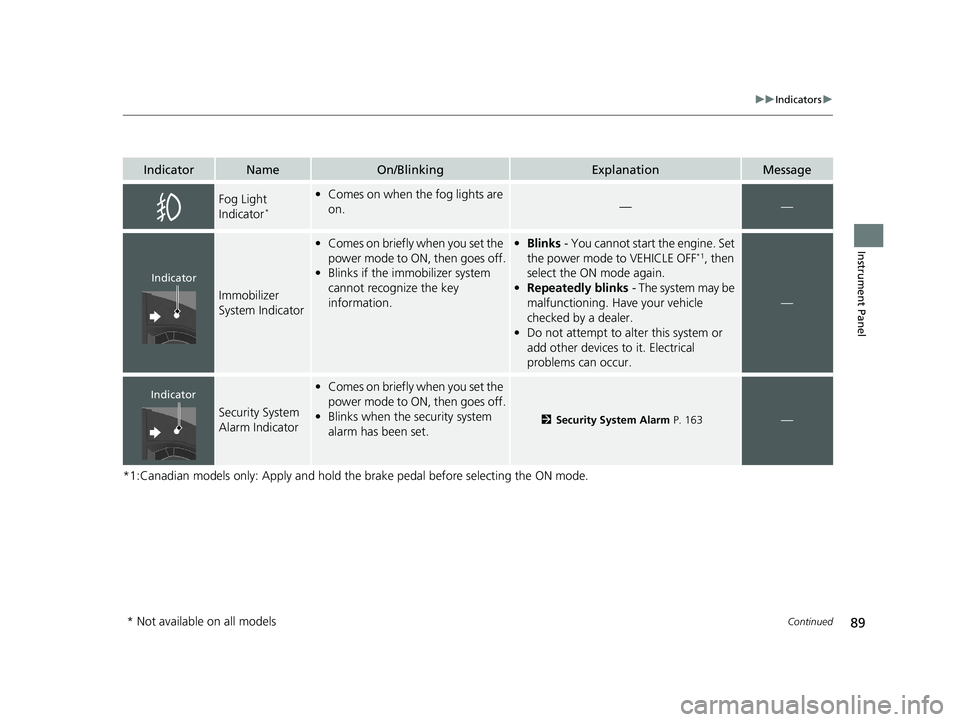
Fog Light
Indicator*
•Comes on when the fog lights are
on.——
Immobilizer
System Indicator
•Comes on briefly when you set the
power mode to ON, then goes off.
• Blinks if the immobilizer system
cannot recognize the key
information.•Blinks - You cannot start the engine. Set
the power mode to VEHICLE OFF*1, then
select the ON mode again.
• Repeatedly blinks - The system may be
malfunctioning. Have your vehicle
checked by a dealer.
• Do not attempt to alter this system or
add other devices to it. Electrical
problems can occur.
—
Security System
Alarm Indicator
•Comes on briefly when you set the
power mode to ON, then goes off.
• Blinks when the security system
alarm has been set.
2 Security System Alarm P. 163—
Indicator
Indicator
* Not available on all models
21 PILOT-31TG76500.book 89 ページ 2020年3月18日 水曜日 午後4時38分
Page 101 of 739
99
uuIndicators uDriver Information Interface Wa rning and Information Messages
Continued
Instrument Panel
MessageConditionExplanation
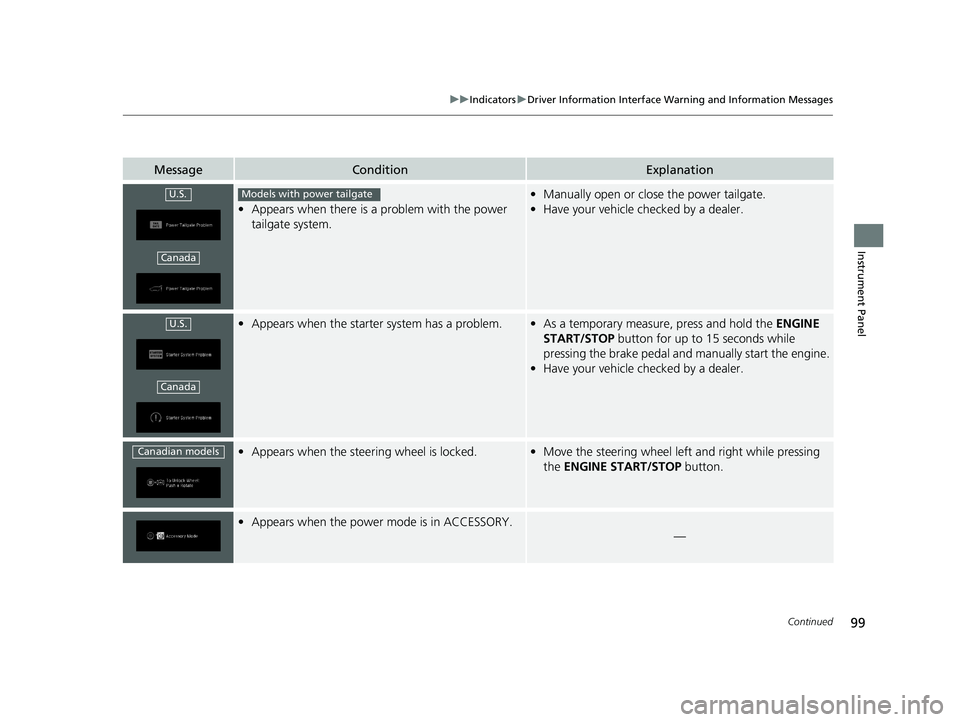
•Appears when there is a problem with the power
tailgate system.
• Manually open or close the power tailgate.
• Have your vehicle checked by a dealer.
•Appears when the starter system has a problem.•As a temporary measure, press and hold the ENGINE
START/STOP button for up to 15 seconds while
pressing the brake pedal and manually start the engine.
• Have your vehicle checked by a dealer.
•Appears when the steer ing wheel is locked.•Move the steering wheel left and right while pressing
the ENGINE START/STOP button.
•Appears when the power mode is in ACCESSORY.
—
U.S.
Canada
Models with power tailgate
U.S.
Canada
Canadian models
21 PILOT-31TG76500.book 99 ページ 2020年3月18日 水曜日 午後4時38分
Page 104 of 739
102
uuIndicators uDriver Information Interface Wa rning and Information Messages
Instrument Panel
MessageConditionExplanation
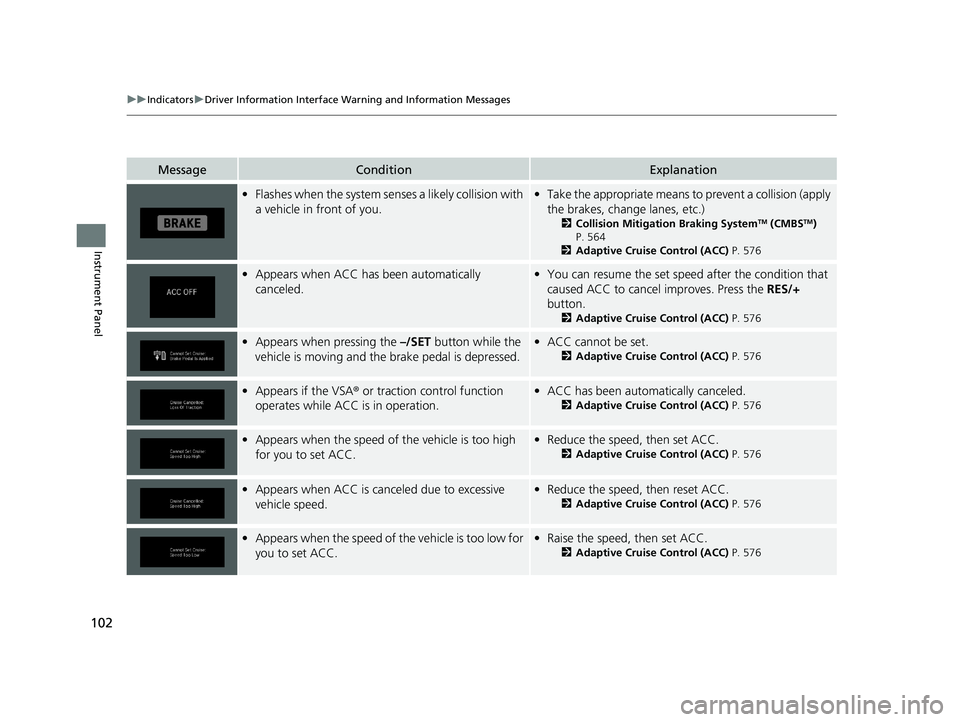
•Flashes when the system senses a likely collision with
a vehicle in front of you.•Take the appropriate means to prevent a collision (apply
the brakes, change lanes, etc.)
2 Collision Mitigation Braking SystemTM (CMBSTM)
P. 564
2 Adaptive Cruise Control (ACC) P. 576
•Appears when ACC has been automatically
canceled.•You can resume the set speed after the condition that
caused ACC to cancel improves. Press the RES/+
button.
2 Adaptive Cruise Control (ACC) P. 576
•Appears when pressing the –/SET button while the
vehicle is moving and the brake pedal is depressed.• ACC cannot be set.
2 Adaptive Cruise Control (ACC) P. 576
•Appears if the VSA ® or traction control function
operates while ACC is in operation.• ACC has been automa tically canceled.
2Adaptive Cruise Control (ACC) P. 576
•Appears when the speed of the vehicle is too high
for you to set ACC.• Reduce the speed, then set ACC.
2 Adaptive Cruise Control (ACC) P. 576
•Appears when ACC is canceled due to excessive
vehicle speed.•Reduce the speed, then reset ACC.
2 Adaptive Cruise Control (ACC) P. 576
•Appears when the speed of the vehicle is too low for
you to set ACC.• Raise the speed, then set ACC.
2 Adaptive Cruise Control (ACC) P. 576
21 PILOT-31TG76500.book 102 ページ 2020年3月18日 水曜日 午後4時38分
Page 106 of 739
104
uuIndicators uDriver Information Interface Wa rning and Information Messages
Instrument Panel
MessageConditionExplanation
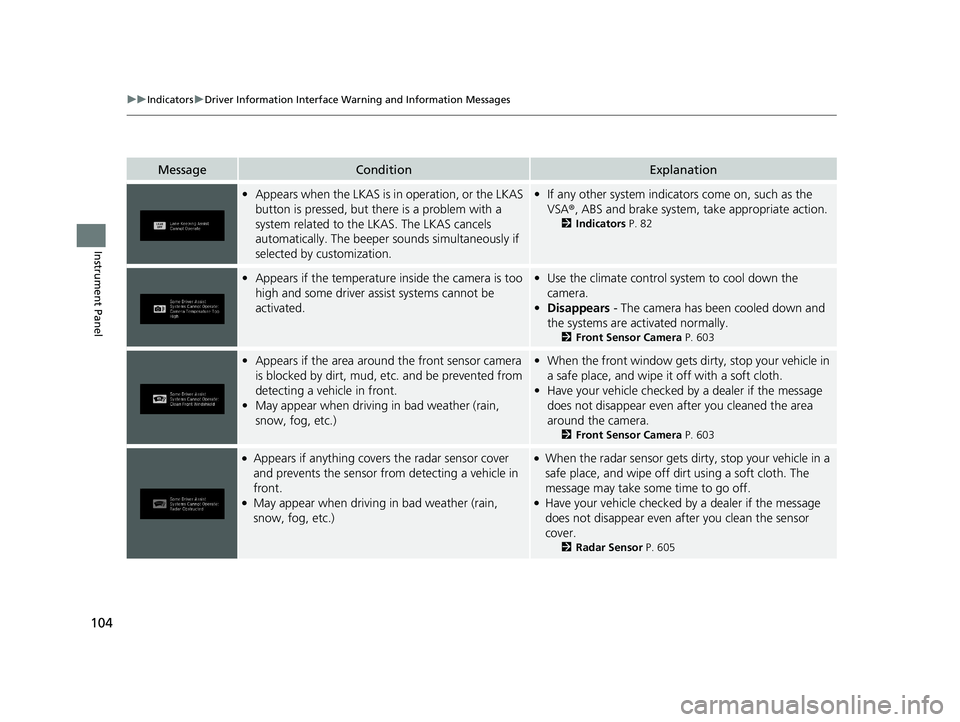
•Appears when the LKAS is in operation, or the LKAS
button is pressed, but there is a problem with a
system related to the LKAS. The LKAS cancels
automatically. The beeper s ounds simultaneously if
selected by customization.• If any other system indicators come on, such as the
VSA ®, ABS and brake system, take appropriate action.
2Indicators P. 82
•Appears if the temperature inside the camera is too
high and some driver assist systems cannot be
activated.•Use the climate control sy stem to cool down the
camera.
• Disappears - The camera has been cooled down and
the systems are activated normally.
2 Front Sensor Camera P. 603
•Appears if the area around the front sensor camera
is blocked by dirt, mud, etc. and be prevented from
detecting a vehicle in front.
• May appear when driving in bad weather (rain,
snow, fog, etc.)•When the front window gets dirty, stop your vehicle in
a safe place, and wipe it off with a soft cloth.
• Have your vehicle checked by a dealer if the message
does not disappear even after you cleaned the area
around the camera.
2 Front Sensor Camera P. 603
●Appears if anything covers the radar sensor cover
and prevents the sensor from detecting a vehicle in
front.
●May appear when driving in bad weather (rain,
snow, fog, etc.)
●When the radar sensor gets dirty, stop your vehicle in a
safe place, and wipe off di rt using a soft cloth. The
message may take some time to go off.
●Have your vehicle checked by a dealer if the message
does not disappear even after you clean the sensor
cover.
2 Radar Sensor P. 605
21 PILOT-31TG76500.book 104 ページ 2020年3月18日 水曜日 午後4時38分
Page 107 of 739
105
uuIndicators uDriver Information Interface Wa rning and Information Messages
Continued
Instrument Panel
MessageConditionExplanation
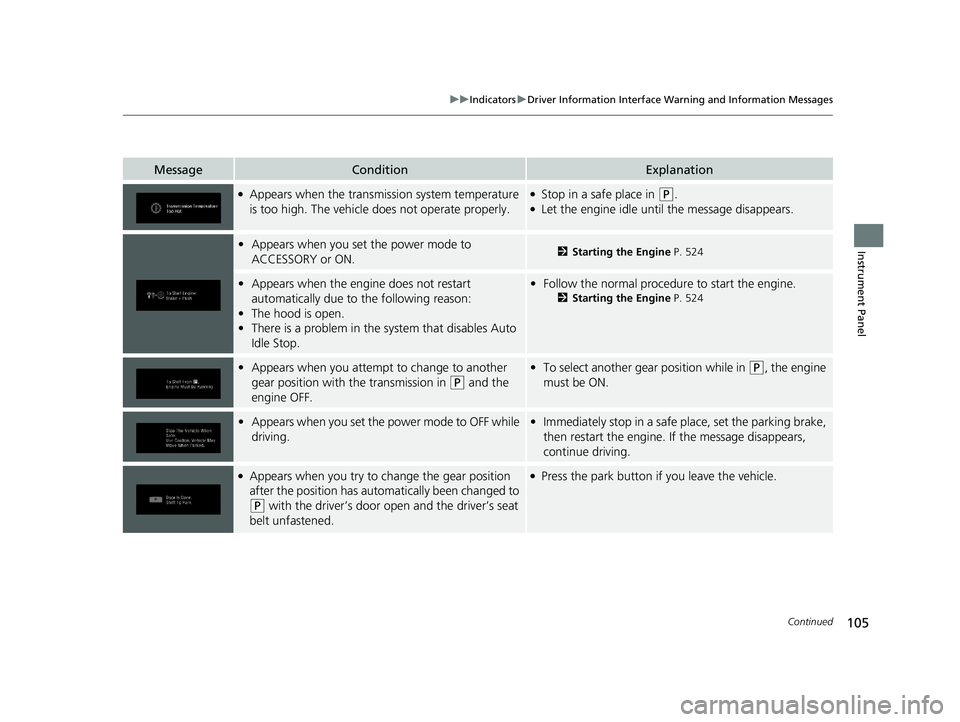
●Appears when the transmission system temperature
is too high. The vehicle does not operate properly.●Stop in a safe place in (P.●Let the engine idle until the message disappears.
•Appears when you set the power mode to
ACCESSORY or ON.2 Starting the Engine P. 524
•Appears when the engine does not restart
automatically due to the following reason:
• The hood is open.
• There is a problem in the sy stem that disables Auto
Idle Stop.• Follow the normal procedure to start the engine.
2 Starting the Engine P. 524
•Appears when you attempt to change to another
gear position with the transmission in
(P and the
engine OFF.
• To select another gear position while in (P, the engine
must be ON.
• Appears when you set the power mode to OFF while
driving.•Immediately stop in a safe place, set the parking brake,
then restart the engine. If the message disappears,
continue driving.
●Appears when you try to change the gear position
after the position has auto matically been changed to
(P with the driver’s door open and the driver’s seat
belt unfastened.
●Press the park button if you leave the vehicle.
21 PILOT-31TG76500.book 105 ページ 2020年3月18日 水曜日 午後4時38分