start HONDA PILOT 2021 (in English) User Guide
[x] Cancel search | Manufacturer: HONDA, Model Year: 2021, Model line: PILOT, Model: HONDA PILOT 2021Pages: 739, PDF Size: 44.86 MB
Page 80 of 739
78
Safe Driving
Exhaust Gas Hazard
Carbon Monoxide Gas
The engine exhaust from this vehicle contains carbon monoxide, a colorless,
odorless, and highly toxic gas. As long as you properly maintain your vehicle, carbon
monoxide gas will not get into the interior.
■Have the exhaust system in spected for leaks whenever
• The exhaust system is m aking an unusual noise.
• The exhaust system may have been damaged.
• The vehicle is raised for an oil change.
When you operate a vehicle with the tailgat e open, airflow can pull exhaust gas into
the interior and create a hazardous conditio n. If you must drive with the tailgate
open, open all the windows and set the climate control system as shown below.
1. Select the fresh air mode.
2. Select the mode.
3. Set the fan speed to high.
4. Set the temperature control to a comfortable setting.
Adjust the climate control system in the same manner if you sit in your parked
vehicle with the engine running.
1 Carbon Monoxide Gas
An enclosed area such as a garage can quickly fill up
with carbon monoxide gas.
Do not run the engine with the garage door closed.
Even when the garage door is open, drive out of the
garage immediat ely after starting the engine.
3WARNING
Carbon monoxide gas is toxic.
Breathing it can cause unconsciousness and
even kill you.
Avoid any enclosed areas or activities that
expose you to carbon monoxide.
21 PILOT-31TG76500.book 78 ページ 2020年3月18日 水曜日 午後4時38分
Page 85 of 739
83
uuIndicators u
Continued
Instrument Panel
IndicatorNameOn/BlinkingExplanationMessage
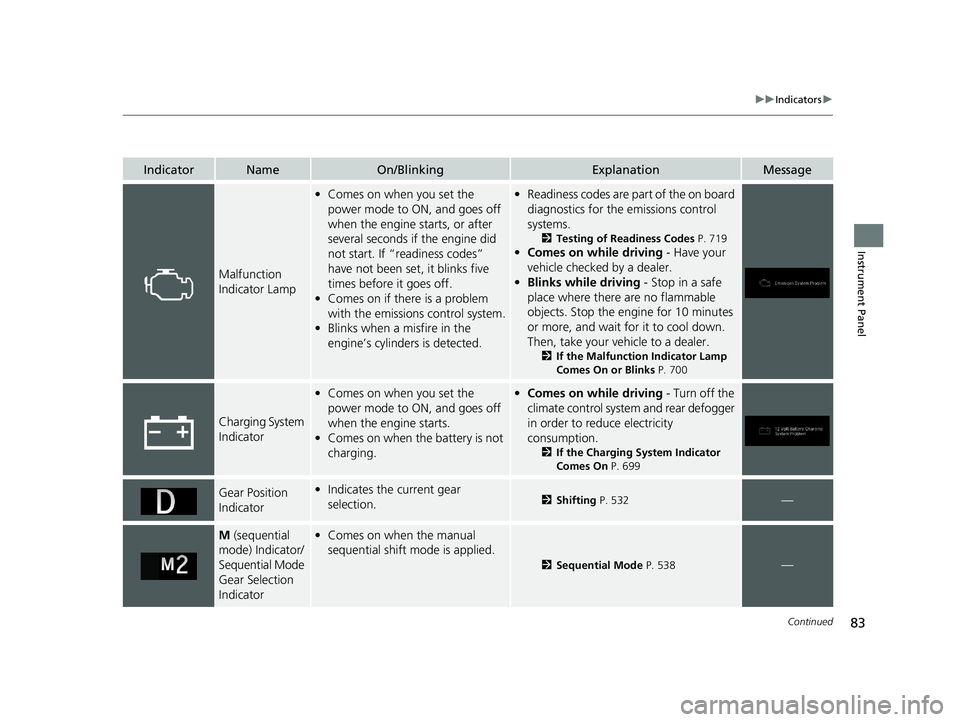
Malfunction
Indicator Lamp
•Comes on when you set the
power mode to ON, and goes off
when the engine starts, or after
several seconds if the engine did
not start. If “readiness codes”
have not been set, it blinks five
times before it goes off.
• Comes on if there is a problem
with the emissions control system.
• Blinks when a misfire in the
engine’s cylinders is detected.•Readiness codes are part of the on board
diagnostics for the emissions control
systems.
2 Testing of Readiness Codes P. 719
•Comes on while driving - Have your
vehicle checked by a dealer.
• Blinks while driving - Stop in a safe
place where there are no flammable
objects. Stop the engine for 10 minutes
or more, and wait for it to cool down.
Then, take your vehicle to a dealer.
2 If the Malfunction Indicator Lamp
Comes On or Blinks P. 700
Charging System
Indicator
•Comes on when you set the
power mode to ON, and goes off
when the engine starts.
• Comes on when the battery is not
charging.•Comes on while driving - Turn off the
climate control system and rear defogger
in order to reduce electricity
consumption.
2 If the Charging System Indicator
Comes On P. 699
Gear Position
Indicator•Indicates the current gear
selection.2 Shifting P. 532—
M (sequential
mode) Indicator/
Sequential Mode
Gear Selection
Indicator• Comes on when the manual
sequential shift mode is applied.
2 Sequential Mode P. 538—
21 PILOT-31TG76500.book 83 ページ 2020年3月18日 水曜日 午後4時38分
Page 86 of 739
84
uuIndicators u
Instrument Panel
IndicatorNameOn/BlinkingExplanationMessage
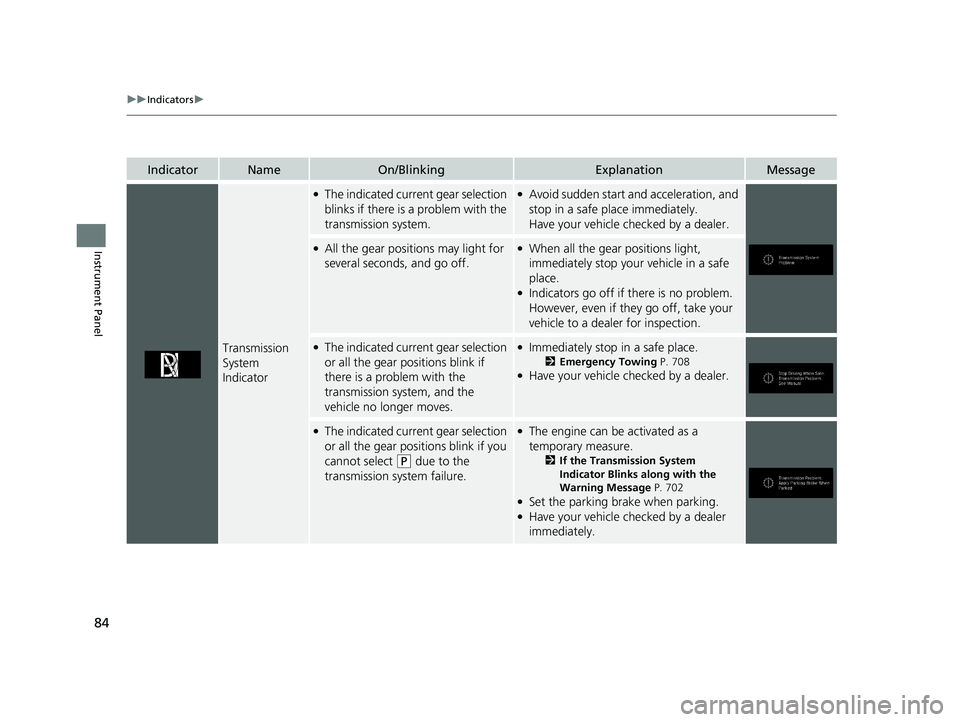
Transmission
System
Indicator
●The indicated current gear selection
blinks if there is a problem with the
transmission system.●Avoid sudden start and acceleration, and
stop in a safe place immediately.
Have your vehicle checked by a dealer.
●All the gear positions may light for
several seconds, and go off.●When all the gear positions light,
immediately stop your vehicle in a safe
place.
●Indicators go off if there is no problem.
However, even if they go off, take your
vehicle to a dealer for inspection.
●The indicated current gear selection
or all the gear positions blink if
there is a problem with the
transmission system, and the
vehicle no longer moves.●Immediately stop in a safe place.
2Emergency Towing P. 708●Have your vehicle checked by a dealer.
●The indicated current gear selection
or all the gear positions blink if you
cannot select
(P due to the
transmission system failure.
●The engine can be activated as a
temporary measure.
2 If the Transmission System
Indicator Blinks along with the
Warning Message P. 702
●Set the parking brake when parking.●Have your vehicle checked by a dealer
immediately.
21 PILOT-31TG76500.book 84 ページ 2020年3月18日 水曜日 午後4時38分
Page 88 of 739
86
uuIndicators u
Instrument Panel
IndicatorNameOn/BlinkingExplanationMessage
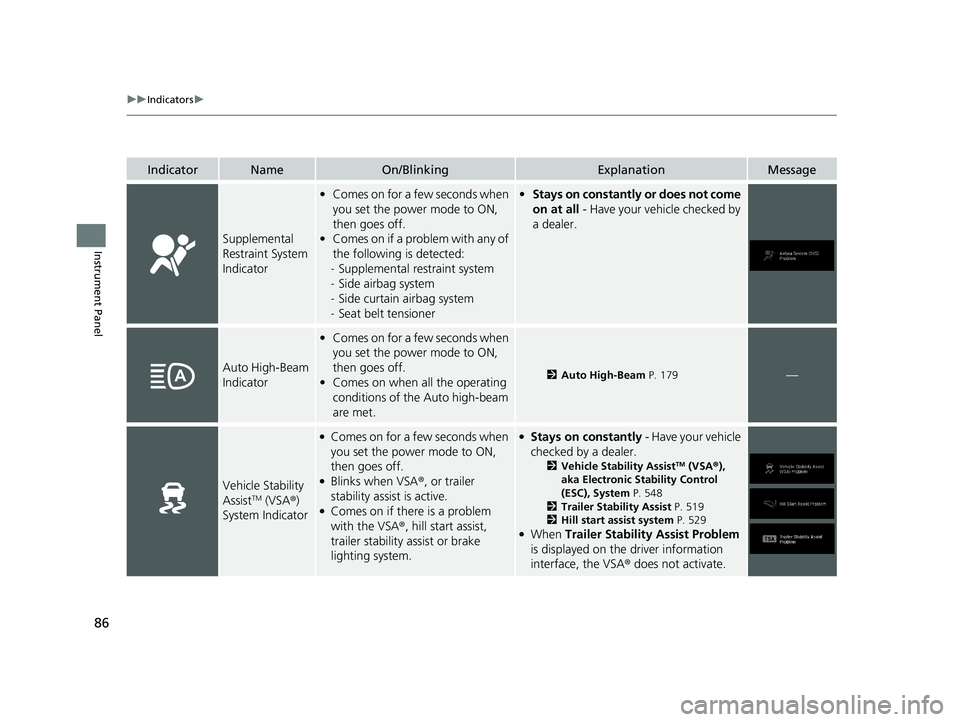
Supplemental
Restraint System
Indicator
•Comes on for a few seconds when
you set the power mode to ON,
then goes off.
• Comes on if a problem with any of
the following is detected:
- Supplemental restraint system
- Side airbag system
- Side curtain airbag system
- Seat belt tensioner• Stays on constantly or does not come
on at all - Have your vehicle checked by
a dealer.
Auto High-Beam
Indicator
• Comes on for a few seconds when
you set the power mode to ON,
then goes off.
• Comes on when all the operating
conditions of the Auto high-beam
are met.
2 Auto High-Beam P. 179—
Vehicle Stability
AssistTM (VSA®)
System Indicator
●Comes on for a few seconds when
you set the power mode to ON,
then goes off.
●Blinks when VSA ®, or trailer
stability assist is active.
●Comes on if there is a problem
with the VSA ®, hill start assist,
trailer stability assist or brake
lighting system.
●Stays on constantly - Have your vehicle
checked by a dealer.
2 Vehicle Stability AssistTM (VSA ®),
aka Electronic Stability Control
(ESC), System P. 548
2 Trailer Stability Assist P. 519
2 Hill start assist system P. 529
●When Trailer Stability Assist Problem
is displayed on the driver information
interface, the VSA ® does not activate.
21 PILOT-31TG76500.book 86 ページ 2020年3月18日 水曜日 午後4時38分
Page 89 of 739
87
uuIndicators u
Continued
Instrument Panel
IndicatorNameOn/BlinkingExplanationMessage
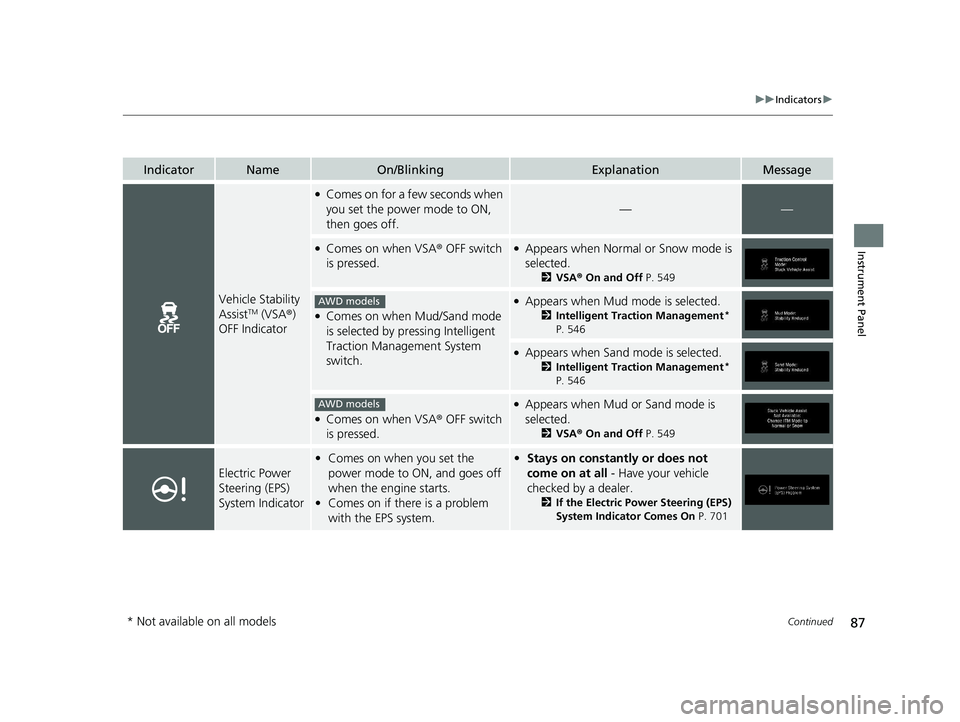
Vehicle Stability
AssistTM (VSA®)
OFF Indicator
●Comes on for a few seconds when
you set the power mode to ON,
then goes off.
——
●Comes on when VSA ® OFF switch
is pressed.●Appears when Normal or Snow mode is
selected.
2 VSA ® On and Off P. 549
●Comes on when Mud/Sand mode
is selected by pressing Intelligent
Traction Management System
switch.
●Appears when Mud mode is selected.
2Intelligent Traction Management*
P. 546
●Appears when Sand mode is selected.
2 Intelligent Traction Management*
P. 546
●Comes on when VSA ® OFF switch
is pressed.
●Appears when Mud or Sand mode is
selected.
2 VSA ® On and Off P. 549
Electric Power
Steering (EPS)
System Indicator
•Comes on when you set the
power mode to ON, and goes off
when the engine starts.
• Comes on if there is a problem
with the EPS system.•Stays on constantly or does not
come on at all - Have your vehicle
checked by a dealer.
2 If the Electric Power Steering (EPS)
System Indicator Comes On P. 701
AWD models
AWD models
* Not available on all models
21 PILOT-31TG76500.book 87 ページ 2020年3月18日 水曜日 午後4時38分
Page 91 of 739
89
uuIndicators u
Continued
Instrument Panel
*1:Canadian models only: Apply and hold the brake pedal before selecting the ON mode.
IndicatorNameOn/BlinkingExplanationMessage
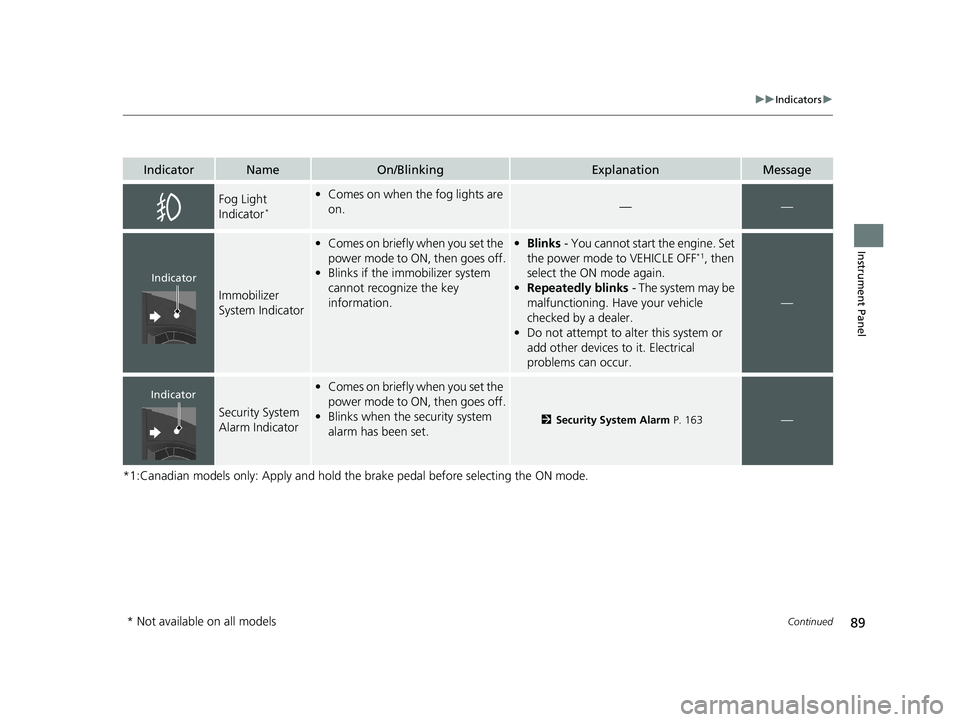
Fog Light
Indicator*
•Comes on when the fog lights are
on.——
Immobilizer
System Indicator
•Comes on briefly when you set the
power mode to ON, then goes off.
• Blinks if the immobilizer system
cannot recognize the key
information.•Blinks - You cannot start the engine. Set
the power mode to VEHICLE OFF*1, then
select the ON mode again.
• Repeatedly blinks - The system may be
malfunctioning. Have your vehicle
checked by a dealer.
• Do not attempt to alter this system or
add other devices to it. Electrical
problems can occur.
—
Security System
Alarm Indicator
•Comes on briefly when you set the
power mode to ON, then goes off.
• Blinks when the security system
alarm has been set.
2 Security System Alarm P. 163—
Indicator
Indicator
* Not available on all models
21 PILOT-31TG76500.book 89 ページ 2020年3月18日 水曜日 午後4時38分
Page 100 of 739
98
uuIndicators uDriver Information Interface Wa rning and Information Messages
Instrument Panel
MessageConditionExplanation
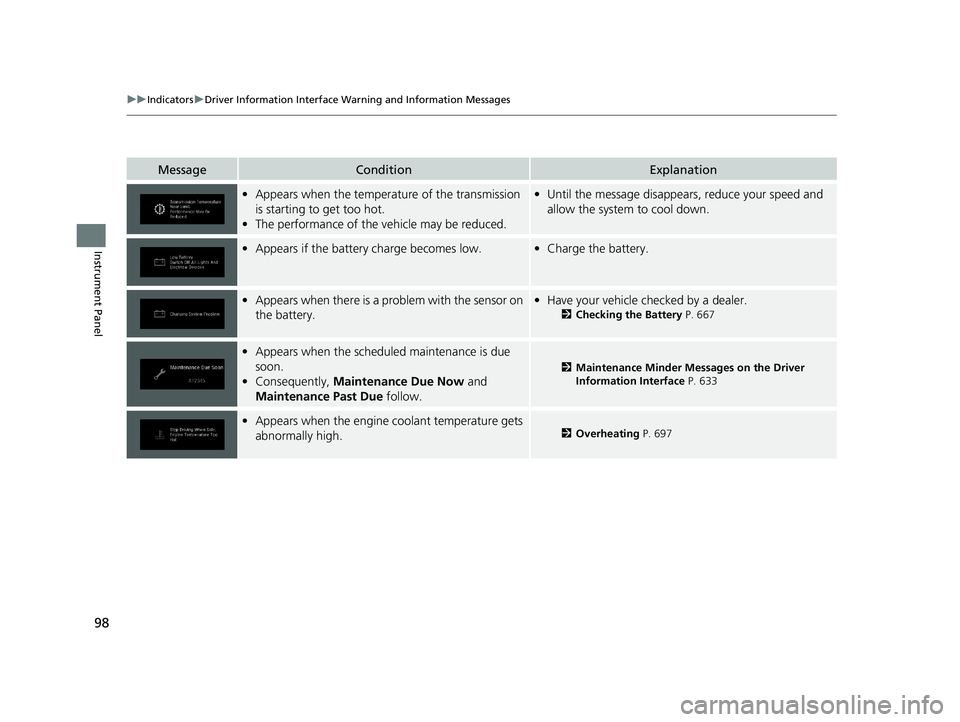
•Appears when the temperature of the transmission
is starting to get too hot.
• The performance of the vehicle may be reduced.•Until the message disappears, reduce your speed and
allow the system to cool down.
•Appears if the battery charge becomes low.•Charge the battery.
•Appears when there is a problem with the sensor on
the battery.•Have your vehicle checked by a dealer.
2 Checking the Battery P. 667
•Appears when the schedu led maintenance is due
soon.
• Consequently, Maintenance Due Now and
Maintenance Past Due follow.
2Maintenance Minder Messages on the Driver
Information Interface P. 633
•Appears when the engine coolant temperature gets
abnormally high.2 Overheating P. 697
21 PILOT-31TG76500.book 98 ページ 2020年3月18日 水曜日 午後4時38分
Page 101 of 739
99
uuIndicators uDriver Information Interface Wa rning and Information Messages
Continued
Instrument Panel
MessageConditionExplanation
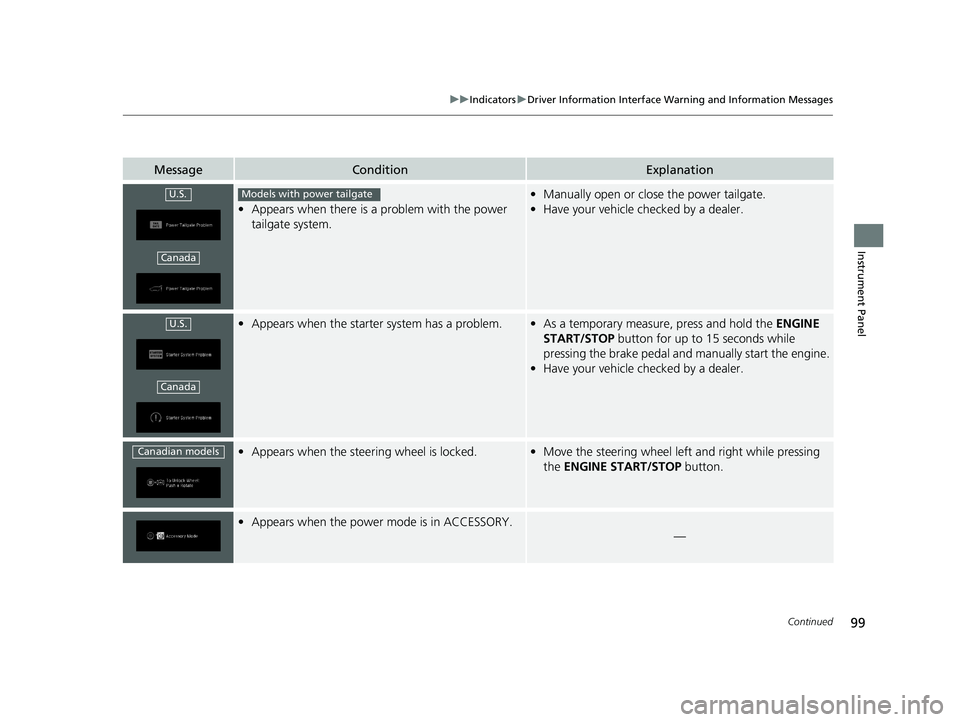
•Appears when there is a problem with the power
tailgate system.
• Manually open or close the power tailgate.
• Have your vehicle checked by a dealer.
•Appears when the starter system has a problem.•As a temporary measure, press and hold the ENGINE
START/STOP button for up to 15 seconds while
pressing the brake pedal and manually start the engine.
• Have your vehicle checked by a dealer.
•Appears when the steer ing wheel is locked.•Move the steering wheel left and right while pressing
the ENGINE START/STOP button.
•Appears when the power mode is in ACCESSORY.
—
U.S.
Canada
Models with power tailgate
U.S.
Canada
Canadian models
21 PILOT-31TG76500.book 99 ページ 2020年3月18日 水曜日 午後4時38分
Page 102 of 739
100
uuIndicators uDriver Information Interface Wa rning and Information Messages
Instrument Panel
MessageConditionExplanation
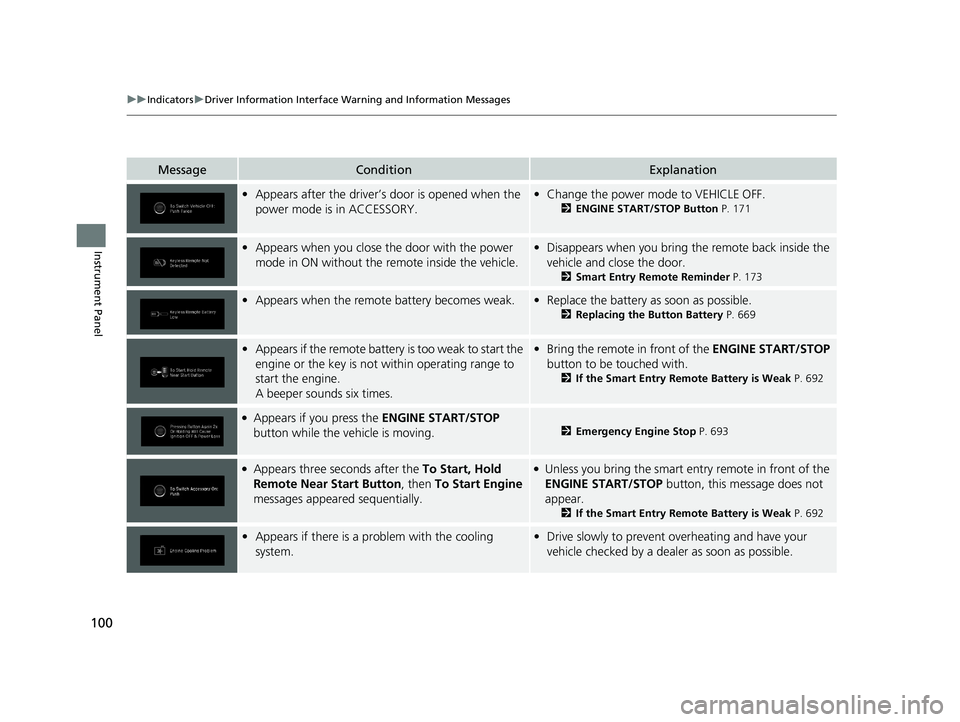
•Appears after the driver’s door is opened when the
power mode is in ACCESSORY.•Change the power mode to VEHICLE OFF.
2 ENGINE START/STOP Button P. 171
•Appears when you close the door with the power
mode in ON without the remote inside the vehicle.•Disappears when you bring the remote back inside the
vehicle and close the door.
2 Smart Entry Remote Reminder P. 173
•Appears when the remote battery becomes weak.•Replace the battery as soon as possible.
2 Replacing the Button Battery P. 669
•Appears if the remote battery is too weak to start the
engine or the key is not within operating range to
start the engine.
A beeper sounds six times.• Bring the remote in front of the ENGINE START/STOP
button to be touched with.
2 If the Smart Entry Remote Battery is Weak P. 692
●Appears if you press the ENGINE START/STOP
button while the vehicle is moving.2 Emergency Engine Stop P. 693
●Appears three seconds after the To Start, Hold
Remote Near Start Button , then To Start Engine
messages appeared sequentially.●Unless you bring the smart en try remote in front of the
ENGINE START/STOP button, this message does not
appear.
2 If the Smart Entry Remote Battery is Weak P. 692
•Appears if there is a problem with the cooling
system.•Drive slowly to prevent overheating and have your
vehicle checked by a dealer as soon as possible.
21 PILOT-31TG76500.book 100 ページ 2020年3月18日 水曜日 午後4時38分
Page 103 of 739
101
uuIndicators uDriver Information Interface Wa rning and Information Messages
Continued
Instrument Panel
MessageConditionExplanation
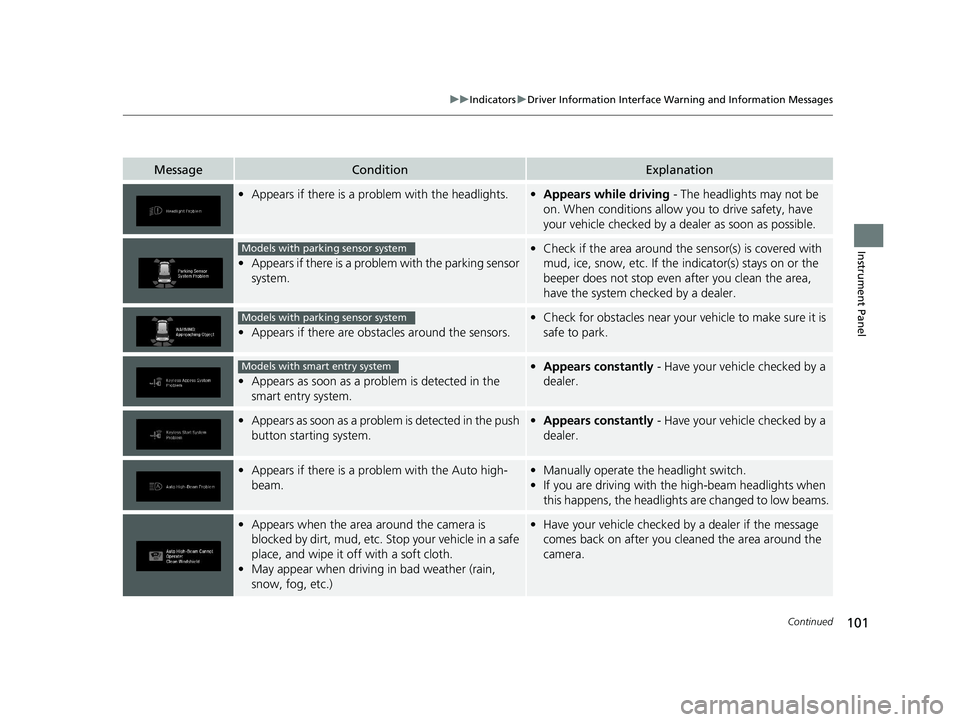
•Appears if there is a pr oblem with the headlights.•Appears while driving - The headlights may not be
on. When conditions allow you to drive safety, have
your vehicle checked by a dealer as soon as possible.
•Appears if there is a proble m with the parking sensor
system.
• Check if the area around the sensor(s) is covered with
mud, ice, snow, etc. If the indicator(s) stays on or the
beeper does not stop even after you clean the area,
have the system checked by a dealer.
• Appears if there are obstacles around the sensors.
•Check for obstacles near your vehicle to make sure it is
safe to park.
•Appears as soon as a prob lem is detected in the
smart entry system.
• Appears constantly - Have your vehicle checked by a
dealer.
•Appears as soon as a problem is detected in the push
button starting system.•Appears constantly - Have your vehicle checked by a
dealer.
•Appears if there is a prob lem with the Auto high-
beam.• Manually operate the headlight switch.
• If you are driving with the high-beam headlights when
this happens, the headlights are changed to low beams.
•Appears when the area around the camera is
blocked by dirt, mud, etc. Stop your vehicle in a safe
place, and wipe it off with a soft cloth.
• May appear when driving in bad weather (rain,
snow, fog, etc.)•Have your vehicle checked by a dealer if the message
comes back on after you cleaned the area around the
camera.
Models with parking sensor system
Models with parking sensor system
Models with smart entry system
21 PILOT-31TG76500.book 101 ページ 2020年3月18日 水曜日 午後4時38分