battery Hyundai Elantra GT 2013 User Guide
[x] Cancel search | Manufacturer: HYUNDAI, Model Year: 2013, Model line: Elantra GT, Model: Hyundai Elantra GT 2013Pages: 476, PDF Size: 31.71 MB
Page 135 of 476
Features of your vehicle
50 4
Retain the original transmitter for
future programming procedures (i.e.,
new vehicle purchase). It is also sug-
gested that upon the sale of the vehi-
cle, the programmed HomeLink but-
tons be erased for security purposes
(follow step 1 in the “Programming”
portion of this text).Programming
Your vehicle may require the ignition
switch to be turned to the ACC posi-
tion for programming and/or opera-
tion of HomeLink. It is also recom-
mended that a new battery be
replaced in the hand-held transmitter
of the device being programmed to
HomeLink for quicker training and
accurate transmission of the radio-
frequency.
Follow these steps to train your
HomeLink mirror:
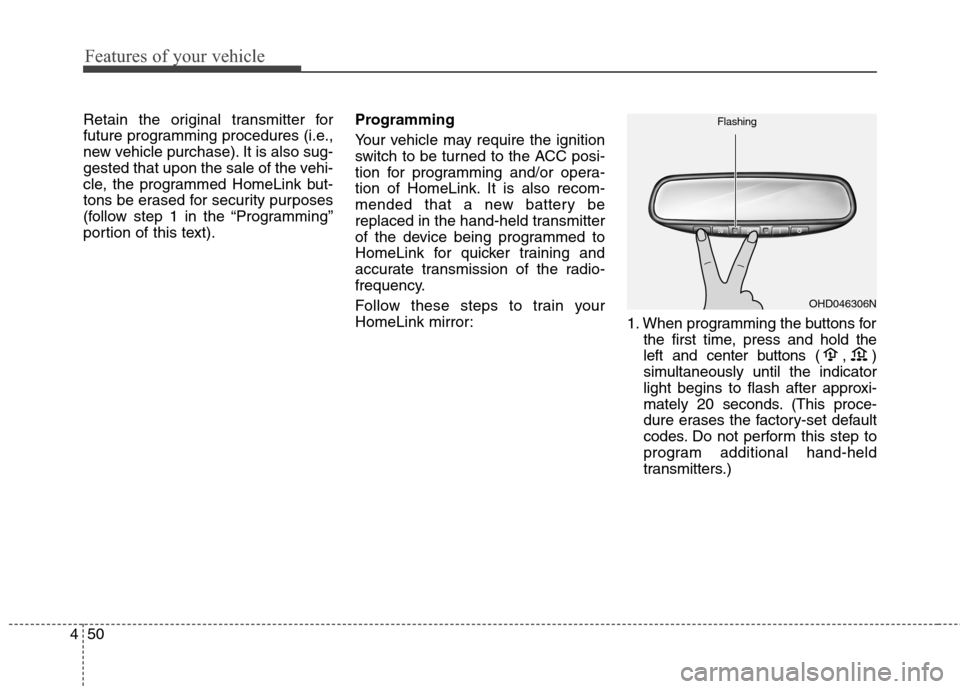
1. When programming the buttons for
the first time, press and hold
the
left and center buttons (
,)
simultaneously until the indicator
light begins to flash after approxi-
mately 20 seconds. (This proce-
dure erases the factory-set default
codes. Do not perform this step to
program additional hand-held
transmitters.)
OHD046306N Flashing
Page 146 of 476
461
Features of your vehicle
Trip computer
The trip computer is a microcomput-
er in the driver information system. It
displays information related to driv-
ing on the LCD screen when the igni-
tion switch is in the ON position. If the
battery is disconnected, all stored
information (except odometer) is
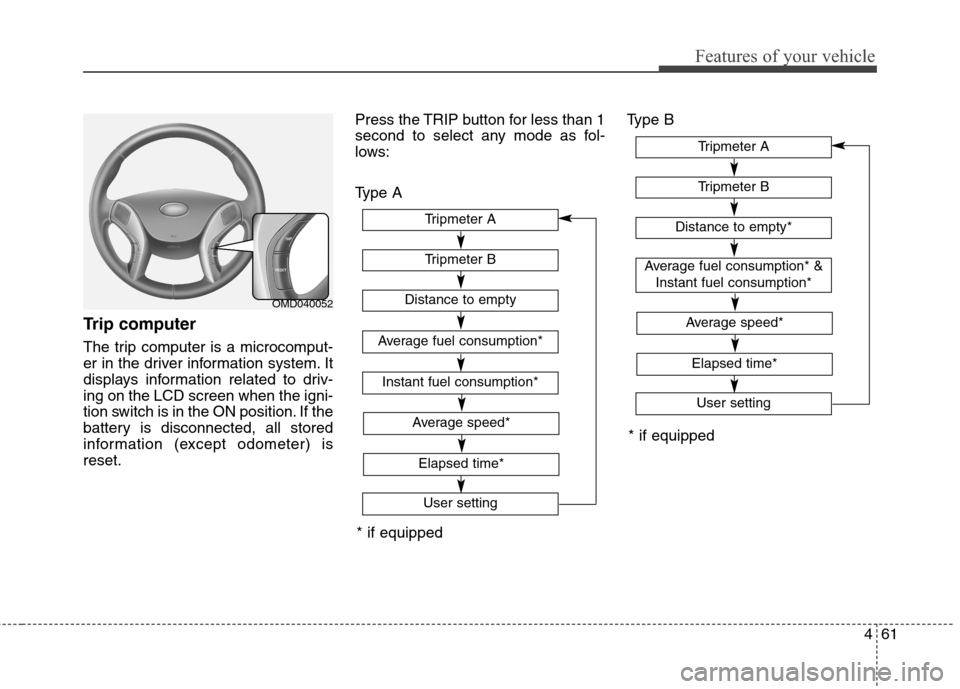
reset.Press the TRIP button for less than 1
second to select any mode as fol-
lows:
Type AType B
OMD040052
* if equipped
Tripmeter B
Instant fuel consumption*
Tripmeter A
Distance to empty
Average fuel consumption*
User setting
Elapsed time*
Average speed*
Tripmeter B
Tripmeter A
Distance to empty*
Average fuel consumption* &
Instant fuel consumption*
User setting
* if equipped
Elapsed time*
Average speed*
Page 148 of 476
463
Features of your vehicle
• When the “AVG Fuel Economy” of
“User Setting” is in the “Auto Reset”
If the vehicle speed exceeds 1.6
MPH (1 km/h) after refueling more
than 1.6 gallons (6 l), the average
fuel consumption will be cleared to
zero (---).
• When the “AVG Fuel Economy” of
“User Setting” is in the “Manual
Reset”
Pressing the RESET button for more
than 1 second when the average fuel
consumption is displayed clears the
average fuel consumption to zero (--.-).
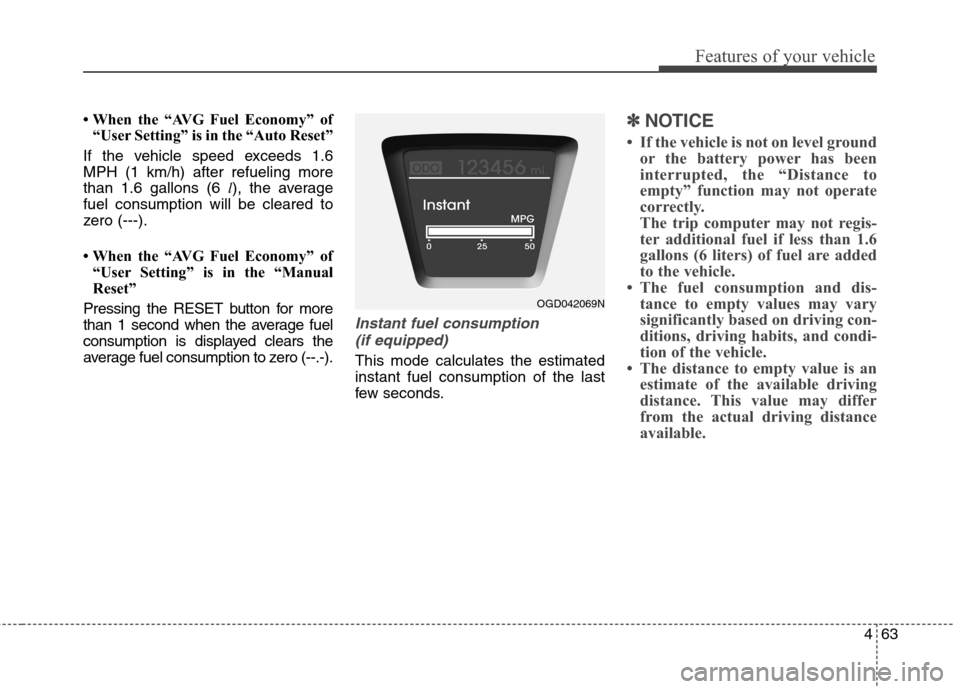
Instant fuel consumption
(if equipped)
This mode calculates the estimated
instant fuel consumption of the last
few seconds.
✽ ✽
NOTICE
• If the vehicle is not on level ground
or the battery power has been
interrupted, the “Distance to
empty” function may not operate
correctly.
The trip computer may not regis-
ter additional fuel if less than 1.6
gallons (6 liters) of fuel are added
to the vehicle.
• The fuel consumption and dis-
tance to empty values may vary
significantly based on driving con-
ditions, driving habits, and condi-
tion of the vehicle.
• The distance to empty value is an
estimate of the available driving
distance. This value may differ
from the actual driving distance
available.
OGD042069N
Page 159 of 476
Features of your vehicle
74 4
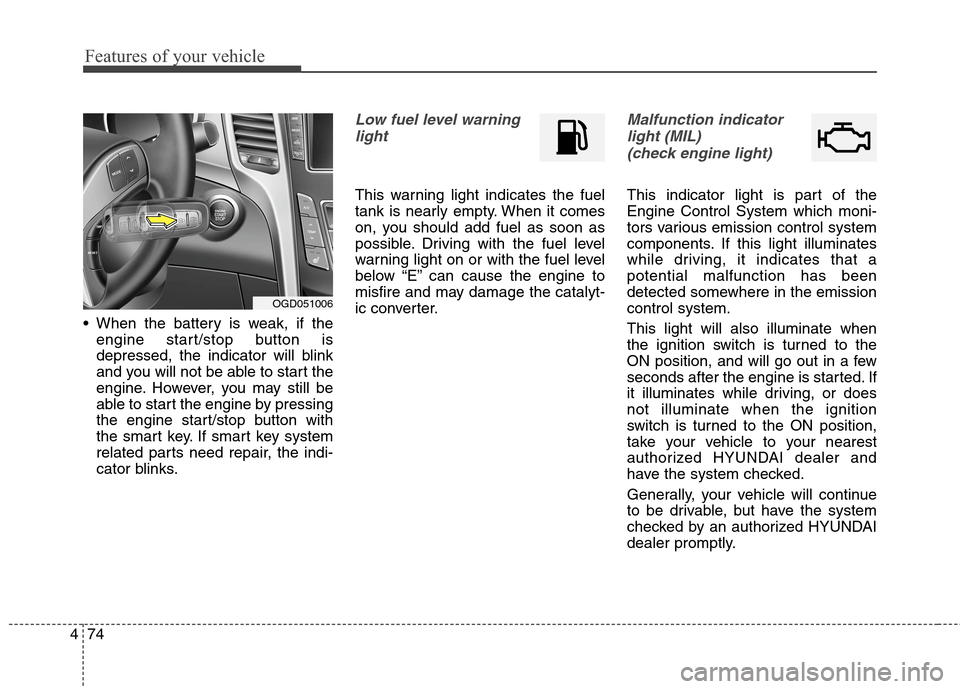
When the battery is weak, if the
engine start/stop button is
depressed, the indicator will blink
and you will not be able to start the
engine. However, you may still be
able to start the engine by pressing
the engine start/stop button with
the smart key. If smart key system
related parts need repair, the indi-
cator blinks.
Low fuel level warning
light
This warning light indicates the fuel
tank is nearly empty. When it comes
on, you should add fuel as soon as
possible. Driving with the fuel level
warning light on or with the fuel level
below “E” can cause the engine to
misfire and may damage the catalyt-
ic converter.
Malfunction indicator
light (MIL)
(check engine light)
This indicator light is part of the
Engine Control System which moni-
tors various emission control system
components. If this light illuminates
while driving, it indicates that a
potential malfunction has been
detected somewhere in the emission
control system.
This light will also illuminate when
the ignition switch is turned to the
ON position, and will go out in a few
seconds after the engine is started. If
it illuminates while driving, or does
not illuminate when the ignition
switch is turned to the ON position,
take your vehicle to your nearest
authorized HYUNDAI dealer and
have the system checked.
Generally, your vehicle will continue
to be drivable, but have the system
checked by an authorized HYUNDAI
dealer promptly.
OGD051006
Page 163 of 476
Features of your vehicle
78 4
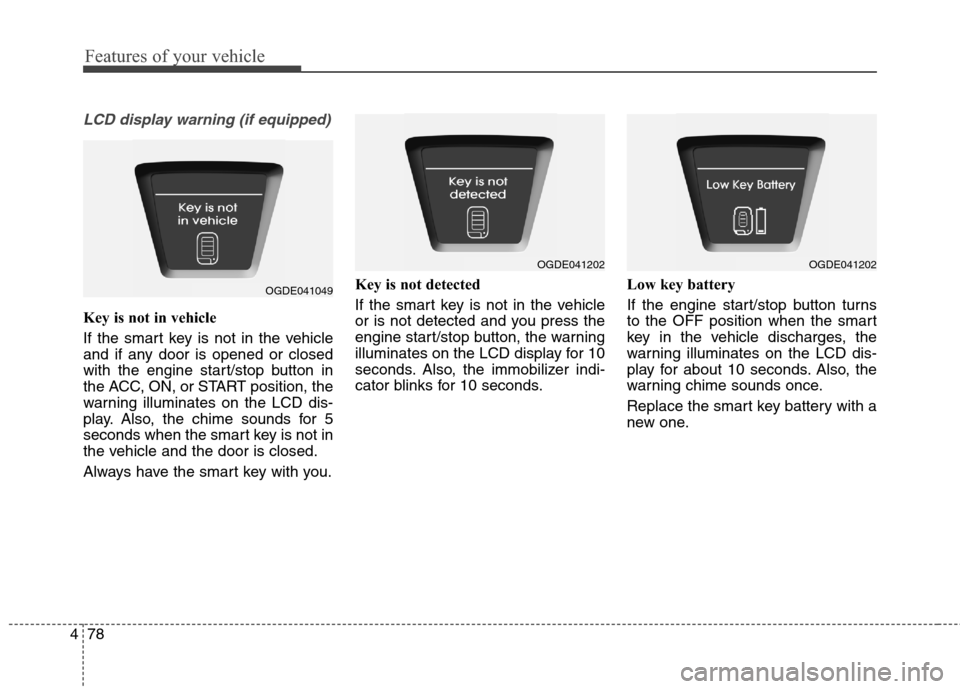
LCD display warning (if equipped)
Key is not in vehicle
If the smart key is not in the vehicle
and if any door is opened or closed
with the engine start/stop button in
the ACC, ON, or START position, the
warning illuminates on the LCD dis-
play. Also, the chime sounds for 5
seconds when the smart key is not in
the vehicle and the door is closed.
Always have the smart key with you.Key is not detected
If the smart key is not in the vehicle
or is not detected and you press the
engine start/stop button, the warning
illuminates on the LCD display for 10
seconds. Also, the immobilizer indi-
cator blinks for 10 seconds.Low key battery
If the engine start/stop button turns
to the OFF position when the smart
key in the vehicle discharges, the
warning illuminates on the LCD dis-
play for about 10 seconds. Also, the
warning chime sounds once.
Replace the smart key battery with a
new one.
OGDE041049
OGDE041202OGDE041202
Page 168 of 476
483
Features of your vehicle
Battery saver function
The purpose of this feature is to
prevent the battery from being dis-
charged. The system automatically
turns off the parking lights when
the driver removes the ignition key
(smart key : turns off the engine)
and opens the driver-side door.
With this feature, the parking lights
will be turned off automatically if
the driver parks on the side of road
at night.
If necessary, to keep the lights on
when the ignition key is removed
(smart key : turns off the engine),
perform the following:
1) Open the driver-side door.
2) Turn the parking lights OFF and
ON again using the light switch
on the steering column.
Headlamp delay (if equipped)
If you turn the ignition switch to the
ACC or OFF position with the head-
lights ON, the headlights remain on
for about 5 minutes. However, if the
driver’s door is opened and closed,
the headlights are turned off after 15
seconds.
The headlights can be turned off by
pressing the lock button on the trans-
mitter (or smart key) twice or turning
the light switch to the OFF or Auto
position.
However, if you turn the light switch
to the Auto position when it is dark
outside, the headlights will not be
turned off.
You can activate or deactivate this
feature. Refer to “User Settings” in
this section.
LIGHTING
CAUTION
If the driver gets out of the vehi-
cle through other doors (other
than the driver's door), the bat-
tery saver function does not
operate and the headlamp delay
does not turn off automatically.
This will cause the battery to be
discharged. In this case, make
sure to turn off the lamp before
getting out of the vehicle.
Page 171 of 476
Features of your vehicle
86 4
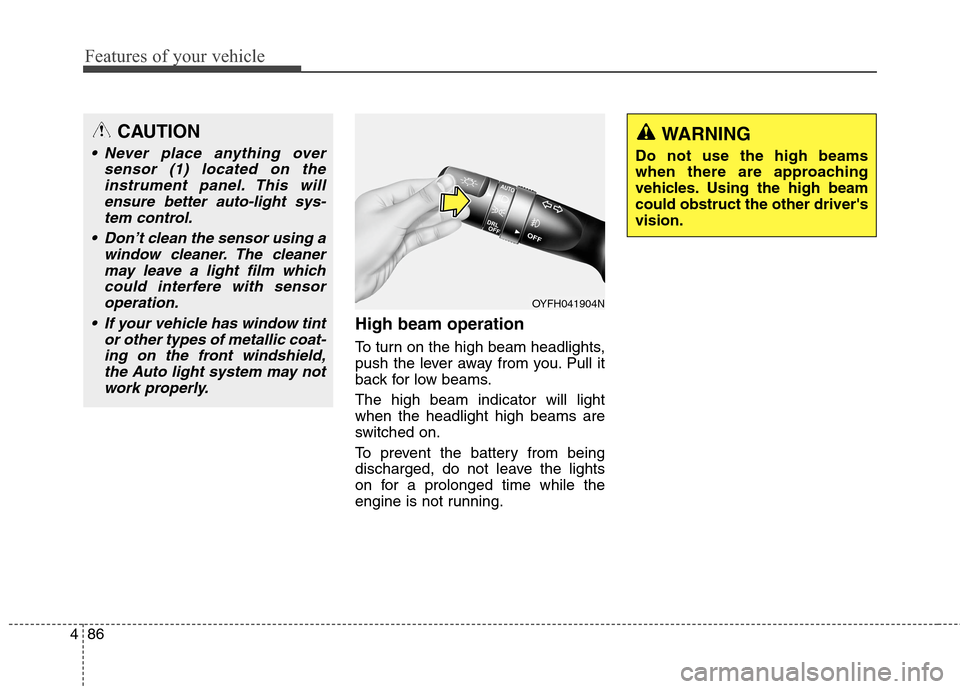
High beam operation
To turn on the high beam headlights,
push the lever away from you. Pull it
back for low beams.
The high beam indicator will light
when the headlight high beams are
switched on.
To prevent the battery from being
discharged, do not leave the lights
on for a prolonged time while the
engine is not running.
WARNING
Do not use the high beams
when there are approaching
vehicles. Using the high beam
could obstruct the other driver's
vision.
OYFH041904N
CAUTION
Never place anything over
sensor (1) located on the
instrument panel. This will
ensure better auto-light sys-
tem control.
Don’t clean the sensor using a
window cleaner. The cleaner
may leave a light film which
could interfere with sensor
operation.
If your vehicle has window tint
or other types of metallic coat-
ing on the front windshield,
the Auto light system may not
work properly.
Page 173 of 476
Features of your vehicle
88 4
One-touch triple turn signal
To activate an one-touch triple turn
signal move the turn signal lever
slightly for less than 1.8 seconds and
then release it. The lane change sig-
nals will blink 3 times.
You can activate or deactivate this
feature. Refer to “User Settings” in
this section.
✽ ✽
NOTICE
If an indicator flash is abnormally
quick or slow, a bulb may be burned
out or have a poor electrical connec-
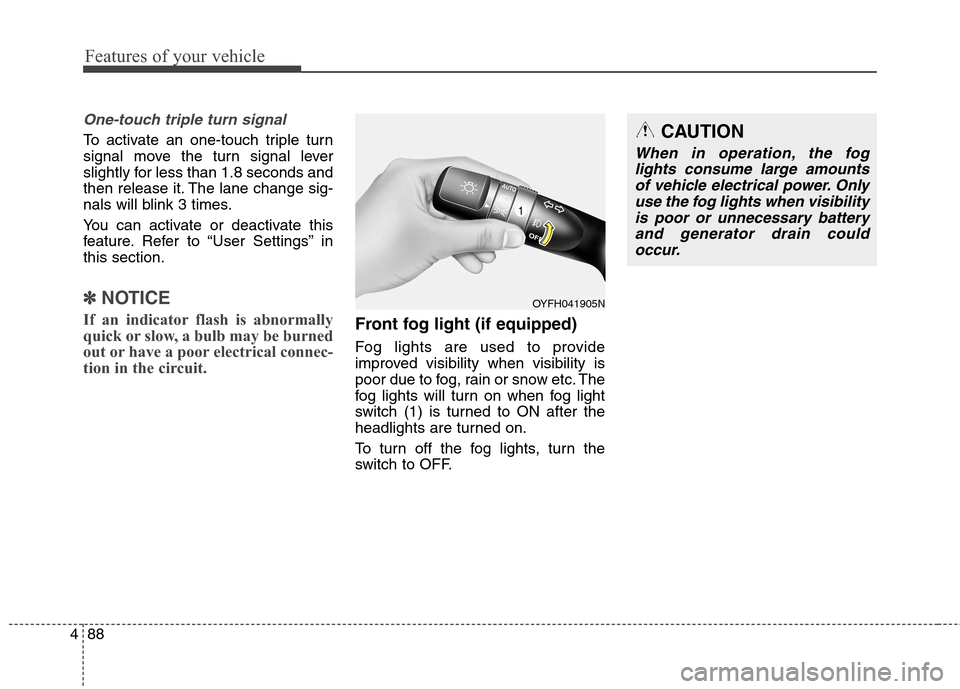
tion in the circuit.Front fog light (if equipped)
Fog lights are used to provide
improved visibility when visibility is
poor due to fog, rain or snow etc. The
fog lights will turn on when fog light
switch (1) is turned to ON after the
headlights are turned on.
To turn off the fog lights, turn the
switch to OFF.
CAUTION
When in operation, the fog
lights consume large amounts
of vehicle electrical power. Only
use the fog lights when visibility
is poor or unnecessary battery
and generator drain could
occur.
OYFH041905N
Page 177 of 476
Features of your vehicle
92 4
Automatic turn off function
(if equipped)
The interior lights automatically turn
off approximately 20 minutes after
the ignition switch is turned off.
If your vehicle is equipped with the
theft alarm system, the interior lights
automatically turn off approximately
5 seconds after the system is in the
armed stage.
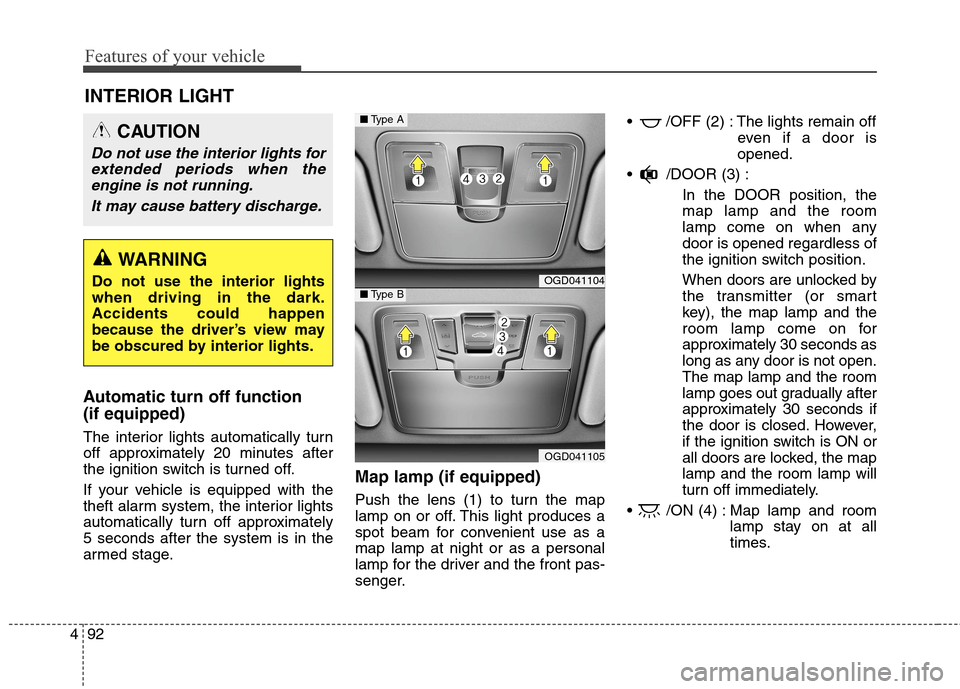
Map lamp (if equipped)
Push the lens (1) to turn the map
lamp on or off. This light produces a
spot beam for convenient use as a
map lamp at night or as a personal
lamp for the driver and the front pas-
senger. /OFF (2) : The lights remain off
even if a door is
opened.
/DOOR (3) :
In the DOOR position, the
map lamp and the room
lamp come on when any
door is opened regardless of
the ignition switch position.
When doors are unlocked by
the transmitter (or smart
key), the map lamp and the
room lamp come on for
approximately 30 seconds as
long as any door is not open.
The map lamp and the room
lamp goes out gradually after
approximately 30 seconds if
the door is closed. However,
if the ignition switch is ON or
all doors are locked, the map
lamp and the room lamp will
turn off immediately.
/ON (4) : Map lamp and room
lamp stay on at all
times.
INTERIOR LIGHT
CAUTION
Do not use the interior lights for
extended periods when the
engine is not running.
It may cause battery discharge.
WARNING
Do not use the interior lights
when driving in the dark.
Accidents could happen
because the driver’s view may
be obscured by interior lights.OGD041104
OGD041105
■Type A
■Type B
Page 195 of 476
Features of your vehicle
110 4
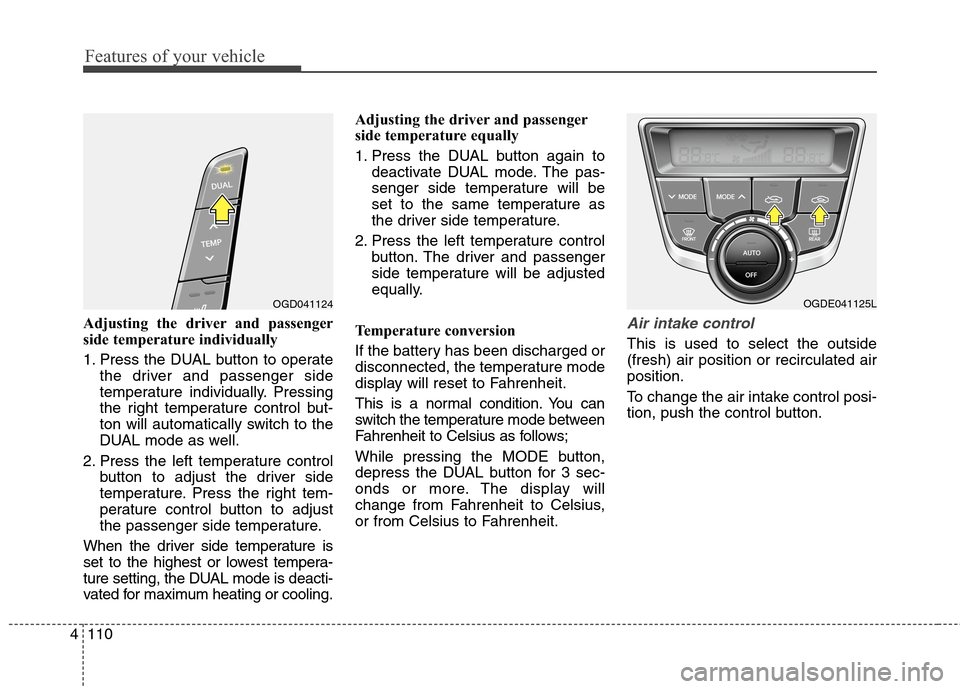
Adjusting the driver and passenger
side temperature individually
1. Press the DUAL button to operate
the driver and passenger side
temperature individually. Pressing
the right temperature control but-
ton will automatically switch to the
DUAL mode as well.
2. Press the left temperature control
button to adjust the driver side
temperature. Press the right tem-
perature control button to adjust
the passenger side temperature.
When the driver side temperature is
set to the highest or lowest tempera-
ture setting, the DUAL mode is deacti-
vated for maximum heating or cooling.Adjusting the driver and passenger
side temperature equally
1. Press the DUAL button again to
deactivate DUAL mode. The pas-
senger side temperature will be
set to the same temperature as
the driver side temperature.
2. Press the left temperature control
button. The driver and passenger
side temperature will be adjusted
equally.
Temperature conversion
If the battery has been discharged or
disconnected, the temperature mode
display will reset to Fahrenheit.
This is a normal condition. You can
switch the temperature mode between
Fahrenheit to Celsius as follows;
While pressing the MODE button,
depress the DUAL button for 3 sec-
onds or more. The display will
change from Fahrenheit to Celsius,
or from Celsius to Fahrenheit.Air intake control
This is used to select the outside
(fresh) air position or recirculated air
position.
To change the air intake control posi-
tion, push the control button.
OGD041124OGDE041125L