Window Hyundai Equus 2014 User Guide
[x] Cancel search | Manufacturer: HYUNDAI, Model Year: 2014, Model line: Equus, Model: Hyundai Equus 2014Pages: 479, PDF Size: 10.15 MB
Page 118 of 479
429
Features of your vehicle
Power windows
The engine start/stop button must be
in the ON position for power windows
to operate.
Each door has a power window
switch that controls the door's win-
dow. The driver has a power window
lock switch which can block the oper-
ation of passenger windows. The
power windows can be operated for
approximately 30 seconds after the
engine start/stop button turned to the
ACC or OFF position. However, if the
front doors are opened, the power
windows cannot be operated even
within the 30 second period.
✽NOTICE
While driving with the rear windows
down or with the sunroof (if
equipped) in an open (or partially
open position), your vehicle may
demonstrate a wind buffeting or
pulsation noise. This noise is a nor-
mal occurrence and can be reduced
or eliminated by taking the follow-
ing actions. If the noise occurs with
one or both of the rear windows
down, partially lower both front
windows approximately one inch.
If you experience the noise with the
sunroof open, slightly reduce the
size of the sunroof opening.
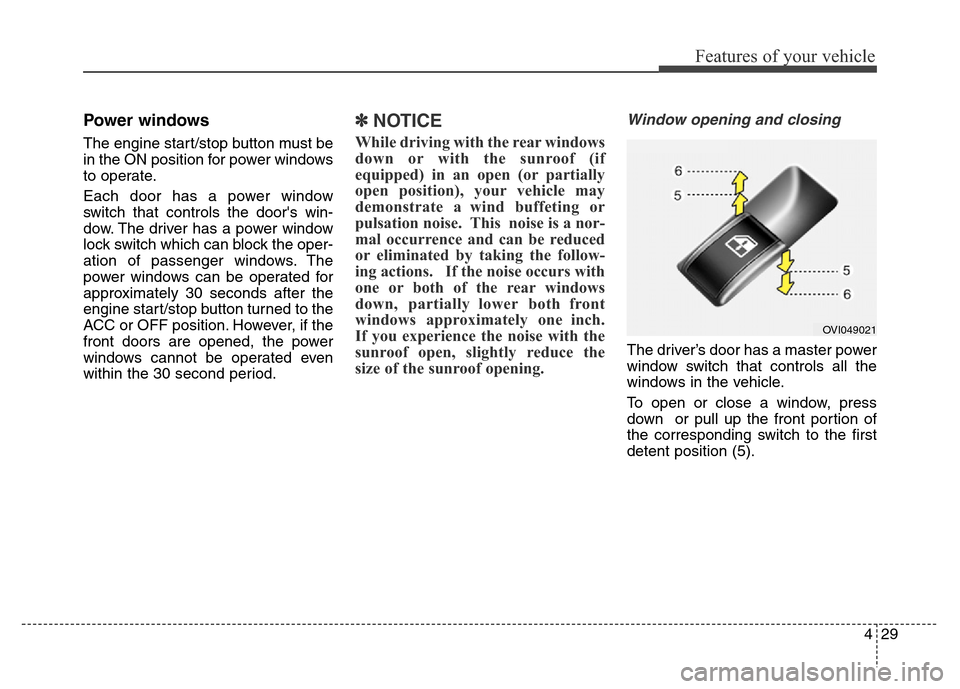
Window opening and closing
The driver’s door has a master power
window switch that controls all the
windows in the vehicle.
To open or close a window, press
down or pull up the front portion of
the corresponding switch to the first
detent position (5).
OVI049021
Page 119 of 479
Features of your vehicle
30 4
Auto up/down window
Pressing or pulling up the power win-
dow switch momentarily to the sec-
ond detent position (6) completely
lowers or lifts the window even when
the switch is released. To stop the
window at the desired position while
the window is in operation, pull up or
press down and release the switch.
If the power window does not operate
normally, the automatic power win-
dow system must be reset as follows:
1. Turn the engine start/stop button
to the ON position.
2. Close the window and continue
pulling up on the power window
switch for at least 1 second.Automatic reverse
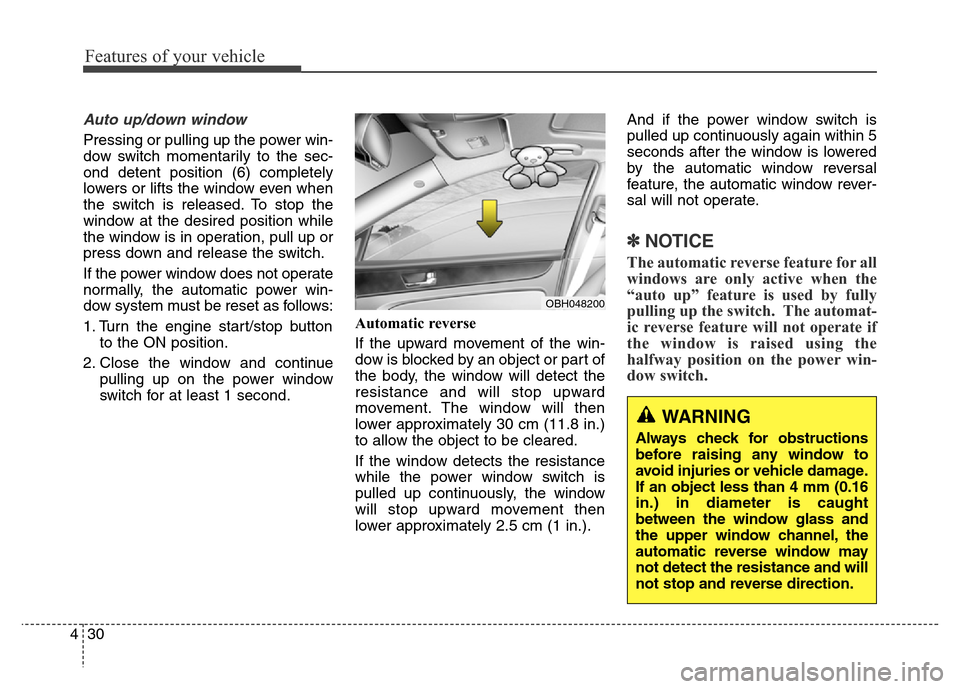
If the upward movement of the win-
dow is blocked by an object or part of
the body, the window will detect the
resistance and will stop upward
movement. The window will then
lower approximately 30 cm (11.8 in.)
to allow the object to be cleared.
If the window detects the resistance
while the power window switch is
pulled up continuously, the window
will stop upward movement then
lower approximately 2.5 cm (1 in.).And if the power window switch is
pulled up continuously again within 5
seconds after the window is lowered
by the automatic window reversal
feature, the automatic window rever-
sal will not operate.
✽NOTICE
The automatic reverse feature for all
windows are only active when the
“auto up” feature is used by fully
pulling up the switch. The automat-
ic reverse feature will not operate if
the window is raised using the
halfway position on the power win-
dow switch.
OBH048200
WARNING
Always check for obstructions
before raising any window to
avoid injuries or vehicle damage.
If an object less than 4 mm (0.16
in.) in diameter is caught
between the window glass and
the upper window channel, the
automatic reverse window may
not detect the resistance and will
not stop and reverse direction.
Page 120 of 479
431
Features of your vehicle
Rear door window curtains
(if equipped)
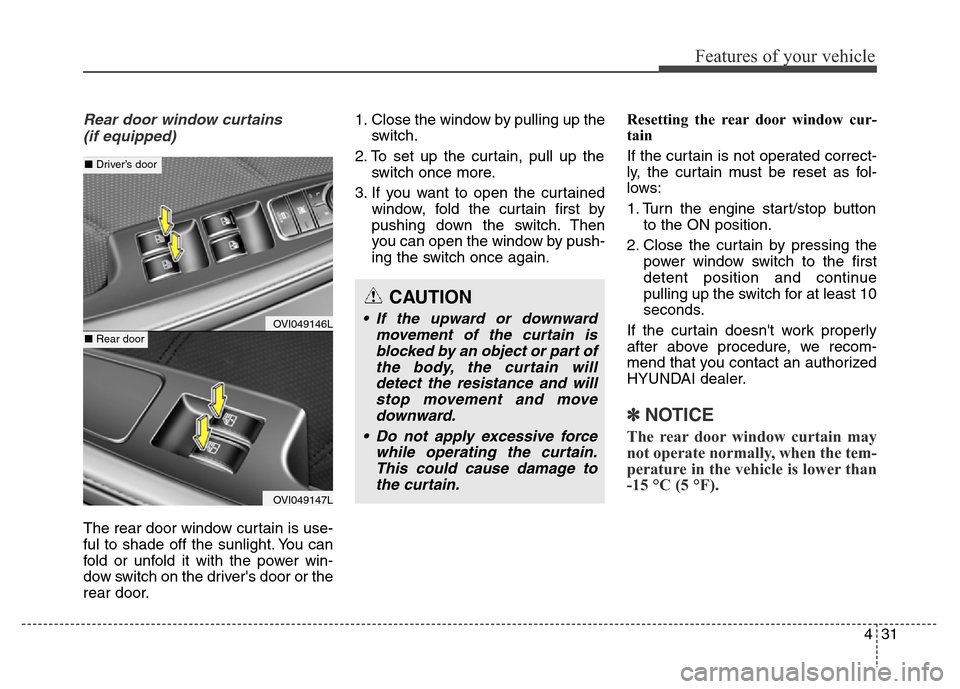
The rear door window curtain is use-
ful to shade off the sunlight. You can
fold or unfold it with the power win-
dow switch on the driver's door or the
rear door.1. Close the window by pulling up the
switch.
2. To set up the curtain, pull up the
switch once more.
3. If you want to open the curtained
window, fold the curtain first by
pushing down the switch. Then
you can open the window by push-
ing the switch once again.Resetting the rear door window cur-
tain
If the curtain is not operated correct-
ly, the curtain must be reset as fol-
lows:
1. Turn the engine start/stop button
to the ON position.
2. Close the curtain by pressing the
power window switch to the first
detent position and continue
pulling up the switch for at least 10
seconds.
If the curtain doesn't work properly
after above procedure, we recom-
mend that you contact an authorized
HYUNDAI dealer.
✽NOTICE
The rear door window curtain may
not operate normally, when the tem-
perature in the vehicle is lower than
-15 °C (5 °F).
CAUTION
• If the upward or downward
movement of the curtain is
blocked by an object or part of
the body, the curtain will
detect the resistance and will
stop movement and move
downward.
• Do not apply excessive force
while operating the curtain.
This could cause damage to
the curtain.OVI049146L
OVI049147L
■Driver’s door
■Rear door
Page 121 of 479
Features of your vehicle
32 4
Power window lock button
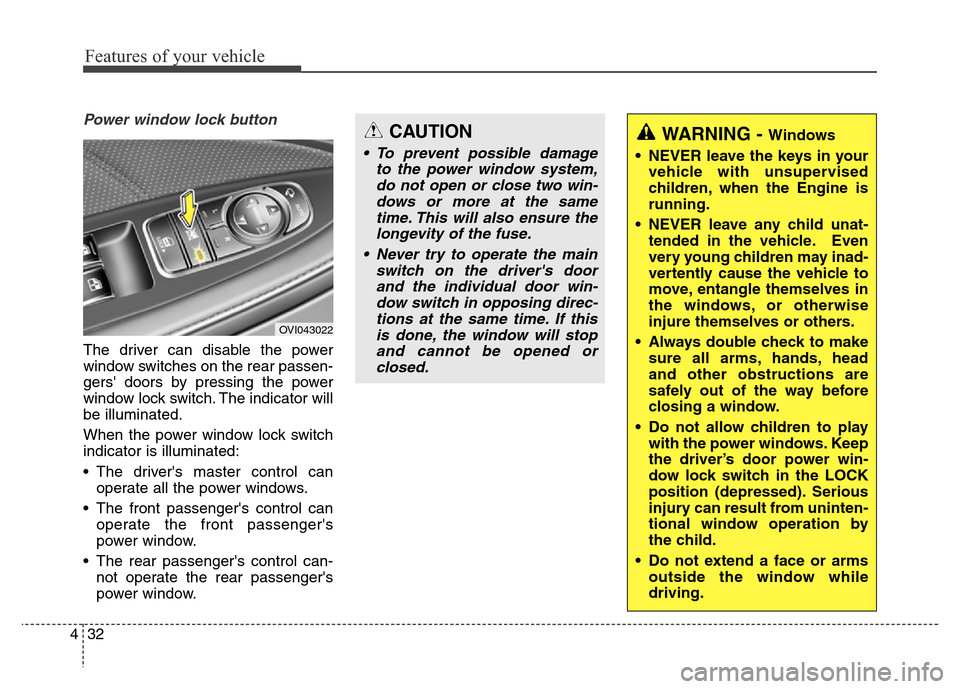
The driver can disable the power
window switches on the rear passen-
gers' doors by pressing the power
window lock switch. The indicator will
be illuminated.
When the power window lock switch
indicator is illuminated:
• The driver's master control can
operate all the power windows.
• The front passenger's control can
operate the front passenger's
power window.
• The rear passenger's control can-
not operate the rear passenger's
power window.
OVI043022
WARNING - Windows
• NEVER leave the keys in your
vehicle with unsupervised
children, when the Engine is
running.
• NEVER leave any child unat-
tended in the vehicle. Even
very young children may inad-
vertently cause the vehicle to
move, entangle themselves in
the windows, or otherwise
injure themselves or others.
• Always double check to make
sure all arms, hands, head
and other obstructions are
safely out of the way before
closing a window.
• Do not allow children to play
with the power windows. Keep
the driver’s door power win-
dow lock switch in the LOCK
position (depressed). Serious
injury can result from uninten-
tional window operation by
the child.
• Do not extend a face or arms
outside the window while
driving.CAUTION
• To prevent possible damage
to the power window system,
do not open or close two win-
dows or more at the same
time. This will also ensure the
longevity of the fuse.
• Never try to operate the main
switch on the driver's door
and the individual door win-
dow switch in opposing direc-
tions at the same time. If this
is done, the window will stop
and cannot be opened or
closed.
Page 136 of 479
447
Features of your vehicle
Inside rearview mirror
Adjust the rearview mirror so that the
center view through the rear window
is seen. Make this adjustment before
you start driving.
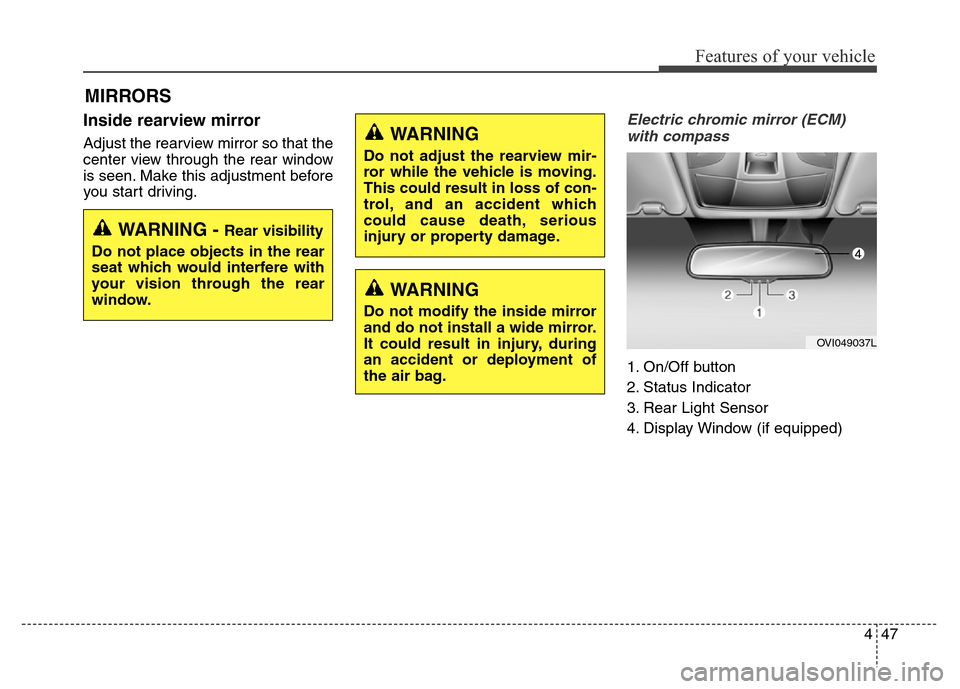
Electric chromic mirror (ECM)
with compass
1. On/Off button
2. Status Indicator
3. Rear Light Sensor
4. Display Window (if equipped)
MIRRORS
WARNING - Rear visibility
Do not place objects in the rear
seat which would interfere with
your vision through the rear
window.
WARNING
Do not adjust the rearview mir-
ror while the vehicle is moving.
This could result in loss of con-
trol, and an accident which
could cause death, serious
injury or property damage.
WARNING
Do not modify the inside mirror
and do not install a wide mirror.
It could result in injury, during
an accident or deployment of
the air bag.
OVI049037L
Page 169 of 479
Features of your vehicle
80 4
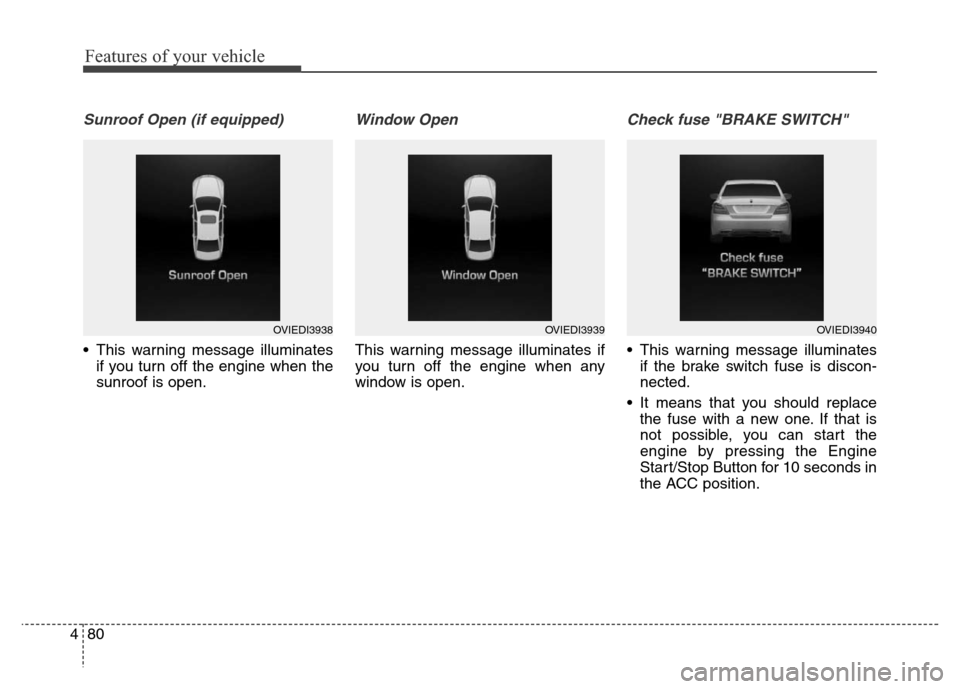
Sunroof Open (if equipped)
• This warning message illuminates
if you turn off the engine when the
sunroof is open.
Window Open
This warning message illuminates if
you turn off the engine when any
window is open.
Check fuse "BRAKE SWITCH"
• This warning message illuminates
if the brake switch fuse is discon-
nected.
• It means that you should replace
the fuse with a new one. If that is
not possible, you can start the
engine by pressing the Engine
Start/Stop Button for 10 seconds in
the ACC position.
OVIEDI3938OVIEDI3939OVIEDI3940
Page 207 of 479
Features of your vehicle
118 4
Lighting control
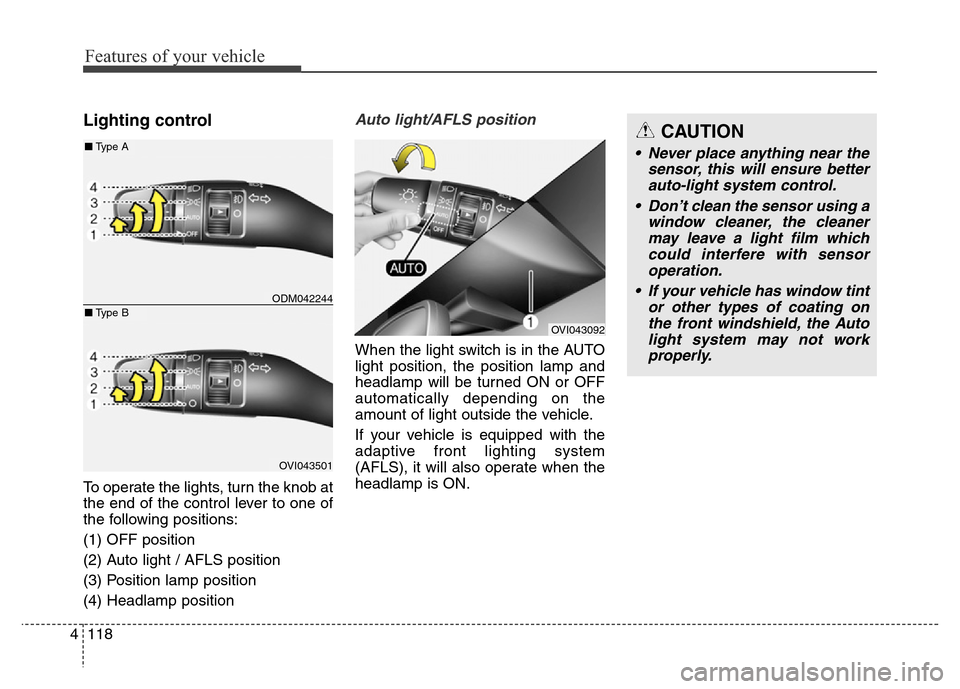
To operate the lights, turn the knob at
the end of the control lever to one of
the following positions:
(1) OFF position
(2) Auto light / AFLS position
(3) Position lamp position
(4) Headlamp position
Auto light/AFLS position
When the light switch is in the AUTO
light position, the position lamp and
headlamp will be turned ON or OFF
automatically depending on the
amount of light outside the vehicle.
If your vehicle is equipped with the
adaptive front lighting system
(AFLS), it will also operate when the
headlamp is ON.
OVI043092
ODM042244
OVI043501
■Type A
■Type B
CAUTION
• Never place anything near the
sensor, this will ensure better
auto-light system control.
• Don’t clean the sensor using a
window cleaner, the cleaner
may leave a light film which
could interfere with sensor
operation.
• If your vehicle has window tint
or other types of coating on
the front windshield, the Auto
light system may not work
properly.
Page 221 of 479
Features of your vehicle
132 4
✽NOTICE
If you want to defrost and defog the
front windshield, refer to
“Windshield defrosting and defog-
ging” in this section.
Rear window defroster
The defroster heats the window to
remove frost, fog and thin ice from
the rear window, while the engine is
running.
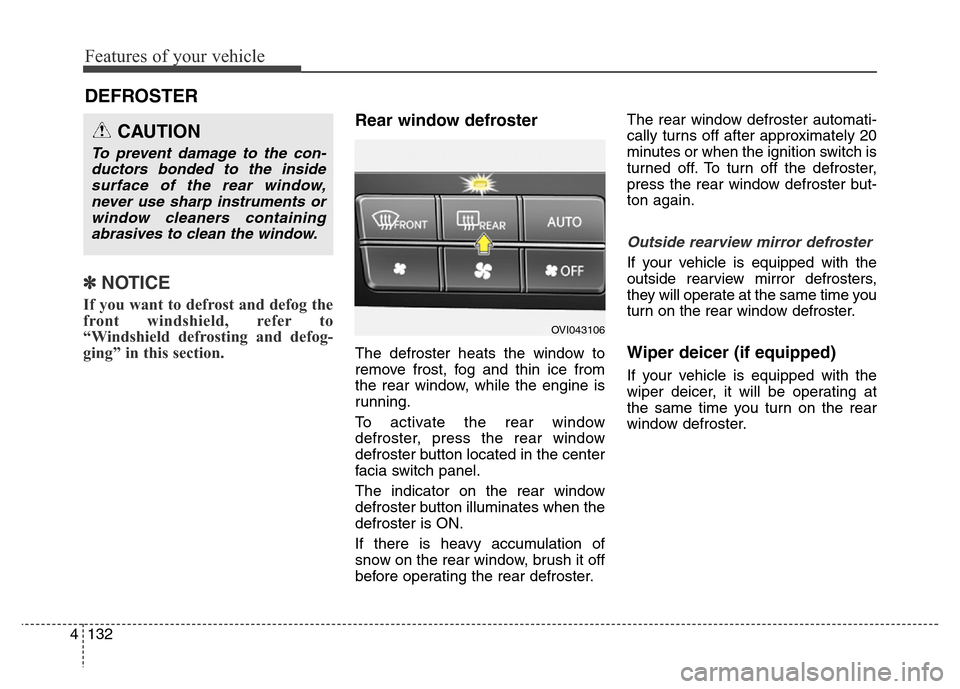
To activate the rear window
defroster, press the rear window
defroster button located in the center
facia switch panel.
The indicator on the rear window
defroster button illuminates when the
defroster is ON.
If there is heavy accumulation of
snow on the rear window, brush it off
before operating the rear defroster.The rear window defroster automati-
cally turns off after approximately 20
minutes or when the ignition switch is
turned off. To turn off the defroster,
press the rear window defroster but-
ton again.
Outside rearview mirror defroster
If your vehicle is equipped with the
outside rearview mirror defrosters,
they will operate at the same time you
turn on the rear window defroster.
Wiper deicer (if equipped)
If your vehicle is equipped with the
wiper deicer, it will be operating at
the same time you turn on the rear
window defroster.
DEFROSTER
CAUTION
To prevent damage to the con-
ductors bonded to the inside
surface of the rear window,
never use sharp instruments or
window cleaners containing
abrasives to clean the window.
OVI043106
Page 222 of 479
4133
Features of your vehicle
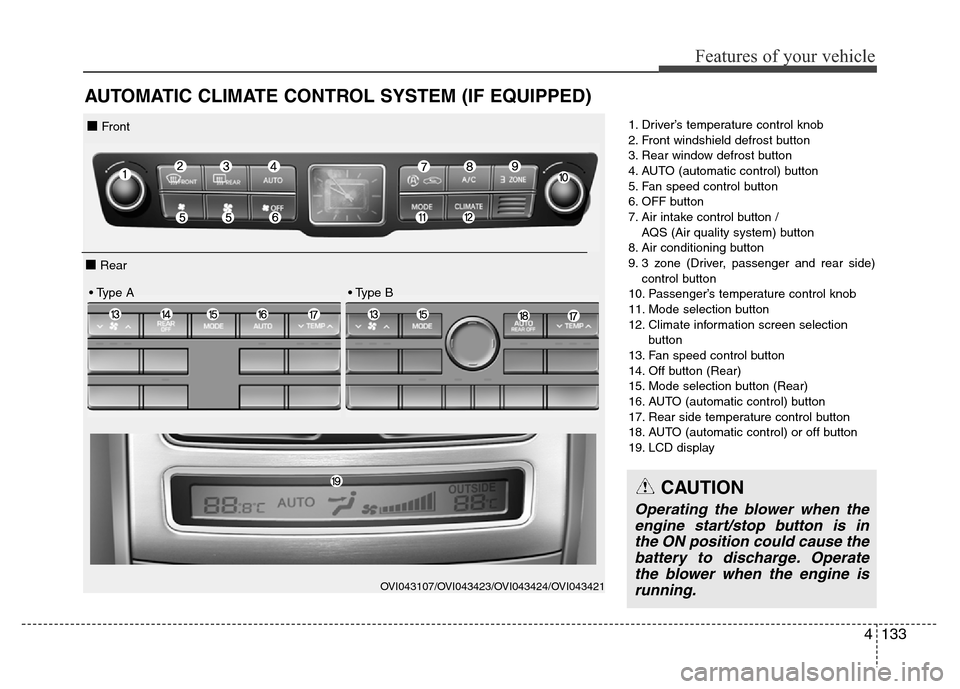
AUTOMATIC CLIMATE CONTROL SYSTEM (IF EQUIPPED)
1. Driver’s temperature control knob
2. Front windshield defrost button
3. Rear window defrost button
4. AUTO (automatic control) button
5. Fan speed control button
6. OFF button
7. Air intake control button /
AQS (Air quality system) button
8. Air conditioning button
9. 3 zone (Driver, passenger and rear side)
control button
10. Passenger’s temperature control knob
11. Mode selection button
12. Climate information screen selection
button
13. Fan speed control button
14. Off button (Rear)
15. Mode selection button (Rear)
16. AUTO (automatic control) button
17. Rear side temperature control button
18. AUTO (automatic control) or off button
19. LCD display
OVI043107/OVI043423/OVI043424/OVI043421
■ Front
■ Rear
• Type A • Type B
CAUTION
Operating the blower when the
engine start/stop button is in
the ON position could cause the
battery to discharge. Operate
the blower when the engine is
running.
Page 227 of 479
Features of your vehicle
138 4
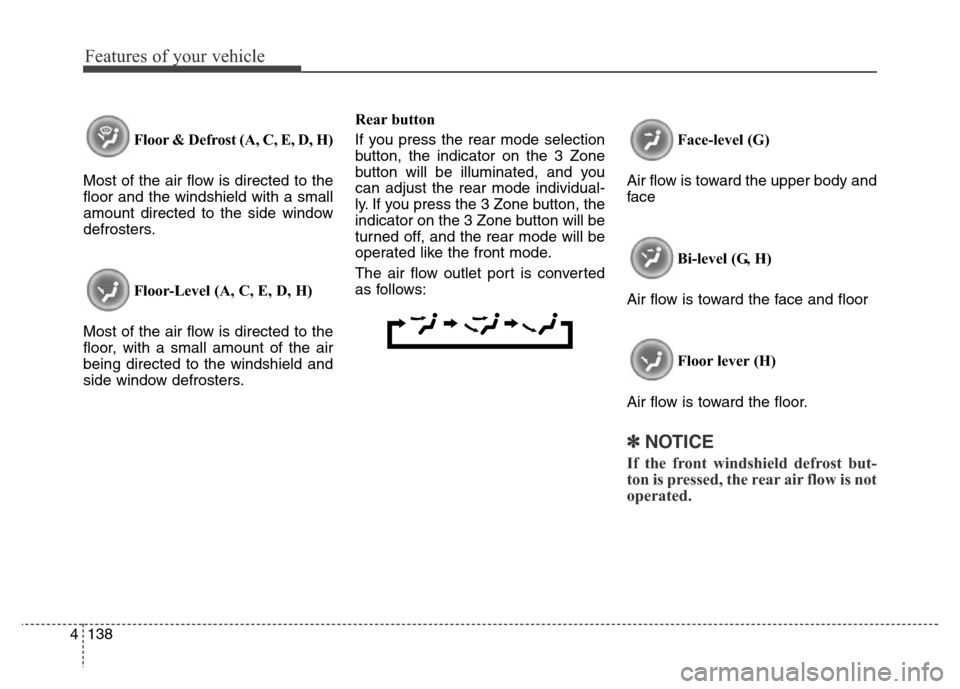
Floor & Defrost (A, C, E, D, H)
Most of the air flow is directed to the
floor and the windshield with a small
amount directed to the side window
defrosters.
Floor-Level (A, C, E, D, H)
Most of the air flow is directed to the
floor, with a small amount of the air
being directed to the windshield and
side window defrosters.Rear button
If you press the rear mode selection
button, the indicator on the 3 Zone
button will be illuminated, and you
can adjust the rear mode individual-
ly. If you press the 3 Zone button, the
indicator on the 3 Zone button will be
turned off, and the rear mode will be
operated like the front mode.
The air flow outlet port is converted
as follows:Face-level (G)
Air flow is toward the upper body and
face
Bi-level (G, H)
Air flow is toward the face and floor
Floor lever (H)
Air flow is toward the floor.
✽NOTICE
If the front windshield defrost but-
ton is pressed, the rear air flow is not
operated.