key Hyundai Ioniq Hybrid 2017 Service Manual
[x] Cancel search | Manufacturer: HYUNDAI, Model Year: 2017, Model line: Ioniq Hybrid, Model: Hyundai Ioniq Hybrid 2017Pages: 553, PDF Size: 59.51 MB
Page 238 of 553
3-136
Convenient features of your vehicle
The wireless charging process starts
when you put a Qi-enabled cellularphone on the wireless charging unit.
1. Remove other items, including thesmart key, from the wireless charg-
ing unit. If not, the wireless charg-
ing process may be interrupted.
2. The indicator illuminates in orange during the charging process. The
indicator color changes to green,when the charging process iscompleted.
3. You can turn ON or OFF the wire- less charging function in the user
settings mode on the instrument
cluster. (For further information,
refer to the “LCD Modes” in this
chapter.)
Slightly change the cellular phoneposition, when the cellular phone is
not being charged. Make sure that
the indicator illuminates in orange.
The indicator color may not change
to green in accordance with the cel-
lular phone type, even though the
charging process is completed. The
indicator blinks in orange for 10 sec-onds when there is a malfunctionwith the wireless charging system. In this case, temporarily stop the
charging process, and re-attempt to
wirelessly charge your cellular phoneagain.
The system warns you with a mes-
sage on the LCD display when you do
not take out the cellular phone fromthe wireless charging unit with thefront door open and the Engine
Start/Stop button in the OFF position.
The wireless cellular phone
charging system may not sup-
port certain cellular phones,
which are not verified for the Qi
specification ( ).
Locate your cell phone well in the middle of the wireless cellular
phone charging system. Even
when your cell phone locates
slightly to one side, the charging
speed may decrease.
The wireless charging process may temporarily stop, when a
smart key function operates (i.e.
starting the engine, opening the
doors, closing the doors). For certain cell phones, the indi-
cator color may not change to
green, even when the wireless
charging process is properlycompleted.
The wireless charging process may temporarily stop, when tempera-
ture abnormally increases inside
the wireless cellular phone charg-
ing system. The wireless charging
process restarts, when tempera-
ture falls to a proper level.
The wireless charging process may temporarily stop when there
is any metallic item, such as a
coin, between the wireless cellu-
lar phone charging system and a
cellular phone.
NOTICE
Page 264 of 553
4-23
Multimedia System
4
(Continued)
Some USB devices are not recog-nized due to compatibility issues.
Do not touch the USB connections.
Connecting and disconnecting USB devices rapidly over a short period
of time can cause equipment failure.
Abnormal sounds may be audible when the USB device is disconnected.
Turn the audio off before connecting or disconnecting external USB
devices.
Recognition may take longer depending on the type, capacity or
file format of the external USB
device. This is not a product mal-
function.
Use of USB devices for purposes other than playing music files is pro-
hibited.
Image display and video playback are not supported.
(Continued)(Continued)
Use of USB accessories, including
charge and heat though the USB I/F,
can lead to reduced product per-
formance or malfunctions. Do not
use USB devices or accessories for
these purposes.
Use of aftermarket USB hubs and extension cables can result in the
vehicle’s audio system failing to rec-
ognize your USB device. Connect
the USB device directly to the multi-
media port of your vehicle.
When using high-capacity USB devices with logical drive divisions,
only files saved on the highest level
logical drive can be played.
If applications are loaded on a USB
drive, file playback may fail.
Some MP3 players, cell phones, dig- ital cameras, etc. (USB devices that
are not recognized as mobile stor-
age) may not operate normally
when connected.
USB charging may not be supported by some mobile devices.
(Continued)(Continued)
Operation is guaranteed only for
standard (Metal Cover Type) USB
Memory drives.
Operation of HDD, CF, SD and memory stick devices is not guaran-
teed.
DRM (Digital Rights Management) files cannot be played.
SD-type USB memory, CF-type USB memory, and other USB mem-
ory devices that require adapters
for connection are not supported.
Proper operation of USB HDDs or USB drives with connectors that
loosen due to vehicle vibrations is
not guaranteed. (iStick, etc.)
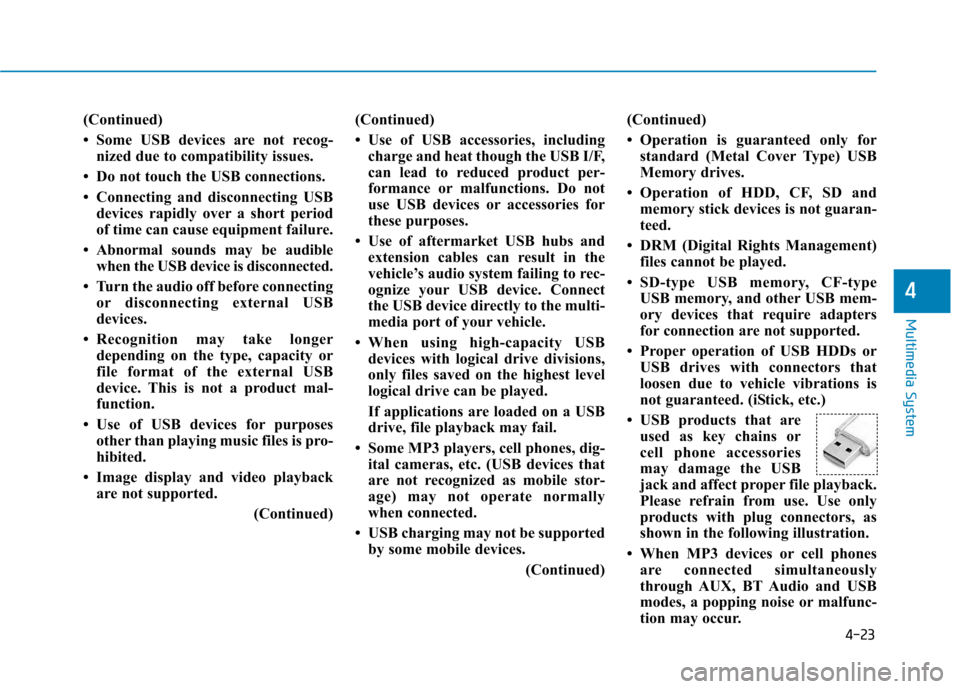
USB products that are used as key chains or
cell phone accessories
may damage the USB
jack and affect proper file playback.
Please refrain from use. Use only
products with plug connectors, as
shown in the following illustration.
When MP3 devices or cell phones are connected simultaneously
through AUX, BT Audio and USB
modes, a popping noise or malfunc-
tion may occur.
Page 275 of 553
4-34
Multimedia System
Some Bluetooth®
devices are sub-
ject to intermittent Bluetooth ®
con-
nection failures. In this case, use
the following method.
1) Turn the Bluetooth ®
function off
on your Bluetooth ®
device ➟
Turn it on and try again.
2) Delete the paired device from both the audio system and Bluetooth ®
device, then pair
again.
3) Power down your Bluetooth ®
device ➟Turn it on and try
again.
4) Completely remove the battery from your Bluetooth ®
device;
reinsert it, reboot, and attemptconnection.
5) Restart the vehicle and reat- tempt connection.Pairing a Bluetooth®device
Information on pairing Bluetooth ®
devices
Pairing refers to the process of pairing Bluetooth ®
cell phones or
devices with the system prior to
connection. This is a necessary
procedure for Bluetooth ®
connec-
tion and usage.
Up to five devices can be paired.
Pairing Bluetooth ®
device is not
allowed while vehicle is moving.
Pairing the first Bluetooth ®
device
Select the [PHONE]button on the
audio system or the [CALL]button
on the steering wheel remote control ➟ Search for the vehicle from the
Bluetooth ®
device, and pair ➟Enter
the passkey on the Bluetooth ®
device or approve passkey ➟
Bluetooth ®
pairing completed.
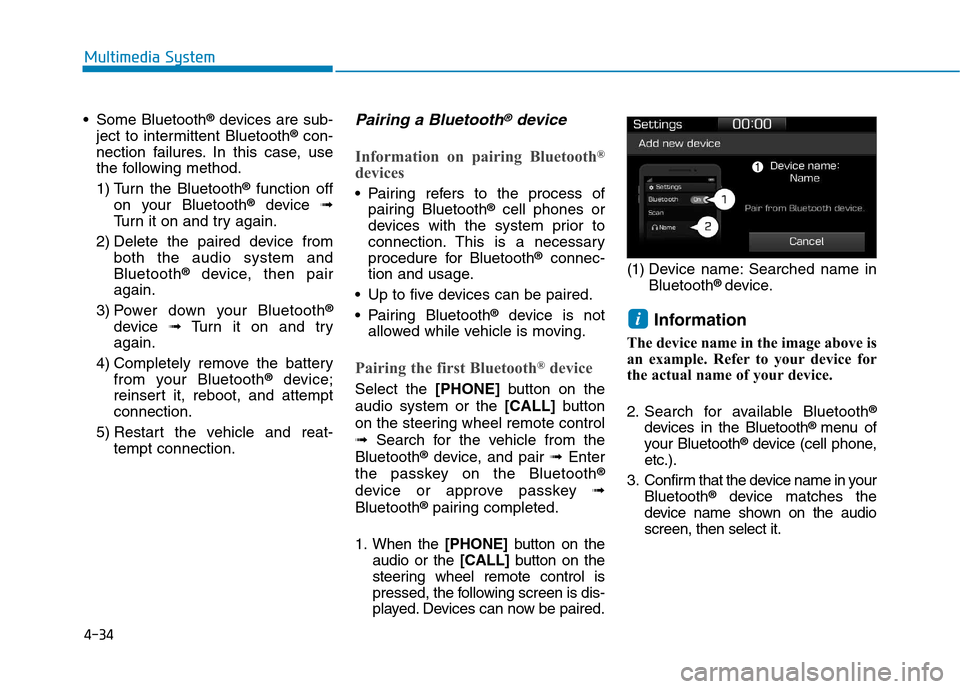
1. When the [PHONE]button on the
audio or the [CALL]button on the
steering wheel remote control is
pressed, the following screen is dis-
played. Devices can now be paired. (1) Device name: Searched name in
Bluetooth ®
device.
Information
The device name in the image above is
an example. Refer to your device for
the actual name of your device.
2. Search for available Bluetooth ®
devices in the Bluetooth ®
menu of
your Bluetooth ®
device (cell phone,
etc.).
3. Confirm that the device name in your Bluetooth ®
device matches the
device name shown on the audio screen, then select it.
i
Page 276 of 553
4-35
Multimedia System
4
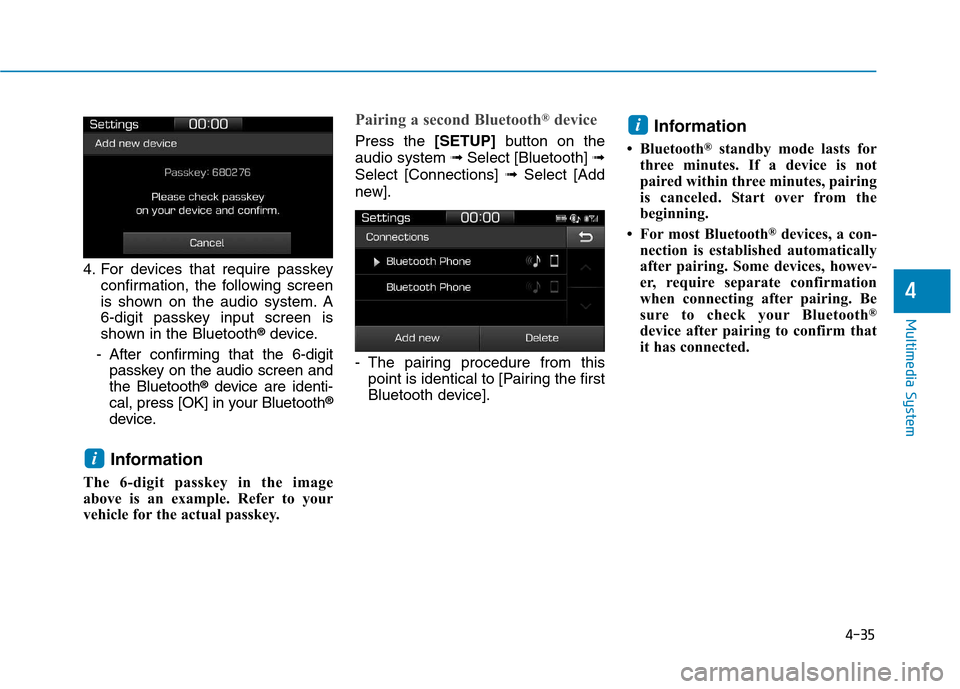
4. For devices that require passkeyconfirmation, the following screen
is shown on the audio system. A
6-digit passkey input screen is
shown in the Bluetooth ®
device.
- After confirming that the 6-digit passkey on the audio screen andthe Bluetooth ®
device are identi-
cal, press [OK] in your Bluetooth ®
device.
Information
The 6-digit passkey in the image
above is an example. Refer to your
vehicle for the actual passkey.
Pairing a second Bluetooth ®
device
Press the [SETUP]button on the
audio system ➟ Select [Bluetooth] ➟
Select [Connections] ➟Select [Add
new].
- The pairing procedure from this point is identical to [Pairing the first
Bluetooth device]. Information
Bluetooth ®
standby mode lasts for
three minutes. If a device is not
paired within three minutes, pairing
is canceled. Start over from the
beginning.
For most Bluetooth ®
devices, a con-
nection is established automatically
after pairing. Some devices, howev-
er, require separate confirmation
when connecting after pairing. Be
sure to check your Bluetooth ®
device after pairing to confirm that
it has connected.i
i
Page 278 of 553
4-37
Multimedia System
4
Information
When the incoming call screen is displayed, audio mode and the set-
tings screen cannot be shown. Only
call volume control is supported.
Some Bluetooth ®
devices may not
support the call reject function.
Some Bluetooth ®
devices may not
support the phone number display
function.Operation during calls
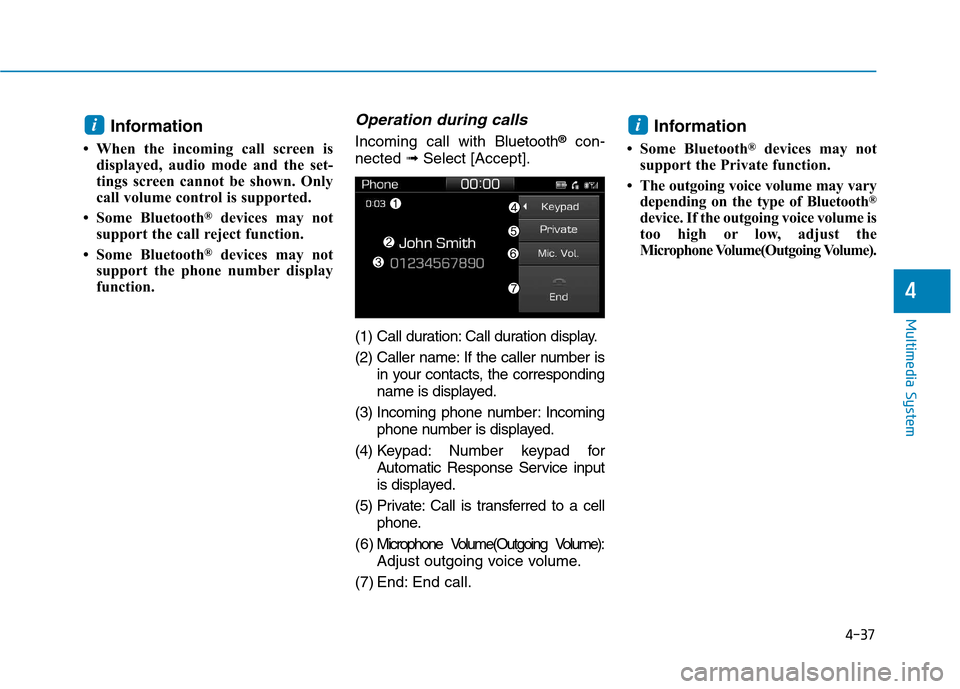
Incoming call with Bluetooth®
con-
nected ➟Select [Accept].
(1) Call duration: Call duration display.
(2) Caller name: If the caller number is in your contacts, the corresponding
name is displayed.
(3) Incoming phone number: Incoming phone number is displayed.
(4) Keypad: Number keypad for Automatic Response Service input
is displayed.
(5) Private: Call is transferred to a cell phone.
( 6 ) Microphone Volume(Outgoing Volume): Adjust outgoing voice volume.
(7) End: End call. Information
Some Bluetooth ®
devices may not
support the Private function.
The outgoing voice volume may vary depending on the type of Bluetooth ®
device. If the outgoing voice volume is
too high or low, adjust the
Microphone Volume(Outgoing Volume).
ii
Page 280 of 553
![Hyundai Ioniq Hybrid 2017 Service Manual 4-39
Multimedia System
4
Contacts
Select the [PHONE]button on the
audio system ➟Select [Contacts] ➟
Select letter (ABC) ➟Contacts dis-
played.
(1) Contacts: Display downloaded contacts. Conn](/img/35/14930/w960_14930-279.png "Hyundai Ioniq Hybrid 2017 Service Manual 4-39
Multimedia System
4
Contacts
Select the [PHONE]button on the
audio system ➟Select [Contacts] ➟
Select letter (ABC) ➟Contacts dis-
played.
(1) Contacts: Display downloaded contacts. Conn")
4-39
Multimedia System
4
Contacts
Select the [PHONE]button on the
audio system ➟Select [Contacts] ➟
Select letter (ABC) ➟Contacts dis-
played.
(1) Contacts: Display downloaded contacts. Connect a call when selected.
(2) Download: Download contacts from connected Bluetooth ®
devices. Information
Up to 2,000 contacts can be saved.
In some cases, additional confirmation from your Bluetooth ®
device is neces-
sary when downloading contacts. If
downloading of contacts unsuccessful,
consult your Bluetooth ®
device’s set-
tings or the audio screen to approve
the download.
Contacts without phone numbers are not displayed.
Dial
Select the [PHONE]button on the
audio ➟Select [Dial].
(1) Phone number entry window: The phone number entered using the
keypad is displayed.
(2) Clear - Press to delete individual digits.
- Press and hold to delete theentire phone number.
(3) Keypad: Enter phone number.
(4) Bluetooth ®
Phone name
- The name of the connected Bluetooth ®
device is displayed.
- Contacts matching the keypad number/letter input are displayed.
i
Page 285 of 553
Driving your vehicle
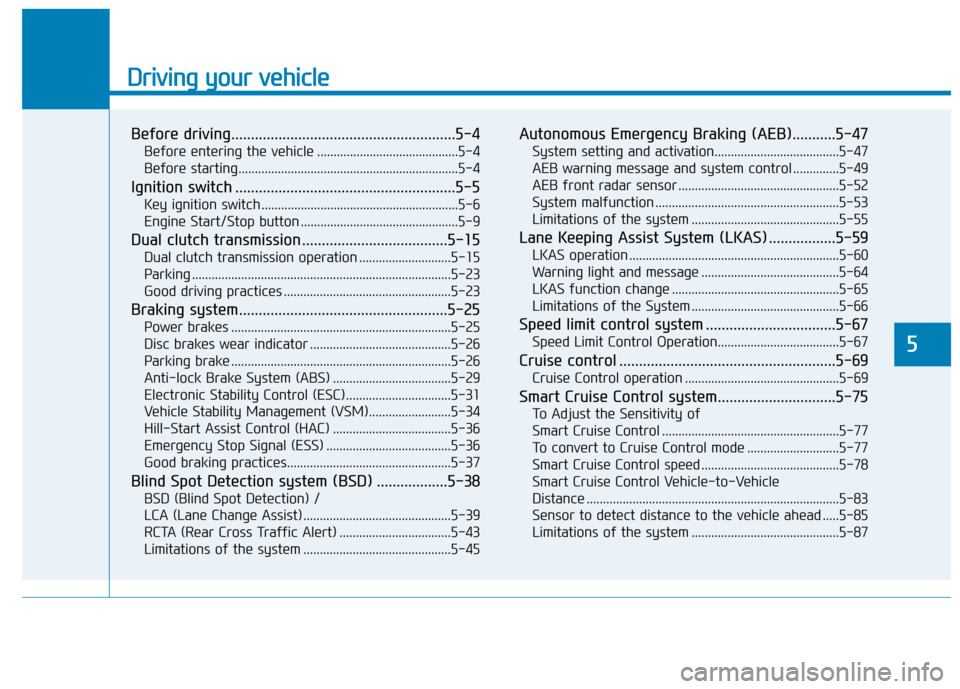
Before driving.........................................................5-4Before entering the vehicle ...........................................5-4
Before starting...................................................................5-4
Ignition switch ........................................................5-5 Key ignition switch ............................................................5-6
Engine Start/Stop button ................................................5-9
Dual clutch transmission .....................................5-15 Dual clutch transmission operation ............................5-15
Parking ...............................................................................5-23
Good driving practices ...................................................5-23
Braking system.....................................................5-25 Power brakes ...................................................................5-25
Disc brakes wear indicator ...........................................5-26
Parking brake ...................................................................5-26
Anti-lock Brake System (ABS) ....................................5-29
Electronic Stability Control (ESC)................................5-31
Vehicle Stability Management (VSM).........................5-34
Hill-Start Assist Control (HAC) ....................................5-36
Emergency Stop Signal (ESS) ......................................5-36
Good braking practices..................................................5-37
Blind Spot Detection system (BSD) ..................5-38 BSD (Blind Spot Detection) /
LCA (Lane Change Assist) .............................................5-39RCTA (Rear Cross Traffic Alert) ..................................5-43
Limitations of the system .............................................5-45 Autonomous Emergency Braking (AEB)...........5-47
System setting and activation......................................5-47
AEB warning message and system control ..............5-49
AEB front radar sensor .................................................5-52
System malfunction ........................................................5-53
Limitations of the system .............................................5-55
Lane Keeping Assist System (LKAS) .................5-59 LKAS operation ................................................................5-60
Warning light and message ..........................................5-64
LKAS function change ...................................................5-65
Limitations of the System .............................................5-66
Speed limit control system .................................5-67 Speed Limit Control Operation.....................................5-67
Cruise control .......................................................5-69 Cruise Control operation ...............................................5-69
Smart Cruise Control system..............................5-75 To Adjust the Sensitivity of
Smart Cruise Control ......................................................5-77To convert to Cruise Control mode ............................5-77
Smart Cruise Control speed ..........................................5-78
Smart Cruise Control Vehicle-to-Vehicle
Distance .............................................................................5-83 Sensor to detect distance to the vehicle ahead .....5-85
Limitations of the system .............................................5-87
5
Page 290 of 553
5-6
Driving your vehicle
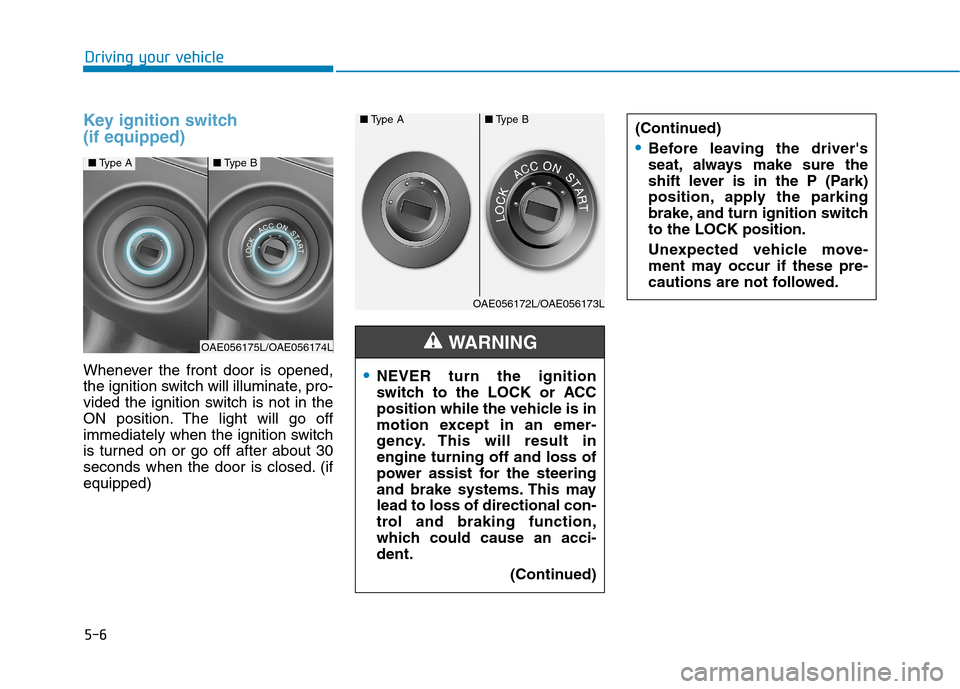
Key ignition switch (if equipped)
Whenever the front door is opened,
the ignition switch will illuminate, pro-
vided the ignition switch is not in the
ON position. The light will go off
immediately when the ignition switch
is turned on or go off after about 30
seconds when the door is closed. (ifequipped)NEVER turn the ignition
switch to the LOCK or ACC
position while the vehicle is in
motion except in an emer-
gency. This will result inengine turning off and loss of
power assist for the steering
and brake systems. This maylead to loss of directional con-
trol and braking function,
which could cause an acci-dent.(Continued)
WARNING
(Continued)
Before leaving the driver's
seat, always make sure the
shift lever is in the P (Park)
position, apply the parking
brake, and turn ignition switchto the LOCK position.
Unexpected vehicle move-
ment may occur if these pre-
cautions are not followed.
■Type A■Type B
OAE056172L/OAE056173L
■Type A■Type B
OAE056175L/OAE056174L
Page 291 of 553
5-7
Driving your vehicle
5
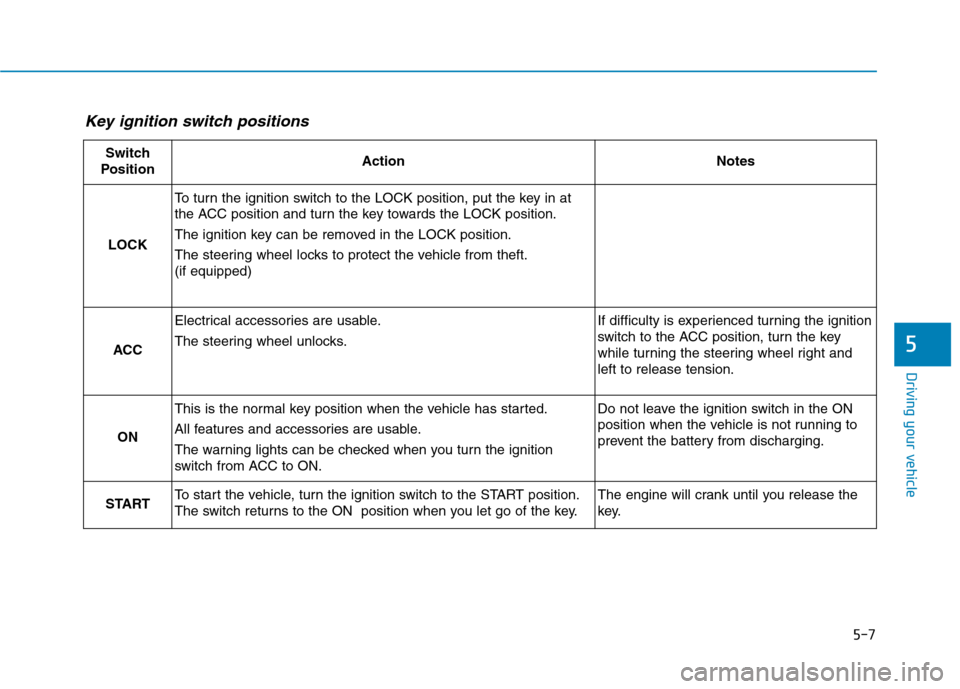
Key ignition switch positions
Switch
PositionActionNotes
LOCK
To turn the ignition switch to the LOCK position, put the key in at
the ACC position and turn the key towards the LOCK position.
The ignition key can be removed in the LOCK position.
The steering wheel locks to protect the vehicle from theft. (if equipped)
ACC
Electrical accessories are usable.
The steering wheel unlocks.If difficulty is experienced turning the ignition
switch to the ACC position, turn the key
while turning the steering wheel right andleft to release tension.
ON
This is the normal key position when the vehicle has started.
All features and accessories are usable.
The warning lights can be checked when you turn the ignition
switch from ACC to ON.Do not leave the ignition switch in the ON
position when the vehicle is not running to
prevent the battery from discharging.
STARTTo start the vehicle, turn the ignition switch to the START position.
The switch returns to the ON position when you let go of the key.The engine will crank until you release the
key.
Page 292 of 553
5-8
Driving your vehicle
Starting the vehicle1. Make sure the parking brake isapplied.
2. Make sure the shift lever is in P (Park).
3. Depress the brake pedal.
4. Turn the ignition switch to the START position. Hold the key
(maximum of 10 seconds) until the
" " comes on and release it.
Information
It is best to maintain a moderate engine speed until the vehicle engine
comes up to normal operating tem-
perature. Avoid harsh or abrupt
acceleration or deceleration while
the engine is still cold.
Always start the vehicle with your foot on the brake pedal. Do not
depress the accelerator while start-
ing the vehicle. Do not race the
engine while warming it up.
If ambient temperature is low, the " " indicator may remain illu-
minated longer than the normal
amount of time. To prevent damage to the vehicle:
Do not hold the ignition key in
the START position for more
than 10 seconds. Wait 5 to 10
seconds before trying again.
Do not turn the ignition switch to the START position with the
engine running. It may damage
the starter.
If the " " indicator turns off while you are in motion, do not
attempt to move the shift lever
to the P (Park) position.
If traffic and road conditions
permit, you may put the shift
lever in the N (Neutral) position
while the vehicle is still moving
and turn the ignition switch to
the START position in an
attempt to restart the engine.
Do not push or tow your vehicle to start the vehicle.NOTICE
i
Always wear appropriate
shoes when operating your
vehicle. Unsuitable shoes,
such as high heels, ski boots,
sandals, flip-flops, etc., may
interfere with your ability touse the brake and acceleratorpedals.
Do not start the vehicle with the accelerator pedal depressed.
The vehicle can move and leadto an accident.
Wait until the engine rpm is
normal. The vehicle may sud-
denly move if the brake padelis released when the rpm ishigh.
WARNING