ignition Hyundai Ioniq Hybrid 2017 Repair Manual
[x] Cancel search | Manufacturer: HYUNDAI, Model Year: 2017, Model line: Ioniq Hybrid, Model: Hyundai Ioniq Hybrid 2017Pages: 553, PDF Size: 59.51 MB
Page 256 of 553
4-15
Multimedia System
4
Operating the device while driv-ing could lead to accidents due
to a lack of attention to external
surroundings. First park the
vehicle before operating the
device.
Adjust the volume to levels that allow the driver to hear sounds
from outside of the vehicle.
Driving in a state where external
sounds cannot be heard maylead to accidents.
Pay attention to the volume set- ting when turning the device on.
A sudden output of extreme vol-
ume upon turning the device oncould lead to hearing impair-
ment. (Adjust the volume to a
suitable levels before turning off
the device.)
If you want to change the posi- tion of device installation,
please inquire with your place of
purchase or service mainte-
nance center. Technical expert-ise is required to install or dis-
assemble the device.
(Continued)(Continued)
Turn on the car ignition before
using this device. Do not oper-
ate the audio system for longperiods of time with the ignition
turned off as such operations
may lead to battery discharge.
Do not subject the device to severe shock or impact. Direct
pressure onto the front side of
the monitor may cause damage
to the LCD or touch screen.
When cleaning the device, make sure to turn off the device and
use a dry and smooth cloth.
Never use tough materials,
chemical cloths, or solvents
(alcohol, benzene, thinners, etc.)
as such materials may damage
the device panel or causecolor/quality deterioration
Do not place beverages close to the audio system. Spilling bever-
ages may lead to system mal-function.
(Continued)(Continued)
In case of product malfunction,
please contact your place of pur-
chase or After Service center.
Placing the audio system within an electromagnetic environment
may result in noise interference.
NOTICE
Page 285 of 553
Driving your vehicle
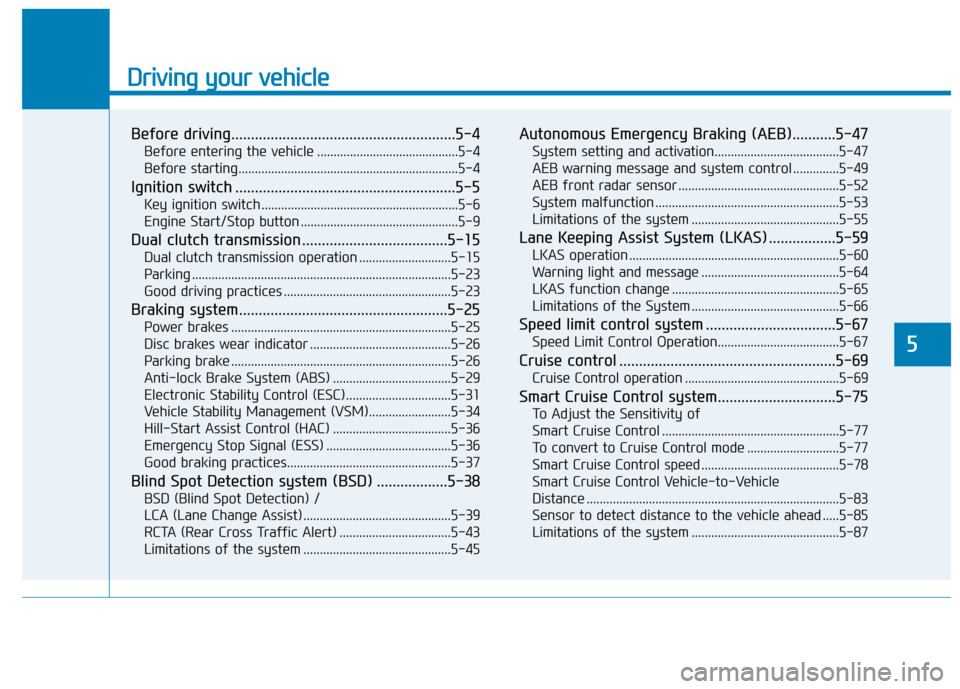
Before driving.........................................................5-4Before entering the vehicle ...........................................5-4
Before starting...................................................................5-4
Ignition switch ........................................................5-5 Key ignition switch ............................................................5-6
Engine Start/Stop button ................................................5-9
Dual clutch transmission .....................................5-15 Dual clutch transmission operation ............................5-15
Parking ...............................................................................5-23
Good driving practices ...................................................5-23
Braking system.....................................................5-25 Power brakes ...................................................................5-25
Disc brakes wear indicator ...........................................5-26
Parking brake ...................................................................5-26
Anti-lock Brake System (ABS) ....................................5-29
Electronic Stability Control (ESC)................................5-31
Vehicle Stability Management (VSM).........................5-34
Hill-Start Assist Control (HAC) ....................................5-36
Emergency Stop Signal (ESS) ......................................5-36
Good braking practices..................................................5-37
Blind Spot Detection system (BSD) ..................5-38 BSD (Blind Spot Detection) /
LCA (Lane Change Assist) .............................................5-39RCTA (Rear Cross Traffic Alert) ..................................5-43
Limitations of the system .............................................5-45 Autonomous Emergency Braking (AEB)...........5-47
System setting and activation......................................5-47
AEB warning message and system control ..............5-49
AEB front radar sensor .................................................5-52
System malfunction ........................................................5-53
Limitations of the system .............................................5-55
Lane Keeping Assist System (LKAS) .................5-59 LKAS operation ................................................................5-60
Warning light and message ..........................................5-64
LKAS function change ...................................................5-65
Limitations of the System .............................................5-66
Speed limit control system .................................5-67 Speed Limit Control Operation.....................................5-67
Cruise control .......................................................5-69 Cruise Control operation ...............................................5-69
Smart Cruise Control system..............................5-75 To Adjust the Sensitivity of
Smart Cruise Control ......................................................5-77To convert to Cruise Control mode ............................5-77
Smart Cruise Control speed ..........................................5-78
Smart Cruise Control Vehicle-to-Vehicle
Distance .............................................................................5-83 Sensor to detect distance to the vehicle ahead .....5-85
Limitations of the system .............................................5-87
5
Page 288 of 553
5-4
Driving your vehicle
Before entering the vehicle
• Be sure all windows, outside mir-ror(s), and outside lights are clean
and unobstructed.
Remove frost, snow, or ice.
Visually check the tires for uneven wear and damage.
Check under the vehicle for any sign of leaks.
Be sure there are no obstacles behind you if you intend to back up.
Before starting
Make sure the hood, the tailgate,and the doors are securely closed
and locked.
Adjust the position of the seat and steering wheel.
Adjust the inside and outside rearview mirrors.
Verify all the lights work.
Fasten your seatbelt. Check that all passengers have fastened their
seatbelts.
Check the gauges and indicators in the instrument panel and the mes-
sages on the instrument display
when the ignition switch is in theON position.
Check that any items you are car- rying are stored properly or fas-
tened down securely.
BBEEFFOO RREE DD RRIIVV IINN GG
To reduce the risk of SERIOUS
INJURY or DEATH, take the fol-
lowing precautions:
•ALWAYS wear your seat belt.
All passengers must be prop-
erly belted whenever the vehi-
cle is moving. For more infor-
mation, refer to "Seat Belts" in
chapter 2.
Always drive defensively.
Assume other drivers or pedes-
trians may be careless andmake mistakes.
Stay focused on the task of
driving. Driver distraction cancause accidents.
Leave plenty of space between
you and the vehicle in front of
you.
WARNING
Page 289 of 553
5-5
Driving your vehicle
5
NEVER drink or take drugs and
drive. Drinking or taking drugs and
driving is dangerous and mayresult in an accident and SERI-
OUS INJURY or DEATH.
Drunk driving is the number
one contributor to the highway
death toll each year. Even asmall amount of alcohol will
affect your reflexes, percep-
tions and judgment. Just one
drink can reduce your ability to
respond to changing conditions
and emergencies and your reac-
tion time gets worse with each
additional drink. Driving while under the influ-
ence of drugs is as dangerous
or more dangerous than drivingunder the influence of alcohol.(Continued)
WARNING (Continued)
You are much more likely to have
a serious accident if you drink or
take drugs and drive. If you are
drinking or taking drugs, don't
drive. Do not ride with a driverwho has been drinking or taking
drugs. Choose a designated driv-er or call a taxi.
IIGG NN IITT IIOO NN SS WW IITT CCHH
To reduce the risk of SERIOUS
INJURY or DEATH, take the fol-
lowing precautions:
NEVER allow children or any
person who is unfamiliar with
the vehicle to touch the igni-
tion switch or related parts.
Unexpected and sudden vehi-
cle movement can occur.
NEVER reach through the
steering wheel for the ignition
switch, or any other control,
while the vehicle is in motion.
The presence of your hand or
arm in this area may cause a
loss of vehicle control result-ing in an accident.
WARNING
Page 290 of 553
5-6
Driving your vehicle
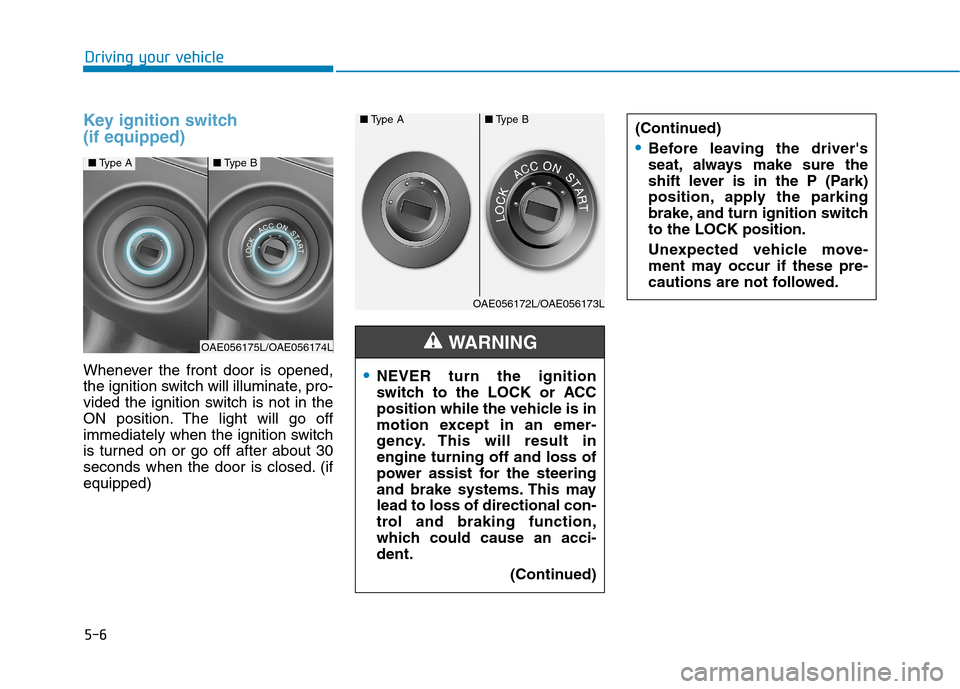
Key ignition switch (if equipped)
Whenever the front door is opened,
the ignition switch will illuminate, pro-
vided the ignition switch is not in the
ON position. The light will go off
immediately when the ignition switch
is turned on or go off after about 30
seconds when the door is closed. (ifequipped)NEVER turn the ignition
switch to the LOCK or ACC
position while the vehicle is in
motion except in an emer-
gency. This will result inengine turning off and loss of
power assist for the steering
and brake systems. This maylead to loss of directional con-
trol and braking function,
which could cause an acci-dent.(Continued)
WARNING
(Continued)
Before leaving the driver's
seat, always make sure the
shift lever is in the P (Park)
position, apply the parking
brake, and turn ignition switchto the LOCK position.
Unexpected vehicle move-
ment may occur if these pre-
cautions are not followed.
■Type A■Type B
OAE056172L/OAE056173L
■Type A■Type B
OAE056175L/OAE056174L
Page 291 of 553
5-7
Driving your vehicle
5
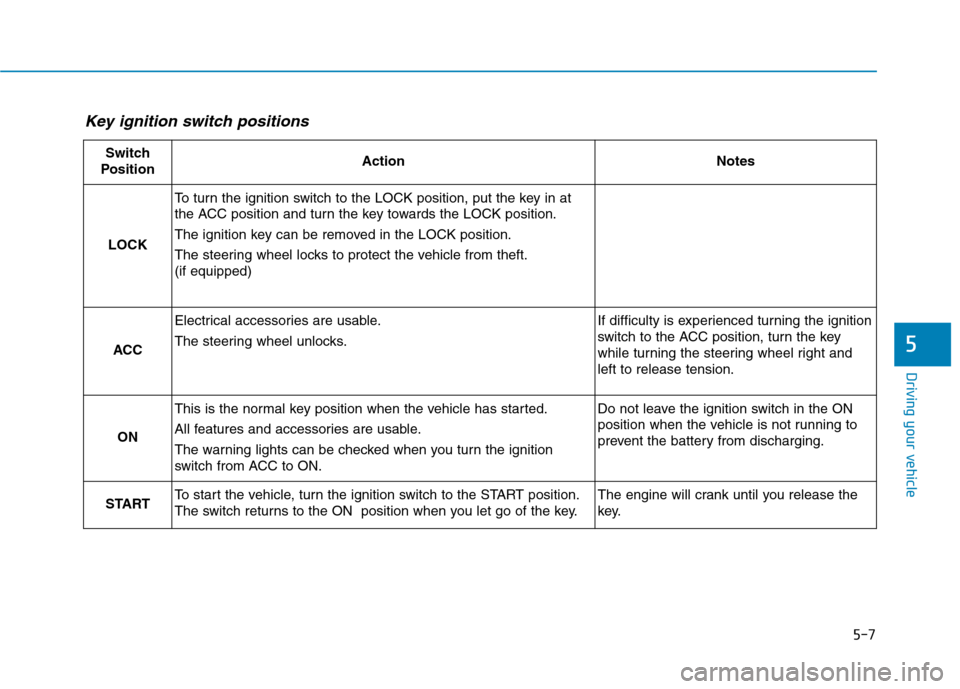
Key ignition switch positions
Switch
PositionActionNotes
LOCK
To turn the ignition switch to the LOCK position, put the key in at
the ACC position and turn the key towards the LOCK position.
The ignition key can be removed in the LOCK position.
The steering wheel locks to protect the vehicle from theft. (if equipped)
ACC
Electrical accessories are usable.
The steering wheel unlocks.If difficulty is experienced turning the ignition
switch to the ACC position, turn the key
while turning the steering wheel right andleft to release tension.
ON
This is the normal key position when the vehicle has started.
All features and accessories are usable.
The warning lights can be checked when you turn the ignition
switch from ACC to ON.Do not leave the ignition switch in the ON
position when the vehicle is not running to
prevent the battery from discharging.
STARTTo start the vehicle, turn the ignition switch to the START position.
The switch returns to the ON position when you let go of the key.The engine will crank until you release the
key.
Page 292 of 553
5-8
Driving your vehicle
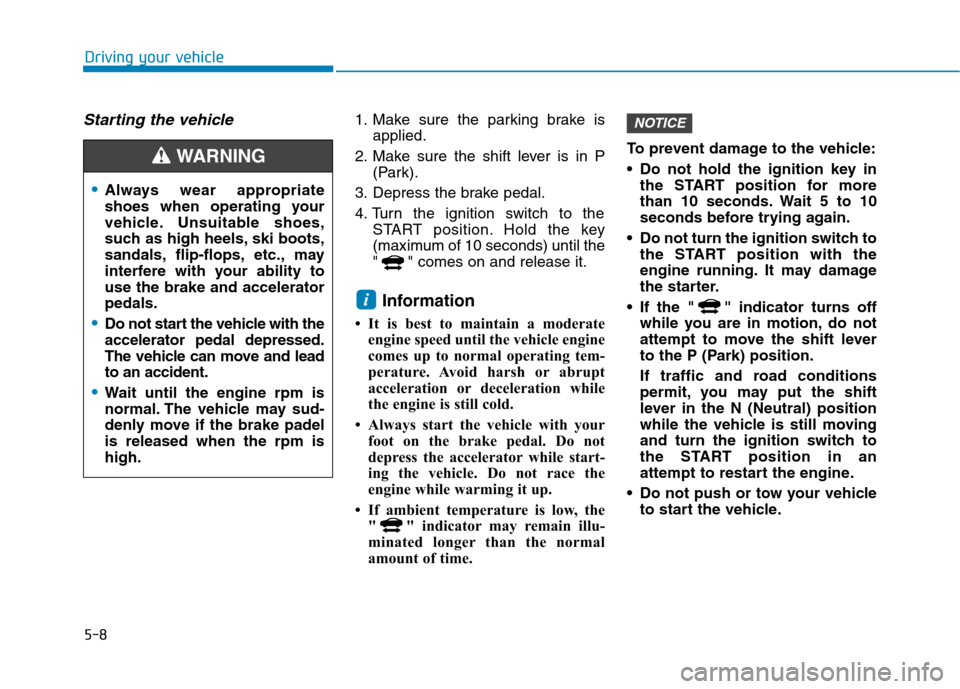
Starting the vehicle1. Make sure the parking brake isapplied.
2. Make sure the shift lever is in P (Park).
3. Depress the brake pedal.
4. Turn the ignition switch to the START position. Hold the key
(maximum of 10 seconds) until the
" " comes on and release it.
Information
It is best to maintain a moderate engine speed until the vehicle engine
comes up to normal operating tem-
perature. Avoid harsh or abrupt
acceleration or deceleration while
the engine is still cold.
Always start the vehicle with your foot on the brake pedal. Do not
depress the accelerator while start-
ing the vehicle. Do not race the
engine while warming it up.
If ambient temperature is low, the " " indicator may remain illu-
minated longer than the normal
amount of time. To prevent damage to the vehicle:
Do not hold the ignition key in
the START position for more
than 10 seconds. Wait 5 to 10
seconds before trying again.
Do not turn the ignition switch to the START position with the
engine running. It may damage
the starter.
If the " " indicator turns off while you are in motion, do not
attempt to move the shift lever
to the P (Park) position.
If traffic and road conditions
permit, you may put the shift
lever in the N (Neutral) position
while the vehicle is still moving
and turn the ignition switch to
the START position in an
attempt to restart the engine.
Do not push or tow your vehicle to start the vehicle.NOTICE
i
Always wear appropriate
shoes when operating your
vehicle. Unsuitable shoes,
such as high heels, ski boots,
sandals, flip-flops, etc., may
interfere with your ability touse the brake and acceleratorpedals.
Do not start the vehicle with the accelerator pedal depressed.
The vehicle can move and leadto an accident.
Wait until the engine rpm is
normal. The vehicle may sud-
denly move if the brake padelis released when the rpm ishigh.
WARNING
Page 300 of 553
5-16
Driving your vehicle
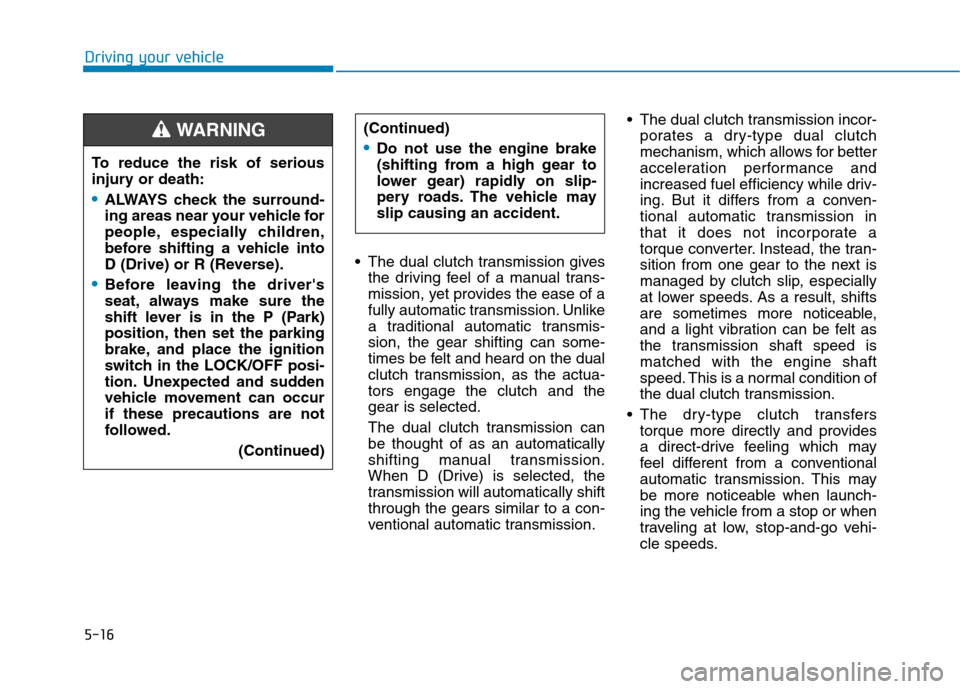
The dual clutch transmission givesthe driving feel of a manual trans-
mission, yet provides the ease of a
fully automatic transmission. Unlike
a traditional automatic transmis-sion, the gear shifting can some-
times be felt and heard on the dual
clutch transmission, as the actua-tors engage the clutch and thegear is selected.
The dual clutch transmission can be thought of as an automatically
shifting manual transmission.
When D (Drive) is selected, the
transmission will automatically shiftthrough the gears similar to a con-
ventional automatic transmission. The dual clutch transmission incor-
porates a dry-type dual clutch
mechanism, which allows for better
acceleration performance and
increased fuel efficiency while driv-
ing. But it differs from a conven-
tional automatic transmission in
that it does not incorporate a
torque converter. Instead, the tran-
sition from one gear to the next is
managed by clutch slip, especially
at lower speeds. As a result, shifts
are sometimes more noticeable,
and a light vibration can be felt as
the transmission shaft speed ismatched with the engine shaft
speed. This is a normal condition of
the dual clutch transmission.
The dry-type clutch transfers torque more directly and provides
a direct-drive feeling which may
feel different from a conventional
automatic transmission. This may
be more noticeable when launch-
ing the vehicle from a stop or when
traveling at low, stop-and-go vehi-
cle speeds.
To reduce the risk of serious
injury or death:
ALWAYS check the surround-
ing areas near your vehicle for
people, especially children,
before shifting a vehicle into
D (Drive) or R (Reverse).
Before leaving the driver's
seat, always make sure the
shift lever is in the P (Park)
position, then set the parking
brake, and place the ignition
switch in the LOCK/OFF posi-
tion. Unexpected and sudden
vehicle movement can occurif these precautions are not
followed.
(Continued)
(Continued)
Do not use the engine brake
(shifting from a high gear to
lower gear) rapidly on slip-
pery roads. The vehicle mayslip causing an accident.
WARNING
Page 303 of 553
5-19
Driving your vehicle
5
Information
During the first 1,500 km (1,000
miles), you may feel that the vehicle
may not be smooth when accelerating
at low speed. During this break-in
period, the shift quality and perform-
ance of your new vehicle is continu-
ously optimized.
Always come to a complete stop before shifting into D (Drive) or
R (Reverse).
Do not put the shift lever in N (Neutral) while driving.Shift lever position
The indicator in the instrument clus-
ter displays the shift lever position
when the ignition switch is in the ONposition.
P (Park)
Always come to a complete stop
before shifting into P (Park).
To shift from P (Park), you must
depress firmly on the brake pedal
and make sure your foot is off the
accelerator pedal.
If you have done all of the above
and still cannot shift the lever out of
P (Park), see "Shift-Lock Release"
in this chapter.
The shift lever must be in P (Park)
before turning the vehicle off.
NOTICE
i
Shifting into P (Park) while the
vehicle is in motion may
cause you to lose control of
the vehicle.
After the vehicle has stopped,
always make sure the shift
lever is in P (Park), apply the
parking brake, and turn the
vehicle off.
Do not use the P (Park) posi- tion in place of the parking
brake.
WARNING
Page 306 of 553
5-22
Driving your vehicle
Shift-lock system
For your safety, the dual clutch trans-
mission has a shift-lock system
which prevents shifting the transmis-
sion from P (Park) into R (Reverse)
unless the brake pedal is depressed.
To shift the transmission from P
(Park) into R (Reverse):
1. Depress and hold the brake pedal.
2. Start the vehicle or place the igni-tion switch in the ON position.
3. Move the shift lever.
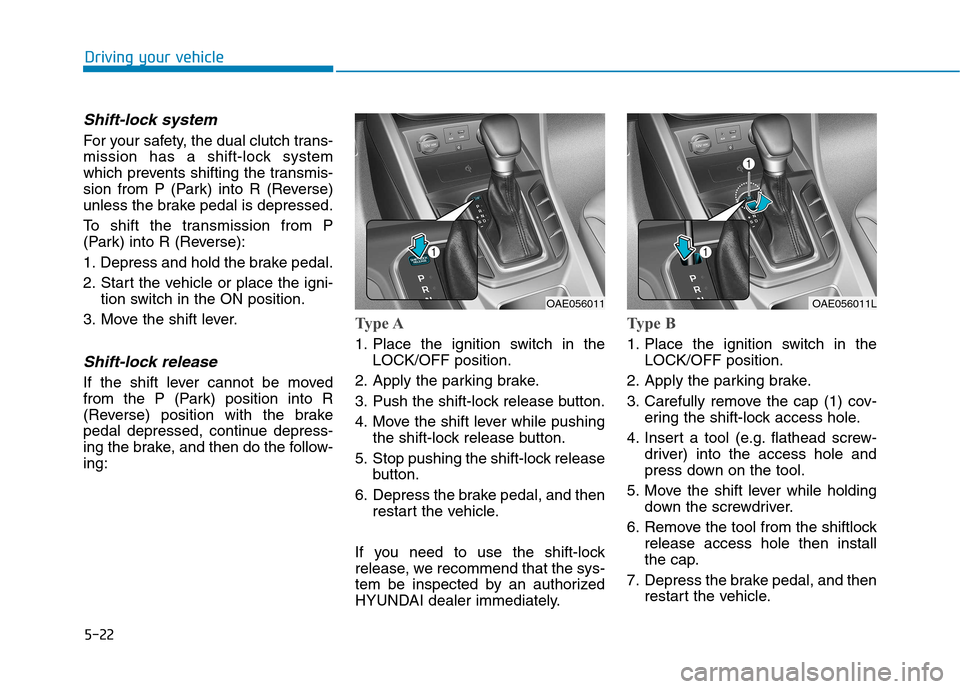
Shift-lock release
If the shift lever cannot be moved
from the P (Park) position into R
(Reverse) position with the brake
pedal depressed, continue depress-
ing the brake, and then do the follow-ing:
Type A
1. Place the ignition switch in the LOCK/OFF position.
2. Apply the parking brake.
3. Push the shift-lock release button.
4. Move the shift lever while pushing the shift-lock release button.
5. Stop pushing the shift-lock release button.
6. Depress the brake pedal, and then restart the vehicle.
If you need to use the shift-lock
release, we recommend that the sys-
tem be inspected by an authorized
HYUNDAI dealer immediately.
Type B
1. Place the ignition switch in the LOCK/OFF position.
2. Apply the parking brake.
3. Carefully remove the cap (1) cov- ering the shift-lock access hole.
4. Insert a tool (e.g. flathead screw- driver) into the access hole and
press down on the tool.
5. Move the shift lever while holding down the screwdriver.
6. Remove the tool from the shiftlock release access hole then install
the cap.
7. Depress the brake pedal, and then restart the vehicle.
OAE056011OAE056011L