battery Hyundai Ioniq Hybrid 2020 User Guide
[x] Cancel search | Manufacturer: HYUNDAI, Model Year: 2020, Model line: Ioniq Hybrid, Model: Hyundai Ioniq Hybrid 2020Pages: 635, PDF Size: 53.69 MB
Page 131 of 635
3-39
Convenient features of your vehicle
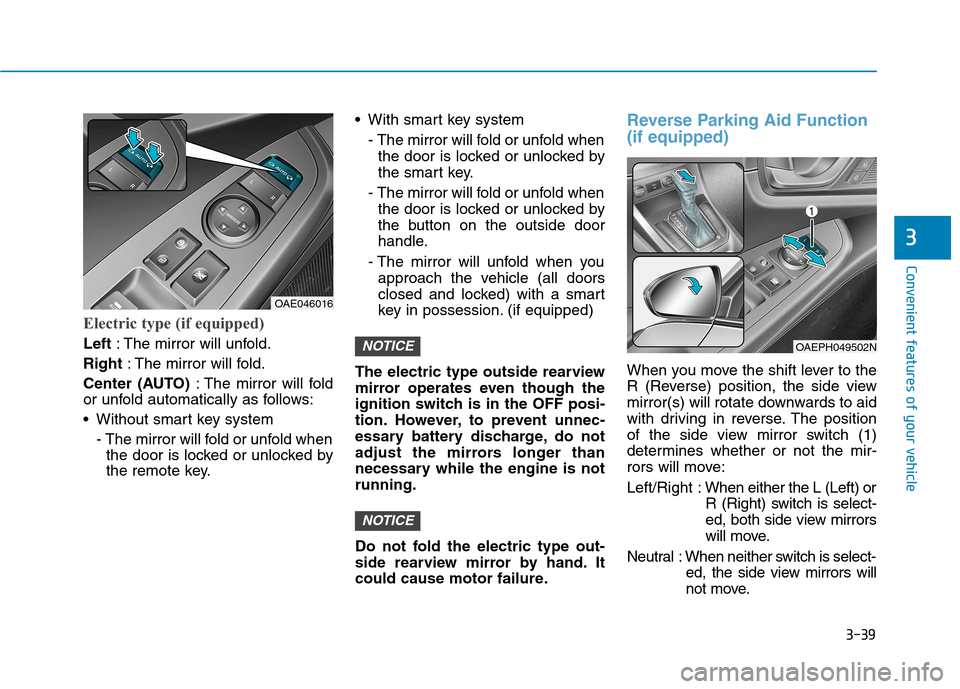
Electric type (if equipped)
Left: The mirror will unfold.
Right: The mirror will fold.
Center (AUTO): The mirror will fold
or unfold automatically as follows:
Without smart key system
- The mirror will fold or unfold when
the door is locked or unlocked by
the remote key. With smart key system
- The mirror will fold or unfold when
the door is locked or unlocked by
the smart key.
- The mirror will fold or unfold when
the door is locked or unlocked by
the button on the outside door
handle.
- The mirror will unfold when you
approach the vehicle (all doors
closed and locked) with a smart
key in possession. (if equipped)
The electric type outside rearview
mirror operates even though the
ignition switch is in the OFF posi-
tion. However, to prevent unnec-
essary battery discharge, do not
adjust the mirrors longer than
necessary while the engine is not
running.
Do not fold the electric type out-
side rearview mirror by hand. It
could cause motor failure.
Reverse Parking Aid Function
(if equipped)
When you move the shift lever to the
R (Reverse) position, the side view
mirror(s) will rotate downwards to aid
with driving in reverse. The position
of the side view mirror switch (1)
determines whether or not the mir-
rors will move:
Left/Right :When either the L (Left) or
R (Right) switch is select-
ed, both side view mirrors
will move.
Neutral : When neither switch is select-
ed, the side view mirrors will
not move.
NOTICE
NOTICE
3
OAE046016
OAEPH049502N
Page 140 of 635
3-48
Convenient features of your vehicle
Resetting the Sunroof
The sunroof may need to be reset if
the following conditions occur:
- The battery is discharged or dis-
connected or the sunroof fuse has
been replaced or disconnected
- The sunroof control lever is not
operating correctly
To reset the sunroof, perform the fol-
lowing steps:
1. Place the Engine Start/Stop but-
ton to the ON position or start the
vehicle ( indicator ON). It is
recommended to reset the sunroof
while the vehicle is in the ready
( ) mode.
2. Push the control lever forward. The
sunroof will close completely or tilt
depending on the condition of the
sunroof.
3. Release the control lever when the
sunroof stops moving.4. Push the control lever forward
about 10 seconds.
- When the sunroof is in the
closed position :
The glass will tilt and slightly
move up and down.
- When the sunroof is in the tilt
position:
The glass will slightly move up
and down.
Do not release the lever until the
operation is completed.
If you release the lever during opera-
tion, start the procedure again from
step 2.5. Within 3 seconds, push and hold
the control lever forward until the
sunroof operates as follows:
Tilt down →Slide Open →Slide
Close.
Do not release the lever until the
operation is completed.
If you release the lever during opera-
tion, start the procedure again from
step 2.
6. Release the sunroof control lever
after all steps have completed.
The sunroof system has been
reset.
Information
• If the sunroof is not reset when the
vehicle battery is disconnected or
discharged, or the sunroof fuse is
blown, the sunroof may not operate
normally.
• For more detailed information, con-
tact an authorized HYUNDAI dealer.
i
Page 148 of 635
3-56
Convenient features of your vehicle
Closing the fuel filler door
1. To install the fuel tank cap, turn it
clockwise until it "clicks" one time.
2. Close the fuel filler door until it is
latched securely.
Gasoline is highly flammable
and explosive. Failure to follow
these guidelines may result in
SERIOUS INJURY or DEATH:
Read and follow all warnings
posted at the gas station.
Before refueling, note the
location of the Emergency
Gasoline Shut-Off, if available,
at the gas station.
Before touching the fuel noz-
zle, you should eliminate the
potential build-up of static
electricity by touching a metal
part of the vehicle, a safe dis-
tance away from the fuel filler
neck, nozzle, or other gas
source, with your bare hand.
(Continued)
WARNING
(Continued)
Do not use cellular phones
while refueling. Electric cur-
rent and/or electronic interfer-
ence from cellular phones can
potentially ignite fuel vapors
and cause a fire.
Do not get back into a vehicle
once you have begun refuel-
ing. You can generate a build-
up of static electricity by
touching, rubbing or sliding
against any item or fabric
capable of producing static
electricity. Static electricity
discharge can ignite fuel
vapors causing a fire. If you
must re-enter the vehicle, you
should once again eliminate
potentially dangerous static
electricity discharge by touch-
ing a metal part of the vehicle,
away from the fuel filler neck,
nozzle or other gasoline
source, with your bare hand.
(Continued)
Add fuel into the fuel tank
within 20 minutes after open-
ing the fuel filler door. After 20
minutes, the fuel tank may
shut off, causing fuel to over-
flow. In this case, re-press the
fuel filler door opening but-
ton.
Do not leave the fuel filler
door opened for an extended
period of time. It may dis-
charge the battery.
Close the fuel filler door after
fueling the vehicle. If you start
the vehicle with the fuel filler
door opened, the message,
"Check fuel door", illuminates
on the LCD display.
Avoid refueling the vehicle
while charging the (high-volt-
age) hybrid battery. It may
cause a fire or an explosion
due to static electricity.
WARNING
Page 150 of 635
3-58
Convenient features of your vehicle
I IN
NS
ST
TR
RU
UM
ME
EN
NT
T
C
CL
LU
US
ST
TE
ER
R
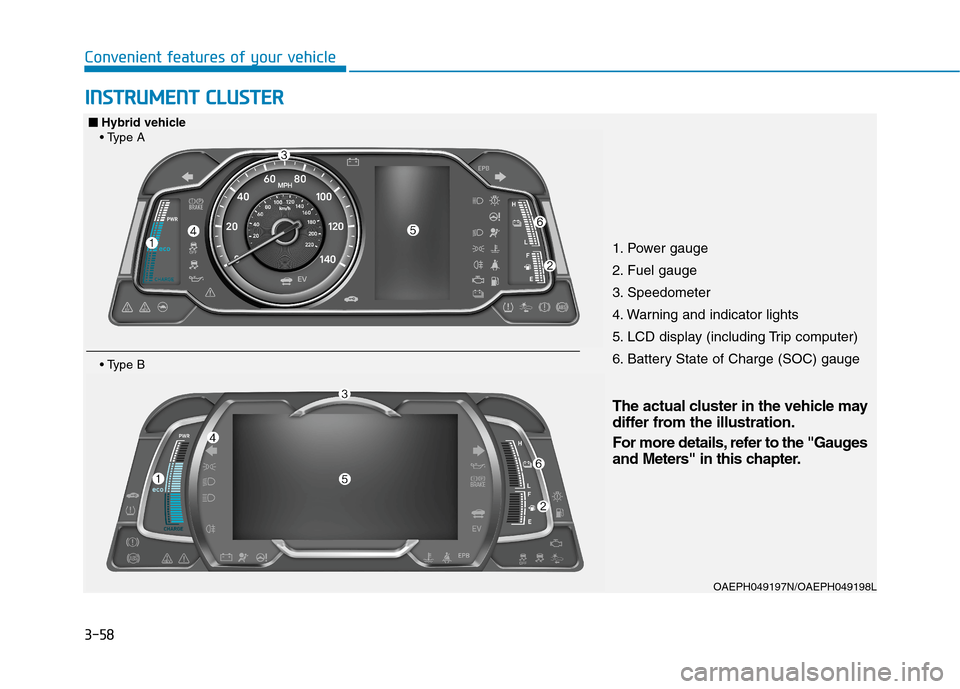
1. Power gauge
2. Fuel gauge
3. Speedometer
4. Warning and indicator lights
5. LCD display (including Trip computer)
6. Battery State of Charge (SOC) gauge
OAEPH049197N/OAEPH049198L
■ ■
Hybrid vehicle
The actual cluster in the vehicle may
differ from the illustration.
For more details, refer to the "Gauges
and Meters" in this chapter.
Page 151 of 635
3-59
Convenient features of your vehicle
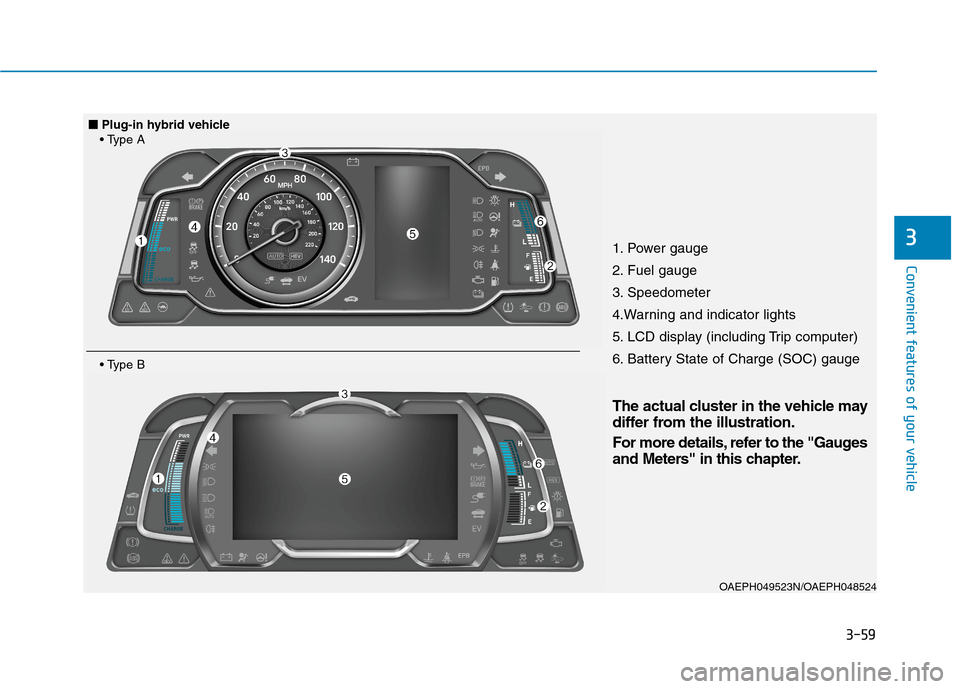
31. Power gauge
2. Fuel gauge
3. Speedometer
4.Warning and indicator lights
5. LCD display (including Trip computer)
6. Battery State of Charge (SOC) gauge
OAEPH049523N/OAEPH048524
■ ■
Plug-in hybrid vehicle
The actual cluster in the vehicle may
differ from the illustration.
For more details, refer to the "Gauges
and Meters" in this chapter.
Page 155 of 635
3-63
Convenient features of your vehicle
3
Avoid driving with an extremely
low fuel level. Running out of fuel
could cause the engine to misfire
damaging the catalytic converter.
Battery State of Charge (SOC)
gauge
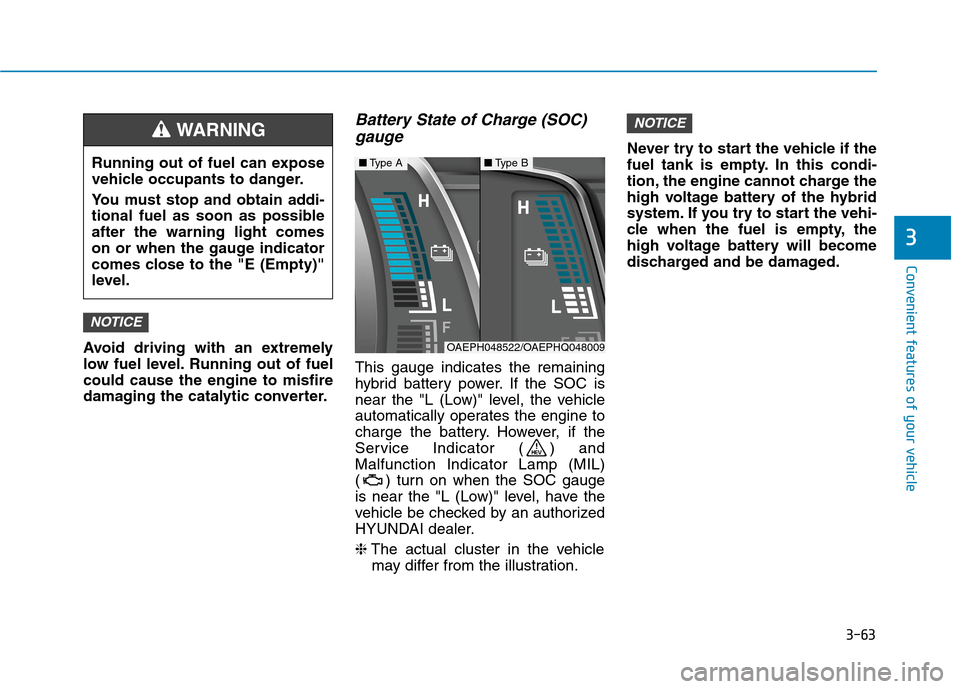
This gauge indicates the remaining
hybrid battery power. If the SOC is
near the "L (Low)" level, the vehicle
automatically operates the engine to
charge the battery. However, if the
Service Indicator ( ) and
Malfunction Indicator Lamp (MIL)
( ) turn on when the SOC gauge
is near the "L (Low)" level, have the
vehicle be checked by an authorized
HYUNDAI dealer.
❈The actual cluster in the vehicle
may differ from the illustration.Never try to start the vehicle if the
fuel tank is empty. In this condi-
tion, the engine cannot charge the
high voltage battery of the hybrid
system. If you try to start the vehi-
cle when the fuel is empty, the
high voltage battery will become
discharged and be damaged.
NOTICE
NOTICE
■Type A■Type B
OAEPH048522/OAEPHQ048009
Running out of fuel can expose
vehicle occupants to danger.
You must stop and obtain addi-
tional fuel as soon as possible
after the warning light comes
on or when the gauge indicator
comes close to the "E (Empty)"
level.
WARNING
Page 156 of 635
3-64
Convenient features of your vehicle
Plug-in hybrid mode indicator
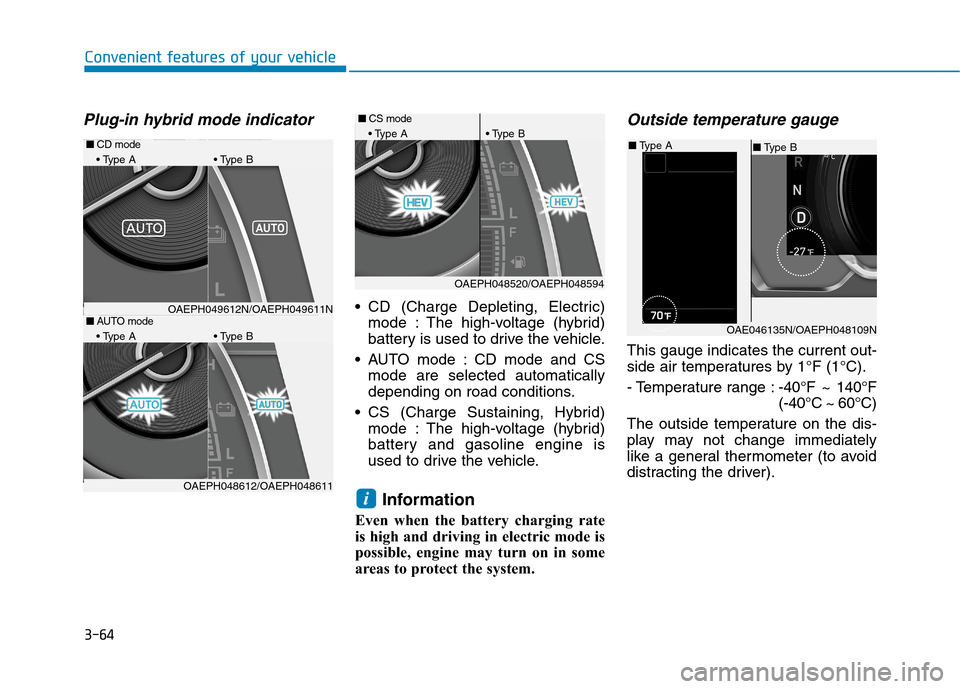
CD (Charge Depleting, Electric)
mode : The high-voltage (hybrid)
battery is used to drive the vehicle.
AUTO mode : CD mode and CS
mode are selected automatically
depending on road conditions.
CS (Charge Sustaining, Hybrid)
mode : The high-voltage (hybrid)
battery and gasoline engine is
used to drive the vehicle.
Information
Even when the battery charging rate
is high and driving in electric mode is
possible, engine may turn on in some
areas to protect the system.
Outside temperature gauge
This gauge indicates the current out-
side air temperatures by 1°F (1°C).
- Temperature range :-40°F ~ 140°F
(-40°C ~ 60°C)
The outside temperature on the dis-
play may not change immediately
like a general thermometer (to avoid
distracting the driver).
i
OAE046135N/OAEPH048109N
■Type B ■Type A
■AUTO mode
A B
OAEPH048520/OAEPH048594
■CS mode
A B
OAEPH048612/OAEPH048611
■CD mode
A B
OAEPH049612N/OAEPH049611N
Page 158 of 635
3-66
Convenient features of your vehicle
Information
• If the vehicle is not on level ground
or the battery power has been inter-
rupted, the range function may not
operate correctly.
• The range may differ from the actu-
al driving distance as it is an esti-
mate of the available driving dis-
tance.
• The trip computer may not register
additional fuel if less than 1.6 gallon
(6 liters) of fuel are added to the
vehicle.
• The range may vary significantly
based on driving conditions, driving
habits, and condition of the vehicle.
Dual clutch transmission shift
indicator
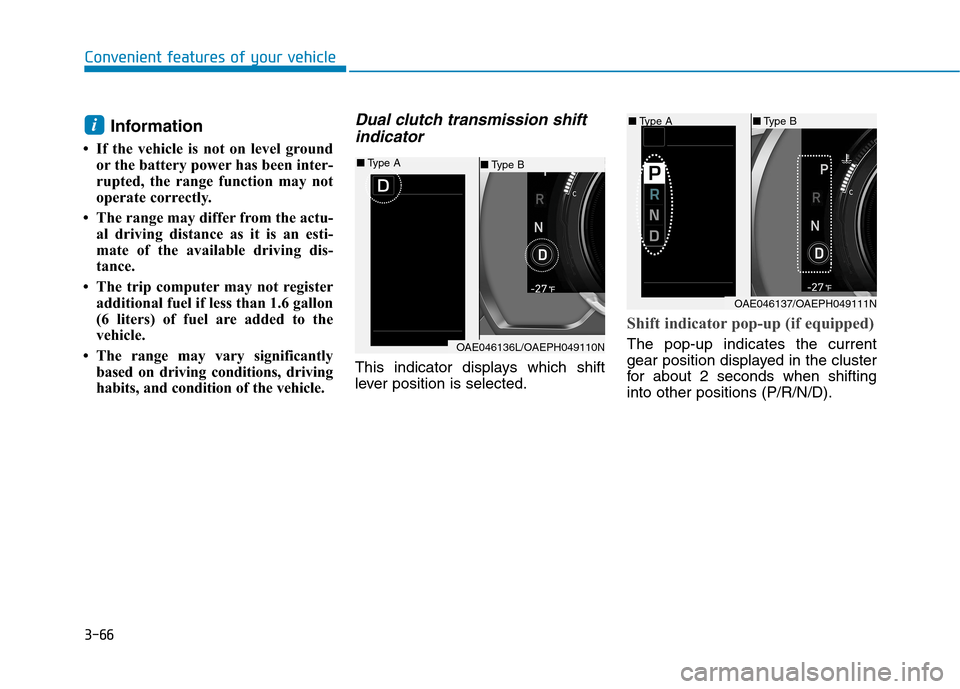
This indicator displays which shift
lever position is selected.
Shift indicator pop-up (if equipped)
The pop-up indicates the current
gear position displayed in the cluster
for about 2 seconds when shifting
into other positions (P/R/N/D).
i■Type B■Type A
OAE046137/OAEPH049111N
OAE046136L/OAEPH049110N
■Type B ■Type A
Page 164 of 635
3-72
Convenient features of your vehicle
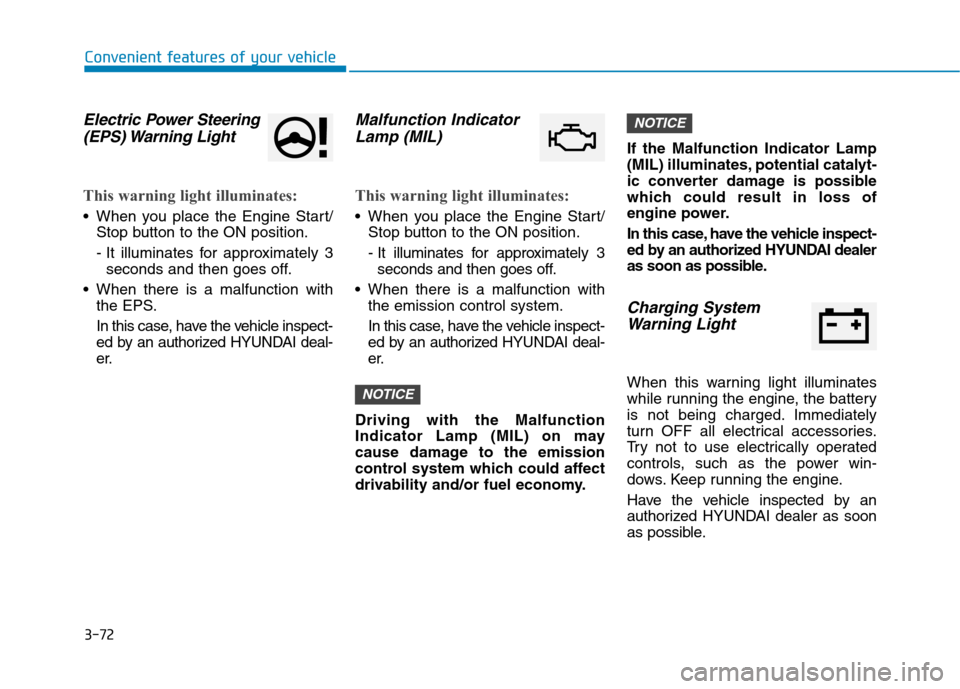
Electric Power Steering
(EPS) Warning Light
This warning light illuminates:
When you place the Engine Start/
Stop button to the ON position.
- It illuminates for approximately 3
seconds and then goes off.
When there is a malfunction with
the EPS.
In this case, have the vehicle inspect-
ed by an authorized HYUNDAI deal-
er.
Malfunction Indicator
Lamp (MIL)
This warning light illuminates:
When you place the Engine Start/
Stop button to the ON position.
- It illuminates for approximately 3
seconds and then goes off.
When there is a malfunction with
the emission control system.
In this case, have the vehicle inspect-
ed by an authorized HYUNDAI deal-
er.
Driving with the Malfunction
Indicator Lamp (MIL) on may
cause damage to the emission
control system which could affect
drivability and/or fuel economy.If the Malfunction Indicator Lamp
(MIL) illuminates, potential catalyt-
ic converter damage is possible
which could result in loss of
engine power.
In this case, have the vehicle inspect-
ed by an authorized HYUNDAI dealer
as soon as possible.
Charging System
Warning Light
When this warning light illuminates
while running the engine, the battery
is not being charged. Immediately
turn OFF all electrical accessories.
Try not to use electrically operated
controls, such as the power win-
dows. Keep running the engine.
Have the vehicle inspected by an
authorized HYUNDAI dealer as soon
as possible.
NOTICE
NOTICE
Page 168 of 635
3-76
Convenient features of your vehicle
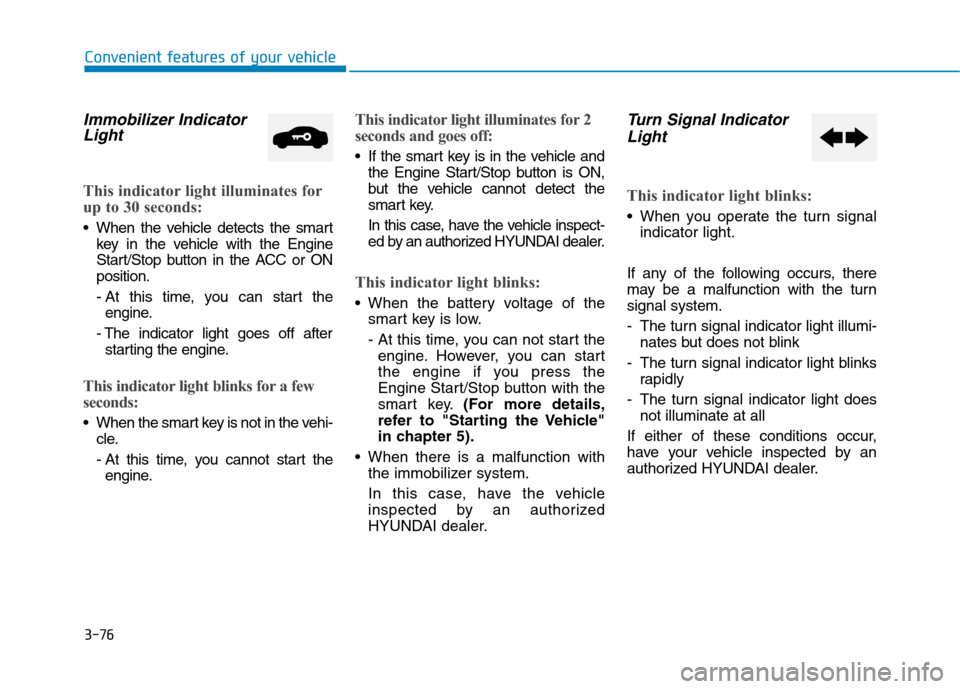
Immobilizer Indicator
Light
This indicator light illuminates for
up to 30 seconds:
When the vehicle detects the smart
key in the vehicle with the Engine
Start/Stop button in the ACC or ON
position.
- At this time, you can start the
engine.
- The indicator light goes off after
starting the engine.
This indicator light blinks for a few
seconds:
When the smart key is not in the vehi-
cle.
- At this time, you cannot start the
engine.
This indicator light illuminates for 2
seconds and goes off:
If the smart key is in the vehicle and
the Engine Start/Stop button is ON,
but the vehicle cannot detect the
smart key.
In this case, have the vehicle inspect-
ed by an authorized HYUNDAI dealer.
This indicator light blinks:
When the battery voltage of the
smart key is low.
- At this time, you can not start the
engine. However, you can start
the engine if you press the
Engine Start/Stop button with the
smart key.(For more details,
refer to "Starting the Vehicle"
in chapter 5).
When there is a malfunction with
the immobilizer system.
In this case, have the vehicle
inspected by an authorized
HYUNDAI dealer.
Turn Signal Indicator
Light
This indicator light blinks:
When you operate the turn signal
indicator light.
If any of the following occurs, there
may be a malfunction with the turn
signal system.
- The turn signal indicator light illumi-
nates but does not blink
- The turn signal indicator light blinks
rapidly
- The turn signal indicator light does
not illuminate at all
If either of these conditions occur,
have your vehicle inspected by an
authorized HYUNDAI dealer.