battery Hyundai Ioniq Hybrid 2020 Owner's Guide
[x] Cancel search | Manufacturer: HYUNDAI, Model Year: 2020, Model line: Ioniq Hybrid, Model: Hyundai Ioniq Hybrid 2020Pages: 635, PDF Size: 53.69 MB
Page 207 of 635
3-115
Convenient features of your vehicle
3
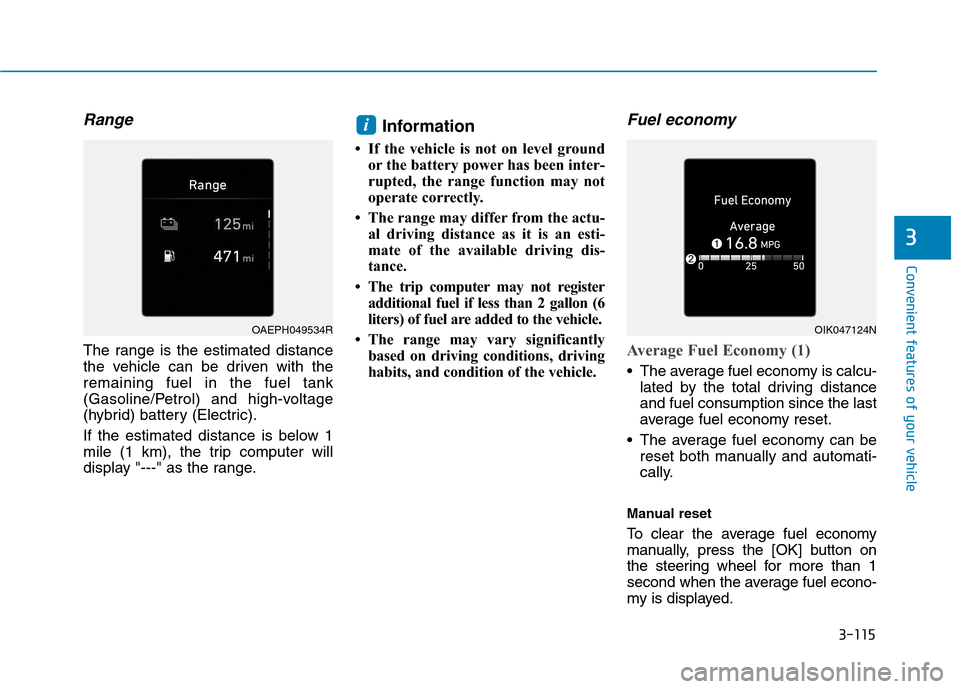
Range
The range is the estimated distance
the vehicle can be driven with the
remaining fuel in the fuel tank
(Gasoline/Petrol) and high-voltage
(hybrid) battery (Electric).
If the estimated distance is below 1
mile (1 km), the trip computer will
display "---" as the range.
Information
• If the vehicle is not on level ground
or the battery power has been inter-
rupted, the range function may not
operate correctly.
• The range may differ from the actu-
al driving distance as it is an esti-
mate of the available driving dis-
tance.
• The trip computer may not register
additional fuel if less than 2 gallon (6
liters) of fuel are added to the vehicle.
• The range may vary significantly
based on driving conditions, driving
habits, and condition of the vehicle.
Fuel economy
Average Fuel Economy (1)
The average fuel economy is calcu-
lated by the total driving distance
and fuel consumption since the last
average fuel economy reset.
The average fuel economy can be
reset both manually and automati-
cally.
Manual reset
To clear the average fuel economy
manually, press the [OK] button on
the steering wheel for more than 1
second when the average fuel econo-
my is displayed.
i
OAEPH049534ROIK047124N
Page 217 of 635
3-125
Convenient features of your vehicle
3
One-touch turn signal function
To activate the One Touch Turn
Signal function, push the turn signal
lever up or down to position (B) and
then release it.
The lane change signals will blink 3,
5 or 7 times.
You can activate or deactivate the
One Touch Turn Signal function or
choose the number of blinks (3, 5, or
7) from the User Settings mode
(Light) on the LCD display.
For more information, refer to the
"LCD Display" section in this
chapter.
Battery saver function
The purpose of this feature is to pre-
vent the battery from being dis-
charged. The system automatically
turns off the parking lamp when the
driver turns the vehicle off and opens
the driver-side door.
With this feature, the parking lamps
will turn off automatically if the driver
parks on the side of road at night.
If necessary, to keep the lamps on
when the vehicle is turned off, per-
form the following:
1) Open the driver-side door.
2) Turn the parking lamps OFF and
ON again using the light switch on
the steering column.
Headlamp delay function
(if equipped)
If the Engine Start/Stop button is
placed in the ACC position or the
OFF position with the headlamps
ON, the headlamps (and/or parking
lamps) remain on for about 5 min-
utes. However, if the driver's door is
opened and closed, the headlights
are turned off after 15 seconds. Also,
with the vehicle off if the driver's door
is opened and closed, the head-
lamps (and/or parking lamps) are
turned off after 15 seconds.
The headlamps (and/or parking
lamps) can be turned off by pressing
the lock button on the smart key
twice or turning the light switch to the
OFF or AUTO position.
You can activate or deactivate the
Headlamp Delay function from the
User Settings mode (Light) on the
LCD display.
For more information, refer to the
"LCD Display" section in this
chapter.
Page 218 of 635
3-126
Convenient features of your vehicle
If the driver gets out of the vehicle
through other doors (except dri-
ver's door), the battery saver func-
tion does not operate and the
headlamp delay function does not
turn off automatically. Therefore, It
causes the battery to be dis-
charged. In this case, make sure
to turn off the lamp before getting
out of the vehicle.
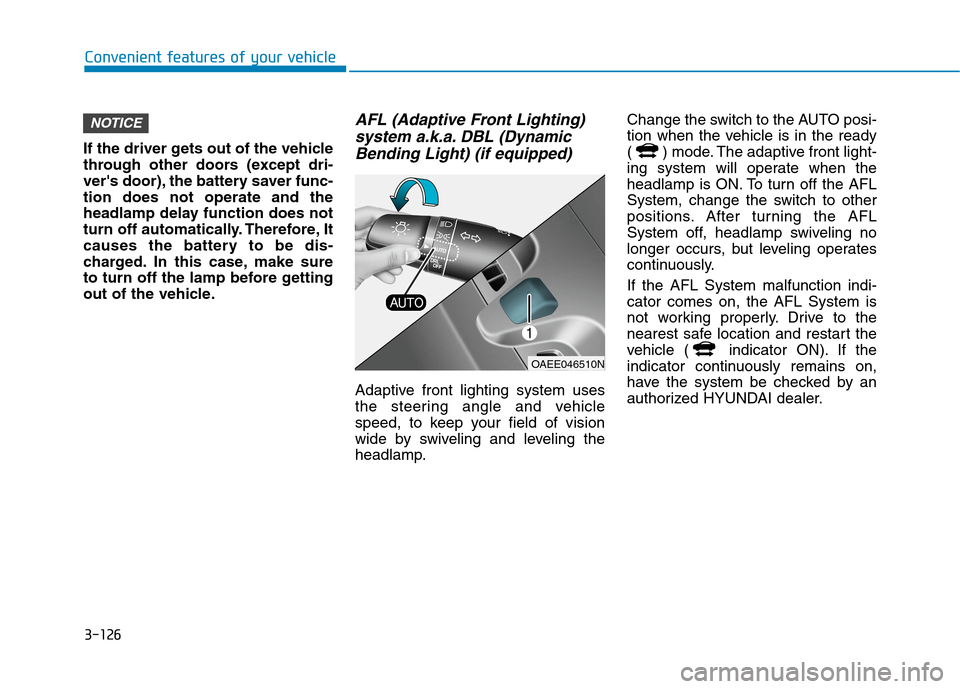
AFL (Adaptive Front Lighting)
system a.k.a. DBL (Dynamic
Bending Light) (if equipped)
Adaptive front lighting system uses
the steering angle and vehicle
speed, to keep your field of vision
wide by swiveling and leveling the
headlamp.Change the switch to the AUTO posi-
tion when the vehicle is in the ready
( ) mode. The adaptive front light-
ing system will operate when the
headlamp is ON. To turn off the AFL
System, change the switch to other
positions. After turning the AFL
System off, headlamp swiveling no
longer occurs, but leveling operates
continuously.
If the AFL System malfunction indi-
cator comes on, the AFL System is
not working properly. Drive to the
nearest safe location and restart the
vehicle ( indicator ON). If the
indicator continuously remains on,
have the system be checked by an
authorized HYUNDAI dealer.
NOTICE
OAEE046510N
Page 219 of 635
3-127
Convenient features of your vehicle
3
Interior Lights
Do not use the interior lights for
extended periods when the vehi-
cle is turned off or the battery will
discharge.
Interior lamp AUTO cut
The interior lamps will automatically
go off approximately 20 minutes after
the vehicle is turned off and the
doors are closed. If a door is opened,
the lamp will go off 40 minutes after
the vehicle is turned off. If the doors
are locked by the smart key and the
vehicle enters the armed stage of the
theft alarm system, the lamps will go
off five seconds later.
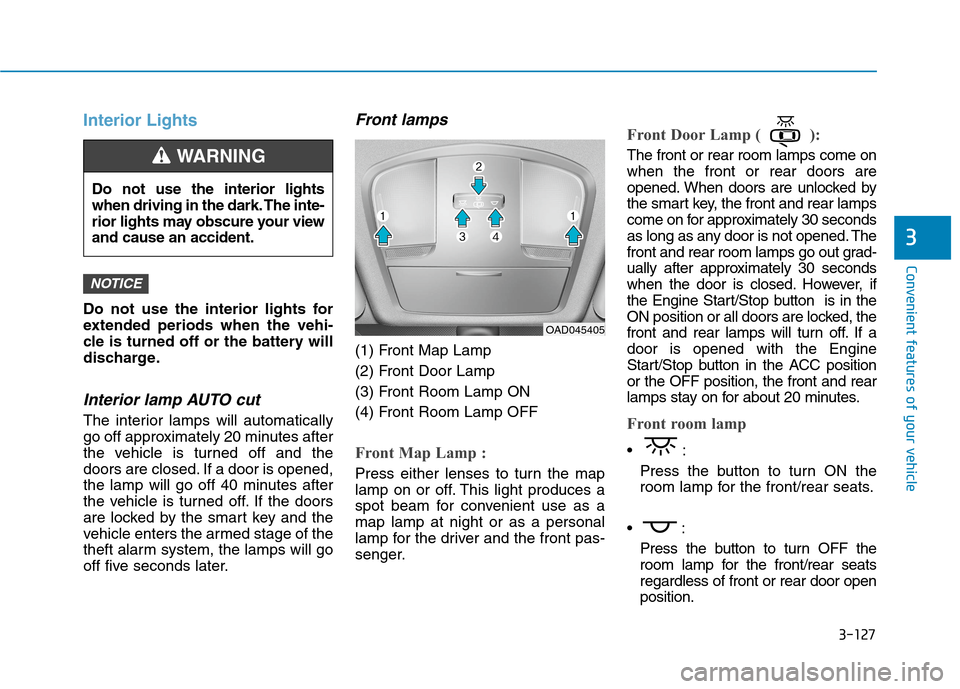
Front lamps
(1) Front Map Lamp
(2) Front Door Lamp
(3) Front Room Lamp ON
(4) Front Room Lamp OFF
Front Map Lamp :
Press either lenses to turn the map
lamp on or off. This light produces a
spot beam for convenient use as a
map lamp at night or as a personal
lamp for the driver and the front pas-
senger.
Front Door Lamp ( ):
The front or rear room lamps come on
when the front or rear doors are
opened. When doors are unlocked by
the smart key, the front and rear lamps
come on for approximately 30 seconds
as long as any door is not opened. The
front and rear room lamps go out grad-
ually after approximately 30 seconds
when the door is closed. However, if
the Engine Start/Stop button is in the
ON position or all doors are locked, the
front and rear lamps will turn off. If a
door is opened with the Engine
Start/Stop button in the ACC position
or the OFF position, the front and rear
lamps stay on for about 20 minutes.
Front room lamp
Press the button to turn ON the
room lamp for the front/rear seats.
Press the button to turn OFF the
room lamp for the front/rear seats
regardless of front or rear door open
position.
NOTICE
Do not use the interior lights
when driving in the dark. The inte-
rior lights may obscure your view
and cause an accident.
WARNING
OAD045405
Page 220 of 635
3-128
Convenient features of your vehicle
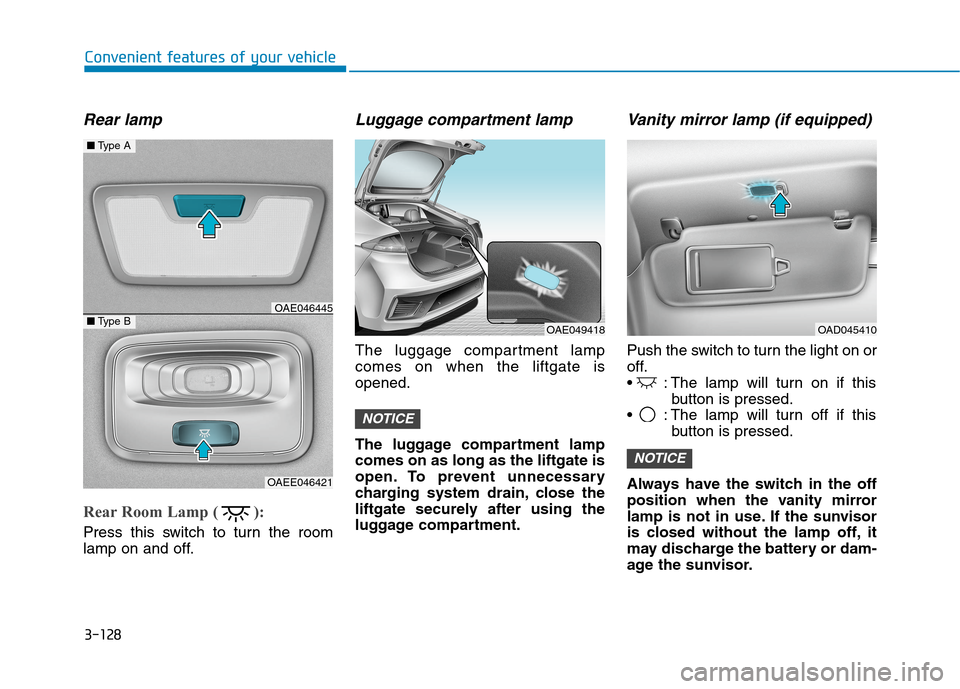
Rear lamp
Rear Room Lamp ( ):
Press this switch to turn the room
lamp on and off.
Luggage compartment lamp
The luggage compartment lamp
comes on when the liftgate is
opened.
The luggage compartment lamp
comes on as long as the liftgate is
open. To prevent unnecessary
charging system drain, close the
liftgate securely after using the
luggage compartment.
Vanity mirror lamp (if equipped)
Push the switch to turn the light on or
off.
: The lamp will turn on if this
button is pressed.
: The lamp will turn off if this
button is pressed.
Always have the switch in the off
position when the vanity mirror
lamp is not in use. If the sunvisor
is closed without the lamp off, it
may discharge the battery or dam-
age the sunvisor.
NOTICE
NOTICE
■Type A
■Type BOAE046445
OAEE046421
OAE049418OAD045410
Page 240 of 635
3-148
Convenient features of your vehicle
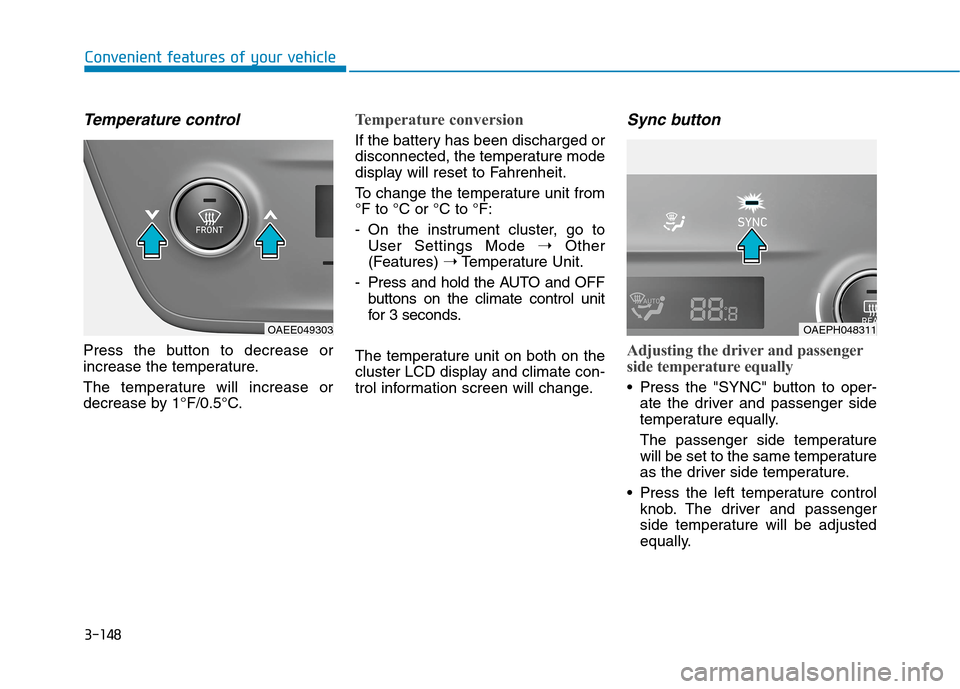
Temperature control
Press the button to decrease or
increase the temperature.
The temperature will increase or
decrease by 1°F/0.5°C.
Temperature conversion
If the battery has been discharged or
disconnected, the temperature mode
display will reset to Fahrenheit.
To change the temperature unit from
°F to °C or °C to °F:
- On the instrument cluster, go to
User Settings Mode ➝Other
(Features) ➝Temperature Unit.
- Press and hold the AUTO and OFF
buttons on the climate control unit
for 3 seconds.
The temperature unit on both on the
cluster LCD display and climate con-
trol information screen will change.
Sync button
Adjusting the driver and passenger
side temperature equally
Press the "SYNC" button to oper-
ate the driver and passenger side
temperature equally.
The passenger side temperature
will be set to the same temperature
as the driver side temperature.
Press the left temperature control
knob. The driver and passenger
side temperature will be adjusted
equally.
OAEPH048311OAEE049303
Page 248 of 635
3-156
Convenient features of your vehicle
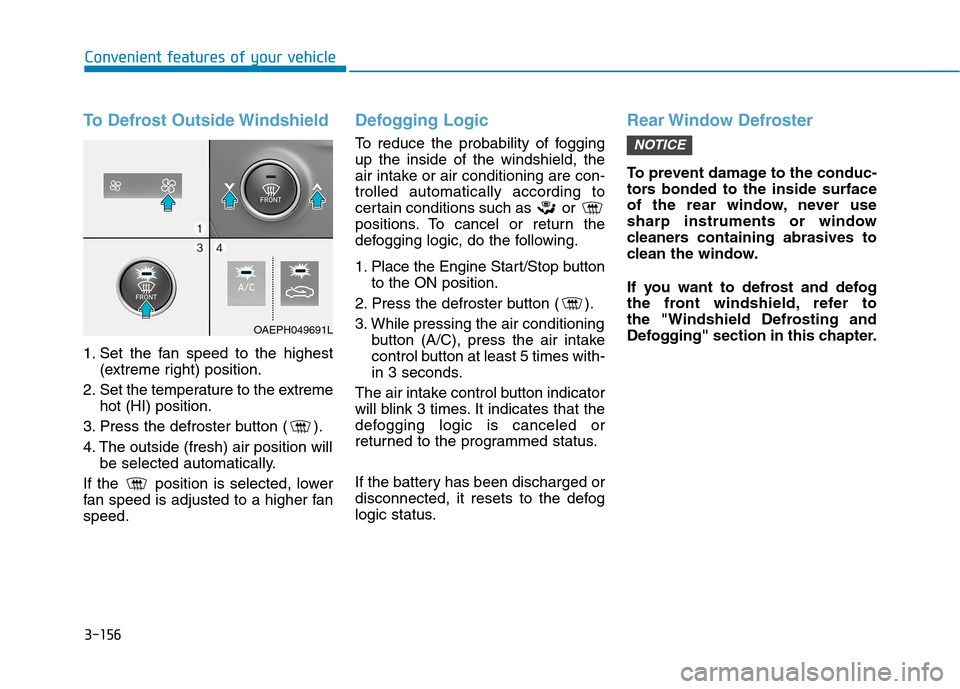
To Defrost Outside Windshield
1. Set the fan speed to the highest
(extreme right) position.
2. Set the temperature to the extreme
hot (HI) position.
3. Press the defroster button ( ).
4. The outside (fresh) air position will
be selected automatically.
If the position is selected, lower
fan speed is adjusted to a higher fan
speed.
Defogging Logic
To reduce the probability of fogging
up the inside of the windshield, the
air intake or air conditioning are con-
trolled automatically according to
certain conditions such as or
positions. To cancel or return the
defogging logic, do the following.
1. Place the Engine Start/Stop button
to the ON position.
2. Press the defroster button ( ).
3. While pressing the air conditioning
button (A/C), press the air intake
control button at least 5 times with-
in 3 seconds.
The air intake control button indicator
will blink 3 times. It indicates that the
defogging logic is canceled or
returned to the programmed status.
If the battery has been discharged or
disconnected, it resets to the defog
logic status.
Rear Window Defroster
To prevent damage to the conduc-
tors bonded to the inside surface
of the rear window, never use
sharp instruments or window
cleaners containing abrasives to
clean the window.
If you want to defrost and defog
the front windshield, refer to
the "Windshield Defrosting and
Defogging" section in this chapter.
NOTICE
OAEPH049691L
Page 256 of 635
3-164
Convenient features of your vehicle
To prevent damage to the Power
Outlets :
Use the power outlet only when
the vehicle is in the ready ( )
mode and remove the accessory
plug after use. Using the acces-
sory plug for prolonged periods
of time with the vehicle off could
cause the battery to discharge.
Only use 12V electric acces-
sories which are less than 180 W
(Watts) in electric capacity.
Adjust the air-conditioner or
heater to the lowest operating
level when using the power outlet.
Close the cover when not in use.
(Continued)(Continued)
Some electronic devices can
cause electronic interference
when plugged into a vehicle’s
power outlet. These devices may
cause excessive audio static
and malfunctions in other elec-
tronic systems or devices used
in your vehicle.
Push the plug in as far as it will
go. If good contact is not made,
the plug may overheat and the
fuse may open.
Plug in battery equipped electri-
cal/electronic devices with
reverse current protection. The
current from the battery may
flow into the vehicle’s electri-
cal/electronic system and cause
system malfunction.
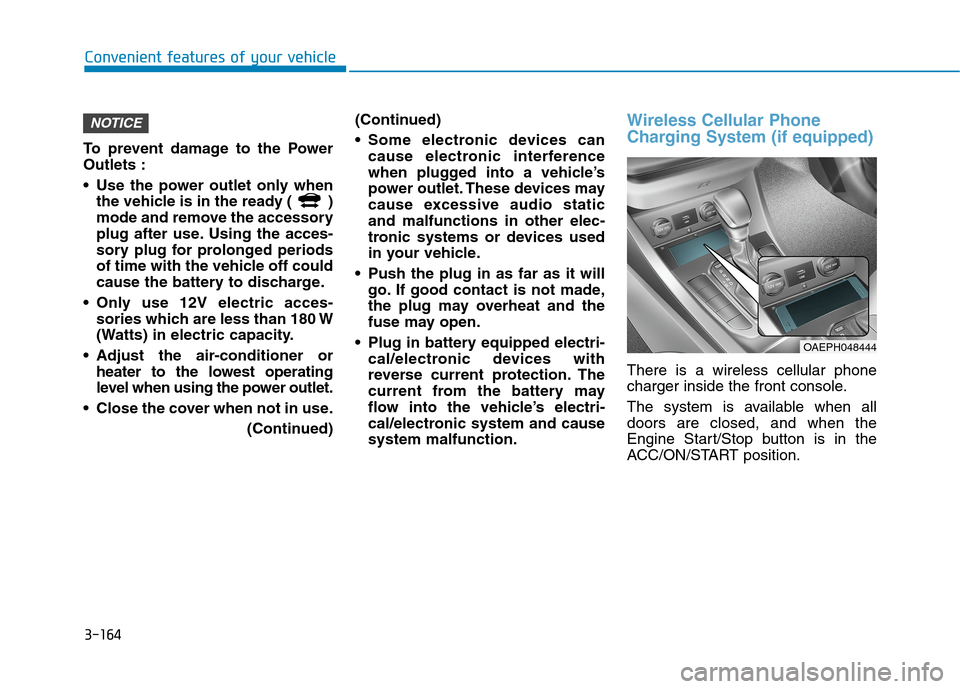
Wireless Cellular Phone
Charging System (if equipped)
There is a wireless cellular phone
charger inside the front console.
The system is available when all
doors are closed, and when the
Engine Start/Stop button is in the
ACC/ON/START position.
NOTICE
OAEPH048444
Page 273 of 635
5-7
Driving your vehicle
5
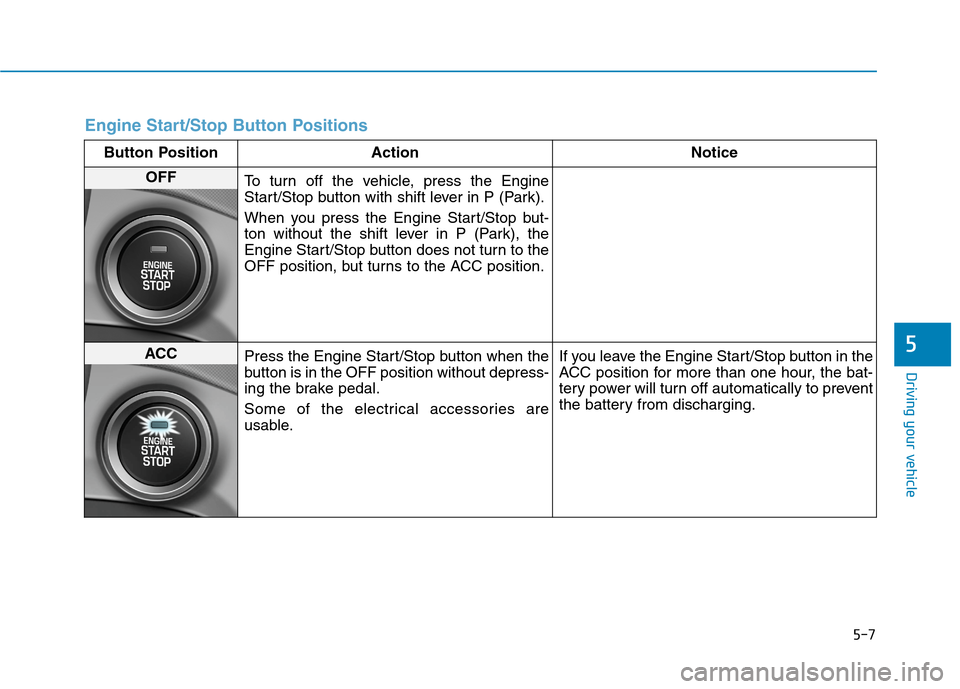
Engine Start/Stop Button Positions
Button Position Action Notice
OFF
To turn off the vehicle, press the Engine
Start/Stop button with shift lever in P (Park).
When you press the Engine Start/Stop but-
ton without the shift lever in P (Park), the
Engine Start/Stop button does not turn to the
OFF position, but turns to the ACC position.
ACC
Press the Engine Start/Stop button when the
button is in the OFF position without depress-
ing the brake pedal.
Some of the electrical accessories are
usable.If you leave the Engine Start/Stop button in the
ACC position for more than one hour, the bat-
tery power will turn off automatically to prevent
the battery from discharging.
Page 274 of 635
5-8
Driving your vehicle
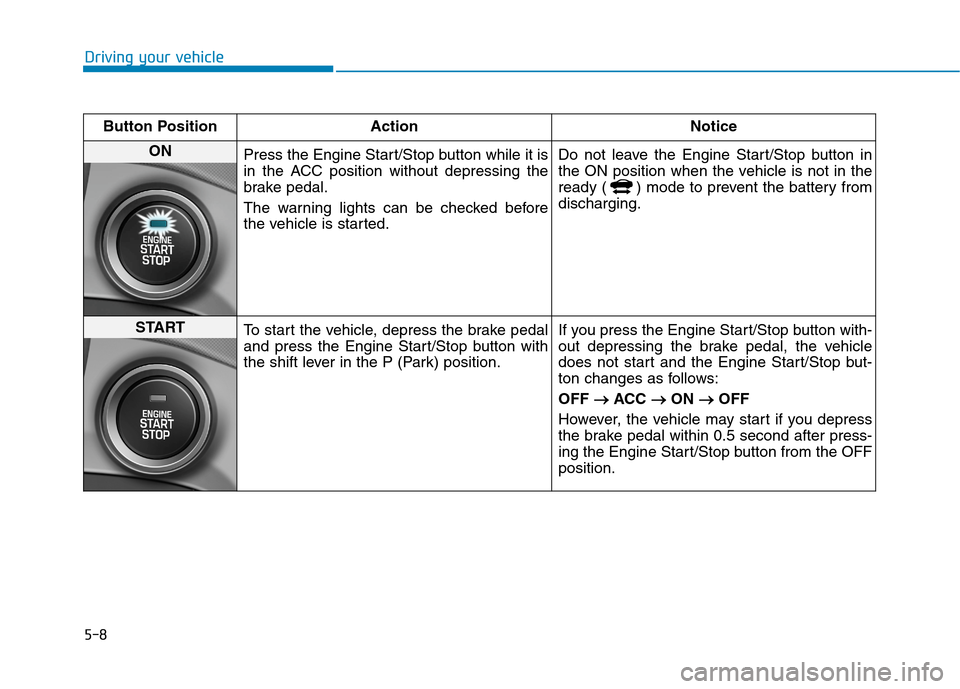
Button Position Action Notice
ON
Press the Engine Start/Stop button while it is
in the ACC position without depressing the
brake pedal.
The warning lights can be checked before
the vehicle is started.Do not leave the Engine Start/Stop button in
the ON position when the vehicle is not in the
ready ( ) mode to prevent the battery from
discharging.
START
To start the vehicle, depress the brake pedal
and press the Engine Start/Stop button with
the shift lever in the P (Park) position.If you press the Engine Start/Stop button with-
out depressing the brake pedal, the vehicle
does not start and the Engine Start/Stop but-
ton changes as follows:
OFF → →
ACC → →
ON → →
OFF
However, the vehicle may start if you depress
the brake pedal within 0.5 second after press-
ing the Engine Start/Stop button from the OFF
position.