mirror Hyundai Santa Fe 2003 Owner's Manual
[x] Cancel search | Manufacturer: HYUNDAI, Model Year: 2003, Model line: Santa Fe, Model: Hyundai Santa Fe 2003Pages: 221, PDF Size: 15.98 MB
Page 13 of 221
1. FEATURES OF YOUR HYUNDAI
Fuel Recommendations ................................................................... 1-2
Breaking in Your New Hyundai ........................................................ 1-3
Key ................................................................................................... 1-3
Door Locks (Theft-Alarm System) ................................................... 1-4
Power Windows ............................................................................. 1-10
Seat ................................................................................................ 1-10
Seat Belt ......................................................................................... 1-17
Child Restraint System .................................................................. 1-23
Supplemental Restraint (AIRBAG) system .................................... 1-29
Instrument Cluster and Indicator Lights ......................................... 1-36
Warning Light and Indicator Lights ................................................. 1-37
Multi-Function Light Switch ............................................................ 1-43
Windshield Wiper/Washer Switch .................................................. 1-44
Sunroof ........................................................................................... 1-50
Homelink Mirror .............................................................................. 1-56
Hood Release ................................................................................ 1-63
Cruise Control ................................................................................ 1-66
Heating and Cooling Control .......................................................... 1-69
Stereo Sound System .................................................................... 1-84
Audio System ................................................................................. 1-86
Antenna ........................................................................................ 1-1111
Page 64 of 221
1- 52 FEATURES OF YOUR HYUNDAI
!
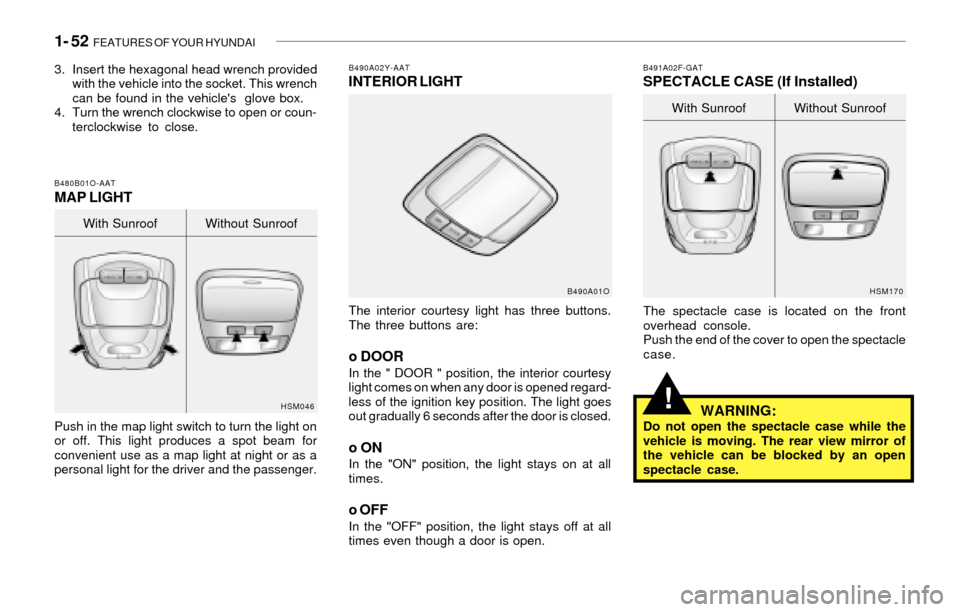
B490A02Y-AATINTERIOR LIGHT
The interior courtesy light has three buttons.
The three buttons are:
o DOORIn the " DOOR " position, the interior courtesy
light comes on when any door is opened regard-
less of the ignition key position. The light goes
out gradually 6 seconds after the door is closed.
o ONIn the "ON" position, the light stays on at all
times.
o OFFIn the "OFF" position, the light stays off at all
times even though a door is open.
B490A01OB491A02F-GAT
SPECTACLE CASE (If Installed)
HSM170
The spectacle case is located on the front
overhead console.
Push the end of the cover to open the spectacle
case.
WARNING:Do not open the spectacle case while the
vehicle is moving. The rear view mirror of
the vehicle can be blocked by an open
spectacle case.With Sunroof Without Sunroof
3. Insert the hexagonal head wrench provided
with the vehicle into the socket. This wrench
can be found in the vehicle's glove box.
4. Turn the wrench clockwise to open or coun-
terclockwise to close.
B480B01O-AATMAP LIGHT
Push in the map light switch to turn the light on
or off. This light produces a spot beam for
convenient use as a map light at night or as a
personal light for the driver and the passenger.
HSM046
With Sunroof Without Sunroof
Page 65 of 221
FEATURES OF YOUR HYUNDAI 1- 53
!
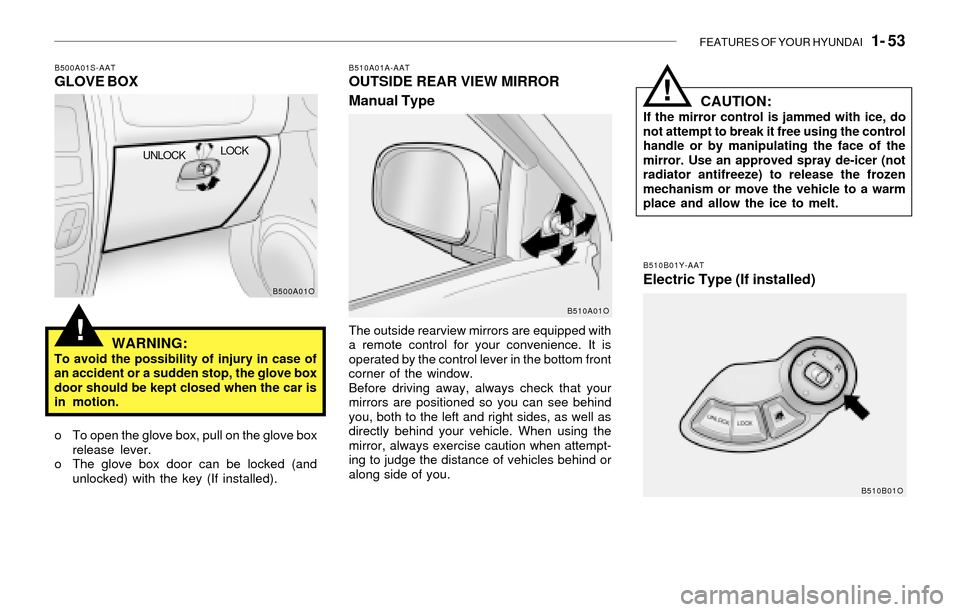
B500A01S-AATGLOVE BOX
WARNING:
To avoid the possibility of injury in case of
an accident or a sudden stop, the glove box
door should be kept closed when the car is
in motion.
o To open the glove box, pull on the glove box
release lever.
o The glove box door can be locked (and
unlocked) with the key (If installed).
B500A01O
UNLOCKLOCK
CAUTION:If the mirror control is jammed with ice, do
not attempt to break it free using the control
handle or by manipulating the face of the
mirror. Use an approved spray de-icer (not
radiator antifreeze) to release the frozen
mechanism or move the vehicle to a warm
place and allow the ice to melt.
!
B510B01Y-AAT
Electric Type (If installed)
B510A01A-AATOUTSIDE REAR VIEW MIRROR
Manual Type
The outside rearview mirrors are equipped with
a remote control for your convenience. It is
operated by the control lever in the bottom front
corner of the window.
Before driving away, always check that your
mirrors are positioned so you can see behind
you, both to the left and right sides, as well as
directly behind your vehicle. When using the
mirror, always exercise caution when attempt-
ing to judge the distance of vehicles behind or
along side of you.
B510A01O
B510B01O
Page 66 of 221
1- 54 FEATURES OF YOUR HYUNDAI
!WARNING:Be careful when judging the size or dis-
tance of any object seen in the passenger
side rear view mirror. It is a convex mirror
with a curved surface. Any objects seen in
this mirror are closer than they appear.
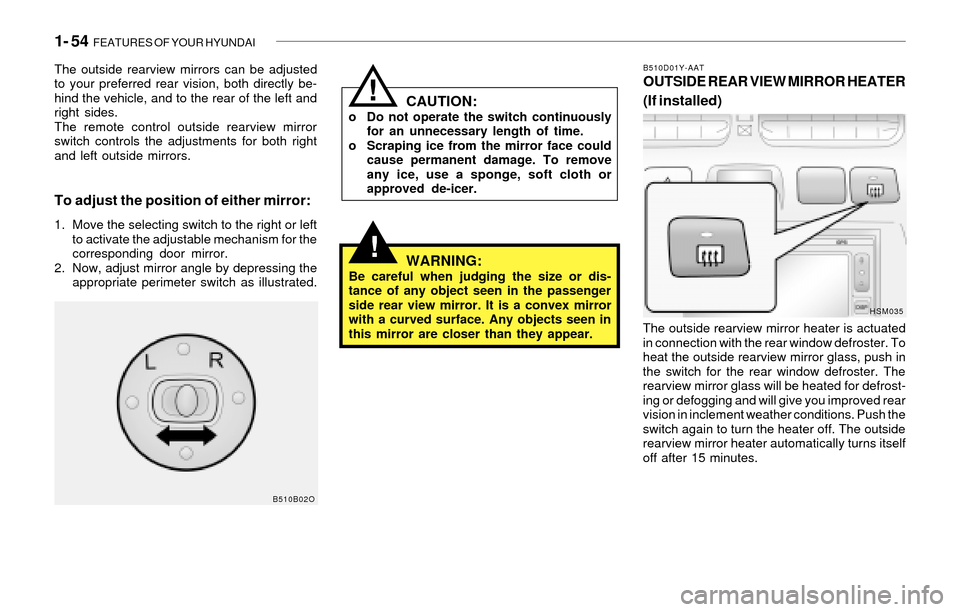
B510D01Y-AATOUTSIDE REAR VIEW MIRROR HEATER
(If installed)
The outside rearview mirror heater is actuated
in connection with the rear window defroster. To
heat the outside rearview mirror glass, push in
the switch for the rear window defroster. The
rearview mirror glass will be heated for defrost-
ing or defogging and will give you improved rear
vision in inclement weather conditions. Push the
switch again to turn the heater off. The outside
rearview mirror heater automatically turns itself
off after 15 minutes.
HSM035
To adjust the position of either mirror:
1. Move the selecting switch to the right or left
to activate the adjustable mechanism for the
corresponding door mirror.
2. Now, adjust mirror angle by depressing the
appropriate perimeter switch as illustrated.
CAUTION:o Do not operate the switch continuously
for an unnecessary length of time.
o Scraping ice from the mirror face could
cause permanent damage. To remove
any ice, use a sponge, soft cloth or
approved de-icer.
!
B510B02O
The outside rearview mirrors can be adjusted
to your preferred rear vision, both directly be-
hind the vehicle, and to the rear of the left and
right sides.
The remote control outside rearview mirror
switch controls the adjustments for both right
and left outside mirrors.
Page 67 of 221
FEATURES OF YOUR HYUNDAI 1- 55
!
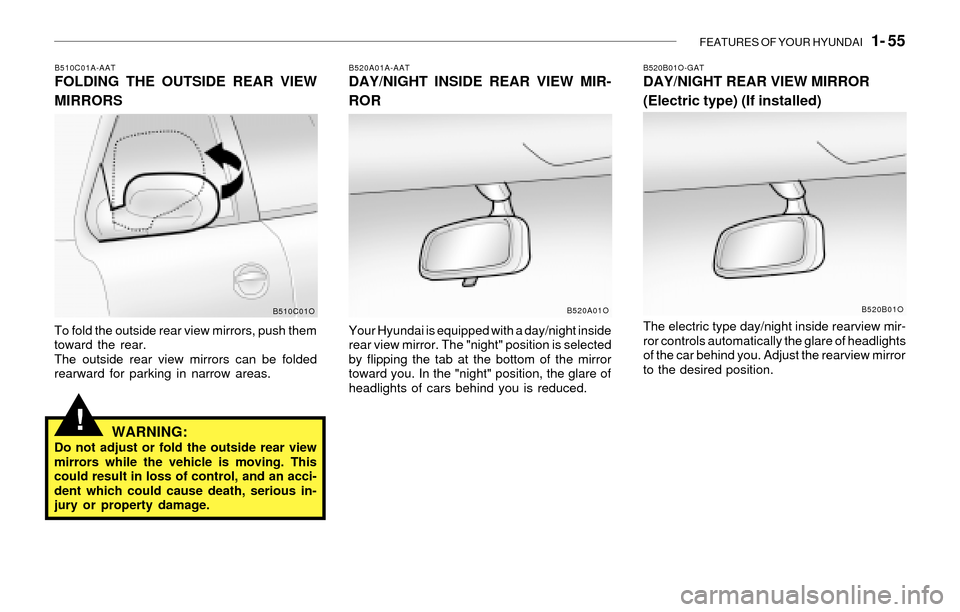
B510C01A-AATFOLDING THE OUTSIDE REAR VIEW
MIRRORS
To fold the outside rear view mirrors, push them
toward the rear.
The outside rear view mirrors can be folded
rearward for parking in narrow areas.
WARNING:Do not adjust or fold the outside rear view
mirrors while the vehicle is moving. This
could result in loss of control, and an acci-
dent which could cause death, serious in-
jury or property damage.
B520A01A-AATDAY/NIGHT INSIDE REAR VIEW MIR-
ROR
Your Hyundai is equipped with a day/night inside
rear view mirror. The "night" position is selected
by flipping the tab at the bottom of the mirror
toward you. In the "night" position, the glare of
headlights of cars behind you is reduced.
B510C01OB520A01O
B520B01O-GATDAY/NIGHT REAR VIEW MIRROR
(Electric type) (If installed)
The electric type day/night inside rearview mir-
ror controls automatically the glare of headlights
of the car behind you. Adjust the rearview mirror
to the desired position.
B520B01O
Page 68 of 221
1- 56 FEATURES OF YOUR HYUNDAI
!
!
HOMELINK PROGRAMMING
CAUTION:
o Make sure people and/or objects are out
of the way of any garage doors or gates
you may be operating during the pro-
gramming procedures.
o Keep original transmitters for potential
future programming needs, or in case
you sell the vehicle.
o In the event you do sell your vehicle, it's
recommended you erase your pro-
grammed HomeLink mirror buttons.
WARNING:Do not use HomeLink with any garage door
opener that lacks the safety stop and re-
verse feature as required by federal safety
standards (includes garage doors manu-
factured before April 1, 1982), as these
doors can increase the risk of serious injury
or death. Call 1-800-355-3515 or visit
www.homelink.com for more information.
NOTE:If programming a garage door opener or
gate, it is advised to unplug the device
during the "cycling" process to prevent
possible motor burnout.
Indicator Light
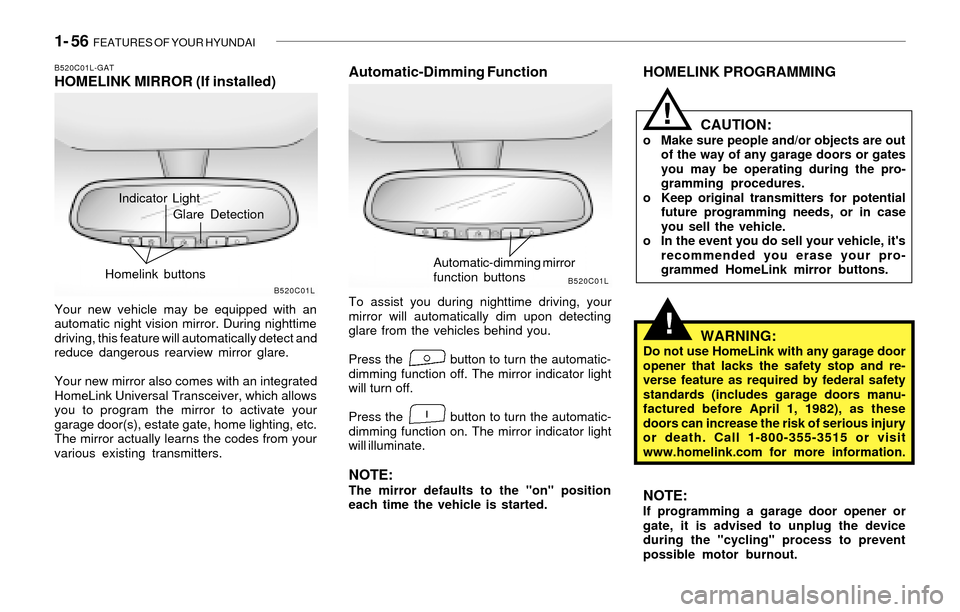
B520C01L-GATHOMELINK MIRROR (If installed)
Your new vehicle may be equipped with an
automatic night vision mirror. During nighttime
driving, this feature will automatically detect and
reduce dangerous rearview mirror glare.
Your new mirror also comes with an integrated
HomeLink Universal Transceiver, which allows
you to program the mirror to activate your
garage door(s), estate gate, home lighting, etc.
The mirror actually learns the codes from your
various existing transmitters.
Automatic-Dimming Function
To assist you during nighttime driving, your
mirror will automatically dim upon detecting
glare from the vehicles behind you.
Press the button to turn the automatic-
dimming function off. The mirror indicator light
will turn off.
Press the button to turn the automatic-
dimming function on. The mirror indicator light
will illuminate.
NOTE:The mirror defaults to the "on" position
each time the vehicle is started.
B520C01LB520C01L
Glare Detection
Homelink buttons
Automatic-dimming mirror
function buttons
Page 69 of 221
FEATURES OF YOUR HYUNDAI 1- 57
Flashing
Programming
Your vehicle may require that the ignition switch
to be turned to the "ACC" position to program
and/or operate HomeLink system. It is also
recommended that a new battery be placed in
the handheld transmitter of the device being
programmed to HomeLink for quicker program-
ming and accurate transmission of the radio-
frequency.
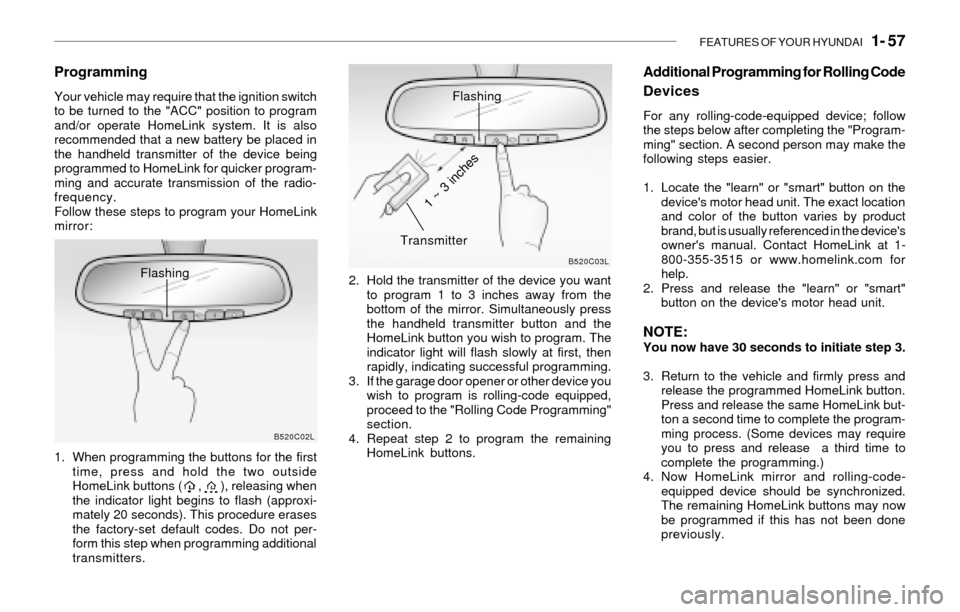
Follow these steps to program your HomeLink
mirror:
1. When programming the buttons for the first
time, press and hold the two outside
HomeLink buttons ( , ), releasing when
the indicator light begins to flash (approxi-
mately 20 seconds). This procedure erases
the factory-set default codes. Do not per-
form this step when programming additional
transmitters.2. Hold the transmitter of the device you want
to program 1 to 3 inches away from the
bottom of the mirror. Simultaneously press
the handheld transmitter button and the
HomeLink button you wish to program. The
indicator light will flash slowly at first, then
rapidly, indicating successful programming.
3. If the garage door opener or other device you
wish to program is rolling-code equipped,
proceed to the "Rolling Code Programming"
section.
4. Repeat step 2 to program the remaining
HomeLink buttons.
B520C02LB520C03L
Flashing
Transmitter
1 ~ 3 inches
Additional Programming for Rolling Code
Devices
For any rolling-code-equipped device; follow
the steps below after completing the "Program-
ming" section. A second person may make the
following steps easier.
1. Locate the "learn" or "smart" button on the
device's motor head unit. The exact location
and color of the button varies by product
brand, but is usually referenced in the device's
owner's manual. Contact HomeLink at 1-
800-355-3515 or www.homelink.com for
help.
2. Press and release the "learn" or "smart"
button on the device's motor head unit.
NOTE:You now have 30 seconds to initiate step 3.
3. Return to the vehicle and firmly press and
release the programmed HomeLink button.
Press and release the same HomeLink but-
ton a second time to complete the program-
ming process. (Some devices may require
you to press and release a third time to
complete the programming.)
4. Now HomeLink mirror and rolling-code-
equipped device should be synchronized.
The remaining HomeLink buttons may now
be programmed if this has not been done
previously.
Page 70 of 221
1- 58 FEATURES OF YOUR HYUNDAI
Gate Operator Programming & Cana-
dian Programming
During programming, your handheld transmit-
ter may automatically stop transmitting.
Continue to press and hold the HomeLink button
while you press and repress ("cycle") your
handheld transmitter every two seconds until
the frequency signal has been learned. The
indicator light will flash slowly at first and then
rapidly upon successful programming.
Accessories
For more information on HomeLink and
HomeLink-compatible products, or to purchase
HomeLink accessories, call 1-800-355-3515
or visit www.homeink.com.
Operating HomeLink
Simply press the appropriate HomeLink button
to activate the trained product (garage door,
security system, entry door lock, estate gate,
lighting, etc.). The original handheld transmit-
ters may also be used at any time.
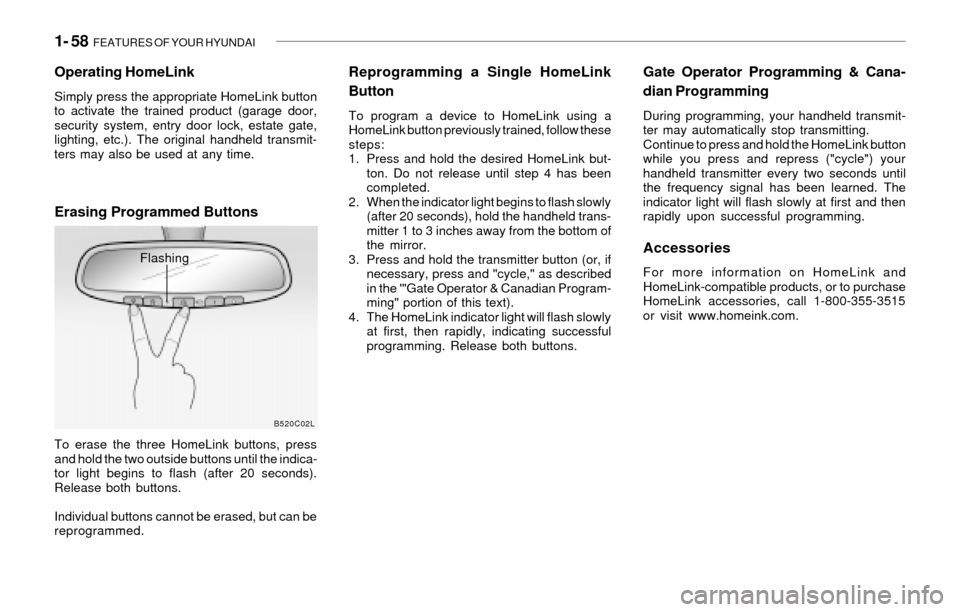
Erasing Programmed Buttons
To erase the three HomeLink buttons, press
and hold the two outside buttons until the indica-
tor light begins to flash (after 20 seconds).
Release both buttons.
Individual buttons cannot be erased, but can be
reprogrammed.
Reprogramming a Single HomeLink
Button
To program a device to HomeLink using a
HomeLink button previously trained, follow these
steps:
1. Press and hold the desired HomeLink but-
ton. Do not release until step 4 has been
completed.
2. When the indicator light begins to flash slowly
(after 20 seconds), hold the handheld trans-
mitter 1 to 3 inches away from the bottom of
the mirror.
3. Press and hold the transmitter button (or, if
necessary, press and "cycle," as described
in the '"Gate Operator & Canadian Program-
ming" portion of this text).
4. The HomeLink indicator light will flash slowly
at first, then rapidly, indicating successful
programming. Release both buttons.
B520C02L
Flashing
Page 76 of 221
1- 64 FEATURES OF YOUR HYUNDAI
!
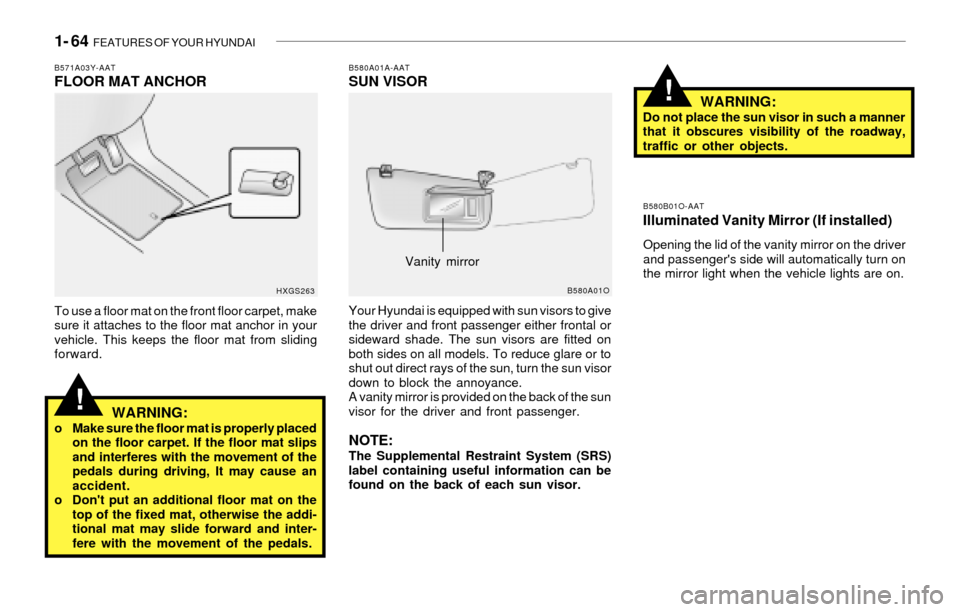
B580A01A-AATSUN VISOR
Your Hyundai is equipped with sun visors to give
the driver and front passenger either frontal or
sideward shade. The sun visors are fitted on
both sides on all models. To reduce glare or to
shut out direct rays of the sun, turn the sun visor
down to block the annoyance.
A vanity mirror is provided on the back of the sun
visor for the driver and front passenger.
NOTE:The Supplemental Restraint System (SRS)
label containing useful information can be
found on the back of each sun visor.
B580A01O
WARNING:Do not place the sun visor in such a manner
that it obscures visibility of the roadway,
traffic or other objects.
B580B01O-AATIlluminated Vanity Mirror (If installed)
Opening the lid of the vanity mirror on the driver
and passenger's side will automatically turn on
the mirror light when the vehicle lights are on.
Vanity mirror
!
B571A03Y-AATFLOOR MAT ANCHOR
To use a floor mat on the front floor carpet, make
sure it attaches to the floor mat anchor in your
vehicle. This keeps the floor mat from sliding
forward.
WARNING:o Make sure the floor mat is properly placed
on the floor carpet. If the floor mat slips
and interferes with the movement of the
pedals during driving, It may cause an
accident.
o Don't put an additional floor mat on the
top of the fixed mat, otherwise the addi-
tional mat may slide forward and inter-
fere with the movement of the pedals.
HXGS263
Page 125 of 221
DRIVING YOUR HYUNDAI 2- 3
!!WARNING:o The 2WD Santa Fe is not designed for
off-road use. The 4WD Santa Fe is de-
signed primarily for use on paved roads.
However, occasional use in off-highway
conditions such as established unpaved
roads and non-challenging off-road
trails is allowed. The 4WD Santa Fe is not
designed for blazing new trails, chal-
lenging off-road conditions, or unpaved
hill climbing. Exceeding the conditions
that were intended for the vehicle's pri-
mary design may result in injury or death.
o Utility vehicle has a significantly higher
collision rate than other type of vehicles.
o Utility vehicle have higher ground clear-
ance and a narrower track to make them
capable of performing in a wide variety
of off-road applications. Specific design
characteristics give them a higher center
of gravitiy than ordinary cars. An advan-
tage of the higher ground clearance is a
better view of the road allowing you to
anticipate problem. They are not de-
signed for cornering at the same speeds
as conventional 2-wheel drive vehicles
any more than low-slung sports cars are
designed to perform satisfactorily un-
der off-road conditions. If at all possible,
avoid sharp turns or abrupt maneuvers.
As with other vehicles of this type, fail-
ure to operate this vehicle correctly may
result in loss of control or vehicle rollover.
C020A01A-AATBEFORE STARTING THE ENGINE
Before you start the engine, you should always:
1. Look around the vehicle to be sure there are
no flat tires, puddles of oil, water or other
indications of possible trouble.
2. After entering the car, check to be sure the
parking brake is engaged.
3. Check that all windows, and lights are clean.
4. Check that the interior and exterior mirrors
are clean and in position.
5. Check your seat, seatback and headrest to
be sure they are in their proper positions.
6. Lock all the doors.
7. Fasten your seat belt and be sure that all
other occupants have fastened theirs.
8. Turn off all lights and accessories that are
not needed.
9. When you turn the ignition switch to "ON",
check that all appropriate warning lights are
operating and that you have sufficient fuel.
10.Check the operation of warning lights and all
bulbs when key is in the "ON" position.
C030A01E-AATCOMBINATION IGNITION SWITCH
To Start the Engine
o If your Hyundai is equipped with a manual
transaxle, place the shift lever in neutral and
depress the clutch pedal fully.
o If your Hyundai has an automatic transaxle,
place the shift lever in "P" (park).
o To start the engine, insert the ignition key and
turn it to the "START" position. Release it as
soon as the engine starts. Do not hold the
key in the "START" position for more that 15
seconds.
NOTE:o For safety, the engine will not start if the
clutch pedal is not depressed fully
(Manual Transaxle) or the shift lever is
not in "P" or "N" Position (Automatic
Transaxle).
o The ignition key cannot be turned from
"ACC" position to "LOCK" position un-
less the shift lever is in the "P" (Park)
position or the negative battery terminal
is disconnected from the battery. To
remove the key, always confirm that the
shift lever is securely positioned in "P"
(Park) (For Automatic Transaxle)
o For additional information about start-
ing, see page 2-5.
WARNING:o In a collision crash, an unbelted person
is significantly more likely to die than a
person wearing a seatbelt.