battery Hyundai Santa Fe 2016 - RHD (UK, Australia) Owner's Guide
[x] Cancel search | Manufacturer: HYUNDAI, Model Year: 2016, Model line: Santa Fe, Model: Hyundai Santa Fe 2016Pages: 699, PDF Size: 15.65 MB
Page 231 of 699
4133
Features of your vehicle
Battery saver function
• The purpose of this feature is to
prevent the battery from being dis-
charged. The system automatically
turns off the parking lights when
the driver removes the ignition key
and opens the driver- side door.
• With this feature, the parking lights
will be turned off automatically if
the driver parks on the side of road
at night.
If necessary, to keep the lights on
when the ignition key is removed,
perform the following :
1) Open the driver-side door.
2) Turn the parking lights OFF and
ON again using the light switch
on the steering column.
Headlight (Headlamp) escort
function (if equipped)
The headlights (and/or taillights)
remain on for approximately 5 min-
utes after the ignition key is removed
or turned to the ACC or LOCK posi-
tion. However, if the driver’s door is
opened and closed, the headlights
are turned off after 15 seconds.
The headlights can be turned off by
pressing the lock button on the trans-
mitter or smart key twice or turning
off the light switch from the headlight
or Auto light position.
Smart cornering light
(if equipped)
Whilst driving the corner, for your
sight and safety, the smart cornering
light turns on when all the below con-
ditions are satisfied:
• Headlights are turned on.
• Vehicle speed is under 24 mph
(40km/h).
• The turn signal light is turned on to
the direction that you try to turn.
LIGHTING
CAUTION
If the driver gets out of the vehi-
cle through other doors (except
driver’s door), the battery saver
function does not operate.
Therefore, it causes the battery
to be discharged. In this case,
make sure to turn off the lamp
before getting out of the vehicle.
Page 236 of 699
Features of your vehicle
138 4
✽NOTICE
• The high-beam indicator will light
when the headlight high beams are
switched on.
• To prevent the battery from being
discharged, do not leave the lights
on for a prolonged time whilst the
engine is not running.
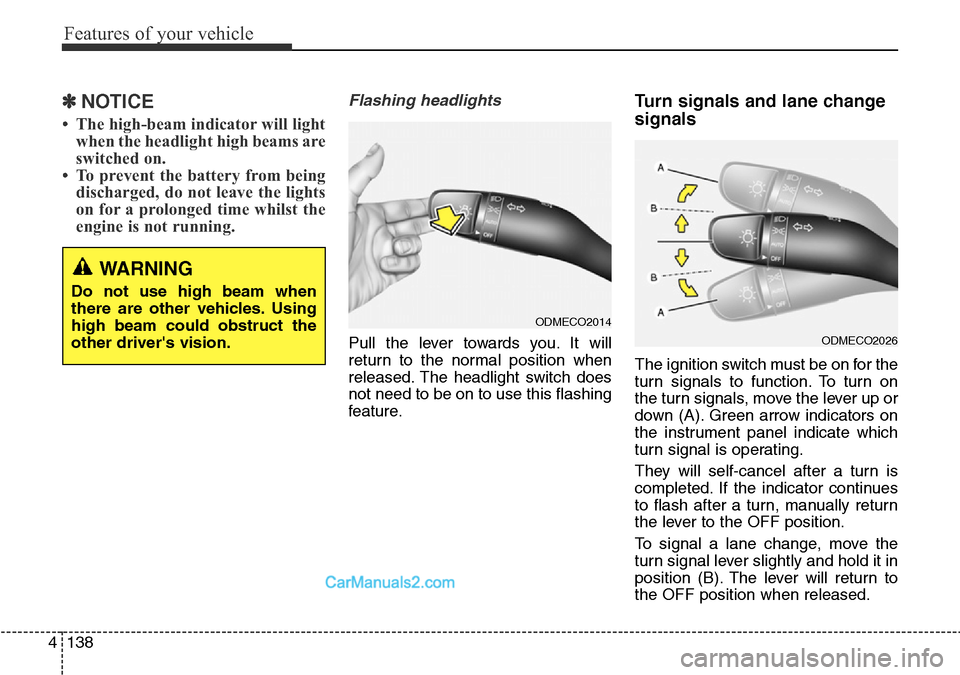
Flashing headlights
Pull the lever towards you. It will
return to the normal position when
released. The headlight switch does
not need to be on to use this flashing
feature.
Turn signals and lane change
signals
The ignition switch must be on for the
turn signals to function. To turn on
the turn signals, move the lever up or
down (A). Green arrow indicators on
the instrument panel indicate which
turn signal is operating.
They will self-cancel after a turn is
completed. If the indicator continues
to flash after a turn, manually return
the lever to the OFF position.
To signal a lane change, move the
turn signal lever slightly and hold it in
position (B). The lever will return to
the OFF position when released.
ODMECO2026
ODMECO2014
WARNING
Do not use high beam when
there are other vehicles. Using
high beam could obstruct the
other driver's vision.
Page 246 of 699
Features of your vehicle
148 4
Interior lamp AUTO cut
• When all entrances are closed, if
you lock the vehicle by using the
transmitter or the smart key, all
interior lamp will be off within 5
seconds.
• If you do not operate anything in
the vehicle after turning off the
engine, the lights will turn off after
20 minutes.
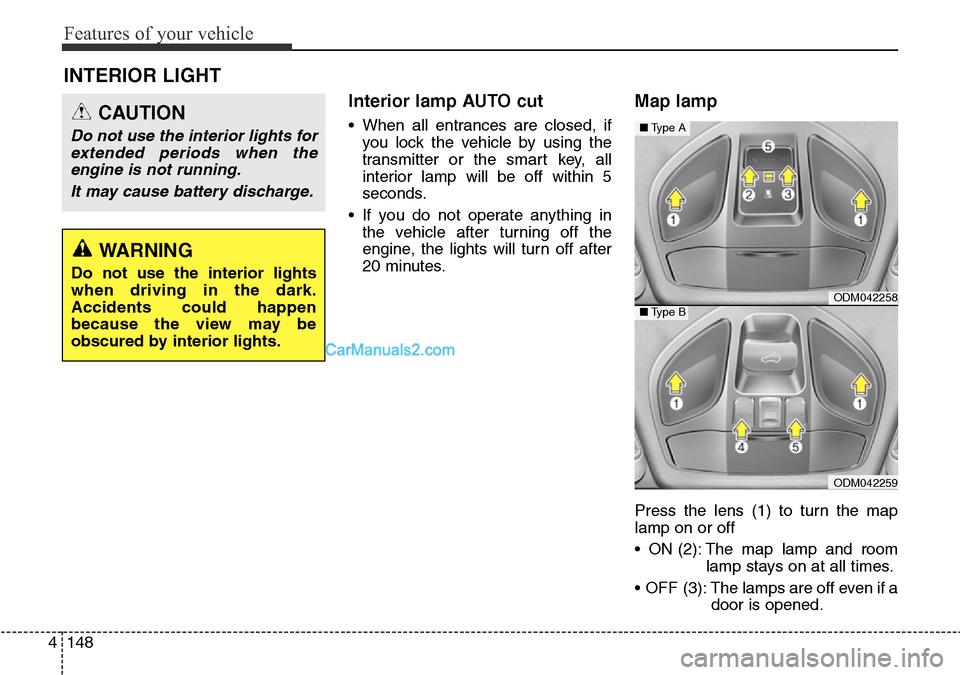
Map lamp
Press the lens (1) to turn the map
lamp on or off
• ON (2): The map lamp and room
lamp stays on at all times.
• OFF (3): The lamps are off even if a
door is opened.
INTERIOR LIGHT
CAUTION
Do not use the interior lights for
extended periods when the
engine is not running.
It may cause battery discharge.
WARNING
Do not use the interior lights
when driving in the dark.
Accidents could happen
because the view may be
obscured by interior lights.
ODM042258
ODM042259
■Type A
■Type B
Page 248 of 699
Features of your vehicle
150 4
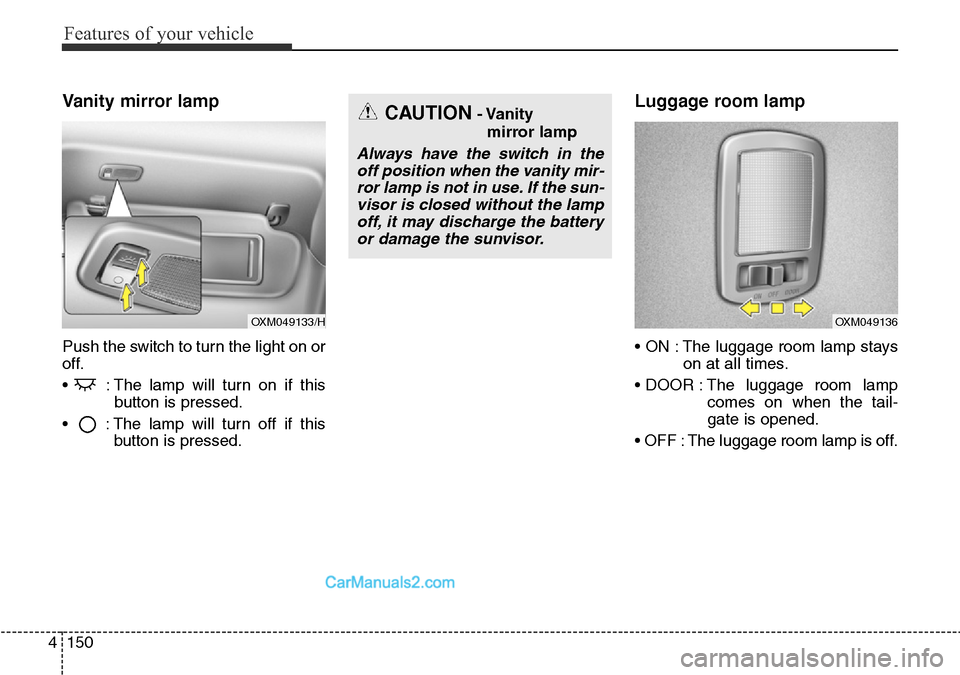
Vanity mirror lamp
Push the switch to turn the light on or
off.
• : The lamp will turn on if this
button is pressed.
• : The lamp will turn off if this
button is pressed.
Luggage room lamp
• ON : The luggage room lamp stays
on at all times.
• DOOR : The luggage room lamp
comes on when the tail-
gate is opened.
• OFF : The luggage room lamp is off.
OXM049133/H
CAUTION- Vanity
mirror lamp
Always have the switch in the
off position when the vanity mir-
ror lamp is not in use. If the sun-
visor is closed without the lamp
off, it may discharge the battery
or damage the sunvisor.
OXM049136
Page 283 of 699
4185
Features of your vehicle
If your vehicle is equipped with the
auto defogging system, it is automat-
ically activated when the conditions
are met. However, if you would like to
cancel the auto defogging system,
press the front defroster button 4
times within 2 seconds whilst press-
ing the AUTO button. The indicator of
front defroster button will blink 3
times to notify you that the system is
cancelled. To use the auto defogging
system again, follow the procedures
mentioned above.
If the battery has been disconnected
or discharged, it resets to the auto
defogging status.✽NOTICE
If the A/C off is manually selected
whilst the auto defogging system is
on, the auto defogging indicator will
blink 3 times to give notice that the
A/C off can not be selected.
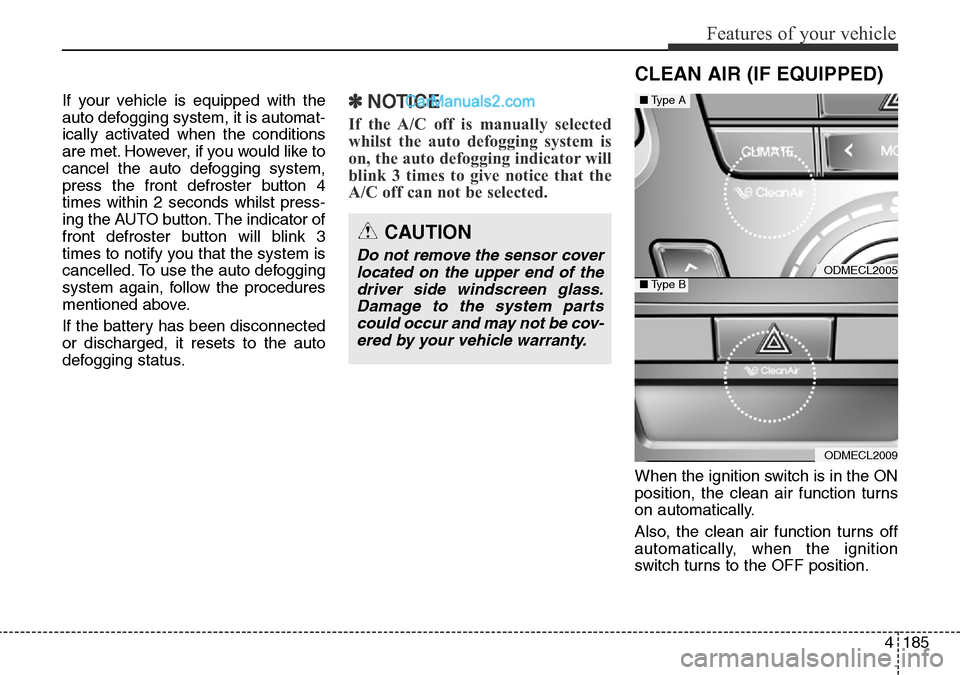
When the ignition switch is in the ON
position, the clean air function turns
on automatically.
Also, the clean air function turns off
automatically, when the ignition
switch turns to the OFF position.
CAUTION
Do not remove the sensor cover
located on the upper end of the
driver side windscreen glass.
Damage to the system parts
could occur and may not be cov-
ered by your vehicle warranty.
CLEAN AIR (IF EQUIPPED)
ODMECL2005
ODMECL2009
■Type A
■Type B
Page 291 of 699
4193
Features of your vehicle
Power outletCAUTION
• Use power outlet only when
the engine is running and
remove the accessory plug
after use. Using the accessory
plug for prolonged periods of
time with the engine off could
cause the battery to discharge.
• Only use 12V electric acces-
sories which are less than 10A
in electric capacity.
• Adjust the air-conditioner or
heater to the lowest operating
level when using the power
outlet.
• Close the cover when not in
use.
• Some electronic devices can
cause electronic interference
when plugged into a vehicle’s
power outlet. These devices
may cause excessive audio
static and malfunctions in
other electronic systems or
devices used in your vehicle.
ODMECO2067R
ODMECO2037
■Front·Type A
·Type B
ODM042318
ODM042319
■Centre
■Rear (if equipped)
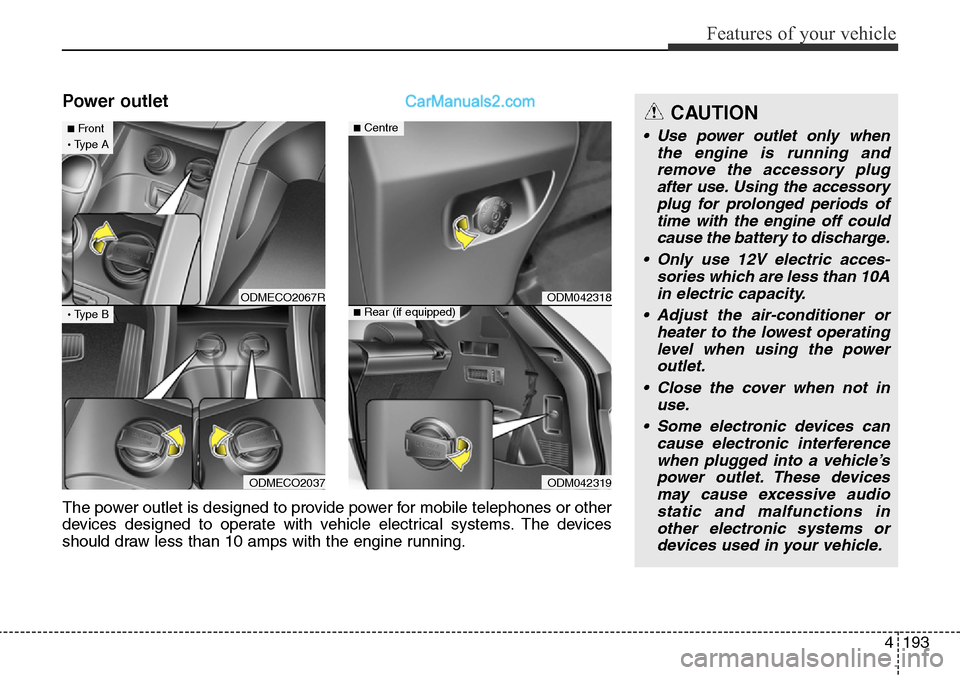
The power outlet is designed to provide power for mobile telephones or other
devices designed to operate with vehicle electrical systems. The devices
should draw less than 10 amps with the engine running.
Page 293 of 699
4195
Features of your vehicle
✽NOTICE
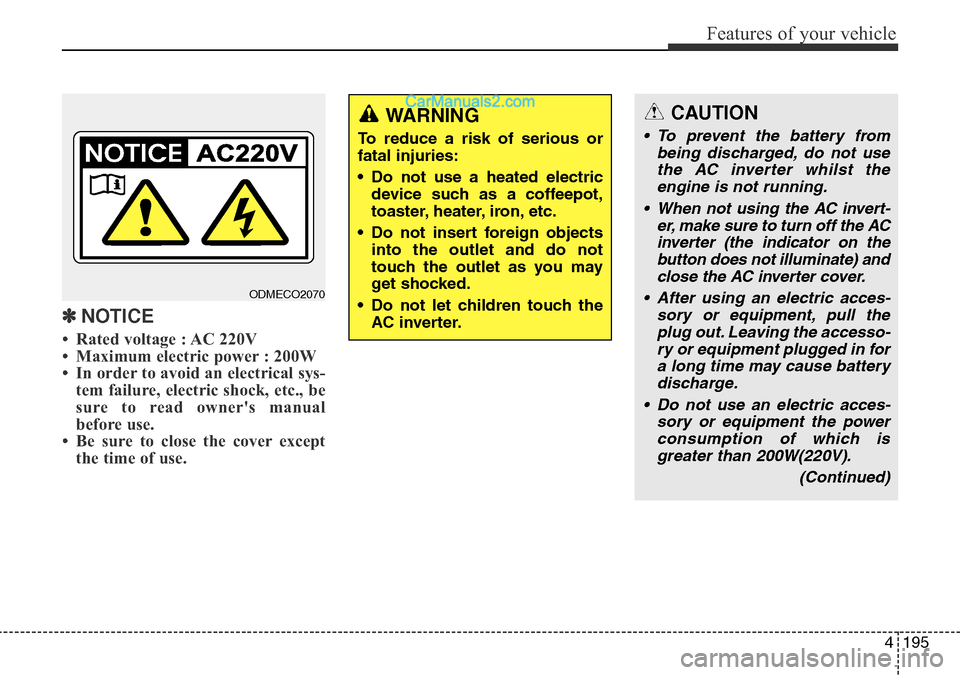
• Rated voltage : AC 220V
• Maximum electric power : 200W
• In order to avoid an electrical sys-
tem failure, electric shock, etc., be
sure to read owner's manual
before use.
• Be sure to close the cover except
the time of use.
CAUTION
• To prevent the battery from
being discharged, do not use
the AC inverter whilst the
engine is not running.
• When not using the AC invert-
er, make sure to turn off the AC
inverter (the indicator on the
button does not illuminate) and
close the AC inverter cover.
• After using an electric acces-
sory or equipment, pull the
plug out. Leaving the accesso-
ry or equipment plugged in for
a long time may cause battery
discharge.
• Do not use an electric acces-
sory or equipment the power
consumption of which is
greater than 200W(220V).
(Continued)
WARNING
To reduce a risk of serious or
fatal injuries:
• Do not use a heated electric
device such as a coffeepot,
toaster, heater, iron, etc.
• Do not insert foreign objects
into the outlet and do not
touch the outlet as you may
get shocked.
• Do not let children touch the
AC inverter.
ODMECO2070
Page 306 of 699
Features of your vehicle
208 4
CAUTION
• Operating the device while
driving could lead to acci-
dents due to a lack of atten-
tion to external surroundings.
First park the vehicle before
operating the device.
• Adjust the volume to levels
that allow the driver to hear
sounds from outside of the
vehicle. Driving in a state
where external sounds cannot
be heard may lead to acci-
dents.
• Pay attention to the volume
setting when turning the
device on. A sudden output of
extreme volume upon turning
the device on could lead to
hearing impairment. (Adjust
the volume to a suitable levels
before turning off the device.)
(Continued)
WARNING
• Do not stare at the screen
while driving. Staring at the
screen for prolonged periods
of time could lead to traffic
accidents.
• Do not disassemble, assem-
ble, or modify the audio sys-
tem. Such acts could result in
accidents, fire, or electric
shock.
• Using the phone while driving
may lead to a lack of attention
of traffic conditions and
increase the likelihood of
accidents. Use the phone fea-
ture after parking the vehicle.
• Heed caution not to spill water
or introduce foreign objects
into the device. Such acts
could lead to smoke, fire, or
product malfunction.
(Continued)
(Continued)
• Please refrain from use if the
screen is blank or no sound
can be heard as these signs
may indicate product mal-
function. Continued use in
such conditions could lead to
accidents(fires, electric
shock) or product malfunc-
tions.
• Do not touch the antenna dur-
ing thunder or lightening as
such acts may lead to light-
ning induced electric shock.
• Do not stop or park in park-
ing-restricted areas to operate
the product. Such acts could
lead to traffic accidents.
• Use the system with the vehi-
cle ignition turned on.
Prolonged use with the igni-
tion turned off could result in
battery discharge.
Page 307 of 699
4209
Features of your vehicle
(Continued)
• If you want to change the posi-
tion of device installation,
please inquire with your place
of purchase or service mainte-
nance center. Technical
expertise is required to install
or disassemble the device.
• Turn on the car ignition before
using this device. Do not oper-
ate the audio system for long
periods of time with the igni-
tion turned off as such opera-
tions may lead to battery dis-
charge.
• Do not subject the device to
severe shock or impact. Direct
pressure onto the front side of
the monitor may cause damage
to the LCD or touch screen.
(Continued)(Continued)
• When cleaning the device,
make sure to turn off the
device and use a dry and
smooth cloth. Never use
tough materials, chemical
cloths, or solvents (alcohol,
benzene, thinners, etc.) as
such materials may damage
the device panel or cause
color/quality deterioration
• Do not place beverages close
to the audio system. Spilling
beverages may lead to system
malfunction.
• In case of product malfunc-
tion, please contact your place
of purchase or After Service
center.
• Placing the audio system with-
in an electromagnetic environ-
ment may result in noise inter-
ference.
Page 310 of 699
Features of your vehicle
212 4
✽NOTICE - USING THE iPod®
DEVICE
• Some iPod models may not sup-
port communication protocol and
files may not properly play.
Supported iPod models:
- iPod Mini
- iPod 4th (Photo) ~ 6th (Classic)
generation
- iPod Nano 1st~4th generation
- iPod Touch 1st~2nd generation
• The order of search or playback of
songs in the iPod can be different
from the order searched in the
audio system.
• If the iPod disabled due to its own
malfunction, reset the iPod.
(Reset: Refer to iPod manual)
• An iPod may not operate normal-
ly on low battery.
(Continued)(Continued)
• Some iPod devices, such as the
iPhone, can be connected through
the Bluetooth®Wireless Technology
interface. The device must have
audio Bluetooth
®Wireless
Technology capability (such as for
stereo headphone Bluetooth
®
Wireless Technology ). The device
can play, but it will not be con-
trolled by the audio system.
• To use iPod features within the audio,
use the cable provided upon purchas-
ing an iPod device.
• Skipping or improper operation may
occur depending on the characteris-
tics of your iPod/Phone device.
• If your iPhone is connected to both
the Bluetooth
®Wireless Technology
and USB, the sound may not be prop-
erly played. In your iPhone, select the
Dock connector orBluetooth
®
Wireless Technology to change the
sound output (source).
(Continued)
(Continued)
• When connecting iPod with the
iPod Power Cable, insert the con-
nector to the multimedia socket
completely. If not inserted com-
pletely, communications between
iPod and audio may be interrupted.
• When adjusting the sound effects
of the iPod and the audio system,
the sound effects of both devices
will overlap and might reduce or
distort the quality of the sound.
• Deactivate (turn off) the equalizer
function of an iPod when adjust-
ing the audio system’s volume, and
turn off the equalizer of the audio
system when using the equalizer of
an iPod.
• When not using iPod with car
audio, detach the iPod cable from
iPod. Otherwise, iPod may remain
in accessory mode, and may not
work properly.