display Hyundai Santa Fe 2016 - RHD (UK, Australia) Owner's Guide
[x] Cancel search | Manufacturer: HYUNDAI, Model Year: 2016, Model line: Santa Fe, Model: Hyundai Santa Fe 2016Pages: 699, PDF Size: 15.65 MB
Page 178 of 699
Features of your vehicle
80 4
Travel Mode (if equipped)
If this item is checked, the traffic
change function will be activated.
For more details, refer to "Lighting" in
this chapter.
Settings
Language (if equipped)
Choose the language you prefer
within the LCD display.
Temperature Unit
Convert the temperature unit from °C
to °F or from °F to °C.
Welcome Sound
If this item is checked, the welcome
sound function will be activated.
Shift Indicator (if equipped)
If this item is checked, the shift indi-
cator function will be activated.
For more details, refer to “Instrument
Cluster” in this chapter.Seat Easy Access (if equipped)
If this item is checked, the driver’s
seat will automatically move forward
or rearward for the driver to enter or
exit the vehicle comfortably.
Tyre Pressure Unit (if equipped)
Choose the tyre pressure unit.
(psi, kPa, Bar)
AVG Fuel Eco Reset
• Auto Reset:
The average fuel economy will
reset automatically when refu-
elling.
• Manual Reset:
The average fuel economy will not
reset automatically whenever refu-
elling.
For more details, refer to “Trip
Computer” in this chapter.
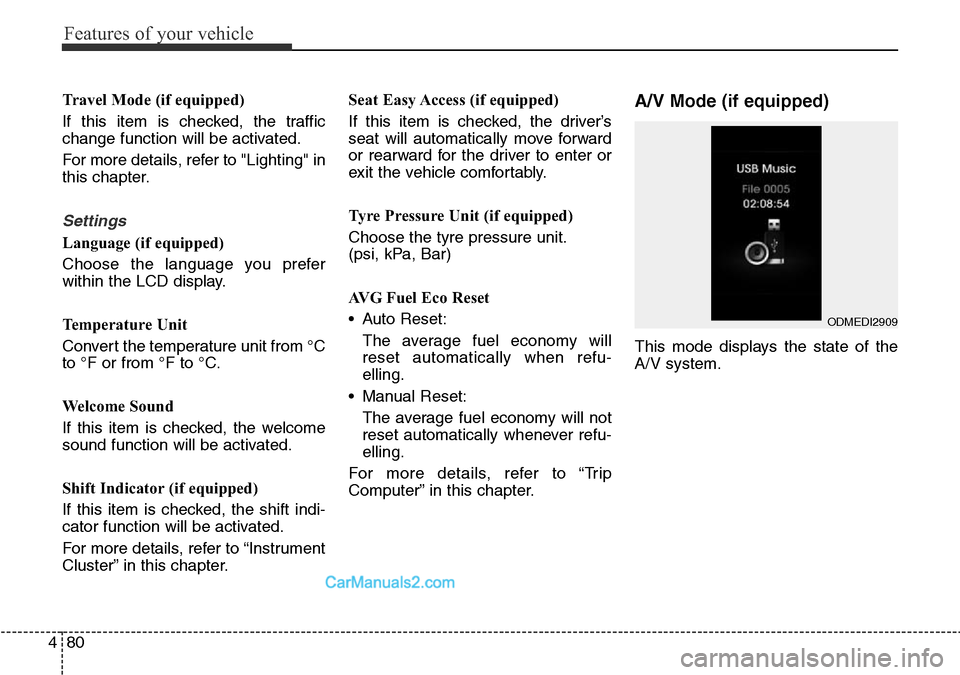
A/V Mode (if equipped)
This mode displays the state of the
A/V system.
ODMEDI2909
Page 179 of 699
481
Features of your vehicle
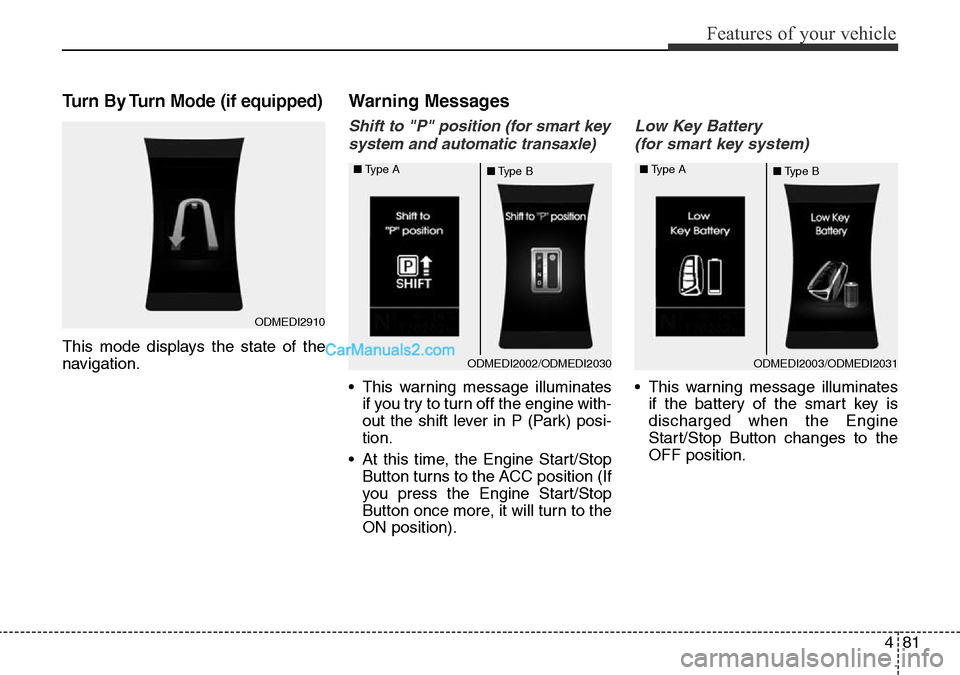
Turn By Turn Mode (if equipped)
This mode displays the state of the
navigation.
Warning Messages
Shift to "P" position (for smart key
system and automatic transaxle)
• This warning message illuminates
if you try to turn off the engine with-
out the shift lever in P (Park) posi-
tion.
• At this time, the Engine Start/Stop
Button turns to the ACC position (If
you press the Engine Start/Stop
Button once more, it will turn to the
ON position).
Low Key Battery
(for smart key system)
• This warning message illuminates
if the battery of the smart key is
discharged when the Engine
Start/Stop Button changes to the
OFF position.
ODMEDI2003/ODMEDI2031 ■Type A
■Type BODMEDI2002/ODMEDI2030 ■Type A
■Type B
ODMEDI2910
Page 186 of 699
Features of your vehicle
88 4
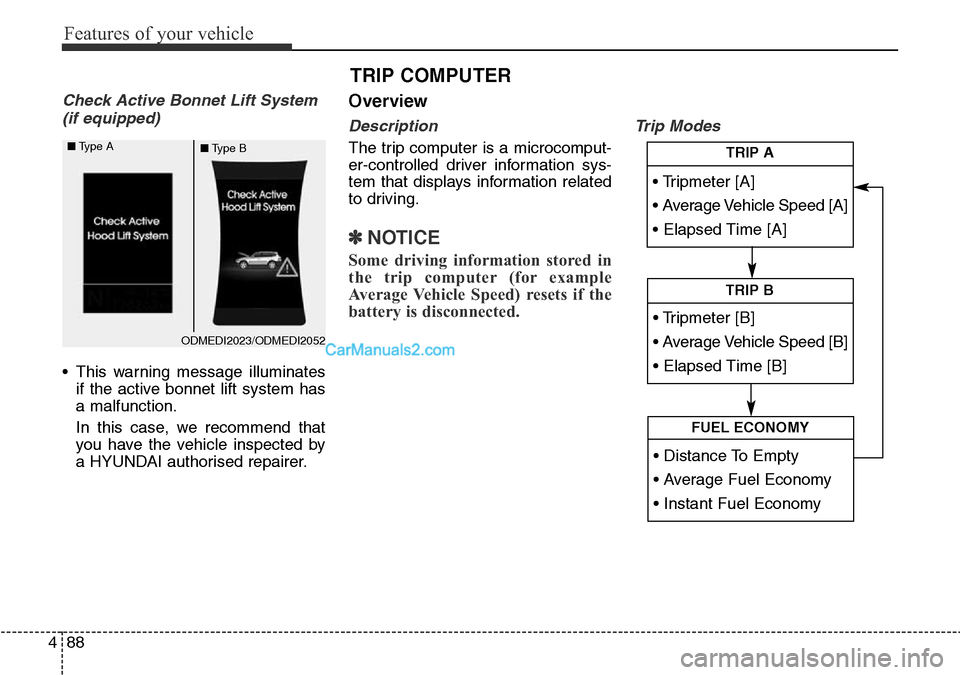
Check Active Bonnet Lift System
(if equipped)
• This warning message illuminates
if the active bonnet lift system has
a malfunction.
In this case, we recommend that
you have the vehicle inspected by
a HYUNDAI authorised repairer.
Overview
Description
The trip computer is a microcomput-
er-controlled driver information sys-
tem that displays information related
to driving.
✽NOTICE
Some driving information stored in
the trip computer (for example
Average Vehicle Speed) resets if the
battery is disconnected.
Trip Modes
TRIP COMPUTER
• Tripmeter [A]
• Average Vehicle Speed [A]
• Elapsed Time [A]
TRIP A
• Tripmeter [B]
• Average Vehicle Speed [B]
• Elapsed Time [B]
TRIP B
• Distance To Empty
• Average Fuel Economy
• Instant Fuel Economy
FUEL ECONOMY
ODMEDI2023/ODMEDI2052 ■Type A
■Type B
Page 187 of 699
489
Features of your vehicle
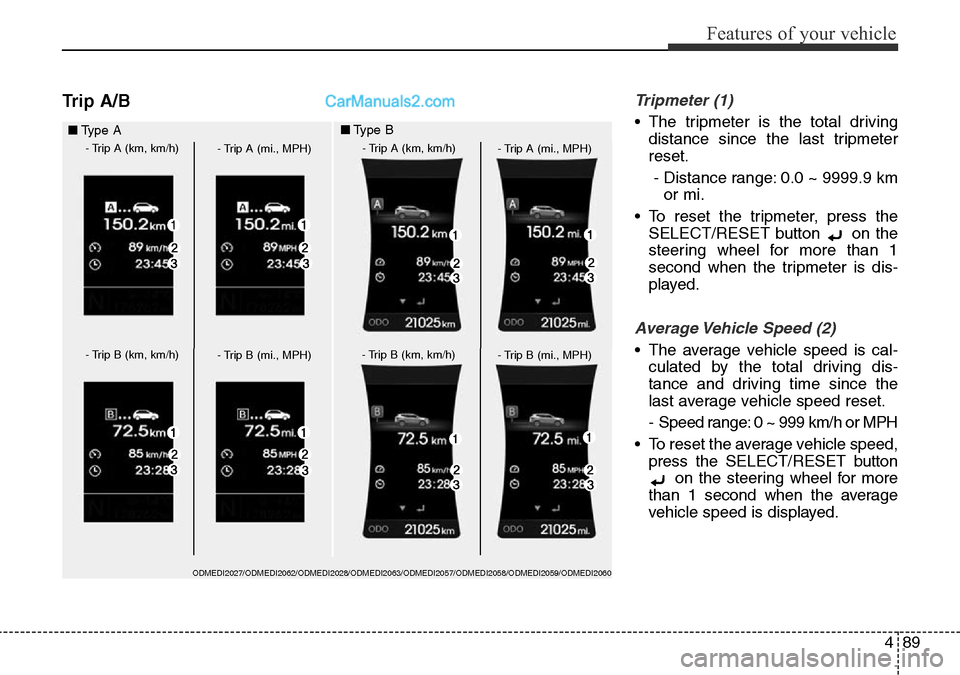
Trip A/BTripmeter (1)
• The tripmeter is the total driving
distance since the last tripmeter
reset.
- Distance range: 0.0 ~ 9999.9 km
or mi.
• To reset the tripmeter, press the
SELECT/RESET button on the
steering wheel for more than 1
second when the tripmeter is dis-
played.
Average Vehicle Speed (2)
• The average vehicle speed is cal-
culated by the total driving dis-
tance and driving time since the
last average vehicle speed reset.
- Speed range: 0 ~ 999 km/h or MPH
• To reset the average vehicle speed,
press the SELECT/RESET button
on the steering wheel for more
than 1 second when the average
vehicle speed is displayed.
■Type A
- Trip A (km, km/h)
- Trip A (mi., MPH)
- Trip B (km, km/h)
- Trip B (mi., MPH)
- Trip A (km, km/h)
- Trip A (mi., MPH)
- Trip B (km, km/h)
- Trip B (mi., MPH)
■Type B
ODMEDI2027/ODMEDI2062/ODMEDI2028/ODMEDI2063/ODMEDI2057/ODMEDI2058/ODMEDI2059/ODMEDI2060
Page 188 of 699
Features of your vehicle
90 4
✽NOTICE
• The average vehicle speed is not
displayed if the driving distance is
less than 0.03 miles (50 metres) or
the driving time is less than 10 sec-
onds since the ignition switch or
Engine Start/Stop button is turned
to ON.
• Even if the vehicle is not in motion,
the average vehicle speed keeps
going whilst the engine is running.
Elapsed Time (3)
• The elapsed time is the total driv-
ing time since the last elapsed time
reset.
- Time range (hh:mm): 00:00 ~ 99:59
• To reset the elapsed time, press
the SELECT/RESET button on
the steering wheel for more than 1
second when the elapsed time is
displayed.
✽NOTICE
Even if the vehicle is not in motion,
the elapsed time keeps going whilst
the engine is running.
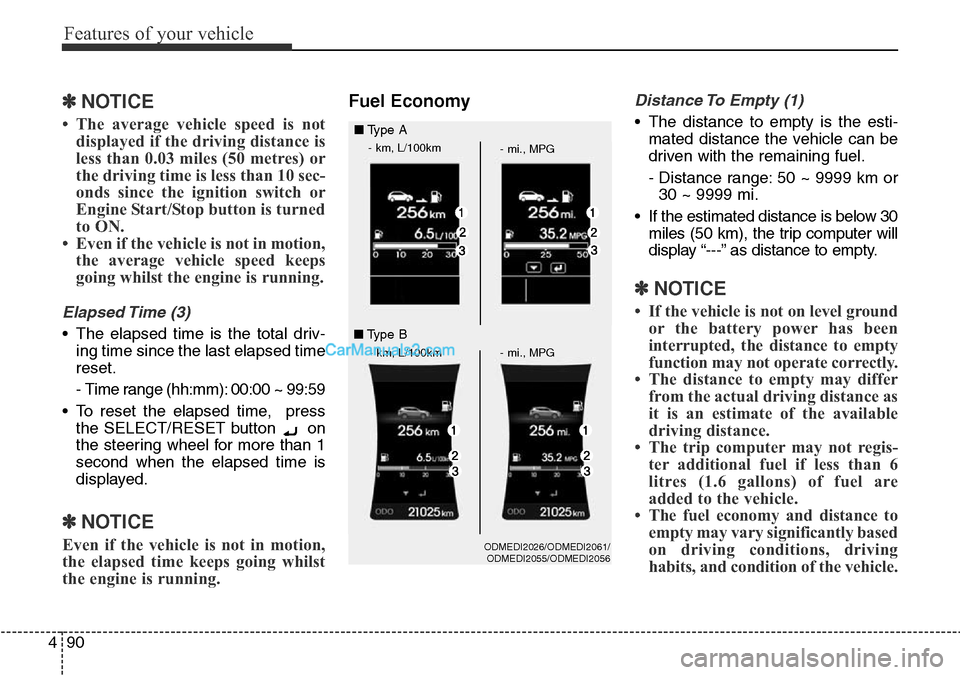
Fuel EconomyDistance To Empty (1)
• The distance to empty is the esti-
mated distance the vehicle can be
driven with the remaining fuel.
- Distance range: 50 ~ 9999 km or
30 ~ 9999 mi.
• If the estimated distance is below 30
miles (50 km), the trip computer will
display “---” as distance to empty.
✽NOTICE
• If the vehicle is not on level ground
or the battery power has been
interrupted, the distance to empty
function may not operate correctly.
• The distance to empty may differ
from the actual driving distance as
it is an estimate of the available
driving distance.
• The trip computer may not regis-
ter additional fuel if less than 6
litres (1.6 gallons) of fuel are
added to the vehicle.
• The fuel economy and distance to
empty may vary significantly based
on driving conditions, driving
habits, and condition of the vehicle.
ODMEDI2026/ODMEDI2061/
ODMEDI2055/ODMEDI2056
■Type A
- km, L/100km
- mi., MPG
- km, L/100km - mi., MPG
■Type B
Page 189 of 699
491
Features of your vehicle
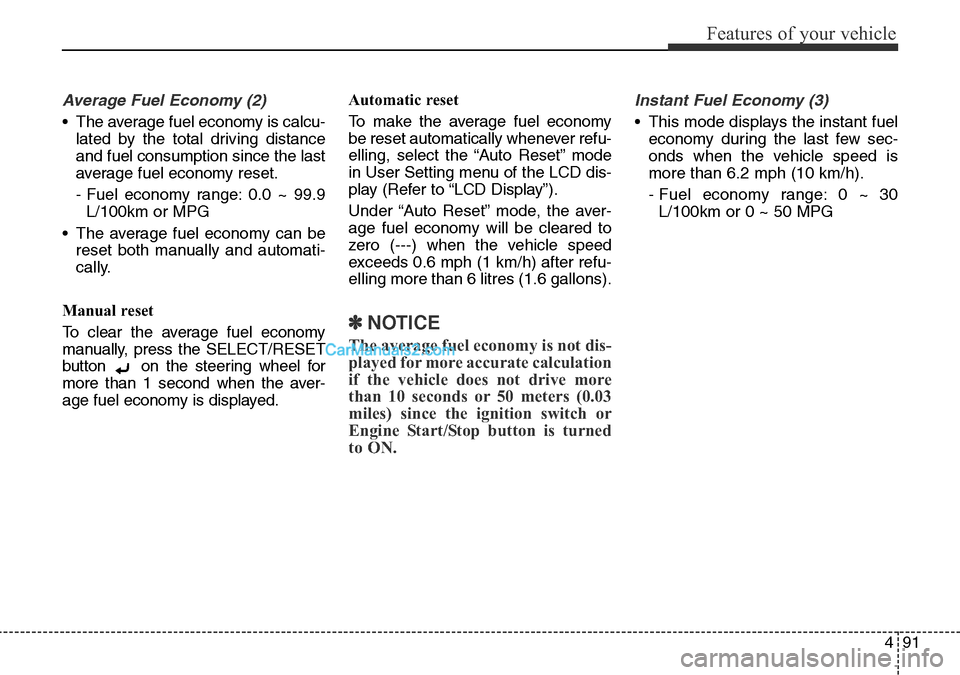
Average Fuel Economy (2)
• The average fuel economy is calcu-
lated by the total driving distance
and fuel consumption since the last
average fuel economy reset.
- Fuel economy range: 0.0 ~ 99.9
L/100km or MPG
• The average fuel economy can be
reset both manually and automati-
cally.
Manual reset
To clear the average fuel economy
manually, press the SELECT/RESET
button on the steering wheel for
more than 1 second when the aver-
age fuel economy is displayed.Automatic reset
To make the average fuel economy
be reset automatically whenever refu-
elling, select the “Auto Reset” mode
in User Setting menu of the LCD dis-
play (Refer to “LCD Display”).
Under “Auto Reset” mode, the aver-
age fuel economy will be cleared to
zero (---) when the vehicle speed
exceeds 0.6 mph (1 km/h) after refu-
elling more than 6 litres (1.6 gallons).
✽NOTICE
The average fuel economy is not dis-
played for more accurate calculation
if the vehicle does not drive more
than 10 seconds or 50 meters (0.03
miles) since the ignition switch or
Engine Start/Stop button is turned
to ON.
Instant Fuel Economy (3)
• This mode displays the instant fuel
economy during the last few sec-
onds when the vehicle speed is
more than 6.2 mph (10 km/h).
- Fuel economy range: 0 ~ 30
L/100km or 0 ~ 50 MPG
Page 190 of 699
Features of your vehicle
92 4
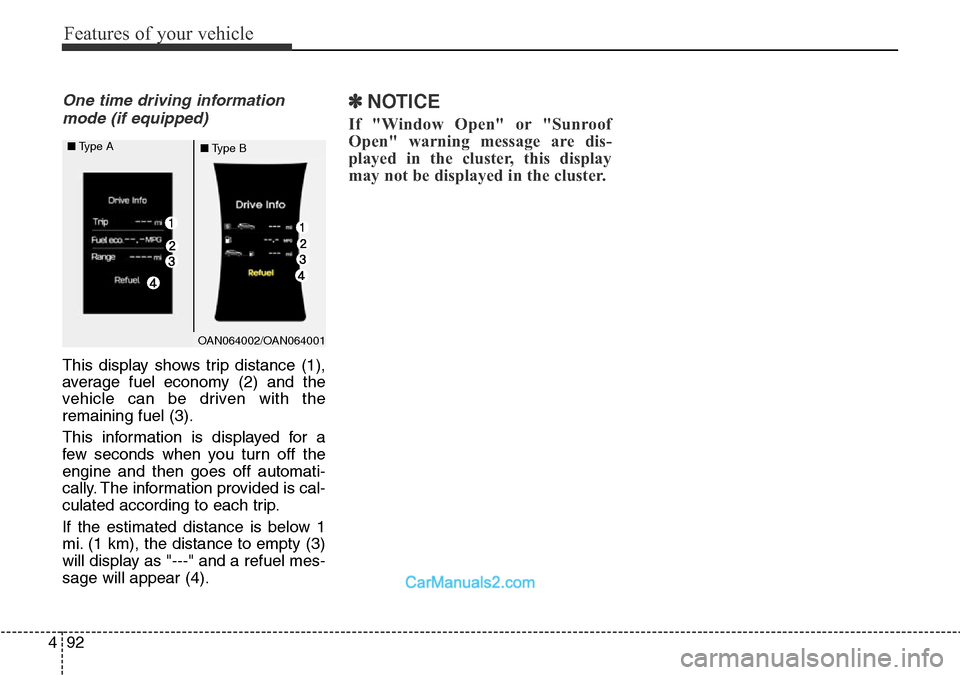
One time driving information
mode (if equipped)
This display shows trip distance (1),
average fuel economy (2) and the
vehicle can be driven with the
remaining fuel (3).
This information is displayed for a
few seconds when you turn off the
engine and then goes off automati-
cally. The information provided is cal-
culated according to each trip.
If the estimated distance is below 1
mi. (1 km), the distance to empty (3)
will display as "---" and a refuel mes-
sage will appear (4).
✽NOTICE
If "Window Open" or "Sunroof
Open" warning message are dis-
played in the cluster, this display
may not be displayed in the cluster.
OAN064002/OAN064001 ■Type A
■Type B
Page 198 of 699
Features of your vehicle
100 4
Low Fuel Level Warning
Light
This warning light illuminates:
When the fuel tank is nearly empty.
If the fuel tank is nearly empty:
Add fuel as soon as possible.
Low Tyre Pressure
Warning Light
(if equipped)
This warning light illuminates:
• Once you set the ignition switch or
Engine Start/Stop Button to the ON
position.
- It illuminates for approximately 3
seconds and then goes off.
• When one or more of your tyres
are significantly underinflated (The
location of the underinflated tyres
are displayed on the LCD display).
For more details, refer to “Tyre
Pressure Monitoring System
(TPMS)” in chapter 6.This warning light remains on after
blinking for approximately 60 seconds
or repeats blinking and off at the
intervals of approximately 3 seconds:
• When there is a malfunction with
the TPMS.
In this case, we recommend that
you have the vehicle inspected by
a HYUNDAI authorised repairer as
soon as possible.
For more details, refer to “Tyre
Pressure Monitoring System
(TPMS)” in chapter 6.
CAUTION - Low Fuel
Level
Driving with the Low Fuel Level
warning light on or with the fuel
level below “0 or E” can cause
the engine to misfire and dam-
age the catalytic converter (if
equipped).WARNING -Safe Stopping
• The TPMS cannot alert you to
severe and sudden tyre dam-
age caused by external factors.
• If you notice any vehicle insta-
bility, immediately take your
foot off the accelerator pedal,
apply the brakes gradually with
light force, and slowly move to
a safe position off the road.
Page 216 of 699
Features of your vehicle
118 4
Self-diagnosis
When you shift the gear to the R
(Reverse) position and if one or more
of the below occurs you may have a
malfunction in the rear parking assist
system.
• You don't hear an audible warning
sound or if the buzzer sounds inter-
mittently.
If this occurs, we recommend that
the system be checked by a
HYUNDAI authorised repairer.
WARNING
Your new vehicle warranty does
not cover any accidents or dam-
age to the vehicle or injuries to
its occupants related to a park-
ing assist system. Always drive
safely and cautiously.
(blinks)
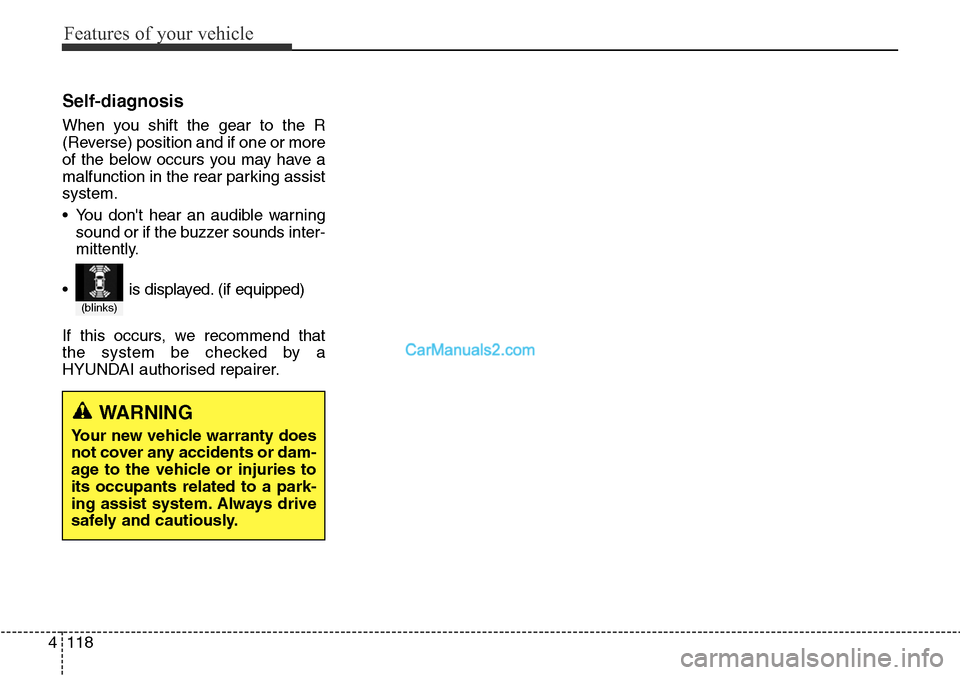
• is displayed. (if equipped)
Page 217 of 699
4119
Features of your vehicle
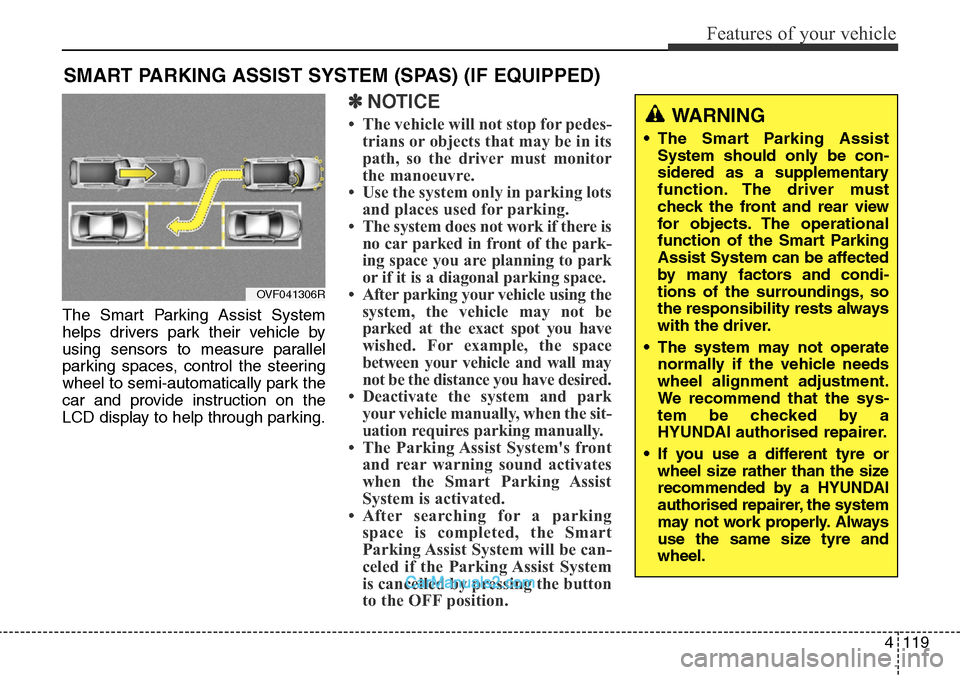
The Smart Parking Assist System
helps drivers park their vehicle by
using sensors to measure parallel
parking spaces, control the steering
wheel to semi-automatically park the
car and provide instruction on the
LCD display to help through parking.
✽NOTICE
• The vehicle will not stop for pedes-
trians or objects that may be in its
path, so the driver must monitor
the manoeuvre.
• Use the system only in parking lots
and places used for parking.
• The system does not work if there is
no car parked in front of the park-
ing space you are planning to park
or if it is a diagonal parking space.
• After parking your vehicle using the
system, the vehicle may not be
parked at the exact spot you have
wished. For example, the space
between your vehicle and wall may
not be the distance you have desired.
• Deactivate the system and park
your vehicle manually, when the sit-
uation requires parking manually.
• The Parking Assist System's front
and rear warning sound activates
when the Smart Parking Assist
System is activated.
• After searching for a parking
space is completed, the Smart
Parking Assist System will be can-
celed if the Parking Assist System
is cancelled by pressing the button
to the OFF position.
SMART PARKING ASSIST SYSTEM (SPAS) (IF EQUIPPED)
WARNING
• The Smart Parking Assist
System should only be con-
sidered as a supplementary
function. The driver must
check the front and rear view
for objects. The operational
function of the Smart Parking
Assist System can be affected
by many factors and condi-
tions of the surroundings, so
the responsibility rests always
with the driver.
• The system may not operate
normally if the vehicle needs
wheel alignment adjustment.
We recommend that the sys-
tem be checked by a
HYUNDAI authorised repairer.
• If you use a different tyre or
wheel size rather than the size
recommended by a HYUNDAI
authorised repairer, the system
may not work properly. Always
use the same size tyre and
wheel.
OVF041306R