ECO mode Hyundai Sonata Plug-in Hybrid 2016 Owner's Guide
[x] Cancel search | Manufacturer: HYUNDAI, Model Year: 2016, Model line: Sonata Plug-in Hybrid, Model: Hyundai Sonata Plug-in Hybrid 2016Pages: 685, PDF Size: 41.8 MB
Page 194 of 685
3-107
Convenient features of your vehicle
3
Information
If “Sunroof Open” warning message is
displayed in the cluster, the Driving
Information message may not be dis-
played.
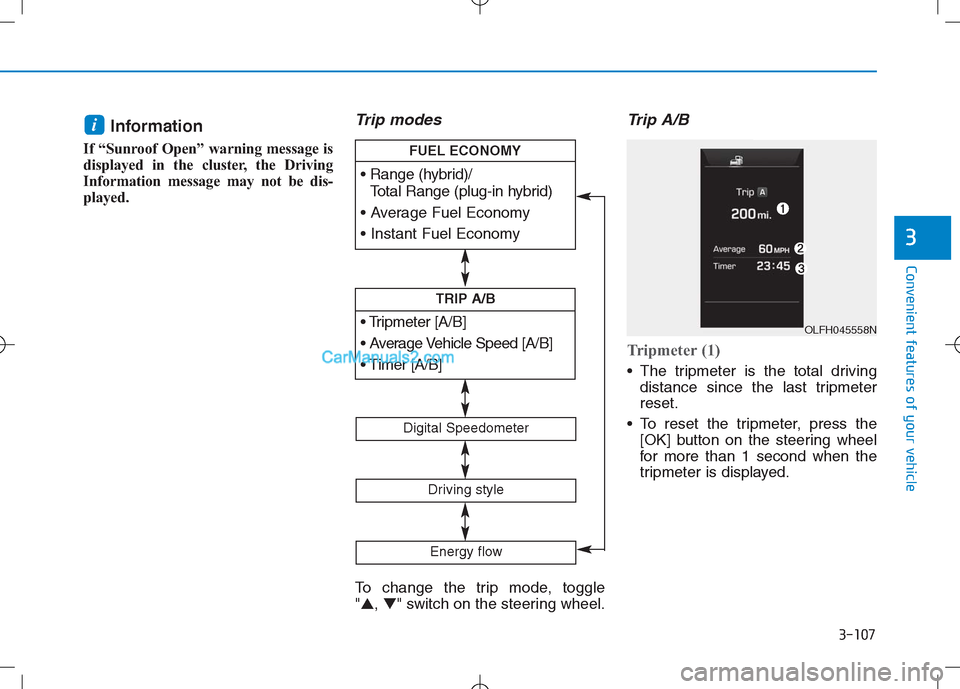
Trip modes
To change the trip mode, toggle
"▲, ▼" switch on the steering wheel.
Trip A/B
Tripmeter (1)
The tripmeter is the total driving
distance since the last tripmeter
reset.
To reset the tripmeter, press the
[OK] button on the steering wheel
for more than 1 second when the
tripmeter is displayed.
i
[A/B]
TRIP A/B
Total Range (plug-in hybrid)
FUEL ECONOMY
Digital Speedometer
Driving style
Energy flow
OLFH045558N
Page 197 of 685
3-110
Convenient features of your vehicle
Automatic reset
To automatically reset the average fuel
economy after refueling, select the
“After Refueling” feature in the User
Settings Mode on the LCD display
(Refer to "LCD Display“ in this
chapter).
If the “After Refueling” feature is
selected, the average fuel economy
will be cleared to zero (---), when driv-
ing speed exceeds 1 mph (1km/h),
after refueling more than 1.6 gallons
(6 liters).
Information
The vehicle must be driven for a min-
imum of 0.19 mile (0.3 km) since the
last ignition key cycle before the aver-
age fuel economy is recalculated.
Instant Fuel Economy (3)
This mode displays the instanta-
neous fuel economy while driving
when the vehicle speed is greater
than 6.2 mph (10 km/h).
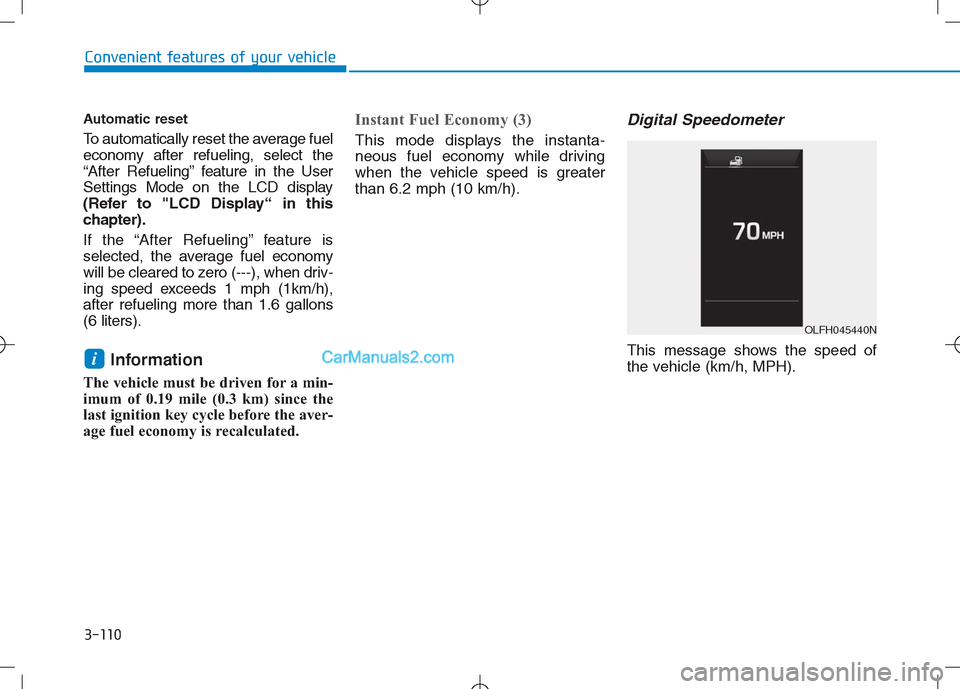
Digital Speedometer
This message shows the speed of
the vehicle (km/h, MPH).i
OLFH045440N
Page 198 of 685
3-111
Convenient features of your vehicle
3
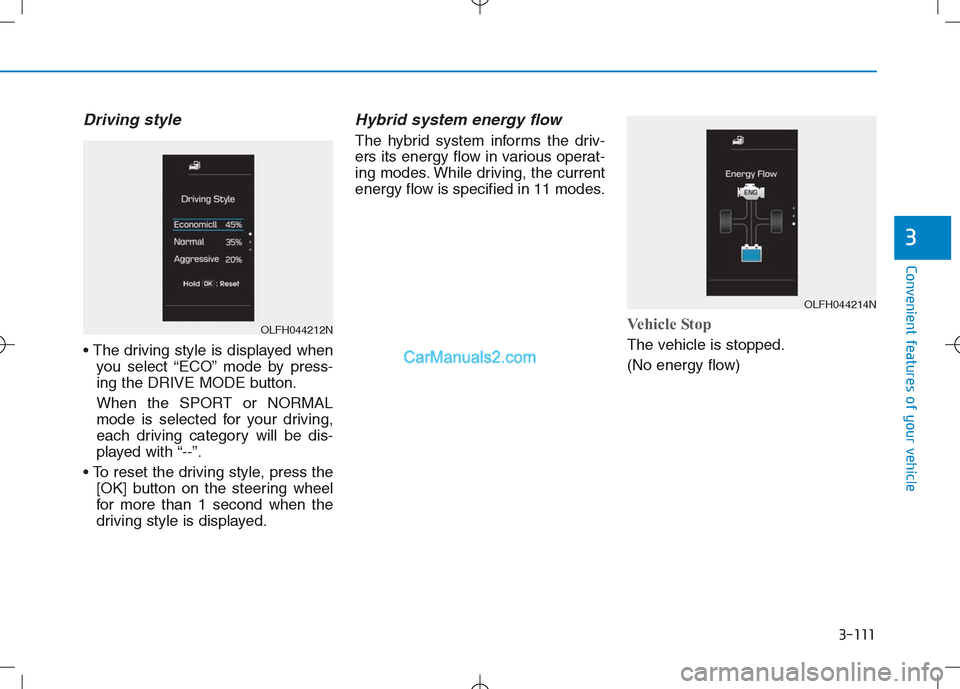
Driving style
you select “ECO” mode by press-
ing the DRIVE MODE button.
When the SPORT or NORMAL
mode is selected for your driving,
each driving category will be dis-
played with “--”.
[OK] button on the steering wheel
for more than 1 second when the
driving style is displayed.
Hybrid system energy flow
The hybrid system informs the driv-
ers its energy flow in various operat-
ing modes. While driving, the current
energy flow is specified in 11 modes.
Vehicle Stop
The vehicle is stopped.
(No energy flow)
OLFH044212N
OLFH044214N
Page 209 of 685
3-122
Convenient features of your vehicle
Battery saver function
The purpose of this feature is to pre-
vent the battery from being dis-
charged. The system automatically
turns off the parking lamp when the
driver turns the engine off and opens
the driver-side door.
With this feature, the parking lamps
will turn off automatically if the driver
parks on the side of road at night.
If necessary, to keep the lamps on
when the engine is turned off, perform
the following:
1) Open the driver-side door.
2) Turn the parking lamps OFF and
ON again using the light switch on
the steering column.
Headlamp delay function
(if equipped)
If engine Start/Stop button is in the
ACC or OFF position with the head-
lamps ON, the headlamps (and/or
parking lamps) remain on for about 5
minutes. However, if the driver’s door
is opened and closed, the headlamps
are turned off after 15 seconds.
However, with the engine off if the dri-
ver’s door is opened and closed, the
headlamps (and/or parking lamps)
are turned off after 15 seconds.
The headlamps (and/or parking
lamps) can be turned off by pressing
the lock button on the smart key
twice or turning the light switch to the
OFF or AUTO position. However, if
you turn the light switch to the AUTO
position when it is dark outside, the
headlamps will not be turned off.
You can activate or deactivate the
Headlamp Delay function from the
User Settings Mode (Light) on the
LCD display.
For more information, refer to the
"LCD Display" section in this
chapter.If the driver gets out of the vehicle
through other doors (except dri-
ver’s door), the battery saver func-
tion does not operate and the
headlamp delay function does not
turn off automatically. Therefore, It
causes the battery to be dis-
charged. In this case, make sure
to turn off the lamp before getting
out of the vehicle.
NOTICE
Page 211 of 685
3-124
Convenient features of your vehicle
Welcome System (if equipped)
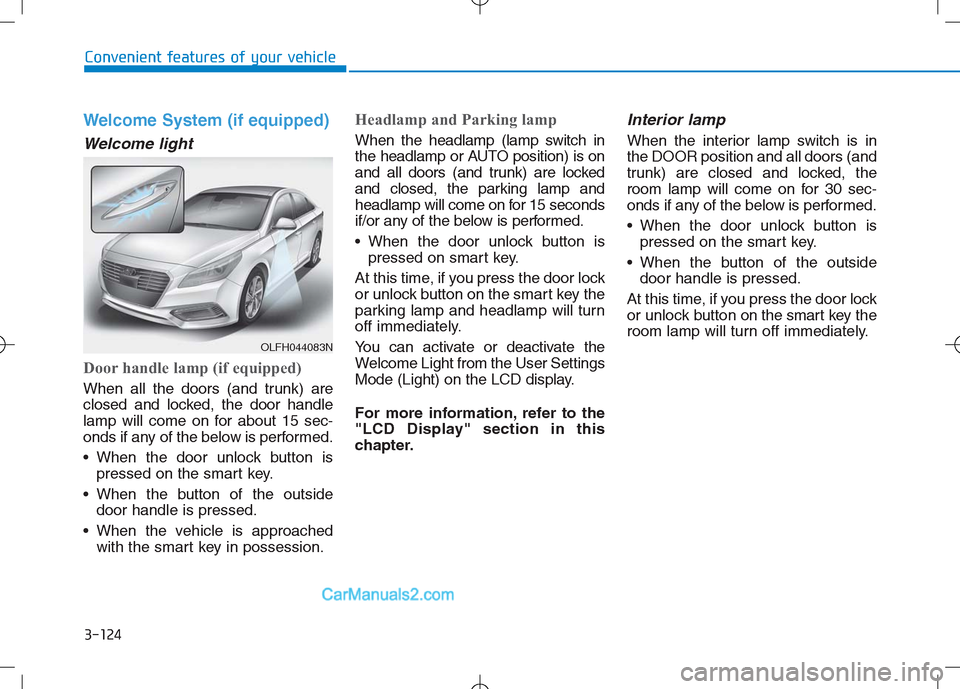
Welcome light
Door handle lamp (if equipped)
When all the doors (and trunk) are
closed and locked, the door handle
lamp will come on for about 15 sec-
onds if any of the below is performed.
When the door unlock button is
pressed on the smart key.
When the button of the outside
door handle is pressed.
When the vehicle is approached
with the smart key in possession.
Headlamp and Parking lamp
When the headlamp (lamp switch in
the headlamp or AUTO position) is on
and all doors (and trunk) are locked
and closed, the parking lamp and
headlamp will come on for 15 seconds
if/or any of the below is performed.
When the door unlock button is
pressed on smart key.
At this time, if you press the door lock
or unlock button on the smart key the
parking lamp and headlamp will turn
off immediately.
You can activate or deactivate the
Welcome Light from the User Settings
Mode (Light) on the LCD display.
For more information, refer to the
"LCD Display" section in this
chapter.
Interior lamp
When the interior lamp switch is in
the DOOR position and all doors (and
trunk) are closed and locked, the
room lamp will come on for 30 sec-
onds if any of the below is performed.
When the door unlock button is
pressed on the smart key.
When the button of the outside
door handle is pressed.
At this time, if you press the door lock
or unlock button on the smart key the
room lamp will turn off immediately.
OLFH044083N
Page 224 of 685
3-137
Convenient features of your vehicle
3
A AU
UT
TO
OM
MA
AT
TI
IC
C
C
CL
LI
IM
MA
AT
TE
E
C
CO
ON
NT
TR
RO
OL
L
S
SY
YS
ST
TE
EM
M
OLFH044531K
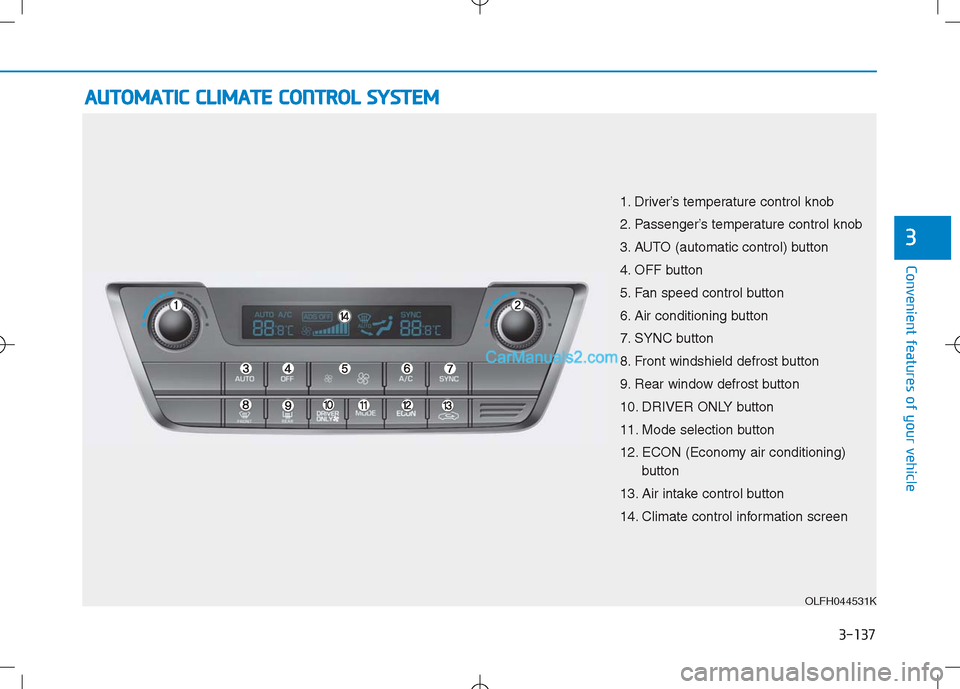
1. Driver’s temperature control knob
2. Passenger’s temperature control knob
3. AUTO (automatic control) button
4. OFF button
5. Fan speed control button
6. Air conditioning button
7. SYNC button
8. Front windshield defrost button
9. Rear window defrost button
10. DRIVER ONLY button
11. Mode selection button
12. ECON (Economy air conditioning)
button
13. Air intake control button
14. Climate control information screen
Page 230 of 685
3-143
Convenient features of your vehicle
3
Temperature conversion
If the battery has been discharged or
disconnected, the temperature mode
display will reset to Centigrade.
You can switch the temperature mode
between Centigrade to Fahrenheit as
follows;
- Automatic climate control system
While pressing the OFF button,
press the AUTO button for 3 seconds
or more. The display will change from
Centigrade to Fahrenheit, or from
Fahrenheit to Centigrade.
- “User setting mode” in the cluster :
You can change the temperature
unit in the “Other features -
Temperature unit”
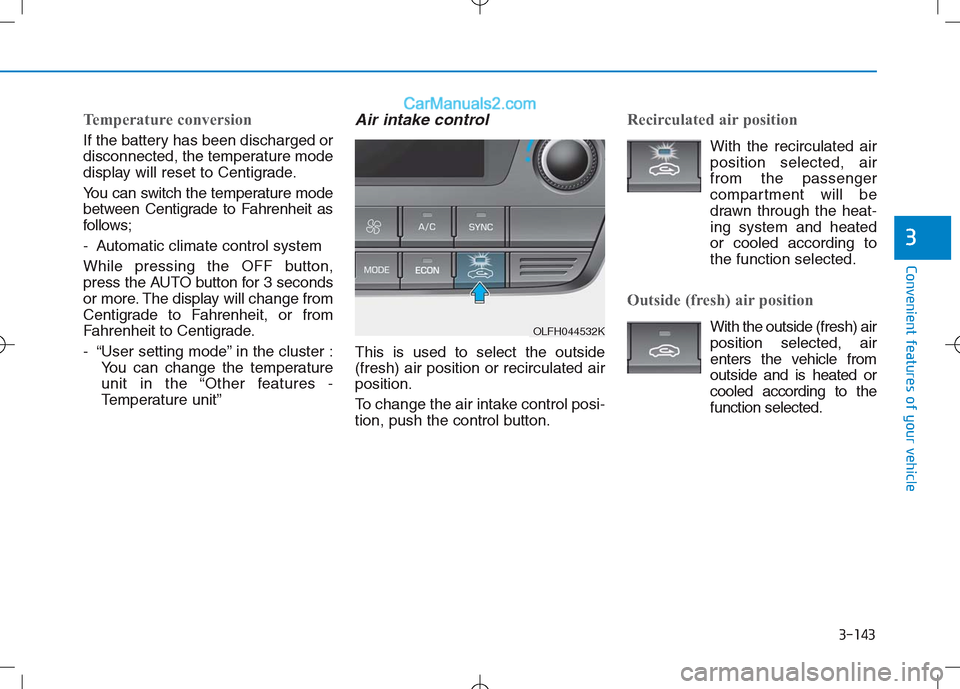
Air intake control
This is used to select the outside
(fresh) air position or recirculated air
position.
To change the air intake control posi-
tion, push the control button.
Recirculated air position
With the recirculated air
position selected, air
from the passenger
compartment will be
drawn through the heat-
ing system and heated
or cooled according to
the function selected.
Outside (fresh) air position
With the outside (fresh) air
position selected, air
enters the vehicle from
outside and is heated or
cooled according to the
function selected.OLFH044532K
Page 233 of 685
3-146
Convenient features of your vehicle
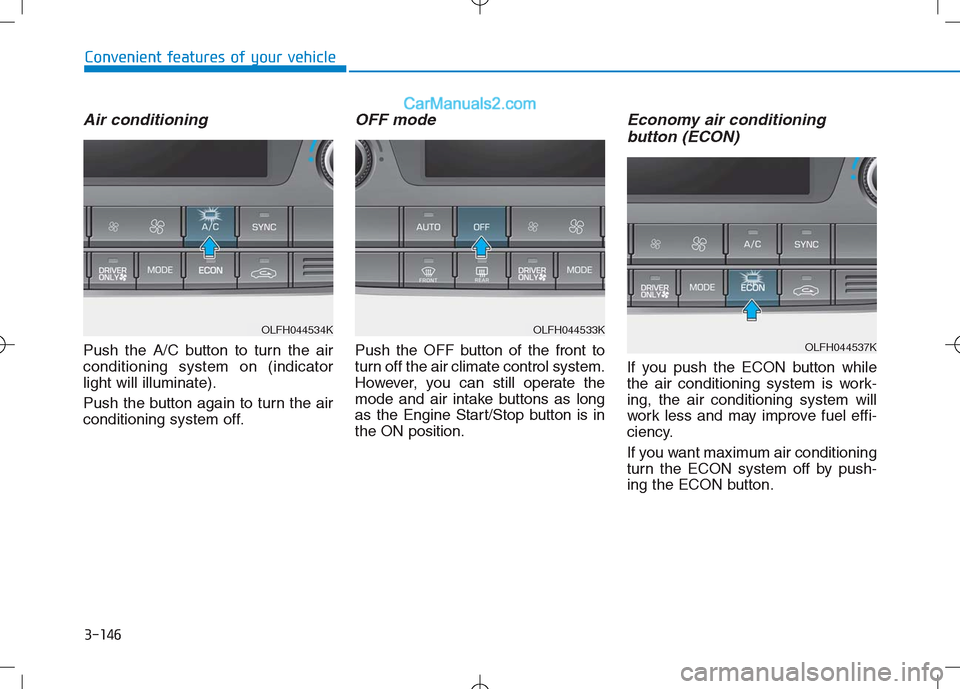
Air conditioning
Push the A/C button to turn the air
conditioning system on (indicator
light will illuminate).
Push the button again to turn the air
conditioning system off.
OFF mode
Push the OFF button of the front to
turn off the air climate control system.
However, you can still operate the
mode and air intake buttons as long
as the Engine Start/Stop button is in
the ON position.
Economy air conditioning
button (ECON)
If you push the ECON button while
the air conditioning system is work-
ing, the air conditioning system will
work less and may improve fuel effi-
ciency.
If you want maximum air conditioning
turn the ECON system off by push-
ing the ECON button.
OLFH044533K
OLFH044537K
OLFH044534K
Page 235 of 685

3-148
Convenient features of your vehicle
Information
• When using the air conditioning sys-
tem, monitor the temperature gauge
closely while driving up hills or in
heavy traffic when outside tempera-
tures are high. Air conditioning sys-
tem operation may cause engine
overheating. Continue to use the
blower fan but turn the air condi-
tioning system off if the temperature
gauge indicates engine overheating.
• When opening the windows in
humid weather air conditioning
may create water droplets inside the
vehicle. Since excessive water
droplets may cause damage to elec-
trical equipment, air conditioning
should only be used with the win-
dows closed.
Air conditioning system operation
tips
If the vehicle has been parked in
direct sunlight during hot weather,
open the windows for a short time
to let the hot air inside the vehicle
escape.
Use air conditioning to reduce
humidity and moisture inside the
vehicle on rainy or humid days.
During air conditioning system
operation, you may occasionally
notice a slight change in engine
speed as the air conditioning com-
pressor cycles. This is a normal
system operation characteristic.
Use the air conditioning system
every month only for a few minutes
to ensure maximum system per-
formance.
When using the air conditioning
system, you may notice clear water
dripping (or even puddling) on the
ground under the passenger side
of the vehicle. This is a normal sys-
tem operation characteristic. Operating the air conditioning sys-
tem in the recirculated air position
provides maximum cooling, how-
ever, continual operation in this
mode may cause the air inside the
vehicle to become stale.
During cooling operation, you may
occasionally notice a misty air flow
because of rapid cooling and
humid air intake. This is a normal
system operation characteristic.
i
Page 238 of 685
3-151
Convenient features of your vehicle
3
W WI
IN
ND
DS
SH
HI
IE
EL
LD
D
D
DE
EF
FR
RO
OS
ST
TI
IN
NG
G
A
AN
ND
D
D
DE
EF
FO
OG
GG
GI
IN
NG
G
For maximum windshield defrost-
ing, set the temperature control
knob to the highest temperature
setting and the fan control knob to
the highest fan speed. Select the
front defrost button on the climate
control display. After the engine
warm-up period, warm air will be
directed to the front windshield.
If warm air to the floor is desired
while defrosting or defogging, set the
mode to the floor-defrost position.
Before driving, clear all snow and
ice from the windshield, rear win-
dow, outside rear view mirrors, and
all side windows.
Clear all snow and ice from the
hood and air inlet in the cowl grill to
improve heater and defroster effi-
ciency and to reduce the probability
of fogging up the inside of the wind-
shield.
To reduce tendency of the glass
fogging and also to improve visibil-
ity, keep the interior surface of the
windshield clean by wiping it with a
clean cloth and glass cleaner.If the engine temperature is still
cold after starting, then a brief
engine warm up period may be
required for the vented air flow to
become warm or hot.NOTICE
Windshield heating
Do not use the or posi-
tion during cooling operation in
extremely humid weather. The
difference between the temper-
ature of the outside air and that
of the windshield could cause
the outer surface of the wind-
shield to fog up, causing loss of
visibility could cause an acci-
dent resulting in serious injury
or death. In this case, set the
mode selection knob or button
to the position and fan
speed control knob or button to
a lower speed.
WARNING