trip computer HYUNDAI TUCSON 2008 Owners Manual
[x] Cancel search | Manufacturer: HYUNDAI, Model Year: 2008, Model line: TUCSON, Model: HYUNDAI TUCSON 2008Pages: 275, PDF Size: 10.93 MB
Page 59 of 275
1
FEATURES OF YOUR HYUNDAI
47
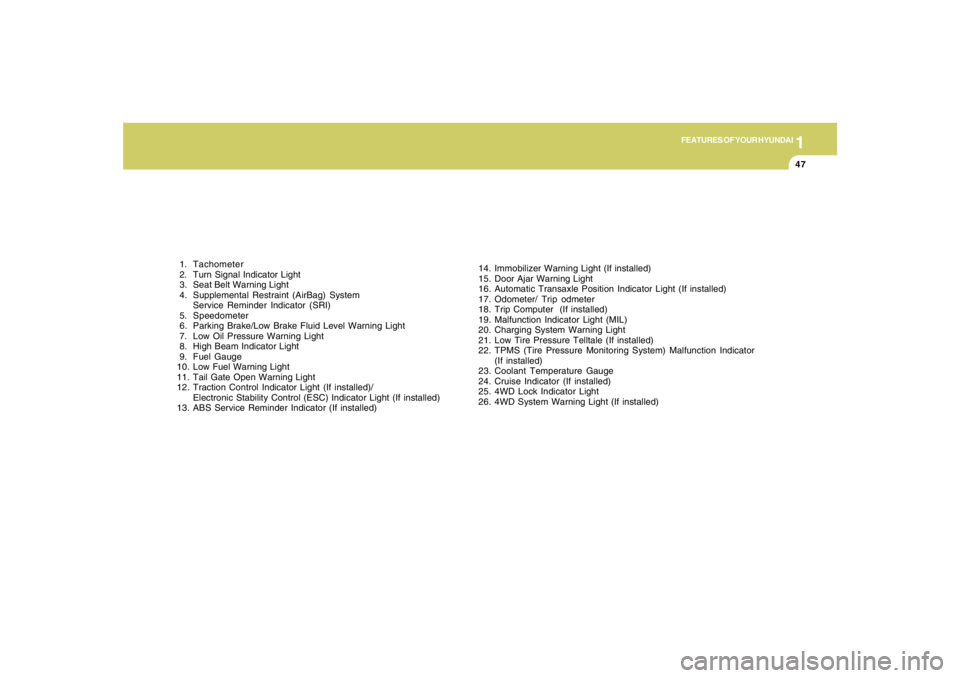
1. Tachometer
2. Turn Signal Indicator Light
3. Seat Belt Warning Light
4. Supplemental Restraint (AirBag) System
Service Reminder Indicator (SRI)
5. Speedometer
6. Parking Brake/Low Brake Fluid Level Warning Light
7. Low Oil Pressure Warning Light
8. High Beam Indicator Light
9. Fuel Gauge
10. Low Fuel Warning Light
11. Tail Gate Open Warning Light
12. Traction Control Indicator Light (If installed)/
Electronic Stability Control (ESC) Indicator Light (If installed)
13. ABS Service Reminder Indicator (If installed)14. Immobilizer Warning Light (If installed)
15. Door Ajar Warning Light
16. Automatic Transaxle Position Indicator Light (If installed)
17. Odometer/ Trip odmeter
18. Trip Computer (If installed)
19. Malfunction Indicator Light (MIL)
20. Charging System Warning Light
21. Low Tire Pressure Telltale (If installed)
22. TPMS (Tire Pressure Monitoring System) Malfunction Indicator
(If installed)
23. Coolant Temperature Gauge
24. Cruise Indicator (If installed)
25. 4WD Lock Indicator Light
26. 4WD System Warning Light (If installed)
Page 67 of 275
1
FEATURES OF YOUR HYUNDAI
55
B310B02JM-C
(AT)
(MT)(1)
(1)
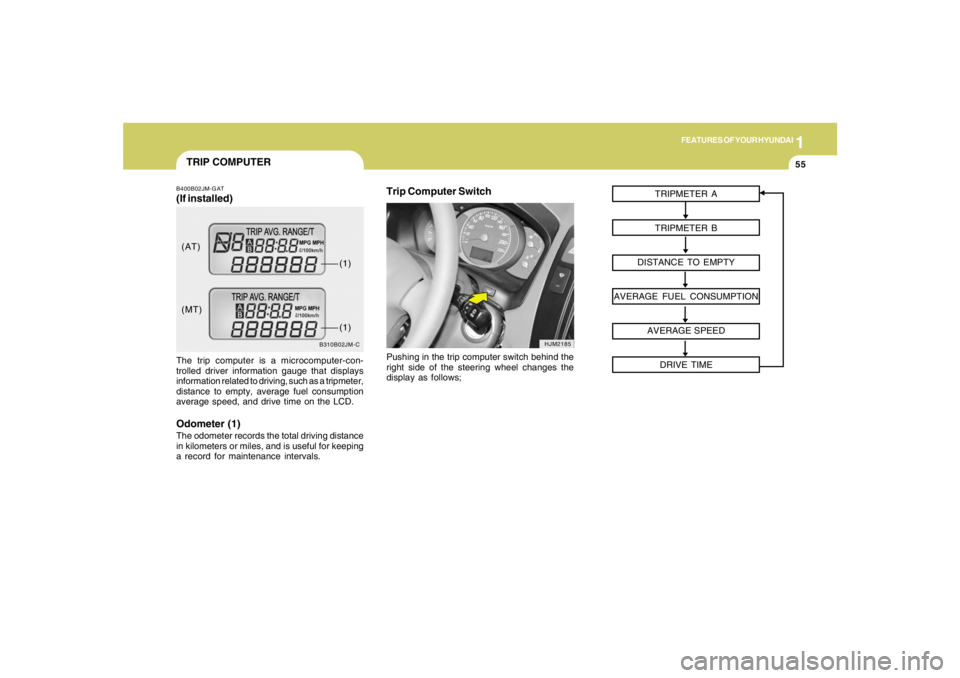
TRIP COMPUTERB400B02JM-GAT(If installed)The trip computer is a microcomputer-con-
trolled driver information gauge that displays
information related to driving, such as a tripmeter,
distance to empty, average fuel consumption
average speed, and drive time on the LCD.Odometer (1)The odometer records the total driving distance
in kilometers or miles, and is useful for keeping
a record for maintenance intervals.
Trip Computer Switch
HJM2185
Pushing in the trip computer switch behind the
right side of the steering wheel changes the
display as follows;TRIPMETER A
TRIPMETER B
DISTANCE TO EMPTY
AVERAGE FUEL CONSUMPTION
AVERAGE SPEED
DRIVE TIME
Page 68 of 275
1FEATURES OF YOUR HYUNDAI56
HJM2186-C
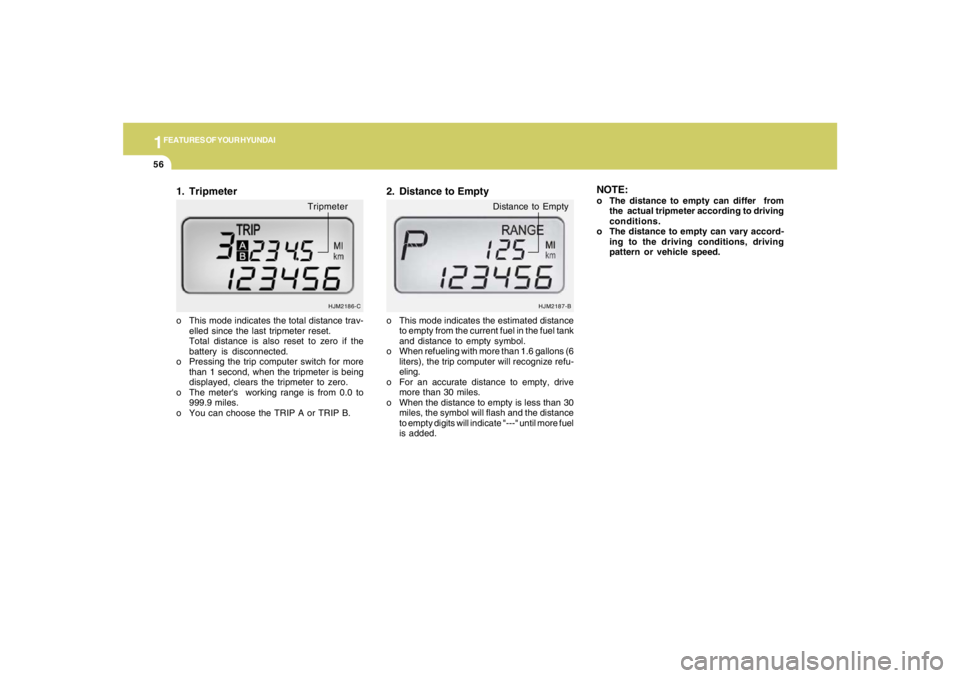
o This mode indicates the total distance trav-
elled since the last tripmeter reset.
Total distance is also reset to zero if the
battery is disconnected.
o Pressing the trip computer switch for more
than 1 second, when the tripmeter is being
displayed, clears the tripmeter to zero.
o The meter's working range is from 0.0 to
999.9 miles.
o You can choose the TRIP A or TRIP B.1. Tripmeter
Tripmeter
o This mode indicates the estimated distance
to empty from the current fuel in the fuel tank
and distance to empty symbol.
o When refueling with more than 1.6 gallons (6
liters), the trip computer will recognize refu-
eling.
o For an accurate distance to empty, drive
more than 30 miles.
o When the distance to empty is less than 30
miles, the symbol will flash and the distance
to empty digits will indicate "---" until more fuel
is added.2. Distance to Empty
HJM2187-B
Distance to Empty
NOTE:o The distance to empty can differ from
the actual tripmeter according to driving
conditions.
o The distance to empty can vary accord-
ing to the driving conditions, driving
pattern or vehicle speed.
Page 69 of 275
1
FEATURES OF YOUR HYUNDAI
57
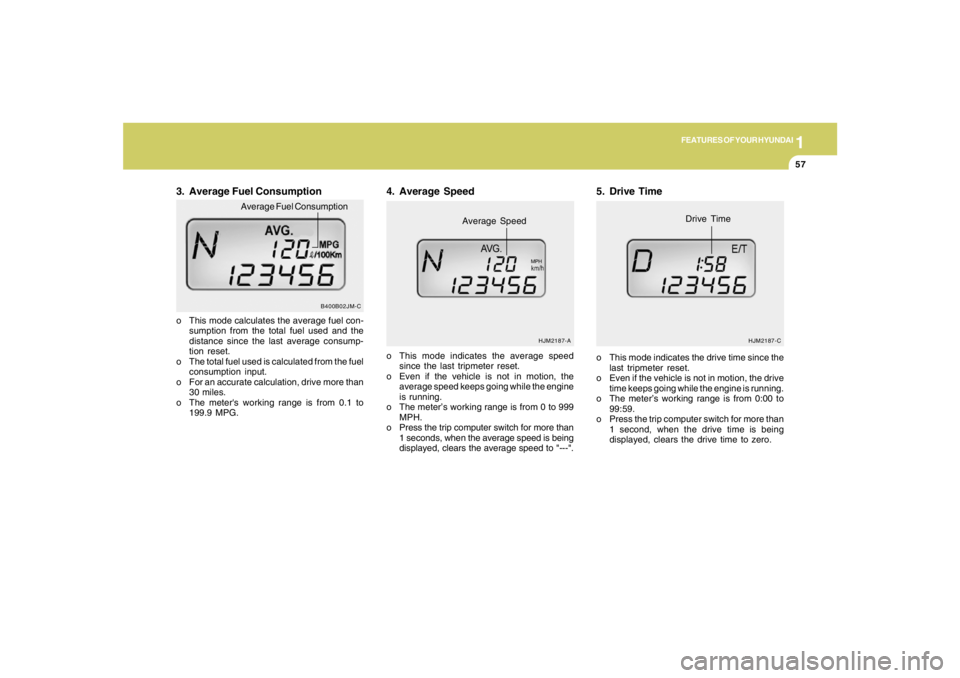
3. Average Fuel Consumptiono This mode calculates the average fuel con-
sumption from the total fuel used and the
distance since the last average consump-
tion reset.
o The total fuel used is calculated from the fuel
consumption input.
o For an accurate calculation, drive more than
30 miles.
o The meter's working range is from 0.1 to
199.9 MPG.o This mode indicates the average speed
since the last tripmeter reset.
o Even if the vehicle is not in motion, the
average speed keeps going while the engine
is running.
o The meter’s working range is from 0 to 999
MPH.
o Press the trip computer switch for more than
1 seconds, when the average speed is being
displayed, clears the average speed to "---".
4. Average Speed
HJM2187-A
Average Speed
MPH
5. Drive Timeo This mode indicates the drive time since the
last tripmeter reset.
o Even if the vehicle is not in motion, the drive
time keeps going while the engine is running.
o The meter’s working range is from 0:00 to
99:59.
o Press the trip computer switch for more than
1 second, when the drive time is being
displayed, clears the drive time to zero.
HJM2187-C
Drive Time
B400B02JM-C
Average Fuel Consumption
Page 272 of 275
10
INDEX
5
S
Seat
Front.............................................................................................1-12
Rear..............................................................................................1-16
Seat warmer .................................................................................1-15
Seat Belts
3-point system.............................................................................1-21
Pretensioner seat belt ..................................................................1-31
Adjusting your seat belt ...............................................................1-22
Care of seat belts .........................................................................1-19
Precautions..................................................................................1-18
Shop Manual ......................................................................................8-14
Shopping Bag Holders......................................................................1-78
Sound
Brake pad warning sound ............................................................1-52
Spectacle Case.................................................................................1-71
Speedometer.....................................................................................1-54
Starting Procedure.............................................................................. 2-6
Steering Wheel Free play .................................................................6-19
Steering Wheel Tilt Lever ..................................................................1-86
Stereo Sound System ....................................................................1-109
Sunroof..............................................................................................1-68
Sun Visor...........................................................................................1-85
T
Tachometer.......................................................................................1-54
Tail Gate............................................................................................1-78
Tail gate window...........................................................................1-78
Theft-Alarm System............................................................................ 1-8Ticket Holder.....................................................................................1-86
Tires
Balancing......................................................................................8-11
Chains..........................................................................................8-10
Changing a flat tire .......................................................................3-11
If you have a flat tire .....................................................................3-10
Information...................................................................................... 8-2
Maintenance.................................................................................8-13
Pressure......................................................................................... 8-3
Replacement................................................................................8-12
Rotation........................................................................................8-11
Sidewall Labeling............................................................................ 8-6
Snow tires.....................................................................................8-10
Spare tire........................................................................................ 3-8
Terminology and Definition ............................................................ 8-7
Traction........................................................................................8-11
Towing
A trailer (or vehicle)......................................................................2-26
Emergency...................................................................................3-18
If your car must be towed ............................................................3-16
Traction Control System ...................................................................2-13
Transaxle
Automatic........................................................................................ 2-9
Automatic transaxle fluid checking ..............................................6-12
Manual............................................................................................ 2-7
Manual transaxle oil checking.....................................................6-11
Trip Computer...................................................................................1-55