steering wheel INFINITI Q50 HYBRID 2014 Infiniti Intouch
[x] Cancel search | Manufacturer: INFINITI, Model Year: 2014, Model line: Q50 HYBRID, Model: INFINITI Q50 HYBRID 2014Pages: 274, PDF Size: 1.43 MB
Page 87 of 274
![INFINITI Q50 HYBRID 2014 Infiniti Intouch 5. Hands-Free Phone
5-8
Sending a text message
1. Push<>on the steering wheel.
2. Touch [Text Message].
3. Touch [Compose Message].
The following items are available.
Available item Action
[To] [Keypa](/img/42/34966/w960_34966-86.png "INFINITI Q50 HYBRID 2014 Infiniti Intouch 5. Hands-Free Phone
5-8
Sending a text message
1. Push<>on the steering wheel.
2. Touch [Text Message].
3. Touch [Compose Message].
The following items are available.
Available item Action
[To] [Keypa")
5. Hands-Free Phone
5-8
Sending a text message
1. Push<>on the steering wheel.
2. Touch [Text Message].
3. Touch [Compose Message].
The following items are available.
Available item Action
[To] [Keypad]
Type in the address of the recipient using the keypad. Touch
[OK] to confirm the address.
[Phonebook] Select a recipient from the phonebook and touch [OK] to confirm.
[Template] Select from list Select an item from the message list. The selected text will be
added to the message to be sent.
[Edit Template] Select an item in the message list to be edited. Use the keypad to edit the text and touch [OK] to complete editing.
[Send] Touch to send the message.
Page 91 of 274
![INFINITI Q50 HYBRID 2014 Infiniti Intouch 5. Hands-Free Phone
5-12
Phonebook
Phonebook information in cellular phones
can be downloaded.
“5. Phonebook/Favorites Settings”
1. Push <MENU>and touch [Phone].
2. Touch [Phonebook] and touch fro](/img/42/34966/w960_34966-90.png "INFINITI Q50 HYBRID 2014 Infiniti Intouch 5. Hands-Free Phone
5-12
Phonebook
Phonebook information in cellular phones
can be downloaded.
“5. Phonebook/Favorites Settings”
1. Push <MENU>and touch [Phone].
2. Touch [Phonebook] and touch fro")
5. Hands-Free Phone
5-12
Phonebook
Phonebook information in cellular phones
can be downloaded.
“5. Phonebook/Favorites Settings”
1. Push
Page 106 of 274

HOW TO READ DISPLAYED LINES
Guiding lines that indicate the vehicle
width and distances to objects with re-
ference to the bumper line
*Aare dis-
played on the monitor. Distance guide lines:
Indicate distances from the bumper.
. Red line
*1: approx. 1.5 ft (0.5 m)
. Yellow line
*2: approx. 3 ft (1 m)
. Green line
*3: approx. 7 ft (2 m)
. Green line
*4: approx. 10 ft (3 m)
*5Vehicle width guide lines:
Indicate the vehicle width when backing
up.
*6Predictive course lines:
Indicate the predictive course when back-
ing up. The predictive course lines will be
displayed on the monitor when the shift
lever is in the R (Reverse) position and the
steering-wheel is turned. The predictive
course lines will move depending on how
much the steering-wheel is turned and will
not be displayed while the steering-wheel
is in the neutral position.
The vehicle width guide lines and the width
of the predictive course lines are wider
than the actual width and course.
WARNING!
. Always turn and check that it is safe to
park your car before backing up. Always
back up slowly.
. If the tires are replaced with different
sized tires, the predictive course line may
not be displayed correctly.
. On a snow-covered or slippery road,
there may be a difference between the
predictive course line and the actual
course line.
. The displayed lines will appear slightly
off to the right because the RearView
camera is not installed in the rear center
of the vehicle.
. The distance guide line and the vehicle
width guide line should be used as a
reference only when the vehicle is on a
level, paved surface. The distance viewed
on the monitor is for reference only and
may be different than the actual distance
between the vehicle and displayed ob-
jects.
. When backing up the vehicle up a hill,
objects viewed in the monitor are further
than they appear. When backing up the
7. Monitor system
7-3
Page 107 of 274

7. Monitor system
7-4
vehicle down a hill, objects viewed in the
monitor are closer than they appear. Use
the inside mirror or glance over your
shoulder to properly judge distances to
other objects.
HOW TO PARK WITH PREDICTIVE
COURSE LINES
1. Visually check that the parking space issafe before parking your vehicle. 2. The rear view of the vehicle
*Ais
displayed as illustrated when the shift
lever is shifted to the R (Reverse)
position.
3. Slowly back up the vehicle adjusting the steering-wheel so that the predic-
tive course lines
*Benter the parking
space
*C.
4. When the back of the vehicle enters the parking space
*C, maneuver the steer-
ing-wheel to make the vehicle width
guide lines
*Dparallel to the parking
space
*C. 5. When the vehicle is parked in the space
completely, move the shift lever to the
P (Park) position and apply the parking
brake.
REAVIEW MONITOR SETTINGS
The RearView Monitor settings can be
changed with the following procedure.
1. Push
Page 112 of 274

.The vehicle width and predictive course
lines are wider than the actual width and
course.
. The distance between objects viewed in
the rear view differs from actual distance
because a wide-angle lens is used.
Objects in the rear view will appear
visually opposite than when viewed in
the rear view and outside mirrors.
. On a snow-covered or slippery road,
there may be a difference between the
predictive course line and the actual
course line.
. The displayed lines on the rear view will
appear slightly off to the right because
the RearView camera is not installed in
the rear center of the vehicle.Front and rearview
Front view
Rear view
Guiding lines, which indicate the vehicle
width and distances to objects with re-
ference to the vehicle body line
*A, are
displayed on the monitor.
*1-*4Distance guide lines:
Indicate distances from the vehicle body. . Red line
*1: approx. 1.5 ft (0.5 m)
. Yellow line
*2: approx. 3 ft (1 m)
. Green line
*3: approx. 7 ft (2 m)
. Green line
*4: approx. 10 ft (3 m)
*5Vehicle width guide lines:
Indicate the vehicle width when backing
up.
*6Predictive course lines:
Indicate the predictive course when oper-
ating the vehicle. The predictive course
lines will be displayed on the monitor
when the steering-wheel is turned. The
predictive course lines will move depend-
ing on how much the steering-wheel is
turned and will not be displayed while the
steering-wheel is in the neutral position.
The front view will not be displayed when
the vehicle speed is above 6 MPH (10
km/h).
7. Monitor system
7-9
Page 113 of 274
7. Monitor system
7-10
INFO:
When the monitor displays the front view and
the steering-wheel turns about 90 degrees or
less from the neutral position, both the right
and left predictive course lines
*6are dis-
played. When the steering-wheel turns about 90
degrees or more, a line is displayed only on the
opposite side of the turn.
Bird-eye view
WARNING!
. Objects in the bird-eye view will appear
further than the actual distance because
the bird-eye view is a pseudo view that is
processed by combining the views from
the cameras on the outside mirrors, the
front and the rear of the vehicle.
. Tall objects, such as a curb or vehicle,
may be misaligned or not displayed at
the seam of the views.
. Objects that are above the camera cannot
be displayed.
. The view for the bird-eye view may be
misaligned when the camera position
alters. .
A line on the ground may be misaligned
and is not seen as being straight at the
seam of the views. The misalignment will
increase as the line proceeds away from
the vehicle.
. The tire angle display does not indicate
the actual tire angle
The bird-eye view shows the overhead view
of the vehicle, which helps confirm the
vehicle position and the predicted course
to a parking space.
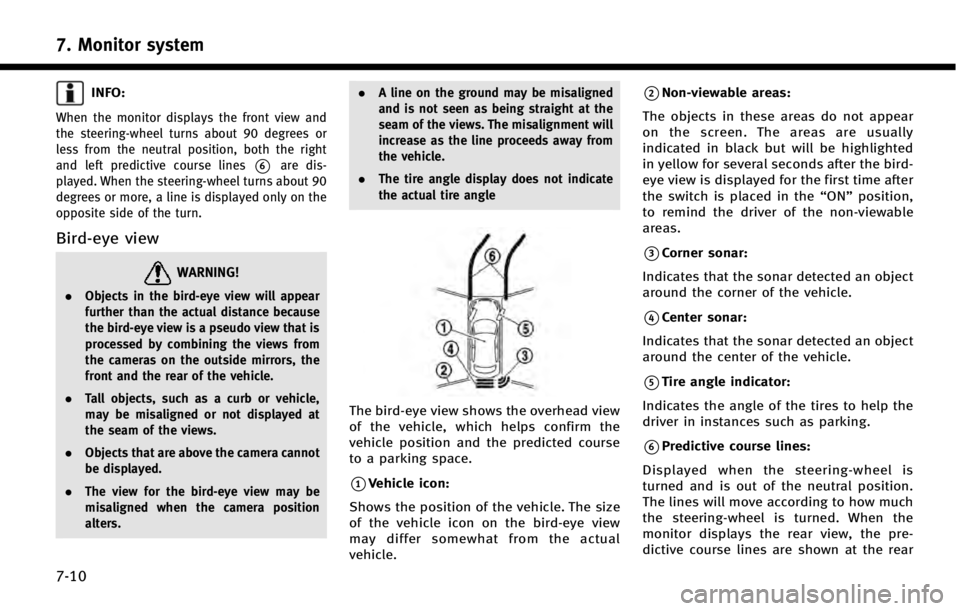
*1Vehicle icon:
Shows the position of the vehicle. The size
of the vehicle icon on the bird-eye view
may differ somewhat from the actual
vehicle.
*2Non-viewable areas:
The objects in these areas do not appear
on the screen. The areas are usually
indicated in black but will be highlighted
in yellow for several seconds after the bird-
eye view is displayed for the first time after
the switch is placed in the “ON”position,
to remind the driver of the non-viewable
areas.
*3Corner sonar:
Indicates that the sonar detected an object
around the corner of the vehicle.
*4Center sonar:
Indicates that the sonar detected an object
around the center of the vehicle.
*5Tire angle indicator:
Indicates the angle of the tires to help the
driver in instances such as parking.
*6Predictive course lines:
Displayed when the steering-wheel is
turned and is out of the neutral position.
The lines will move according to how much
the steering-wheel is turned. When the
monitor displays the rear view, the pre-
dictive course lines are shown at the rear
Page 146 of 274
![INFINITI Q50 HYBRID 2014 Infiniti Intouch Step 1Step 2 Setting item Result
Push <Menu> [Settings] [Vehicle] [Touch Sensitive Door Sensor] Setting Touch door sensor.
[Lane Change (3 Flashes)] Setting Lane change 3 flash.
[Wipe Drip] Setting Dr](/img/42/34966/w960_34966-145.png "INFINITI Q50 HYBRID 2014 Infiniti Intouch Step 1Step 2 Setting item Result
Push <Menu> [Settings] [Vehicle] [Touch Sensitive Door Sensor] Setting Touch door sensor.
[Lane Change (3 Flashes)] Setting Lane change 3 flash.
[Wipe Drip] Setting Dr")
Step 1Step 2 Setting item Result
Push
Page 154 of 274

DRIVER ASSISTANCE SETTINGS
Various functions for supporting your drive can be set. Refer to the vehicle Owner’s
Manual for the detail of the each function.
Step 1Step 2 Step 3 Setting Item Action
Push
Page 174 of 274
Voice command
1. Push <
>located on the steering-
wheel.
2. After the tone sounds, speak a com- mand.
To searches for a destination by address:
“Navigation”, "Street Address”
FINDING POINTS OF INTEREST
This allows you to find a facility by name or
by category. Specify the region and city of
the destination to find it more quickly.
NOTE:
Locations and business hours of facilities are
subject to change, which may not be reflected
in the map data. Double-check this information
before you go to an emergency facility to ensure
that you can receive the proper support.
Otherwise, you may not receive emergency
help when you arrive at the destination.
A confirmation message also appears on the
navigation screen. Follow the displayed instruc-
tions and check the items required.
Searching by a landmark name
1. Push
Page 176 of 274
2. The home location is displayed on theupper display, and the system sets the
home location as the destination.
INFO:
If the home location is not stored yet, the
system will automatically display a screen
for storing it.
“Storing home location” (page 9-48)
3. The selected destination is displayed at
the center of the map. Touch [Start] to
start route guidance.
Voice command
1. Push <
>located on the steering-
wheel.
2. After the tone sounds, speak a com- mand.
To set the home location as the destina-
tion:
“Home”
SETTING INTERSECTION
It is possible to set an intersection of any
two streets as the destination and have the
system calculate a route.
1. Push