steering wheel INFINITI Q50-HYBRID 2018 User Guide
[x] Cancel search | Manufacturer: INFINITI, Model Year: 2018, Model line: Q50-HYBRID, Model: INFINITI Q50-HYBRID 2018Pages: 442, PDF Size: 2.9 MB
Page 99 of 442

2-14Instruments and controls
.SHIFT “P” warning
. Shift to Park - Li-ion battery low warning
. Shift to Park - Press brake and start
warning
. PUSH warning
. Key ID Incorrect warning
. Parking brake release warning
. Low washer fluid warning
. Door/trunk open warning
. Loose Fuel Cap warning
. Tire Pressure Low - Add Air warning
. Flat Tire - Visit dealer warning
. All-Wheel Drive (AWD) warning (if so
equipped)
. Headlight warning
. Hybrid system overheat warning
. Low oil pressure warning
. High temperature warning
. Adaptive Front lighting System (AFS)
warning (if so equipped)
. Intelligent Key system warning
. Chassis control warning
See “Vehicle information display” (P.2-18).
If the driver assist system warnings appear
in the vehicle information display, the master
warning light also illuminates. See “Lane
Departure Warning (LDW)/Lane Departure
Prevention (LDP)” (P.5-32), “Blind Spot
Warning (BSW)” (P.5-39), “Blind Spot Inter- vention®(BSI)” (P.5-47), “Back-up Collision
Intervention (BCI)” (P.5-59), “Distance Con-
trol Assist (DCA)” (P.5-93), “Forward Emer-
gency Braking (FEB)” (P.5-104) and
“Predictive Forward Collision Warning
(PFCW)” (P.5-112).
Power steering warning light
When the ignition switch is in the ON
position, the power steering warning light
illuminates. After starting the hybrid system,
the power steering warning light stays on for
a few seconds and turns off. This indicates
that Direct Adaptive Steering is operational.
Drive the vehicle after the power steering
warning light turns off.
If the power steering warning light illumi-
nates while driving, pull off the road to a
safe location and stop the vehicle. If the
power steering warning light turns off, you
can drive again. If the power steering
warning light continues to illuminate, it is
recommended you have Direct Adaptive
Steering checked by an INFINITI retailer.
(See “Power steering” (P.5-126).)
Seat belt warning light and
chime
The light and chime remind you to fasten
seat belts. The light illuminates whenever the ignition switch is pushed to the ON
position, and will remain illuminated until the
driver’s seat belt is fastened. At the same
time, the chime will sound for about 6
seconds unless the driver’s seat belt is
securely fastened.
The seat belt warning light for the front
passenger will illuminate if the seat belt is
not fastened when the front passenger’s
seat is occupied.
See “Seat belts” (P.1-9) for precautions on
seat belt usage.
Supplemental air bag warning
light
After pushing the ignition switch to the ON
position, the supplemental air bag warning
light will illuminate. The supplemental air bag
warning light will turn off after about 7
seconds if the supplemental front air bag
and supplemental side air bag, curtain side-
impact air bag systems and/or pretensioner
seat belt are operational.
If any of the following conditions occur, the
supplemental front air bag, supplemental
side air bag, supplemental curtain side-
impact air bag and pretensioner seat belt
needs servicing.
. The supplemental air bag warning light
remains on after approximately 7 sec-
Page 112 of 442
JVI1484X
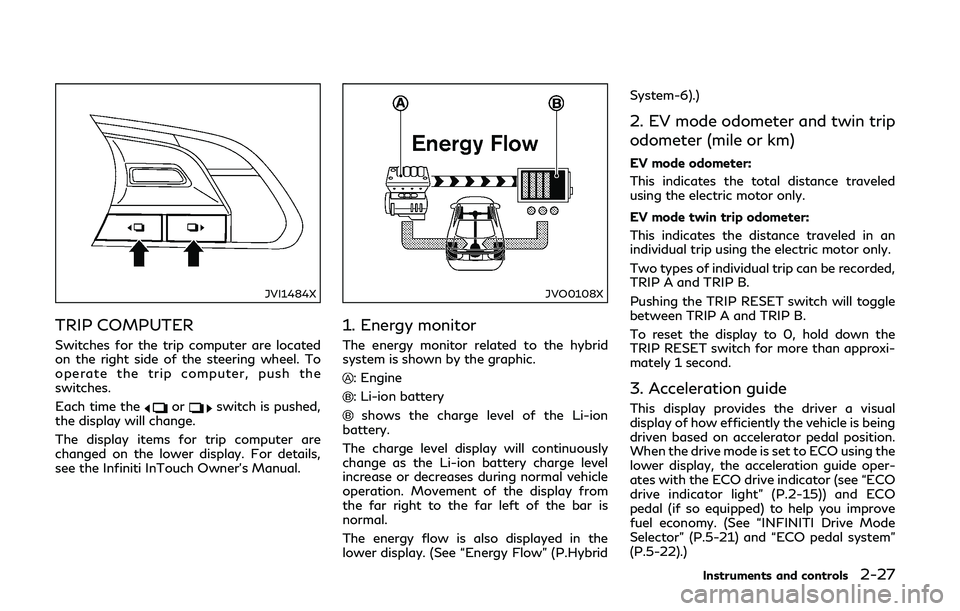
TRIP COMPUTER
Switches for the trip computer are located
on the right side of the steering wheel. To
operate the trip computer, push the
switches.
Each time the
orswitch is pushed,
the display will change.
The display items for trip computer are
changed on the lower display. For details,
see the Infiniti InTouch Owner’s Manual.
JVO0108X
1. Energy monitor
The energy monitor related to the hybrid
system is shown by the graphic.
: Engine
: Li-ion battery
shows the charge level of the Li-ion
battery.
The charge level display will continuously
change as the Li-ion battery charge level
increase or decreases during normal vehicle
operation. Movement of the display from
the far right to the far left of the bar is
normal.
The energy flow is also displayed in the
lower display. (See “Energy Flow” (P.Hybrid System-6).)
2. EV mode odometer and twin trip
odometer (mile or km)
EV mode odometer:
This indicates the total distance traveled
using the electric motor only.
EV mode twin trip odometer:
This indicates the distance traveled in an
individual trip using the electric motor only.
Two types of individual trip can be recorded,
TRIP A and TRIP B.
Pushing the TRIP RESET switch will toggle
between TRIP A and TRIP B.
To reset the display to 0, hold down the
TRIP RESET switch for more than approxi-
mately 1 second.
3. Acceleration guide
This display provides the driver a visual
display of how efficiently the vehicle is being
driven based on accelerator pedal position.
When the drive mode is set to ECO using the
lower display, the acceleration guide oper-
ates with the ECO drive indicator (see “ECO
drive indicator light” (P.2-15)) and ECO
pedal (if so equipped) to help you improve
fuel economy. (See “INFINITI Drive Mode
Selector” (P.5-21) and “ECO pedal system”
(P.5-22).)
Instruments and controls2-27
Page 126 of 442
WARNING
When the daytime running light system
is active, tail lights on your vehicle are
not on. It is necessary at dusk to turn on
your headlights. Failure to do so could
cause an accident injuring yourself and
others.
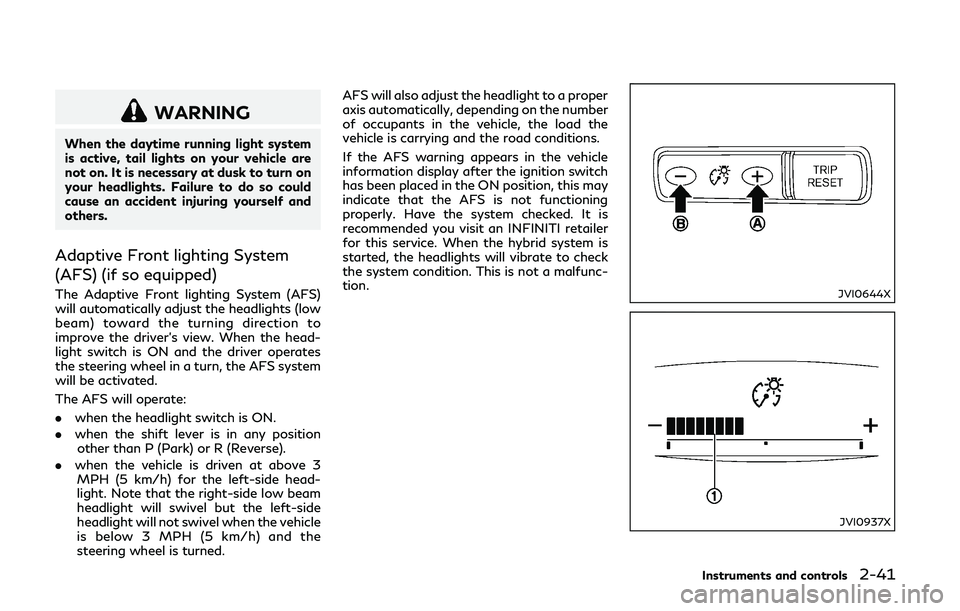
Adaptive Front lighting System
(AFS) (if so equipped)
The Adaptive Front lighting System (AFS)
will automatically adjust the headlights (low
beam) toward the turning direction to
improve the driver’s view. When the head-
light switch is ON and the driver operates
the steering wheel in a turn, the AFS system
will be activated.
The AFS will operate:
.when the headlight switch is ON.
. when the shift lever is in any position
other than P (Park) or R (Reverse).
. when the vehicle is driven at above 3
MPH (5 km/h) for the left-side head-
light. Note that the right-side low beam
headlight will swivel but the left-side
headlight will not swivel when the vehicle
is below 3 MPH (5 km/h) and the
steering wheel is turned. AFS will also adjust the headlight to a proper
axis automatically, depending on the number
of occupants in the vehicle, the load the
vehicle is carrying and the road conditions.
If the AFS warning appears in the vehicle
information display after the ignition switch
has been placed in the ON position, this may
indicate that the AFS is not functioning
properly. Have the system checked. It is
recommended you visit an INFINITI retailer
for this service. When the hybrid system is
started, the headlights will vibrate to check
the system condition. This is not a malfunc-
tion.JVI0644X
JVI0937X
Instruments and controls2-41
Page 128 of 442
SIC3272
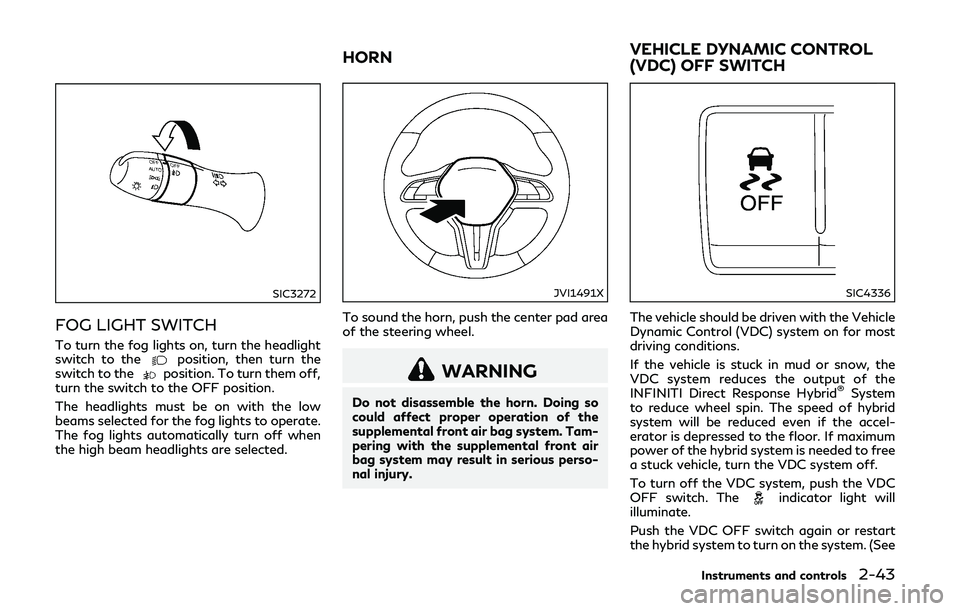
FOG LIGHT SWITCH
To turn the fog lights on, turn the headlight
switch to theposition, then turn the
switch to theposition. To turn them off,
turn the switch to the OFF position.
The headlights must be on with the low
beams selected for the fog lights to operate.
The fog lights automatically turn off when
the high beam headlights are selected.
JVI1491X
To sound the horn, push the center pad area
of the steering wheel.
WARNING
Do not disassemble the horn. Doing so
could affect proper operation of the
supplemental front air bag system. Tam-
pering with the supplemental front air
bag system may result in serious perso-
nal injury.
SIC4336
The vehicle should be driven with the Vehicle
Dynamic Control (VDC) system on for most
driving conditions.
If the vehicle is stuck in mud or snow, the
VDC system reduces the output of the
INFINITI Direct Response Hybrid
®System
to reduce wheel spin. The speed of hybrid
system will be reduced even if the accel-
erator is depressed to the floor. If maximum
power of the hybrid system is needed to free
a stuck vehicle, turn the VDC system off.
To turn off the VDC system, push the VDC
OFF switch. The
indicator light will
illuminate.
Push the VDC OFF switch again or restart
the hybrid system to turn on the system. (See
Instruments and controls2-43
HORN VEHICLE DYNAMIC CONTROL
(VDC) OFF SWITCH
Page 130 of 442
JVR0505X
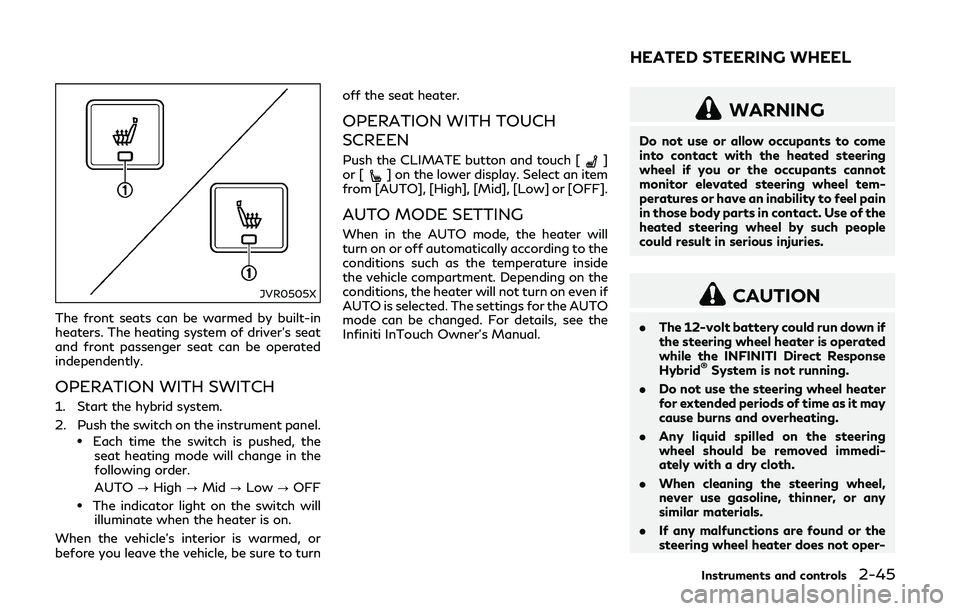
The front seats can be warmed by built-in
heaters. The heating system of driver’s seat
and front passenger seat can be operated
independently.
OPERATION WITH SWITCH
1. Start the hybrid system.
2. Push the switch on the instrument panel.
.Each time the switch is pushed, theseat heating mode will change in the
following order.
AUTO ?High ?Mid ?Low ?OFF
.The indicator light on the switch will
illuminate when the heater is on.
When the vehicle’s interior is warmed, or
before you leave the vehicle, be sure to turn off the seat heater.
OPERATION WITH TOUCH
SCREEN
Push the CLIMATE button and touch []
or [] on the lower display. Select an item
from [AUTO], [High], [Mid], [Low] or [OFF].
AUTO MODE SETTING
When in the AUTO mode, the heater will
turn on or off automatically according to the
conditions such as the temperature inside
the vehicle compartment. Depending on the
conditions, the heater will not turn on even if
AUTO is selected. The settings for the AUTO
mode can be changed. For details, see the
Infiniti InTouch Owner’s Manual.
WARNING
Do not use or allow occupants to come
into contact with the heated steering
wheel if you or the occupants cannot
monitor elevated steering wheel tem-
peratures or have an inability to feel pain
in those body parts in contact. Use of the
heated steering wheel by such people
could result in serious injuries.
CAUTION
. The 12-volt battery could run down if
the steering wheel heater is operated
while the INFINITI Direct Response
Hybrid
®System is not running.
. Do not use the steering wheel heater
for extended periods of time as it may
cause burns and overheating.
. Any liquid spilled on the steering
wheel should be removed immedi-
ately with a dry cloth.
. When cleaning the steering wheel,
never use gasoline, thinner, or any
similar materials.
. If any malfunctions are found or the
steering wheel heater does not oper-
Instruments and controls2-45
HEATED STEERING WHEEL
Page 131 of 442

2-46Instruments and controls
ate, turn the heater off and have the
system checked. It is recommended
that you visit an INFINITI retailer for
this service.
Push the CLIMATE button and touch
[Steering Heater] on the lower display to
turn on or off the steering wheel heating
manually. The steering wheel heating will
turn off automatically 30 minutes after it
has been turned on. When the steering
wheel heating is turned on, the indicator
above [Steering Heater] will turn on.
If the surface temperature of the steering
wheel is above the temperature within which
the system is designed to operate, the
system will not heat the steering wheel. This
is not a malfunction.
Automatic steering wheel heating can be
turned on or off from the climate control
settings screen. For details, see the Infiniti
InTouch Owner’s Manual.
SIC4316
In the storage box
JVI1298X
In the console box The power outlets are located in the storage
box and console box.
CAUTION
.
The outlet and plug may be hot
during or immediately after use.
. Do not use with accessories that
exceed a 12 volt, 120W (10A) power
draw. Do not use double adapters or
more than one electrical accessory.
. Use power outlet with the INFINITI
Direct Response Hybrid
®System run-
ning to avoid discharging the vehicle
12-volt battery.
. Avoid using power outlet when the
air conditioner, headlights or rear
window defroster is on.
. This power outlet is not designed for
use with a cigarette lighter unit.
. Push the plug in as far as it will go. If
good contact is not made, the plug
may overheat or the internal tem-
perature fuse may blow.
. Before inserting or disconnecting a
plug, be sure the electrical accessory
being used is turned OFF.
. When not in use, be sure to close the
cap. Do not allow water or any liquid
POWER OUTLET
Page 175 of 442

3-26Pre-driving checks and adjustments
JVP0204X
To remove the fuel-filler cap:
1. Turn the fuel-filler cap counterclockwiseto remove.
2. Put the fuel-filler cap on the cap holder
while refueling.
To install the fuel-filler cap:
1. Insert the fuel-filler cap straight into the fuel-filler tube.
2. Turn the fuel-filler cap clockwise until a single click is heard.
JVP0455X
Loose Fuel Cap warning
The Loose Fuel Cap warning appears in the
vehicle information display when the fuel-
filler cap is not tightened correctly after the
vehicle has been refueled. It may take a few
driving trips for the warning to be displayed.
To turn off the warning, perform the
following:
1. Remove and install the fuel-filler cap assoon as possible. (See “Fuel-filler cap”
(P.3-25).)
2. Tighten the fuel-filler cap until a single click is heard.
3. Push the
orswitchon the
steering wheel for longer than 1 second to turn off the Loose Fuel Cap warning
after tightening the fuel-filler cap.
Page 176 of 442
WARNING
.Do not adjust the steering wheel
while driving. You could lose control
of your vehicle and cause an accident.
. Do not adjust the steering wheel any
closer to you than is necessary for
proper steering operation and com-
fort. The driver’s air bag inflates with
great force. If you are unrestrained,
leaning forward, sitting sideways or
out of position in any way, you are at
greater risk of injury or death in a
crash. You may also receive serious or
fatal injuries from the air bag if you
are up against it when it inflates.
Always sit back against the seatback
and as far away as practical from the
steering wheel. Always use the seat
belts.
JVP0205X
ELECTRIC OPERATION
Tilt or telescopic operation
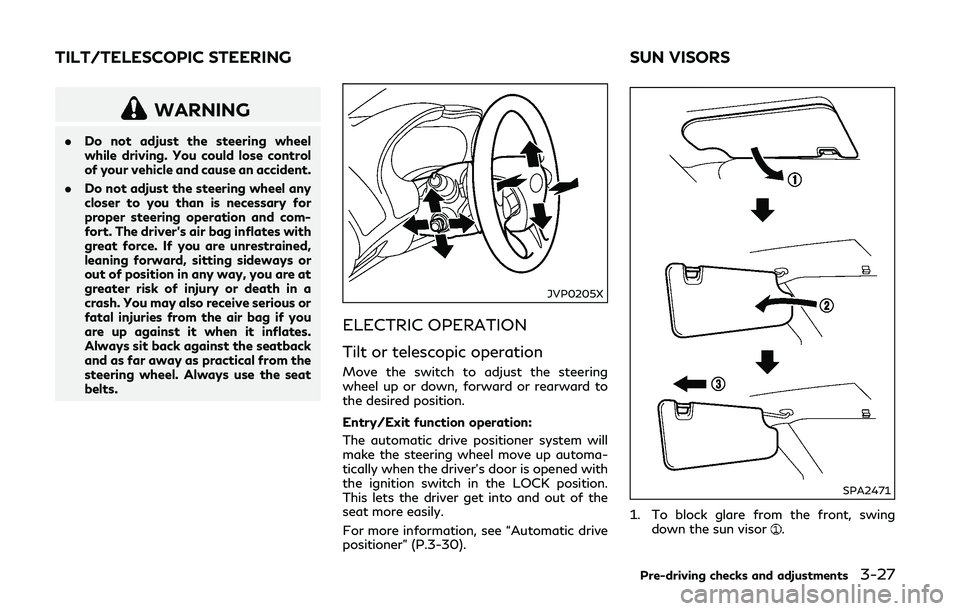
Move the switch to adjust the steering
wheel up or down, forward or rearward to
the desired position.
Entry/Exit function operation:
The automatic drive positioner system will
make the steering wheel move up automa-
tically when the driver’s door is opened with
the ignition switch in the LOCK position.
This lets the driver get into and out of the
seat more easily.
For more information, see “Automatic drive
positioner” (P.3-30).
SPA2471
1. To block glare from the front, swing
down the sun visor.
Pre-driving checks and adjustments3-27
TILT/TELESCOPIC STEERING SUN VISORS
Page 179 of 442
3-30Pre-driving checks and adjustments
4. The outside mirror surface moves down-ward.
When one of the following conditions has
occurred, the outside mirror surface will
return to its original position.
. The shift lever is moved to any position
other than R (Reverse).
. The outside mirror control switch is set to
the center position.
. The ignition switch is pushed to the OFF
position.
Automatic anti-glare (if so
equipped)
The outside mirrors are designed so that
they automatically change reflection ac-
cording to the intensity of the headlights of
the vehicle following you.
The anti-glare system will be automatically
turned on when the ignition switch is placed
in the ON position.
SIC3869
VANITY MIRROR
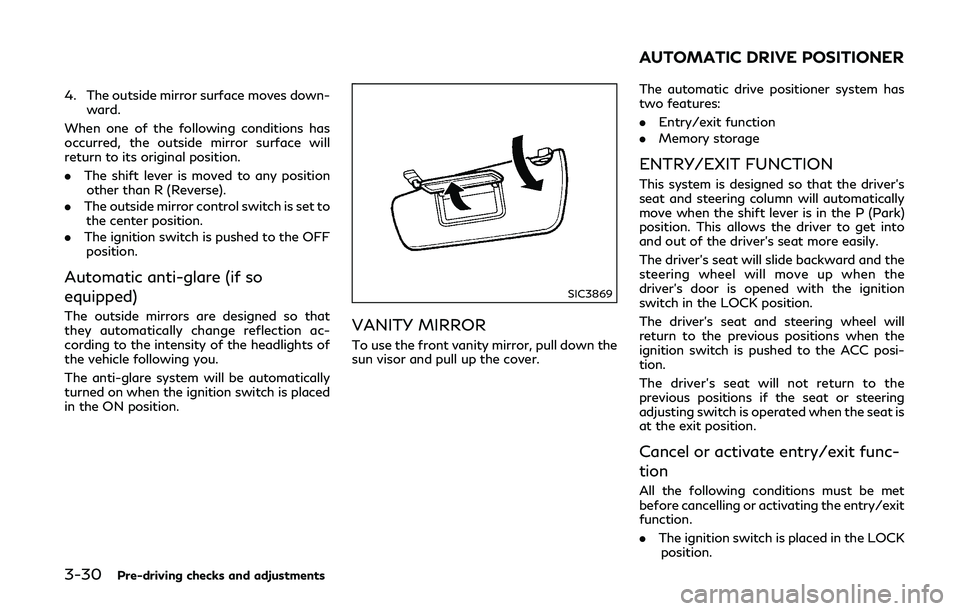
To use the front vanity mirror, pull down the
sun visor and pull up the cover. The automatic drive positioner system has
two features:
.
Entry/exit function
. Memory storage
ENTRY/EXIT FUNCTION
This system is designed so that the driver’s
seat and steering column will automatically
move when the shift lever is in the P (Park)
position. This allows the driver to get into
and out of the driver’s seat more easily.
The driver’s seat will slide backward and the
steering wheel will move up when the
driver’s door is opened with the ignition
switch in the LOCK position.
The driver’s seat and steering wheel will
return to the previous positions when the
ignition switch is pushed to the ACC posi-
tion.
The driver’s seat will not return to the
previous positions if the seat or steering
adjusting switch is operated when the seat is
at the exit position.
Cancel or activate entry/exit func-
tion
All the following conditions must be met
before cancelling or activating the entry/exit
function.
.The ignition switch is placed in the LOCK
position.
AUTOMATIC DRIVE POSITIONER
Page 180 of 442
.The entry/exit function is not in opera-
tion.
. The following switches are not operated.
— Seat memory switches
— Power seat switches
— Electric tilting/telescopic steering wheel switch
The entry/exit function can be activated or
canceled by pushing and holding the SET
switch for more than 10 seconds.
The entry/exit function can also be acti-
vated or canceled if the [Lift Steering Wheel
on Exit] or [Slide Driver Seat Back on Exit]
key is switched to ON or OFF in the
[Settings] menu on the lower display. (See
the Infiniti InTouch Owner’s Manual.)
Initialize entry/exit function
If the battery cable is disconnected, or if the
fuse opens, the entry/exit function will not
work though this function was set on before.
In such a case, after connecting the battery
or replacing with a new fuse, open and close
the driver’s door more than two times after
the ignition switch is switched from the ON
position to the LOCK position. The entry/
exit function will be activated.
JVP0240X
MEMORY STORAGE
Two positions for the driver’s seat, steering
column and outside mirrors can be stored in
the automatic drive positioner memory.
Follow these procedures to use the memory
system.
1. Adjust the driver’s seat, steering column and outside mirrors to the desired posi-
tions by manually operating each adjust-
ing switch. For additional information,
see “Seats” (P.1-2), “Tilt/telescopic
steering” (P.3-27) and “Outside mirrors”
(P.3-29).
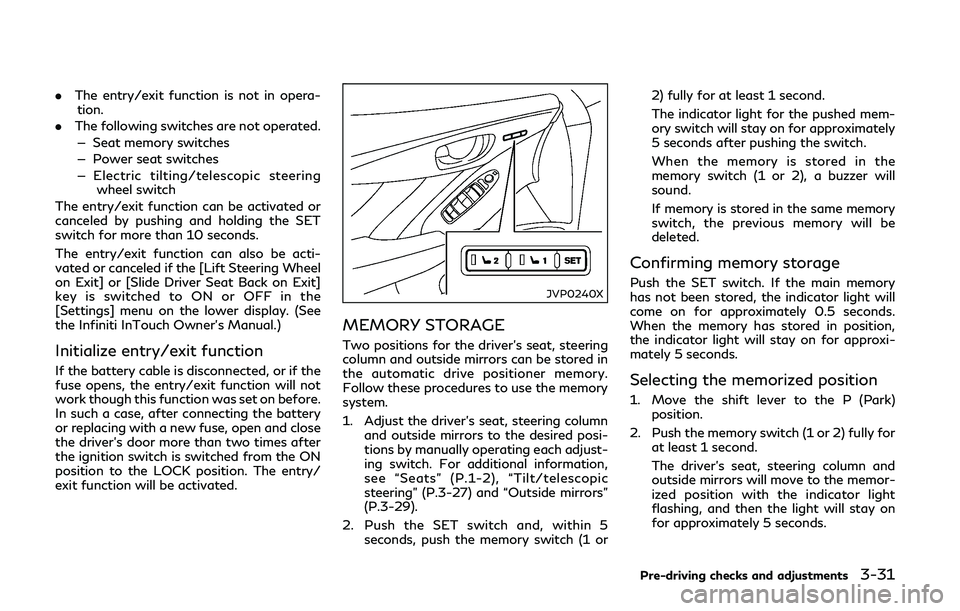
2. Push the SET switch and, within 5 seconds, push the memory switch (1 or 2) fully for at least 1 second.
The indicator light for the pushed mem-
ory switch will stay on for approximately
5 seconds after pushing the switch.
When the memory is stored in the
memory switch (1 or 2), a buzzer will
sound.
If memory is stored in the same memory
switch, the previous memory will be
deleted.
Confirming memory storage
Push the SET switch. If the main memory
has not been stored, the indicator light will
come on for approximately 0.5 seconds.
When the memory has stored in position,
the indicator light will stay on for approxi-
mately 5 seconds.
Selecting the memorized position
1. Move the shift lever to the P (Park)
position.
2. Push the memory switch (1 or 2) fully for at least 1 second.
The driver’s seat, steering column and
outside mirrors will move to the memor-
ized position with the indicator light
flashing, and then the light will stay on
for approximately 5 seconds.
Pre-driving checks and adjustments3-31