steering JEEP GRAND CHEROKEE 2015 WK2 / 4.G User Guide
[x] Cancel search | Manufacturer: JEEP, Model Year: 2015, Model line: GRAND CHEROKEE, Model: JEEP GRAND CHEROKEE 2015 WK2 / 4.GPages: 717, PDF Size: 18.54 MB
Page 120 of 717
!HEATED STEERING WHEEL — IF EQUIPPED . .186
!ELECTRONIC SPEED CONTROL — IF
EQUIPPED...........................188
▫To Activate..........................189
▫To Set A Desired Speed.................189
▫To Deactivate........................190
▫To Resume Speed.....................190
▫To Vary The Speed Setting...............190
▫To Accelerate For Passing................191
!ADAPTIVE CRUISE CONTROL (ACC) — IF
EQUIPPED...........................192
▫Adaptive Cruise Control (ACC) Operation . . . .195
▫Activating Adaptive Cruise Control (ACC) . . . .196
▫To Activate/Deactivate..................196
▫To Set A Desired ACC Speed.............198
▫To Cancel...........................198
▫To Tu r n O f f . . . . . . . . . . . . . . . . . . . . . . . . ..199
▫To Resume..........................199
▫To Vary The Speed Setting...............200
▫Setting The Following Distance In ACC......202
▫Overtake Aid........................206
▫ACC Operation At Stop.................206
▫Adaptive Cruise Control (ACC) Menu.......207
▫Display Warnings And Maintenance........208
▫Precautions While Driving With ACC.......211
▫General Information...................215
11 8 U N D E R S TA N D I N G T H E F E AT U R E S O F Y O U R V E H I C L E
Page 162 of 717
WARNING!
Do not ride with the seatback reclined so that the
shoulder belt is no longer resting against your chest.
In a collision you could slide under the seat belt,
which could result in serious injury or death.
DRIVER MEMORY SEAT — IF EQUIPPED
This feature allows the driver to store up to two different
memory profiles for easy recall through a memory
switch. Each memory profile contains desired position
settings for the driver seat, side mirrors, and power tilt
and telescopic steering column (if equipped) and a set of
desired radio station presets. Your Remote Keyless Entry
(RKE) transmitter can also be programmed to recall the
same positions when the UNLOCK button is pressed.
NOTE:Your vehicle is equipped with two RKE trans-
mitters, one RKE transmitter can be linked to memory
position 1 and the other transmitter can be linked to
memory position 2.
The memory seat switch is located on the driver ’s door
trim panel. The switch consists of three buttons:
•The (S) button, which is used to activate the memory
save function.
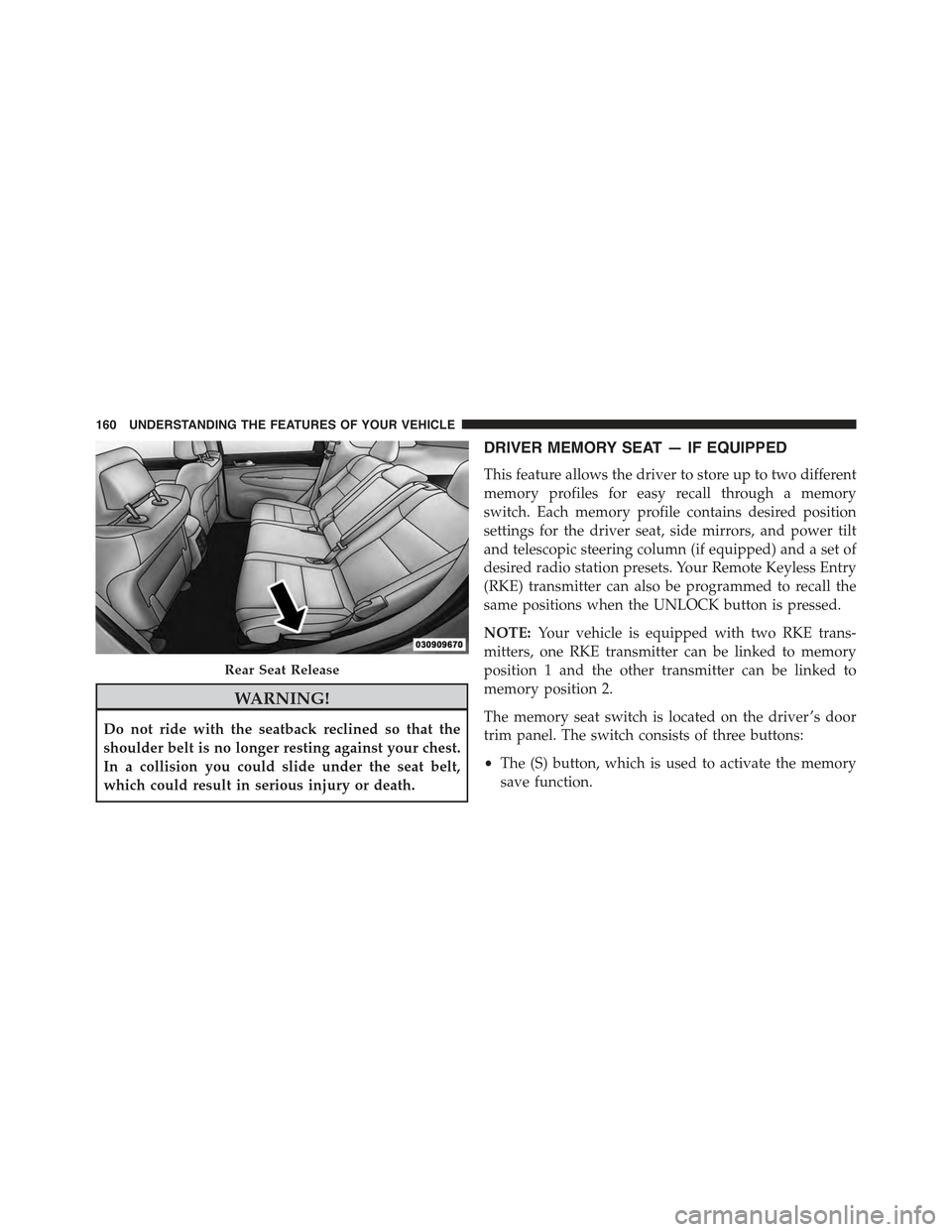
Rear Seat Release
160 UNDERSTANDING THE FEATURES OF YOUR VEHICLE
Page 163 of 717
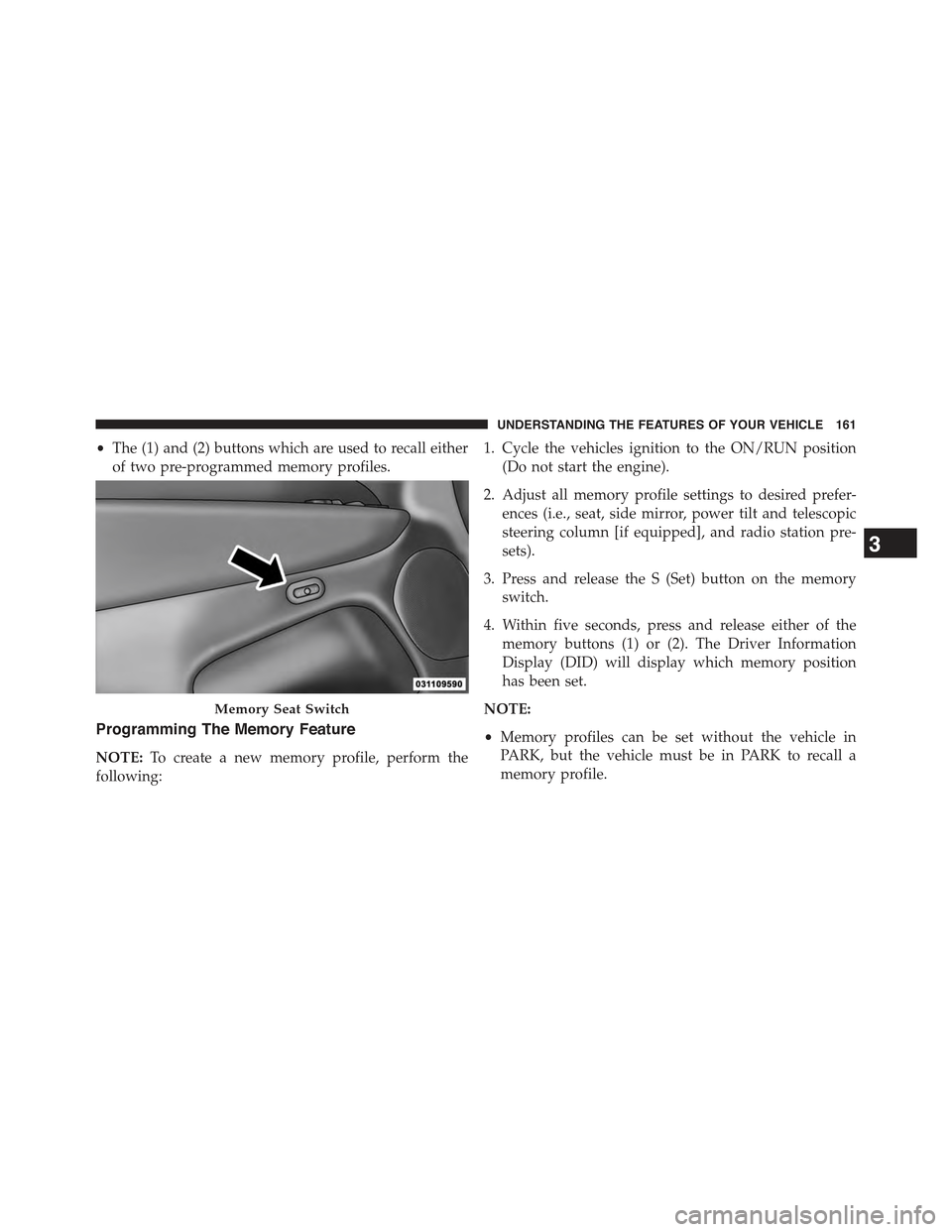
•The (1) and (2) buttons which are used to recall either
of two pre-programmed memory profiles.
Programming The Memory Feature
NOTE:To create a new memory profile, perform the
following:
1. Cycle the vehicles ignition to the ON/RUN position
(Do not start the engine).
2. Adjust all memory profile settings to desired prefer-
ences (i.e., seat, side mirror, power tilt and telescopic
steering column [if equipped], and radio station pre-
sets).
3. Press and release the S (Set) button on the memory
switch.
4. Within five seconds, press and release either of the
memory buttons (1) or (2). The Driver Information
Display (DID) will display which memory position
has been set.
NOTE:
•Memory profiles can be set without the vehicle in
PARK, but the vehicle must be in PARK to recall a
memory profile.
Memory Seat Switch
3
UNDERSTANDING THE FEATURES OF YOUR VEHICLE 161
Page 165 of 717
Memory Position Recall
NOTE:The vehicle must be in PARK to recall memory
positions. If a recall is attempted when the vehicle is not
in PARK, a message will be displayed in the Driver
Information Display (DID).
Driver One Memory Position Recall
•To recall the memory settings for driver one using the
memory switch , press MEMORY button number 1 on
the memory switch.
•To recall the memory settings for driver one using the
RKE transmitter, press the UNLOCK button on the
RKE transmitter linked to memory position 1.
Driver Two Memory Position Recall
•To recall the memory setting for driver two using the
memory switch, press MEMORY button number 2 on
the memory switch.
•To recall the memory settings for driver two using the
RKE transmitter, press the UNLOCK button on the
RKE transmitter linked to memory position 2.
A recall can be cancelled by pressing any of the
MEMORY buttons during a recall (S, 1, or 2). When a
recall is cancelled, the driver’s seat, steering column (if
equipped) and pedals (if equipped) stop moving. A delay
of one second will occur before another recall can be
selected.
3
UNDERSTANDING THE FEATURES OF YOUR VEHICLE 163
Page 168 of 717
CAUTION!
To prevent possible damage, do not slam the hood to
close it. Use a firm downward push at the front center
of the hood to ensure that both latches engage.
WARNING!
Be sure the hood is fully latched before driving your
vehicle. If the hood is not fully latched, it could open
when the vehicle is in motion and block your vision.
Failure to follow this warning could result in serious
injury or death.
LIGHTS
Headlight Switch
The headlight switch is located on the left side of the
instrument panel, next to the steering wheel. The head-
light switch controls the operation of the headlights,
parking lights, instrument panel lights, cargo lights and
fog lights (if equipped).
166 UNDERSTANDING THE FEATURES OF YOUR VEHICLE
Page 172 of 717
To Deactivate
1. Pull the multifunction lever toward you (or rearward
in car) to manually deactivate the system (normal
operation of low beams).
2. Push back on the multifunction lever once again to
reactivate the system.
Daytime Running Lights — If Equipped
The Daytime Running Lights (low intensity) come on
whenever the engine is running, and the transmission is
not in the PARK position. The lights will remain on until
the ignition is switched to the OFF or ACC position or the
parking brake is engaged.
NOTE:If a turn signal is activated, the DRL lamp on the
same side of the vehicle will turn off for the duration of
the turn signal activation. Once the turn signal is no
longer active, the DRL lamp will illuminate.
The headlight switch must be used for normal nighttime
driving.
Automatic Headlight Leveling — HID Headlights
Only
This feature prevents the headlights from interfering
with the vision of oncoming drivers. Headlight leveling
automatically adjusts the height of the headlight beam in
reaction to changes in vehicle pitch.
Adaptive Bi-Xenon High Intensity Discharge
Headlights — If Equipped
This system automatically swivels the headlight beam
pattern horizontally to provide increased illumination in
the direction the vehicle is steering.
170 UNDERSTANDING THE FEATURES OF YOUR VEHICLE
Page 178 of 717
Ambient Light — If Equipped
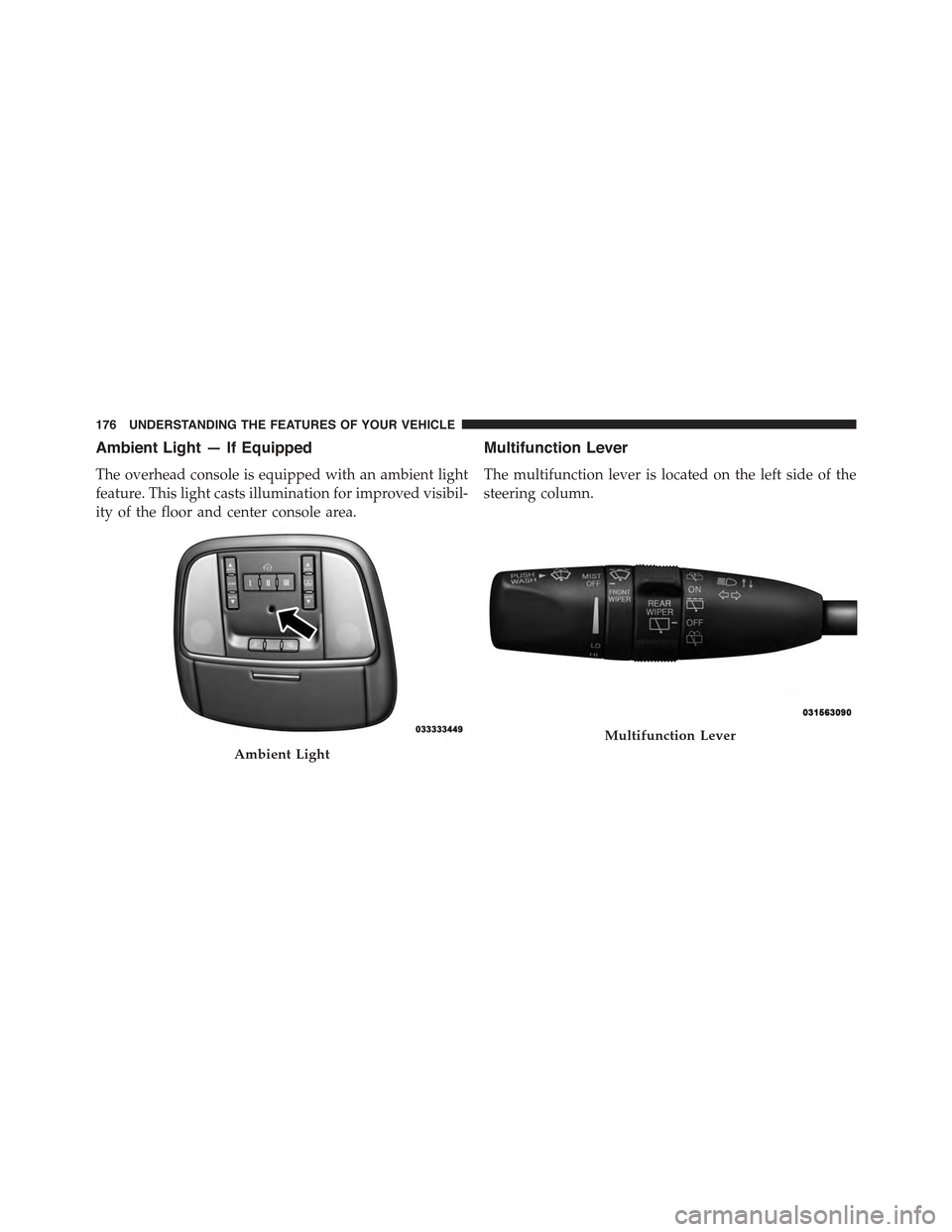
The overhead console is equipped with an ambient light
feature. This light casts illumination for improved visibil-
ity of the floor and center console area.
Multifunction Lever
The multifunction lever is located on the left side of the
steering column.
Ambient Light
Multifunction Lever
176 UNDERSTANDING THE FEATURES OF YOUR VEHICLE
Page 179 of 717
Turn Signals
Move the multifunction lever up or down and the arrows
on each side of the instrument cluster flash to show
proper operation of the front and rear turn signal lights.
NOTE:If either light remains on and does not flash, or
there is a very fast flash rate, check for a defective outside
light bulb. If an indicator fails to light when the lever is
moved, it would suggest that the indicator bulb is
defective.
Lane Change Assist
Tap the lever up or down once, without moving beyond
the detent, and the turn signal (right or left) will flash
three times then automatically turn off.
Flash-To-Pass
You can signal another vehicle with your headlights by
partially pulling the multifunction lever toward the steer-
ing wheel. This will cause the high beam headlights to
turn on until the lever is released.
High/Low Beam Switch
Push the multifunction lever toward the instrument
panel to switch the headlights to high beam. Pulling the
multifunction back toward the steering wheel will turn
the low beams back on, or shut the high beams off.
3
UNDERSTANDING THE FEATURES OF YOUR VEHICLE 177
Page 180 of 717
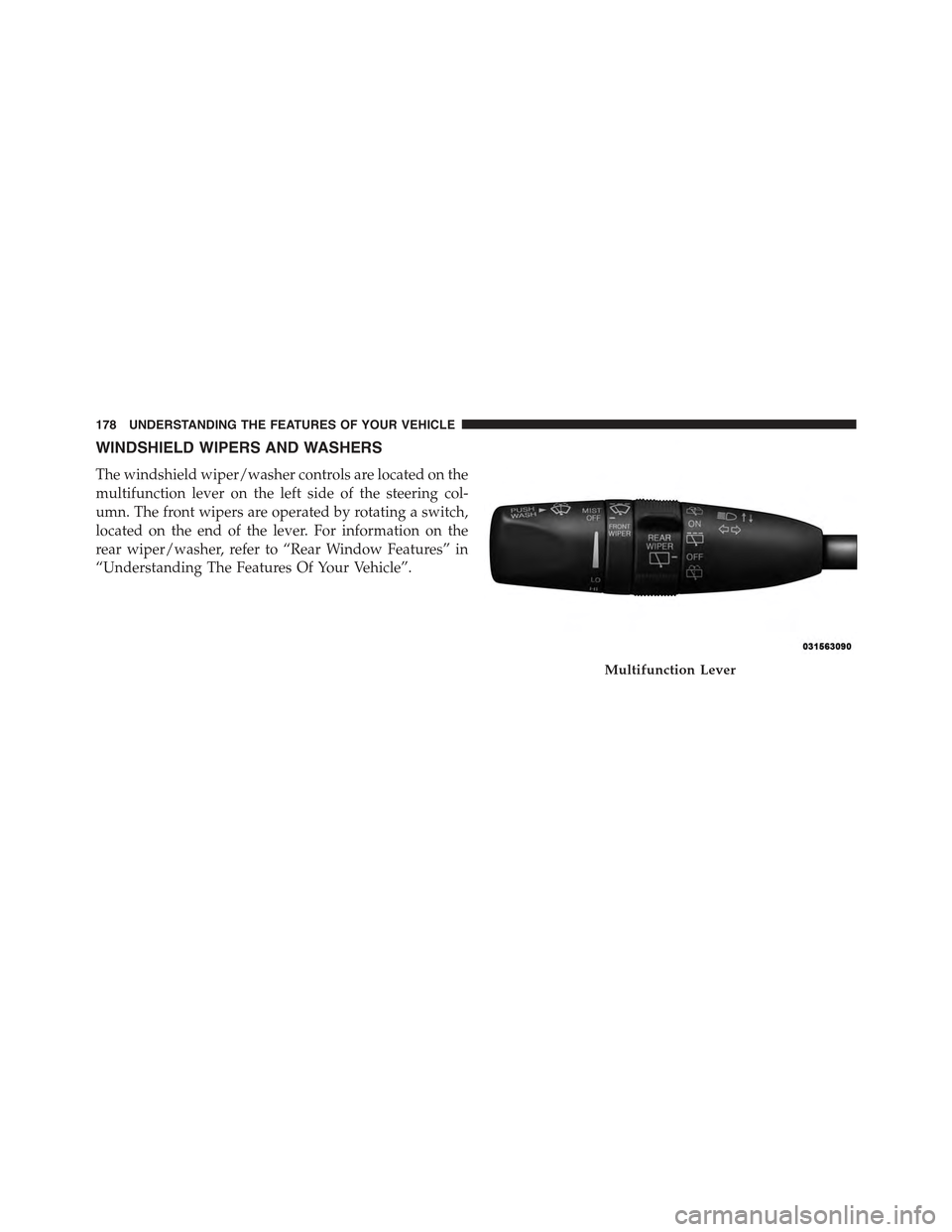
WINDSHIELD WIPERS AND WASHERS
The windshield wiper/washer controls are located on the
multifunction lever on the left side of the steering col-
umn. The front wipers are operated by rotating a switch,
located on the end of the lever. For information on the
rear wiper/washer, refer to “Rear Window Features” in
“Understanding The Features Of Your Vehicle”.
Multifunction Lever
178 UNDERSTANDING THE FEATURES OF YOUR VEHICLE
Page 183 of 717
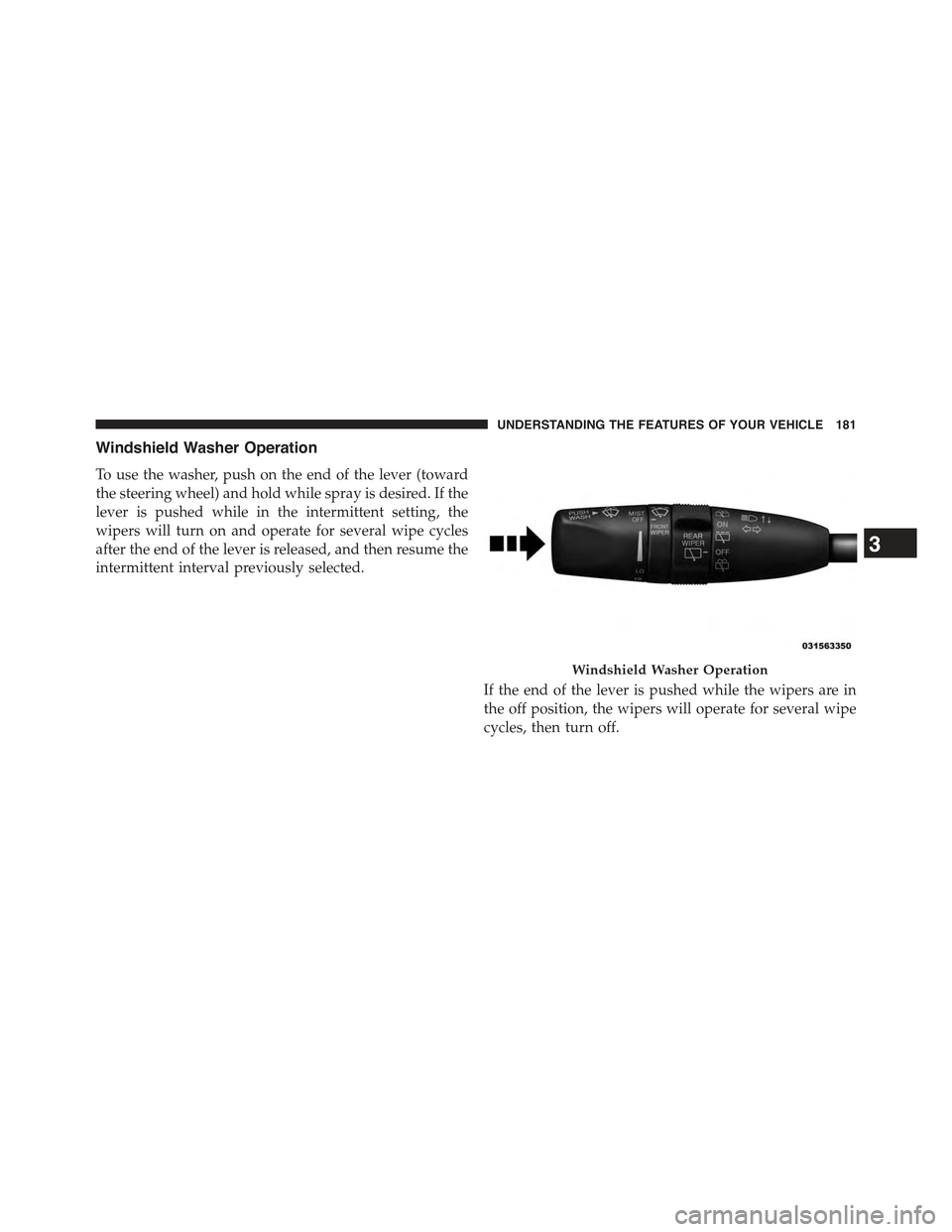
Windshield Washer Operation
To use the washer, push on the end of the lever (toward
the steering wheel) and hold while spray is desired. If the
lever is pushed while in the intermittent setting, the
wipers will turn on and operate for several wipe cycles
after the end of the lever is released, and then resume the
intermittent interval previously selected.
If the end of the lever is pushed while the wipers are in
the off position, the wipers will operate for several wipe
cycles, then turn off.
Windshield Washer Operation
3
UNDERSTANDING THE FEATURES OF YOUR VEHICLE 181