door lock KIA Cadenza 2014 1.G Owner's Guide
[x] Cancel search | Manufacturer: KIA, Model Year: 2014, Model line: Cadenza, Model: KIA Cadenza 2014 1.GPages: 415, PDF Size: 5.09 MB
Page 115 of 415
447
Features of your vehicle
Operating HomeLink®
To operate, simply press and release
the programmed HomeLink®button.
Activation will now occur for the
trained device (i.e. garage door
opener, gate operator, security sys-
tem, entry door lock, home/office
lighting, etc.). For convenience, the
hand-held transmitter of the device
may also be used at any time. Reprogramming a single
HomeLink
®button
To program a new device to a previ-
ously trained HomeLink
®button, fol-
low these steps:
1. Press and hold the desired HomeLink
®button. Do NOT release
until step 4 has been completed.
2. When the indicator light begins to flash slowly (after 20 seconds),
position the handheld transmitter 1
to 3 inches away from the
HomeLink
®surface.
3. Press and hold the handheld transmitter button. The HomeLink
®
indicator light will flash, first slowly
and then rapidly.
4. When the indicator light begins to flash rapidly, release both buttons.
5. Press and hold the just-trained HomeLink
®button and observe
the red Status Indicator LED. If the
indicator light stays on constantly,
programming is complete and
your new device should activate. Erasing HomeLink
®buttons
Individual buttons cannot be erased.
However, to erase all three pro-
grammed buttons:
1. Press and hold the two outer HomeLink
®buttons until the indi-
cator light begins to flash-after 20
seconds.
2. Release both buttons. Do not hold for longer than 30 seconds.
The Integrated HomeLink
®Wireless
Control System is now in the training
(learn) mode and can be pro-
grammed at any time following the
appropriate steps in the Programming
sections above.
Page 119 of 415
451
Features of your vehicle
Center (AUTO, 3):
The mirror will fold or unfold auto-
matically as follows:
The mirror will fold or unfold when the door is locked or unlocked by
the smart key.
The mirror will fold or unfold when the door is locked or unlocked by
the button on the outside door han-
dle.
The mirror will unfold when you approach the vehicle (all doors
closed and locked) with a smart
key in possession. (if equipped)CAUTION
-
Electric type outside
rearview mirror
The electric type outsiderearview mirror operates eventhough the ignition switch is inthe OFF position. However, toprevent unnecessary batterydischarge, do not adjust themirrors longer than necessarywhile the engine is not running.
In case it is an electric type out-side rearview mirror, don’t fold itby hand. It could cause motorfailure.
Page 130 of 415
Features of your vehicle
62
4
Master Warning Mode
This warning light informs the driv-
er the following situations
- Low washer fluid
- TPMS
- Blind spot detection (BSD)(if equipped)
- Fuel cap open
- Service required
The Master Warning Light illumi-
nates when more than one of the
above warning situations occur. At
this time, the LCD Modes Icon will
change from ( ) to ( ).
If the warning situation is solved, the
master warning light will be turned off
and the LCD Modes Icon will be
changed back to its previous icon ( ).
(ex : refill the washer fluid)
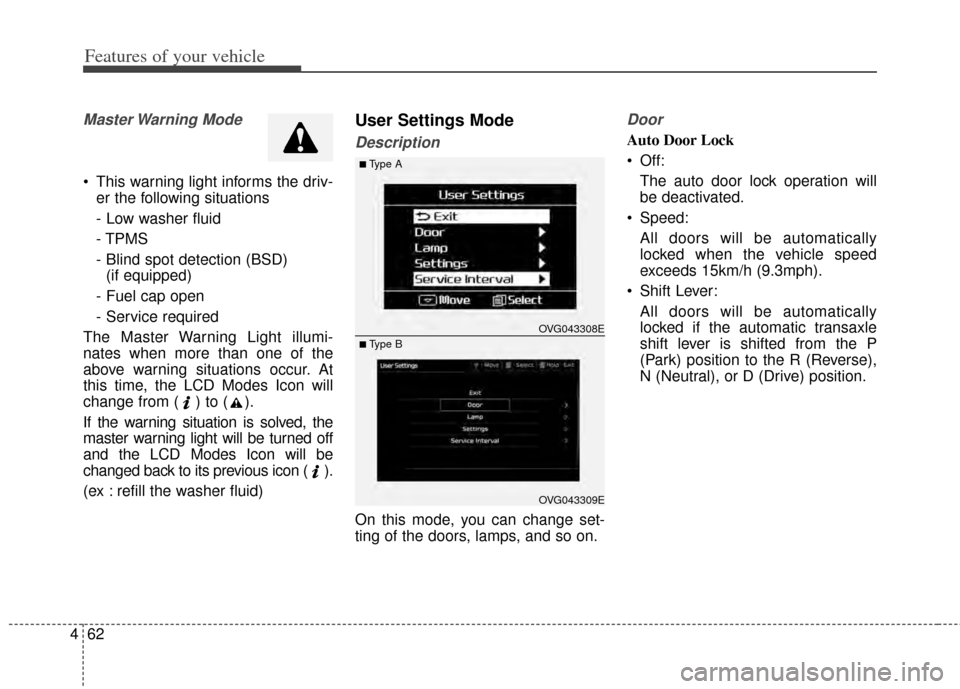
User Settings Mode
Description
On this mode, you can change set-
ting of the doors, lamps, and so on.
Door
Auto Door Lock
Off: The auto door lock operation will
be deactivated.
Speed: All doors will be automatically
locked when the vehicle speed
exceeds 15km/h (9.3mph).
Shift Lever: All doors will be automatically
locked if the automatic transaxle
shift lever is shifted from the P
(Park) position to the R (Reverse),
N (Neutral), or D (Drive) position.
OVG043309E
■Type A
■ Type B OVG043308E
Page 131 of 415

463
Features of your vehicle
Auto Door Unlock
Off:The auto door unlock operation will
be canceled.
Key Out or Power Off: All doors will be automatically
unlocked when the ignition key is
removed from ignition switch or
Engine Start/Stop Button is set to
the OFF position.
Shift Lever: All doors will be automatically
unlocked if the automatic transaxle
shift lever is shifted to the P (Park)
position. Two Press Unlock
Off:
The two press unlock function will
be deactivated. Therefore, all doors
will unlock if the door is unlocked.
On: The driver’s door will unlock if the
door is unlocked. When the door is
unlocked again within 4 seconds,
all doors will unlock.
Lock/Unlock sound
Off: The Lock/Unlock sound operation
will be deactivated.
On: When you locking (or unlocking)
the door by pressing the lock (or
unlock) button on the transmitter or
door out handle, the confirm sound
will operate. Horn Feedback
Off:
The Horn feedback operation will
be deactivated.
On: After locking the door by pressing
the lock button on the transmitter, if
you press the lock button again
within 4 seconds, the warning
sound will operate once to indicate
that all doors are locked.
Page 163 of 415

495
Features of your vehicle
Welcome light (if equipped)
When all the doors (and trunk) are
locked and closed, the puddle lamp
and door handle lamp will come on
for about 15 seconds if any of the
below is performed. Without smart key system
- When the door unlock button ispressed on the transmitter.
With the smart key system - When the door unlock button ispressed on the smart key.
- When the button of the outside door handle is pressed.
- When the vehicle is approached with the smart key in possession.
Also, if the outside rearview mirror
folding switch is in the AUTO posi-
tion, the outside rearview mirror will
unfold automatically.
Interior light
When the interior light switch is in the
DOOR position and all doors (and
trunk) are locked and closed, the
room lamp will come on for 30 sec-
onds if any of the below is performed.
When the door unlock button is
pressed on the smart key.
When the button of the outside door
handle is pressed.
At this time, if you press the door lock
or unlock button, the room lamp will
turn off immediately.
WELCOME SYSTEM (IF EQUIPPED)
OVG043191L
Page 165 of 415
497
Features of your vehicle
Battery saver function
The purpose of this feature is toprevent the battery from being dis-
charged. The system automatically
turns off the parking lights when
the driver removes the ignition key
(smart key: turns off the engine)
and opens the driver-side door.
With this feature, the parking lights will be turned off automatically if
the driver parks on the side of road
at night.
If necessary, to keep the lights on
when the ignition key is removed,
(smart key: turns off the engine)
perform the following:
1) Open the driver-side door.
2) Turn the parking lights OFF and ON again using the light switch
on the steering column.
Headlight escort function
(if equipped)
The headlights (and/or parking lights)
will remain on for approximately 5 min-
utes after the ignition key is removed
or turned to the ACC or LOCK posi-
tion. However, if the driver’s door is
opened and closed, the headlights are
turned off after 15 seconds.
The headlights can be turned off by
pressing the lock button on the trans-
mitter (or smart key) twice or turning
off the light switch from the headlight
or Auto light position.
Daytime running light
The Daytime Running Lights (DRL)
can make it easier for others to see
the front of your vehicle during the
day. DRL can be helpful in many dif-
ferent driving conditions, and it is
especially helpful after dawn and
before sunset.
The DRL system turns ON when:
1. The headlight switch is OFF or the taillight switch is ON.
2. The parking brake is released.
The DRL system turns OFF when: 1. The headlight switch is ON.
2. The engine is OFF.
3. The parking brake is applied.
LIGHTING
CAUTION
If the driver gets out of the vehi-cle through other doors (exceptdriver's door), the battery saverfunction does not operate andthe headlight escort functiondoes not turn off automatically.Therefore, It causes the batteryto be discharged. In this case,make sure to turn off the lampbefore getting out of the vehicle.
Page 176 of 415

Features of your vehicle
108
4
When doors are unlocked by
the transmitter (or smart
key), the map lamp and the
room lamp come on for
approximately 30 seconds
as long as any door is not
open.
The map lamp and the room
lamp goes out gradually
after approximately 30 sec-
onds if the door is closed.
However, if the ignition
switch is ON or all doors are
locked, the map lamp and
the room lamp will turn off
immediately. If a door is
opened with the ignition
switch in the ACC or LOCK
position, the map lamp and
the room lamp stays on for
about 20 minutes. However,
if a door is opened with the
ignition switch in the ON
position, the map lamp and
the room lamp stays on con-
tinuously. : The lights turn off even if a
door is opened.
When the lamp is turned
ON by pressing the lens
(1), the lamp does not turn
off even if the switch (2) is
in the OFF position.
: The map lamp and the room lamp stay on at all times.Room lamp
To turn the room lamp push lens (3).
OVG049111
Page 199 of 415

4131
Features of your vehicle
Sunglass holder
To open the sunglass holder, press
the cover and the holder will slowly
open. Place your sunglasses with the
lenses facing out.
To close the sunglass holder push it
up.
WARNING
To reduce the risk of injury in an
accident or sudden stop, always
keep the glove box door closed
while driving.
WARNING
Do not keep food in the glove
box for a long time.
OVG049153
WARNING
Do not keep objects exceptsunglasses inside the sun-
glass holder. Such objects
can be thrown from the holder
in the event of a sudden stop
or an accident, possibly injur-
ing the passengers in the
vehicle.
Do not open the sunglass holder while the vehicle is
moving. The rear view mirror
of the vehicle can be blocked
by an open sunglass holder.
Do not put the glasses forcibly into a sunglass holder to pre-
vent breakage or deformation
of glasses. It may cause per-
sonal injury if you try to open
it forcibly when the glasses
are jammed in holder.■ Type A■Type B
Page 213 of 415
Before entering vehicle
• Be sure that all windows, outsidemirror(s), and outside lights are
clean.
Check the condition of the tires.
Check under the vehicle for any sign of leaks.
Be sure there are no obstacles behind you if you intend to back up.
Necessary inspections
Fluid levels, such as engine oil,
engine coolant, brake fluid, and
washer fluid should be checked on a
regular basis, with the exact interval
depending on the fluid. Further
details are provided in Section 7,
“Maintenance”.
Before starting
Close and lock all doors.
Position the seat so that all con-trols are easily reached.
Buckle your seat belt.
Adjust the inside and outside rearview mirrors.
Be sure that all lights work.
Check all gauges.
Check the operation of warning lights when the ignition switch is
turned to the ON position.
Release the parking brake and make sure the brake warning light
goes off.
For safe operation, be sure you are
familiar with your vehicle and its
equipment.
BEFORE DRIVING
53
Driving your vehicle
WARNING - Distracted driving
Focus on the road while driving.
The driver's primary responsi-
bility is in the safe and legal
operation of the vehicle. Use of
any hand held devices, other
equipment or vehicle systems
that distract the driver should
not be used during vehicle
operation.
WARNING
- Check surrounding
Always check the surrounding
areas near your vehicle for peo-
ple, especially children, before
putting a vehicle into D (Drive)
or R (Reverse).
Page 254 of 415
Driving your vehicle
44
5
Smart Cruise control will be tem-
porarily canceled when:
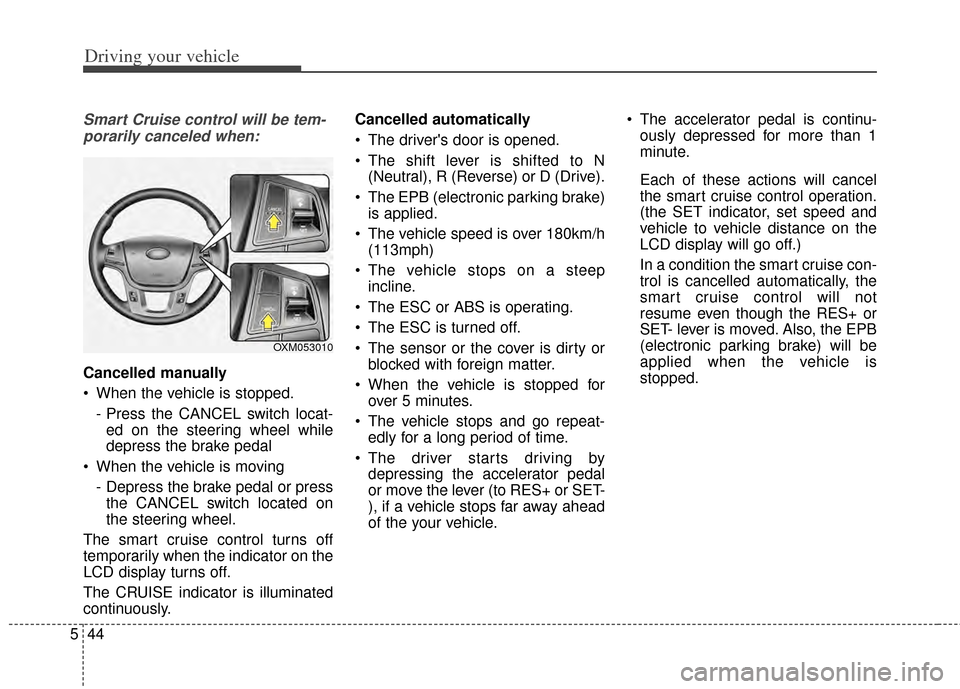
Cancelled manually
When the vehicle is stopped.
- Press the CANCEL switch locat-ed on the steering wheel while
depress the brake pedal
When the vehicle is moving - Depress the brake pedal or pressthe CANCEL switch located on
the steering wheel.
The smart cruise control turns off
temporarily when the indicator on the
LCD display turns off.
The CRUISE indicator is illuminated
continuously. Cancelled automatically
The driver's door is opened.
The shift lever is shifted to N
(Neutral), R (Reverse) or D (Drive).
The EPB (electronic parking brake) is applied.
The vehicle speed is over 180km/h (113mph)
The vehicle stops on a steep incline.
The ESC or ABS is operating.
The ESC is turned off.
The sensor or the cover is dirty or blocked with foreign matter.
When the vehicle is stopped for over 5 minutes.
The vehicle stops and go repeat- edly for a long period of time.
The driver starts driving by depressing the accelerator pedal
or move the lever (to RES+ or SET-
), if a vehicle stops far away ahead
of the your vehicle. The accelerator pedal is continu-
ously depressed for more than 1
minute.
Each of these actions will cancel
the smart cruise control operation.
(the SET indicator, set speed and
vehicle to vehicle distance on the
LCD display will go off.)
In a condition the smart cruise con-
trol is cancelled automatically, the
smart cruise control will not
resume even though the RES+ or
SET- lever is moved. Also, the EPB
(electronic parking brake) will be
applied when the vehicle is
stopped.
OXM053010