instrument cluster KIA Soul 2014 2.G User Guide
[x] Cancel search | Manufacturer: KIA, Model Year: 2014, Model line: Soul, Model: KIA Soul 2014 2.GPages: 500, PDF Size: 13.89 MB
Page 328 of 500
541
Driving your vehicle
✽
✽NOTICE
• During normal cruise control
operation, when the SET switch is
activated or reactivated after
applying the brakes, the cruise
control will energize after approx-
imately 3 seconds. The delay is
normal.
• To activate cruise control, depress the brake pedal at least once after
turning the ignition switch to the
ON position or starting the engine.
This is to check if the brake switch
which is important part to cancel
cruise control is in normal condi-
tion.
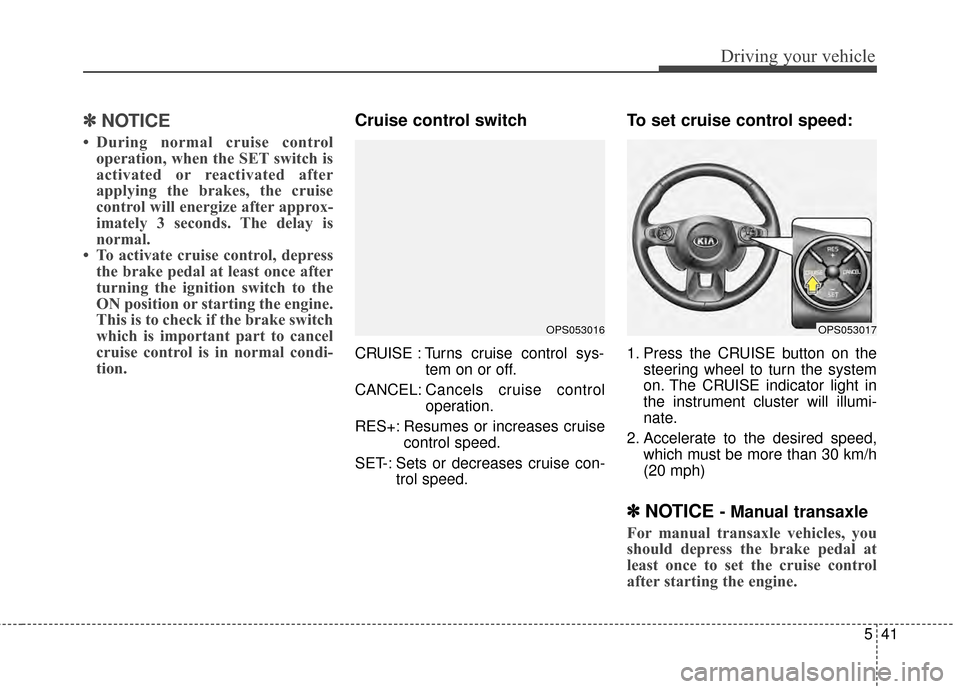
Cruise control switch
CRUISE : Turns cruise control sys-
tem on or off.
CANCEL: Cancels cruise control
operation.
RES+: Resumes or increases cruise control speed.
SET-: Sets or decreases cruise con- trol speed.
To set cruise control speed:
1. Press the CRUISE button on thesteering wheel to turn the system
on. The CRUISE indicator light in
the instrument cluster will illumi-
nate.
2. Accelerate to the desired speed, which must be more than 30 km/h
(20 mph)
✽ ✽NOTICE - Manual transaxle
For manual transaxle vehicles, you
should depress the brake pedal at
least once to set the cruise control
after starting the engine.
OPS053016OPS053017
Page 329 of 500
Driving your vehicle
42
5
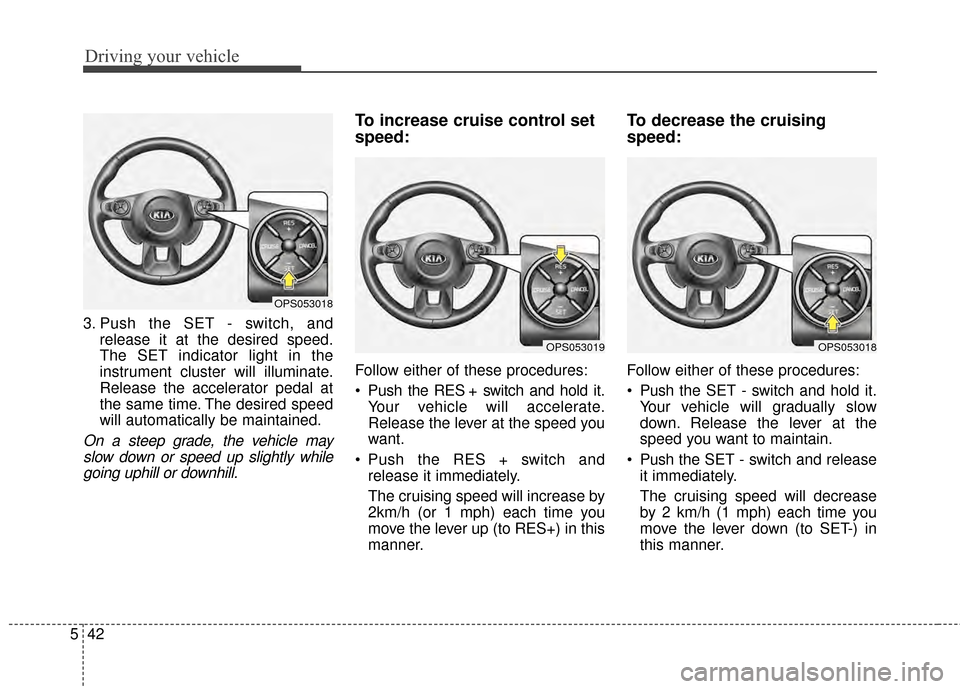
3. Push the SET - switch, and
release it at the desired speed.
The SET indicator light in the
instrument cluster will illuminate.
Release the accelerator pedal at
the same time. The desired speed
will automatically be maintained.
On a steep grade, the vehicle mayslow down or speed up slightly whilegoing uphill or downhill.
To increase cruise control set
speed:
Follow either of these procedures:
Push the RES + switch and hold it. Your vehicle will accelerate.
Release the lever at the speed you
want.
Push the RES + switch and release it immediately.
The cruising speed will increase by
2km/h (or 1 mph) each time you
move the lever up (to RES+) in this
manner.
To decrease the cruising
speed:
Follow either of these procedures:
Push the SET - switch and hold it.
Your vehicle will gradually slow
down. Release the lever at the
speed you want to maintain.
Push the SET - switch and release
it immediately.
The cruising speed will decrease
by 2 km/h (1 mph) each time you
move the lever down (to SET-) in
this manner.
OPS053019
OPS053018
OPS053018
Page 331 of 500
Driving your vehicle
44
5
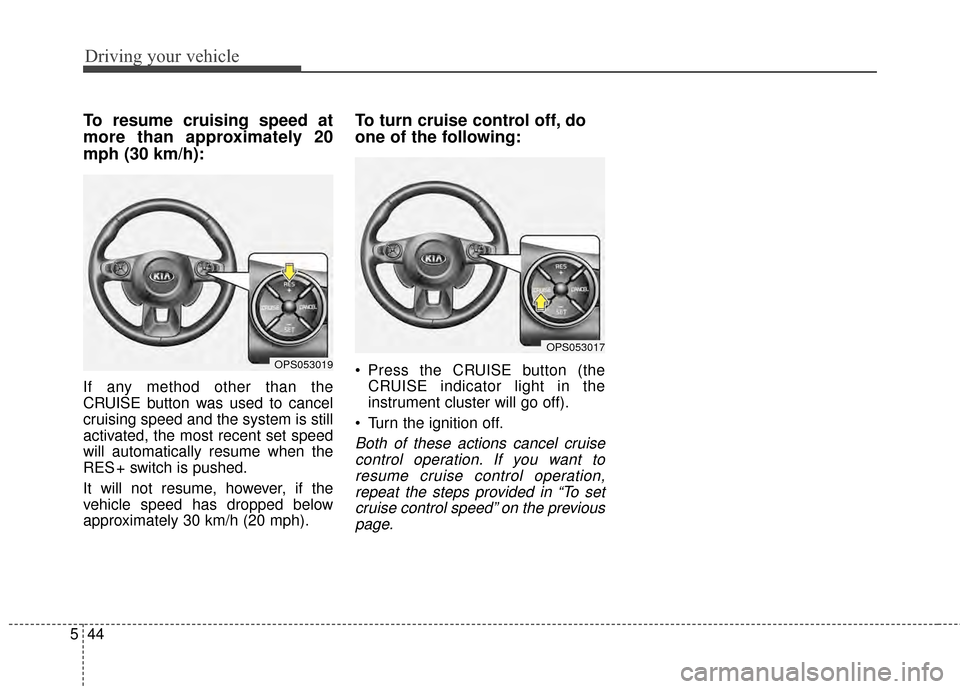
To resume cruising speed at
more than approximately 20
mph (30 km/h):
If any method other than the
CRUISE button was used to cancel
cruising speed and the system is still
activated, the most recent set speed
will automatically resume when the
RES + switch is pushed.
It will not resume, however, if the
vehicle speed has dropped below
approximately 30 km/h (20 mph).
To turn cruise control off, do
one of the following:
Press the CRUISE button (the
CRUISE indicator light in the
instrument cluster will go off).
Turn the ignition off.
Both of these actions cancel cruise control operation. If you want toresume cruise control operation,repeat the steps provided in “To setcruise control speed” on the previouspage.
OPS053019
OPS053017
Page 333 of 500
Driving your vehicle
46
5
Your vehicle may be equipped with
the ISG system, which reduces fuel
consumption by automatically shut-
ting down the engine, when the vehi-
cle is at a standstill. (For example :
red light, stop sign and traffic jam)
The engine starts automatically as
soon as the starting conditions are
met.
The ISG system is ON whenever the
engine is running.
✽ ✽
NOTICE
When the engine automatically
starts by the ISG system, some
warning lights (ABS, ESC, ESC
OFF, EPS or Parking brake warn-
ing light) may turn on for a few sec-
onds.
This happens because of low battery
voltage. It does not mean the system
is malfunctioning.
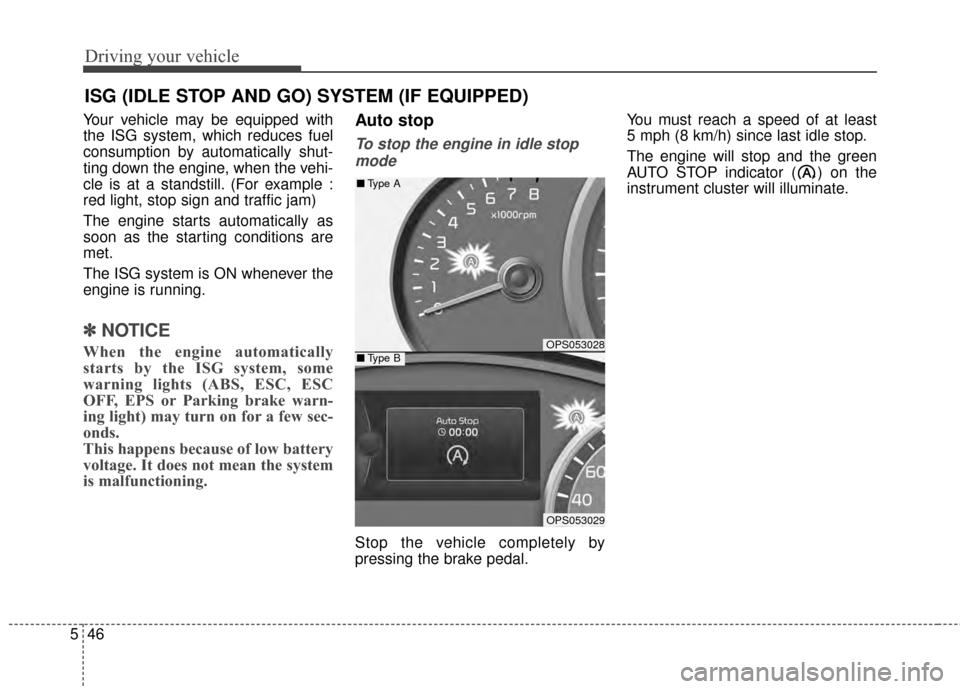
Auto stop
To stop the engine in idle stop
mode
Stop the vehicle completely by
pressing the brake pedal. You must reach a speed of at least
5 mph (8 km/h) since last idle stop.
The engine will stop and the green
AUTO STOP indicator ( ) on the
instrument cluster will illuminate.
ISG (IDLE STOP AND GO) SYSTEM (IF EQUIPPED)
OPS053028
OPS053029
■
Type A
■Type B
Page 334 of 500
547
Driving your vehicle
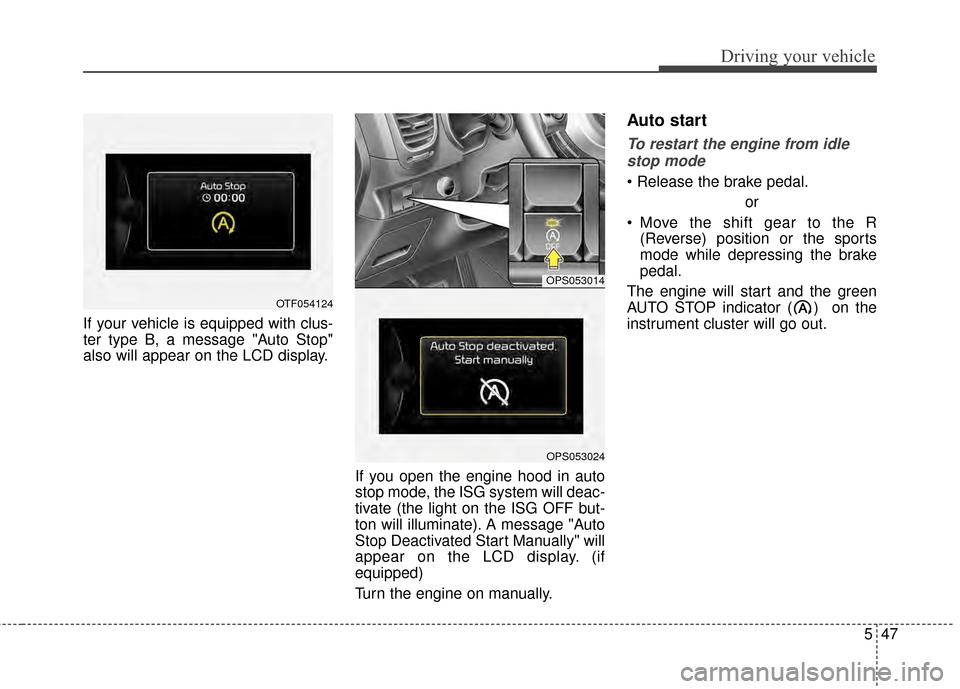
If your vehicle is equipped with clus-
ter type B, a message "Auto Stop"
also will appear on the LCD display.If you open the engine hood in auto
stop mode, the ISG system will deac-
tivate (the light on the ISG OFF but-
ton will illuminate). A message "Auto
Stop Deactivated Start Manually" will
appear on the LCD display. (if
equipped)
Turn the engine on manually.
Auto start
To restart the engine from idlestop mode
or
Move the shift gear to the R (Reverse) position or the sports
mode while depressing the brake
pedal.
The engine will start and the green
AUTO STOP indicator ( ) on the
instrument cluster will go out.
OPS053014
OPS053024
OTF054124
Page 335 of 500
Driving your vehicle
48
5
The engine will also restart auto-
matically without the driver’s anyactions if the following occurs:
- When a certain amount of time has passed with the climate control sys-
tem on.
- When the front defroster is on.
- The brake vaccum pressure is low.
- The battery charging status is low.
- The vehicle speed exceeds 1 MPH (1 km/h).
- The fan speed is in the highest position when the air conditioning is
on.
- Engine is turned off by Auto Stop for a long time.
- If you unfasten the seat belt or open the driver's door while depressing
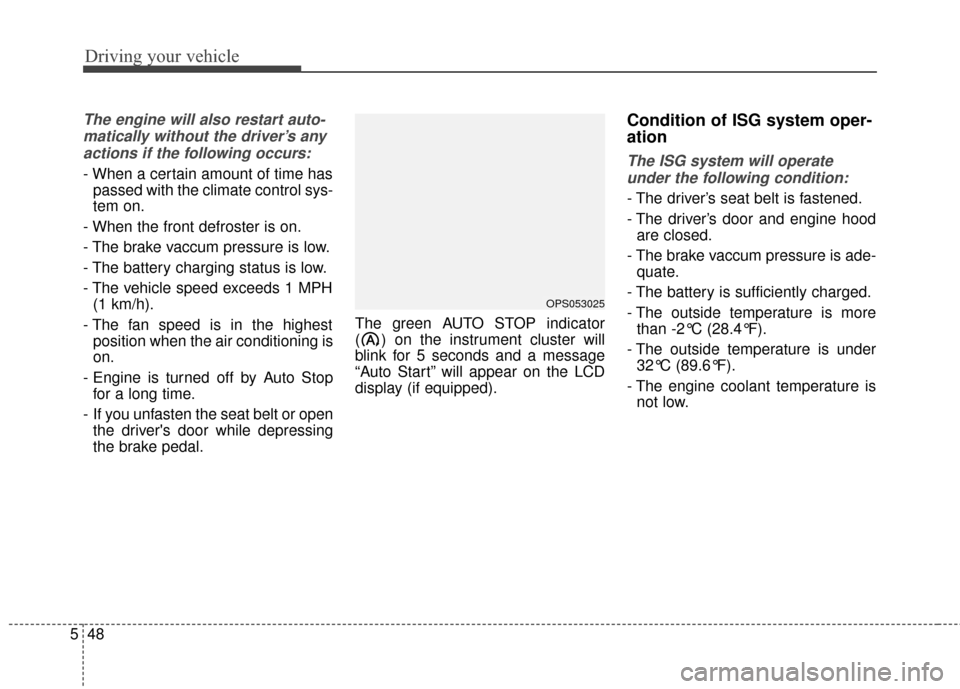
the brake pedal. The green AUTO STOP indicator
( ) on the instrument cluster will
blink for 5 seconds and a message
“Auto Start” will appear on the LCD
display (if equipped).
Condition of ISG system oper-
ation
The ISG system will operate
under the following condition:
- The driver’s seat belt is fastened.
- The driver’s door and engine hood are closed.
- The brake vaccum pressure is ade- quate.
- The battery is sufficiently charged.
- The outside temperature is more than -2°C (28.4°F).
- The outside temperature is under 32°C (89.6°F).
- The engine coolant temperature is not low.
OPS053025
Page 496 of 500
I5
Index
If the engine stalls while driving . . . . . . . . . . . . . . . . 6-3
If you have a flat tire while driving . . . . . . . . . . . . . . 6-3
Instrument cluster . . . . . . . . . . . . . . . . . . . . . . . . . . . . . 4-54 Gauges . . . . . . . . . . . . . . . . . . . . . . . . . . . . . . . . . . . 4-\
56
Instrument Cluster Control. . . . . . . . . . . . . . . . . . . . 4-55
LCD Display Control . . . . . . . . . . . . . . . . . . . . . . . . 4-55
Transaxle Shift Indicator . . . . . . . . . . . . . . . . . . . . . 4-60
Instrument panel overview . . . . . . . . . . . . . . . . . . . . . . . 2-5
Interior features. . . . . . . . . . . . . . . . . . . . . . . . . . . . . . 4-133 Cargo area cover. . . . . . . . . . . . . . . . . . . . . . . . . . . 4-140
Clothes hanger . . . . . . . . . . . . . . . . . . . . . . . . . . . . 4-138
Cup holder . . . . . . . . . . . . . . . . . . . . . . . . . . . . . . . 4-133
Floor mat anchor(s) . . . . . . . . . . . . . . . . . . . . . . . . 4-138
Luggage net holder. . . . . . . . . . . . . . . . . . . . . . . . . 4-139
Power outlet . . . . . . . . . . . . . . . . . . . . . . . . . . . . . . 4-137
Rear seat warmer . . . . . . . . . . . . . . . . . . . . . . . . . . 4-136
Seat air ventilation . . . . . . . . . . . . . . . . . . . . . . . . . 4-135
Seat warmer . . . . . . . . . . . . . . . . . . . . . . . . . . . . . . 4-134
Sunvisor . . . . . . . . . . . . . . . . . . . . . . . . . . . . . . . . . 4-133
Interior light . . . . . . . . . . . . . . . . . . . . . . . . . . . . . . . . . 4-97 Glove box lamp . . . . . . . . . . . . . . . . . . . . . . . . . . . 4-101
Interior lamp auto cut . . . . . . . . . . . . . . . . . . . . . . . . 4-97
Luggage room lamp . . . . . . . . . . . . . . . . . . . . . . . . . 4-99
Map lamp . . . . . . . . . . . . . . . . . . . . . . . . . . . . . . . . 4-97
Portable lamp usage . . . . . . . . . . . . . . . . . . . . . . . . . 4-99
Room lamp . . . . . . . . . . . . . . . . . . . . . . . . . . . . . . . . 4-98
Vanity mirror lamp . . . . . . . . . . . . . . . . . . . . . . . . . 4-101
Interior overview. . . . . . . . . . . . . . . . . . . . . . . . . . . . . . . 2-4 ISG (Idle Stop and Go) system . . . . . . . . . . . . . . . . . . 5-46
Auto start . . . . . . . . . . . . . . . . . . . . . . . . . . . . . . . . . 5-47
Auto stop . . . . . . . . . . . . . . . . . . . . . . . . . . . . . . . . . 5-46
Condition of ISG system operation . . . . . . . . . . . . . 5-48
ISG system deactivation . . . . . . . . . . . . . . . . . . . . . . 5-49
ISG system malfunction . . . . . . . . . . . . . . . . . . . . . . 5-50
Key . . . . . . . . . . . . . . . . . . . . . . . . . . . . . . . . . . . . \
. . . . . 4-4 Battery replacement . . . . . . . . . . . . . . . . . . . . . . . . . . 4-7
Immobilizer system . . . . . . . . . . . . . . . . . . . . . . . . . . 4-8
Key operations . . . . . . . . . . . . . . . . . . . . . . . . . . . . . . 4-4
Record your key number . . . . . . . . . . . . . . . . . . . . . . 4-4
Transmitter precautions . . . . . . . . . . . . . . . . . . . . . . . 4-6
Key positions . . . . . . . . . . . . . . . . . . . . . . . . . . . . . . . . . 5-7 Ignition switch position . . . . . . . . . . . . . . . . . . . . . . . 5-7
Illuminated ignition switch . . . . . . . . . . . . . . . . . . . . 5-7
Starting the engine . . . . . . . . . . . . . . . . . . . . . . . . . . . 5-9
LCD Display . . . . . . . . . . . . . . . . . . . . . . . . . . . . . . . . . 4-62 A/V Mode. . . . . . . . . . . . . . . . . . . . . . . . . . . . . . . . . 4-66
LCD Modes . . . . . . . . . . . . . . . . . . . . . . . . . . . . . . . 4-62
Service Mode . . . . . . . . . . . . . . . . . . . . . . . . . . . . . . 4-63
Turn By Turn Mode . . . . . . . . . . . . . . . . . . . . . . . . . 4-67
User Settings Mode . . . . . . . . . . . . . . . . . . . . . . . . . 4-64
K
L