instrument cluster KIA Sportage 2005 JE_ / 2.G Owner's Manual
[x] Cancel search | Manufacturer: KIA, Model Year: 2005, Model line: Sportage, Model: KIA Sportage 2005 JE_ / 2.GPages: 354, PDF Size: 2.78 MB
Page 11 of 354
25
1
2
3
4
5
6
7
8
9
Your vehicle at a glance
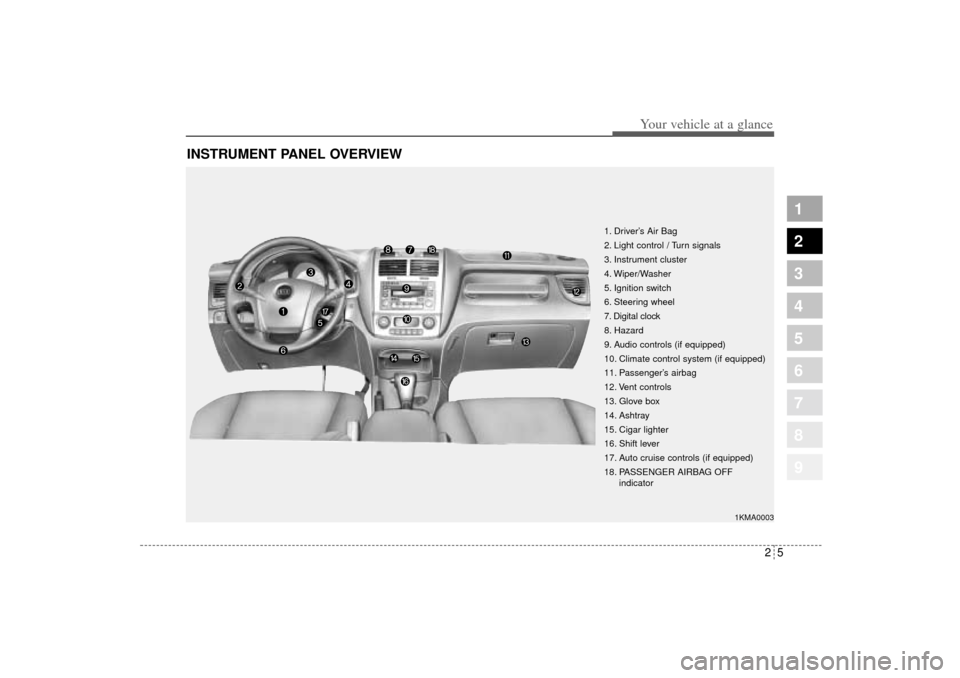
INSTRUMENT PANEL OVERVIEW
1. Driver’s Air Bag
2. Light control / Turn signals
3. Instrument cluster
4. Wiper/Washer
5. Ignition switch
6. Steering wheel
7. Digital clock
8. Hazard
9. Audio controls (if equipped)
10. Climate control system (if equipped)
11. Passenger’s airbag
12. Vent controls
13. Glove box
14. Ashtray
15. Cigar lighter
16. Shift lever
17. Auto cruise controls (if equipped)
18. PASSENGER AIRBAG OFF
indicator
1KMA0003
KM CAN (ENG) 2.qxd 9/13/2004 4:51 PM Page 5
Page 124 of 354
1
2
3
4
5
6
7
8
9
Ignition switch / 4-2
Starting the engine / 4-4
Manual transaxle / 4-5
Automatic transaxle / 4-6
Four wheel drive (4WD) / 4-12
Brake system / 4-18
Steering wheel / 4-25
Cruise control / 4-28
Traction control system / 4-33
Electronic stability program / 4-36
Instrument cluster / 4-39
Gauges / 4-40
Warnings and indicators / 4-46
Tires pressure monitoring system (TPMS) / 4-54
Compass / 4-56
Lighting / 4-59
Wipers and washers / 4-63
Defroster / 4-66
Driving your vehicle
KM CAN (ENG) 4.qxd 9/13/2004 4:48 PM Page 1
Page 151 of 354
Driving your vehicle28 4
1
2
3
4
5
6
7
8
9
The cruise control system allows you
to program the vehicle to maintain a
constant speed without resting your
foot on the accelerator pedal.
With cruise control, you can set and
automatically maintain any speed of
between 40 km/h (24 mph) and
160 km/h (96 mph).
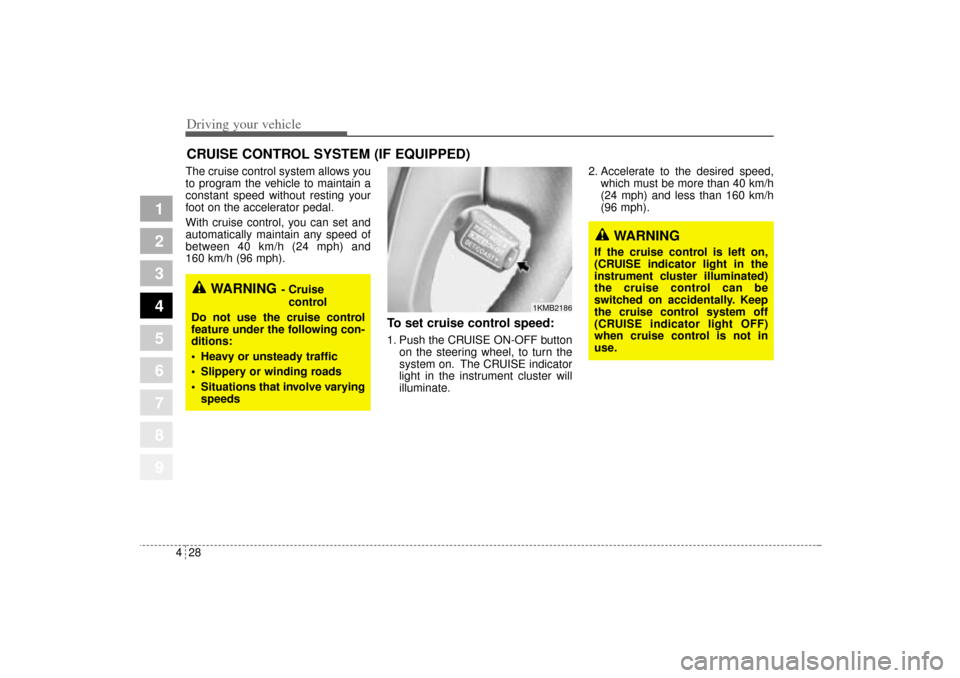
To set cruise control speed:1. Push the CRUISE ON-OFF button
on the steering wheel, to turn the
system on. The CRUISE indicator
light in the instrument cluster will
illuminate.2. Accelerate to the desired speed,
which must be more than 40 km/h
(24 mph) and less than 160 km/h
(96 mph).
CRUISE CONTROL SYSTEM (IF EQUIPPED)
WARNING
- Cruise
control
Do not use the cruise control
feature under the following con-
ditions:
Heavy or unsteady traffic
Slippery or winding roads
Situations that involve varying
speeds
WARNING
If the cruise control is left on,
(CRUISE indicator light in the
instrument cluster illuminated)
the cruise control can be
switched on accidentally. Keep
the cruise control system off
(CRUISE indicator light OFF)
when cruise control is not in
use.
1KMB2186
KM CAN (ENG) 4.qxd 9/13/2004 4:48 PM Page 28
Page 152 of 354
429
Driving your vehicle
1
2
3
4
5
6
7
8
9
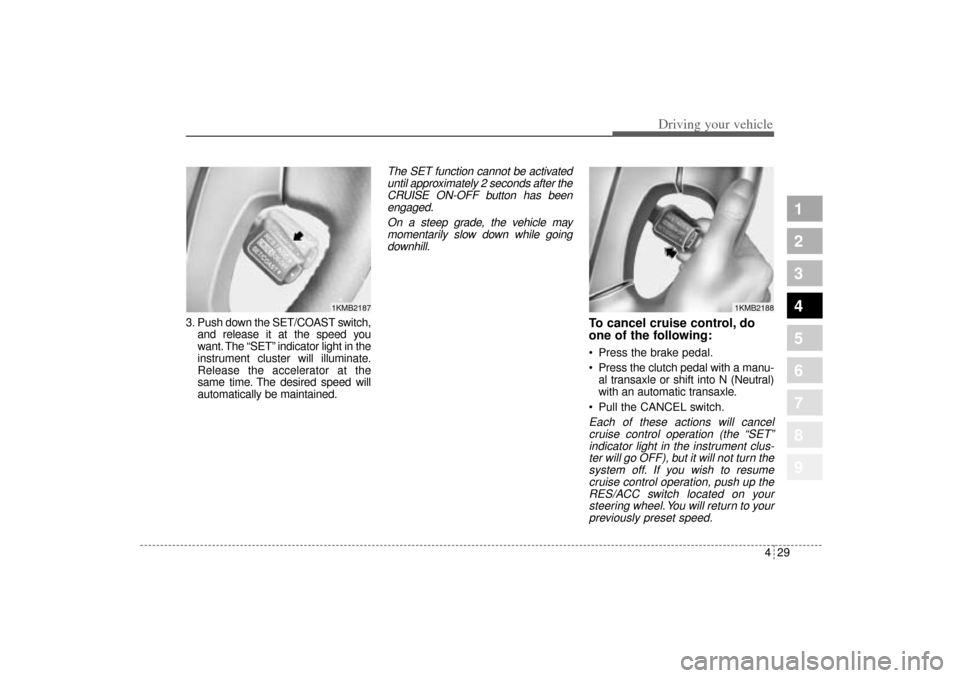
3. Push down the SET/COAST switch,
and release it at the speed you
want. The “SET” indicator light in the
instrument cluster will illuminate.
Release the accelerator at the
same time. The desired speed will
automatically be maintained.
The SET function cannot be activated
until approximately 2 seconds after the
CRUISE ON-OFF button has been
engaged.
On a steep grade, the vehicle may
momentarily slow down while going
downhill.
To cancel cruise control, do
one of the following: Press the brake pedal.
Press the clutch pedal with a manu-
al transaxle or shift into N (Neutral)
with an automatic transaxle.
Pull the CANCEL switch.Each of these actions will cancel
cruise control operation (the “SET”
indicator light in the instrument clus-
ter will go OFF), but it will not turn the
system off. If you wish to resume
cruise control operation, push up the
RES/ACC switch located on your
steering wheel. You will return to your
previously preset speed.
1KMB2187
1KMB2188
KM CAN (ENG) 4.qxd 9/13/2004 4:48 PM Page 29
Page 153 of 354
Driving your vehicle30 4
1
2
3
4
5
6
7
8
9
To turn cruise control off, do
one of the following: Push the CRUISE ON-OFF button
(the CRUISE indicator light in the
instrument cluster will go OFF).
Turn the ignition off.Both of these actions cancel cruise
control operation. If you want to
resume cruise control operation,
repeat the steps provided in “To Set
Cruise Control Speed” on the previ-
ous page.
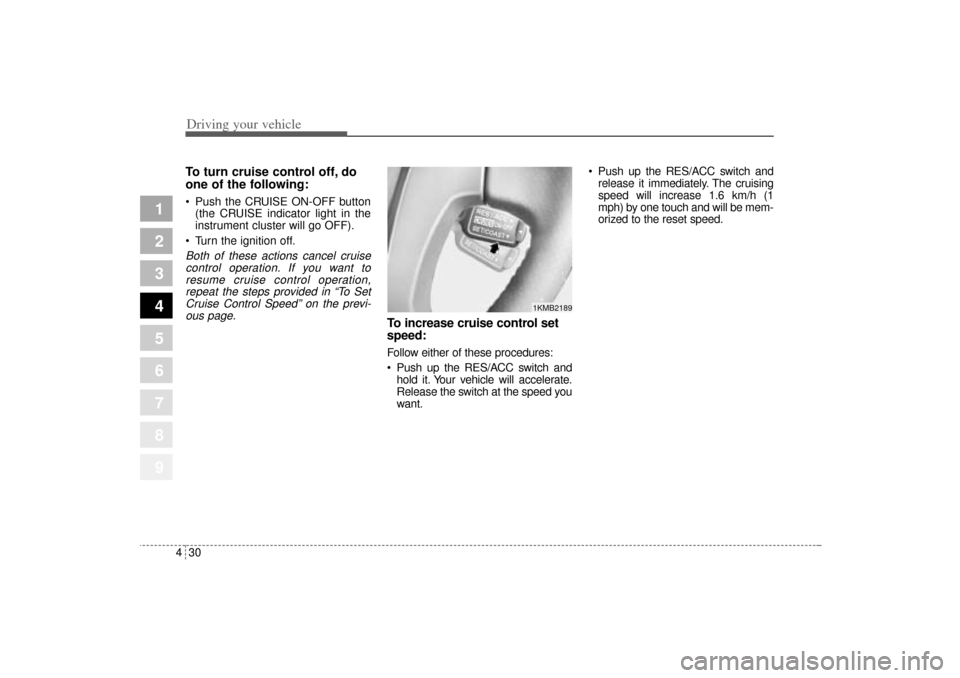
To increase cruise control set
speed:Follow either of these procedures:
Push up the RES/ACC switch and
hold it. Your vehicle will accelerate.
Release the switch at the speed you
want. Push up the RES/ACC switch and
release it immediately. The cruising
speed will increase 1.6 km/h (1
mph) by one touch and will be mem-
orized to the reset speed.
1KMB2189
KM CAN (ENG) 4.qxd 9/13/2004 4:48 PM Page 30
Page 162 of 354
439
Driving your vehicle
1
2
3
4
5
6
7
8
9
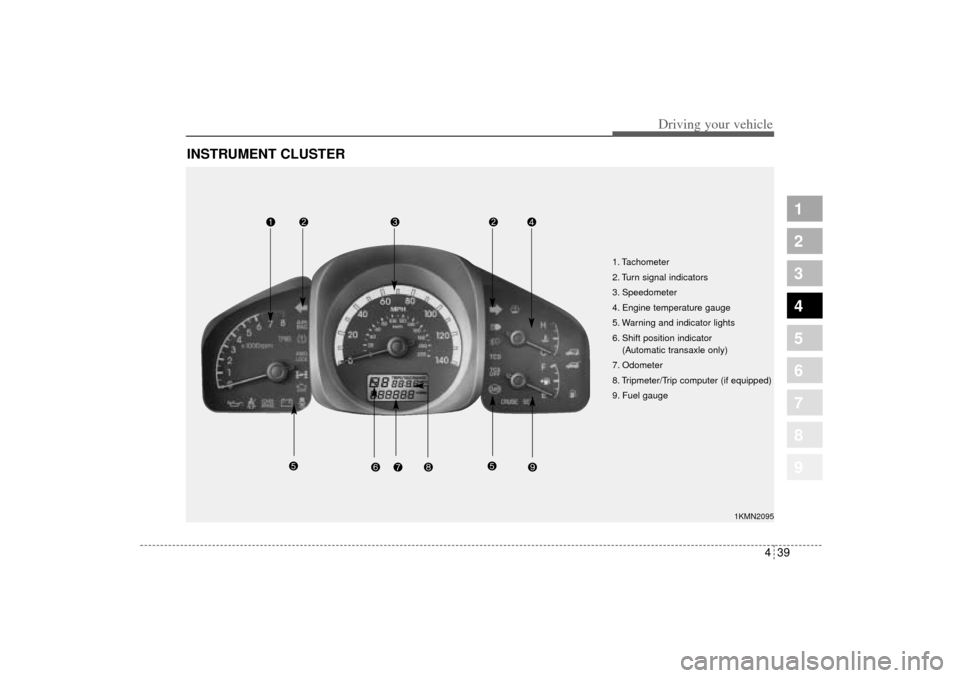
INSTRUMENT CLUSTER
1. Tachometer
2. Turn signal indicators
3. Speedometer
4. Engine temperature gauge
5. Warning and indicator lights
6. Shift position indicator
(Automatic transaxle only)
7. Odometer
8. Tripmeter/Trip computer (if equipped)
9. Fuel gauge
1KMN2095
KM CAN (ENG) 4.qxd 9/13/2004 4:48 PM Page 39
Page 178 of 354
455
Driving your vehicle
1
2
3
4
5
6
7
8
9
TPMS indicator The TPMS indicator comes on and
stays on when there is a problem
with the Tire Pressure Monitoring
System. If this happens, the system
will shut off and no longer monitor
tire pressures. Have the system
checked by an authorized Kia dealer
as soon as possible.
Changing the tire with TPMSIf you have a flat tire, the Low Tire
Pressure indicator will come on.
Replace the flat tire with the compact
spare tire.
Each wheel is equipped with a tire
pressure sensor mounted inside the
tire behind the valve stem. You must
use TPMS specific wheels. It is rec-
ommended that you always have
your tires serviced by an authorized
Kia dealer.
After you replace the flat tire, the Low
Tire Pressure indicator ( ) in the
instrument cluster will stay on. This is
normal; however it is important to
remember that the system is not
monitoring the pressure of the spare
tire. Remember to manually check
the spare tire pressure including
other tires pressure for proper infla-
tion.
Never use a puncture-repairing
agent in a flat tire. If used, you will
have to replace the tire pressure
sensor. Have the flat tire repaired by
an authorized Kia dealer as soon as
possible.
✽ ✽
NOTICE• Do not use any tire sealant if your
vehicle is equipped with Tire
Pressure Monitors. The liquid
sealant can damage the tire pres-
sure monitor sensors.
• The TPMS cannot alert you to
severe and sudden tire damage
caused by external factors. This device complies with Industry
Canada Standard RSS-210.
Operation is subject to the following
two conditions:
1. This device may not cause inter-
ference, and
2. This device must accept any inter-
ference, including interference that
may cause undesired operation of
the device.
TPMS
KM CAN (ENG) 4.qxd 9/13/2004 4:48 PM Page 55