mirror Lexus CT200h 2016 (in English) Owner's Guide
[x] Cancel search | Manufacturer: LEXUS, Model Year: 2016, Model line: CT200h, Model: Lexus CT200h 2016Pages: 632, PDF Size: 8.5 MB
Page 232 of 632

232
CT200h_OM_OM76197U_(U)4-5. Using the driving support systems
WA R N I N G
■When using the Lexus parking assist monitor system
The parking assist monitor is a supplemental
device intended to assist the driver when
backing up. When backing up, be sure to chec k visually behind and all around the vehi-
cle before proceeding.
Observe the following precautions to avoid an accident that could result in death or
serious injuries.
●Never depend on the parking assist monitor entirely when backing up. The image
and the position of the guide lines displaye d on the screen may differ from the actual
state.
Use caution, just as you would when backing up any vehicle.
●Be sure to back up slowly, depressing the brake pedal to control vehicle speed.
●If you seem likely to hit nearby vehicles, obstacles, people or mount the shoulder,
depress the brake pedal to stop the vehicle.
●The instructions given are only guidelines.
When and how much to turn the steering wheel will vary according to traffic condi-
tions, road surface conditions, vehicle condit ion, etc. when parking. It is necessary to
be fully aware of this before using the parking assist system.
●When parking, be sure to check that the par king space will accommodate your vehi-
cle before maneuvering into it.
●Do not use the parking assist monitor in the following cases:
• On icy or slick road surfaces, or in snow
• When using tire chains or emergency tires
• When the back door is not closed completely
• On roads that are not flat or straight, such as curves or slopes.
●In low temperatures, the screen may darken or the image may become faint. The
image could distort when the vehicle is moving, or you may become unable to see the
image on the screen. Be sure to check dire ct visually and with the mirrors all around
the vehicle before proceeding.
●If the tire sizes are changed, the position of the guide lines displayed on the screen
may change.
●The camera uses a special lens. The dist ances between objects and pedestrians that
appear in the image displayed on the screen will differ from the actual distances.
( P. 2 2 7 )
●Estimated course line display mode: If the st eering wheel is straight and the vehicle
width guide lines and the estimated course li nes are not in alignment, have the vehicle
inspected by your Lexus dealer.
Page 409 of 632

409
CT200h_OM_OM76197U_(U)
6Interior features
6-1. Using the air conditioning system and defogger
Automatic air conditioning system (Vehicles with a
navigation system or Lexus
Display Audio System)........... 410
Automatic air conditioning system (Vehicles without a
navigation system or Lexus
Display Audio System)........... 418
Heated steering wheel/ seat heaters................................425
• Heated steering wheel....... 426
• Seat heaters............................ 426 6-2. Using the interior lights
Interior lights list ..........................427• Personal/interior light main switch ..............................427
•Front personal/ interior lights .......................... 428
• Rear interior light ................. 428
6-3. Using the storage features List of storage features ............ 429• Glove box ...............................430
• Console box...........................430
•Cup holders/bottle holders/
door pockets ..........................430
• Auxiliary boxes ..................... 432
Luggage compartment features........................................ 434
6-4. Using the other interior features Other interior features ............ 439• Sun visors ................................ 439
• Vanity mirrors ........................ 439
• Clock ........................................ 440
• Power outlet ........................... 440
• Assist grips.............................. 442
Garage door opener................ 443
Compass ....................................... 449
LEXUS Enform Safety Connect ...................................... 455
Page 414 of 632
4146-1. Using the air conditioning system and defogger
CT200h_OM_OM76197U_(U)
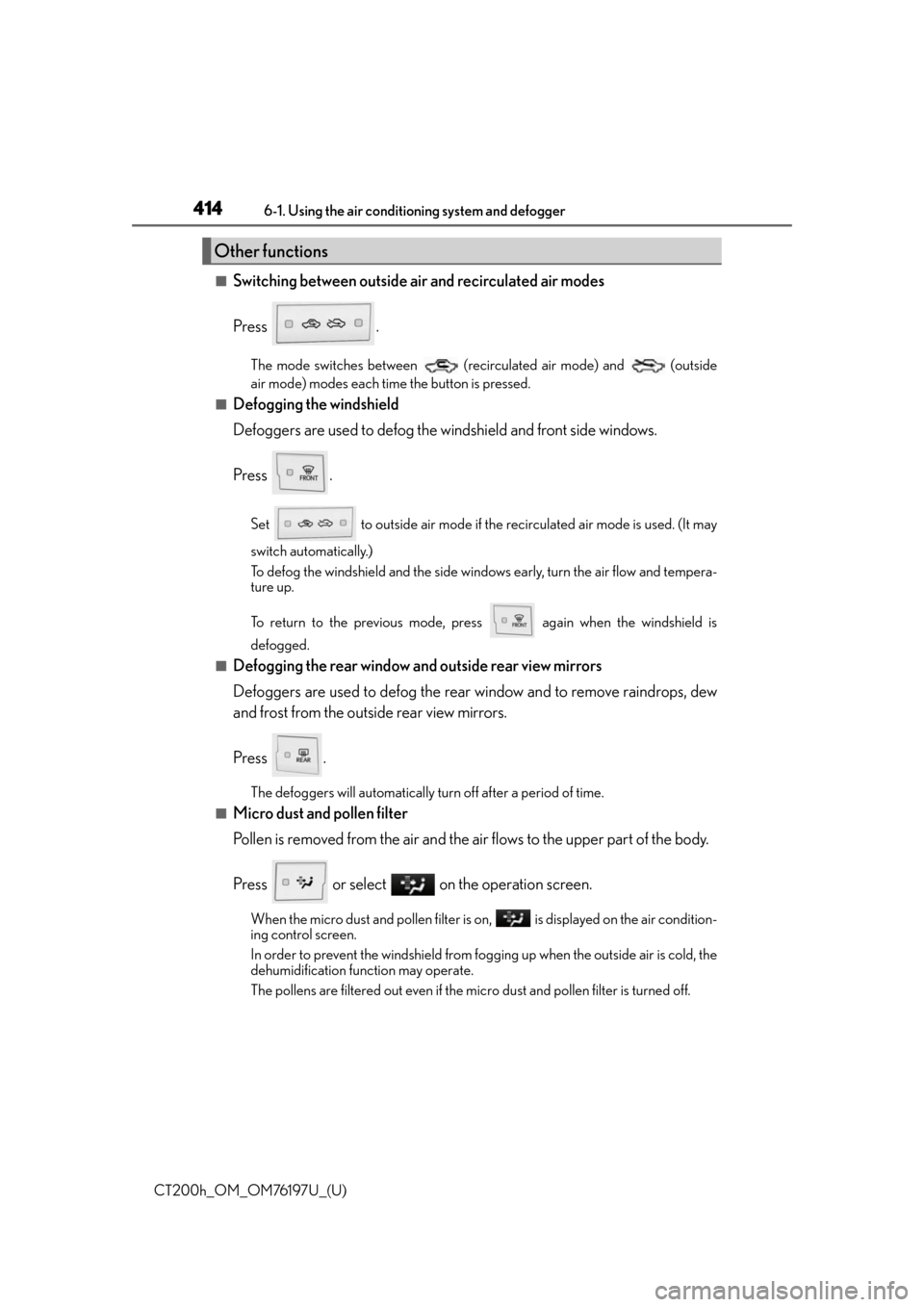
■Switching between outside air and recirculated air modes
Press .
The mode switches between (recirculated air mode) and (outside
air mode) modes each time the button is pressed.
■Defogging the windshield
Defoggers are used to defog the windshield and front side windows.
Press .
Set to outside air mode if the recirculated air mode is used. (It may
switch automatically.)
To defog the windshield and the side windows early, turn the air flow and tempera-
ture up.
To return to the previous mode, press again when the windshield is
defogged.
■Defogging the rear window and outside rear view mirrors
Defoggers are used to defog the rear window and to remove raindrops, dew
and frost from the outside rear view mirrors.
Press .
The defoggers will automatically turn off after a period of time.
■Micro dust and pollen filter
Pollen is removed from the air and the air flows to the upper part of the body.
Press or select on the operation screen.
When the micro dust and pollen filter is on, is displayed on the air condition-
ing control screen.
In order to prevent the windshield from fo gging up when the outside air is cold, the
dehumidification function may operate.
The pollens are filtered out even if the micro dust and pollen filter is turned off.
Other functions
Page 417 of 632
CT200h_OM_OM76197U_(U)
4176-1. Using the air conditioning system and defogger
6
Interior features
■Ventilation and air conditioning odors
●To let fresh air in, set the air conditio ning system to the outside air mode.
●During use, various odors from inside and outside the vehicle may enter into and accu-
mulate in the air conditioning system. This may then cause odor to be emitted from the
vents.
●To reduce potential odors from occurring:
• It is recommended that the air conditioning system be set to outside air mode prior to turning the vehicle off.
• The start timing of the blower may be dela yed for a short period of time immediately
after the air conditioning system is started in automatic mode.
■Air conditioning filter
P. 5 0 2
■Customization
Settings (e.g. A/C automatic mode switch operation) can be changed.
(Customizable features: P. 5 9 1 )
WA R N I N G
■To prevent the windshield from fogging up
●Do not use during cool air operation in extremely humid weather. The differ-
ence between the temperature of the outside air and that of the windshield can cause
the outer surface of the windshield to fog up, blocking your vision.
■To prevent burns
●Do not touch the rear view mirror surfaces when the outside rear view mirror defog-
gers are on.
●Do not touch the glass at lower part of the wi ndshield or to the side of the front pillars
when the windshield wiper de-icer is on. (vehicles with windshield wiper de-icer)
NOTICE
■To prevent 12-volt battery discharge
Do not leave the air conditioning system on longer than necessary when the hybrid sys-
tem is off.
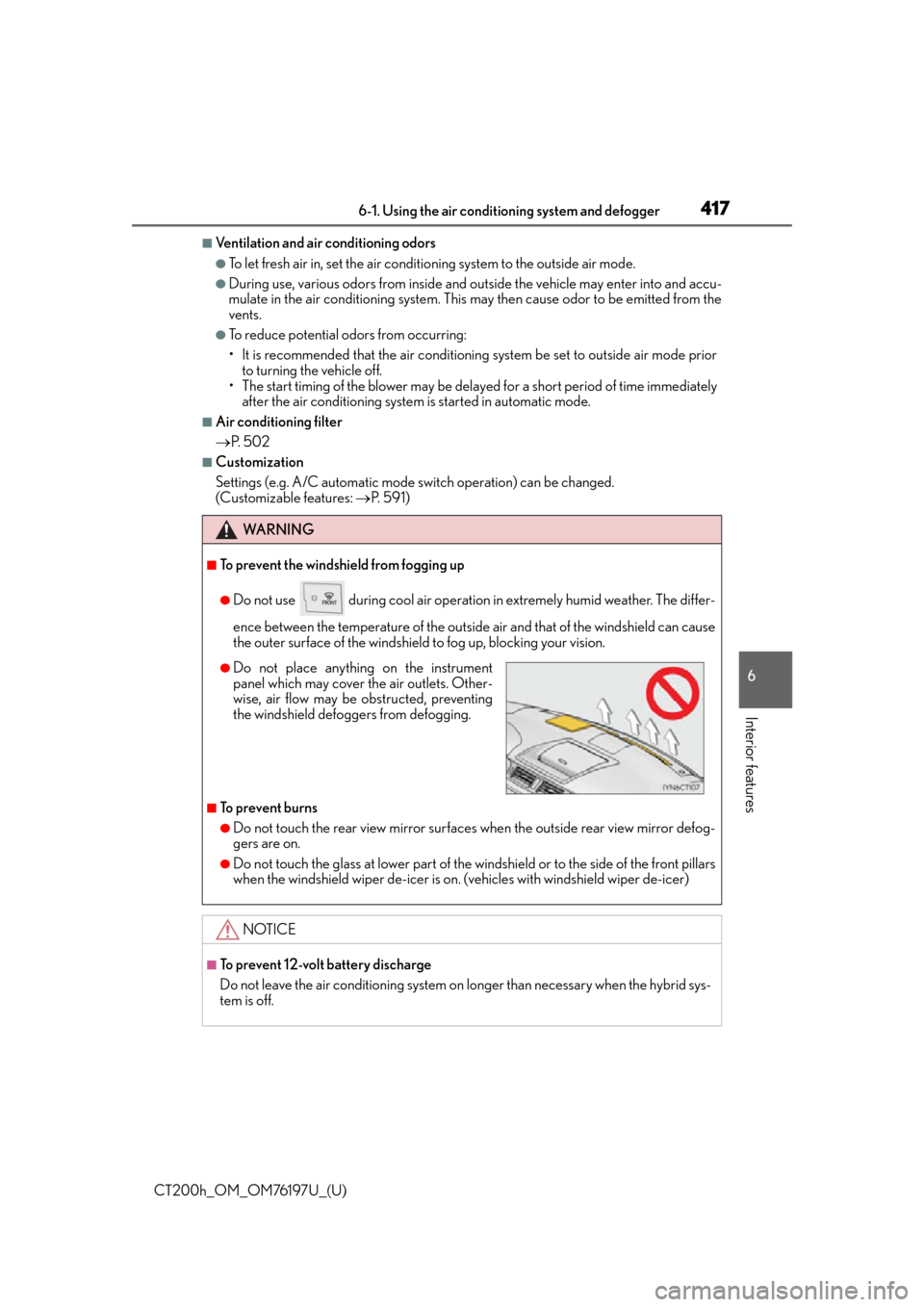
●Do not place anything on the instrument
panel which may cover th e air outlets. Other-
wise, air flow may be obstructed, preventing
the windshield defoggers from defogging.
Page 420 of 632

4206-1. Using the air conditioning system and defogger
CT200h_OM_OM76197U_(U)
■Switching between outside air and recirculated air modes
Press .
The mode switches between (recirculated air mode) and (outside
air mode) modes each time the button is pressed.
■Defogging the windshield
Defoggers are used to defog the windshield and front side windows.
Press .
Set to outside air mode if the recirculated air mode is used. (It may
switch automatically.)
To defog the windshield and the side windows early, turn the air flow and tempera-
ture up.
To return to the previous mode, press again when the windshield is
defogged.
■Defogging the rear window and outside rear view mirrors
Defoggers are used to defog the rear window and to remove raindrops, dew
and frost from the outside rear view mirrors.
Press .
The defoggers will automatically turn off after a period of time.
■Micro dust and pollen filter
Pollen is removed from the air and the air flows to the upper part of the body.
Press .
In order to prevent the windshield from fo gging up when the outside air is cold, the
dehumidification function may operate.
The pollens are filtered out even if the micro dust and pollen filter is turned off.
Other functions
Page 424 of 632

4246-1. Using the air conditioning system and defogger
CT200h_OM_OM76197U_(U)
WA R N I N G
■To prevent the windshield from fogging up
●Do not use during cool air operation in extremely humid weather. The differ-
ence between the temperature of the outside air and that of the windshield can cause
the outer surface of the windshield to fog up, blocking your vision.
■To prevent burns
●Do not touch the rear view mirror surfaces when the outside rear view mirror defog-
gers are on.
●Do not touch the glass at lower part of the wi ndshield or to the side of the front pillars
when the windshield wiper de-icer is on. (vehicles with windshield wiper de-icer)
NOTICE
■To prevent 12-volt battery discharge
Do not leave the air conditioning system on longer than necessary when the hybrid sys-
tem is off.
●Do not place anything on the instrument
panel which may cover th e air outlets. Other-
wise, air flow may be obstructed, preventing
the windshield defoggers from defogging.
Page 439 of 632
439
CT200h_OM_OM76197U_(U)6-4. Using the other interior features
6
Interior features
Other interior features
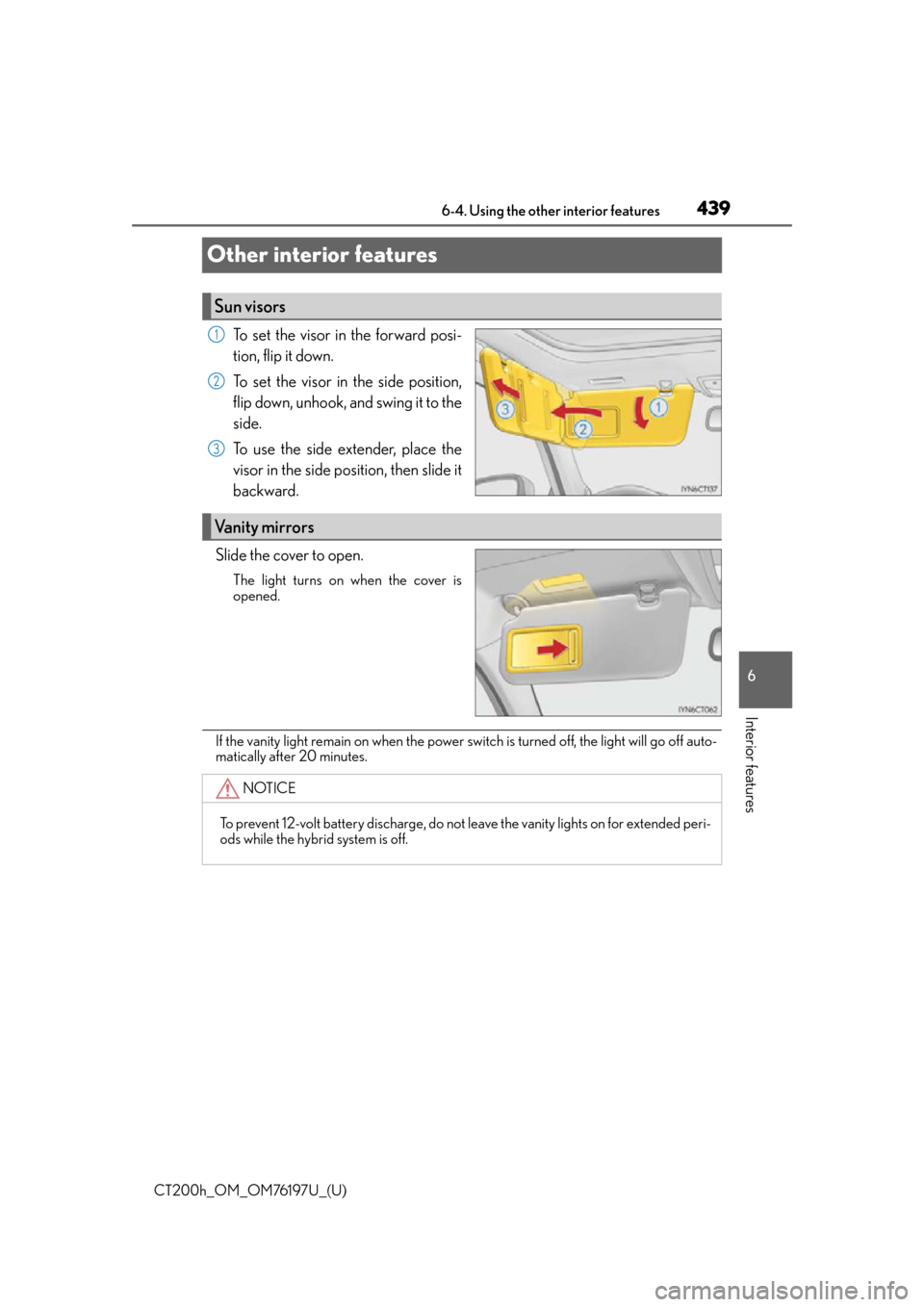
To set the visor in the forward posi-
tion, flip it down.
To set the visor in the side position,
flip down, unhook, and swing it to the
side.
To use the side extender, place the
visor in the side position, then slide it
backward.
Slide the cover to open.
The light turns on when the cover is
opened.
If the vanity light remain on when the power switch is turned off, the light will go off auto-
matically after 20 minutes.
Sun visors
1
2
3
Vanity mirrors
NOTICE
To prevent 12-volt battery discharge, do not leave the vanity lights on for extended peri-
ods while the hybrid system is off.
Page 454 of 632

454
CT200h_OM_OM76197U_(U)6-4. Using the other interior features
Drive the vehicle at 5 mph
(8 km/h) or less in a circle until a
direction is displayed.
If there is not enough space to drive
in a circle, drive around the block
until a direction is displayed.
■Conditions unfavorable to correct operation
The compass may not show the correct direction in the following conditions:
●The vehicle is stopped immediately after turning.
●The vehicle is on an inclined surface.
●The vehicle is in a place where the earth’s ma
gnetic field is subject to interference by
artificial magnetic fields (underground car park/parking lot, under a steel tower,
between buildings, roof car park/parking lot, near an intersection, near a large vehicle,
etc.).
●The vehicle has become magnetized. (There is a magnet or metal object near the inside
rear view mirror.)
●The 12-volt battery has been disconnected.
●A door is open.
3
WA R N I N G
■While driving the vehicle
Do not adjust the display. Adjust the di splay only when the vehicle is stopped.
■When doing the circling calibration
Secure a wide space, and watch out for people and vehicles in the vicinity. Do not vio-
late any local traffic rules while performing circling calibration.
NOTICE
■To avoid compass malfunctions
Do not place magnets or any metal object s near the inside rear view mirror.
Doing this may cause the compass sensor to malfunction.
■To ensure normal operation of the compass
●Do not perform a circling calibration of the compass in a place where the earth’s
magnetic field is subject to interfer ence by artificial magnetic fields.
●During calibration, do not operate electric systems (moon roof, power windows, etc.)
as they may interfere with the calibration.
Page 462 of 632

462
CT200h_OM_OM76197U_(U)7-1. Maintenance and care
Cleaning and protecting the vehicle exterior
●Working from top to bottom, liberally apply water to the vehicle body, wheel
wells and underside of the vehicle to remove any dirt and dust.
●Wash the vehicle body using a sponge or soft cloth, such as a chamois.
●For hard-to-remove marks, use car wash soap and rinse thoroughly with
water.
●Wipe away any water.
●Wax the vehicle when the waterproof coating deteriorates.
If water does not bead on a clean surface,
apply wax when the vehicle body is cool.
■Self-restoring coat
The vehicle body has a self-restoring coating that is resistant to small surface scratches
caused in a car wash etc.
●The coating lasts for 5 to 8 years from when the vehicle is delivered from the plant.
●The restoration time differs depending on the depth of the scratch and outside temper-
ature. The restoration time may become shor ter when the coating is warmed by apply-
ing warm water.
●Deep scratches caused by keys, coins, etc. cannot be restored.
●Do not use wax that contain abrasives.
■Automatic car washes
●Fold the mirrors before washing the vehicle. Start washing from the front of the vehicle.
Make sure to extend th e mirrors before driving.
●Brushes used in automatic car washes may scratch the vehicle surface and harm your
vehicle’s paint.
●Rear spoiler may not be washable in some automatic car washes. There may also be an
increased risk of damage to vehicle.
■High pressure car washes
●Do not allow the nozzles of the car wash to come within close proximity of the windows.
●Before using the car wash, check that the fuel filler door on your vehicle is closed prop-
erly.
■Note for a smart access system with push-button start
If the door handle becomes wet while the electronic key is within the effective range, the
door may lock and unlock repeatedly. Place the key in a position 6 ft. (2 m) or more sep-
arate from the vehicle while the vehicle is being washed. (Take care to ensure that the key
is not stolen.)
Perform the following to protect the ve hicle and maintain it in prime condi-
tion:
Page 619 of 632

619Alphabetical index
CT200h_OM_OM76197U_(U)
Cooling system ..................................... 482Hybrid system overheating ......... 566
Consumption screen ...............................91
Cruise control Cruise control....................................... 186
Dynamic radar cruise control ................................................... 189
Cup holders ............................................ 430
Curtain shield airbags ........................... 38
Customizable features ........................ 591
Daytime running light system ............170
Defogger Outside rear view mirrors....................................... 414, 420
Rear window ............................. 414, 420
Windshield ................................. 414, 420
Dimension ............................................... 572
Dinghy towing......................................... 155
Display Drive information ................................. 88
Dynamic radar cruise control ................................................... 189
Energy monitor ........................................91
Multi-information display ................. 88
Warning messages.......................... 536
Do-it-yourself maintenance ............. 473 Doors
Automatic door locking and unlocking system............................. 108
Back door................................................. 110
Door glasses .......................................... 137
Door lock................................................ 105
Open door warning buzzer ........530
Open door warning light ..............530
Outside rear view mirrors ..............135
Rear door child-protectors ........... 108
Side doors .............................................. 105
Drive information .................................... 88
Driver’s seat belt reminder light ........................................................... 531
Driver’s seat position memory.......... 124
Driving Break-in tips ...........................................145
Correct posture .................................... 30
Driving mode select switch .......... 234
Hybrid vehicle driving tips ............ 244
Procedures ............................................. 144
Winter drive tips ................................ 246
Driving position memory .................... 124 Memory recall function .................... 125
Dynamic radar cruise control Function ................................................... 189
Warning message...............................541
D