display Lexus ES350 2018 Owner's Manuals / LEXUS 2018 ES350 OWNER'S MANUAL (OM06134U)
[x] Cancel search | Manufacturer: LEXUS, Model Year: 2018, Model line: ES350, Model: Lexus ES350 2018Pages: 580, PDF Size: 10.39 MB
Page 369 of 580
ES350_OM_OM06134U_(U)
3696-1. Using the air conditioning system and defogger
6
Interior features
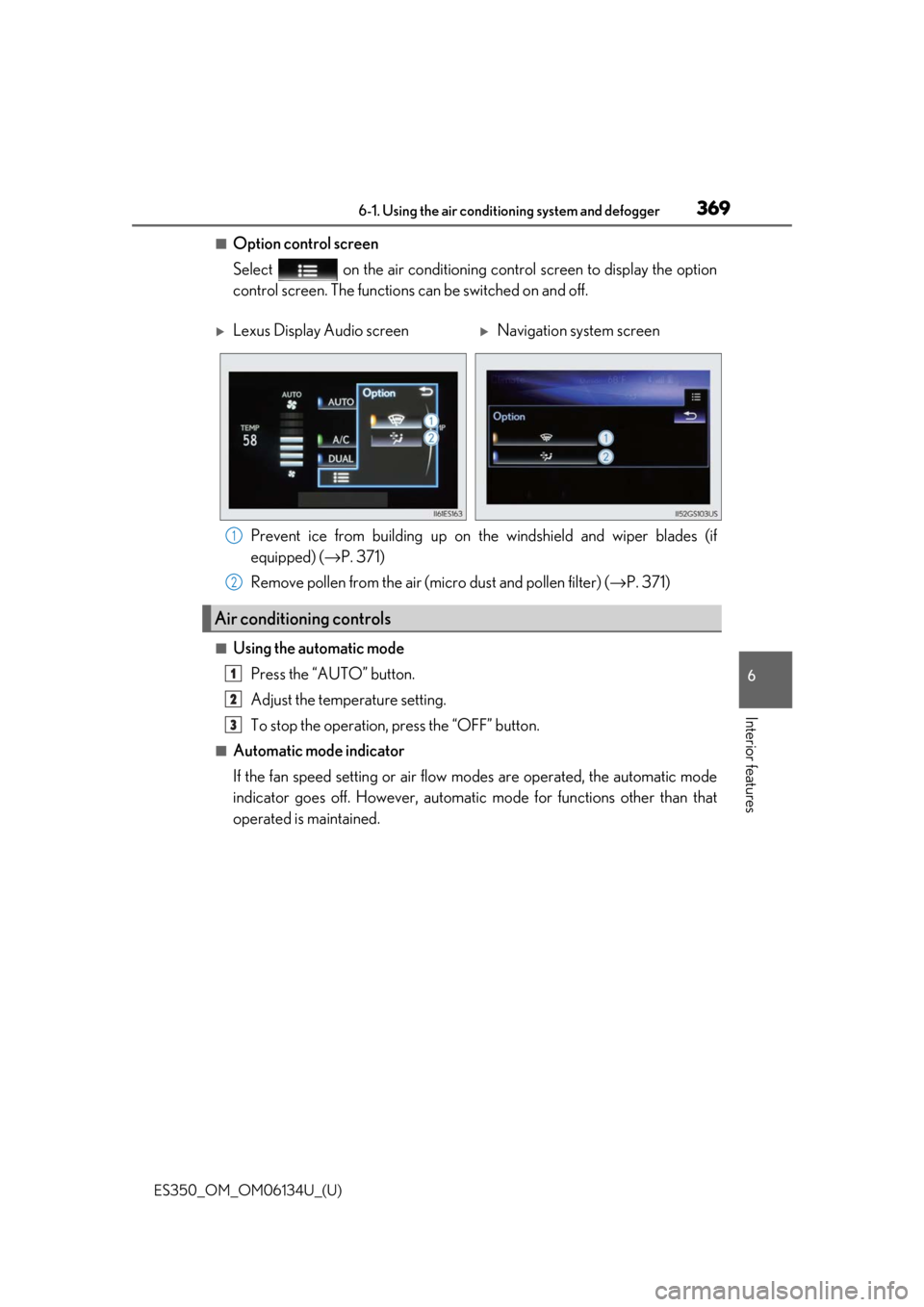
■Option control screen
Select on the air conditioning control screen to display the option
control screen. The functions can be switched on and off.
Prevent ice from building up on the windshield and wiper blades (if
equipped) ( →P. 371)
Remove pollen from the air (micro dust and pollen filter) ( →P. 371)
■Using the automatic mode
Press the “AUTO” button.
Adjust the temperature setting.
To stop the operation, press the “OFF” button.
■Automatic mode indicator
If the fan speed setting or air flow modes are operated, the automatic mode
indicator goes off. However, automati c mode for functions other than that
operated is maintained.
Lexus Display Audio screenNavigation system screen
Air conditioning controls
1
2
1
2
3
Page 371 of 580
ES350_OM_OM06134U_(U)
3716-1. Using the air conditioning system and defogger
6
Interior features
■Micro dust and pollen filter
Pollen is removed from the air and the air flows to the upper part of the body.
Select on the option control screen.
When the micro dust and pollen filter is on, is displayed on the air condition-
ing control screen.
In order to prevent the windshield from fo gging up when the outside air is cold, the
dehumidification function may operate.
The pollen is filtered out even if the mi cro dust and pollen filter is turned off.
■Windshield wiper de-icer (if equipped)
This feature is used to prevent ice fr om building up on the windshield and
wiper blades.
Select on the option control screen.
When the windshield wiper de-icer is on , is displayed on the air condition-
ing control screen.
The windshield wiper de-icer will automati cally turn off after a period of time.
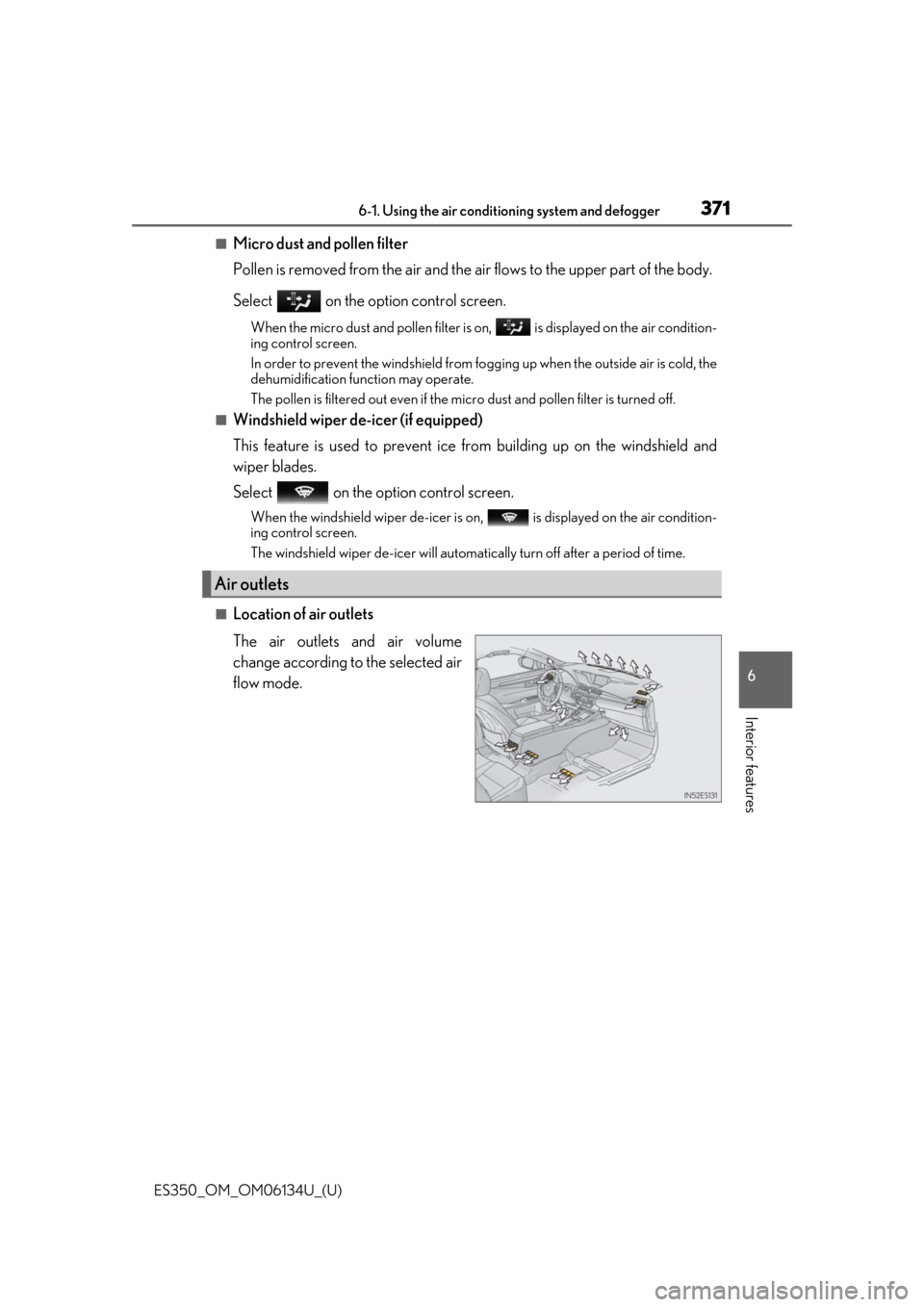
■Location of air outlets
The air outlets and air volume
change according to the selected air
flow mode.
Air outlets
Page 397 of 580
ES350_OM_OM06134U_(U)
3976-4. Using the other interior features
6
Interior features
■Reprogramming a single HomeLink® button
When the following procedure is performed, buttons which already have
devices registered to them can be overwritten: With one hand, press and hold the desired HomeLink
® button.
When the HomeLink
® indicator starts flashing (orange), continue to hold
the HomeLink® button and perform “Programming HomeLink®” (it
takes 20 seconds for the HomeLink® indicator to start flashing).
Press the appropriate HomeLink
® button. The HomeLink® indicator light
should turn on.
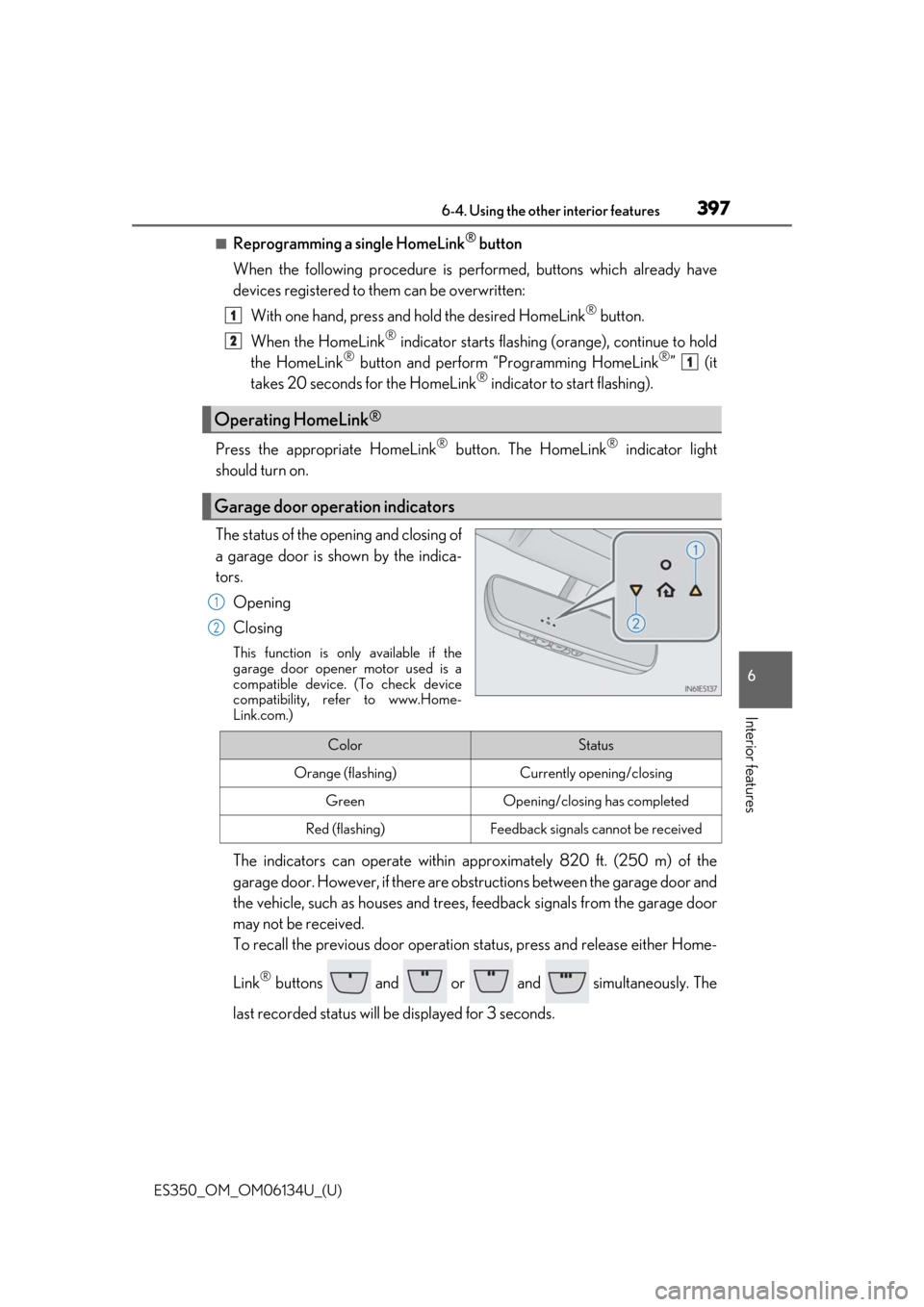
The status of the opening and closing of
a garage door is shown by the indica-
tors.
Opening
Closing
This function is only available if the
garage door opener motor used is a
compatible device. (To check device
compatibility, refer to www.Home-
Link.com.)
The indicators can operate within ap proximately 820 ft. (250 m) of the
garage door. However, if there are obst ructions between the garage door and
the vehicle, such as houses and trees, feedback signals from the garage door
may not be received.
To recall the previous door operation status, press and release either Home-
Link
® buttons and or and simultaneously. The
last recorded status will be displayed for 3 seconds.
Operating HomeLink®
Garage door operation indicators
1
2
1
1
2
ColorStatus
Orange (flashing)Currently opening/closing
GreenOpening/closing has completed
Red (flashing)Feedback signals cannot be received
Page 400 of 580
400
ES350_OM_OM06134U_(U)6-4. Using the other interior features
Compass∗
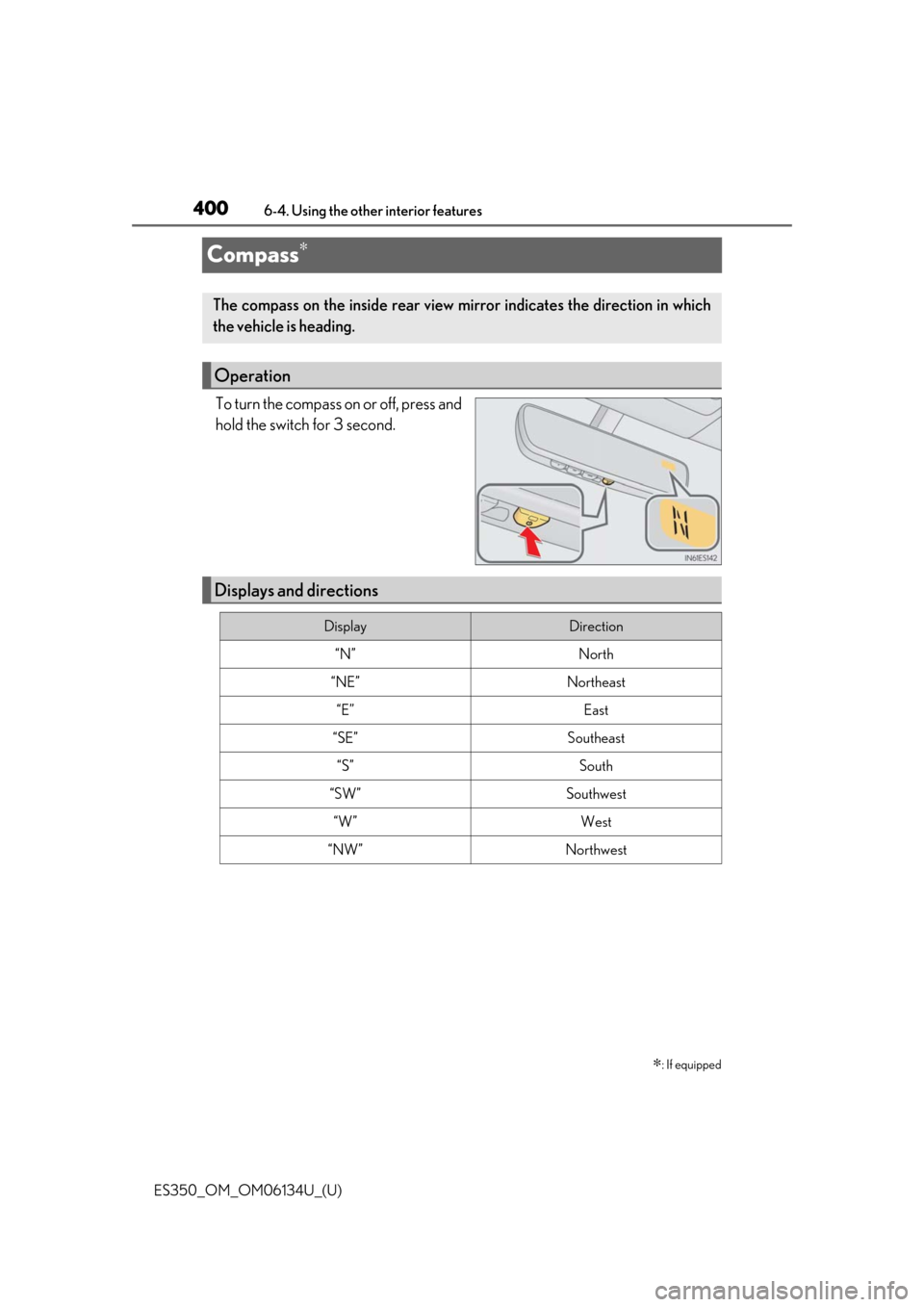
To turn the compass on or off, press and
hold the switch for 3 second.
∗: If equipped
The compass on the inside rear view
mirror indicates the direction in which
the vehicle is heading.
Operation
Displays and directions
DisplayDirection
“N”North
“NE”Northeast
“E”East
“SE”Southeast
“S”South
“SW”Southwest
“W”West
“NW”Northwest
Page 401 of 580
ES350_OM_OM06134U_(U)
4016-4. Using the other interior features
6
Interior features
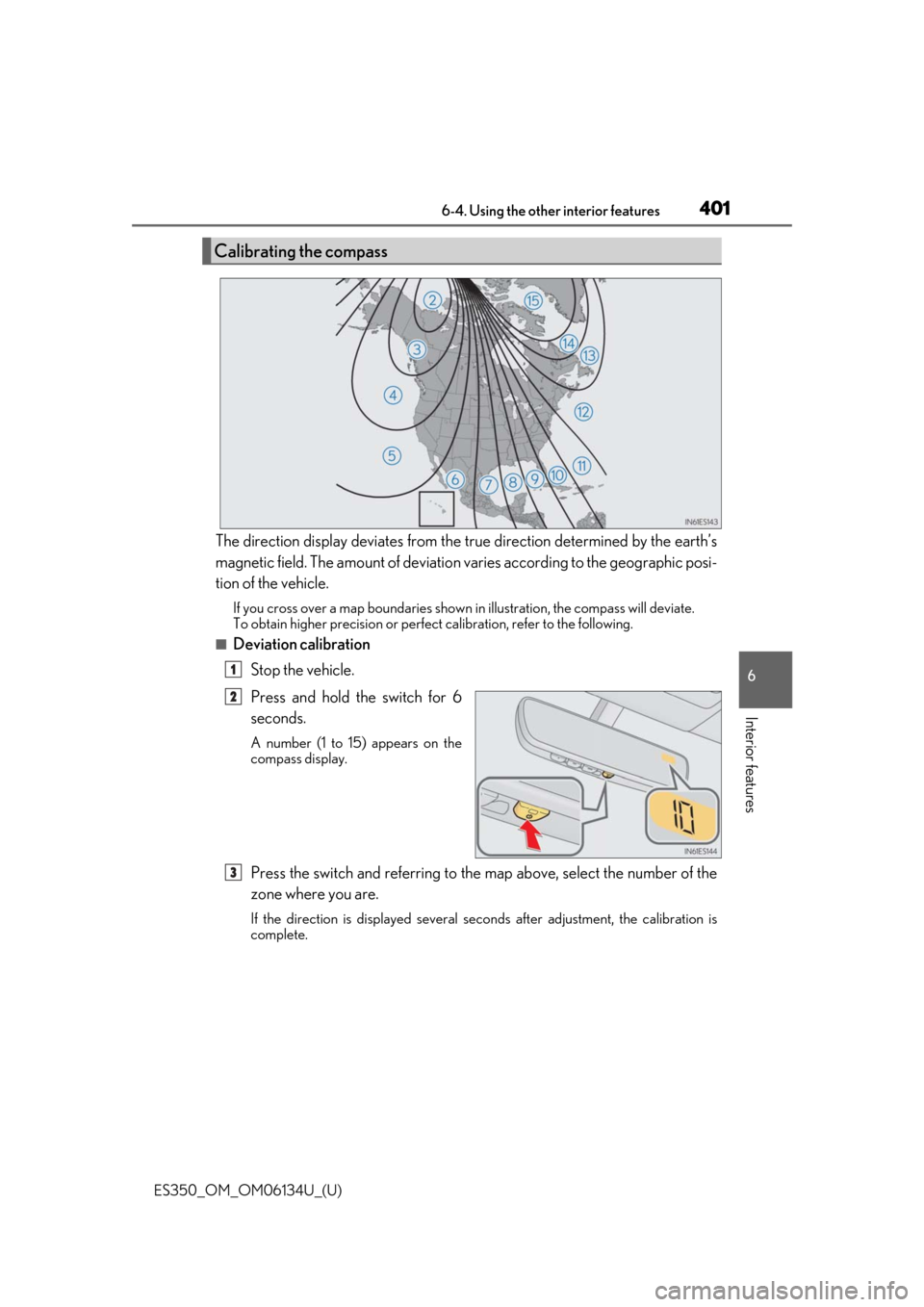
The direction display deviates from the true direction determined by the earth’s
magnetic field. The amount of deviation varies according to the geographic posi-
tion of the vehicle.
If you cross over a map boundaries shown in illustration, the compass will deviate.
To obtain higher precision or perfec t calibration, refer to the following.
■Deviation calibration
Stop the vehicle.
Press and hold the switch for 6
seconds.
A number (1 to 15) appears on the
compass display.
Press the switch and referring to the map above, select the number of the
zone where you are.
If the direction is displayed several se conds after adjustment, the calibration is
complete.
Calibrating the compass
1
2
3
Page 402 of 580
402
ES350_OM_OM06134U_(U)6-4. Using the other interior features
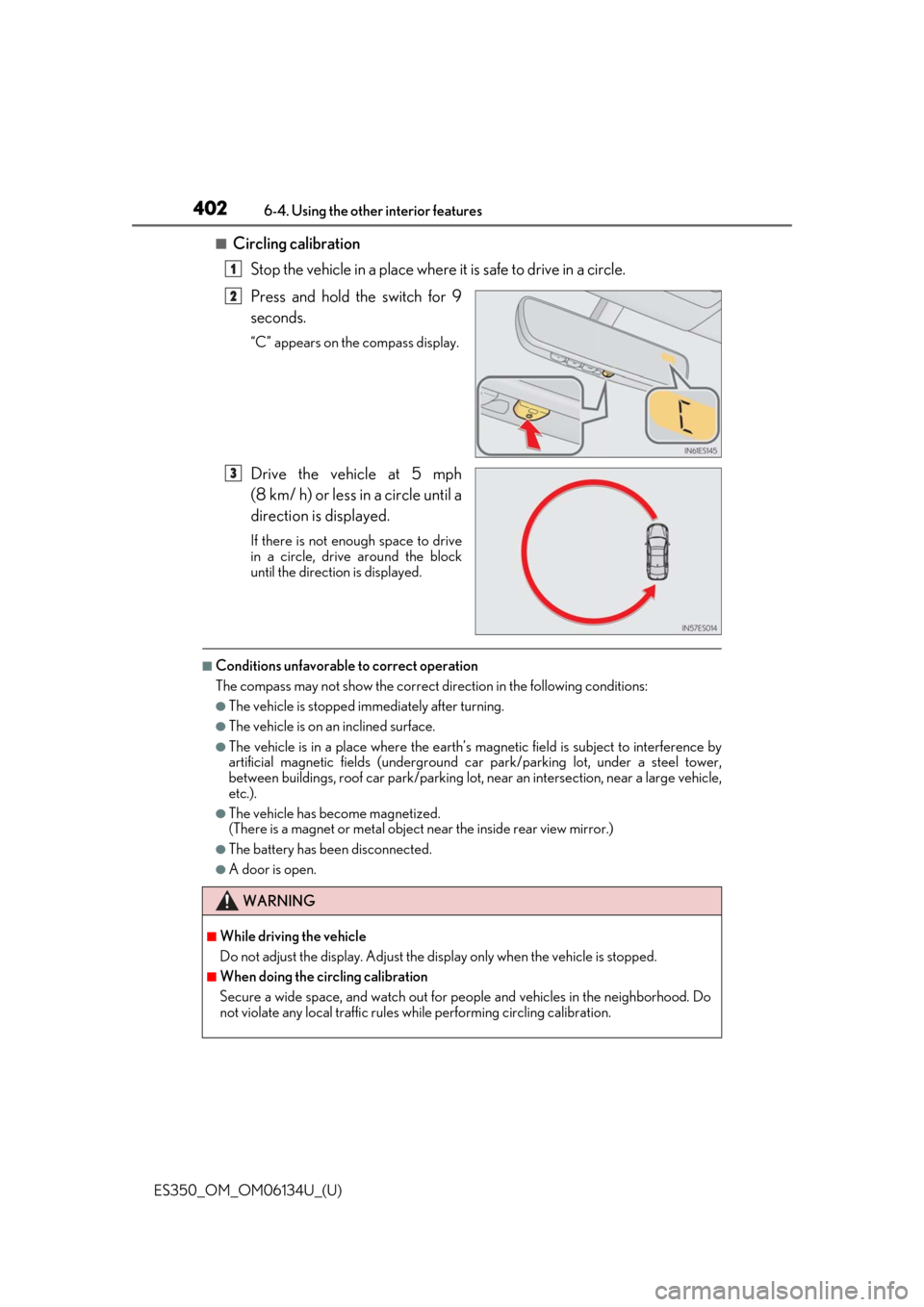
■Circling calibration
Stop the vehicle in a place where it is safe to drive in a circle.
Press and hold the switch for 9
seconds.
“C” appears on the compass display.
Drive the vehicle at 5 mph
(8 km/ h) or less in a circle until a
direction is displayed.
If there is not enough space to drive
in a circle, drive around the block
until the direction is displayed.
■Conditions unfavorable to correct operation
The compass may not show the correct di rection in the following conditions:
●The vehicle is stopped immediately after turning.
●The vehicle is on an inclined surface.
●The vehicle is in a place where the earth’s magnetic field is subject to interference by
artificial magnetic fields (underground car park/parking lot, under a steel tower,
between buildings, roof car park/parking lot, near an intersection, near a large vehicle,
etc.).
●The vehicle has become magnetized.
(There is a magnet or metal object near the inside rear view mirror.)
●The battery has been disconnected.
●A door is open.
1
2
3
WARNING
■While driving the vehicle
Do not adjust the display. Adjust the di splay only when the vehicle is stopped.
■When doing the circling calibration
Secure a wide space, and watch out for pe ople and vehicles in the neighborhood. Do
not violate any local traffic rules wh ile performing circling calibration.
Page 419 of 580
ES350_OM_OM06134U_(U)
4197-2. Maintenance
7
Maintenance and care
■Repair and replacement
It is recommended that genuine Lexus parts be used for repairs to ensure performance
of each system. If non-Lexus parts are used in replacement or if a repair shop other than
a Lexus dealer performs repairs, confirm the warranty coverage.
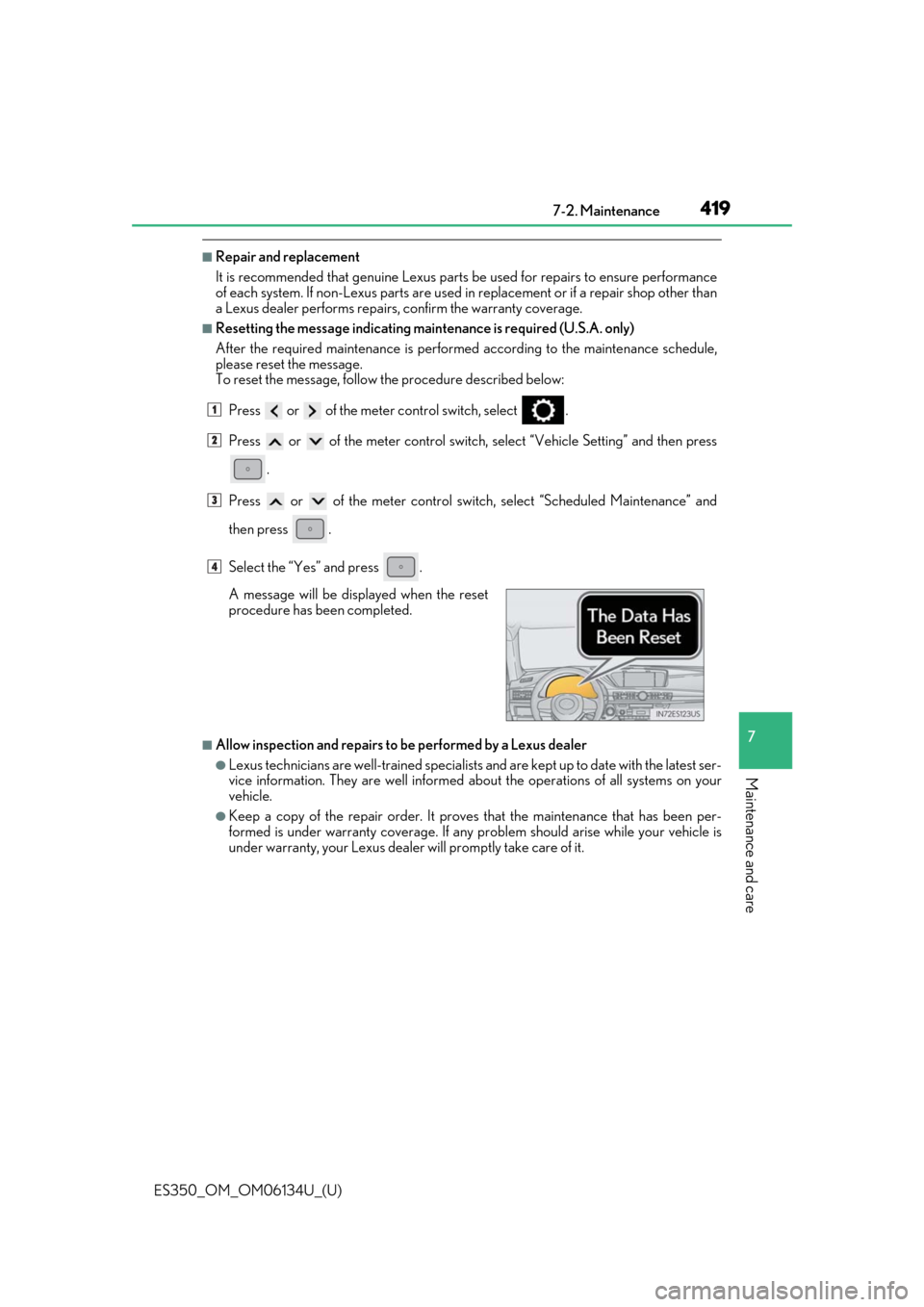
■Resetting the message indicating main tenance is required (U.S.A. only)
After the required maintenanc e is performed according to the maintenance schedule,
please reset the message.
To reset the message, follow the procedure described below:
Press or of the meter control switch, select .
Press or of the meter control switch, select “Vehicle Setting” and then press
.
Press or of the meter control switch , select “Scheduled Maintenance” and
then press .
Select the “Yes” and press .
■Allow inspection and repairs to be performed by a Lexus dealer
●Lexus technicians are well-trained specialists and are kept up to date with the latest ser-
vice information. They are well informed about the operations of all systems on your
vehicle.
●Keep a copy of the repair order. It proves that the maintenance that has been per-
formed is under warranty coverage. If any problem should arise while your vehicle is
under warranty, your Lexus dealer will promptly take care of it. A message will be displayed when the reset
procedure has been completed.
1
2
3
4
Page 433 of 580
ES350_OM_OM06134U_(U)
4337-3. Do-it-yourself maintenance
7
Maintenance and care
■Engine oil consumption
A certain amount of engine oil will be consumed while driving. In the following situations,
oil consumption may increase, and engine oil may need to be refilled in between oil
maintenance intervals.
●When the engine is new, for example directly after purchasing the vehicle or after
replacing the engine
●If low quality oil or oil of an inappropriate viscosity is used
●When driving at high engine speeds or with a heavy load, or when driving while accel-
erating or decelerating frequently
●When leaving the engine idling for a long time, or when driving frequently through
heavy traffic
■After changing the engine oil
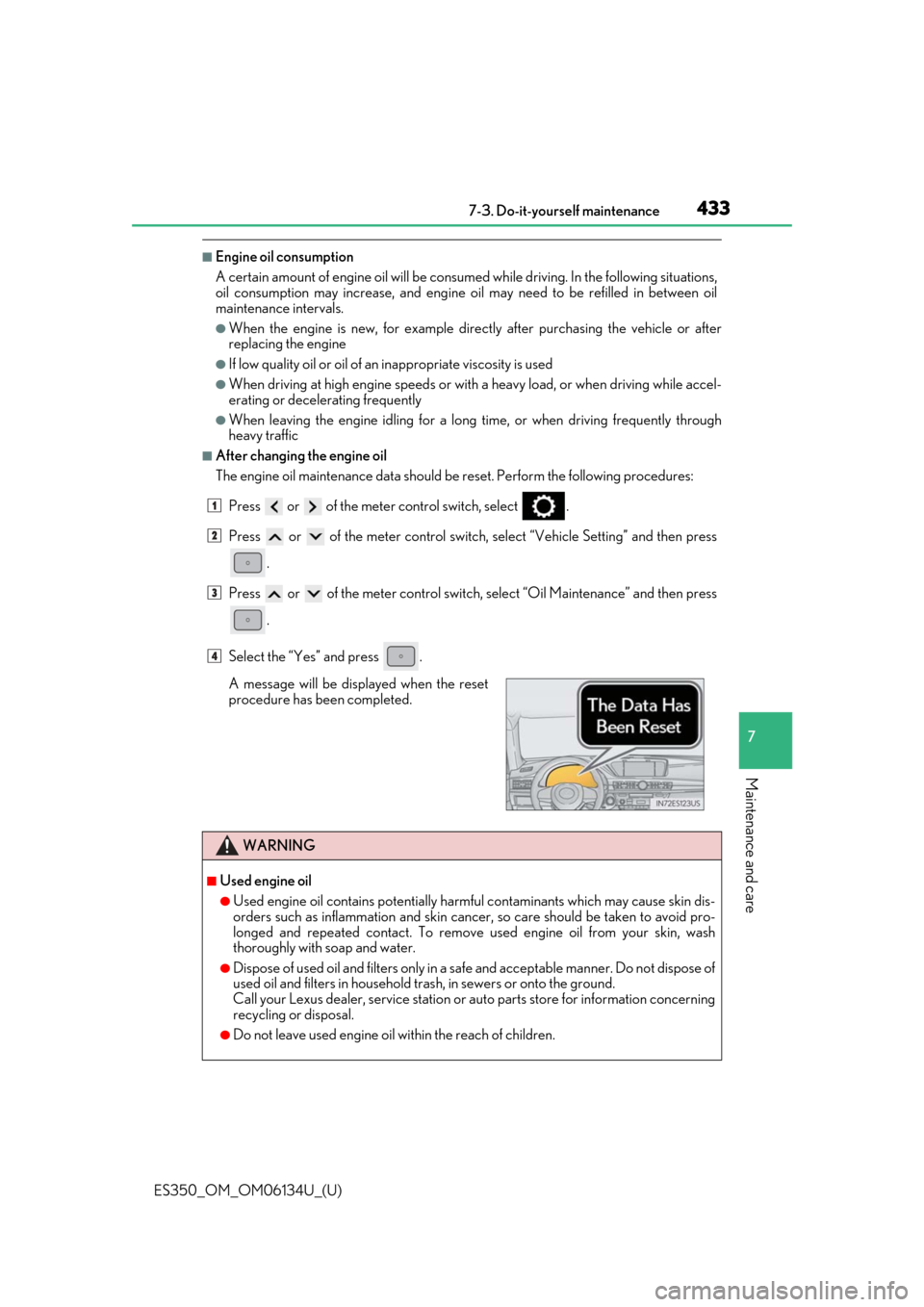
The engine oil maintenance data should be reset. Perform the following procedures:
Press or of the meter control switch, select .
Press or of the meter control switch, select “Vehicle Setting” and then press
.
Press or of the meter control switch, select “Oil Maintenance” and then press
.
Select the “Yes” and press .
A message will be displayed when the reset
procedure has been completed.
WARNING
■Used engine oil
●Used engine oil contains potentially harm ful contaminants which may cause skin dis-
orders such as inflammation and skin cance r, so care should be taken to avoid pro-
longed and repeated contact. To remove used engine oil from your skin, wash
thoroughly with soap and water.
●Dispose of used oil and filters only in a sa fe and acceptable manner. Do not dispose of
used oil and filters in household tras h, in sewers or onto the ground.
Call your Lexus dealer, service station or auto parts store for information concerning
recycling or disposal.
●Do not leave used engine oil within the reach of children.
1
2
3
4
Page 439 of 580
ES350_OM_OM06134U_(U)
4397-3. Do-it-yourself maintenance
7
Maintenance and care
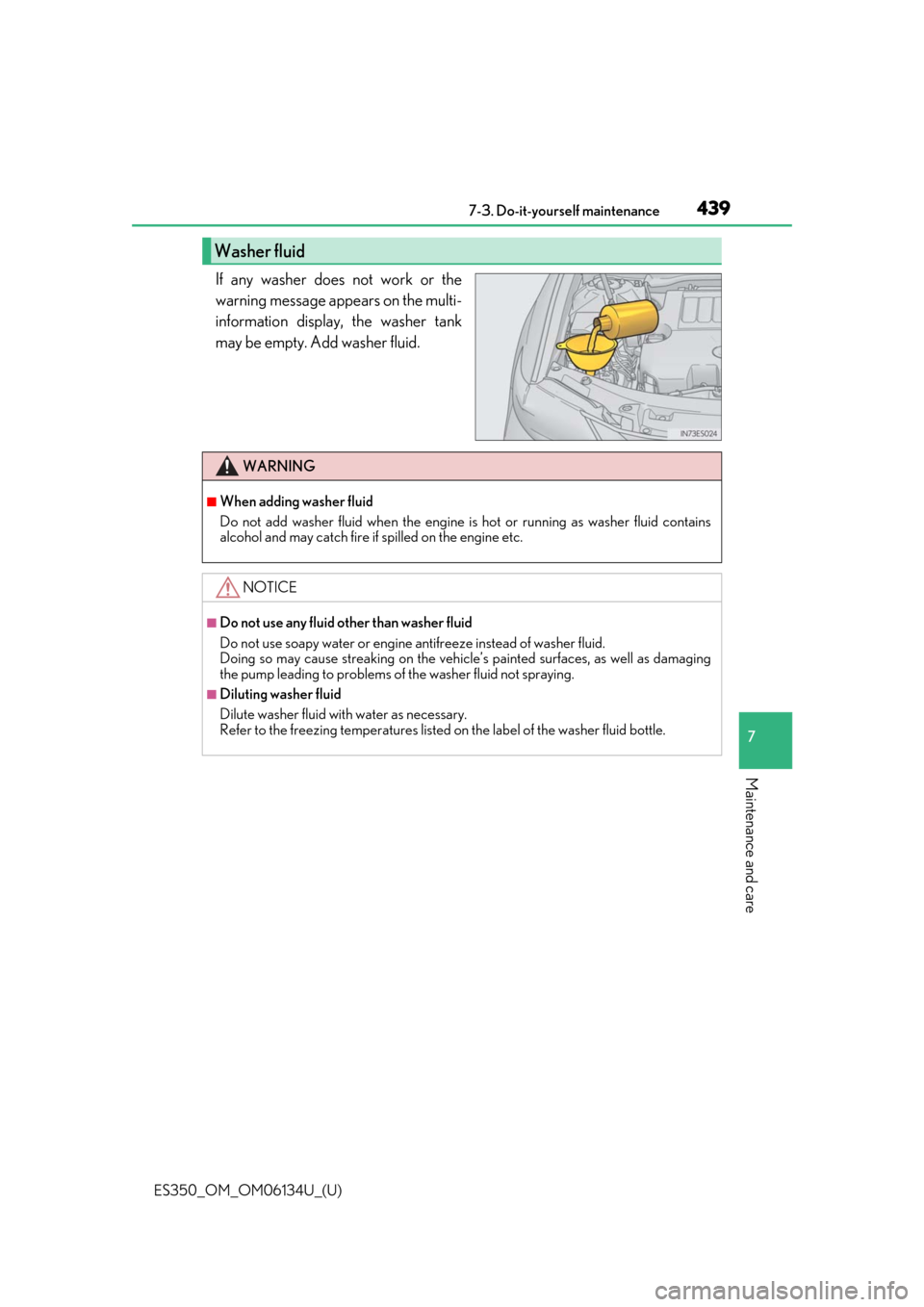
If any washer does not work or the
warning message appears on the multi-
information display, the washer tank
may be empty. Add washer fluid.
Washer fluid
WARNING
■When adding washer fluid
Do not add washer fluid when the engine is hot or running as washer fluid contains
alcohol and may catch fire if spilled on the engine etc.
NOTICE
■Do not use any fluid other than washer fluid
Do not use soapy water or engine antifreeze instead of washer fluid.
Doing so may cause streaking on the vehicle’s painted surfaces, as well as damaging
the pump leading to problems of the washer fluid not spraying.
■Diluting washer fluid
Dilute washer fluid with water as necessary.
Refer to the freezing temperatures listed on the label of the washer fluid bottle.
Page 441 of 580
ES350_OM_OM06134U_(U)
4417-3. Do-it-yourself maintenance
7
Maintenance and care
Your vehicle is equipped with a tire pressure warning system that uses tire pres-
sure warning valves and transmitters to detect low tire inflation pressure before
serious problems arise.
●If the tire pressure drops below a predet ermined level, the driver is warned by
a screen display and a warning light. ( →P. 484)
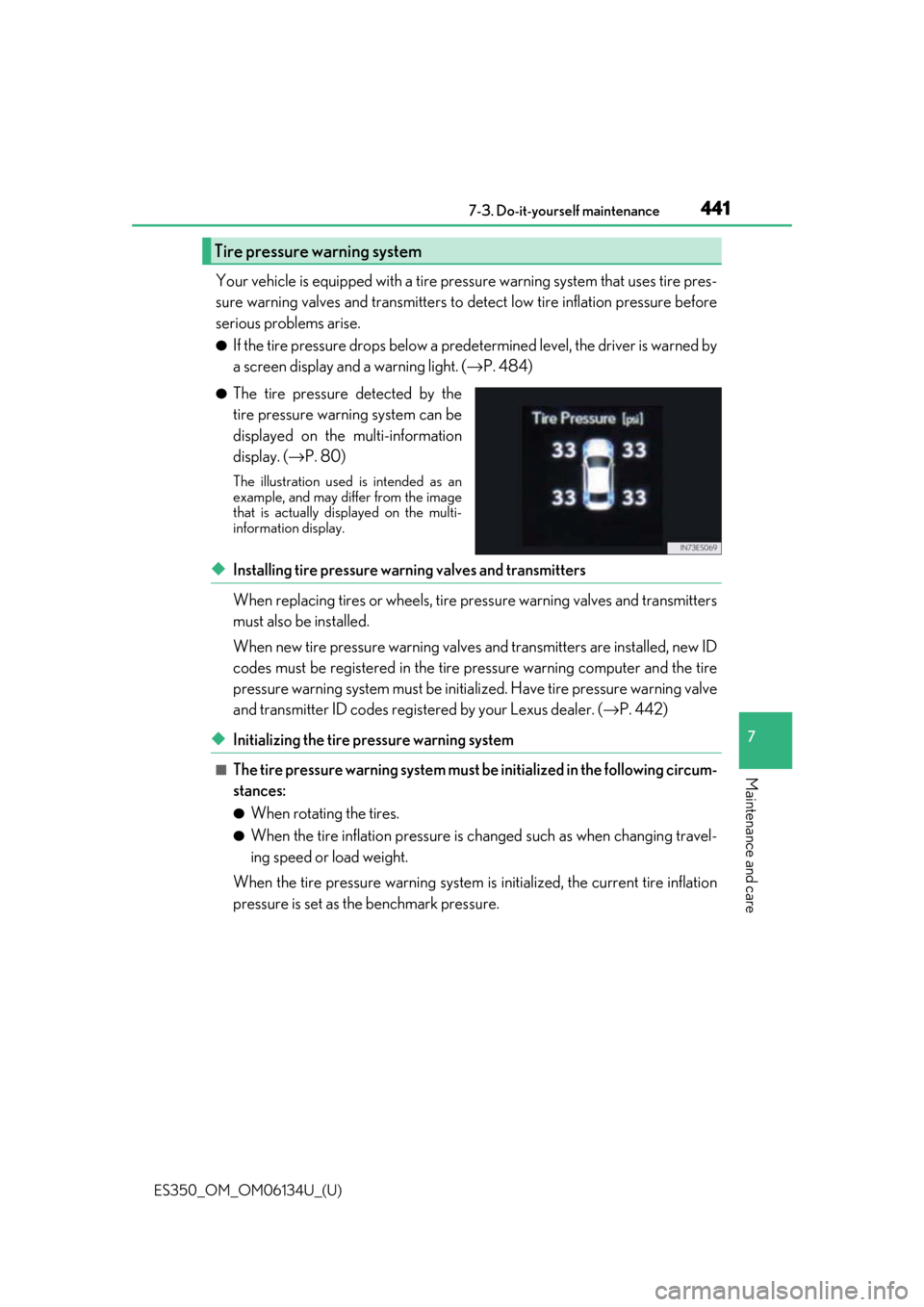
●The tire pressure detected by the
tire pressure warning system can be
displayed on the multi-information
display. ( →P. 80)
The illustration used is intended as an
example, and may differ from the image
that is actually disp layed on the multi-
information display.
◆Installing tire pressure warning valves and transmitters
When replacing tires or wheels, tire pr essure warning valves and transmitters
must also be installed.
When new tire pressure wa rning valves and transmitters are installed, new ID
codes must be registered in the tire pressure warning computer and the tire
pressure warning system must be initia lized. Have tire pressure warning valve
and transmitter ID codes registered by your Lexus dealer. ( →P. 442)
◆Initializing the tire pressure warning system
■The tire pressure warning system must be initialized in the following circum-
stances:
●When rotating the tires.
●When the tire inflation pressure is changed such as when changing travel-
ing speed or load weight.
When the tire pressure warning system is initialized, the current tire inflation
pressure is set as the benchmark pressure.
Tire pressure warning system