four wheel drive Lexus GX460 2020 / LEXUS 2020 GX460 (OM60R27U) User Guide
[x] Cancel search | Manufacturer: LEXUS, Model Year: 2020, Model line: GX460, Model: Lexus GX460 2020Pages: 620, PDF Size: 12.41 MB
Page 294 of 620
294
GX460_OM_OM60R27U_(U)4-5. Using the driving support systems
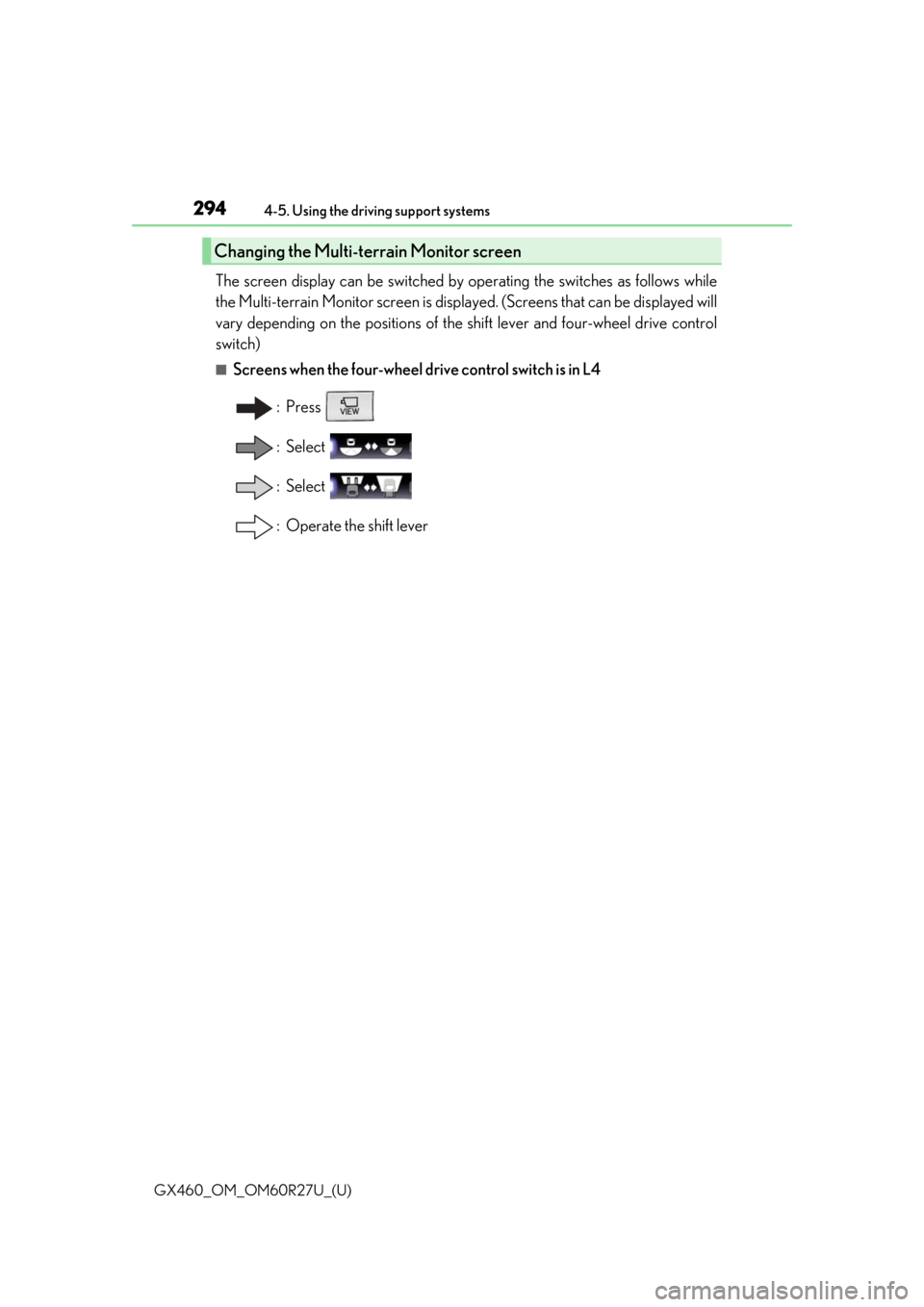
The screen display can be switched by operating the switches as follows while
the Multi-terrain Monitor screen is displa
yed. (Screens that can be displayed will
vary depending on the positions of the shift lever and four-wheel drive control
switch)
■Screens when the four-wheel drive control switch is in L4
: Press
: Select
: Select
: Operate the shift lever
Changing the Multi-terrain Monitor screen
Page 296 of 620
296
GX460_OM_OM60R27U_(U)4-5. Using the driving support systems
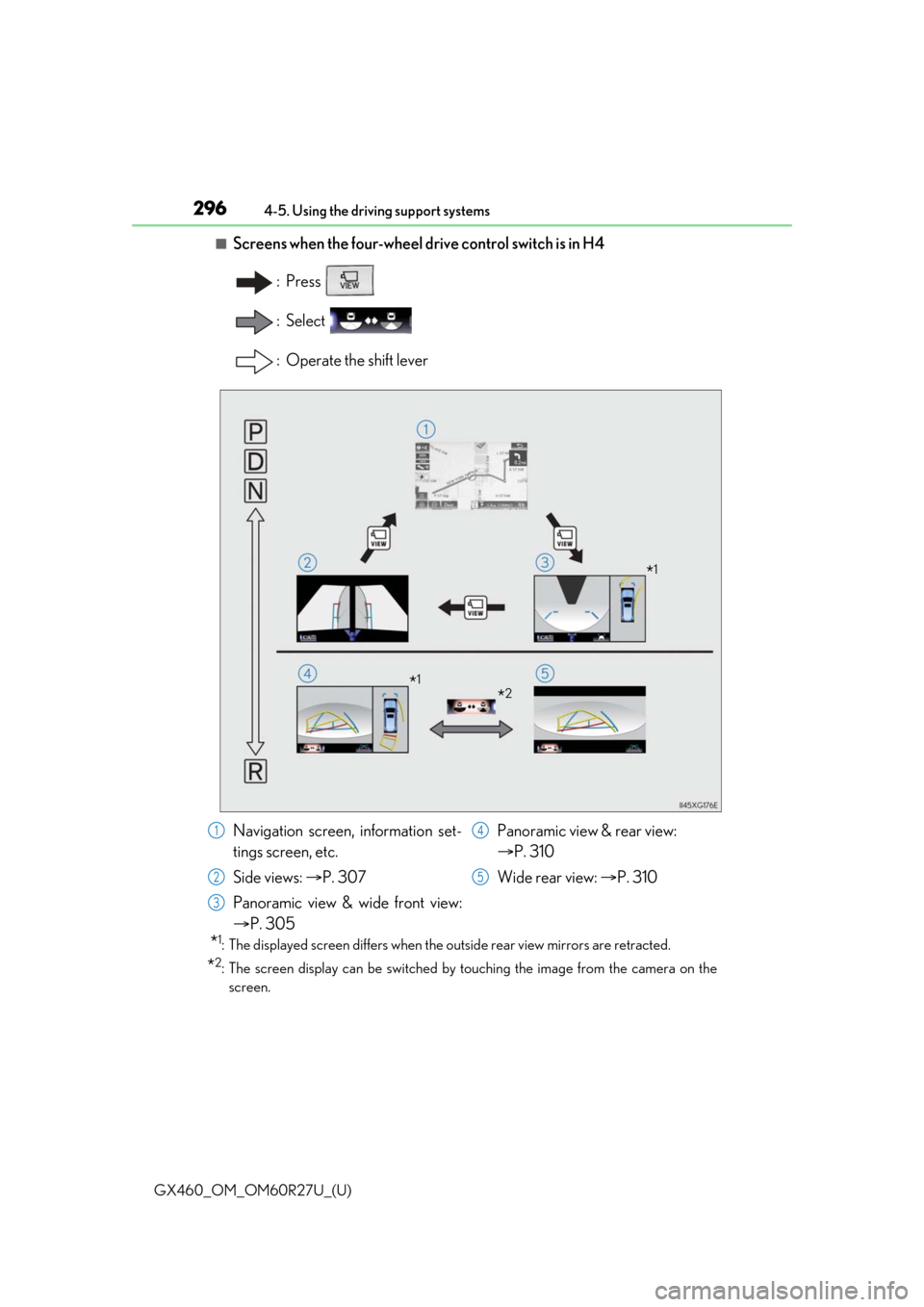
■Screens when the four-wheel drive control switch is in H4
: Press
: Select
: Operate the shift lever
*1: The displayed screen differs when the outside rear view mirrors are retracted.
*2: The screen display can be switched by touching the image from the camera on thescreen.
*1
*2*1
Navigation screen, information set-
tings screen, etc.
Side views: P. 307
Panoramic view & wide front view:
P. 305 Panoramic view & rear view:
P. 310
Wide rear view: P. 3101
2
3
4
5
Page 299 of 620
GX460_OM_OM60R27U_(U)
2994-5. Using the driving support systems
4
Driving
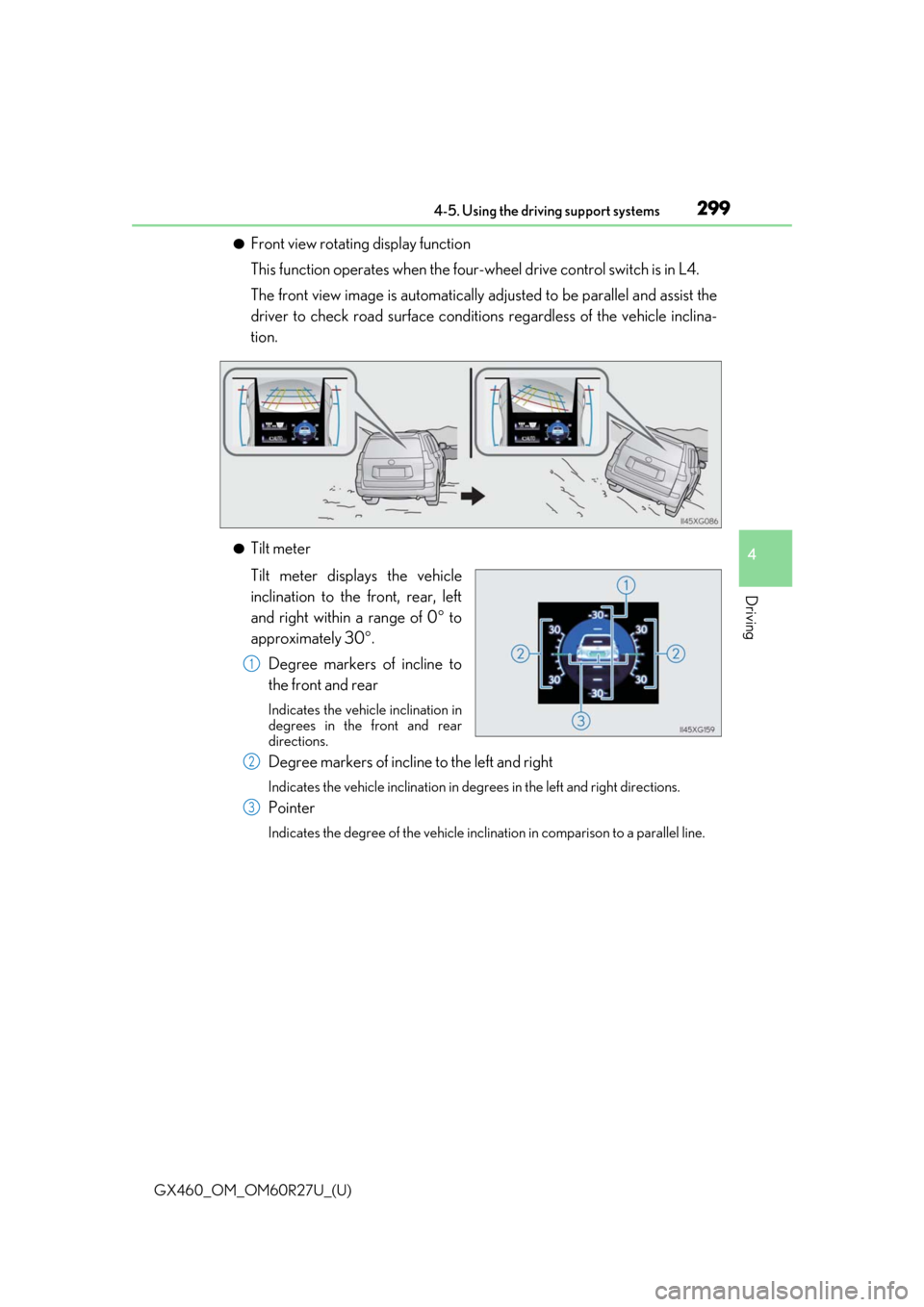
●Front view rotating display function
This function operates when the four-wheel drive control switch is in L4.
The front view image is automatically ad justed to be parallel and assist the
driver to check road surface conditio ns regardless of the vehicle inclina-
tion.
●Tilt meter
Tilt meter displays the vehicle
inclination to the front, rear, left
and right within a range of 0 to
approximately 30 .
Degree markers of incline to
the front and rear
Indicates the vehicle inclination in
degrees in the front and rear
directions.
Degree markers of incline to the left and right
Indicates the vehicle inclination in degr ees in the left and right directions.
Pointer
Indicates the degree of the vehicle inclination in comparison to a parallel line.
1
2
3
Page 302 of 620

302
GX460_OM_OM60R27U_(U)4-5. Using the driving support systems
■Under vehicle terrain view & dual side view
●The screen can be displayed when
the shift lever is in D or N.
●While the under vehicle terrain view is di splayed, if the vehicle speed reaches or
exceeds approximately 3 mph (5 km/h), the screen automatically returns to the front
view display.
●In the following situations, the under vehi cle terrain view selection switch cannot be
operated.
• The vehicle is not completely stopped
• After the engine starts, a fixed distance or more has not been driven
• After the four-wheel drive control switch is shifted to L4, a fixed distance or more
has not been driven
●In the following situations, the system may no t operate normally, or it may not be possi-
ble to switch to the under vehicle terrain view.
• The road is covered with snow
• It is nighttime and the road has no illumination
• Dirt or foreign matter is adhering to the camera lens
• There is water in front of the vehicle (a river, puddle, sea water, etc.)
WARNING
■Guide lines
The tire position indicator lines and vehicl e position indicator lines may differ from
actual vehicle positions depending on the number of passengers, cargo weight, road
grade, road surface conditions, brightness of the surrounding environment, etc. Always
drive the vehicle while confirming the safety of your surroundings.
■Under vehicle terrain view display
The image displayed is one that was previous ly taken at a point approximately 10 ft.
(3 m) behind the current vehicle position. In cases such as when objects move after the
image is taken, the image displayed on the screen may differ from the actual state.
Page 339 of 620
339
GX460_OM_OM60R27U_(U)4-5. Using the driving support systems
4
Driving
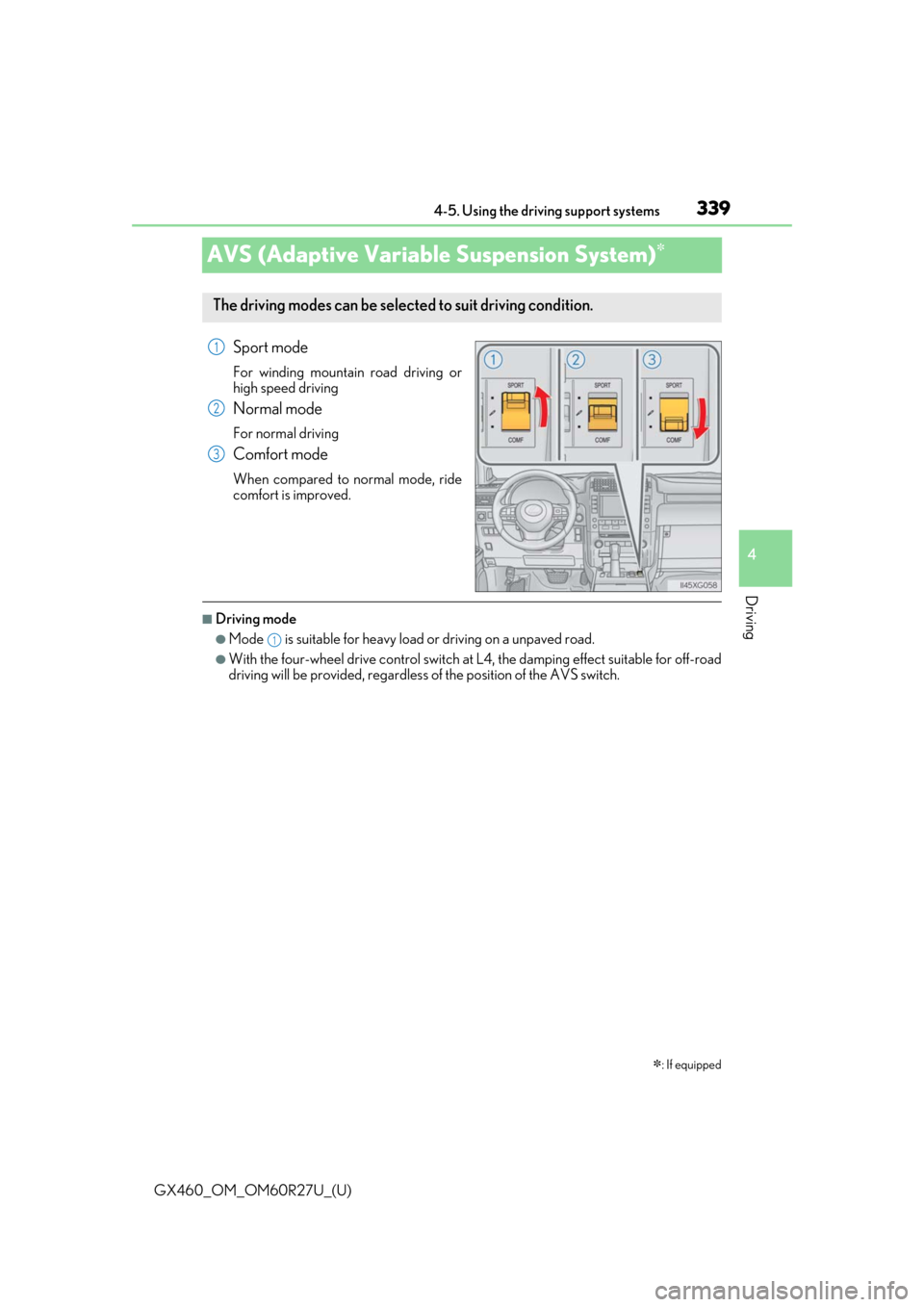
AVS (Adaptive Variable Suspension System)
Sport mode
For winding mountain
road driving or
high speed driving
Normal mode
For normal driving
Comfort mode
When compared to normal mode, ride
comfort is improved.
■Driving mode
●Mode is suitable for heavy load or driving on a unpaved road.
●With the four-wheel drive control switch at L4, the damping effect suitable for off-road
driving will be provided, regardless of the position of the AVS switch.
: If equipped
The driving modes can be selected to suit driving condition.
1
2
3
1
Page 340 of 620
340
GX460_OM_OM60R27U_(U)4-5. Using the driving support systems
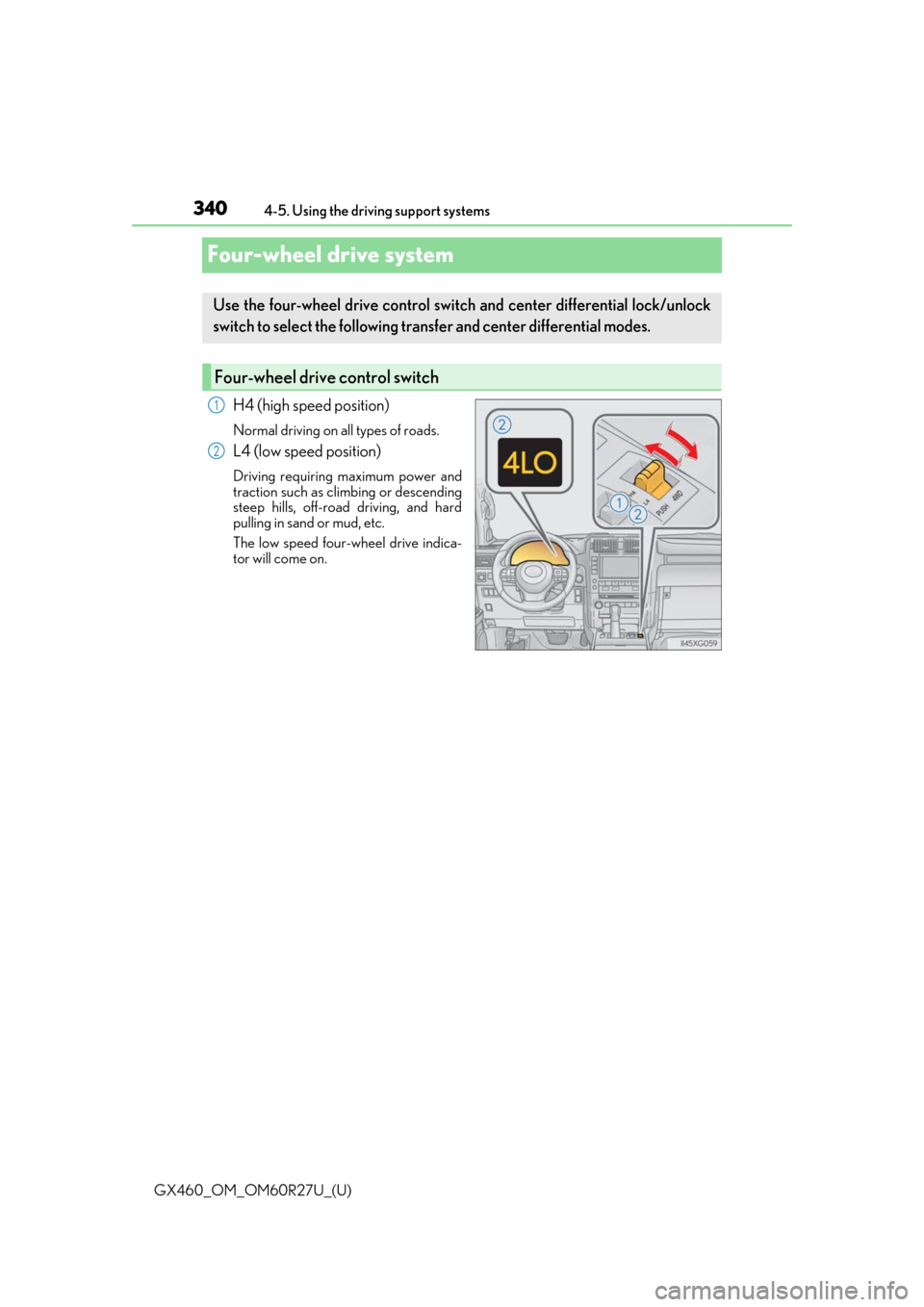
Four-wheel drive system
H4 (high speed position)
Normal driving on all types of roads.
L4 (low speed position)
Driving requiring maximum power and
traction such as climbing or descending
steep hills, off-road driving, and hard
pulling in sand or mud, etc.
The low speed four-wheel drive indica-
tor will come on.
Use the four-wheel drive control switch
and center differential lock/unlock
switch to select the following transfer and center differential modes.
Four-wheel drive control switch
1
2
Page 341 of 620
GX460_OM_OM60R27U_(U)
3414-5. Using the driving support systems
4
Driving
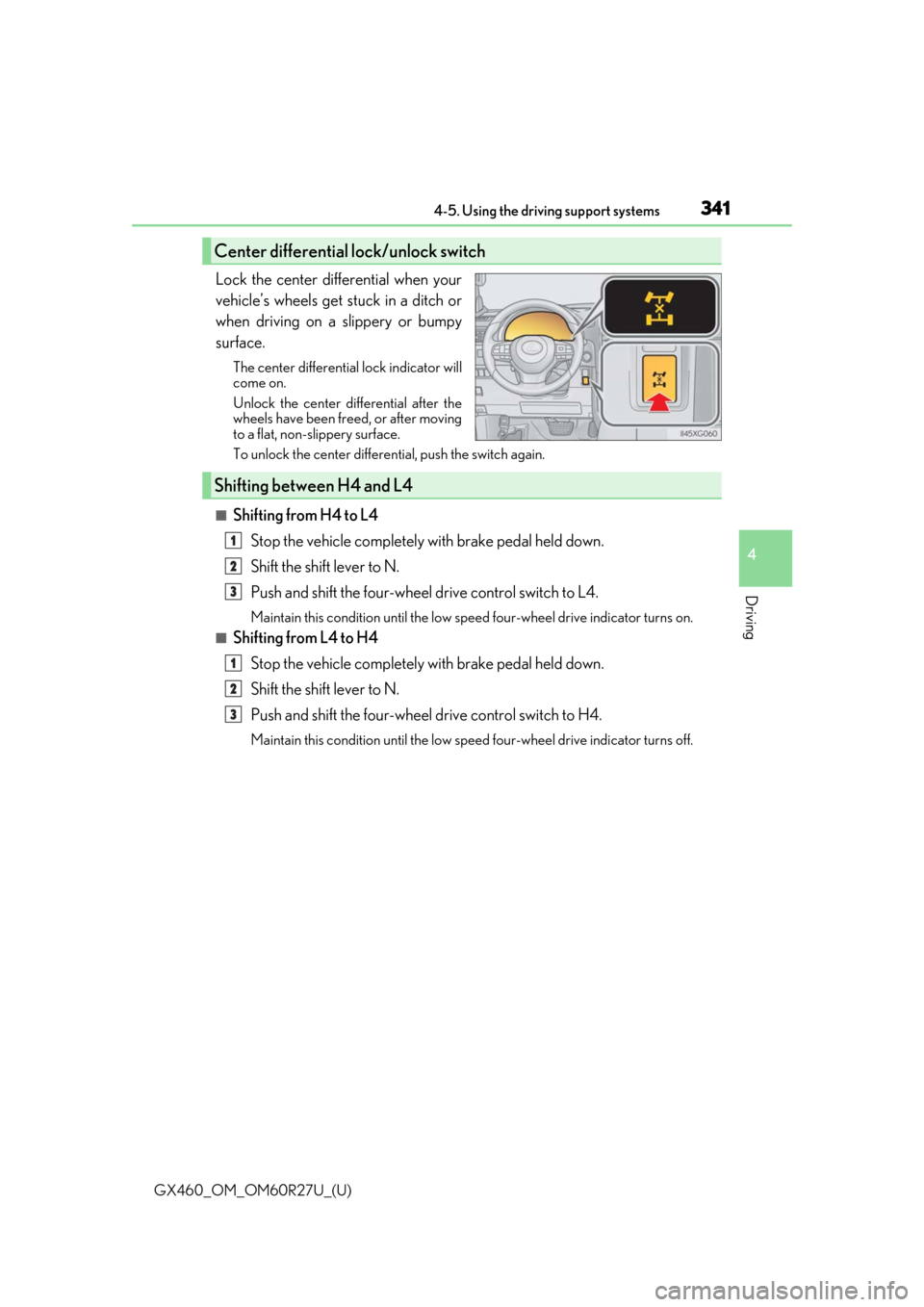
Lock the center differential when your
vehicle’s wheels get stuck in a ditch or
when driving on a slippery or bumpy
surface.
The center differential lock indicator will
come on.
Unlock the center differential after the
wheels have been freed, or after moving
to a flat, non-slippery surface.
To unlock the center differential, push the switch again.
■Shifting from H4 to L4Stop the vehicle completely with brake pedal held down.
Shift the shift lever to N.
Push and shift the four-wheel drive control switch to L4.
Maintain this condition until the low sp eed four-wheel drive indicator turns on.
■Shifting from L4 to H4
Stop the vehicle completely with brake pedal held down.
Shift the shift lever to N.
Push and shift the four-wheel drive control switch to H4.
Maintain this condition until the low sp eed four-wheel drive indicator turns off.
Center differential lock/unlock switch
Shifting between H4 and L4
1
2
3
1
2
3
Page 342 of 620

342
GX460_OM_OM60R27U_(U)4-5. Using the driving support systems
■When the four-wheel drive control switch can be operated
●The engine switch is in IGNITION ON mode.
●The shift lever is in the N position.
●The vehicle is stopped completely.
■The low speed four-wheel drive indicator
●The indicator blinks while sw
itching between H4 and L4.
●If the low speed four-wheel drive indicator continues to blink when you operate the
four-wheel drive control switch to the H4 or L4 position, stop the vehicle completely,
shift the shift lever securely into N and then operate the switch again.
●If the shift lever is moved before the low speed four-wheel drive indicator turns on/off,
the transfer mode may not be shifted completely. The transfer mode disengages both
the front and rear drive shafts from the powertrain and allows the vehicle to move
regardless of the shift position. (At this time , the indicator blinks and the buzzer sounds.)
Therefore, the vehicle is free to roll even if the shift lever is in P. You or someone else
could be seriously injured. You must comple te the shifting of the transfer mode and
confirm that the indicator has turned off (H4) or turned on (L4).
●If the engine coolant temperature is too low, the four-wheel drive control system may
not be able to shift. When the engine is warmer operate the switch again.
If the indicator continue to blink even if doing so, have the vehicle inspected by your
Lexus dealer as soon as possible. There may be a trouble in the four-wheel drive system.
■When the transfer mode is switched to L4
VSC is automatically turned off. (T he VSC OFF indicator will come on.)
■When the center differential lock/unlock switch can be operated
The engine switch is in IGNITION ON mode.
■The center differential lock indicator
●The indicator blinks while locking/unlocking the center differential.
●If the center differential lock indicator b links and the buzzer sounds when the center
differential is locked, stop the slipping or spinning and push the switch again.
If the indicator continue to blink even if doing so, have the vehicle inspected by your
Lexus dealer as soon as possible. There may be a trouble in the four-wheel drive system.
Page 343 of 620

GX460_OM_OM60R27U_(U)
3434-5. Using the driving support systems
4
Driving
■Locking/unlocking the center differential
●If the operation is not completed, the center di fferential lock indicator blinks. If the indi-
cator does not turn off when unlocking the center differential, drive straight ahead
while accelerating or decelera ting, or drive in reverse.
●Avoid turning suddenly while the center differ ential is locked. If you do turn suddenly,
the difference in turning speeds between the front and rear wheels may have a similar
effect to braking, thus making driving difficult.
WARNING
■While driving
Observe the following precautions. Failure to do so may cause an accident resulting in
death or serious injury.
●Never move the four-wheel drive control switch if the wheels have lost traction.
●Do not operate the center differential lock/unlock when the vehicle is turning or
when its wheels are spinning freely off the ground.
NOTICE
■To prevent damage to the center differential
●For normal driving on dry and hard surface roads, unlock the center differential.
●Unlock the center differential after the wheels are out of the ditch or off the slippery
or bumpy surface.
Page 346 of 620

346
GX460_OM_OM60R27U_(U)4-5. Using the driving support systems
■The Crawl Control can be operated when
●The shift lever is in any
gear other than P or N.
●The four-wheel drive control switch is in L4.
●The driver’s door is closed.
■Automatic system cancelation
In the following situations, the system is canceled automatically:
At that time, the buzzer will sound, the slip indicator turns off, and the Crawl Control indi-
cator flashes.
A notification will be displa yed on the multi-information display for several seconds.
( P. 520)
●When the shift lever is moved to P or N.
●When the four-wheel drive control switch is in H4.
●When the driver’s door is opened.
When turning off Crawl Control while travelin g, stop the vehicle before the Crawl Con-
trol indicator turns off, or drive extremely carefully.
■Function limit
●In the following situations, you will be able to use brake control to drive downhill at a
fixed low speed, but you will be unable to use engine control to drive uphill at a fixed low
speed.
• When the driving mode is set to second start mode.
• When the vehicle speed is higher than 6 mph (10 km/h).
●When the vehicle speed is higher than 15 mph (25 km/h), engine control and brake
control will stop temporarily. At that time, the Crawl Control indicator flashes.