lock LINCOLN TOWN CAR 1997 Owners Manual
[x] Cancel search | Manufacturer: LINCOLN, Model Year: 1997, Model line: TOWN CAR, Model: LINCOLN TOWN CAR 1997Pages: 305, PDF Size: 2.68 MB
Page 12 of 305

7
InstrumentationThe instrument panel (dashboard) on your vehicle is
divided into several different sections. The
illustrations on the following pages show the major
parts of the instrument panel that are described in
this chapter. Some items shown may not be on all
vehicles.
The main controls for the climate control system,
clock, and radio are on the instrument panel.
If you have radio transmitting equipment in your
vehicle, be aware that it can interfere with your
vehicle's electrical system and may cause the
instrumentation and/or convenience products to
have temporary, abnormal operation.NOTE:Any cleaner or polish that increases the
gloss (shine) of the upper part of the instrument
panel should be avoided. The dull finish in this area
is to help protect the driver from undesirable
windshield reflection
In your vehicle, the warning lights and gauges are
grouped together on the instrument panel. We call
this grouping a cluster. Your vehicle has an
electronic cluster.
File:03fnist.ex
Update:Mon Jun 17 13:46:47 1996
Page 16 of 305

11
4. Check the coolant level following the
instructions on checking and adding coolant to
your engine, seeEngine Coolantin the Index.
If you do not follow these instructions, you or
others could be injured.
If the coolant continues to overheat, have the
coolant system serviced.
If only the top two and bottom two bars appear on
the gauge, then the system is indicating that it
requires servicing. Contact your dealer for service as
soon as possible.Anti-Lock Brake System LightThis warning light will go on each time you start
your vehicle. If it remains on for longer than 5
seconds, you should shut off your engine and
restart. If the anti-lock brake light stays on, this
indicates that the anti-lock feature is disabled and
should receive immediate attention by a qualifiedservice technician. Normal braking is not affected
unless the brake warning light is also lit.
The Anti-Lock Brake System has self-check
capabilities. As previously described, the system
turns on the anti-lock light each time you start your
engine. After the engine is started and the anti-lock
light is out, the system performs another test the
first time the vehicle reaches 14 mph (22 km/h).
The system turns on the Anti-Lock Brake System
(ABS) pump motor for approximately 1/2 second.
At this time a mechanical noise may be heard. This
is a normal part of the self-check feature. If a
malfunction is found during this check the anti-lock
light will come on.
File:03fnist.ex
Update:Mon Jun 17 13:46:47 1996
Page 40 of 305

35
Luxury Audio SystemUsing the Controls on Your New RadioHow to turn the radio on and offPress the ªVOL/PUSH ONº knob to turn the radio
on. Press again to turn it off.How to adjust the volumeTurn the ªVOL/PUSH ONº knob clockwise to
increase the volume and counter-clockwise to
decrease the volume.
Volume may also be controlled by the Redundant
Control Switch located on your steering wheel (if
equipped). PressAon the ªVOLº button to
increase the volume andBon the ªVOLº button
to decrease the volume.NOTE:If the volume is set above a certain level
when the ignition is turned off, the volume level
will reset to a ªnominalº listening level when the
ignition switch is turned back on. However, if the
radio is turned off with the ªVOL/PUSH ONº knob,
the volume will not reset and will stay at the same
level when the radio is turned back on.
Selecting the AM or FM frequency bandPush the ªAMº or ªFM1/FM2º button to select the
desired frequency band. Pushing the ªFM1/FM2º
button more than once will alternate between FM1
and FM2. These functions are used with the
memory preset buttons described underHow to
tune radio stations.
You may also select AM, FM1 or FM2 by
depressing the ªBANDº button located on the
Redundant Control Switch on your steering wheel
(if equipped).
File:04fnast.ex
Update:Thu Jun 20 15:13:21 1996
Page 43 of 305

38Adjusting the tone balance of your radioq
Increasing or decreasing bass and treble
response
Push the ªBASS/TREBº popout knob to gain access
to the bass and treble controls. Bass control allows
you to adjust the lower, bass frequencies to your
preference. The outer ring of the ªBASS/TREBº
knob adjusts the bass (turn clockwise to increase
bass; counterclockwise to decrease bass).
Treble control allows you to adjust the higher,
treble frequencies of your radio to your preference.
The inner ring of the ªBASS/TREBº knob adjusts
the treble (turn clockwise to increase treble;
counterclockwise to decrease treble).
q
Adjusting speaker balance and speaker fader
Push the ªBAL/FADEº popout knob to gain access
to the speaker balance and fader controls. Balance
control allows you to adjust the sound distribution
between the right and left speakers. The outer ring
of ªBAL/FADEº knob adjusts the speaker balance
control. (Turn clockwise to shift the sound to the
right speakers, and turn counterclockwise to shift
the sound to the left speakers.)
Fade control allows you to adjust the sound
distribution between the front and rear speakers.
The inner ring of the ªBAL/FADEº knob adjusts the
speaker fader. (Turn clockwise to shift the sound to
the rear speakers, and turn counterclockwise to shift
the sound to the front speakers.)
File:04fnast.ex
Update:Thu Jun 20 15:13:21 1996
Page 69 of 305

65
NOTE:The outside temperature reading is most
accurate when the vehicle is moving. Higher
readings may be obtained when the vehicle is not
moving. The readings that you get may not agree
with temperatures given on the radio due to
differences in vehicle and station locations.Operating tipsThe following tips will help you to get the most
satisfaction from your Electronic Automatic
Temperature Control system.q
In humid weather, select DEFVbefore
starting your engine. This will help to prevent
windshield fogging. After a few minutes of
operation, switch to AUTOMATIC or an
override selection of your choice.
q
To prevent humidity buildup inside your
vehicle, always drive with the EATC System
turned on.
q
Do not put objects under the front seats that
interfere with the flow of air to the back seat
area.
q
Remove any snow, ice, or leaves from the air
intake area of your EATC System which could
block the air intake. The intake area is located
at the bottom of the windshield, under the
hood at the passenger side rear corner.
ServiceIf your EATC is not operating as described here,
take it to your dealer to have it checked. System
diagnostics are built in which will allow your dealer
to readily identify problems that might occur.
File:05fncft.ex
Update:Mon Jun 17 13:49:49 1996
Page 74 of 305
70To turn on the parking lamps, tail lamps, side
markers, and license plate lamps, turn the knob
clockwise to the first position.
For more information about how the high beams
work, see the high beam section later in this
chapter.Setting the Autolamp On/Off Delay
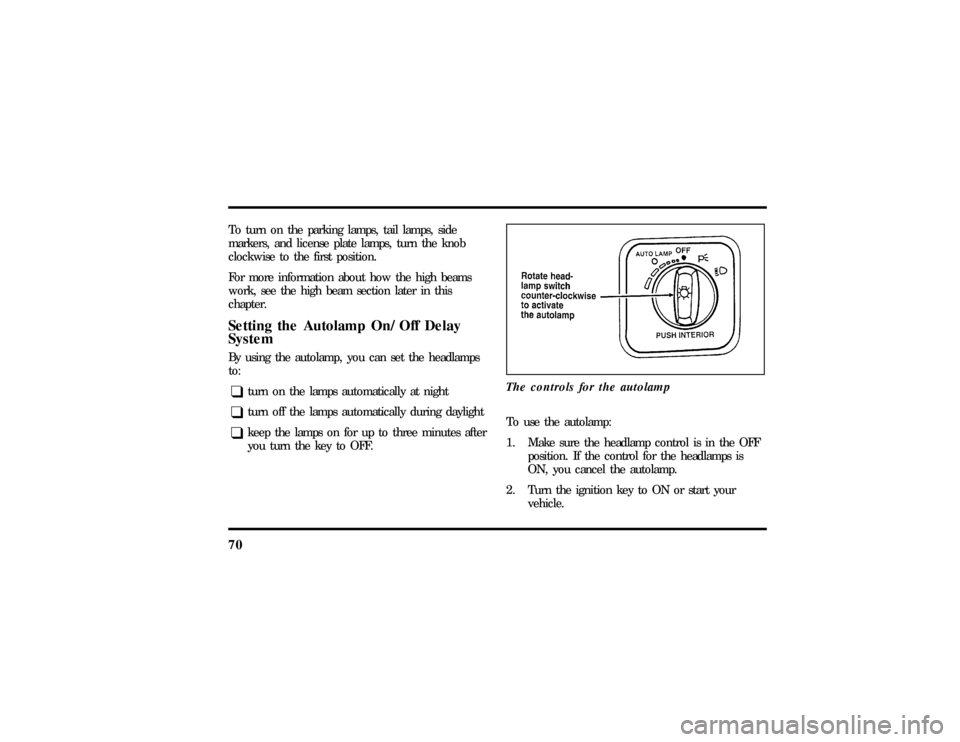
SystemBy using the autolamp, you can set the headlamps
to:q
turn on the lamps automatically at night
q
turn off the lamps automatically during daylight
q
keep the lamps on for up to three minutes after
you turn the key to OFF.The controls for the autolamp
To use the autolamp:
1. Make sure the headlamp control is in the OFF
position. If the control for the headlamps is
ON, you cancel the autolamp.
2. Turn the ignition key to ON or start your
vehicle.
File:05fncft.ex
Update:Mon Jun 17 13:49:49 1996
Page 75 of 305

71
3. Rotate the headlamp switch counterclockwise
from the OFF position.
4. The autolamp will automatically turn the lamps
on and off for you.
Do not put any articles on top of the photocell that
is located in the top left corner of the instrument
panel. This photocell controls the autolamp. If you
cover it, the photocell reacts as if it is nighttime,
and the lamps turn on.
To turn the autolamp off, rotate the headlamp
switch clockwise to the OFF position.You can set the autolamp so the headlamps stay on
for up to three minutes after you turn your vehicle
off.
q
The further you rotate the headlamp switch
counterclockwise, the longer the lamps will stay
on after you leave your vehicle. Similarly, if you
rotate the switch only slightly, the headlamps
stay on for only a short time after you turn
your vehicle off.
Turning On Interior LightsTo turn on the interior lights, push the headlamp
switch in.Instrument Panel IlluminationWith the light knob in the parking lamps or the
headlamps position, you can brighten or dim the
lights in the instrument panel with the rocker
switch.
File:05fncft.ex
Update:Mon Jun 17 13:49:49 1996
Page 76 of 305
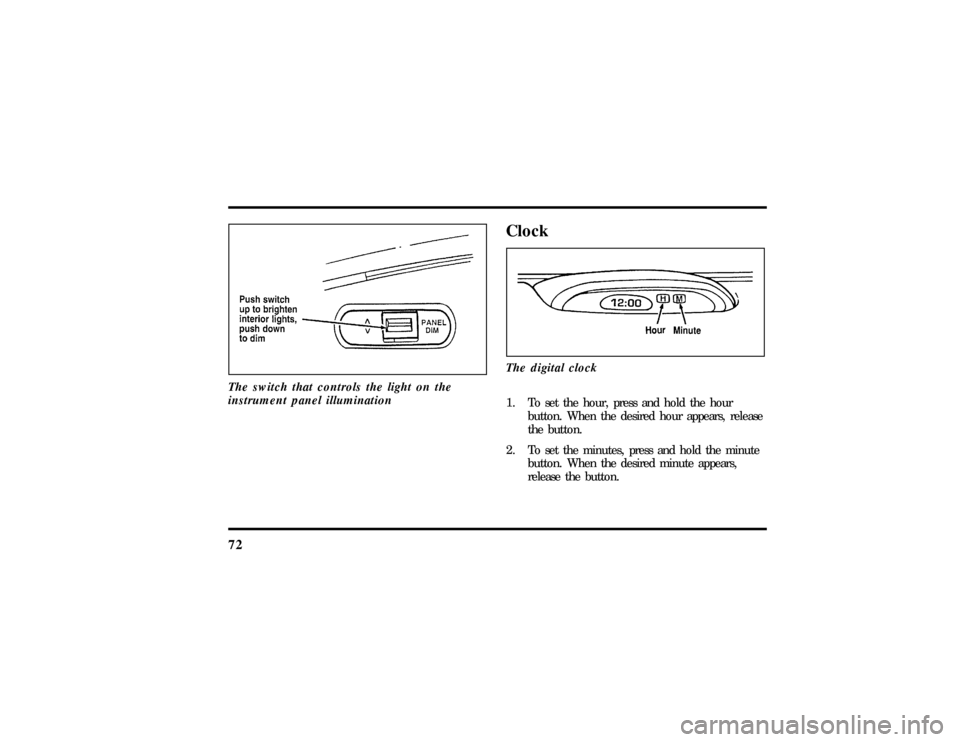
72The switch that controls the light on the
instrument panel illumination
ClockThe digital clock1. To set the hour, press and hold the hour
button. When the desired hour appears, release
the button.
2. To set the minutes, press and hold the minute
button. When the desired minute appears,
release the button.
File:05fncft.ex
Update:Mon Jun 17 13:49:49 1996
Page 78 of 305

74NOTE:Your vehicle is also equipped with an
accessory timer. This allows some of your
accessories to remain on for up to 10 minutes after
the ignition is turned to the OFF position. The
accessory timer is cancelled if any door is opened,
the dimmer switch is used, or the ignition is turned
to the ON position.
The automatic transmission gearshift must be in P
(Park) to move the key to the LOCK position.
LOCK locks the steering wheel. It also locks the
gearshift lever.
LOCK is the only position that allows you to
remove the key. The LOCK feature helps to protect
your vehicle from theft.
OFF allows you to shut off the engine and all
accessories without locking the steering wheel, or
the gearshift lever.ON allows you to test your vehicle's warning lights
to make sure they work before you start the engine.
The key returns to the ON position once the engine
is started and remains in this position while the
engine runs.
START cranks the engine. Release the key once the
engine starts so that you do not damage the starter.
The key should return to ON when you release it.
Key SystemThe vehicle is equipped with a master key and valet
key lock system. The master key will actuate doors,
trunk, glove box, ignition and remote trunk release.
The valet key will actuate doors and ignition only.
The valet key is marked ªvaletº.
File:05fncft.ex
Update:Mon Jun 17 13:49:49 1996
Page 85 of 305
81
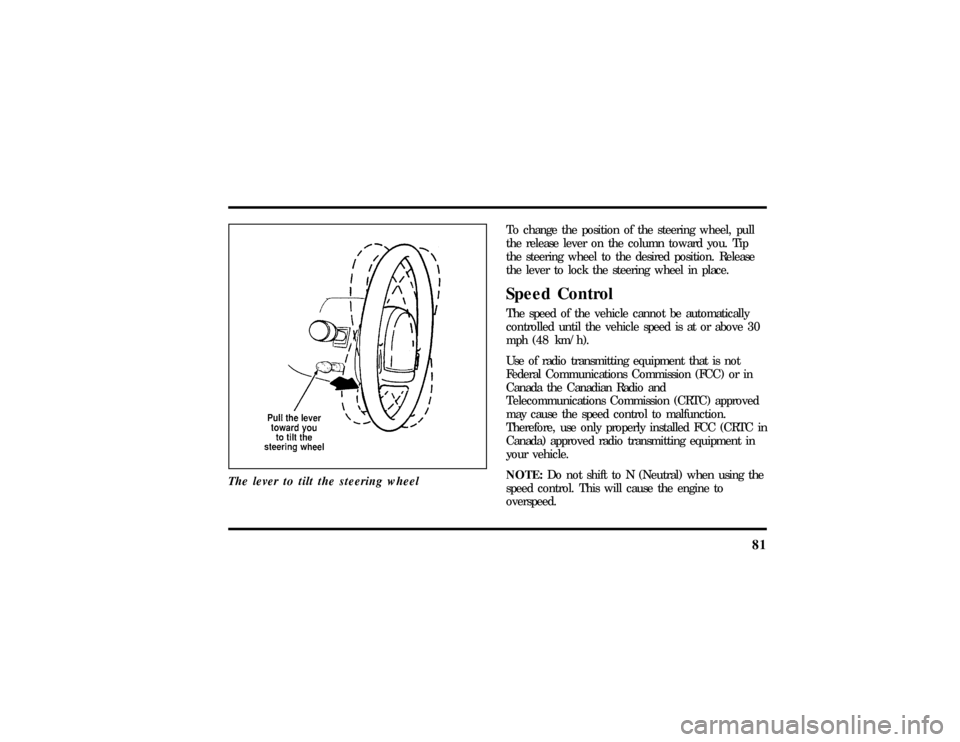
The lever to tilt the steering wheel
To change the position of the steering wheel, pull
the release lever on the column toward you. Tip
the steering wheel to the desired position. Release
the lever to lock the steering wheel in place.Speed ControlThe speed of the vehicle cannot be automatically
controlled until the vehicle speed is at or above 30
mph (48 km/h).
Use of radio transmitting equipment that is not
Federal Communications Commission (FCC) or in
Canada the Canadian Radio and
Telecommunications Commission (CRTC) approved
may cause the speed control to malfunction.
Therefore, use only properly installed FCC (CRTC in
Canada) approved radio transmitting equipment in
your vehicle.
NOTE:Do not shift to N (Neutral) when using the
speed control. This will cause the engine to
overspeed.
File:05fncft.ex
Update:Mon Jun 17 13:49:49 1996