alarm MERCEDES-BENZ CL-Class 2012 C216 Owner's Manual
[x] Cancel search | Manufacturer: MERCEDES-BENZ, Model Year: 2012, Model line: CL-Class, Model: MERCEDES-BENZ CL-Class 2012 C216Pages: 488, PDF Size: 21.88 MB
Page 7 of 488
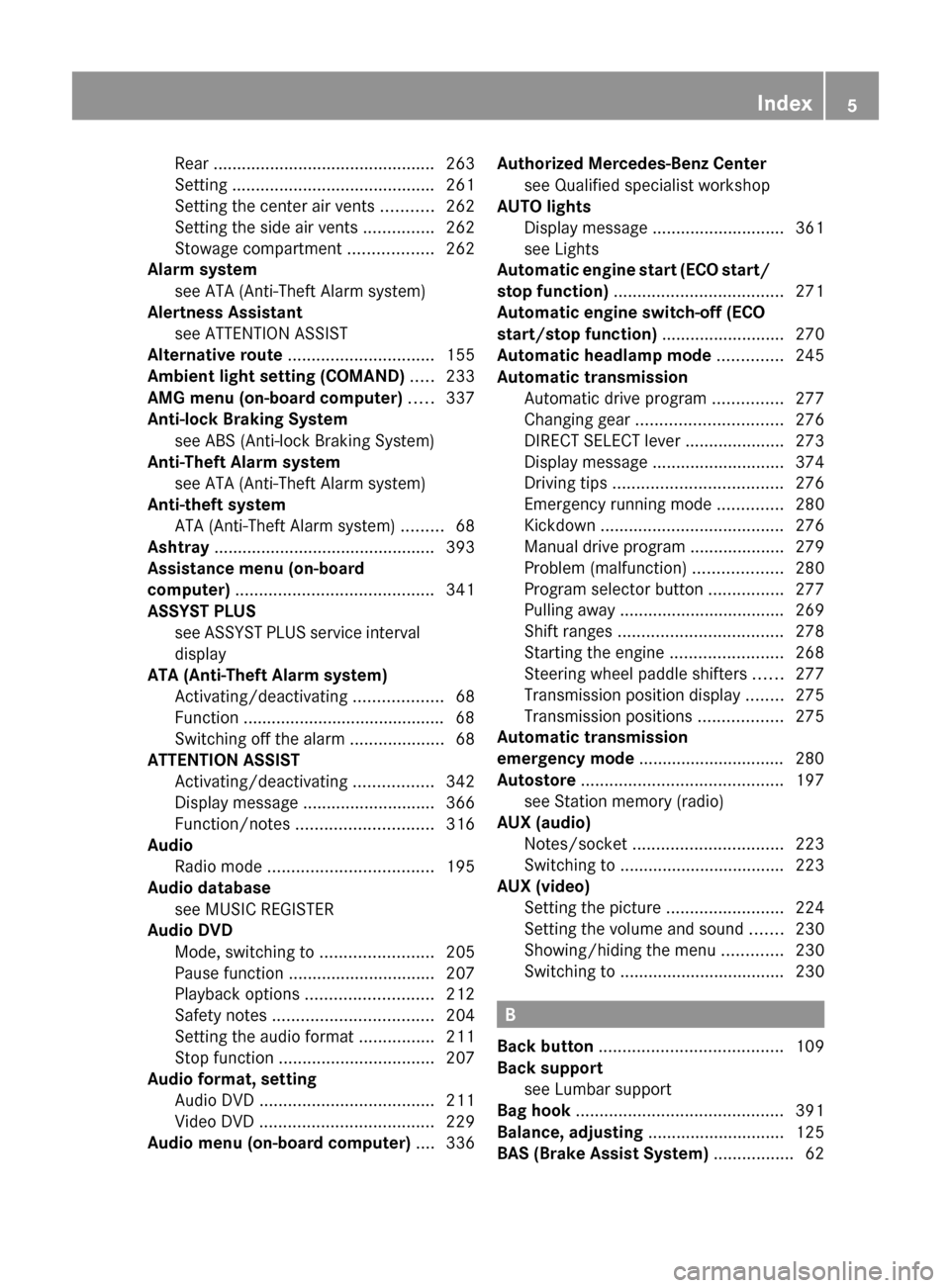
Rear ............................................... 263
Setting ........................................... 261
Setting the center air vents ...........262
Setting the side air vents ...............262
Stowage compartment ..................262
Alarm system
see ATA (Anti-Theft Alarm system)
Alertness Assistant
see ATTENTION ASSIST
Alternative route ............................... 155
Ambient light setting (COMAND) ..... 233
AMG menu (on-board computer) ..... 337
Anti-lock Braking System see ABS (Anti-lock Braking System)
Anti-Theft Alarm system
see ATA (Anti-Theft Alarm system)
Anti-theft system
ATA (Anti-Theft Alarm system) .........68
Ashtray ............................................... 393
Assistance menu (on-board
computer) .......................................... 341
ASSYST PLUS see ASSYST PLUS service interval
display
ATA (Anti-Theft Alarm system)
Activating/deactivating ...................68
Function ........................................... 68
Switching off the alarm ....................68
ATTENTION ASSIST
Activating/deactivating .................342
Display message ............................ 366
Function/notes ............................. 316
Audio
Radio mode ................................... 195
Audio database
see MUSIC REGISTER
Audio DVD
Mode, switching to ........................205
Pause function ............................... 207
Playback options ........................... 212
Safety notes .................................. 204
Setting the audio format ................211
Stop function ................................. 207
Audio format, setting
Audio DVD ..................................... 211
Video DVD ..................................... 229
Audio menu (on-board computer) .... 336Authorized Mercedes-Benz Center
see Qualified specialist workshop
AUTO lights
Display message ............................ 361
see Lights
Automatic engine start (ECO start/
stop function) .................................... 271
Automatic engine switch-off (ECO
start/stop function) .......................... 270
Automatic headlamp mode .............. 245
Automatic transmission Automatic drive program ...............277
Changing gear ............................... 276
DIRECT SELECT lever .....................273
Display message ............................ 374
Driving tips .................................... 276
Emergency running mode ..............280
Kickdown ....................................... 276
Manual drive program ....................279
Problem (malfunction) ...................280
Program selector button ................277
Pulling away ................................... 269
Shift ranges ................................... 278
Starting the engine ........................268
Steering wheel paddle shifters ......277
Transmission position display ........275
Transmission positions ..................275
Automatic transmission
emergency mode ............................... 280
Autostore ........................................... 197
see Station memory (radio)
AUX (audio)
Notes/socket ................................ 223
Switching to ................................... 223
AUX (video)
Setting the picture .........................224
Setting the volume and sound .......230
Showing/hiding the menu .............230
Switching to ................................... 230
B
Back button ....................................... 109
Back support see Lumbar support
Bag hook ............................................ 391
Balance, adjusting ............................. 125
BAS (Brake Assist System) ................. 62
Index5
Page 19 of 488
Opening height restriction for
trunk lid .............................................. 235
Operating system see On-board computer
Outside lighting
Delayed switch-off (COMAND) .......233
Outside temperature display ........... 331
Overhead control panel ...................... 37
Override feature Rear side windows ...........................60
Own address (navigation)
see Home address
P
Paint code number ............................ 473
Paintwork (cleaning instructions) ... 416
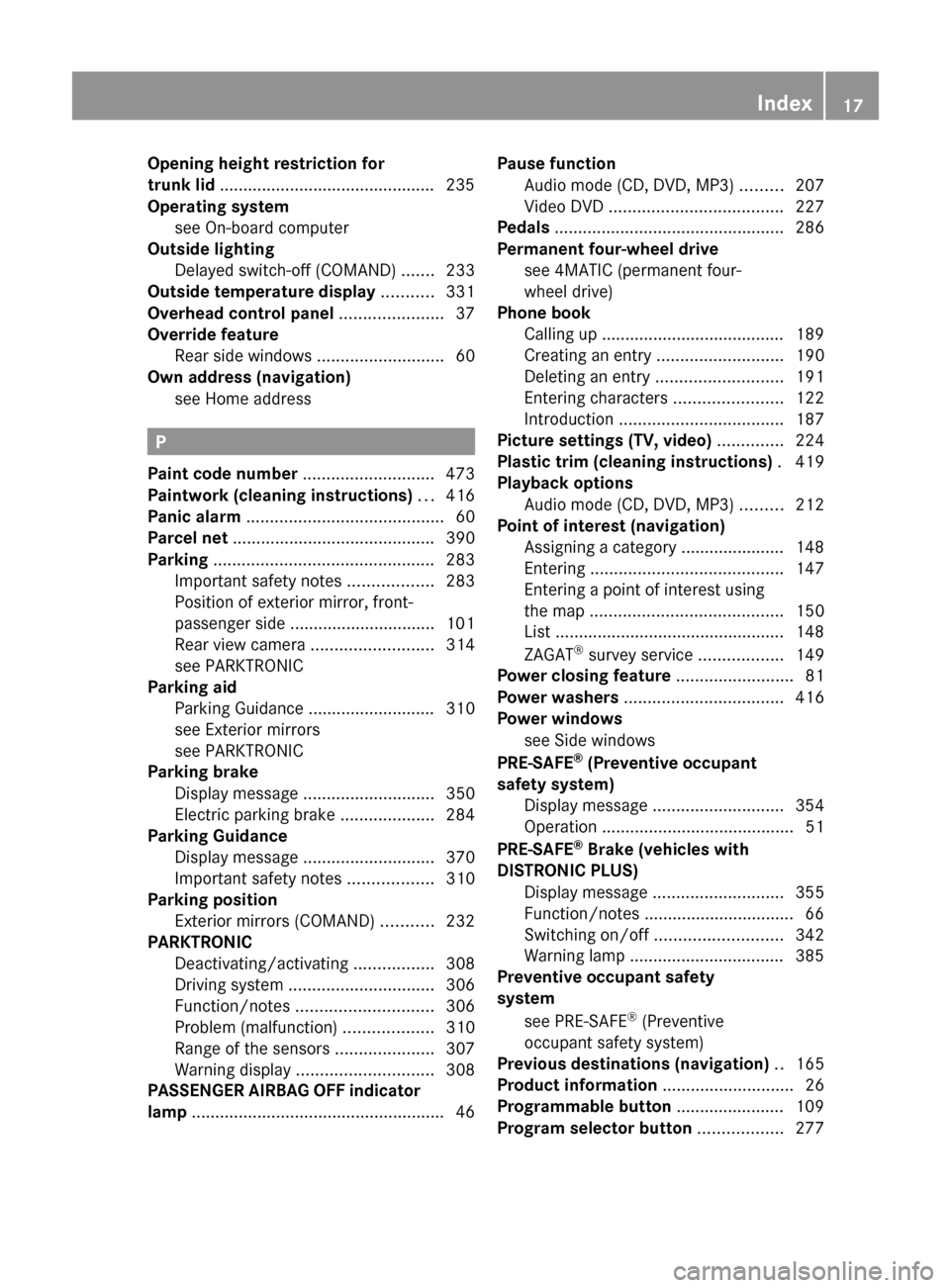
Panic alarm .......................................... 60
Parcel net ........................................... 390
Parking ............................................... 283
Important safety notes ..................283
Position of exterior mirror, front-
passenger side ............................... 101
Rear view camera .......................... 314
see PARKTRONIC
Parking aid
Parking Guidance ........................... 310
see Exterior mirrors
see PARKTRONIC
Parking brake
Display message ............................ 350
Electric parking brake ....................284
Parking Guidance
Display message ............................ 370
Important safety notes ..................310
Parking position
Exterior mirrors (COMAND) ...........232
PARKTRONIC
Deactivating/activating .................308
Driving system ............................... 306
Function/notes ............................. 306
Problem (malfunction) ...................310
Range of the sensors .....................307
Warning display ............................. 308
PASSENGER AIRBAG OFF indicator
lamp ...................................................... 46
Pause function
Audio mode (CD, DVD, MP3) .........207
Video DVD ..................................... 227
Pedals ................................................. 286
Permanent four-wheel drive see 4MATIC (permanent four-
wheel drive)
Phone book
Calling up ....................................... 189
Creating an entry ........................... 190
Deleting an entry ........................... 191
Entering characters .......................122
Introduction ................................... 187
Picture settings (TV, video) .............. 224
Plastic trim (cleaning instructions) . 419
Playback options Audio mode (CD, DVD, MP3) .........212
Point of interest (navigation)
Assigning a category ...................... 148
Entering ......................................... 147
Entering a point of interest using
the map ......................................... 150
List ................................................. 148
ZAGAT ®
survey service ..................149
Power closing feature ......................... 81
Power washers .................................. 416
Power windows see Side windows
PRE-SAFE ®
(Preventive occupant
safety system) Display message ............................ 354
Operation ......................................... 51
PRE-SAFE ®
Brake (vehicles with
DISTRONIC PLUS) Display message ............................ 355
Function/notes ................................ 66
Switching on/off ........................... 342
Warning lamp ................................. 385
Preventive occupant safety
system
see PRE-SAFE ®
(Preventive
occupant safety system)
Previous destinations (navigation) .. 165
Product information ............................ 26
Programmable button ....................... 109
Program selector button .................. 277Index17
Page 23 of 488

Buttons (on-board
computer) ...................................... 331
Important safety notes ....................98
Paddle shifters ............................... 277
Steering wheel heating ....................99
Storing settings (memory
function) ........................................ 102
Steering wheel (cleaning
instructions) ...................................... 420
Steering wheel heating Switching on/off .............................. 99
Steering wheel paddle shifters ........ 277
Stop function Audio DVD ..................................... 207
Video DVD ..................................... 227
Stopwatch (RACETIMER) ................... 338
Storing stations Manually ........................................ 197
Storing stations (radio)
Automatically ................................. 197
Stowage compartments
Armrest (under) ............................. 389
Cup holders ................................... 391
Eyeglasses compartment ...............389
Glove box ....................................... 388
Important safety information .........388
Parcel net ...................................... 390
Rear ............................................... 389
Rear seat backrest ......................... 390
Rear seats (between) .....................390
Stowage well beneath the trunk
floor .................................................... 391
Summer opening see Convenience opening feature
Summer tires ..................................... 444
Sun visor ............................................ 392
Supplemental Restraint System see SRS (Supplemental Restraint
System)
Surround sound
see 3D sound (Harman Kardon ®
surround sound system)
Surround sound (harman/
kardon ®
surround sound system)
Notes ............................................. 126
Switching on/off ........................... 126Suspension tuning
Active Body Control .......................305
AIRMATIC ...................................... 304
Switching air-recirculation mode
on/off ................................................. 260
Switching between picture
formats (TV, video) ............................ 224
Switching between summer time
and standard time ............................. 129
Switching off the alarm (ATA) ............ 68
Switching the hands-free
microphone on/off ............................ 185
Switching wavebands (radio) ........... 196
System settings
Bluetooth ®
..................................... 131
Date ............................................... 128
Language ....................................... 134
Programmable button (COMAND) ..109
Text reader speed ..........................129
Time ............................................... 128
Time zone ...................................... 129
Voice Control System ....................129
T
TA (Traffic Announcements) see Traffic announcements
Tachometer ........................................ 331
Tail lamps Display message ............................ 360
Tank
see Fuel tank
Tank content
Fuel gauge ....................................... 33
Technical data
Notes ............................................. 472
Tires/wheels ................................. 466
Vehicle data ................................... 480
TELEAID
Automatic retrieval of vehicle data
(service due date) ..........................401
Call priority .................................... 399
Display message ............................ 354
Downloading destinations
(COMAND) ..................................... 399
Emergency call .............................. 396
Important safety notes ..................395
Locating a stolen vehicle ...............402
Index21
Page 41 of 488
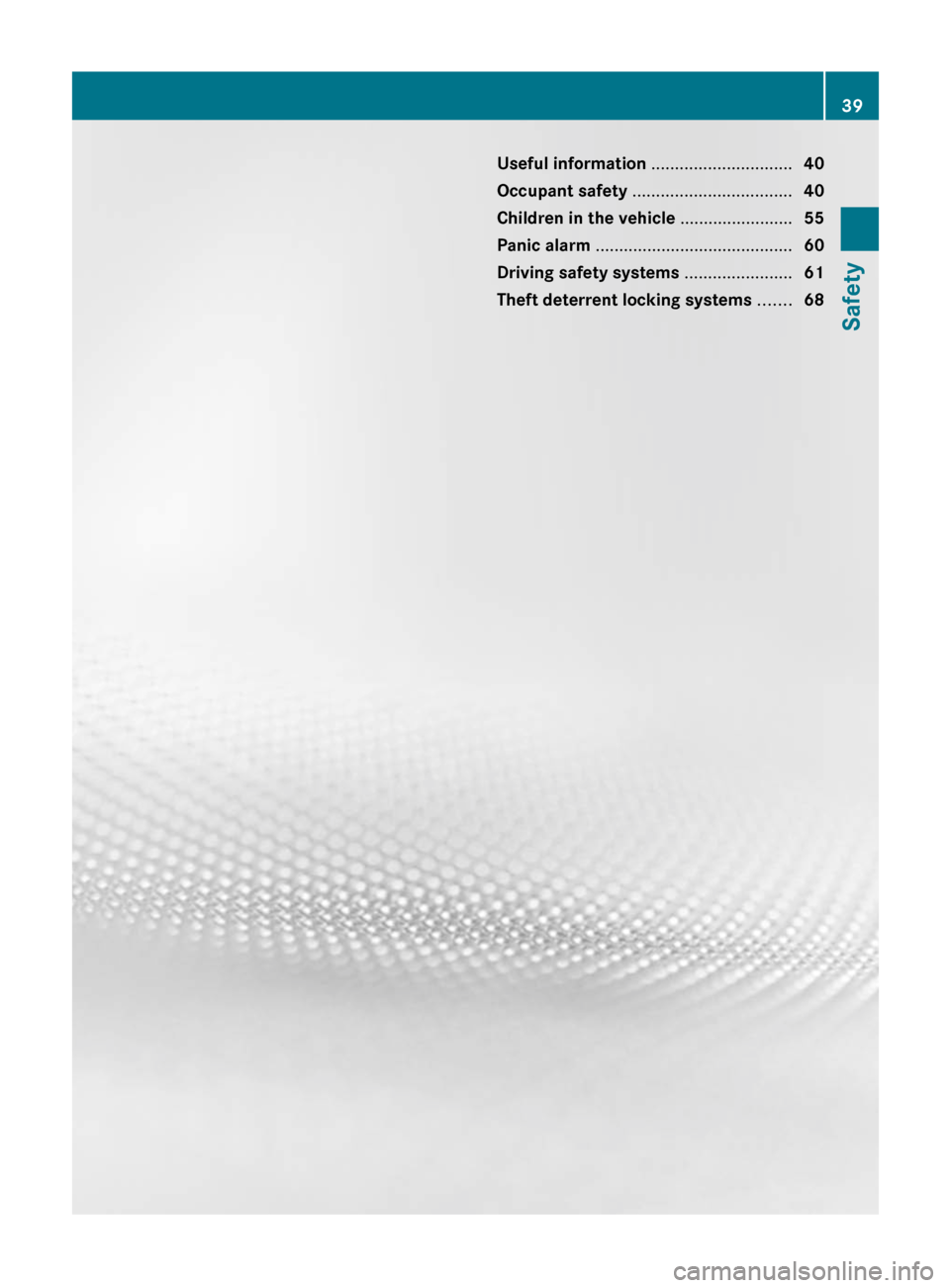
Useful information ..............................40
Occupant safety .................................. 40
Children in the vehicle ........................55
Panic alarm .......................................... 60
Driving safety systems .......................61
Theft deterrent locking systems .......6839Safety
Page 62 of 488

Child-proof locks
Important safety notesGWARNING
When leaving the vehicle, always remove the
SmartKey from the ignition lock. Always take
the SmartKey with you and lock the vehicle.
Do not leave children unattended in the
vehicle, even if they are secured in a child
restraint system, or with access to an
unlocked vehicle. A child's unsupervised
access to a vehicle could result in an accident
and/or serious personal injury. The children
could:
R injure themselves on parts of the vehicle
R be seriously or fatally injured through
excessive exposure to extreme heat or cold
R injure themselves or cause an accident with
vehicle equipment that can be operated
even if the SmartKey is removed from the
ignition lock or removed from the vehicle,
such as seat adjustment, steering wheel
adjustment, or the memory function
If children open a door, they could injure other
persons or get out of the vehicle and injure
themselves or be injured by following traffic.
Do not expose the child restraint system to
direct sunlight. The child restraint system's
metal parts, for example, could become very
hot, and the child could be burned on these
parts.
Override feature for the rear side
windows
GWARNING
When children ride on the vehicle's rear seats,
activate the override switch. Otherwise the
children could be injured, e.g. by trapping
themselves in the rear side window.
XTo activate/deactivate: press button :.
If indicator lamp ; is lit, operation of the
rear side windows is deactivated.
Operation is only possible using the
switches in the driver's door. If indicator
lamp ; is off, operation is possible using
the switches in the rear compartment.
Panic alarm
X To activate: press ! button : for at
least one second.
An alarm sounds and the exterior lighting
flashes.XTo deactivate: press ! button :
again.
or
XInsert the SmartKey into the ignition lock.
or
XPress the KEYLESS-GO Start/Stop button.
The KEYLESS-GO key must be in the
vehicle.60Panic alarmSafety
Page 70 of 488

Theft deterrent locking systems
Immobilizer
The immobilizer prevents your vehicle from
being started without the correct SmartKey.
When leaving the vehicle, always take the
SmartKey with you and lock the vehicle. The
engine can be started by anyone with a valid
SmartKey that is left inside the vehicle.
XTo activate with the SmartKey: remove
the SmartKey from the ignition lock.XTo activate with KEYLESS-GO: switch the
ignition off and open the driver's door.XTo deactivate: switch on the ignition.
i
The immobilizer is always deactivated
when you start the engine.
In the event that the engine cannot be
started when the starter battery is fully
charged, the immobilizer may be faulty.
Contact an authorized Mercedes-Benz
Center or call 1-800-FOR-MERCedes (in
USA) or 1-800-387-0100 (in Canada).
ATA (Anti-Theft Alarm system)
A visual and audible alarm is triggered if the
alarm system is armed and you open:
R a door
R the vehicle with the mechanical key
R the trunk lid
R the hood
The alarm is not switched off, even if you
close the open door that has triggered it, for
example.
i If the alarm stays on for more than 30
seconds, the emergency call system
mbrace (USA only) or TELE AID (Canada
only) initiates a call to the Customer
Assistance Center automatically. The
emergency call system initiates the call
provided that:
R you have subscribed to the mbrace/
TELE AID service.
R the mbrace/TELE AID service has been
activated properly.
R the required mobile phone, power supply
and GPS are available.XTo arm: lock the vehicle with the SmartKey
or KEYLESS-GO.
Indicator lamp : flashes. The alarm
system is armed after approximately 30
seconds.XTo deactivate: unlock the vehicle with the
SmartKey or KEYLESS-GO.XTo stop the alarm using the SmartKey:
insert the SmartKey into the ignition lock.
The alarm is switched off.
or
XPress the % or & button on the
SmartKey.
The alarm is switched off.68Theft deterrent locking systemsSafety
Page 71 of 488

XTo stop the alarm using KEYLESS-GO:
grasp the outside door handle. The
SmartKey must be outside the vehicle.
The alarm is switched off.
or
XPress the Start/Stop button on the
dashboard. The SmartKey must be inside
the vehicle.
The alarm is switched off.Theft deterrent locking systems69SafetyZ
Page 77 of 488

X To unlock the vehicle: pull the door
handle.XTo lock the vehicle: touch sensor
surface :.XConvenience closing feature: touch
recessed sensor surface ; for an
extended period ( Y page 88).
If you pull on the handle of the trunk lid, only
the trunk of the vehicle is unlocked.
Changing the settings of the locking
system
You can change the setting of the locking
system in such a way that only the driver's
door and the fuel filler flap are unlocked. This
is useful if you frequently travel on your own.
XTo change the setting: press and hold
down the % and & buttons
simultaneously for approximately six
seconds until the battery check lamp
( Y page 76) flashes twice.
i
If the setting of the locking system is
changed within the signal range of the
vehicle, pressing the & or % button
locks or unlocks the vehicle.
The SmartKey now functions as follows:
XTo unlock the driver's door: press the
% button once.XTo unlock centrally: press the %
button twice.XTo lock centrally: press the & button.
The KEYLESS-GO function is changed as
follows:
XTo unlock the driver's door : pull the door
handle on the driver's door.XTo unlock centrally: pull the front-
passenger door handle.XTo lock centrally: touch the outer sensor
surface on one of the door handles.Restoring the factory settingsXPress the % and & buttons
simultaneously for approximately six
seconds until the battery check lamp
flashes twice.
Mechanical key
General notes
If you use the mechanical key to unlock and
open the driver's door or the trunk lid, the
anti-theft alarm system will be triggered
( Y page 68).
There are several ways to turn off the alarm:
XTo turn the alarm off with the
SmartKey: press the % or & button
on the SmartKey.
or
XInsert the SmartKey into the ignition lock.
or
XTo deactivate the alarm with KEYLESS-
GO: press the Start/Stop button in the
ignition lock. The SmartKey must be in the
vehicle.
or
XLock or unlock the vehicle using KEYLESS-
GO. The SmartKey must be outside the
vehicle.
Removing the mechanical key
SmartKey75Opening/closingZ
Page 82 of 488

GWARNING
Do not carry heavy or hard objects in the
passenger compartment unless they are
firmly secured in place.
Unsecured or improperly positioned cargo
increases a child's risk of injury in the event
of:
R strong braking maneuvers
R sudden changes of direction
R an accident
Unlocking and opening doors from
the inside
You can open a door from inside the vehicle
even if it has been locked.
Only open the door when the traffic situation
permits.
If the vehicle was previously locked with the
SmartKey or with KEYLESS-GO, opening the
vehicle from the inside will activate the anti-
theft alarm system. Switch off the alarm
( Y page 68).
XPull door handle ;.
If the door is locked, locking knob : pops
up. The door is unlocked and can be
opened.
i When a door is opened, the side window
on that side opens slightly. When the door
is closed, the side window closes again.
! The side windows will not open/close if
the battery is discharged or if the side
windows have iced up. It will then not be
possible to close the door. Do not attempt
to force the door closed. You could
otherwise damage the door or the side
window.
Centrally locking and unlocking the
vehicle from the inside
You can centrally lock or unlock the vehicle
from the inside.
The central locking/unlocking button does
not lock or unlock the fuel filler flap.
i You cannot unlock the vehicle centrally
from the inside if the vehicle has been
locked with the SmartKey or KEYLESS-GO.
XTo unlock: press button :.XTo lock: press button ;.
If the front-passenger door is closed, the
vehicle locks.
You can open a door from inside the vehicle
even if it has been locked. Only open the door
when the traffic situation permits.
If the vehicle has been locked with the central
locking button:
R and the SmartKey is set to its factory
setting, the entire vehicle is unlocked if a
door is opened from the inside
R and the SmartKey is set to an individual
setting, only the door that is opened from
inside the vehicle is unlocked.
If the vehicle has been locked centrally with
the SmartKey or with KEYLESS-GO, it is not
unlocked when the release button for the
central locking is used.
80DoorsOpening/closing
Page 83 of 488

Automatic locking feature
The vehicle locks automatically when the
ignition is switched on and the wheels of the
vehicle are turning at a speed of more than
9 mph (15 km/h).
You could therefore be locked out when:
R the vehicle is being pushed.
R the vehicle is being towed.
R the vehicle is being tested on a
dynamometer.
You can switch off the automatic locking
function via COMAND ( Y page 234).
Power closing feature
The power closing feature pulls the doors and
trunk lid into their locks automatically even if
they are only partly closed.
GWARNING
To prevent possible personal injury, always
keep hands and fingers away from the door or
trunk opening when closing a door or the
trunk lid. Be especially careful when small
children are around.
If danger threatens, pull the inside or outside
door handle, or pull the trunk lid handle.
To prevent personal injury, never activate the
closing assist mechanism by tampering with
the door or trunk lid latch.
GWARNING
Only drive with the doors closed. Otherwise,
one or more of the doors could open while the
vehicle is in motion, putting you and/or
others at risk.
GWARNING
Make sure the trunk lid is closed when the
engine is running and while driving. Among
other dangers, deadly carbon monoxide (CO)
gases may enter the vehicle interior resulting
in unconsciousness and death.
XPower closing feature (doors): push the
door past the first detent position of the
lock.
The power closing feature will pull the door
fully closed.XPower closing feature (trunk lid): lightly
push the trunk lid closed.
The power closing feature will pull the trunk
lid fully closed.
Unlocking the driver's door
(mechanical key)
If the vehicle can no longer be unlocked with
the SmartKey, use the mechanical key.
If you use the mechanical key to unlock and
open the driver's door, the anti-theft alarm
system will be triggered ( Y page 68).
XTake the mechanical key out of the
SmartKey ( Y page 75).XInsert the mechanical key into the lock of
the driver's door as far as it will go.XFirmly turn the mechanical key
counterclockwise as far as it will go to
position 1 and hold it in this position.XPull the door handle quickly.
The locking knob pops up.
The door is unlocked.XTurn the mechanical key back and remove
it.XPull the door handle again.XInsert the mechanical key into the
SmartKey.Doors81Opening/closingZ