ECO mode MERCEDES-BENZ CLK430 2001 C208 Owner's Manual
[x] Cancel search | Manufacturer: MERCEDES-BENZ, Model Year: 2001, Model line: CLK430, Model: MERCEDES-BENZ CLK430 2001 C208Pages: 329, PDF Size: 11.53 MB
Page 5 of 329

2 Contents
Trip and main odometer,
vehicle speed, FSS and
engine oil level indicator ........... 94
Audio systems .................................. 95
Radio .............................................. 95
CD player ....................................... 96
Cassette player ............................. 97
Telephone .......................................... 98
Telephone book ............................ 98
Redialing ..................................... 100
Incoming call .............................. 102
Navigation system .......................... 103
Trip computer ................................. 104
Malfunction message
memory ...................................... 106
Individual settings ......................... 108
Setting the audio volume ...............110
Flexible service system
(FSS) .............................................111
Engine oil level indicator ...............114
Engine oil consumption .................115Exterior lamp switch ...................... 116
Night security illumination .......... 117
Headlamp cleaning system ........... 118
Combination switch ....................... 119
Hazard warning flasher
switch ..........................................121
Automatic climate control ............ 122
Display and controls ................. 124
Basic setting -
automatic mode ......................... 124
Economy ...................................... 125
Special settings .......................... 125
Rear window defroster .............. 126
Air recirculation ........................ 127
Residual engine heat
utilization .................................... 127
Dust filter .................................... 128
Audio and telephone,
operation .................................... 129
Power windows .............................. 147
Sliding/pop-up roof ....................... 149Interior lighting ............................. 151
Rear window sunshade ................. 152
Sun visors ....................................... 152
Illuminated vanity mirrors ........... 153
Interior ............................................ 153
Storage compartments,
armrest and cup holder ........... 153
Glove box ..................................... 154
Ashtrays .......................................... 157
Lighter ............................................. 159
Enlarged cargo area –
split folding rear
seat backrest .............................. 160
Loading instructions ..................... 162
Cargo tie down rings ..................... 163
Parcel net in front
passenger footwell .................... 164
Telephone, general ........................ 164
Cellular telephone ......................... 165
Garage door opener ....................... 166
Ski sack ........................................... 170
Page 10 of 329

7 IntroductionProduct information
Kindly observe the following in your own best interest:
We recommend using Mercedes-Benz original parts as well as conversion parts and accessories
explicitly approved by us for your vehicle model.
We have tested these parts to determine their reliability, safety and their special
suitability for Mercedes-Benz vehicles.
We are unable to make an assessment for other products and therefore cannot be held responsible
for them, even if in individual cases an official approval or authorization by governmental or other
agencies should exist. Use of such parts and accessories could adversely affect the safety, performance
or reliability of your vehicle. Please do not use them.
Mercedes-Benz original parts as well as conversion parts and accessories approved by us are available
at your authorized Mercedes-Benz Center where you will receive comprehensive information, also on
permissible technical modifications, and where proper installation will be performed.
Page 26 of 329
23 Contents – Operation
Te ch n ica l
data Instruments
and controlsOperationDrivingInstrument
cluster displayPractical hints Car care Index Malfunction message
memory ...................................... 106
Individual settings ......................... 108
Setting the audio volume ...............110
Flexible service system
(FSS) .............................................111
Engine oil level indicator ...............114
Engine oil consumption .................115
Exterior lamp switch ......................116
Night security illumination ..........117
Headlamp cleaning system ...........118
Combination switch .......................119
Hazard warning flasher
switch .......................................... 121
Automatic climate control ............ 122
Display and controls .................. 124
Basic setting -
automatic mode .......................... 124Economy ...................................... 125
Special settings .......................... 125
Rear window defroster .............. 126
Air recirculation ........................ 127
Residual engine heat
utilization .................................... 127
Dust filter .................................... 128
Audio and telephone,
operation .................................... 129
Power windows .............................. 147
Sliding/pop-up roof ....................... 149
Interior lighting ..............................151
Rear window sunshade .................152
Sun visors ........................................152
Illuminated vanity mirrors ...........153
Interior .............................................153Storage compartments,
armrest and cup holder ........... 153
Glove box ..................................... 154
Ashtrays .......................................... 157
Lighter ............................................. 159
Enlarged cargo area –
split folding rear
seat backrest .............................. 160
Loading instructions ..................... 162
Cargo tie down rings ..................... 163
Parcel net in front
passenger footwell .................... 164
Telephone, general ........................ 164
Cellular telephone ......................... 165
Garage door opener ....................... 166
Ski sack ........................................... 170
Page 33 of 329
30 Central locking system
Te ch n ica l
data Instruments
and controlsOperationDrivingInstrument
cluster displayPractical hints Car care Index
Locking and unlocking with remote control
Unlocking:
Press transmit button Œ. All turn signal lamps blink
once to indicate that the vehicle is unlocked.
The remote control can be programmed for two kinds of
unlocking modes (see below):
Selective unlocking mode –
Press transmit button Œ once to unl ock d river’s d oor
and fuel filler flap.
Press transmit button Πtwice to unlock both doors,
fuel filler flap, and trunk.
Global unlocking mode –
Press transmit button Πonce to unlock both doors,
fuel filler flap, and trunk.
Notes:
If the trunk was previously locked separately, it will
remain locked, see page 38.
The presently active unlocking mode (selective or
global) can only be determined by unlocking the vehicle
with the remote control (see below for changing mode).If within 40 seconds of unlocking with the remote
control, neither door or trunk is opened, the electronic
key is not inserted in the steering lock, or the central
locking switch is not activated, the vehicle will
automatically lock.
Locking:
Press transmit button ‹ once. All turn signal lamps
blink three times to indicate that the vehicle is locked.
If they do not blink three times, a door or trunk is not
properly closed.
Note:
If the vehicle cannot be locked or unlocked by pressing
the transmit button, then it may be necessary to change
the batteries in the electronic main key (if ok, battery
check lamp in electronic main key will light briefly
when pressing transmit button) or to synchronize the
remote control, see page 283 and 285.
Page 34 of 329
31 Central locking system
Te ch n ica l
data Instruments
and controlsOperationDrivingInstrument
cluster displayPractical hints Car care Index Choosing global or selective mode on remote control
Press and hold transmit buttons ‹ and Œ
simultaneously for approx. 6 seconds to reprogram the
remote control. Battery check lamp will blink two times
indicating the completed mode change.
Opening the trunk
The trunk lid will swing open automatically. You should
always make sure there is sufficient clearance.
A minimum height clearance of 5.9 ft. (1.8 m) is
required to open the trunk lid.
Press transmit button Š until trunk lid is open.Important!
Do not place remote control in trunk since trunk is
locked when the lid is closed if the vehicle is centrally
locked.
Note:
If the trunk was previously locked separately, it will
remain locked, see page 38.
Page 72 of 329
69 Restraint systems
Te ch n ica l
data Instruments
and controlsOperationDrivingInstrument
cluster displayPractical hints Car care Index Initially, when the electronic key is turned from steering
lock position 0 to positions 1 or 2, malfunctions in the
crash-sensor are detected and indicated (the “SRS”
indicator lamp stays on longer than 4 seconds or does
not come on).
Have the system checked at your authorized
Mercedes-Benz Center immediately.
In the operational mode, after the indicator lamp has
gone out following the initial check, interruptions or
short circuits in the airbag ignition circuit and in the
driver and front passenger seat belt buckle harnesses,
and low voltage in the entire system are detected and
indicated.Front airbags
The driver and front passenger front airbags are
designed to activate only in certain frontal impacts
exceeding a preset threshold.
The front passenger airbag deploys only if the front
passenger seat is occupied and the indicator lamp on
the center console is not illuminated.
Note:
Heavy objects on the front passenger seat can appear to
the “SRS” to indicate the presence of an occupant in
that seat which causes the passenger front airbag to
deploy in a crash exceeding the appropriate threshold.
Wa r n i n g !
In t he event a malfu nction of th e “SRS” is indic ated
as outlined above, the “SRS” may not be
operational. For your safety, we strongly
recommend that you visit an authorized
Mercedes-Benz Center immediately to have the
system checked; otherwise the “SRS” may not be
activated when needed in an accident, which could
result in serious or fatal injury, or it might deploy
unexpectedly and unnecessarily which could also
result in injury.
Page 127 of 329
124 Automatic climate control
Te ch n ica l
data Instruments
and controlsOperationDrivingInstrument
cluster displayPractical hints Car care Index
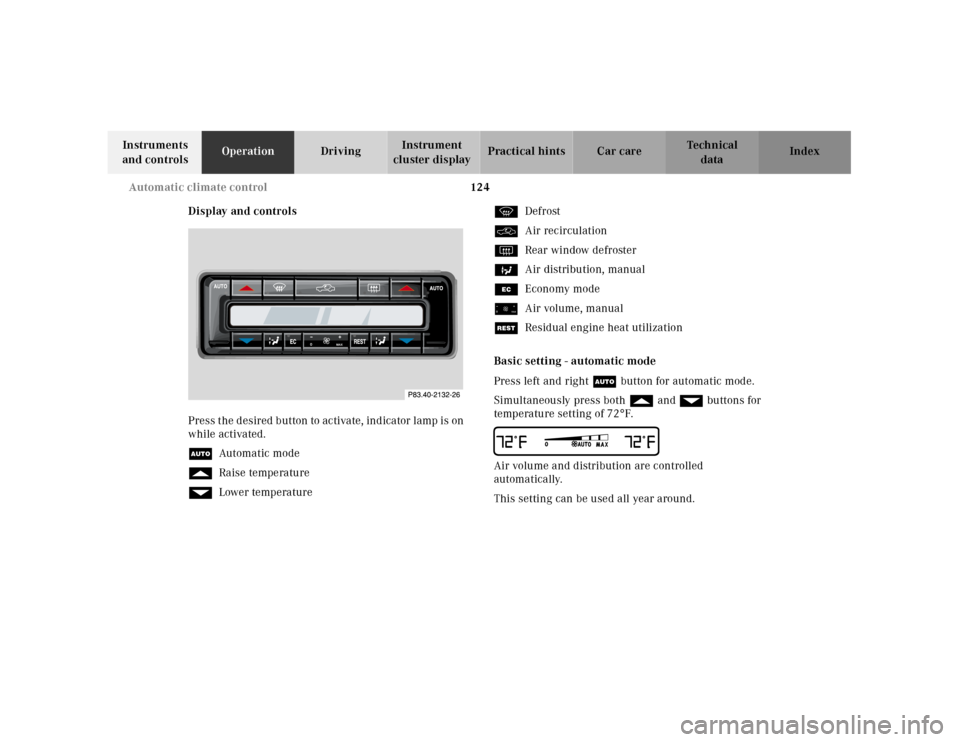
Display and controls
Press the desired button to activate, indicator lamp is on
while activated.
UAutomatic mode
fRaise temperature
gLower temperaturePDefrost
OAir recirculation
FRear window defroster
bAir distribution, manual
SEconomy mode
ïAir volume, manual
TResidual engine heat utilization
Basic setting - automatic mode
Press left and right U button for automatic mode.
Simultaneously press both f and g buttons for
temperature setting of 72°F.
QAir volume and distribution are controlled
automatically.
This setting can be used all year around.
0
MAX
Page 128 of 329
125 Automatic climate control
Te ch n ica l
data Instruments
and controlsOperationDrivingInstrument
cluster displayPractical hints Car care Index Economy
The function of this setting corresponds to the
automatic mode. However, because the air conditioning
compressor will not engage (fuel savings), it is not
possible to air condition in this setting.
Press S button to activate.
Press S button once again to return to previous
setting.
Special settings (use only for short duration)
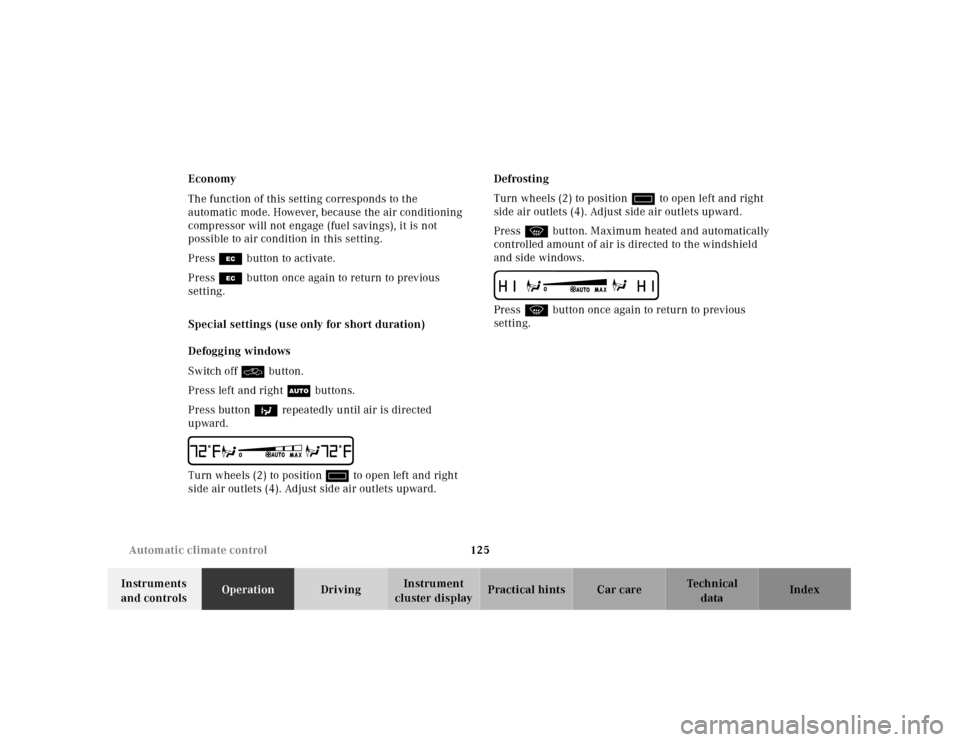
Defogging windows
Switch off O button.
Press left and right U buttons.
Press button b repeatedly until air is directed
upward.
UTurn wheels (2) to position i to open left and right
side air outlets (4). Adjust side air outlets upward.Defrosting
Turn wheels (2) to position i to open left and right
side air outlets (4). Adjust side air outlets upward.
Press P button. Maximum heated and automatically
controlled amount of air is directed to the windshield
and side windows.
PPress P button once again to return to previous
setting.
Page 139 of 329
136 Audio system
Te ch n ica l
data Instruments
and controlsOperationDrivingInstrument
cluster displayPractical hints Car care Index
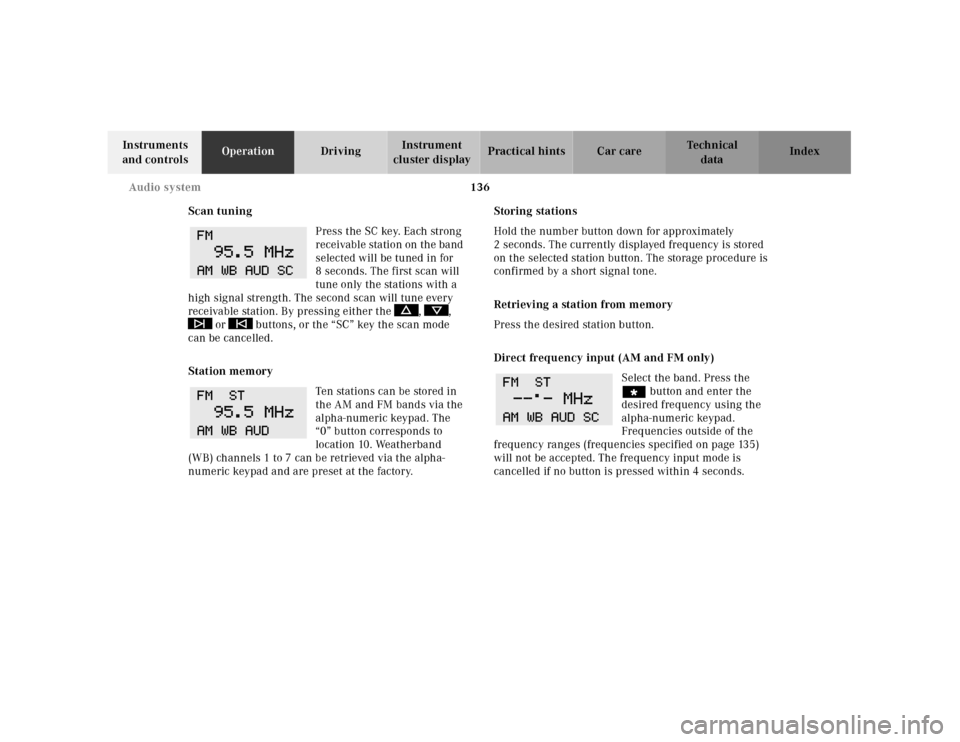
Scan tuning
Press the SC key. Each strong
receivable station on the band
selected will be tuned in for
8 seconds. The first scan will
tune only the stations with a
high signal strength. The second scan will tune every
receivable station. By pressing either the , ,
or buttons, or the “SC” key the scan mode
can be cancelled.
Station memory
Ten stations can be stored in
the AM and FM bands via the
alpha-numeric keypad. The
“0” button corresponds to
location 10. Weatherband
(WB) channels 1 to 7 can be retrieved via the alpha-
numeric keypad and are preset at the factory.Storing stations
Hold the number button down for approximately
2 seconds. The currently displayed frequency is stored
on the selected station button. The storage procedure is
confirmed by a short signal tone.
Retrieving a station from memory
Press the desired station button.
Direct frequency input (AM and FM only)
Select the band. Press the
“ button and enter the
desired frequency using the
alpha-numeric keypad.
Frequencies outside of the
frequency ranges (frequencies specified on page 135)
will not be accepted. The frequency input mode is
cancelled if no button is pressed within 4 seconds.
Page 140 of 329
137 Audio system
Te ch n ica l
data Instruments
and controlsOperationDrivingInstrument
cluster displayPractical hints Car care Index Cassette mode
Note:
Vehicles equipped with the COMAND system do not
come with a factory installed cassette mechanism.
A standard 1/8” stereo phono plug for auxiliary audio
input (located in glove box) is provided for connection of
a portable battery operated cassette player or any other
portable device which uses a headphone output. Please
refer to the COMAND operating manual for information
concerning the activation of the audio input.
Playing cassettes
Press the “TAPE” button. When the eject (EJ) key is
pressed, the display folds down and the cassette slot
becomes visible. Push the cassette into the slot until it
engages. The cassette will be pulled in automatically.
Notes:
Do not press directly on the radio display face.
Return the display panel to its normal position by
folding it back up and pressing gently on the display
frame to lock in place. When playing mono recorded tapes (e.g. books) through
a stereo system the sound from one track might bleed to
the other track, despite setting the balance to the full
left or full right speakers.
Important!
If the display is in the down position for more than
20 seconds, 2 successive beeps will be heard. This will
continue at 5 second intervals until the display is
returned to its normal position.
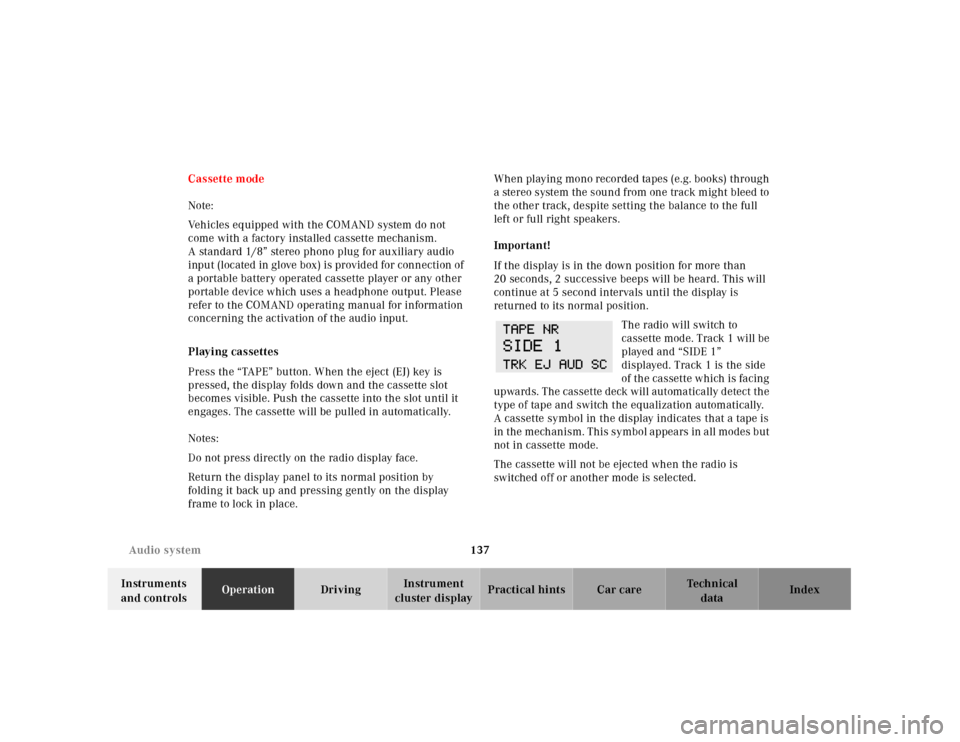
The radio will switch to
cassette mode. Track 1 will be
played and “SIDE 1”
displayed. Track 1 is the side
of th e ca ssette which is fa cing
upwards. The cassette deck will automatically detect the
type of tape and switch the equalization automatically.
A cassette symbol in the display indicates that a tape is
in t h e m e ch a n i s m . T h i s s y m b o l a p pe a rs in a l l m o d e s b u t
not in cassette mode.
The cassette will not be ejected when the radio is
switched off or another mode is selected.