steering wheel MERCEDES-BENZ CLS-Class 2014 W218 Workshop Manual
[x] Cancel search | Manufacturer: MERCEDES-BENZ, Model Year: 2014, Model line: CLS-Class, Model: MERCEDES-BENZ CLS-Class 2014 W218Pages: 382, PDF Size: 5.36 MB
Page 228 of 382
Vide
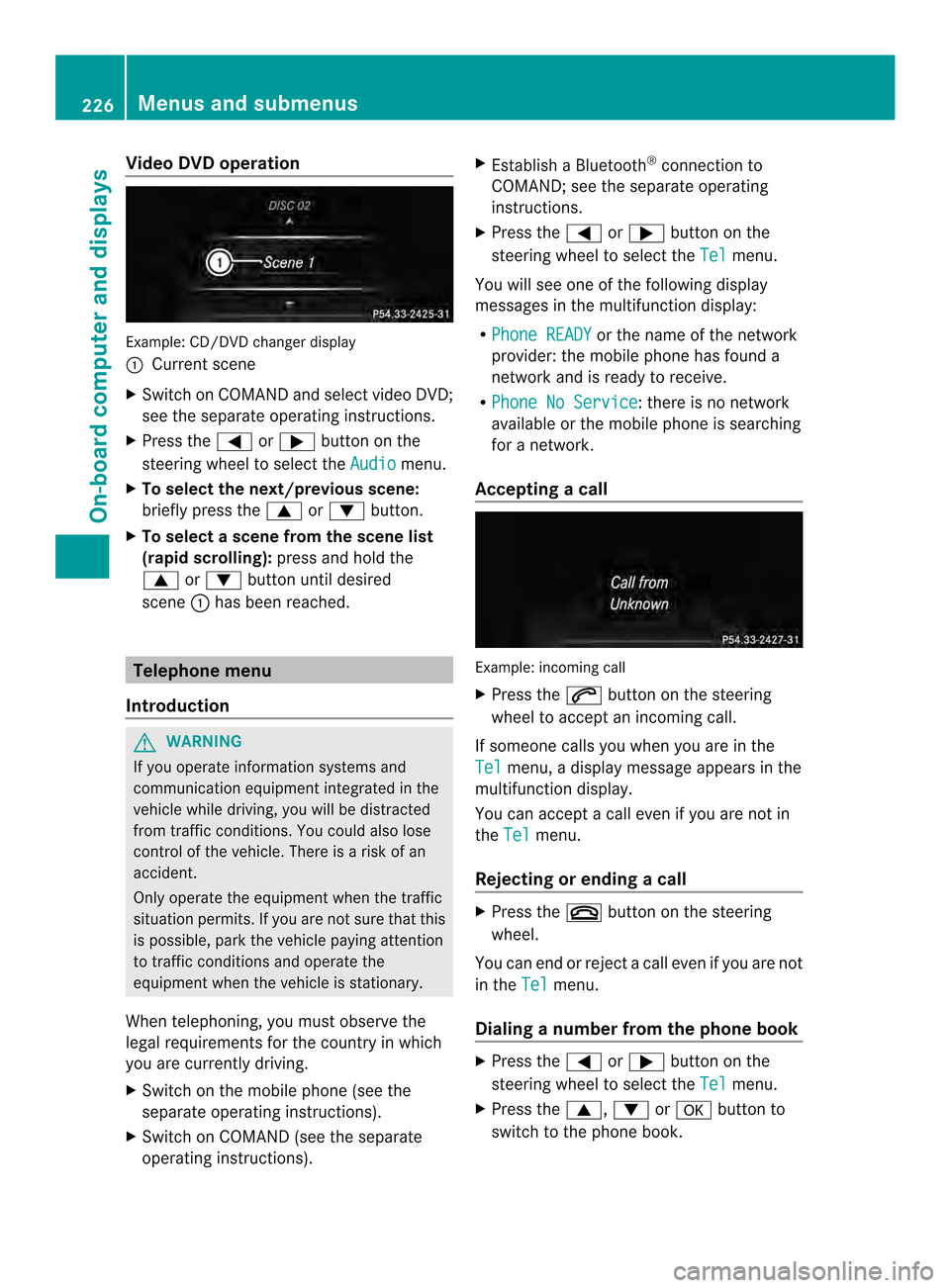
oDVD operation Example
:CD/DVD change rdisplay
001A Curren tscene
X Switch on COMAN Dand select video DVD;
see the separate operating instructions.
X Press the 000Aor0004 button on the
steering whee ltoselect the Audio menu.
X To select the next/previous scene:
briefl ypress the 0006or0005 button.
X To select ascene from th escene list
(rapid scrolling): press and hold the
0006 or0005 buttonuntil desired
scene 001Ahasb eenr eached. Telephon
emenu
Introduction G
WARNING
If yo uoperate informatio nsystems and
communication equipmen tintegrated in the
vehicl ewhile driving, you will be distracted
from traffic conditions. You could also lose
control of th evehicle. There is ariskofan
accident.
Only operate th eequipmen twhen the traffic
situation permits. If you are not sure that this
is possible, park the vehicle paying attention
to traffic conditions and operate the
equipment when the vehicle is stationary.
When telephoning, you must observe the
legal requirements for the countryinw hich
you are currently driving.
X Switch on the mobile phone (see the
separate operating instructions).
X Switch on COMAND (see the separate
operating instructions). X
Establish aBluetooth ®
connection to
COMAND; see the separate operating
instructions.
X Press the 000Aor0004 button on the
steering wheel to select the Tel menu.
You will see one of the following display
messages in the multifunction display:
R Phone READY or the name of the network
provider: the mobile phone has found a
network and is ready to receive.
R Phone No Service :t
here is no network
available or the mobile phone is searching
for anetwork.
Accepting acall Example: incoming call
X
Press the 0006button on the steering
wheel to accep tanincoming call.
If someone calls yo uwheny ou areint he
Tel menu
,adisplay message appear sinthe
multifunctio ndisplay.
You can accept acall even if you are not in
the Tel menu.
Rejecting or ending acall X
Press the 0008button on the steering
wheel.
You can end or reject acall even if you are not
in the Tel menu.
Dialin ganumbe rfrom the phone book X
Press the 000Aor0004 button on the
steering wheel to select the Tel menu.
X Press the 0006,0005or000C button to
switch to the phone book. 226
Menus and submenusOn-board computer and displays
Page 230 of 382
G
WARNING
If you deactivate ESP ®
,E SP ®
no longer
stabilizes the vehicle. There is an increased
risk of skidding and an accident.
Only deactivate ESP ®
in the situations
described in the following.
It may be best to deactivate ESP ®
in the
following situations:
R when using snow chains
R in deep snow
R on sand or gravel
Activating/deactivating ESP ®
on AMG
vehicles (Y page70).
For further information about ESP ®
,s ee
(Y page6 8).
X Start the engine.
X Press the 000Aor0004 button on the
steering whee ltoselect the DriveAssist menu.
X Press the 0006or0005 button to select
ESP .
X Press the 000Cbutton.
The current selection is displayed.
X To activate/deactivate: press the000C
button again.
ESP ®
is deactivated if the 0009warning lamp
in the instrument cluster lights up
continuously when the engine is running.
If the 0011 warning lamp and the 0009
warning lamp are lit continuously,E SP®
is not
available due to amalfunction.
Observe the information on warning lamps
(Y page2 69).
Observe the information on display messages
(Y page2 38). Activating/deactivating PRE-SAFE
®
Brake PRE-SAFE
®
Brake is only available in vehicles
with DISTRONIC PLUS.
X Press 000Aor0004 on the steering wheel
to select the DriveAssist menu.
X Press the 0006or0005 button to select
PRE-SAF EBrake .
X Press the 000Cbutton.
The current selection is displayed.
X To activate/deactivate: press the000C
button again.
When PRE-SAFE ®
Brake is deactivated, the
assistance graphic show sthe 0001 symbol in
the multifunction display.
For more information on PRE-SAFE ®
Brake,
see (Y page72).
Activating/deactivating ATTENTION
ASSIST X
Press 000Aor0004 on the steering wheel
to select the DriveAssist menu.
X Press 0006or0005 to select Attention Assist .
X Press the 000Cbutton.
The current selection is displayed.
X To activate/deactivate: press the000C
button again.
When ATTENTION ASSIST is deactivated, the
0001 symbol and OFF appear in the
multifunction display in the assistance
display when the engine is running.
For further information about ATTENTION
ASSIST, see ( Ypage2 03).
Activating/deactivating Blind Spot
Assist X
Press 000Aor0004 on the steering wheel
to select the DriveAssist menu.
X Press the 0006or0005 button to select
Blind Spot Asst .228
Menus and submenusOn-board computer and displays
Page 231 of 382

X
Press the 000Cbutton.
The curren tselection is displayed.
X To activate/deactivate: press the000C
button again.
If the Blind Spot Assist Sensors Deactivated or
Act. Blind Spot Asst. Sensors Deactivated message appears,
the radar sensor system is deactivated.
X Switc hont he radar sensor system
(Y page 232).
For further information about Blind Spot
Assist ,see (Y page 207).
For further information about Active Blind
Spot Assist ,see (Y page 211).
Activating/deactivating Lane Keeping
Assist X
Press 000Aor0004 on the steering wheel
to select the DriveAssist menu.
X Press the 0006or0005 button to select
Lane Keep. Asst. X
Press the 000Cbutton.
The curren tselection is displayed.
X Press 000Cto confirm.
X Press the 0005or0006 button to set Off ,
Standard or
Adaptive .
X Press the 000Cbutton to save the setting.
For further information about Lane Keeping
Assist ,see (Y page 209).
For further information about Active Lane
Keeping Assist ,see (Y page 214). Maintenance menu
In the
Serv. menu, you have the following
options: R
Calling up display messages in message
memory (Y page 237)
R Restarting the tire pressure loss warning
system (Y page 342)
R Checkin gthe tire pressure electronically
(Y page 342)
R Calling up the servic edue date
(Y page 310) Settings menu
Introduction In the
Sett. menu, you have the following
options:
R Changing the instrument cluster settings
(Y page 229)
R Changing the light settings (Y page 230)
R Changing the vehicle settings
(Y page 232)
R Changing the convenience settings
(Y page 233)
R Restorin gthe factory settings
(Y page 234)
Instrument cluster Selecting the unit of measurement for
distance
The
Display Unit Speed-/Odometer: function allows you to choose whether
certain displays appear in kilometers or miles
in the multifunction display. Menus and submenus
229On-boardcomputer and displays Z
Page 232 of 382
You can determin
ewhether the multifunction
display shows some messages in miles or
kilometers.
X Press the 000Aor0004 button on the
steerin gwheel to selec tthe Sett. menu.
X Press the 0005or0006 button to select the
Inst. Cluster submenu.
X Press 000Cto confirm.
X Press the 0005or0006 button to select the
Display Unit Speed-/Odometer: function.
You will see the selected setting:
km or
miles .
X Press the 000Cbutton to save the setting.
The selected unit of measurement for
distance applies to:
R the digital speedometer in the Trip menu
R odometer and the trip odometer
R trip computer
R current consumption and the range
R the navigation instructions in the Navimenu
R cruise control
R DISTRONIC PLUS
R ASSYST PLUS service interval display
Selecting the permanent display function
You can determine whether the multifunction
displayp ermanently shows your speed or the
outside temperature.
X Press the 000Aor0004 button on the
steering wheel to select the Sett. menu.
X Press the 0005or0006 button to select the
Inst. Cluster submenu.
X Press 000Cto confirm.
X Press the 0005or0006 button to select the
Permanent Display: function.
You will see the selected setting OutsideTemperature or
Speedometer [km/h] (USA)/Speedometer [mph] (Canada).
X Press the 000Cbutton to save the setting. i
The speed is shown in km/h (USA)/mph
(Canada).
Lights Setting the brightness of the instrument
cluster lighting and switches
The lighting in the instrumentc
luster,inthe
displays and the controls in the vehicle
interior can be adjusted using the
Brightness Display/Switches: function.
X Press the 000Aor0004 button on the
steerin gwheel to selec tthe Sett. menu.
X Press the 0005or0006 button to select the
Lights submenu.
X Press 000Cto confirm.
X Press the 0005or0006 button to select the
Brightness Display/Switches: function.
You will see the selected setting.
X Press 000Cto confirm.
X Press the 0005or0006 button to adjust the
brightness to any level from Level 1 to
Level 5 (bright).
X Press the 000Cor0002 button to save the
setting.
If the light switch is set to 000D,0008or
001D,t he brightness is dependent upon
the brightness of the ambient light.
i The light sensor in the instrumentc luster
automatically controls the brightnes sof
the multifunction display.
In daylight, the displays in the instrument
cluster are not illuminated.
Switching th edaytime running lamps on/
off
i This function is not available in Canada.
X Press the 000Aor0004 button on the
steerin gwheel to selec tthe Sett. menu.
X Press the 0005or0006 button to select the
Lights submenu.
X Press 000Cto confirm. 230
Menus and submenusOn-board computer and displays
Page 234 of 382

switch-off exterior lighting are on, the
following light up:
R
Parking lamps
R Low-beam headlamps
R Daytime running lamps
R Side marker lamps
R Surround lighting in the exterior mirrors
Activating/deactivating the interior
lighting delayed switch-off
If you activate the Interior LightingDelay function,t
he interior lighting remains
on for 20seconds after you remove the
SmartKey from the ignition lock.
X Press the 000Aor0004 button on the
steering wheel to select the Sett. menu.
X Press the 0005or0006 button to select the
Lights submenu.
X Press 000Cto confirm.
X Press 0005or0006 to select the Light. Delay function.
When the Interior Lighting Delay function is activated, the vehicle interior is
displayed in red in the multifunction
display.
X Press the 000Cbutton to save the setting.
Vehicle Activating/deactivating the automatic
door locking mechanism
X Press the 000Aor0004 button on the
steering wheel to select the Sett. menu.
X Press 0005or0006 to select the Vehicle submenu.
X Press 000Cto confirm.
X Press 0005or0006 to select the Auto. Door Locks function.
When the Automatic Door Lock function
is activated, the vehicle doors are displayed
in red in the multifunction display.
X Press the 000Cbutton to save the setting. If you activate the
Automatic Door Lock function,t
he vehicle is centrally locked above
as peed of around 9mph (15 km/h).
For further information on the automatic
locking feature, see (Y page 83).
Activating/deactivating the acoustic
locking verification signal
If you switch on the Acoustic Lock function,
an acoustic signal sounds when you lock the
vehicle.
X Press the 000Aor0004 button on the
steering wheel to select the Sett. menu.
X Press 0005or0006 to select the Vehicle submenu.
X Press 000Cto confirm.
X Press the 0005or0006 button to select the
Acoustic Lock function.
If the Acoustic Lock function is activated,
the 000F symbol in the multifunction
displayl ights up red.
X Press the 000Cbutton to save the setting.
Activating/deactivating the radar sensor
system
X Press the 000Aor0004 button on the
steering wheel to select the Sett. menu.
X Press 0005or0006 to select the Vehicle submenu.
X Press 000Cto confirm.
X Press the 0006or0005 button to select
Radar Sensor (See Oper. Manual): .
You will see the selected setting: Enabled or
Disabled .
X Press the 000Cbutton to save the setting.
The following systems are switched off when
the radar sensor system is deactivated:
R DISTRONIC PLUS (Y page 177)
R BAS PLUS (Y page 67)
R PRE-SAFE ®
Brake (Y page 72)
R Blind Spot Assist (Y page 207)
R Active Blind Spot Assist (Y page 211)232
Menus and submenusOn-board computer and displays
Page 235 of 382

Convenience
Activating/deactivatin
gthe EASY-
ENTRY/EXIT feature G
WARNING
When th eEASY-ENTRY/EXIT feature adjusts
th es teering wheel ,you and other vehicle
occupants –particularly childre n–could
become trapped. There is arisk of injury.
While the EASY-ENTRY/EXIT feature is
making adjustments, make sure that no one
has any body parts in the sweep of the
steering wheel.
If somebody becomes trapped:
R press one of the memory function position
buttons, or
R move the switch for steering wheel
adjustmen tinthe opposite direction to that
in which the steering wheel is moving.
The adjustment process is stopped.
X Press the 000Aor0004 button on the
steering wheel to select the Settingsmenu.
X Press the 0005or0006 button to select the
Convenience submenu.
X Press 000Cto confirm.
X Press the 0005or0006 button to select the
Easy Entry/Exit: function.
If the Easy Entry/Exit function is
activated, the vehicle steering wheel is
displayed in red in the multifunction
display.
X Press the 000Cbutton to save the setting.
Further information on the EASY-ENTRY/EXIT
feature (Y page 108).
Switching the belt adjustment on/off
X Press the 000Aor0004 button on the
steering wheel to select the Sett. menu.
X Press the 0005or0006 button to select the
Convenience submenu.
X Press 000Cto confirm. X
Press the 0005or0006 button to select the
Belt Adjustment function.
When the Belt Adjustment function is
activated, the vehicle seat belt is displayed
in red in the multifunction display.
X Press the 000Cbutton to save the setting.
For further information on belt adjustment,
see (Y page 57).
Switching the fold-in mirrors with the
locking featureo n/off
This function is only available on vehicles with
the memory function (Y page 112).
When you activate the Auto. Mirror Folding function, the exterior mirrors are
folded in when the vehicle is locked. If you
unlock the vehicle and then open adoor, the
exterior mirrors fold out again.
X Press the 000Aor0004 button on the
steering wheel to select the Sett. menu.
X Press the 0005or0006 button to select the
Convenience submenu.
X Press 000Cto confirm.
X Press 0005or0006 to select the Auto. Mirror Folding function.
If the Auto. Mirror Folding function is
activated, the vehicle's exterior mirror is
displayed in red in the multifunction
display.
X Press the 000Cbutton to save the setting. 001A
To fold the exterior mirrors in or out
If you have switched on the Auto. Mirror Folding function and you fold in the exterior
mirrors by pressing button 001A,the exterior Menus and submenus
233On-board computer and displays Z
Page 236 of 382
mirrors willn
ot fold out automatically
(Y page1 10).
You can then only fold out the exterior mirrors
using button 001A.
Restorin gthe factory settings X
Press the 000Aor0004 button on the
steering whee ltoselect the Sett. menu.
X Press the 0005or0006 button to select the
Factory Setting submenu.
X Press 000Cto confirm.
The Reset All Settings? message
appears.
X Press the 0005or0006 button to select
No or
Yes .
X Press 000Cto confirm the selection.
If you have selected Yes ,t
he multifunction
display show saconfirmation message.
For safety reasons, the Daytime RunningLights function in the
Lights submenu is
only reset if the vehicl eisstationary. AMG menu in AMG vehicles
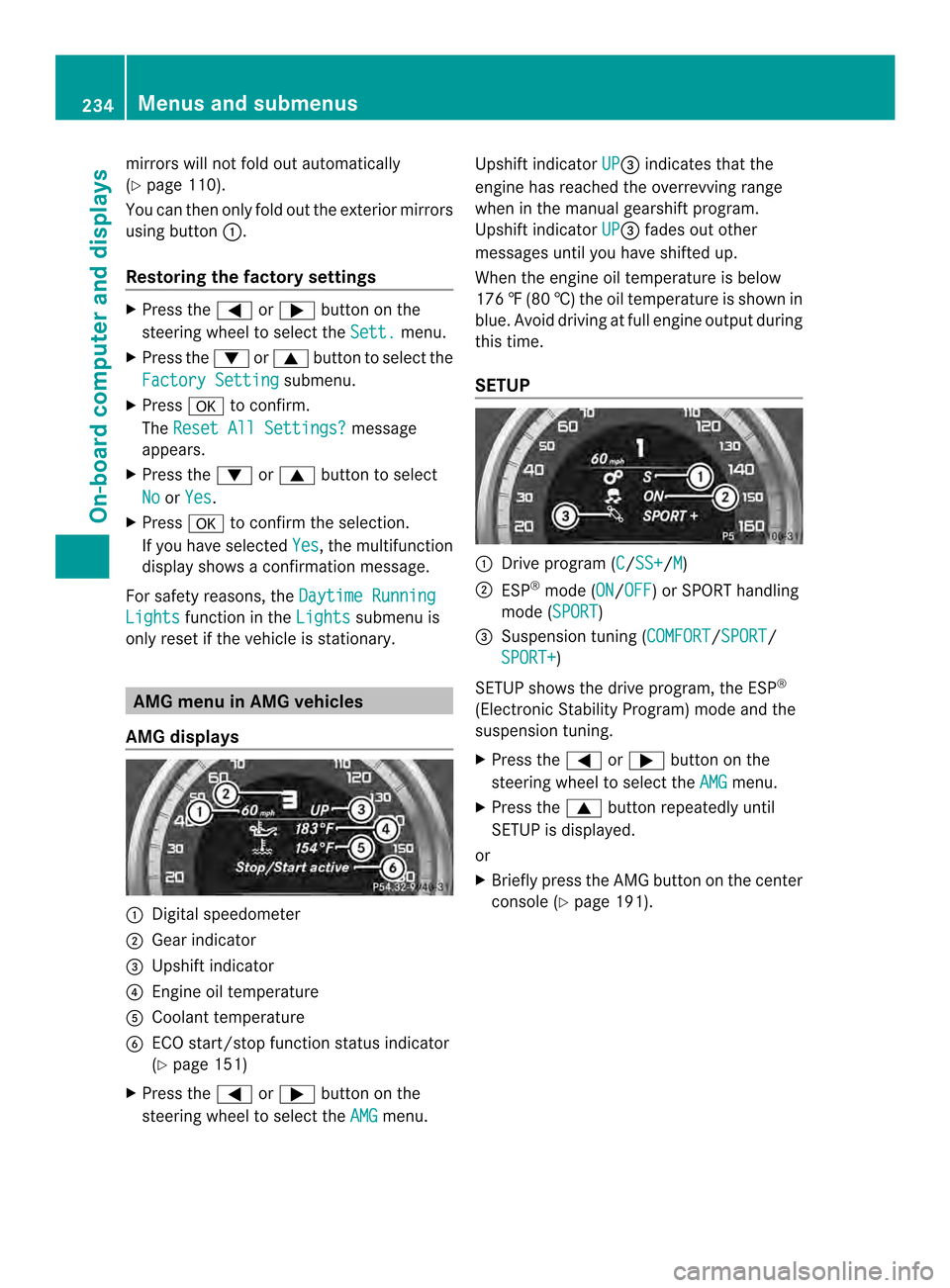
AMG displays 001A
Digital speedometer
0010 Gear indicator
0024 Upshift indicator
0021 Engine oil temperature
001E Coolant temperature
0025 ECO start/stop function status indicator
(Ypage 151)
X Press the 000Aor0004 button on the
steering wheel to select the AMG menu.Upshift indicator
UP 0024
indicates that the
engine has reached the overrevving range
when in the manual gearshift program.
Upshift indicator UP 0024
fades out other
messages until you have shifted up.
When the engine oil temperature is below
176 ‡(80 †) the oil temperature is show nin
blue. Avoid drivin gatfull engin eoutput during
this time.
SETUP 001A
Driv eprogram (C /SS+ /M )
0010 ESP ®
mode (ON /OFF )orS
PORT handling
mode (SPORT )
0024 Suspension tunin g(COMFORT /SPORT /
SPORT+ )
SETUP shows the drive program, the ESP ®
(Electronic Stability Program) mode and the
suspension tuning.
X Press the 000Aor0004 button on the
steering wheel to select the AMG menu.
X Press the 0006button repeatedly until
SETUP is displayed.
or
X Briefly press the AMG button on the center
console (Y page 191).234
Menus and submenusOn-boar
dcomputer and displays
Page 237 of 382
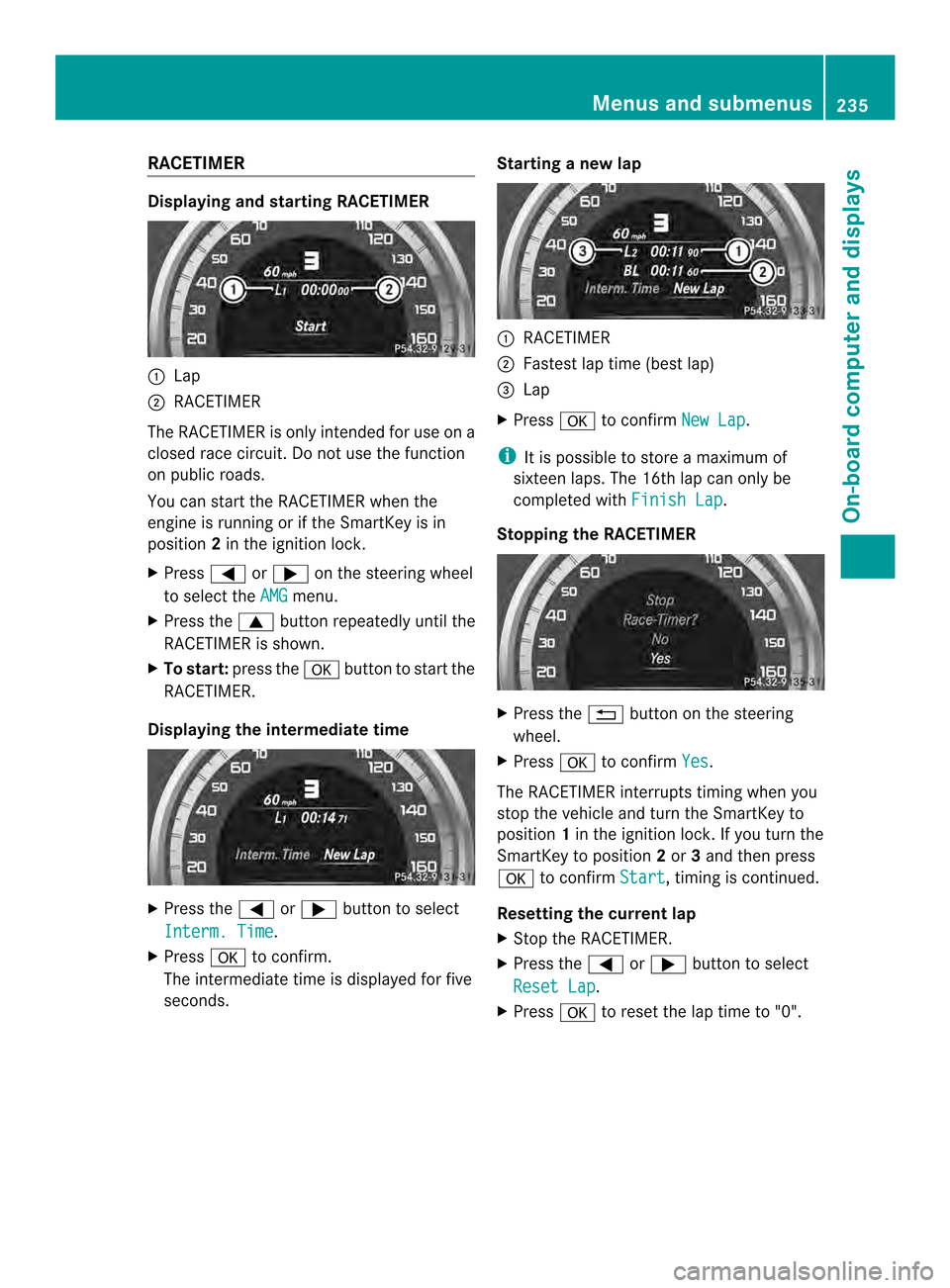
RACETIMER
Displaying and startin
gRACETIMER 001A
Lap
0010 RACETIMER
The RACETIMER is only intended for us eona
closed race circuit. Do not us ethe function
on public roads.
Yo uc an star tthe RACETIMER when the
engine is running or if the SmartKey is in
position 2in the ignition lock.
X Press 000Aor0004 on the steering wheel
to select the AMG menu.
X Press the 0006button repeatedl yuntilthe
RACETIMER is shown.
X To start: press the 000Cbutton to star tthe
RACETIMER.
Displaying the intermediate time X
Press the 000Aor0004 button to select
Interm. Time .
X Press 000Cto confirm.
The intermediate time is displayed for five
seconds. Startin
ganewlap 001A
RACETIMER
0010 Fastest la ptime (best lap)
0024 Lap
X Press 000Cto confirm New Lap .
i It is possible to store amaximum of
sixteen laps. The 16th la pcan only be
completed with Finish Lap .
Stoppin gthe RACETIMER X
Press the 0002button on the steering
wheel.
X Press 000Cto confirm Yes .
The RACETIMER interrupts timing when you
stop the vehicl eand turn the SmartKey to
position 1in the ignition lock. If yo uturn the
SmartKey to position 2or 3and then press
000C to confirm Start ,t
iming is continued.
Resetting the current lap
X Stop the RACETIMER.
X Press the 000Aor0004 button to select
Rese tLap .
X Press 000Cto reset the la ptime to "0". Menus and submenus
235On-board computer and displays Z
Page 238 of 382
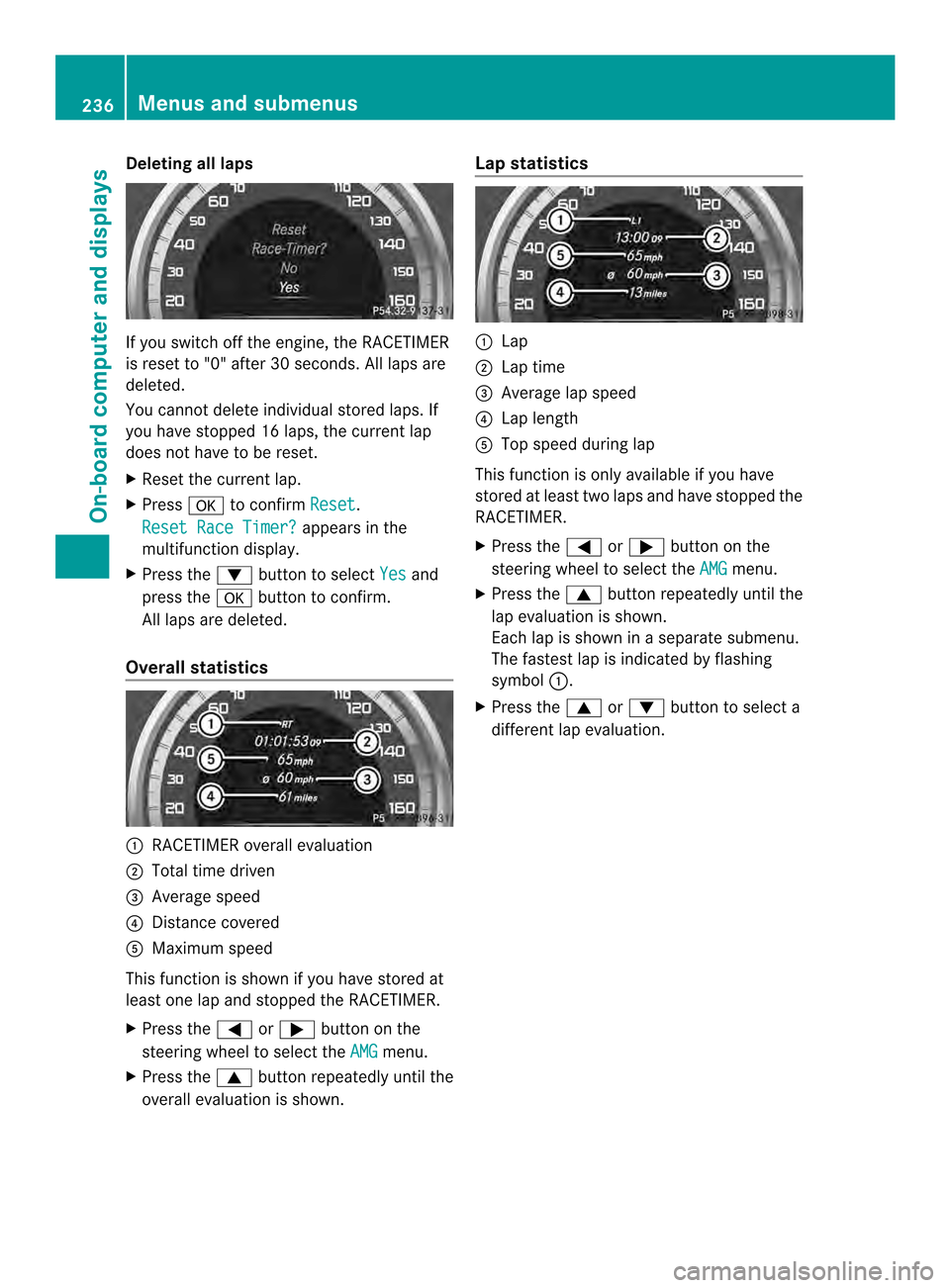
Deleting all laps
If you switch of
fthe engine, the RACETIMER
is reset to "0" after 30 seconds. All laps are
deleted.
You cannot delete individuals tored laps. If
you have stopped 16 laps, the current lap
does not have to be reset.
X Reset the current lap.
X Press 000Cto confirm Reset .
Reset Race Timer? appears in the
multifunction display.
X Press the 0005button to select Yes and
press the 000Cbutton to confirm.
All laps are deleted.
Overall statistics 001A
RACETIMER overall evaluation
0010 Total time driven
0024 Average speed
0021 Distancec overed
001E Maximum speed
This function is shown if you have stored at
least one lap and stopped the RACETIMER.
X Press the 000Aor0004 button on the
steering wheel to select the AMG menu.
X Press the 0006button repeatedly until the
overall evaluation is shown. Lap statistics 001A
Lap
0010 Lap time
0024 Average lap speed
0021 Lap length
001E Top speed during lap
This function is only available if you have
stored at least two laps and have stopped the
RACETIMER.
X Press the 000Aor0004 button on the
steering wheel to select the AMG menu.
X Press the 0006button repeatedly until the
lap evaluation is shown.
Each lap is shown in aseparate submenu.
The fastest lap is indicated by flashing
symbol 001A.
X Press the 0006or0005 button to select a
different lap evaluation. 236
Menus and submenusOn-board computer and displays
Page 239 of 382
Display messages
Introduction
General notes Display message
sappear in th emultifunction display.
Display message swithg raphic displays may be shown in simplified for minthe Operator's
Manual and may differ from the messages shown in the multifunction display.
Please respond in accordance with the displaym essages and follow the additional notes in
this Operator's Manual.
Certain displaym essages are accompanied by an audible warning tone or acontinuous tone.
When the ignition is switched off, all displaym essages are deleted, apart from some high-
priority displaym essages. Once the causes of the high-priority displaym essages have been
rectified, the corresponding displaym essages are also deleted.
When you stop and park the vehicle, please observe the notes on:
R HOLD function (Y page 186)
R Parking (Y page 167)
Hiding display messages X
Press the 000Cor0002 button on the steering wheel to hide the displaym essage.
The displaym essage is cleared.
The multifunction displays hows high-priority displaym essages in red. Some high-priority
displaym essages cannot be hidden.
The multifunction displays hows these messages continuously until the causes for the
messages have been remedied.
Message memory The on-board computer saves certain displaym
essages in themessage memory.Y ou can
call up the display messages:
X Press the 000Aor0004 button on the steerin gwheel to select the Serv. menu.
If there are display messages, the multifunction display shows 2Messages ,f
or example.
X Press the 0006or0005 button to select the entry, e.g. 2Messages .
X Press 000Cto confirm.
X Press the 0006or0005 button to scroll through the display messages. Display messages
237On-board computer and displays Z