Brake line MERCEDES-BENZ E-Class SEDAN 2015 W212 Owner's Manual
[x] Cancel search | Manufacturer: MERCEDES-BENZ, Model Year: 2015, Model line: E-Class SEDAN, Model: MERCEDES-BENZ E-Class SEDAN 2015 W212Pages: 426, PDF Size: 8.27 MB
Page 13 of 426
Exhaust pipe (cleaning instruc-
tions)
.................................................. 340
Exterior lighting Setting options .............................. 128
see Lights
Exterior mirrors
Adjusting ...................................... .122
Dipping (automatic) ....................... 124
Folding in/out (automatically) ....... 123
Folding in/out (electrically) ........... 123
Folding in when locking (on-board computer) ...................................... 247
Out of position (troubleshooting) ... 123
Setting ........................................... 123
Storing settings (memory func-
tion) ............................................... 125
Storing the parking position .......... 124
Eyeglasses compartment ................. 293F
Filler cap see Fuel filler flap
Flat tire
MOExtended tire s.......................... 345
Preparing the vehicle ..................... 345
TIREFIT kit ...................................... 346
see Emergency spare wheel
Floormats ........................................... 327
Folding bench seat (cargo com-
partment) ........................................... 115
Fuel Additives ........................................ 413
Consumption statistics .................. 235
Displaying the current consump-
tion ................................................ 236
Displaying the range ...................... 236
Driving tip s.................................... 182
Flexible fuel vehicles ...................... 414
Fuel gauge ....................................... 33
Grade (gasoline )............................ 412
Important safety notes .................. 412
Premium-grade unleaded gaso-
line ................................................. 412
Problem (malfunction) ................... 177
Quality (diesel )............................... 413
Refueling ........................................ 173
Tank content/reserve fue l............. 412 Fuel filler flap
Emergency release ........................ 175
Opening ......................................... 175
Fuel filter (display message) ............ 267
Fuel level Calling up the range (on-board
computer) ...................................... 236
Fuel tank
Capacity ........................................ 412
Problem (malfunction) ................... 177
Fuse allocation chart (vehicle tool
kit) ...................................................... 344
Fuses Allocation chart ............................. 358
Before changing ............................. 358
Fuse box in the cargo compart-
ment .............................................. 359
Fuse box in the engine compart-
ment .............................................. 358
Fuse box in the trunk ..................... 359
Important safety notes .................. 358 G
Garage door opener Clearing the memory ..................... 327
General notes ................................ 324
Important safety notes .................. 325
Opening/closing the garage doo r..3 27
Programming (button in the rear-
view mirror) ................................... 325
Gear indicator (on-board com-
puter) ................................................. .247
Genuine parts ...................................... 23
Glove box .......................................... .293 H
Handbrake see Parking brake
HANDS-FREE ACCESS .......................... 94
Hazard warning lamps ......................131
Head bags Display message ............................ 258
Headlamps
Fogging up ..................................... 133
see Automatic headlamp mode Index
11
Page 19 of 426
Replacing bulbs
Important safety notes .................. 134
Overview of bulb types .................. 135
Reporting safety defects .................... 28
Reserve (fuel tank) see Fuel
Reserve fuel
Display messag e............................ 267
Warning lamp ................................. 286
see Fuel
Residual heat (climate control) ........ 152
Restraint system Display message ............................ 257
Introduction ..................................... 42
Warning lamp ................................. 285
Warning lamp (function) ................... 43
Reverse gear
Engaging (automatic transmis-
sion) ............................................... 165
Reversing feature
Panorama sliding sunroof .............. 104
Roller sunblind s............................. 106
Side windows ................................... 99
Sliding sunroof ............................... 104
Trunk lid/tailgate ............................. 92
Reversing lamps (display mes-
sage) ................................................... 262
Roadside Assistance (breakdown) .... 25
Roller sunblind Panorama roof with power tilt/
sliding panel .................................. 105
Rear side window s......................... 311
Rear window .................................. 312
Roof carrier ........................................ 308
Roof lining and carpets (cleaning
guidelines) ......................................... 342
Roof load (maximum) ........................ 419S
Safety Children in the vehicle ..................... 62
Child restraint systems .................... 63
Occupant Classification System
(OCS) ............................................... 52
Safety system
see Driving safety systems Seat belts
Adjusting the driver's and front-
passenger seat belt ......................... 47
Adjusting the height ......................... 46
center rear-compartment sea t......... 47
Cleaning ......................................... 342
Correct usage .................................. 45
Fastening ......................................... 46
Important safety guidelines ............. 44
Introduction ..................................... 44
Releasing ......................................... 47
Switching belt adjustment on/off
(on-board computer) ...................... 246
Warning lamp ................................. 280
Warning lamp (function) ................... 48
Seats
Adjusting (electrically) ................... 112
Adjusting the 4-way lumbar sup-
port ................................................ 115
Adjusting the active multicontour
seat ............................................... 114
Adjusting the head restraint .......... 112
Cleaning the cover ......................... 341
Correct driver's seat position ........ 110
Folding the backrest (rear com-
partment) forwards/back .............. 299
Important safety notes .................. 111
Overview ........................................ 111
Seat heating problem .................... 118
Seat ventilation problem ................ 119
Storing settings (memory func-
tion) ............................................... 125
Switching seat heating on/of f....... 117
Switching seat ventilation on/of f.. 118
Selector lever
Cleaning ......................................... 341
Sensors (cleaning instructions) ....... 340
Service menu (on-board com-
puter) .................................................. 243
Service products Brake fluid ..................................... 416
Coolant (engine) ............................ 417
DEF special additives ..................... 415
Engine oil ....................................... 415
Fuel ................................................ 412
Important safety notes .................. 411 Index
17
Page 73 of 426
Always pay careful attention to the traffic sit-
uation and be ready to brake. Terminate the
intervention in a non-critical driving situation. G
WARNING
BAS PLUS does not react:
R to small people, e.g. children
R to animals
R to oncoming vehicles
R when cornering
As a result, BAS PLUS may not intervene in all
critical situations. There is a risk of an acci-
dent.
Always pay careful attention to the traffic sit- uation and be ready to brake.
In the event of snowfall or heavy rain, the rec-
ognition can be impaired.
Recognition by the radar sensor system is
also impaired in the event of:
R there is dirt on the sensors or anything else
covering the sensors
R there is interference by other radar sources
R there are strong radar reflections, for
example in parking garages
R a narrow vehicle traveling in front, e.g. a
motorbike
R a vehicle traveling in front on a different line
R vehicles quickly moving into the radar sen-
sor system detection range
Recognition by the camera system is also
impaired in the event of:
R dirt on the camera or if the camera is cov-
ered
R there is glare on the camera system, e.g.
from the sun being low in the sky R
darkness
R if:
- pedestrians move quickly, e.g. into the
path of the vehicle
- the camera system no longer recognizes
a pedestrian as a person due to special
clothing or other objects
- a pedestrian is concealed by other
objects
- the typical outline of a person is not dis-
tinguishable from the background
Following damage to the front end of the vehi-
cle, have the configuration and operation of
the radar sensors checked at a qualified spe-
cialist workshop. This also applies to colli-
sions at low speeds where there is no visible
damage to the front of the vehicle.
Following damage to the windshield, have the configuration and operation of the camera
system checked at a qualified specialist work- shop.
Function To avoid a collision, BAS PLUS calculates the
brake force necessary if:
R you approach an obstacle, and
R BAS PLUS has detected a risk of collision
When driving at a speed under 20 mph
(30 km/h): if you depress the brake pedal,
BAS PLUS is activated. The increase in brake pressure will be carried out at the last possi-
ble moment.
When driving at a speed above 20 mph
(30 km/h): if you depress the brake pedal
sharply, BAS PLUS automatically raises the
brake pressure to a value adapted to the traf-
fic situation.
BAS PLUS provides braking assistance in haz-
ardous situations with vehicles in front within a speed range between 4 mph (7 km/h) and
155 mph (250 km/h). Driving safety systems
71Safety Z
Page 74 of 426
Up to a speed of approximately 44 mph
(70 km/h), BAS PLUS may react to:
R stationary objects in the path of your vehi-
cle, e.g. stopped or parked vehicles
R pedestrians in the path of your vehicle
R objects crossing your path and that are
recognized in the detection range of the
sensors
i If BAS PLUS demands particularly high
braking force, preventative passenger pro-
tection measures (PRE-SAFE ®
) are activa-
ted simultaneously.
X Keep the brake pedal depressed until the
emergency braking situation is over.
ABS prevents the wheels from locking.
BAS PLUS is deactivated and the brakes func-
tion as usual, if:
R you release the brake pedal.
R there is no longer a risk of collision.
R no obstacle is detected in front of your
vehicle.
R you depress the accelerator pedal.
R you activate kickdown. COLLISION PREVENTION ASSIST
PLUS
General information COLLISION PREVENTION ASSIST PLUS con-
sists of a distance warning function with an
autonomous emergency braking function and
adaptive Brake Assist.
COLLISION PREVENTION ASSIST PLUS can
help you to minimize the risk of a front-end
collision with a vehicle ahead or reduce the
effects of such a collision.
If COLLISION PREVENTION ASSIST PLUS
detects that there is a risk of a collision, you
will be warned visually and acoustically. If you do not react to the visual and audible collision
warning, autonomous braking can be initiated in critical situations. If you apply the brake
yourself in a critical situation, the COLLISION PREVENTION ASSIST system PLUS adaptive
Brake Assist assists you.
Important safety notes In particular, the detection of obstacles can
be impaired if:
R there is dirt on the sensors or anything else
covering the sensors
R there is snow or heavy rain
R there is interference by other radar sources
R there are strong radar reflections, for
example in parking garages
R a narrow vehicle traveling in front, e.g. a
motorbike
R a vehicle traveling in front on a different line
R new vehicles or after a service on the COL-
LISION PREVENTION ASSIST PLUS system
Observe the notes in the section on break-
ing-in (Y page 156).
Following damage to the front end of the vehi-
cle, have the configuration and operation of
the radar sensor checked at a qualified spe-
cialist workshop. This also applies to colli-
sions at low speeds where there is no visible
damage to the front of the vehicle.
Distance warning function Important safety notes
i Observe the "Important safety notes" sec-
tion for driving safety systems (Y page 69). G
WARNING
The distance warning function does not react:
R to people or animals
R to oncoming vehicles
R to crossing traffic
R when cornering
Thus, the distance warning function cannot
provide a warning in all critical situations.
There is a risk of an accident.
Always pay careful attention to the traffic sit-
uation and be ready to brake. 72
Driving safety systemsSafety
Page 81 of 426
In these cases, PRE-SAFE
®
Brake may:
R give an unnecessary warning and then
brake the vehicle
R not give a warning or intervene
There is a risk of an accident.
Always pay particular attention to the traffic
situation and be ready to brake, especially if
PRE-SAFE ®
Brake warns you. Terminate the
intervention in a non-critical driving situation.
In order to maintain the appropriate distance
to the vehicle in front and thus prevent a col- lision, you must apply the brakes yourself. G
WARNING
PRE-SAFE ®
Brake does not react:
R to small people, e.g. children
R to animals
R to oncoming vehicles
R to crossing traffic
R when cornering
As a result, PRE-SAFE ®
Brake may neither
give warnings nor intervene in all critical sit-
uations. There is a risk of an accident.
Always pay careful attention to the traffic sit- uation and be ready to brake.
In the event of snowfall or heavy rain, the rec-
ognition can be impaired.
Recognition by the radar sensor system is
also impaired in the event of:
R there is dirt on the sensors or anything else
covering the sensors
R there is interference by other radar sources
R there are strong radar reflections, for
example in parking garages
R a narrow vehicle traveling in front, e.g. a
motorbike
R a vehicle traveling in front on a different line
relative to the center of your vehicle Recognition by the camera system is also
impaired in the event of:
R dirt on the camera or if the camera is cov-
ered
R there is glare on the camera system, e.g.
from the sun being low in the sky
R darkness
R if:
- pedestrians move quickly, e.g. into the
path of the vehicle
- the camera system no longer recognizes
a pedestrian as a person due to special
clothing or other objects
- a pedestrian is concealed by other
objects
- the typical outline of a person is not dis-
tinguishable from the background
Following damage to the front end of the vehi- cle, have the configuration and operation of
the radar sensors checked at a qualified spe-
cialist workshop. This also applies to colli-
sions at low speeds where there is no visible
damage to the front of the vehicle.
Following damage to the windshield, have the
configuration and operation of the camera
system checked at a qualified specialist work- shop.
Function X
To activate/deactivate: activate or deac-
tivate PRE-SAFE ®
Brake in the on-board
computer (Y page 241).
If the PRE-SAFE ®
Brake is not activated, the
00D4 symbol appears in the multifunction
display.
Starting at a speed of around 4 mph (7 km/h),
this function warns you if you rapidly
approach a vehicle in front. An intermittent
warning tone will then sound and the 00BA
distance warning lamp will light up in the
instrument cluster. Driving safety systems
79Safety Z
Page 91 of 426
Problem
Possible causes/consequences and
0050
0050Solutions You have lost the
mechanical key. X
Report the loss immediately to the vehicle insurers.
X If necessary, have the locks changed as well. The engine cannot be
started using the
SmartKey. The on-board voltage is too low.
X Switch off non-essential consumers, e.g. seat heating or interior
lighting, and try to start the engine again.
If this does not work:
X Check the starter battery and charge it if necessary
(Y page 352).
or
X Jump-start the vehicle (Y page 353).
or
X Consult a qualified specialist workshop. The engine cannot be
started using KEYLESS-
GO. The SmartKey is in
the vehicle. The vehicle is locked.
X Unlock the vehicle and try to start the vehicle again. There is interference from a powerful source of radio waves.
X Start your vehicle with the SmartKey in the ignition lock. Doors
Important safety notes
G
WARNING
If children are left unsupervised in the vehicle, they could:
R open the doors, thus endangering other
people or road users.
R get out and disrupt traffic.
R operate the vehicle's equipment.
Additionally, children could set the vehicle in
motion if, for example, they:
R release the parking brake.
R shifting the automatic transmission out of
park position P
R Start the engine.
There is a risk of an accident and injury.
When leaving the vehicle, always take the
SmartKey with you and lock the vehicle. Never
leave children or animals unattended in the vehicle. Always keep the SmartKey out of
reach of children.
Ideally, place luggage or loads in the trunk/
cargo compartment. Observe the loading
guidelines (Y page 292). Unlocking and opening doors from
the inside
You can only open the rear doors from inside
the vehicle if they are not secured by the
child-proof locks (Y page 68). Doors
89Opening and closing Z
Page 162 of 426
G
WARNING
Flammable materials introduced through
environmental influence or by animals can
ignite if in contact with the exhaust system or parts of the engine that heat up. There is a risk
of fire.
Carry out regular checks to make sure that
there are no flammable foreign materials in
the engine compartment or in the exhaust
system.
! Do not depress the accelerator when
starting the engine.
General notes i
Vehicles with a gasoline engine:
the
catalytic converter is preheated for up to
30 seconds after a cold start. The sound of the engine may change during this time.
Automatic transmission X
Shift the transmission to position P.
The transmission position display in the
multifunction display shows P.
i You can start the engine in transmission
position Pand N.
Starting procedure with the SmartKey i
To start the engine using the SmartKey
instead of KEYLESS-GO, pull the Start/
Stop button out of the ignition lock.
X Vehicles with a diesel engine: turn the
SmartKey to position 2in the ignition lock
(Y page 157).
The 0028 preglow indicator lamp in the
instrument cluster lights up.
X Turn the SmartKey to position 3in the igni-
tion (Y page 157) lock and release it as
soon as the engine is running.
i Vehicles with a diesel engine:
you can
start the engine without preglow if the
engine is warm. Using KEYLESS-GO to start the engine i
The Start/Stop button can be used to
start the vehicle manually without inserting
the SmartKey into the ignition lock. The
Start/Stop button must be inserted in the
ignition lock and the SmartKey must be in
the vehicle. This mode for starting the
engine operates independently of the ECO
start/stop automatic engine start function.
X Depress the brake pedal and keep it
depressed.
X Press the Start/Stop button once
(Y page 158).
Vehicles with a gasoline engine: the
engine starts.
Vehicles with a diesel engine: preglow is
activated and the engine starts. Pulling away
General notes G
WARNING
If the engine speed is above the idling speed
and you engage transmission position Dor R,
the vehicle could pull away suddenly. There is a risk of an accident.
When engaging transmission position Dor R,
always firmly depress the brake pedal and do not simultaneously accelerate.
! If a warning tone sounds and the
Release Park. Brake Release Park. Brake message appears
in the multifunction display, the parking
brake is still applied. Release the parking
brake.
i Depress the accelerator carefully when
pulling away.
i The vehicle locks centrally once you have
pulled away. The locking knobs in the doors drop down.
You can open the doors from the inside at
any time. 160
DrivingDriving and parking
Page 186 of 426
Heavy and light loads
G
WARNING
If you rest your foot on the brake pedal while
driving, the braking system can overheat. This increases the stopping distance and can even
cause the braking system to fail. There is a
risk of an accident.
Never use the brake pedal as a footrest. Never
depress the brake pedal and the accelerator
pedal at the same time.
! Depressing the brake pedal constantly
results in excessive and premature wear to
the brake pads.
If the brakes have been subjected to a heavy load, do not stop the vehicle immediately, but
drive on for a short while. This allows the air- flow to cool the brakes more quickly.
Wet roads If you have driven for a long time in heavy rain
without braking, there may be a delayed reac- tion from the brakes when braking for the first
time. This may also occur after the vehicle has been washed or driven through deep water.
You have to depress the brake pedal more
firmly. Maintain a greater distance from the
vehicle in front.
After driving on a wet road or having the vehi-
cle washed, brake firmly while paying atten-
tion to the traffic conditions. This will warm up the brake discs, thereby drying them more
quickly and protecting them against corro-
sion.
Limited braking performance on salt-
treated roads If you drive on salted roads, a layer of salt
residue may form on the brake discs and
brake pads. This can result in a significantly
longer braking distance. R
In order to prevent any salt build-up, apply
the brakes occasionally while paying atten-
tion to the traffic conditions.
R Carefully depress the brake pedal and the
beginning and end of a journey.
R Maintain a greater distance to the vehicle
ahead.
Servicing the brakes !
If the red brake warning lamp lights up in
the instrument cluster and you hear a warn-
ing tone while the engine is running, the
brake fluid level may be too low. Observe
additional warning messages in the multi-
function display.
The brake fluid level may be too low due to brake pad wear or leaking brake lines.
Have the brake system checked immedi-
ately. This work should be carried out at a
qualified specialist workshop.
! Vehicles with 4MATIC:
function or per-
formance tests may only be carried out on
a 2-axle dynamometer. If you are planning
to have the vehicle tested on such a dyna-
mometer, contact an authorized Mercedes- Benz Center to obtain further information
first. Otherwise, you could damage the
drive train or the brake system.
! Vehicles with 4MATIC:
as the ESP®
sys-
tem operates automatically, the engine and the ignition must be switched off (Smart-
Key in position 0or 1in the ignition lock or
Start/Stop button in position 0or 1) while
the parking brake is being tested on a brake dynamometer.
Braking maneuvers triggered automatically
by ESP ®
may seriously damage the brake
system. 184
Driving tipsDriving and parking
Page 192 of 426
2. This device must accept any interference
received, including interference that may
cause undesired operation of the device.
Removal, tampering, or altering of the
device will void any warranties, and is not
permitted. Do not tamper with, alter, or use in any non-approved way.
Any unauthorized modification to this
device could void the user's authority to
operate the equipment.
Important safety notes G
WARNING
Hybrid vehicles: be sure to read the "HYBRID" supplement. Otherwise, you could fail to rec-
ognize dangers. G
WARNING
DISTRONIC PLUS does not react to:
R people or animals
R stationary obstacles on the road, e.g. stop-
ped or parked vehicles
R oncoming and crossing traffic
As a result, DISTRONIC PLUS may neither give
warnings nor intervene in such situations.
There is a risk of an accident.
Always pay careful attention to the traffic sit- uation and be ready to brake. G
WARNING
DISTRONIC PLUS cannot always clearly iden- tify other road users and complex traffic sit-
uations.
In such cases, DISTRONIC PLUS may:
R give an unnecessary warning and then
brake the vehicle
R neither give a warning nor intervene
R accelerate or brake unexpectedly
There is a risk of an accident.
Continue to drive carefully and be ready to
brake, in particular when warned to do so by
DISTRONIC PLUS. G
WARNING
DISTRONIC PLUS brakes your vehicle with up to 50% of the maximum possible deceleration.
If this braking force is insufficient, DISTRONIC
PLUS warns you visually and audibly. There is a risk of an accident.
In such cases, apply the brakes yourself and
try to take evasive action.
! If DISTRONIC PLUS or the HOLD function
is activated, the vehicle brakes automati-
cally in certain situations. To prevent dam-
age to the vehicle, deactivate DISTRONIC
PLUS and the HOLD function in the follow- ing or other similar situations:
R when towing the vehicle
R in the car wash
If you fail to adapt your driving style,
DISTRONIC PLUS can neither reduce the risk
of accident nor override the laws of physics.
DISTRONIC PLUS cannot take into account
the road, traffic and weather conditions.
DISTRONIC PLUS is only an aid. You are
responsible for the distance to the vehicle in
front, for vehicle speed, for braking in good
time and for staying in your lane.
Do not use DISTRONIC PLUS:
R in road and traffic conditions which do not
allow you to maintain a constant speed, e.g.
in heavy traffic or on winding roads
R on slippery road surfaces. Braking or accel-
erating could cause the drive wheels to lose traction and the vehicle could then skid
R when there is poor visibility, e.g. due to fog,
heavy rain or snow
DISTRONIC PLUS may not detect narrow
vehicles driving in front, e.g. motorcycles, or
vehicles driving on a different line.
In particular, the detection of obstacles can
be impaired if:
R there is dirt on the sensors or anything else
covering the sensors
R there is snow or heavy rain 190
Driving systemsDriving and parking
Page 194 of 426
If the vehicle in front of you is stationary, you
can only activate DISTRONIC PLUS once your
vehicle is stationary as well.
i If you do not fully release the accelerator
pedal, the DISTRONIC PLUS Override
DISTRONIC PLUS Override
message appears in the multifunction dis-
play. The set distance to a slower-moving
vehicle in front will then not be maintained. You will be driving at the speed you deter-
mine by the position of the accelerator
pedal.
You can also activate DISTRONIC PLUS when
stationary. The lowest speed that can be set is
18 mph (30 km/h).
X Briefly pull the cruise control lever towards
you 0044up0043 or down 0087.
DISTRONIC PLUS is selected.
Activating at the current speed/last
stored speed G
WARNING
If you call up the stored speed and it differs
from the current speed, the vehicle acceler-
ates or decelerates. If you do not know the
stored speed, the vehicle could accelerate or brake unexpectedly. There is a risk of an acci-
dent.
Pay attention to the road and traffic condi-
tions before calling up the stored speed. If you do not know the stored speed, store the
desired speed again. X
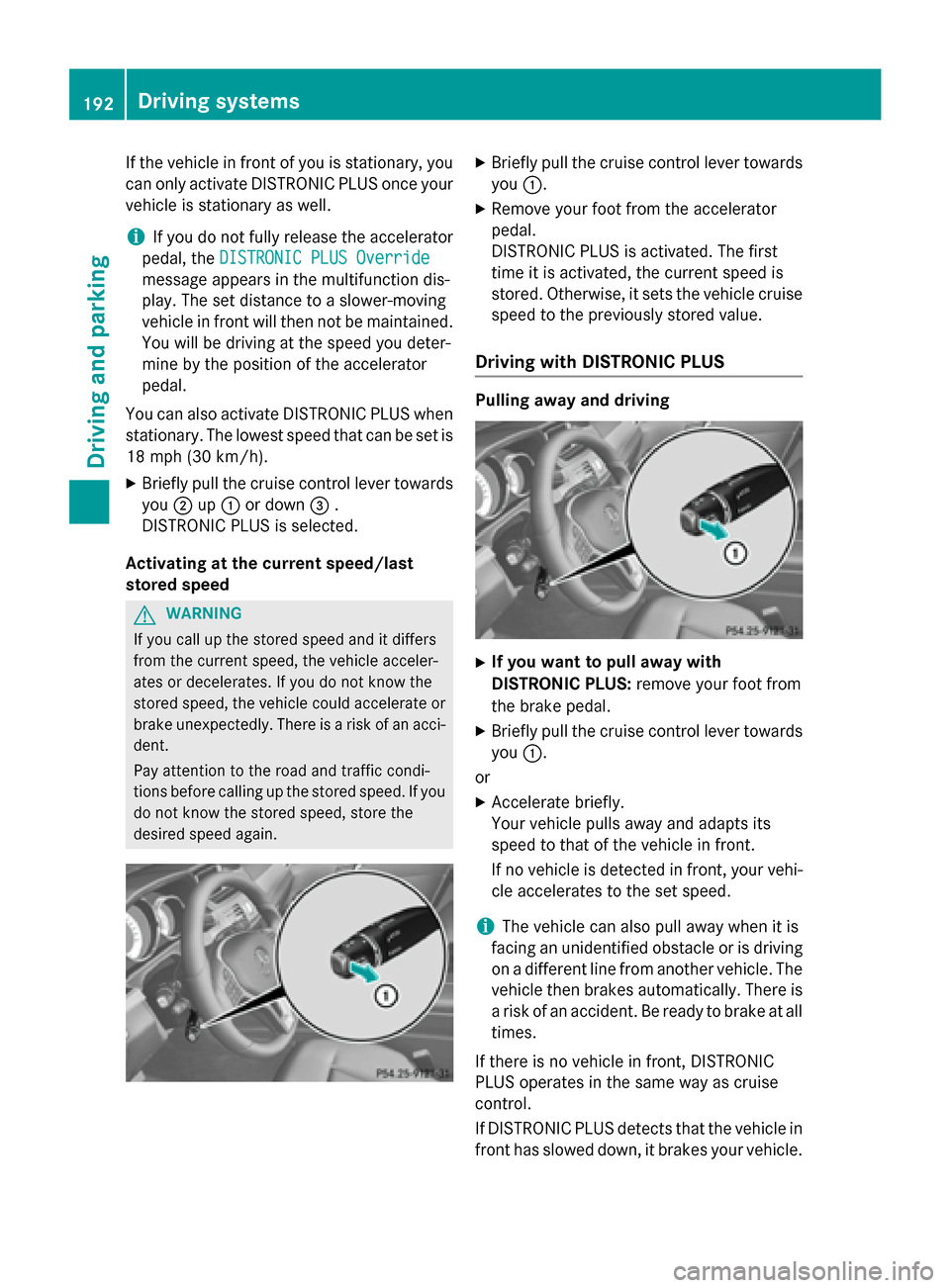
Briefly pull the cruise control lever towards
you 0043.
X Remove your foot from the accelerator
pedal.
DISTRONIC PLUS is activated. The first
time it is activated, the current speed is
stored. Otherwise, it sets the vehicle cruise speed to the previously stored value.
Driving with DISTRONIC PLUS Pulling away and driving
X
If you want to pull away with
DISTRONIC PLUS: remove your foot from
the brake pedal.
X Briefly pull the cruise control lever towards
you 0043.
or
X Accelerate briefly.
Your vehicle pulls away and adapts its
speed to that of the vehicle in front.
If no vehicle is detected in front, your vehi-
cle accelerates to the set speed.
i The vehicle can also pull away when it is
facing an unidentified obstacle or is driving
on a different line from another vehicle. The vehicle then brakes automatically. There is
a risk of an accident. Be ready to brake at all
times.
If there is no vehicle in front, DISTRONIC
PLUS operates in the same way as cruise
control.
If DISTRONIC PLUS detects that the vehicle in front has slowed down, it brakes your vehicle. 192
Driving systemsDriving and parking