phone MERCEDES-BENZ GLE COUPE 2019 Owner's Manual
[x] Cancel search | Manufacturer: MERCEDES-BENZ, Model Year: 2019, Model line: GLE COUPE, Model: MERCEDES-BENZ GLE COUPE 2019Pages: 370, PDF Size: 11.22 MB
Page 3 of 370
Welcome to the world of Mercedes-Benz
We urge you to read this Operator's Manual
carefully and familiarize yourself with the vehi-
cle before driving. For your own safety and a
longer vehicle life, follow the instructions and
warning notices in this Operator's Manual.
Ignoring them could result in damage to the
vehicle or personal injury to you or others.
Vehicle damage caused by failure to follow
instructions is not covered by the Mercedes-
Benz Limited Warranty.
The equipment or product designation of your
vehicle may vary depending on:
R Model
R Order
R Country specification
R Availability
Mercedes-Benz therefore reserves the right to
introduce changes in the following areas:
R Design
R Equipment
R Technical features
The equipment in your vehicle may therefore
differ from that shown in the descriptions and
illustrations.
The following are integral components of the
vehicle:
R Digital Operator's Manual
R Printed Operator's Manual
R Maintenance Booklet
R Equipment-dependent supplements
Keep these documents in the vehicle at all
times. If you sell the vehicle, always pass all
documents on to the new owner.
Your Operator's Manual: Digital form inside the vehicle
The Digital Operator's Manual provides
comprehensive and specifically adapted
information on your vehicle's equipment
and multimedia system. It contains infor-
mative animations, individual language
settings and an intuitive search function. Booklet inside the vehicle
In addition to this manual and the afore-
mentioned digital media, you also have the option to obtain a comprehensive printed
version of the Supplement for your multi-
media system from your authorized
Mercedes-Benz Center. Digital form via the Internet
The Operator's Manual on the Internet pro-
vides easy access to all information
regarding your vehicle and multimedia sys- tem. It also provides helpful animations,
interesting background information and a
wide array of search options. Digital form as an app
Using the Mercedes-Benz Guides app, you
can view all the information on your vehicle and multimedia system via mobile Internetor download it independently of network
access. Available for smartphones or tab-
lets.
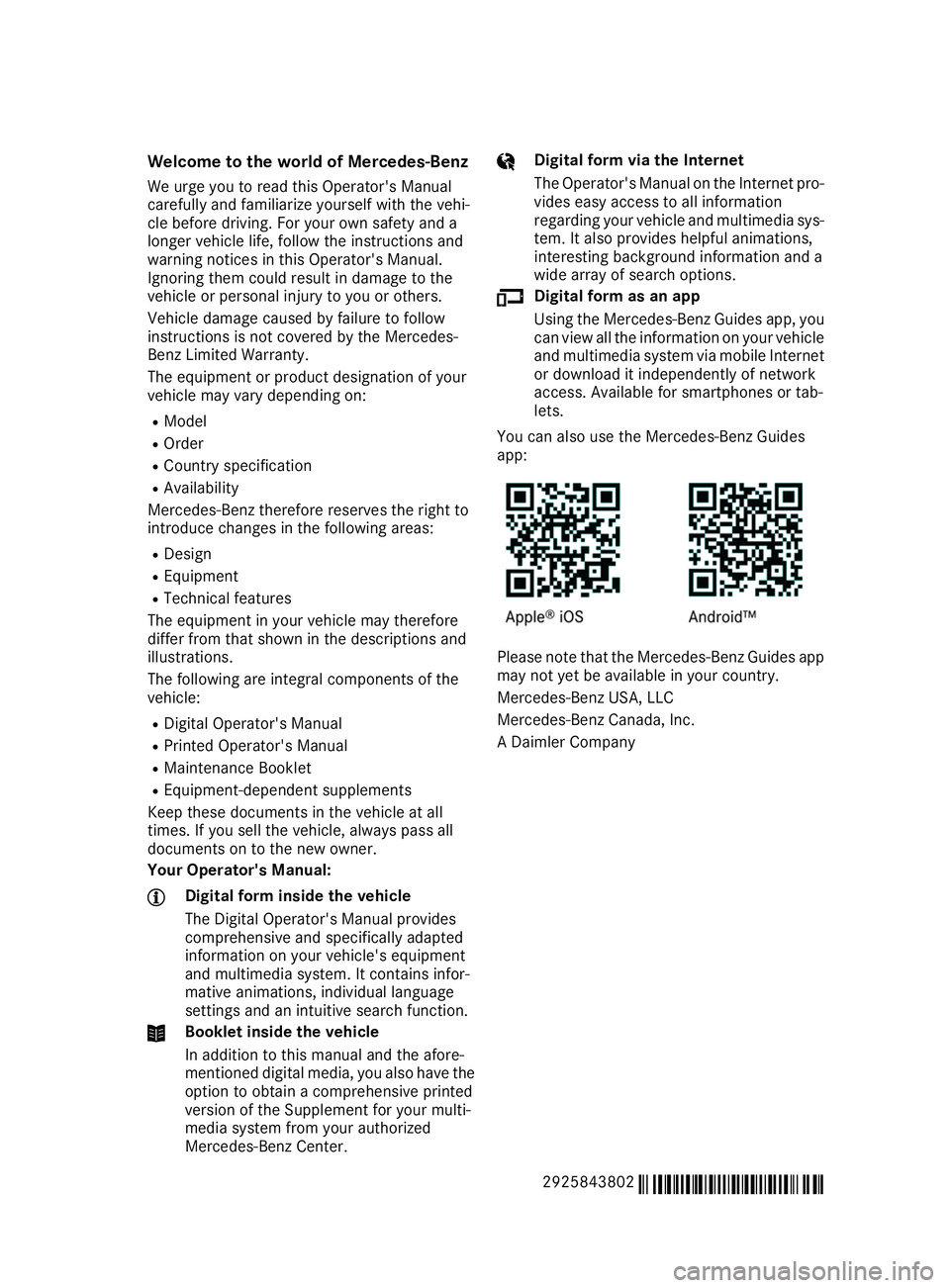
You can also use the Mercedes-Benz Guides
app: Please note that the Mercedes-Benz Guides app
may not yet be available in your country.
Mercedes-Benz USA, LLC
Mercedes-Benz Canada, Inc.
A Daimler Company
2925843802 É2925843802bËÍ
Page 8 of 370
Engaging reverse gear ................... 135
Engaging the park position ............ 135
Important safety note
s.................. 135
Kickdown ....................................... 138
Manual shifting .............................. 139
Oil temperature (on-board com-
puter, Mercedes-AMG vehicles) ..... 220
Overview ........................................ 135
Problem (malfunction) ................... 141
Pulling away ................................... 130
Starting the engine ........................ 129
Steering wheel paddle shifters ...... 139
Trailer towing ................................. 138
Transmission position display ........ 136
Transmission positions .................. 137
Automatic transmission emer-
gency mode ....................................... 141
AUX jacks
CD/DVD drive ............................... 271
Axle load, permissible (trailer tow-
ing) ...................................................... 367 B
Back button ....................................... 265
Bag hook ............................................ 277
Ball coupling
Installing ........................................ 201
Removing ....................................... 205
BAS (Brake Assist System) ................. 65
Battery (SmartKey)
Checking .......................................... 77
Important safety notes .................... 77
Replacing ......................................... 77
Battery (vehicle)
Charging ........................................ 317
Display message ............................ 237
Important safety notes .................. 315
Jump starting ................................. 318
Overview ........................................ 315
Replacing ....................................... 317
Belt warning ......................................... 46
Bicycle rack ....................................... 205
Blind Spot Assist
Activating/deactivating ................. 217
Display message ............................ 241
Notes/function .............................. 191
Trailer towing ................................. 193 see Active Blind Spot Assist
Bluetooth ®
Searching for a mobile phone ........ 268
Searching for a mobile phone
(device manager) ........................... 269
see also Digital Operator's Man-
ual .................................................. 264
Telephony ...................................... 268
Brake Assist System
see BAS (Brake Assist System)
Brake fluid
Display message ............................ 229
Notes ............................................. 362
Brake force distribution
see EBD (electronic brake force
distribution)
Brake lamps
Display message ............................ 235
Brake linings
Display message ............................ 229
Brakes
ABS .................................................. 64
BAS .................................................. 65
Brake fluid (notes) ......................... 362
Braking assistance appropriate to
the situation ..................................... 66
Display message ............................ 224
Hill start assist ............................... 130
Important safety notes .................. 149
Maintenance .................................. 150
Parking brake ................................ 145
Riding tips ...................................... 149
Warning lamp ................................. 253
Braking assistance appropriate to
the situation
Function/note s................................ 66
Breakdown assistance
Where will I find...? ........................ 309
see Flat tire
see Towing away
Brightness control (instrument
cluster lighting) ................................... 36 C
California Important notice for retail cus-
tomers and lessees .......................... 27 6
Index
Page 12 of 370
Brakes ........................................... 149
Break-in period .............................. 126
Downhill gradient ........................... 149
Drinking and driving ....................... 147
Driving in winter ............................. 151
Driving on flooded roads ................ 151
Driving on sand .............................. 154
Driving on wet roads ...................... 150
Driving over obstacles ................... 154
Exhaust check ............................... 147
Fuel ................................................ 147
General .......................................... 147
Hydroplaning ................................. 150
Icy road surfaces ........................... 151
Limited braking efficiency on sal-
ted roads ....................................... 150
Off-road driving .............................. 153
Off-road fording ............................. 151
Snow chains .................................. 329
The first 1000 miles (1500 km) ..... 126
Tire ruts ........................................ .154
Towing a trailer .............................. 200
Traveling uphill ............................... 155
Wet road surface ........................... 150
DSR (Downhill Speed Regulation)
Display message ............................ 240
Function/notes ............................ .167
DVD video
Operating (on-board computer) ..... 214
see also Digital Operator's Man-
ual ................................................. .264
DYNAMIC SELECT controller
Automatic transmission ................. 134 E
EASY-ENTRY feature Activating/deactivating ................. 219
Function/notes ............................ .101
EASY-EXIT feature
Crash-responsive ........................... 101
Function/notes ............................ .101
Switching on/off ........................... 219
EASY-PACK cargo compartment
management system ........................ 278
EBD (electronic brake force distri-
bution)
Display message ............................ 226 Function/notes ................................ 69
ECO display
Function/notes ............................ .148
On-board computer ....................... 212
ECO start/stop function
Automatic engine start .................. 132
Automatic engine switch-off .......... 131
Deactivating/activating ................. 132
General information ....................... 131
Important safety notes .................. 131
Introduction ................................... 131
Electronic Stability Program
see ESP ®
(Electronic Stability Program)
Emergency
Automatic measures after an acci-
dent ................................................. 57
Emergency release
Driver's door ................................... .81
Vehicle .............................................81
Emergency spare wheel
General note s ................................ 353
Im portant safety notes .................. 353
Removing .......................................3 54
Storage location ............................ 354
Stowing .......................................... 354
Emergency Tensioning Devices
Activation ......................................... 54
Emergency unlocking
Tailgate ............................................ 85
Emissions control
Service and warranty information .... 27
Engine
Check Engine warning lamp ........... 259
Display message ............................ 236
ECO start/stop function ................ 131
Engine number ............................... 359
Irregular running ............................ 133
Jump-starting ................................. 318
Starting (important safety notes) ... 128
Starting problems .......................... 133
Starting the engine with the
SmartKey ....................................... 129
Starting via smartphone ................ 129
Starting with KEYLESS-GO ............. 129
Switching off .................................. 144
Tow-starting (vehicle) ..................... 324
Engine electronics
Problem (malfunction) ................... 133 10
Index
Page 13 of 370
Engine oil
Adding .......................................... .298
Additives ........................................ 362
Checking the oil level ..................... 297
Checking the oil level using the
dipstick .......................................... 298
Display message ............................ 238
Filling capacity ............................... 362
Notes about oil grades ................... 361
Notes on oil level/consumption .... 297
Temperature (on-board computer, Mercedes-AMG vehicles) .............. .220
Engine switch-off
see ECO start/stop function
Entering an address
see also Digital Operator's Man-
ual ................................................. .264
ESP ®
(Electronic Stability Pro-
gram)
AMG menu (on-board computer) ... 220
Characteristics ................................. 68
Deactivating/activating ................... 68
Display message ............................ 224
Function/notes ................................ 67
General notes .................................. 67
Important safety information ........... 68
Warning lamp ................................. 256
ETS/4ETS (Electronic Traction Sys-
tem) ...................................................... 67
Exhaust check ................................... 147
Exhaust pipe (cleaning instruc-
tions) ................................................. .306
Exterior lighting
see Lights
Exterior mirrors
Adjusting ....................................... 102
Dipping (automatic) ....................... 103
Folding in when locking (on-boardcomputer) ...................................... 219
Folding in/out (automatically) ....... 103
Folding in/out (electrically) ........... 103
Out of position (troubleshooting) ... 103
Setting ........................................... 103
Storing settings (memory func-
tion) ............................................... 105
Storing the parking position .......... 104
Eyeglasses compartment ................. 274 F
Favorites Overview ........................................ 266
Filler cap
see Refueling
Flat tire
MOExtended tire s.......................... 311
Preparing the vehicle ..................... 310
TIREFIT kit ...................................... 312
see Emergency spare wheel
Floormats ........................................... 295
Fog lamps (extended range) ............. 109
Folding the rear bench seat for-
wards/back ....................................... 275
Fording
Off-road ......................................... 151
On flooded roads ........................... 151
Frequencies
Mobile phone ................................. 357
Two-way radio ................................ 357
Fuel
Additives ........................................ 361
Consumption statistics .................. 211
Displaying the current consump-
tion ................................................ 212
Displaying the range ...................... 212
Driving tips .................................... 147
Fuel gaug e....................................... 36
Grade (gasoline )............................ 360
Important safety notes .................. 360
Problem (malfunction) ................... 143
Refueling ........................................ 142
Tank content/reserve fue l............. 360
Fuel filler flap
Opening ......................................... 143
Fuel level
Calling up the range (on-board
computer) ...................................... 212
Fuel tank
Capacity ........................................ 360
Problem (malfunction) ................... 143
Fuses
Allocation chart ............................. 324
Before changing ............................. 324
Dashboard fuse box ....................... 325
Fuse box in the engine compart-
ment .............................................. 325 Index
11
Page 16 of 370
Downloading routes ....................... 291
Emergency call .............................. 286
General notes ................................ 285
Geo fencing ................................... 292
Info call button .............................. 288
Locating a stolen vehicle ............... 290
Remote fault diagnosis .................. 290
Remote vehicle locking .................. 290
Roadside assistance button ........... 287
Search & Send ............................... 289
Self-test ......................................... 286
Speed alert .................................... 291
System .......................................... 285
Triggering the vehicle alar m........... 292
Vehicle remote unlocking .............. 290
Mechanical key
Function/note s................................ 76
General notes .................................. 76
Inserting .......................................... 76
Locking vehicle ................................ 81
Removing ......................................... 76
Unlocking the driver's doo r.............. 81
Media Interface
USB port in the armrest of the
center console ............................... 273
see Digital Operator's Manual
Memory card (audio) ......................... 214
Memory function ............................... 105
Mercedes-Benz Intelligent Drive
360°camera .................................. 184
Active Blind Spot Assist ................. 194
Active Distance Assist
DISTRONIC .................................... 157
Active Distance Assist
DISTRONIC with Active Steering
Assist ............................................. 164
Active Lane Keeping Assist ............ 197
Active Parking Assist ..................... 176
ATTENTION ASSIST ........................ 189
Blind Spot Assist ............................ 191
General notes ................................ 156
Lane Keeping Assist ...................... 193
Parking Assist PARKTRONIC .......... 173
PRE-SAFE ®
PLUS (anticipatory
occupant protection PLUS) .............. 57
Rear view camera .......................... 180
Traffic Sign Assist .......................... 190 Message memory (on-board com-
puter)
.................................................. 223
Mirror
Vanity mirror (sun visor) ................ 281
Mirror turn signal
Cleaning ......................................... 305
Mirrors
see Exterior mirrors
see Rear-view mirror
see Vanity mirror (in the sun visor)
Mobile phone
Connecting (Bluetooth ®
inter-
face) .............................................. 268
Connecting (device manager) ........ 269
Frequencies ................................... 357
Installation ..................................... 357
Menu (on-board computer) ............ 214
Transmission output (maximum) .... 357
Modifying the programming
(SmartKey) ........................................... 76
MOExtended tires .............................. 311
Mounting wheels
Lowering the vehicle ...................... 351
Mounting a new wheel ................... 351
Preparing the vehicle ..................... 348
Raising the vehicle ......................... 349
Removing a whee l.......................... 350
Securing the vehicle against roll-
ing away ........................................ 349
MP3
Operation ....................................... 214
see also Digital Operator's Man-
ual .................................................. 264
Multifunction display
Function/note s............................. 210
Permanent display ......................... 218
Multifunction steering wheel
Operating the on-board compute r..2 09
Overview .......................................... 37
Multimedia system
Switching on and off ..................... .265
Music files
see also Digital Operator's Man-
ual ................................................. .264 14
Index
Page 17 of 370
N
Navigation Entering a destination .................... 266
Menu (on-board computer) ............ 212
see also Digital Operator's Man-
ua l.................................................. 264
Notes on breaking-in a new vehi-
cle ....................................................... 126 O
Occupant Classification System
(OCS) Conditions ....................................... 50
Faults ............................................... 53
Operation ......................................... 50
System self-test ............................... 52
Occupant safety
Air bags ........................................... 47
Automatic measures after an acci-
dent ................................................. 57
Belt warning ..................................... 46
Children in the vehicle ..................... 57
Important safety notes .................... 42
Introduction to the restraint sys-
tem .................................................. 42
Occupant Classification System
(OCS) ............................................... 49
PASSENGER AIR BAG indicator
lamps ............................................... 43
Pets in the vehicle ........................... 63
PRE-SAFE ®
(anticipatory occu-
pant protection) ............................... 56
PRE-SAFE ®
PLUS (anticipatory
occupant protection PLUS) .............. 57
Restraint system warning lamp ........ 43
Seat belt .......................................... 43
OCS
Faults ............................................... 53
Operation ......................................... 50
Odometer ........................................... 211
Off-road driving
Approach/departure angle ............ 366
Checklist after driving off-road ...... 154
Checklist before driving off-road .... 153
General information ....................... 153
Important safety notes .................. 152 Maximum gradient climbing abil-
ity .................................................. 367
Maximum water depth ................... 366
Traveling uphill ............................... 155
Off-road system
4MATIC .......................................... 167
DSR ............................................... 167
Oil
see Engine oil
On-board computer
Active Distance Assist
DISTRONIC .................................... 163
AMG menu ..................................... 220
Assistance menu ........................... 216
Audio menu ................................... 214
Convenience submenu .................. 219
Display messages .......................... 222
Displaying a service message ........ 300
Factory settings submenu ............. 220
Important safety notes .................. 208
Instrument cluster submenu .......... 218
Lighting submenu .......................... 218
Menu overview .............................. 211
Message memory .......................... 223
Navigation menu ............................ 212
Operation ....................................... 209
RACETIMER ................................... 221
Service menu ................................. 217
Settings menu ............................... 217
Standard display ............................ 211
Telephone menu ............................ 214
Trip menu ...................................... 211
Vehicle submenu ........................... 219
Video DVD operation ..................... 214
Operating safety
Declaration of conformity ................ 29
Important safety notes .................... 29
Operating system
see On-board computer
Operation
Digital Operator's Manua l................ 25
Operator's Manual
Overview .......................................... 27
Vehicle equipment ........................... 27
Outside temperature display ........... 208
Overhead control panel ...................... 40
Override feature
Rear side window s........................... 63 Index
15
Page 18 of 370
P
Paddle shifters see Steering wheel paddle shifters
Paint code number ............................358
Paintwork (cleaning instructions) ... 303
Panic alarm .......................................... 42
Panorama roof with power tilt/
sliding panel
Important safety notes .................... 89
Operating ......................................... 90
Operating the roller sunblinds for
the sliding sunroof ........................... 91
Problem (malfunction) ..................... 92
Rain closing feature ......................... 91
Reversing feature ............................ .90
Parcel shelf ........................................2 77
Parking
Important safety notes .................. 144
Parking brake ................................ 145
Position of exterior mirror, front-
passenger side ............................... 104
Rear view camera .......................... 180
see PARKTRONIC
Parking aid
see 360° camera
see Exterior mirrors
see PARKTRONIC
Parking Assist PARKTRONIC
Deactivating/activating ................. 175
Driving system ............................... 173
Function/notes ............................ .173
Important safety notes .................. 173
Problems (malfunctions) ................ 176
Sensor range ................................. 173
Towing a trailer .............................. 173
Warning displa y............................. 174
Parking assistance
see Driving system
Parking brake
Applying automaticall y................... 146
Applying or releasing manually ...... 145
Display message ............................ 226
Electric parking brake .................... 145
Emergency braking ........................ 146
General notes ................................ 145
Releasing automaticall y................. 146
Warning lamp ................................. 259 Parking lamps
Switching on/of f........................... 107
PASSENGER AIR BAG
Display message ............................ 233
Indicator lamps ................................ 43
Problem (malfunction) ................... 233
Pets in the vehicle ............................... 63
Phone book
see also Digital Operator's Man-
ual .................................................. 264
Plastic trim (cleaning instruc-
tions) .................................................. 307
Power locks ......................................... 81
Power washers .................................. 302
Power windows
see Side windows
PRE-SAFE ®
(anticipatory occupant
protection)
Display message ............................ 230
Operation ......................................... 56
PRE-SAFE ®
PLUS (anticipatory
occupant protection PLUS)
Display message ............................ 230
Operation ......................................... 57
Protection against theft
ATA (Anti-Theft Alarm system )......... 73
Immobilizer ...................................... 73
Protection of the environment
General notes .................................. 26
Pulling away
Automatic transmission ................. 130
General notes ................................ 130
Hill start assist ............................... 130
Trailer ............................................ 130 Q
QR code Mercedes-Benz Guide App ................. 1
Rescue card ..................................... 31
Qualified specialist workshop ........... 30 R
RACE TIMER (on-board computer,
Mercedes-AMG vehicles) .................. 221
Radiator cover ................................... 29716
Index
Page 21 of 370
SmartKey
Changing the battery ....................... 77
Changing the programming .............76
Checking the battery ...................... .77
Convenience opening feature .......... 87
Display message ............................ 250
Door central locking/unlocking ...... .74
Important safety notes .................... 74
KEYLESS-GO start function .............. 76
Loss .................................................78
Mechanical key ................................ 76
Overview .......................................... 74
Positions (ignition lock) ................. 127
Problem (malfunction) ..................... 78
Starting the engine ........................ 129
Smartphone
Starting the engine ........................ 129
SMS
see also Digital Operator's Man-
ual .................................................. 264
Snow chains
Information .................................... 329
Sockets
Center console .............................. 283
General notes ................................ 283
Luggage compartment ...................2 84
Rear compartment ......................... 283
Sound
Switching on/off ........................... 265
Special seat belt retractor .................. 58
Specialist workshop ............................ 30
Speed, controlling
see Cruise control
Speedometer
Digital ............................................ 212
In the Instrument cluster ................. 36
Segments ...................................... 208
Selecting the display unit .............. .218
Standing lamps
Display message ............................ 235
Switching on/off ........................... 107
Start/Stop button
Removing ....................................... 128
Starting the engine ........................ 129
Start/stop function
see ECO start/stop function
Starting (engine) ................................ 128
STEER CONTROL .................................. 72 Steering
Display message ............................ 249
Steering wheel
Adjusting (electrically) ................... 100
Adjusting (manually) ........................ 99
Button overview ............................... 37
Buttons (on-board computer) ......... 209
Cleaning ......................................... 307
Important safety notes .................... 99
Steering wheel heating .................. 100
Storing settings (memory func-
tion) ............................................... 105
Steering wheel heating
Problem (malfunction) ................... 101
Switching on/of f........................... 100
Steering wheel paddle shifters ........ 139
Stopwatch (RACETIMER) ................... 221
Stowage areas ................................... 272
Stowage compartments
Armrest (under) ............................. 273
Center console .............................. 274
Center console (rear) ..................... 274
Cup holders ................................... 280
Eyeglasses compartment ............... 274
Glove box ....................................... 273
Important safety information ......... 272
Stowage net ................................... 274
Stowage net ....................................... 274
Summer tires
In winter ........................................ 329
Sun visor ............................................ 281
Suspension setting
AIRMATIC ...................................... 168
AMG adaptive sport suspension
system ........................................... 172
Suspension tuning
SETUP (on-board computer,
Mercedes-AMG vehicles) ............... 220
SUV
(Sport Utility Vehicle) ....................... 29
SVHC (Substances of Very High
Concern) ............................................... 30
Switching air-recirculation mode
on/off ................................................. 123
Switching on media mode
Via the device list .......................... 270 Index
19
Page 22 of 370
T
Tachometer ........................................ 208
Tailgate
Display message ............................ 248
Emergency unlocking ....................... 85
Important safety notes .................... 82
Limiting the opening angle ............... 85
Opening dimensions ...................... 364
Opening/closing (automatically
from inside) ...................................... 84
Opening/closing (automatically
from outside) ................................... 83
Opening/closing (from outside) ....... 82
Tank content
Fuel gauge ....................................... 36
Technical data
Capacities ...................................... 359
Drawbar load (maximum) ............... 367
Information .................................... 357
Tires/wheels ................................. 352
Trailer load s................................... 367
Vehicle data ................................... 364
Telephone
Accepting a call (multifunction
steering wheel) .............................. 215
Authorizing a mobile phone (con-
necting) ......................................... 268
Authorizing a mobile phone via the device manager (connecting )......... 269
Connecting a mobile phone
(device manager) ........................... 269
Connecting a mobile phone (gen-
eral information) ............................ 268
Display message ............................ 249
Menu (on-board computer) ............ 214
Number from the phone book ........ 215
Redialing ........................................ 215
Rejecting/ending a call ................. 215
see also Digital Operator's Man-
ual .................................................. 264
Temperature
Coolant (display in the instrumentcluster) .......................................... 209
Coolant (on-board computer,
Mercedes-AMG vehicles) ............... 220
Engine oil (on-board computer,
Mercedes-AMG vehicles) ............... 220 Outside temperature ...................... 208
Setting (climate control )................ 120
Transmission oil (on-board com-
puter, Mercedes-AMG vehicles) ..... 220
Through-loading feature ................... 275
Timing (RACETIMER) ......................... 221
Tire pressure
Calling up (on-board computer) ..... 334
Checking manually ........................ 333
Display message ............................ 245
Maximum ....................................... 333
Not reached (TIREFIT) .................... 313
Notes ............................................. 332
Reached (TIREFIT) .......................... 314
Recommended ............................... 330
Tire pressure loss warning system
General notes ................................ 333
Important safety notes .................. 334
Restarting ...................................... 334
Tire pressure monitor
Checking the tire pressure elec-
tronically ........................................ 336
Function/note s............................. 334
General notes ................................ 334
Important safety notes .................. 335
Radio type approval for the tire
pressure monitor ........................... 337
Restarting ...................................... 337
Warning lamp ................................. 263
Warning message .......................... 336
Tire pressure table ............................ 331
Tire-change tool kit ........................... 310
TIREFIT kit
Important safety notes .................. 312
Storage location ............................ 310
Tire pressure not reached .............. 313
Tire pressure reached .................... 314
Using ............................................. 312
Tires
Aspect ratio (definition) ................. 347
Average weight of the vehicle
occupants (definition) .................... 345
Bar (definition) ............................... 345
Changing a whee l.......................... 347
Characteristics .............................. 345
Checking ........................................ 327
Curb weight (definition) ................. 346
Definition of terms ......................... 345 20
Index
Page 34 of 370
nance requirements as well as technical events
and malfunctions.
This information generally documents the con-
dition of a component, a module, a system or the
surroundings, such as:
R Operating states of system components (e.g.
fill levels, battery status, tire pressure)
R Status messages concerning the vehicle or its
individual components (e.g. wheel rpm/
speed, deceleration, lateral acceleration, indi- cation of whether seat belts are fastened)
R Malfunctions and defects in important system
components (e.g. lights, brakes)
R Information about events leading to vehicle
damage
R System responses in special driving situa-
tions (e.g. air bag deployment, intervention of
stability control systems)
R Ambient conditions (e.g. temperature, rain
sensor)
In addition to performing the actual control unit
function, this data is used by manufacturers to
detect and rectify malfunctions and to optimize vehicle functions. Most of this data is volatile
and processed only in the vehicle itself. Only a
small part of the data is stored in event or mal-
function memories.
When you use services, the technical data from
the vehicle can be read out by service network
employees (e.g. workshops, manufacturers) or
third parties (e.g. breakdown services). Services
can include repair services, maintenance pro-
cesses, warranty cases and quality assurance
measures. The data are read out via the con-
nection for the diagnostics connection in the
vehicle, which is required by law. The relevant
offices in the service network or third parties
collect, process and use the data. This data
documents the vehicle's technical states, is
used to help in finding malfunctions and improv-
ing quality and is sent to the manufacturer
where necessary. In addition, the manufacturer is subject to product liability. The manufacturerneeds technical data from vehicles for this pur-
pose.
Malfunction memories in the vehicle can be
reset by a service center during repair or service
work.
You can incorporate data into the vehicle's com- fort and infotainment functions yourself as part
of the selected equipment. These include, for example:
R Multimedia data such as music, films or pho-
tos for playback in an integrated multimedia
system
R Address book data for use in conjunction with
an integrated hands-free system or an inte-
grated navigation system
R Navigation destinations that have been
entered
R Data about using Internet services
This data can be saved locally in the vehicle or
located on a device that you have connected to
the vehicle (e.g. smartphone, USB memory stick or MP3 player). If this data is saved in the vehi-
cle, you can delete it at any time. This data is
sent to third parties only at your request, par-
ticularly when you use online services in accord- ance with the settings that you have selected.
You can save and change comfort settings/
customizations in the vehicle at any time.
Depending on the equipment in question, these can include:
R Seat and steering wheel position settings
R Suspension and climate control settings
R Custom settings such as interior lighting
If your vehicle is equipped appropriately, you
can connect your smartphone or another mobile end device to the vehicle. You can control this by
means of the control elements integrated in the vehicle. The smartphone's picture and sound
can be output via the multimedia system. Spe-
cific items of information are also sent to your
smartphone.
Depending on the type of integration, this can
include:
R General vehicle information
R Position data
This allows the use of selected smartphone
apps, such as navigation or music player apps.
There is no additional interaction between the
smartphone and the vehicle, particularly active
access to vehicle data. The type of additional
data processing is determined by the provider of the app being used. Whether you can configure
settings for it and, if so, which ones, depends on
the app and your smartphone's operating sys-
tem. 32
Data stored in the vehicleIntroduction