alarm MERCEDES-BENZ GLE SUV 2021 Owners Manual
[x] Cancel search | Manufacturer: MERCEDES-BENZ, Model Year: 2021, Model line: GLE SUV, Model: MERCEDES-BENZ GLE SUV 2021Pages: 545, PDF Size: 9.37 MB
Page 101 of 545
*
NO
TEDama gecaused byobjects Objects can cause
thero ller sunblind tomal‐
function. #
Make sure that thero ller sunblind can
mo vefreely. The
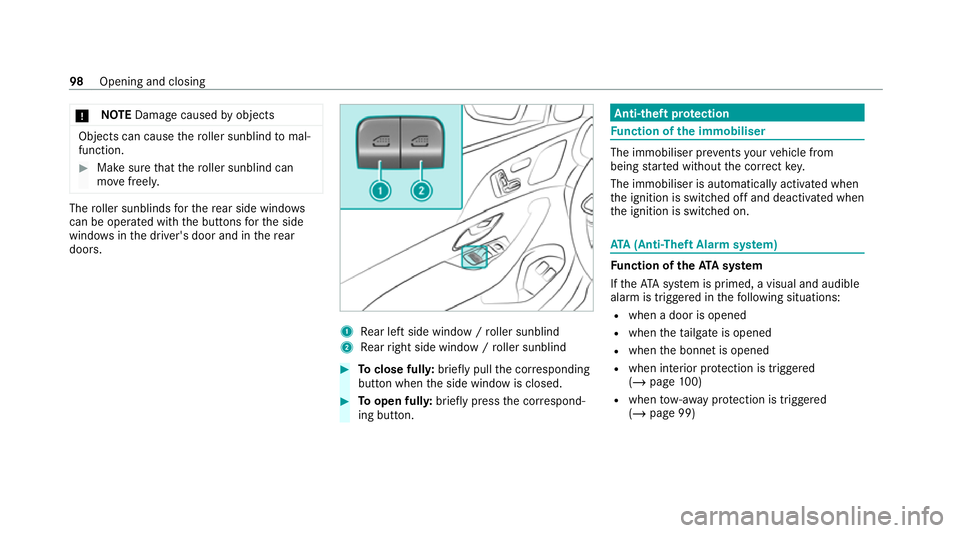
roller sunblinds forth ere ar side wind ows
can be ope rated with the buttons forth e side
windo wsinthe driver's door and in there ar
doors. 1
Rear left side wind ow/ro ller sunblind
2 Rear right side window / roller sunblind #
Toclose full y:brief lypull the cor responding
button when the side window is closed. #
Toopen ful ly:brie fly press the cor respond‐
ing button. Anti-theft pr
otection Fu
nction of the immobiliser The immobiliser pr
events your vehicle from
being star ted without the cor rect key.
The immobiliser is automatically activated when
th e ignition is switched off and deactivated when
th e ignition is switched on. ATA
(Anti-Theft Alarm sy stem) Fu
nction of theATA system
If th eATA system is primed, a visual and audible
alarm is triggered in thefo llowing situations:
R when a door is opened
R when theta ilgate is opened
R when the bonn etis opened
R when interior pr otection is triggered
(/ page 100)
R when tow- aw ay protection is triggered
(/ page 99) 98
Opening and closing
Page 102 of 545
The
ATA sy stem is primed automatically af ter
appr oximately ten seconds in thefo llowing situa‐
tions:
R afte r locking theve hicle with thekey
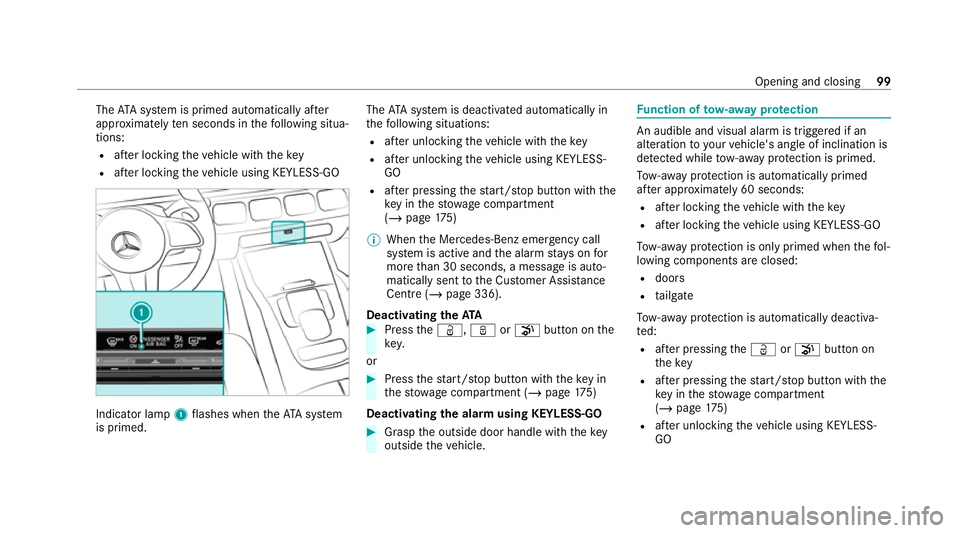
R afte r locking theve hicle using KEYLESS-GO Indicator lamp
1flashes when theAT A sy stem
is primed. The
ATA sy stem is deactivated automatically in
th efo llowing situations:
R afte r unlocking theve hicle with thekey
R afte r unlocking theve hicle using KEYLESS-
GO
R afte r pressing thest art/ stop button with the
ke y in thestow age compartment
(/ page 175)
% When the Mercedes‑Benz emer gency call
sy stem is active and the alarm stay s on for
more than 30 seconds, a message is auto‐
matically sent tothe Cus tomer Assis tance
Centre (/ page 336).
Deactivating theATA #
Press theÜ, ßor008B button on the
key.
or #
Press thest art/ stop button with theke y in
th estow age compartment (/ page175)
Deactivating the ala rmusing KEYLESS-GO #
Grasp the outside door handle with thekey
outside theve hicle. Fu
nction of tow- aw ay protection An audible and visual alarm is triggered if an
alteration
to yourvehicle's angle of inclination is
de tected while tow- aw ay protection is primed.
To w- aw ay protection is automatically primed
af te r appro ximately 60 seconds:
R afte r locking theve hicle with thekey
R afte r locking theve hicle using KEYLESS-GO
To w- aw ay protection is only primed when thefo l‐
lowing components are closed:
R doors
R tailgate
To w- aw ay protection is automatically deactiva‐
te d:
R afte r pressing theÜ or008B button on
th ekey
R afte r pressing thest art/ stop button with the
ke y in thestow age compartment
(/ page 175)
R afte r unlocking theve hicle using KEYLESS-
GO Opening and closing
99
Page 103 of 545
R
when using HANDS-FREE ACCESS
In fo rm ation on collision de tection on a park ed
ve hicle (/ page210). Priming/deactivating
tow- aw ay protection Multimedia sy
stem:
4 © 5
Settings 5
Quick access #
Prime or deactivate Tow-away protection .
To w- aw ay protection is primed again in thefo l‐
lowing cases:
R The vehicle is unloc ked again.
R A door is opened.
R The vehicle is loc ked again.
% Ifqu ick access is una vailable, select the
Vehicle submenu in theSettings main menu
to prime or deactivate tow- aw ay protection. Fu
nction of interior pr otection When interior pr
otection is primed, a visual and
audible alarm is triggered if mo vement is de tec‐
te d in theve hicle interior. Interior pr
otection is primed automatically af ter
appr oximately ten seconds:
R afte r locking theve hicle with thekey
R afte r locking theve hicle using KEYLESS-GO
Interior pr otection is only primed when thefo l‐
lowing components are closed:
R doors
R tailgate
Interior pr otection is automatically deactivated:
R afte r pressing theÜ or008B button on
th ekey
R afte r pressing thest art/ stop button with the
ke y in thestow age compartment
(/ page 175)
R afte r unlocking theve hicle using KEYLESS-
GO
R when using HANDS-FREE ACCESS
The following situations can lead toafa lse
alarm:
R moving objects such as masc ots in theve hi‐
cle interior R
when a side window is open
R when a panoramic sliding sunroof is open Priming/deactivating interior pr
otection Multimedia sy
stem:
4 © 5
Settings 5
Quick access #
Prime or deactivate Interior motion sensor.
Interior pr otection is primed again in thefo llow‐
ing cases:
R The vehicle is unloc ked again.
R A door is opened.
R The vehicle is loc ked again.
% Ifqu ick access is una vailable, select the
Vehicle menu under Settingstoprime or
deactivate interior pr otection. 100
Opening and closing
Page 179 of 545
Ensu
rethefo llowing before starting the engine:
R the legal stipulations in the area where your
ve hicle is par ked allow engine starting via
smartphone.
R it is safe tostart and runth e engine where
yo ur vehicle is par ked.
R the fuel tank is su fficiently full.
St arting theve hicle (Remo teOnline) &
WARNING Risk of crushing or entrap‐
ment due tounin tentional starting of the
engine
Limbs could be crushed or trapped if the
engine is star ted unintentionally during
service or maintenance work. #
Alw ays secure the engine against unin‐
te ntional starting before car rying out
maintenance or repair work. Re
quirements:
R Park position 005Dis selected.
R The anti- theft alarm sy stem is not activated.
R The panic alarm is not activated. R
The hazard warning light sy stem is switched
off.
R The bonn etis closed.
R The doors are closed and loc ked.
R The windo wsand sliding sun roof are closed. #
Start theve hicle using the smartphone.
Af tereve ryengine start, the engine runs for
te n minu tes.
Yo u can car ryout a maximum of two consecu‐
tive starting attem pts. Yo u must start the engine
with theke y before trying tostart the engine
again with the smartphone.
Yo u can swit choff the engine at any time as fol‐
lo ws:
R Viath e Smartphone App
R By pressing theÜ orß button on the
key
% Further information can be found in the
smartphone app. Securing
the engine against starting before
car rying out maintenance or repair work: #
Switch on the hazard warning light sy stem.
or #
Unlock the doors.
or #
Open a side window or the sliding sunroof. Ru
nning-in no tes To
preser vethe engine during thefirs t1, 500 km:
R Drive at varying road speeds and engine
speeds.
R Do not drive at speeds greater than
14 0 km/h.
R Drive theve hicle in drive program A
or ;.
R Shift tothe next highest gear at theve ry lat‐
est when the needle reaches the last third
before there d area in there v counter.
R Do not shift down a gear manually in order to
brake. 176
Driving and pa rking
Page 214 of 545
St
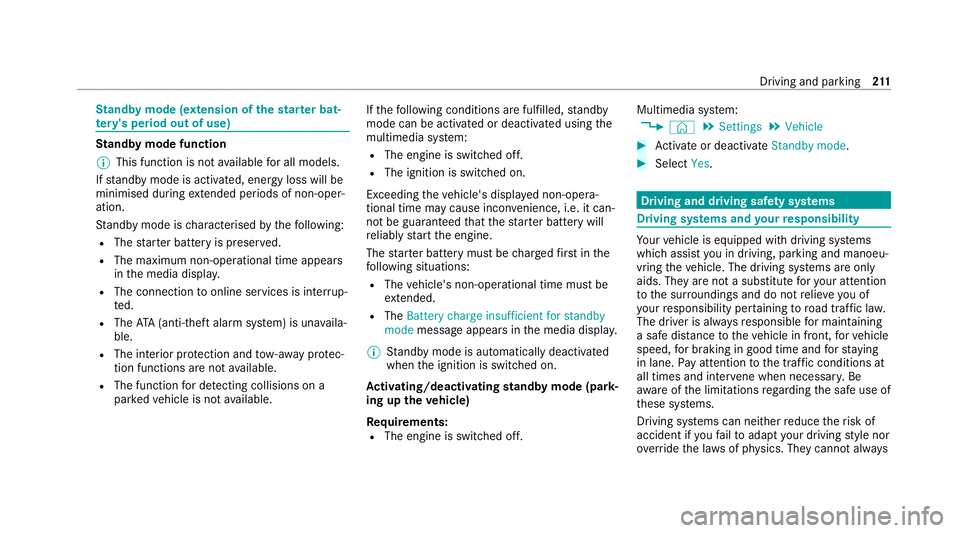
andby mode (extension of the star ter bat‐
te ry 's period out of use) St
andby mode function
% This function is not available for all models.
If standby mode is activated, ene rgy loss will be
minimised during extended pe riods of non-oper‐
ation.
St andby mode is characterised bythefo llowing:
R The star ter battery is preser ved.
R The maximum non-operational time appears
inthe media displa y.
R The connection toonline services is inter rup‐
te d.
R The ATA (anti-theft alarm sy stem) is una vaila‐
ble.
R The interior pr otection and tow- aw ay protec‐
tion functions are not available.
R The function for de tecting collisions on a
pa rked vehicle is not available. If
th efo llowing conditions are fulfilled, standby
mode can be activated or deactivated using the
multimedia sy stem:
R The engine is switched off.
R The ignition is switched on.
Exceeding theve hicle's displa yed non-opera‐
tional time may cause incon venience, i.e. it can‐
not be guaranteed that thest ar ter battery will
re liably start the engine.
The star ter battery must be charge dfirs t in the
fo llowing situations:
R The vehicle's non-operational time must be
ex tended.
R The Battery charge insufficient for standby
mode messa geappears in the media displa y.
% Standby mode is automatically deactivated
when the ignition is switched on.
Ac tivating/deactivating standby mode (park‐
ing up theve hicle)
Re quirements:
R The engine is switched off. Multimedia sy
stem:
4 © 5
Settings 5
Vehicle #
Activate or deacti vate Standby mode. #
Select Yes. Driving and driving saf
ety sy stems Driving sy
stems and your responsibility Yo
ur vehicle is equipped with driving sy stems
which assist you in driving, parking and manoeu‐
vring theve hicle. The driving sy stems are only
aids. They are not a substitute foryo ur attention
to the sur roundings and do not relie ve you of
yo ur responsibility per taining toroad traf fic la w.
The driver is alw aysre sponsible for maintaining
a safe dis tance totheve hicle in front, forve hicle
speed, for braking in good time and forst ay ing
in lane. Pay attention tothe tra ffic conditions at
all times and inter vene when necessary . Be
aw are of the limitations rega rding the safe use of
th ese sy stems.
Driving sy stems can neither reduce therisk of
accident if youfa ilto adapt your driving style nor
ove rride the la wsof ph ysics. They cannot alw ays Driving and pa
rking 211
Page 445 of 545
Display messages
Possible causes/consequences and 0050 0050Solutions #
Drive more slowl y. #
Repeat thege ar change.
LOW RANGE Max. speed
40 km/h *T
he maximum speed of 40 km/h forth ege ar change has been exceeded. #
Drive more slowl y. #
Todeactivate thege ar change, press theLOW RANGE button again. #
Repeat thege ar change.
Gearbox protection Limit
30 km/h Switch off LOW
RANGE *T
he oil temp erature in the transfer case is too high. #
Inthe on-ro ad position, shift toHIGH RANGE.
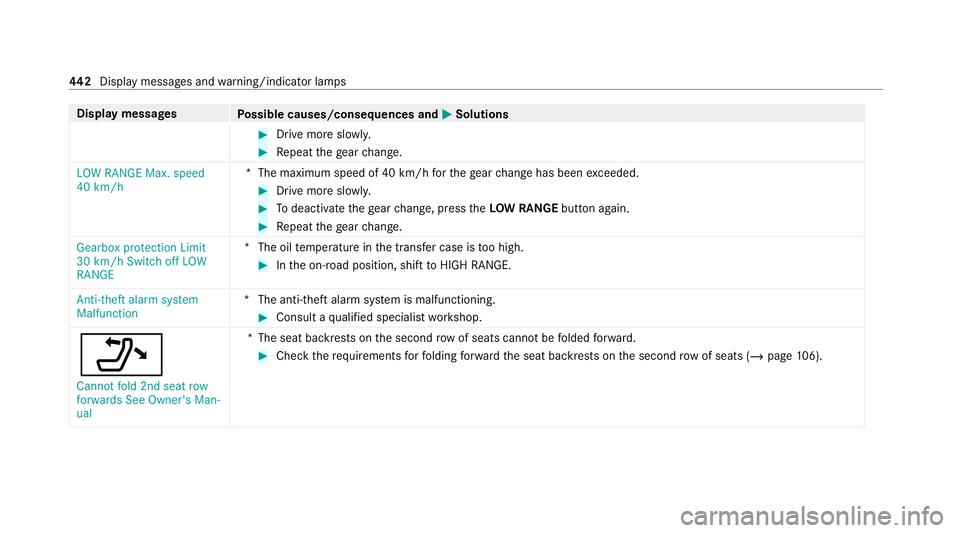
Anti-theft alarm system
Malfunction *T
he anti-theft alarm sy stem is malfunctioning. #
Consult a qualified specialist workshop.
006F Cannot fold 2nd seat row
forwards See Owner's Man-
ual *T
he seat backrests on the second rowof seats cannot befolded forw ard. #
Check therequ irements forfo lding forw ard the seat backrests on the second row of seats (/ page106). 442
Displaymessa ges and warning/indicator lamps
Page 507 of 545
Air-recirculation mode..............................
16 4
Air-water duct Keeping free.......................................... 356
Airbag Activation................................................ 40
Fr ont airbag (driver, front passenger)...... 45
Ins tallation locations.............................. .45
Knee airbag............................................ .45
Overview................................................. 45
PA SSENGER AIR BAG indicator lamp....... 50
Pr otection................................................ 46
Re duced pr otection.................................47
Side airba g.............................................. 45
Wi ndow airba g......................................... 45
Ai rflow
Setting................................................... 161
AIRM ATIC
Setting.................................................. .252
Suspension........................................... 250
Alarm sy stem
see ATA (anti-theft alarm sy stem)
All-wheel drive see 4MATIC Ambient lighting
Setting (MBUX multimedia sy stem)........ 151
Android Auto
see Smartphone integration
Animals Pets in theve hicle................................... 75
Anti-lock braking sy stem
see ABS (Anti-lock Braking Sy stem)
Anti-skid chains
see Snow chains
Anti-theft pr otection
Ad ditional door loc k................................ 79
Immobiliser............................................. 98
Anti-theft pr otection
see ATA (anti-theft alarm sy stem)
Anticipatory occupant pr otection
see PRE- SAFE®
(anticipatory occu‐
pant pr otection)
see PRE-SAFE ®
PLUS (anticipatory
occupant pr otection plus)
Apple CarPlay ®
see Smartphone integration Assistance sy
stems
see Driving saf ety sy stem
ASS YST PLUS
Battery disconnection pe riods.............. 350
Displaying the service due dat e............ 349
Fu nction/no tes..................................... 349
Re gular maintenance work.................... 349
Special service requ irements................ 349
ATA (anti-theft ala rmsystem)
Deactivating the alarm............................ 99
Fu nction.................................................. 98
Fu nction of interior pr otection............... 100
Priming/deactivating interior pr otec‐
tion........................................................ 100
Priming/deactivating tow- aw ay pro‐
te ction................................................... 100
To w- aw ay protection function.................. 99
AT TENTION ASSI ST
Fu nction................................................. 219
Setting................................................... 221
Sy stem limitations................................. 219
At tention assistant
see ATTENTION ASSIST 504
Index
Page 512 of 545
Cup holder
Swit ching the cooling/heating func‐
tion on/off............................................1 35D
Dashboard see Cockpit
Dashcam Notes..................................................... 319
Selecting a USB device......................... 320
St arting/s topping video recording........ 320
Data acquisition Vehicle.................................................... 35
Data pr otection rights
Data storage............................................ 38
Data storage
Data pr otection rights............................. 38
Electro nic control units........................... 35
Online service s........................................ 37
Ve hicle.................................................... 35
Deactivating the alarm (A TA )...................... 99
Deale rship
see Qualified speciali stwo rkshop Declaration of conformity
Electromagnetic compatibility.................26
Jack......................................................... 30
Specific absor ption rate.......................... 26
TIREFIT kit............................................... 31
Wi reless vehicle components.................. 26
Decorative foil (cleaning instructions) .... 360
DeNOx agent see AdBlue ®
De stination entry
En tering a POI or address...................... 315
De tecting inat tentiveness
see ATTENTION ASSIST
Diagnostics connection ..............................31
Diesel Low outside temp eratures..................... 413
No tes..................................................... 413
Digital Owner's Manual .............................. 20
Dinghy towing
see Tow- bar sy stem
DIRECT SELECT le ver
Engageing reve rsege ar........................ .193
Engaging drive position.......................... 194Engaging neutral....................................
19 3
Engaging pa rkposition automatically.... 19 3
Fu nction................................................ 19 2
Selecting pa rkposition.......................... 19 3
Display (care) ............................................ .363
Display (MBUX multimedia sy stem)
Home screen........................................ .300
Operating.............................................. 301
Display (on-board comp uter)
Displ ays on the multifunction displa y.... 296
Displ aymessage
Calling up (on-board compu ter)............. 425
No tes....................................................4 25
Display messages ç - - - km/h ..................................... 456
00CB - - - km/h ..................................... 456
h - - - km/h ..................................... 455
006F 2nd seat row, left Not locked ....... 443
006F 2nd seat row, right Not locked ..... 443
003D 12V battery See Owner's Man‐
ual......................................................... 475 Index
509
Page 515 of 545
00C4
Vehicle rising................................4 68
0077 Warning tyre defect..................... .480
0077 Wheel sensor(s) missing............... 479
00C8 XX,X l Top up AdBlue Switch on
ignition, wait 60 sec. or eng. start
not poss................................................ 483
Ac tive Blind Spot Assi stcur rently
una vailable See Owner's Manual ...........462
Ac tive Blind Spot Assi stinope rative ...... 463
Ac tive Blind Spot Assi stnot available
when towing a trailer See Owner's
Manual .................................................. 463
Ac tive Brake Assi stFunctions cur‐
re ntly limited See Owner's Manual ........473
Ac tive Brake Assi stFunctions limited
See Owner's Manual.............................. 474
Ac tive Dis tance Assi stavailable again ...4 58
Ac tive Dis tance Assi stcur rently
una vailable See Owner's Manual ...........457
Ac tive Dis tance Assi stinope rative ......... 457 Ac
tive Lane Keeping Assist cur rently
una vailable See Owner's Manual ...........463
Ac tive Lane Keeping Assist inopera‐
tive........................................................ 464
Ac tive Steering Assist cur rently
una vailable due tomultiple emer‐
ge ncy stops...........................................4 60
Ac tive Steering Assist cur rently
una vailable See Owner's Manual ...........459
Ac tive Steering Assist inoperative ......... 460
Ac tive Stop-and-Go Assist cur rently
una vailable see Owner's Manual ............ 461
Ac tive Stop-and-Go Assist inopera‐
tive See Owner's Manual....................... 461
Ad aptive Highbeam Assist cur rently
una vailable See Owner's Manual ...........433
Ad aptive Highbeam Assist inoperative.. 433
Ad aptive Highbeam Assist Plus cur‐
re ntly una vailable See Owner's Man‐
ual......................................................... 433 Ad
aptive Highbeam Assist Plus inop‐
erative.................................................. .434
Anti-theft alarm sy stem Malfunction .....442
App lybrake todeselect Park (P)
position................................................. 447
App lybrake toselect D or R..................4 47
App lybrake toselect R.......................... 447
Au xilia rybattery malfunction (red
display message) ...................................4 49
Au xilia rybattery malfunction (white
display message) ...................................4 49
Beginning emerge ncystop.................... 460
Blind Spot Assist cur rently una vaila‐
ble See Owner's Manual ........................ 462
Blind Spot Assist inope rative ................. 462
Blind Spot Assi stnot available when
to wing a trailer See Owner's Manual .....462
Cannot start engine See Owner's
Manual......................................... .444,477 512
Index
Page 538 of 545
Qualified specialist
workshop.................. 33
Ra ising.................................................. .397
REA CHregulation.................................... 34
Re gistration............................................. 33
St andby mode function.......................... 211
St arting (eme rgency operation mode)...1 75
St arting (Remo teOnline).......................1 76
St arting (s tart/s top button)...................1 74
SV HC (subs tances of very high con‐
cern)........................................................ 34
Switching off (s tart/s top button).......... 205
To wing.................................................. .291
Ve ntilating (co nvenience opening)........... 91
Ve hicle camera
Information............................................ 212
Ve hicle data
Angle of app roach/departur e................421
Displ aying (DYNAMIC SELECT).............. 19 0
Maximum gradient climbing ability........ 421
Ro of load............................................... 420
Ve hicle height........................................4 19
Ve hicle length........................................4 19
Ve hicle width.........................................4 19
Wheelbase............................................. 419
Ve hicle dimensions ................................... 419Ve
hicle identification number
see VIN
Ve hicle identification plate
EU general operating pe rmit number....4 08
Maximum permissible gross vehicle
we ight.................................................. .408
Pa int code............................................. 408
Pe rm issible axle load............................ .408
VIN........................................................ 408
Ve hicle interior
Cooling or heating (Remo teOnline).......1 75
Ve hicle key
see Key
Ve hicle le vel
Setting individual wheel control............ 263
Ve hicle maintenance
see ASS YST PLUS
Ve hicle sensors
Information............................................ 212
Ve hicle tool kit
TIREFIT kit............................................. 369
To wing eye............................................ 383 Ve
ntilating
Con venience opening.............................. 91
Ve ntilation
see Climate cont rol
Ve nts
see Air vents
VIN Identification plate................................ 408
Seat....................................................... 408
Windsc reen........................................... 408
Vi sion
Demisting windo ws............................... 16 4
Wi ndsc reen heater................................1 66 W
Wa rning lamp
see Warning/indicator lamp
Wa rning sy stem
see ATA (anti-theft alarm sy stem)
Wa rning triangle
Re moving.............................................. 366
Setting up............................................. .366 Index
535