wheel speed MERCEDES-BENZ R-Class 2012 W251 Owner's Guide
[x] Cancel search | Manufacturer: MERCEDES-BENZ, Model Year: 2012, Model line: R-Class, Model: MERCEDES-BENZ R-Class 2012 W251Pages: 368, PDF Size: 15.19 MB
Page 210 of 368

XBefore leaving the vehicle, turn the
SmartKey to position 0 in the ignition lock.XTurn the SmartKey to position 2 in the
ignition lock and back to position 0.
The delayed switch-off is deactivated.
Delayed switch-off is reactivated the next
time you start the engine.
Activating/deactivating the interior
lighting delayed switch-off
If the Interior lighting Delayed Shut-
off function is activated and you remove the
SmartKey from the ignition lock, the interior
lighting remains on for 10 seconds.
XPress the V or U button on the
steering wheel to select the Settings
menu.XPress the & button to select submenus.XPress the W or X button to select the
Lighting submenu.XPress the & button to select Interior
Lighting Delayed Shut-off .XPress the W or X button to activate
or deactivate the Interior Lighting
Delay function.XPress the &, V or U button to
select a different display.
Vehicle
Activating/deactivating the automatic
door locking feature
If you select the Automatic Door Locking
function, the vehicle is centrally locked above
a speed of around 9 mph (15 km/h).
i For further information on the automatic
locking feature, see ( Y page 80).
XPress the V or U button on the
steering wheel to select the Settings
menu.XPress the & button to call up the
selection of submenus.XPress the W or X button to select the
Vehicle submenu.XPress the & button to select
Automatic Door Locking .XPress the W or X button to switch
Automatic Door Locking on or off.XPress the &, V or U button to
select a different display.
Activating/deactivating the acoustic
locking confirmation
If you activate the Acoustic Lock
Feedback function, an audible signal sounds
when the vehicle is locked or unlocked. When
unlocking, the signal sounds once. When
locking, it sounds three times.
XPress the V or U button on the
steering wheel to select the Settings
menu.XPress the & button to call up the
selection of submenus.XPress the W or X button to select the
Vehicle submenu.XPress the & button to select Acoustic
Lock Feedback .XPress the W or X button to switch
the Acoustic Lock Feedback function on
or off.XPress the &, V or U button to
select a different display.
Activating/deactivating the radar sensor
system
If the radar sensor system is switched off,
Blind Spot Assist (Y page 189) is deactivated.
i USA only: This device has been approved
by the FCC as a "Vehicular Radar System".
The radar sensor is intended for use in an
automotive radar system only. Removal,
tampering, or altering of the device will void
any warranties, and is not permitted by the
FCC. Do not tamper with, alter, or use in
any nonapproved way.
Any unauthorized modification to this
device could void the user's authority to
operate the equipment.
208Menus and submenusOn-board computer and displays
Page 212 of 368
If you have switched the function on and you
fold the exterior mirrors in using the button
on the door ( Y page 110), they will not fold
out automatically. The exterior mirrors can
then only be folded out using the button on
the door.XPress V or U on the steering wheel
to select the Settings menu.XPress the & button to select submenus.XPress the W or X button to select the
Convenience submenu.XPress & to select Fold In Mirrors
When Locking .XPress W or X to activate/deactivate
the Fold Mirrors In When Locking
function.XPress the &, V or U button to
select a different display.
Additional functions menu
Activating/deactivating the distance
warning function
This function is only available with
DISTRONIC.
XPress V or U on the steering wheel
to select the Additional functions menu.XPress the & or * button to select the
Distance warning function.XPress the W or X button to activate
or deactivate the Distance warning
system.
When the distance warning function
( Y page 68) is activated, the Ä symbol
is shown in the lower multifunction display.XPress the &, V or U button to
select a different display.
Activating/deactivating Blind Spot
Assist
Further information about Blind Spot Assist
( Y page 189).
XPress V or U on the steering wheel
to select the Additional functions menu.XPress the & or * button to select the
Blind Spot Assist function.XPress the W or X button to switch
Blind Spot Assist on or off.XPress the &, V or U button to
select a different display.
Trip computer menu
Trip computer "From start" or "From
reset"
The values in the From Start submenu refer
to the start of your journey, while those in the
From Reset submenu refer to the last time
you reset ( Y page 211) this submenu.
XPress the V or U button on the
steering wheel to select the trip
computer menu.XPress the & or * button to select
From Start or From Reset .
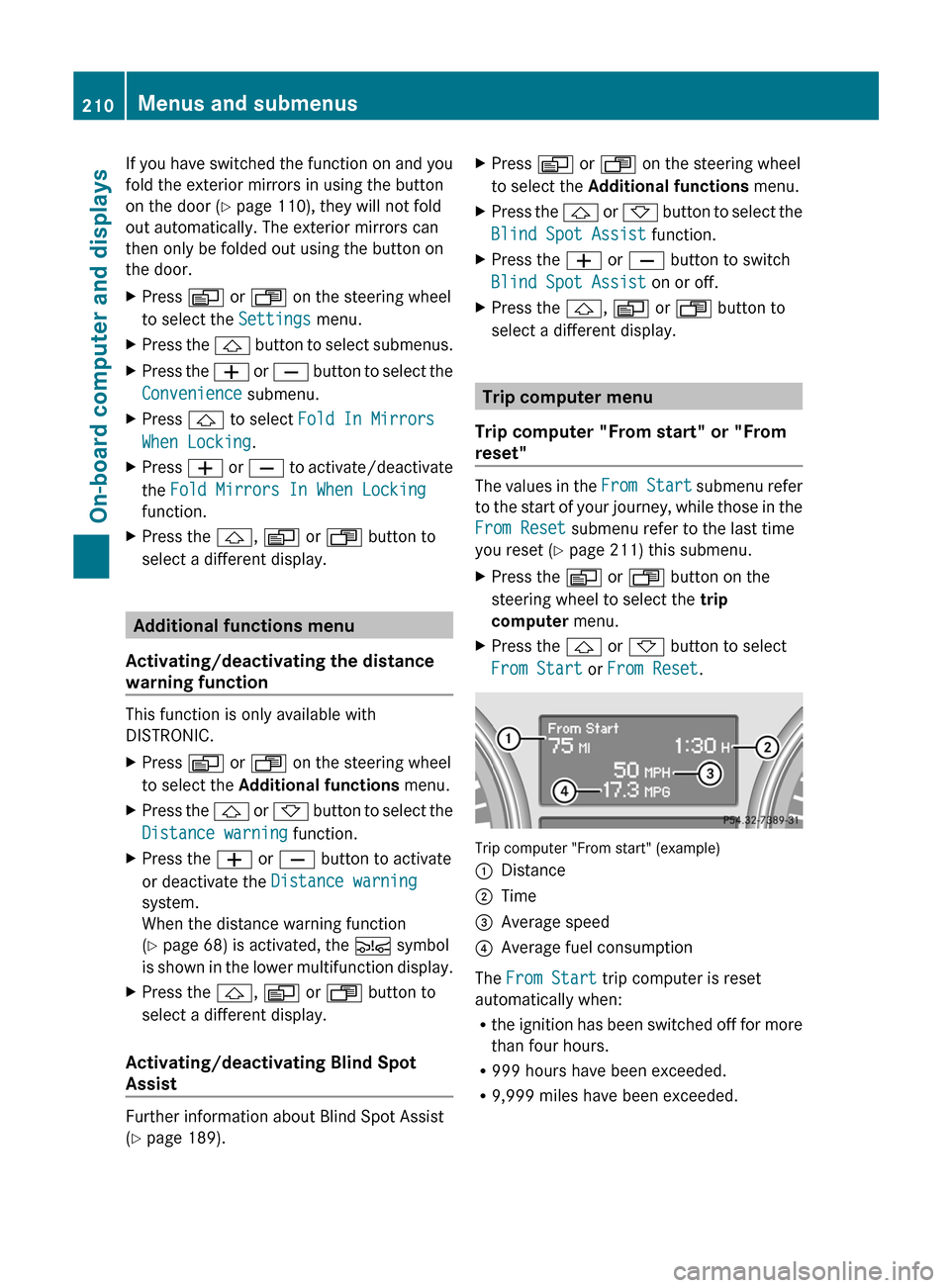
Trip computer "From start" (example)
:Distance;Time=Average speed?Average fuel consumption
The From Start trip computer is reset
automatically when:
R the ignition has been switched off for more
than four hours.
R 999 hours have been exceeded.
R 9,999 miles have been exceeded.
210Menus and submenusOn-board computer and displays
Page 213 of 368
When 9,999 hours or 99,999 miles have been
exceeded, the trip computer is automatically
reset From Reset .
Resetting valuesXPress the V or U button on the
steering wheel to select the trip
computer menu.XPress the & or * button to select the
function that you wish to reset.XPress and hold the . reset button on the
instrument cluster until the values have
reverted to "0".
Calling up the range
XPress V or U on the steering wheel
to select the trip computer menu.XPress & or * to select Range:.
The multifunction display shows the
estimated range of the vehicle, based on
the current driving style and the fuel level.
If there is only a small amount of fuel left in
the fuel tank, the display shows a vehicle
being refueled C instead of the range.
Displaying the current fuel
consumption
XPress V or U on the steering wheel
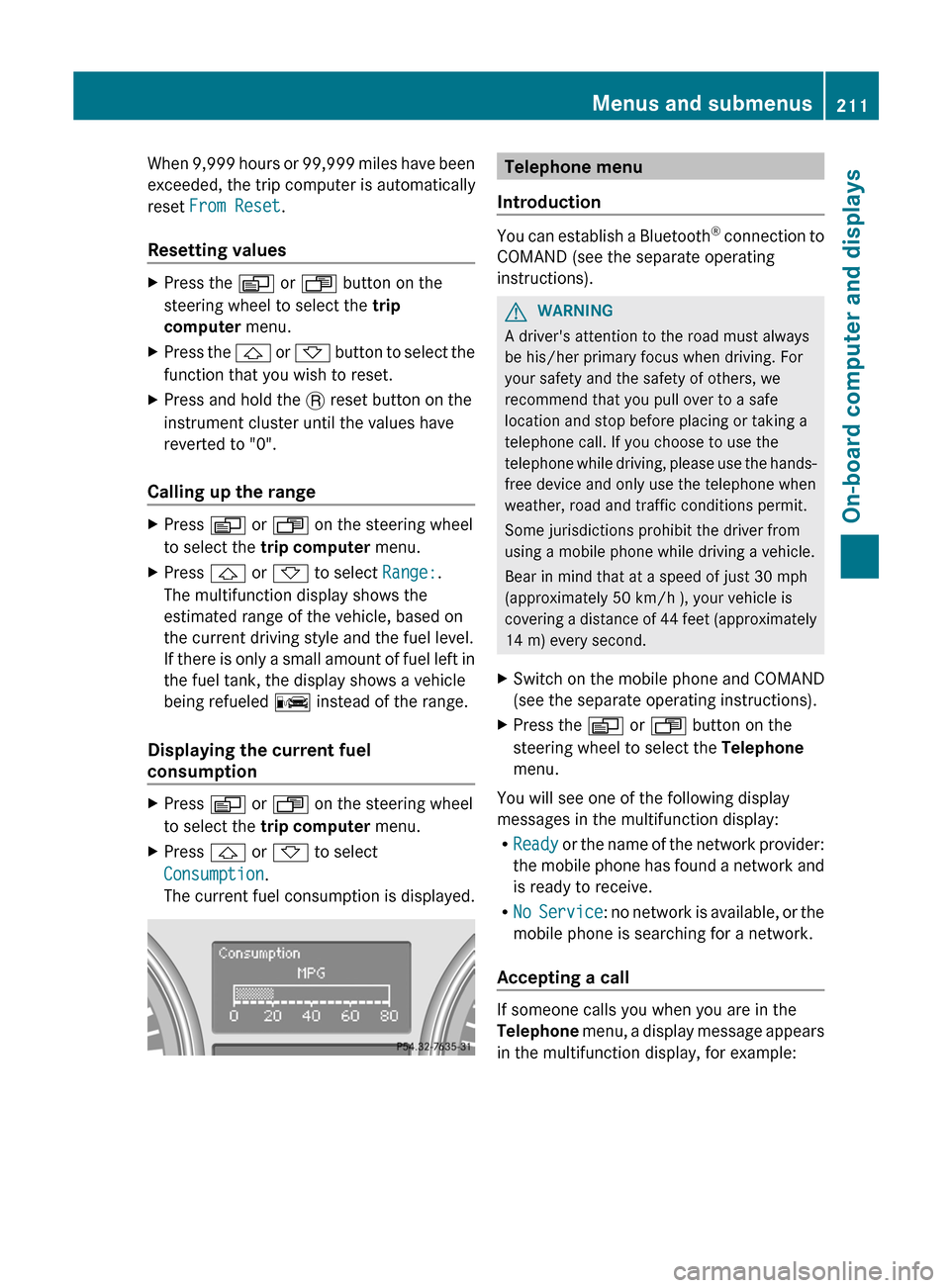
to select the trip computer menu.XPress & or * to select
Consumption .
The current fuel consumption is displayed.Telephone menu
Introduction
You can establish a Bluetooth ®
connection to
COMAND (see the separate operating
instructions).
GWARNING
A driver's attention to the road must always
be his/her primary focus when driving. For
your safety and the safety of others, we
recommend that you pull over to a safe
location and stop before placing or taking a
telephone call. If you choose to use the
telephone while driving, please use the hands-
free device and only use the telephone when
weather, road and traffic conditions permit.
Some jurisdictions prohibit the driver from
using a mobile phone while driving a vehicle.
Bear in mind that at a speed of just 30 mph
(approximately 50 km/h ), your vehicle is
covering a distance of 44 feet (approximately
14 m) every second.
XSwitch on the mobile phone and COMAND
(see the separate operating instructions).XPress the V or U button on the
steering wheel to select the Telephone
menu.
You will see one of the following display
messages in the multifunction display:
R Ready or the name of the network provider:
the mobile phone has found a network and
is ready to receive.
R No Service : no network is available, or the
mobile phone is searching for a network.
Accepting a call
If someone calls you when you are in the
Telephone menu, a display message appears
in the multifunction display, for example:
Menus and submenus211On-board computer and displaysZ
Page 216 of 368
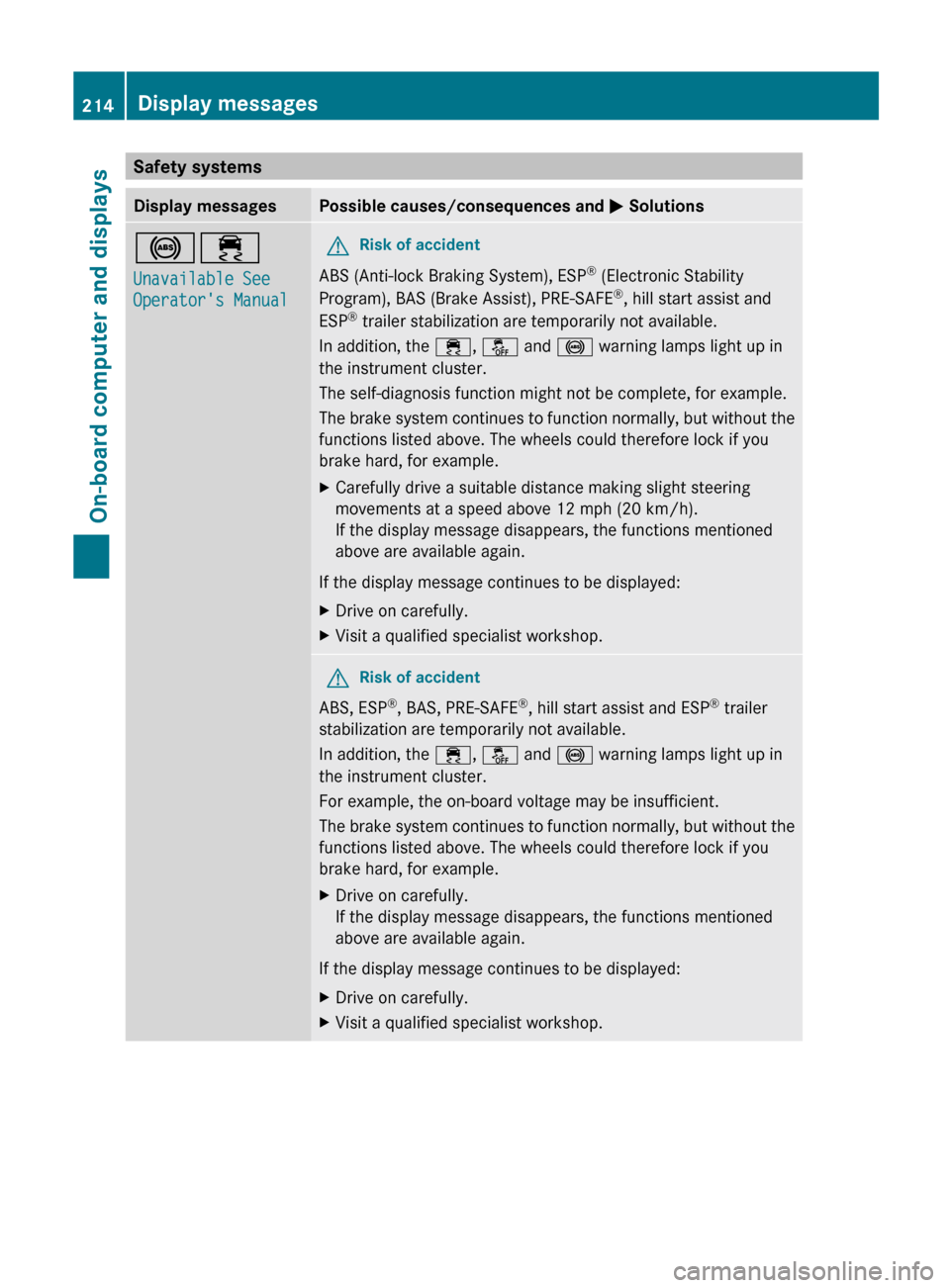
Safety systemsDisplay messagesPossible causes/consequences and M Solutions!÷
Unavailable See
Operator's ManualGRisk of accident
ABS (Anti-lock Braking System), ESP ®
(Electronic Stability
Program), BAS (Brake Assist), PRE-SAFE ®
, hill start assist and
ESP ®
trailer stabilization are temporarily not available.
In addition, the ÷, å and ! warning lamps light up in
the instrument cluster.
The self-diagnosis function might not be complete, for example.
The brake system continues to function normally, but without the
functions listed above. The wheels could therefore lock if you
brake hard, for example.
XCarefully drive a suitable distance making slight steering
movements at a speed above 12 mph (20 km/h).
If the display message disappears, the functions mentioned
above are available again.
If the display message continues to be displayed:
XDrive on carefully.XVisit a qualified specialist workshop.GRisk of accident
ABS, ESP ®
, BAS, PRE-SAFE ®
, hill start assist and ESP ®
trailer
stabilization are temporarily not available.
In addition, the ÷, å and ! warning lamps light up in
the instrument cluster.
For example, the on-board voltage may be insufficient.
The brake system continues to function normally, but without the
functions listed above. The wheels could therefore lock if you
brake hard, for example.
XDrive on carefully.
If the display message disappears, the functions mentioned
above are available again.
If the display message continues to be displayed:
XDrive on carefully.XVisit a qualified specialist workshop.214Display messagesOn-board computer and displays
Page 217 of 368
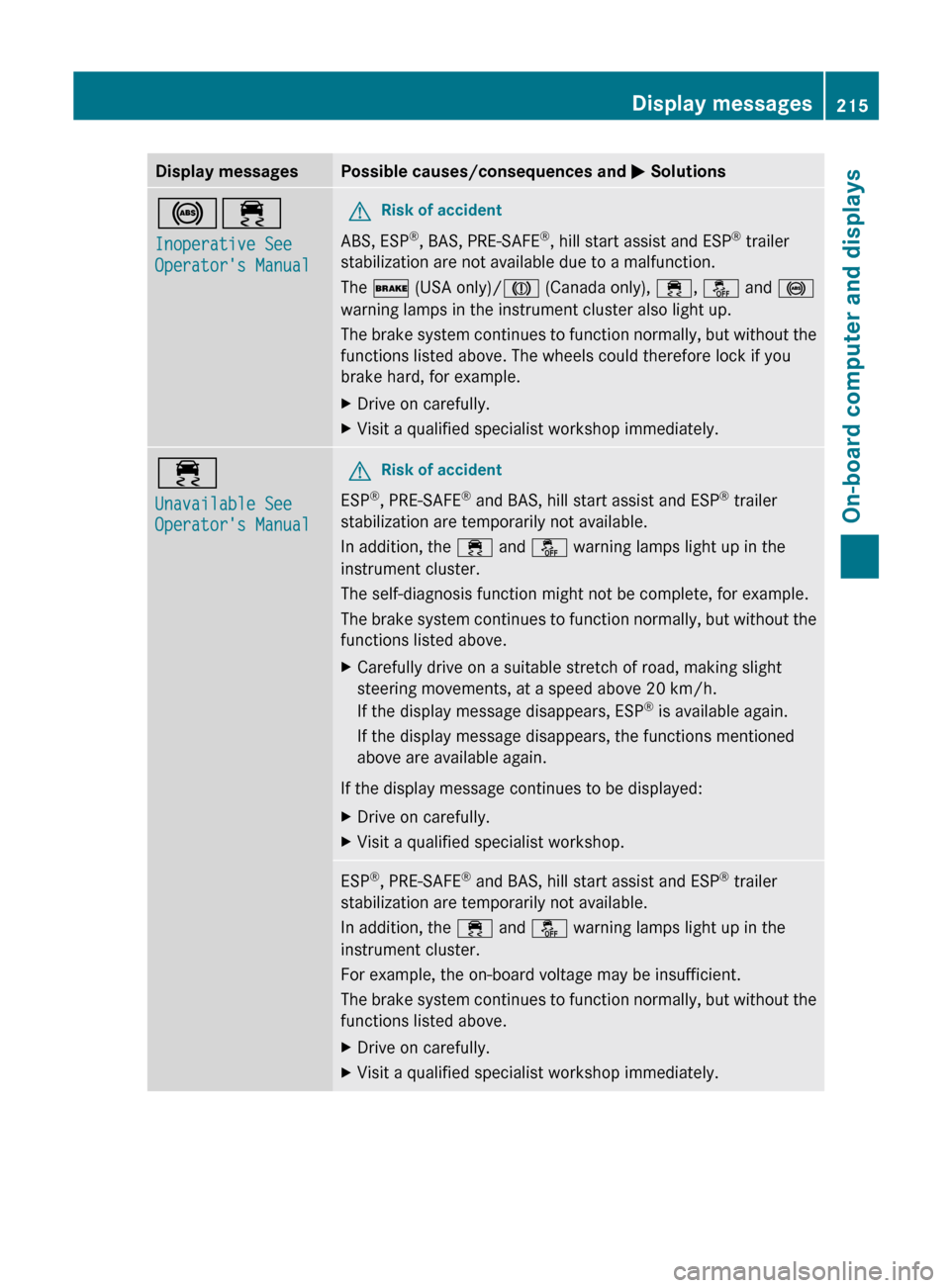
Display messagesPossible causes/consequences and M Solutions!÷
Inoperative See
Operator's ManualGRisk of accident
ABS, ESP ®
, BAS, PRE-SAFE ®
, hill start assist and ESP ®
trailer
stabilization are not available due to a malfunction.
The $ (USA only)/ J (Canada only), ÷, å and !
warning lamps in the instrument cluster also light up.
The brake system continues to function normally, but without the
functions listed above. The wheels could therefore lock if you
brake hard, for example.
XDrive on carefully.XVisit a qualified specialist workshop immediately.÷
Unavailable See
Operator's ManualGRisk of accident
ESP ®
, PRE-SAFE ®
and BAS, hill start assist and ESP ®
trailer
stabilization are temporarily not available.
In addition, the ÷ and å warning lamps light up in the
instrument cluster.
The self-diagnosis function might not be complete, for example.
The brake system continues to function normally, but without the
functions listed above.
XCarefully drive on a suitable stretch of road, making slight
steering movements, at a speed above 20 km/h.
If the display message disappears, ESP ®
is available again.
If the display message disappears, the functions mentioned
above are available again.
If the display message continues to be displayed:
XDrive on carefully.XVisit a qualified specialist workshop.ESP ®
, PRE-SAFE ®
and BAS, hill start assist and ESP ®
trailer
stabilization are temporarily not available.
In addition, the ÷ and å warning lamps light up in the
instrument cluster.
For example, the on-board voltage may be insufficient.
The brake system continues to function normally, but without the
functions listed above.XDrive on carefully.XVisit a qualified specialist workshop immediately.Display messages215On-board computer and displaysZ
Page 242 of 368
ProblemPossible causes/consequences and M Solutions!
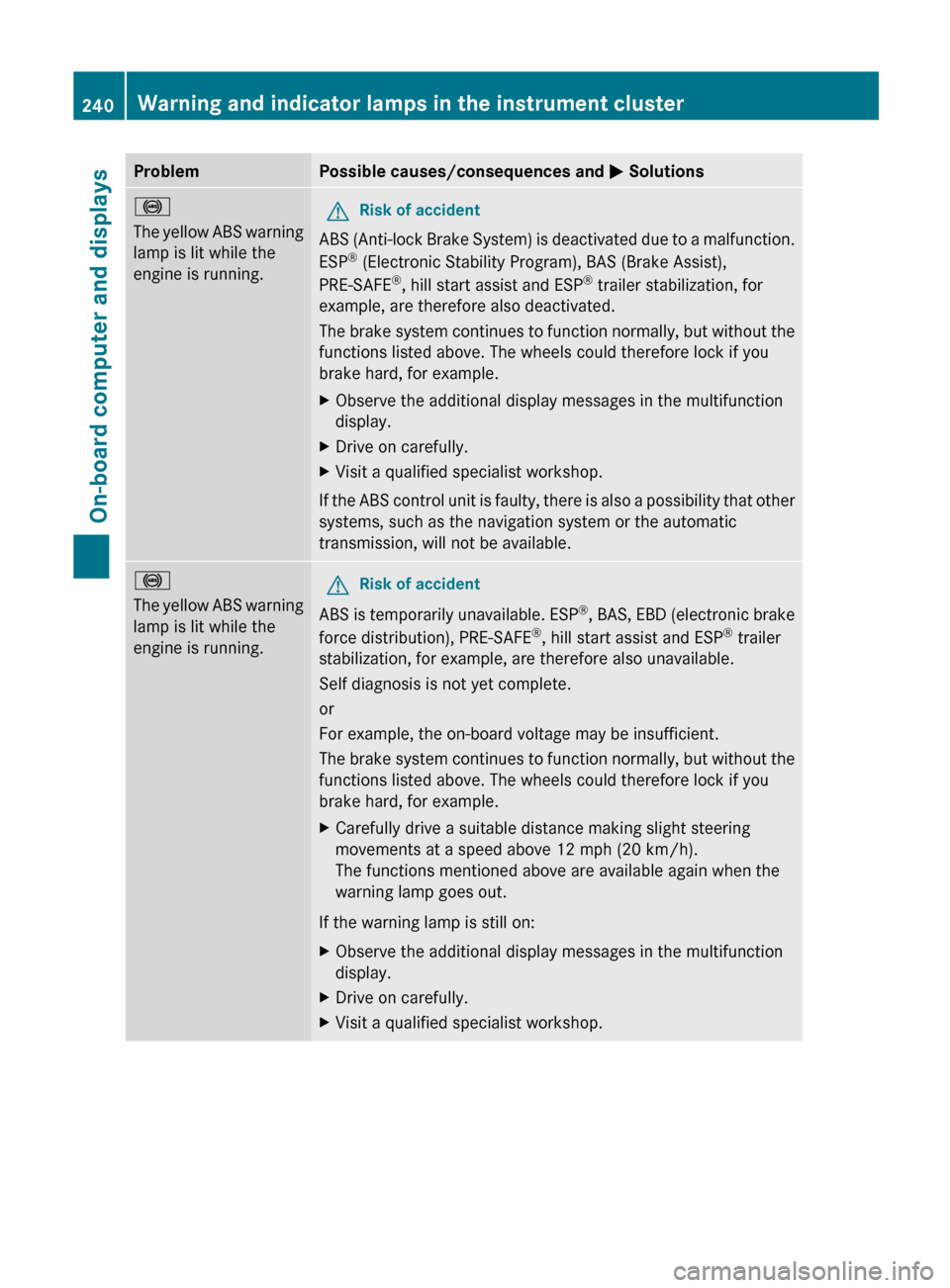
The yellow ABS warning
lamp is lit while the
engine is running.GRisk of accident
ABS (Anti-lock Brake System) is deactivated due to a malfunction.
ESP ®
(Electronic Stability Program), BAS (Brake Assist),
PRE-SAFE ®
, hill start assist and ESP ®
trailer stabilization, for
example, are therefore also deactivated.
The brake system continues to function normally, but without the
functions listed above. The wheels could therefore lock if you
brake hard, for example.
XObserve the additional display messages in the multifunction
display.XDrive on carefully.XVisit a qualified specialist workshop.
If the ABS control unit is faulty, there is also a possibility that other
systems, such as the navigation system or the automatic
transmission, will not be available.
!
The yellow ABS warning
lamp is lit while the
engine is running.GRisk of accident
ABS is temporarily unavailable. ESP ®
, BAS, EBD (electronic brake
force distribution), PRE-SAFE ®
, hill start assist and ESP ®
trailer
stabilization, for example, are therefore also unavailable.
Self diagnosis is not yet complete.
or
For example, the on-board voltage may be insufficient.
The brake system continues to function normally, but without the
functions listed above. The wheels could therefore lock if you
brake hard, for example.
XCarefully drive a suitable distance making slight steering
movements at a speed above 12 mph (20 km/h).
The functions mentioned above are available again when the
warning lamp goes out.
If the warning lamp is still on:
XObserve the additional display messages in the multifunction
display.XDrive on carefully.XVisit a qualified specialist workshop.240Warning and indicator lamps in the instrument clusterOn-board computer and displays
Page 247 of 368
Driving systemsProblemPossible causes/consequences and M Solutions·
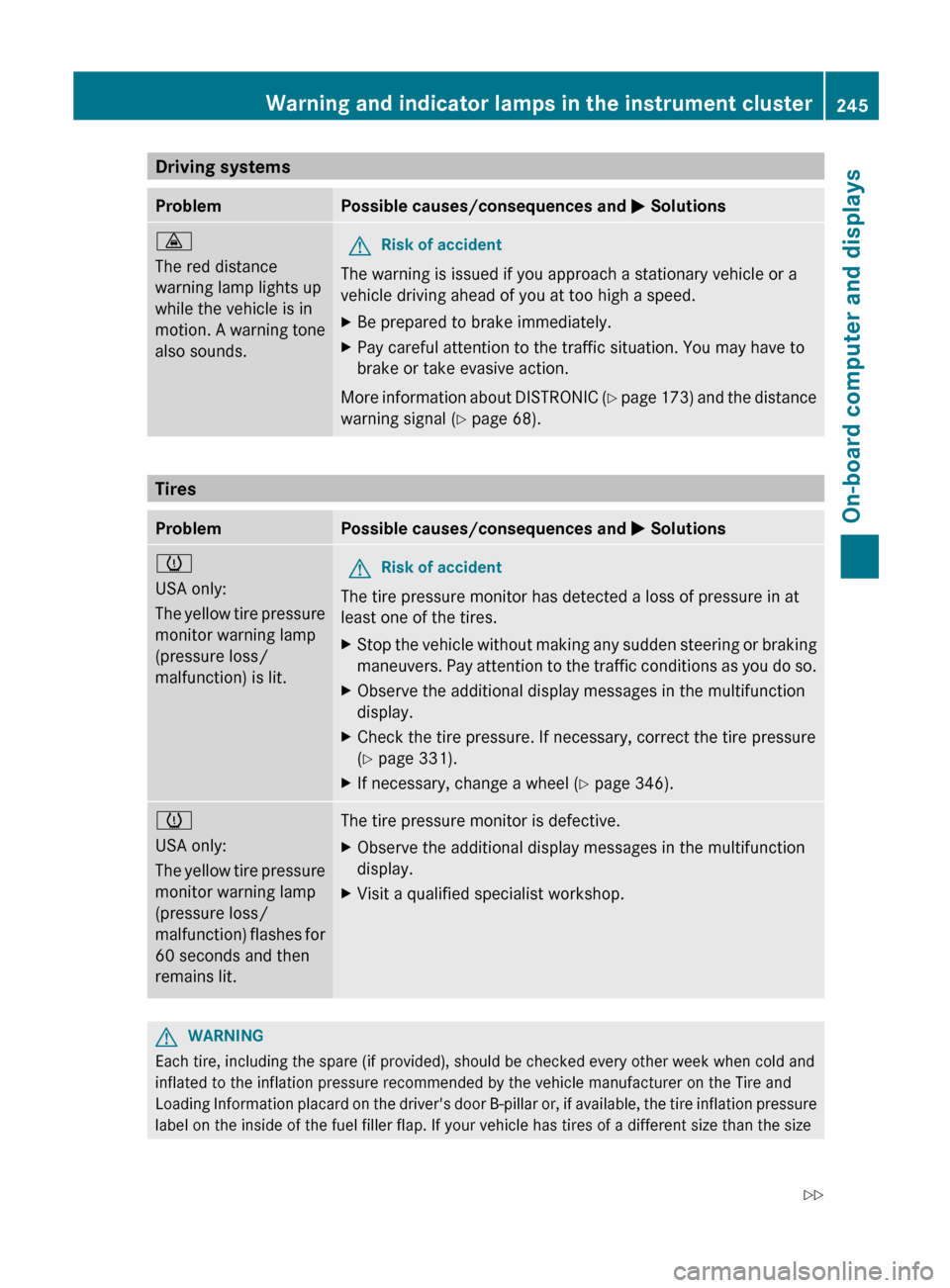
The red distance
warning lamp lights up
while the vehicle is in
motion. A warning tone
also sounds.GRisk of accident
The warning is issued if you approach a stationary vehicle or a
vehicle driving ahead of you at too high a speed.
XBe prepared to brake immediately.XPay careful attention to the traffic situation. You may have to
brake or take evasive action.
More information about DISTRONIC (Y page 173) and the distance
warning signal ( Y page 68).
Tires
ProblemPossible causes/consequences and M Solutionsh
USA only:
The yellow tire pressure
monitor warning lamp
(pressure loss/
malfunction) is lit.GRisk of accident
The tire pressure monitor has detected a loss of pressure in at
least one of the tires.
XStop the vehicle without making any sudden steering or braking
maneuvers. Pay attention to the traffic conditions as you do so.XObserve the additional display messages in the multifunction
display.XCheck the tire pressure. If necessary, correct the tire pressure
( Y page 331).XIf necessary, change a wheel ( Y page 346).h
USA only:
The yellow tire pressure
monitor warning lamp
(pressure loss/
malfunction) flashes for
60 seconds and then
remains lit.The tire pressure monitor is defective.XObserve the additional display messages in the multifunction
display.XVisit a qualified specialist workshop.GWARNING
Each tire, including the spare (if provided), should be checked every other week when cold and
inflated to the inflation pressure recommended by the vehicle manufacturer on the Tire and
Loading Information placard on the driver's door B-pillar or, if available, the tire inflation pressure
label on the inside of the fuel filler flap. If your vehicle has tires of a different size than the size
Warning and indicator lamps in the instrument cluster245On-board computer and displaysZ
Page 306 of 368
handling characteristics of the vehicle may
change.
Adapt your style of driving accordingly.
Never operate the vehicle with more than one
emergency spare wheel/spare wheel that
differs in size.
Only use an emergency spare wheel/spare
wheel of a differing size briefly and do not
switch off ESP ®
.
When using an emergency spare wheel, you
must not exceed the maximum speed of
50 mph (80 km/h).GWARNING
Have the emergency spare wheel/spare
wheel replaced with a new wheel as soon as
possible at a qualified specialist workshop
which has the necessary specialist knowledge
and tools to carry out the work required.
Mercedes-Benz recommends that you use an
authorized Mercedes-Benz Center for this
purpose. In particular, work relevant to safety
or on safety-related systems must be carried
out at a qualified specialist workshop.
i Vehicles without a spare wheel/
emergency spare wheel are not equipped
with a tire-change tool kit at the factory. For
more information on which tools are
required to perform a wheel change on your
vehicle, e.g. wheel chock, lug wrench or
alignment bolt, consult an authorized
Mercedes-Benz Center.
XPrepare the vehicle as described
( Y page 299).XIf a trailer is coupled to the vehicle,
uncouple it.XRemove the following items (depending on
the vehicle's equipment) from the stowage
well under the trunk floor:
R the emergency spare wheel 35
R the wheel bolts for the emergency spare
wheel 35
R the jackRthe ratchet wrench
R the lug wrench
R the folding wheel chock
R the alignment bolt
R the tire inflation compressor 35XSecure the vehicle to prevent it from rolling
away.
Securing the vehicle to prevent it from
rolling away
GWARNING
Only jack up the vehicle on level ground or on
slight inclines/declines. The vehicle could
otherwise fall off the jack and injure you or
others.
If your vehicle is equipped with a wheel chock,
it can be found in the vehicle tool kit
( Y page 296).
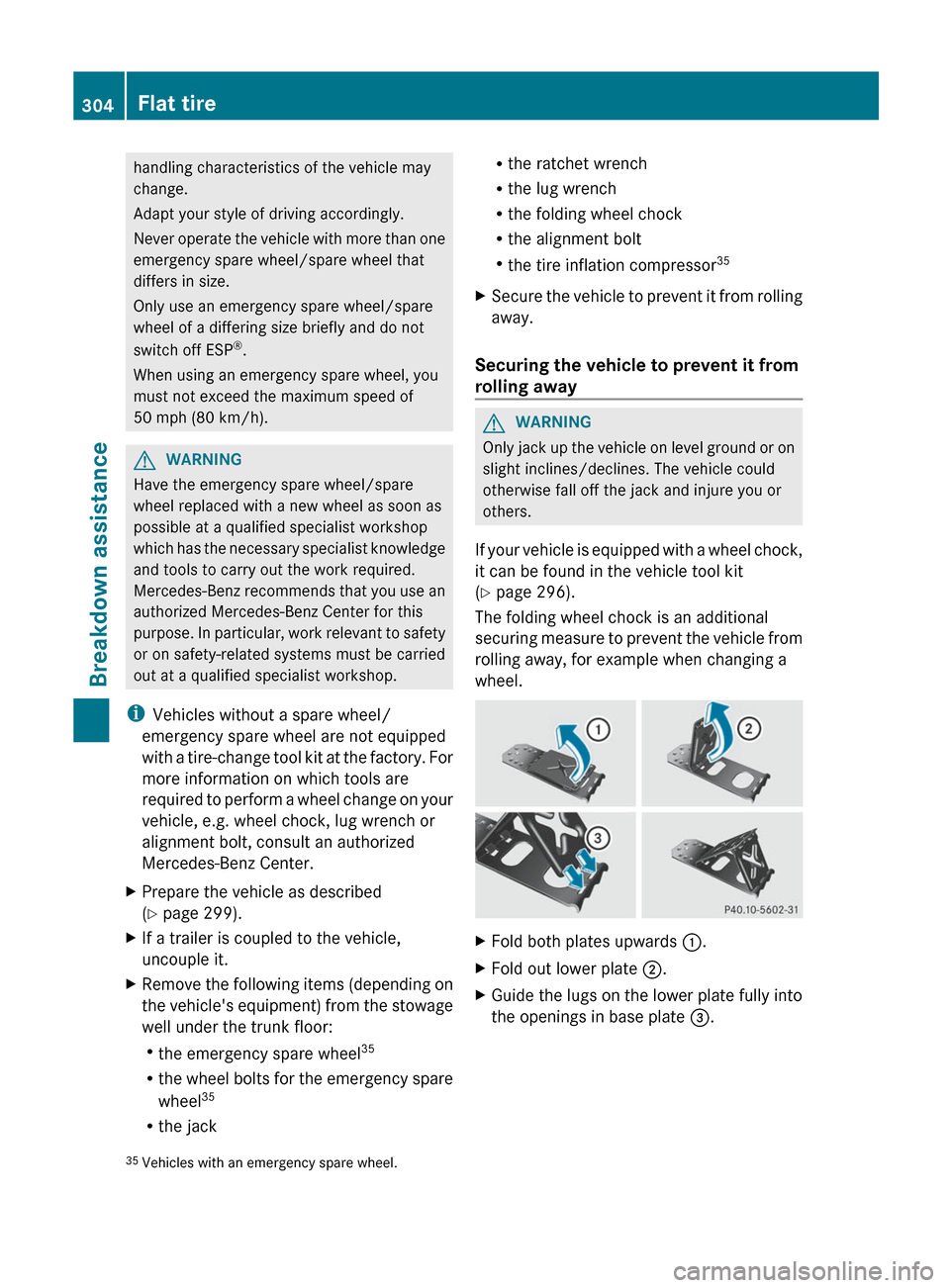
The folding wheel chock is an additional
securing measure to prevent the vehicle from
rolling away, for example when changing a
wheel.
XFold both plates upwards :.XFold out lower plate ;.XGuide the lugs on the lower plate fully into
the openings in base plate =.35
Vehicles with an emergency spare wheel.304Flat tireBreakdown assistance
Page 311 of 368
Lowering the vehicleGWARNING
Pump up the collapsible spare wheel before
lowering the vehicle. You could otherwise
damage the wheel rim.
XPlace the ratchet wrench onto the hexagon
nut of the jack so that the letters AB are
visible.XTurn the ratchet wrench until the vehicle is
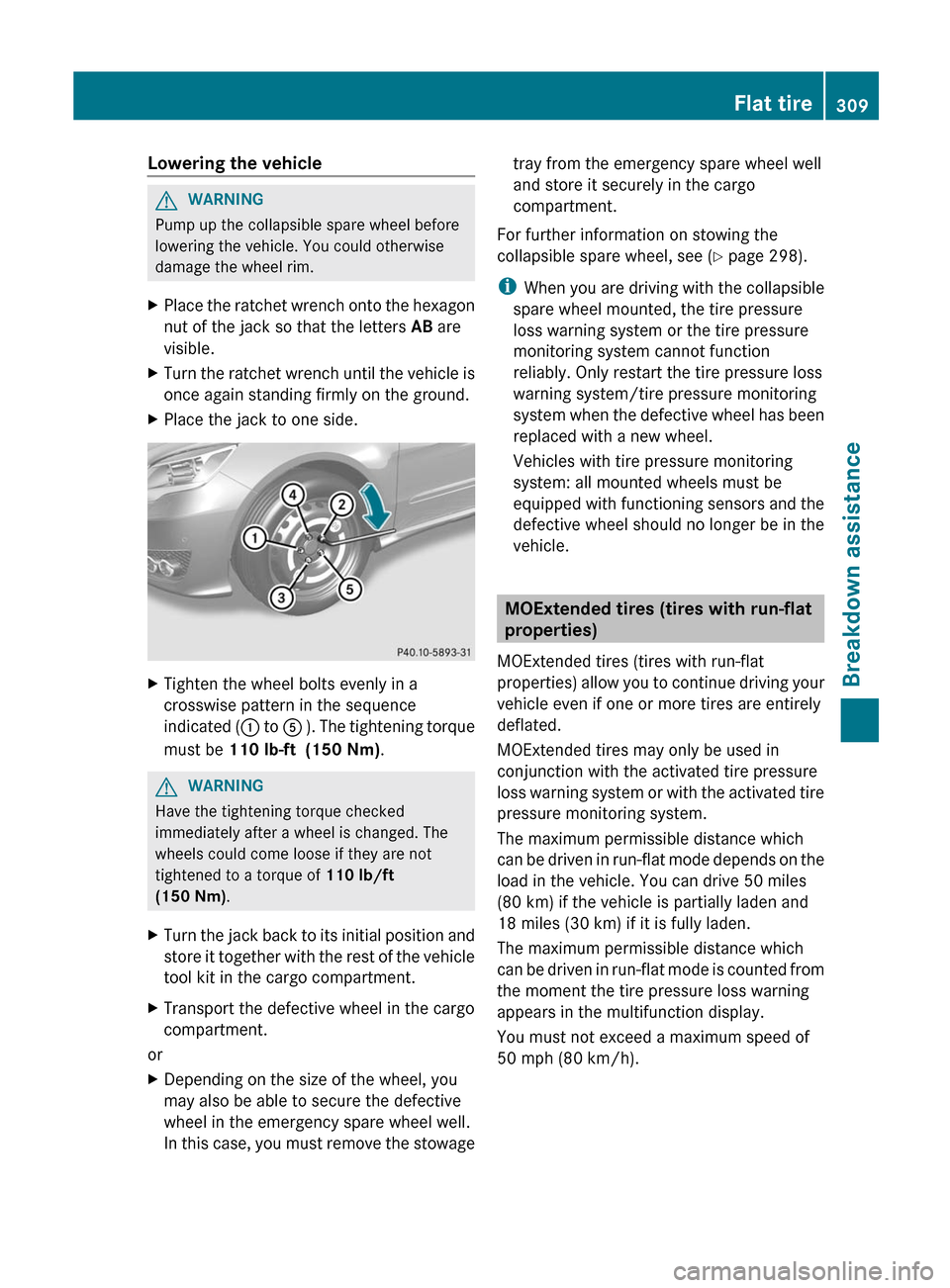
once again standing firmly on the ground.XPlace the jack to one side.XTighten the wheel bolts evenly in a
crosswise pattern in the sequence
indicated ( : to A ). The tightening torque
must be 110 lb-ft (150 Nm) .GWARNING
Have the tightening torque checked
immediately after a wheel is changed. The
wheels could come loose if they are not
tightened to a torque of 110 lb/ft
(150 Nm) .
XTurn the jack back to its initial position and
store it together with the rest of the vehicle
tool kit in the cargo compartment.XTransport the defective wheel in the cargo
compartment.
or
XDepending on the size of the wheel, you
may also be able to secure the defective
wheel in the emergency spare wheel well.
In this case, you must remove the stowagetray from the emergency spare wheel well
and store it securely in the cargo
compartment.
For further information on stowing the
collapsible spare wheel, see ( Y page 298).
i When you are driving with the collapsible
spare wheel mounted, the tire pressure
loss warning system or the tire pressure
monitoring system cannot function
reliably. Only restart the tire pressure loss
warning system/tire pressure monitoring
system when the defective wheel has been
replaced with a new wheel.
Vehicles with tire pressure monitoring
system: all mounted wheels must be
equipped with functioning sensors and the
defective wheel should no longer be in the
vehicle.
MOExtended tires (tires with run-flat
properties)
MOExtended tires (tires with run-flat
properties) allow you to continue driving your
vehicle even if one or more tires are entirely
deflated.
MOExtended tires may only be used in
conjunction with the activated tire pressure
loss warning system or with the activated tire
pressure monitoring system.
The maximum permissible distance which
can be driven in run-flat mode depends on the
load in the vehicle. You can drive 50 miles
(80 km) if the vehicle is partially laden and
18 miles (30 km) if it is fully laden.
The maximum permissible distance which
can be driven in run-flat mode is counted from
the moment the tire pressure loss warning
appears in the multifunction display.
You must not exceed a maximum speed of
50 mph (80 km/h).
Flat tire309Breakdown assistanceZ
Page 312 of 368
GWARNING
The handling characteristics of your vehicle
deteriorate in run-flat mode, for example:
R when cornering
R when braking
R when accelerating rapidly
Adapt your driving style accordingly and avoid
sudden changes in direction and sudden
acceleration, as well as driving over obstacles
(i.e. curbs, potholes), and driving off-road.
This is particularly the case when the vehicle
is heavily laden.
The maximum permissible distance that can
be driven in run-flat mode depends to a large
extent on the loads placed on the vehicle. It
can be shorter due to high speeds, a heavy
load, sudden changes in direction, the road
surface condition, outside temperature, etc.,
or further if you drive carefully and
conservatively.
Do not continue to drive in run-flat mode if:
R you hear banging noises.
R the vehicle starts to shake.
R you see smoke and smell rubber.
R ESP ®
is intervening constantly.
R there are tears in the sidewalls of the tire.
After driving in run-flat mode, you must have
the wheel(s) checked for damage at a
qualified specialist workshop which has the
necessary specialist knowledge and tools to
carry out the work required. The defective tire
must be replaced in every case.
Mercedes-Benz recommends that you use an
authorized Mercedes-Benz Center for this
purpose. In particular, work relevant to safety
or on safety-related systems must be carried
out at a qualified specialist workshop.
i When replacing one or all tires, make sure
that you only use tires marked
MOExtended and of the specified size for
the vehicle.
i Vehicles equipped with MOExtended tires
are not equipped with a TIREFIT kit at the
factory. It is therefore recommended that
you additionally equip your vehicle with a
TIREFIT kit if you mount tires that do not
feature run-flat properties, e.g. winter tires.
A TIREFIT kit can be obtained from an
authorized Mercedes-Benz Center.
Battery
Important safety notes
In order for the battery to achieve the
maximum possible service life, it must always
be sufficiently charged.
! Have the battery checked regularly at a
qualified specialist workshop, such as an
authorized Mercedes-Benz Center.
Adhere to the service intervals indicated in
the service booklet or ask a qualified
specialist workshop, such as an authorized
Mercedes-Benz Center.
Have the battery charge checked more
frequently if you use the vehicle mainly for
short trips or if you leave it standing idle for
a lengthy period.
Only replace a battery with a battery that has
been recommended by Mercedes-Benz.
Consult an authorized Mercedes-Benz Center
if you wish to leave your vehicle parked for a
long period of time.
GWARNING
Comply with safety precautions and take
protective measures when handling batteries.
Risk of explosionFire, naked flames and
smoking are prohibited
when handling the battery.
Avoid creating sparks.Battery acid is caustic.
Avoid contact with the skin,
eyes or clothing.310BatteryBreakdown assistance