brake light MERCEDES-BENZ S-CLASS CABRIOLET 2018 User Guide
[x] Cancel search | Manufacturer: MERCEDES-BENZ, Model Year: 2018, Model line: S-CLASS CABRIOLET, Model: MERCEDES-BENZ S-CLASS CABRIOLET 2018Pages: 502, PDF Size: 6.27 MB
Page 155 of 502
RAdapt your drivin gst yle to suit the cur rent
ro ad and weather conditions.
It can make sense todeactivate ESP
®inthefo l‐
lowing situations toimpr ovetraction:
RWhen using snow chains.
RIn deep snow .
ROn sand or gr avel.
% Spinning the wheels results in a cutting
action which pr ovides better grip.
If th e÷ ESP
®warning lamp lights up continu‐
ousl y,ESP®is not available due toa malfunction. Observ
eth efo llowing information:
RWa rning and indicator lamps (→page 445)
RDispl aymessage s (→page 404)
ETS/4ETS (Electronic Traction Sy stem)
ETS/4E TStraction control is pa rtof ESP
®and
makes it possible topull away or accelerate on a
slippery sur face.
ETS/4ETS can impr ovetheve hicle's traction by
inter vening in thefo llowing ways:
RThe drive wheels are braked individually if
they spin.
RMore drive torque is transferred tothe wheel
or wheels with traction.
Influence of drive prog rams on ESP
®
The drive prog rams enable ESP®to adapt todif‐
fe re nt we ather and road conditions as well as
th e driver's prefer red driving style. You can
select the drive prog rams using theDY NA MIC
SELECT switch (
→page 136).
Driving and pa rking 15
3
Page 157 of 502
125mp h(2 00 km/h) when driving stra ight
ahead or cornering slightly.
RThe vehicle is stabilized bymeans of individ‐
ual brake application on one side.
Fu nction of EBD (Electronic Brake forc e Dis‐
tribution)
EBD is characterized bythefo llowing:
RMonitoring and regulating the brake pressure
on there ar wheels.
RImpr oved driving stability when braking,
especially on bends.
ST EER CONT ROL function
STEER CONTROL helps youby transmitting a
noticeable steering forc eto thesteering wheel in
th e direction requiredforve hicle stabilization.
This steering recommendation is given part icu‐
lar lyin thefo llowing situations:
RBo th right wheels or bo thleft wheels are on
a we t or slippe ryroad sur face when you
brake.
RThe vehicle starts toskid.
Sy stem limitations
ST EER CONTROL may be impaired or may not
function in thefo llowing situations:
RESP®is deactivated.
RESP®is malfunctioning.
RThe steering is malfunctioning.
If ESP
®is malfunctioning, you will beassis ted
fur ther by the electric po werst eering.
Fu nction of Active Brake Assi st
Active Brake Assi stconsist s of:
RDistance warning function
RAu tonomous braking function
RSituation-dependent braking assist ance
RVehicles with Driving Assistance Pack‐
age: Evasi veSteering Assist
Ac tive Brake Assi stcan help youto minimize the
ri sk of a collision with vehicles or pedestrians or
to reduce the ef fects of such a collision. If
Ac tive Brake Assi sthas de tected a risk of colli‐
sion, youwill bewarned visually and acousti‐
cally.
If yo udo not react tothe visual or acoustic warn‐
ing, autonomous braking can be initiated in criti‐
cal situations.
In especially critical situations, Active Brake
Assi stcan initiate autonomous braking direct ly.
In this case, the visual and acoustic warning
occurs simultaneously with the braking applica‐
tion.
If yo uappl yth e brake yourself in a critical situa‐
tion or applyth e brake during autonomous brak‐
ing, situation-dependent braking assis tance
occurs . This increases the brake pressure up to
maximum full-s top braking if necessar y.
If th e autonomous braking function or the situa‐
tion-dependent braking assis tance is trig gered,
additional pr eventive measure sfo r occupant
pr otection (PRE-SAFE®) may also be initiated, if
th eve hicle is equipped with these.
Driving and parking 15
5
Page 158 of 502
&WARNING Risk of an accident caused by
limited de tection per form ance of Active
Brake Assi st
Ac tive Brake Assi stcannot al ways clear ly
identify objects and complex traf fic situa‐
tions.
In such cases,Active Brake Assi stmight:
RGive a warning or brake without reason
RNo t give a warning or not brake
#Alw ays pay careful attention tothe traf‐
fi c situation; do not rely on Active Brake
Assi stalone. Active Brake Assi stis only
an aid. The driver is responsible for
maintaining a sui table dis tance tothe
ve hicle in front, vehicle speed and for
braking in good time.
#Be prepared tobrake or swer veif nec‐
essar y.
Also obser vethe sy stem limitations of Active
Brake Assi st.
The individual subfunctions are available in
th efo llowing speed ranges:
Distance warning function The dis
tance warning function issues a warning
at speeds:
RFr om appr oximately 4 mph (7 km/h), if your
ve hicle is critically close toave hicle or
pedestrian. An intermittent warning tone
sounds and the· distance warning lamp
lights up in the instrument clus ter.
Brake immediately or take evasive action, pr ovi‐
ded it is safe todo so and the traf fic situation
allo wsthis.
The distance warning function can aid you in thefo llowing situations with an intermit tent wa rning tone and a warning lamp:
Ve hicles tr aveling in
front St
ationary vehicles Crossing vehicles Crossing pedestrians Stationary pedes‐
trians
Ve hicles without Driv‐
ing Assis tance Pack‐
age up
toappr ox.15 5mp h
(250 km/h) up
toappr ox. 50 mph
(80 km/h) no
reaction uptoappr ox.37 mph
(60 km/h) no
reaction
Ve hicles with Driving
Assis tance Package up
toappr ox.15 5mp h
(250 km/h) up
toappr ox. 62 mph
(100 km/h) up
toappr ox. 43 mph
(70 km/h) up
toappr ox. 43 mph
(70 km/h) up
toappr ox. 43 mph
(70 km/h)
15 6
Driving and pa rking
Page 160 of 502
Canceling a brake application ofActive Brake
Assi st
Yo u can cancel a brake applic ation of Active
Brake Assi stat any time by:
RDep ressing the accelera tor pedal fully.
RRe leasing the brake pedal.
Ac tive Brake Assi stmay cancel the brake appli‐
cation when one of thefo llowing conditions is
fulfilled:
RYo u maneuver to avoidthe obs tacle.
RThere is no longer a risk of collision.
RAn obs tacle is no longer de tected in front of
yo ur vehicle.
Evasive Steering Assist (only vehicles with
Driving Assistance Package)
Evasi veSteering Assist has thefo llowing charac‐
te rist ics:
RCan de tect stationary or crossing pedes‐
trians.
RCan assist the driver with additional steering
assis tance if it de tects a swerving maneuver.
RCan be acti vatedby an abrupt steering mo ve‐
ment during a swerving maneu ver.
RCan assist during swerving and stra ightening
of theve hicle.
RCan react from a speed of appr oximately
12 mp h(2 0 km/h) up toa speed of appr ox‐
imately 43 mph(7 0 km/h).
RYo u can preve ntthe assis tance at any time
by actively steering.
&
WARNING Risk of an accident despite
Evasive Steering Assist
Evasive Steering Assist cannot always clearly
identify objects and complex traf fic situa‐
tions.
In addition, thesteering support of Evasive
St eering Assist is generally not suff icientto
av oid a collision.
In such cases Evasive Steering Assist can:
Rgive an unnecessary warning or pr ovide
assis tance
Rnot give awa rning or not pr ovide assis‐
ta nce
#Alw ays pay careful attention tothe traf‐
fi c situation; do not rely on Ev asive
St eering Assist alone.
#Be ready tobrake and take evasive
action if necessar y.
#Preve ntthe assis tance byactively steer‐
ing in non-critical driving situations.
#Drive at an appropriate speed if pedes‐
trians are close tothe path of your vehi‐
cle.
Also obser vethe sy stem limitations of Evasive
St eering Assist.
Sy stem limitations
The sy stem may be impaired or may not function
in thefo llowing situations:
RIn sno w,rain, fog, heavy spr ay, if there is
gl are, in direct sunlight or in greatlyvarying
ambient light.
RIf th e sensors are dirty, fogged up, damaged
or co vered.
15 8
Driving and pa rking
Page 162 of 502
Cruise cont rol is operated using the cor respond‐
ing steering wheel buttons. You can store any
ro ad speed abo ve15 mp h (20 km/h) up tothe
maximum speed.
If yo ufa ilto adapt your drivin gst yle, cruise con‐
trol can neither reduce therisk of an accident
nor override the la wsof ph ysics. It cannot take
into account road, weather or traf fic conditions.
Cruise control is only an aid. You are responsible
fo rth e dis tance totheve hicle in front, forve hi‐
cle speed, for braking in good time and forst ay ‐
ing in lane.
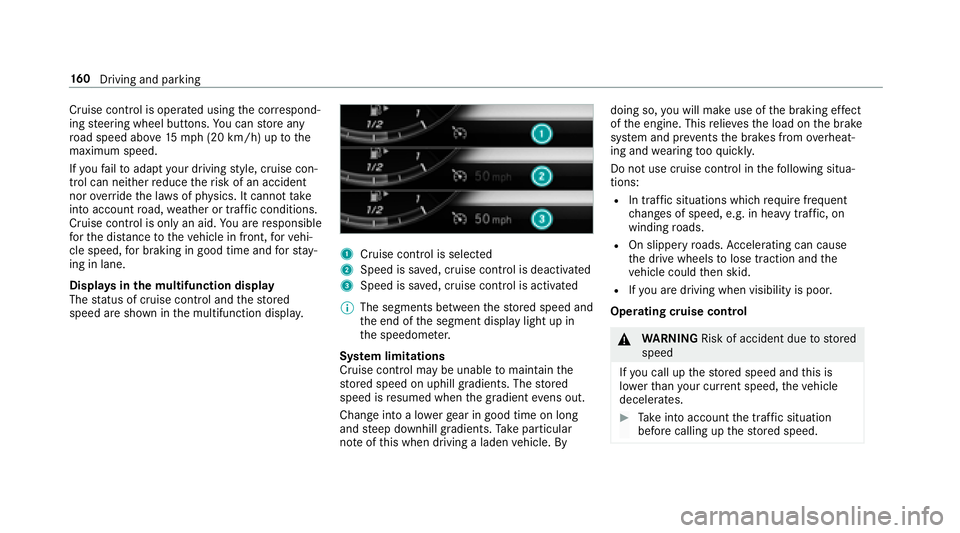
Displa ysinthe multifunction display
The status of cruise control and thestored
speed are shown in the multifunction displa y.
1Cruise cont rol is selecte d
2Speed is sa ved, cruise control is deactivated
3Speed is sa ved, cruise control is activated
% The segments between thestored speed and
th e end of the segment display light up in
th e speedome ter.
Sy stem limitations
Cruise control may be unable tomaintain the
st ored speed on uphill gradients. The stored
speed is resumed when the gradient evens out.
Change into a lo werge ar in good time on long
and steep downhill gradients. Take particular
no te ofthis when driving a laden vehicle. By doing so,
youwill make use of the braking ef fect
of the engine. This relie vesth e load on the brake
sy stem and pr events the brakes from overheat‐
ing and wearing tooqu ickl y.
Do not use cruise control in thefo llowing situa‐
tions:
RIn traf fic situations whi chrequ ire frequent
ch anges of speed, e.g. in heavy traf fic, on
winding roads.
ROn slippery roads. Accelerating can cause
th e drive wheels tolose traction and the
ve hicle could then skid.
RIfyo u are driving when visibility is poor.
Ope rating cruise control
&
WARNING Risk of accident due tostored
speed
If yo u call up thestored speed and this is
lo we rth an your cur rent speed, theve hicle
decelerates.
#Ta ke into account the tra ffic situation
before calling up thestored speed.
16 0
Driving and pa rking
Page 164 of 502
Active Di stance Assist DI STRONIC
Function of Active Di stance Assist
DI STRO NIC
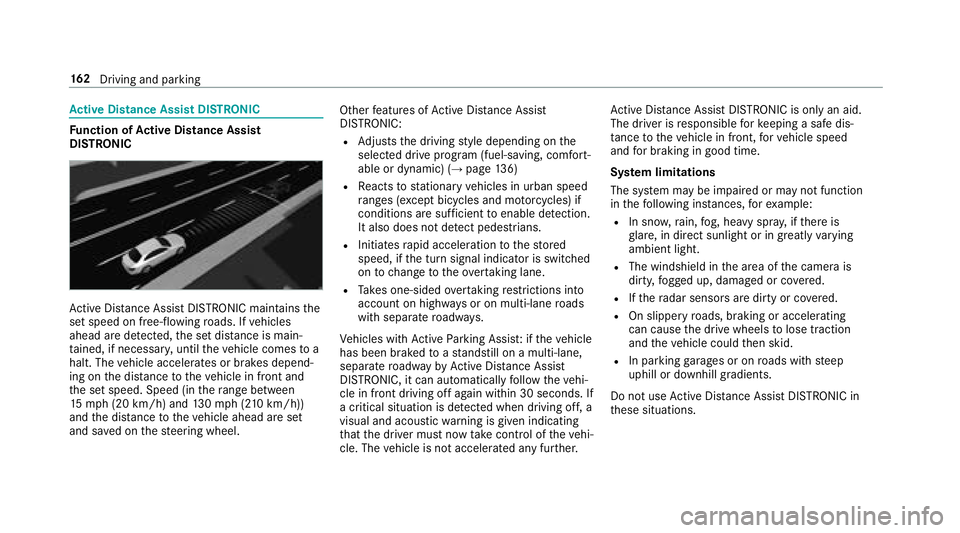
Active Dis tance Assist DISTRONIC maintains the
set speed on free-flowing roads. If vehicles
ahead are de tected, the set dis tance is main‐
ta ined, if necessar y,unt ilth eve hicle comes toa
halt. The vehicle accelerates or brakes depend‐
ing on the dis tance totheve hicle in front and
th e set speed. Speed (in thera nge between
15 mp h(2 0 km/h) and 130mp h(210 km/h))
and the dis tance totheve hicle ahead are set
and sa ved on thesteering wheel. Other
features of Active Dis tance Assist
DISTRONIC:
RAd justs the driving style depending on the
selected drive program (fuel-saving, comfort‐
able or dynamic) (
→page 136)
RRe acts tostationary vehicles in urban speed
ra nges (e xcept bicycles and mo torcyc les) if
conditions are suf ficient toenable de tection.
It also does not de tect pedestrians.
RInitiates rapid acceleration tothestored
speed, if the turn signal indicator is switched
on tochange totheove rtaking lane.
RTa ke s one-sided overtaking restrictions into
account on highw ays or on multi-lane roads
with separate roadw ays.
Ve hicles with Active Parking Assis t:ifth eve hicle
has been braked toast andstill on a multi-lane,
separate roadw ay by Active Dis tance Assist
DISTRONIC, it can au tomatical lyfollow th
eve hi‐
cle in front driving off again within 30 seconds. If
a crit
ical situation is de tected when driving off, a
visual and acoustic warning is given indicating
th at the driver must now take control of theve hi‐
cle. The vehicle is not accelerated any fur ther. Ac
tive Dis tance Assist DISTRONIC is only an aid.
The driver is responsible forke eping a safe dis‐
ta nce totheve hicle in front, forve hicle speed
and for braking in good time.
Sy stem limitations
The sy stem may be impaired or may not function
in thefo llowing ins tances, forex ample:
RIn snow ,ra in, fog, heavy spr ay, if there is
gl are, in direct sunlight or in greatly varying
ambient light.
RThe windshield in the area of the camera is
dirty, fogged up, damaged or co vered.
RIfth era dar sensors are dirty or co vered.
ROn slippery roads, braking or accelerating
can cause the drive wheels tolose traction
and theve hicle could then skid.
RIn parking garage s or on roads with steep
uphill or downhill gradients.
Do not use Active Dis tance Assist DISTRONIC in
th ese situations.
16 2
Driving and pa rking
Page 168 of 502
System limitations
Te mp orary speed restrictions (e.g. for a cer tain
time or due towe ather conditions) cannot be
proper lyde tected bythe sy stem. The maximum
permissible speed applying for a vehicle with a
trailer is not de tected bythe sy stem. In these sit‐
uations you must adjust your speed yourself.
&
WARNING Risk of accident due toActive
Speed Limit Assi stadapting theve hicle's
speed
The speed adop tedby Active Speed Limit
Assi stmay be too high or incor rect in some
individual cases, such as:
RInthewe t or in fog
RWhen towing a trailer
#Ensure that the driven speed complies
with traf fic re gulations.
#Ad just the driving speed tosuit cur rent
traf fic and weather conditions.
Function of route-based speed adaptation
%
The availability of thefo llowing function is
countr y-dependent.
When Dis tance Assist DISTRONIC is acti ve,th e
function adju ststh e speed depending on the
ro ute events ahead. Depending on the drive pro‐
gram selected, theve hicle negotiates thero ute
eve nt ahead in a fuel-s aving, com fortable or
dynamic manner. When thero ute event has been
passed, theve hicle accelerates again tothe
st ored speed. The set dis tancetotheve hicle
ahead, vehicles de tected ahead and speed
re strictions ahead are take n into account.
Ro ute-based speed adjustment can byconfig‐
ured in the multimedia sy stem (
→page 167).
Ro ute events ahead are:
RBends
RT-intersection, traf fic circles and tollst ations
RTu rns and exits
% When theto llst ation is reached, Active Dis‐
ta nce Assist DISTRONIC adopts the speed as
th estored speed. Also,
the speed is reduced if the turn signal to
ch ange lanes is switch ed on and one ofthefo l‐
lowing situations is de tected:
RTu rning off at intersections
ROn slowing-down lanes
ROn lanes adjacent toslowing-down lanes
The driver is responsible forch oosing theright
speed and observing other road users. This
applies in particular tointersections, traf fic cir‐
cles and sets of traf fic lights, as route-based
speed adap tati
on does not brake theve hicle toa
st andstill.
When route guidance isactive, thefirs t speed
adjustment is car ried out automatically. If the
turn signal indica tor is switched on, the selected
ro ute isconfirmed and fur ther speed adjustment
is activated.
Speed adjustment is canceled in thefo llowing
cases:
RIf th e turn signal indicator is switched off
before thero ute event.
RIfth e driver depresses the accelera tor or
brake pedal during the process.
16 6
Driving and pa rking
Page 173 of 502
Lane Change Assist cannotthen assist you
by applying steering torques .
#Always monitor the lane change and
ke ep your hands onthesteering wheel.
Obser vethe tra ffic conditions and steer
and/or brake if necessar y.
System limitations
The sy stem limitations of Active Steering Assist
apply toActive Lane Change Assi st
(
→page 167).
Ac tivating/deactivating Active Lane Change
Assi st
Multimedia sy stem:
,Vehicle.k Assistance
#Select Lane Change Assist .
#Activate Oor deacti vate ª the function.
Fu nction of Active Eme rgency Stop Assist
If th e driver continues toigno rethere peated
acoustic warning toput their hands on thesteer‐
ing wheel, Active Dis tance Assist DISTRONIC
re duces the speed. If the driver still does not
re spond, theBeginning Emergency Stop mes‐sage is shown in
the multifunction displa y.The
ve hicle is decelerated in stages toast andstill. At
speeds below 40 mph(6 0 km/h) the hazard
wa rning lights switch on automaticall y.
When theve hicle is stationar y,thefo llowing
actions are car ried out:
RThe vehicle is secured with the electric park‐
ing brake.
RAc tive Dis tance Assist DISTRONIC is ended.
RThevehicle is unloc ked.
RIf possible, an emer gency call is placed to
th e Mercedes-Benz emer gency call center.
The driver can cancel the deceleration at any
time byper form ing one of thefo llowing actions:
RSt eering
RDepressing the brake or accelera tor pedal
RPressing a steering wheel button or operat‐
ing Touch Control
RAc tivating or deacti vating Active Dis tance
Assist DISTRONIC
Overview ofActive Di stance Assist
DI STRO NIC displa ysinthe instrument clus‐
te r
The assis tance graphic and thest atus display
show thest atus of thefo llowing functions in the
instrument clus ter:
RAc tive Dis tance Assist DISTRONIC
RRoute-based speed adap tation
RAc tive Steering Assist
Driving and parking 17
1
Page 182 of 502
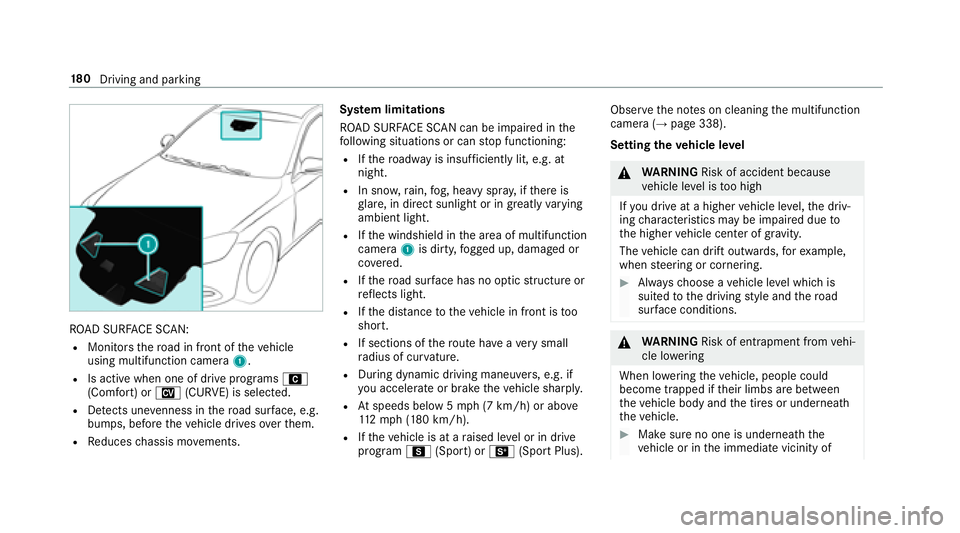
ROAD SURFA CE SCAN:
RMonitorsthero ad in front of theve hicle
using multifunction camera 1.
RIs active when one of drive programs A
(Comfort) or N(CURVE) is selected.
RDetects une venness in thero ad sur face, e.g.
bump s, before theve hicle drives overth em.
RRe duces chassis mo vements. Sy
stem limitations
RO AD SURFA CE SCAN can be impaired inthe
fo llowing situations or can stop functioning:
RIf th ero adw ayis insuf ficiently lit, e.g. at
night.
RIn sno w,rain, fog, heavy spr ay, if there is
gl are, in direct sunlight or in greatly varying
ambient light.
RIf th e windshield in the area of multifunction
camera 1is dirty, fogged up, damaged or
co vered.
RIfth ero ad sur face has no optic stru cture or
re flects light.
RIf th e dis tance totheve hicle in front is too
short.
RIf sections of thero ute ha veave ry small
ra dius of cur vature.
RDuring dynamic driving maneu vers, e.g. if
yo u accelerate or brake theve hicle sharpl y.
RAtspeeds below 5 mph (7 km/h) or abo ve
11 2mp h (180 km/h).
RIfth eve hicle is at a raised le vel or in drive
prog ram C (Sport) or B(Sport Plus). Obser
vethe no tes on cleaning the multifunction
camera (
→page 338).
Setting theve hicle le vel
&
WARNING Risk of accident because
ve hicle le vel is too high
If yo u drive at a higher vehicle le vel,th e driv‐
ing characteristics may be impaired due to
th e higher vehicle center of gr avity.
The vehicle can drift outwards, forex ample,
when steering or cornering.
#Alw aysch oose a vehicle le vel which is
suited tothe driving style and thero ad
sur face conditions.
&
WARNING Risk of entrapment from vehi‐
cle lo wering
When lo wering theve hicle, people could
become trapped if their limbs are between
th eve hicle body and the tires or underneath
th eve hicle.
#Make sure no one is underneath the
ve hicle or in the immediate vicinity of
18 0
Driving and pa rking
Page 206 of 502
RVehicles approaching and overtaking you
at a very differe nt speed.
As a result, Active Blind Spot Assi stmay nei‐
th er give warnings nor inter vene in such sit‐
uations.
#Alw ays pay careful attention tothe traf‐
fi c situation and maintain a safe dis‐
ta nce at the side of theve hicle.
Ac tive Blind Spot Assi stis only an aid. It may fail
to detect some vehicles and is not a substitute
fo r attentive driving. Alw ays ensure that there is
suf ficient dist ancetothe side forot her road
users and obs tacles.
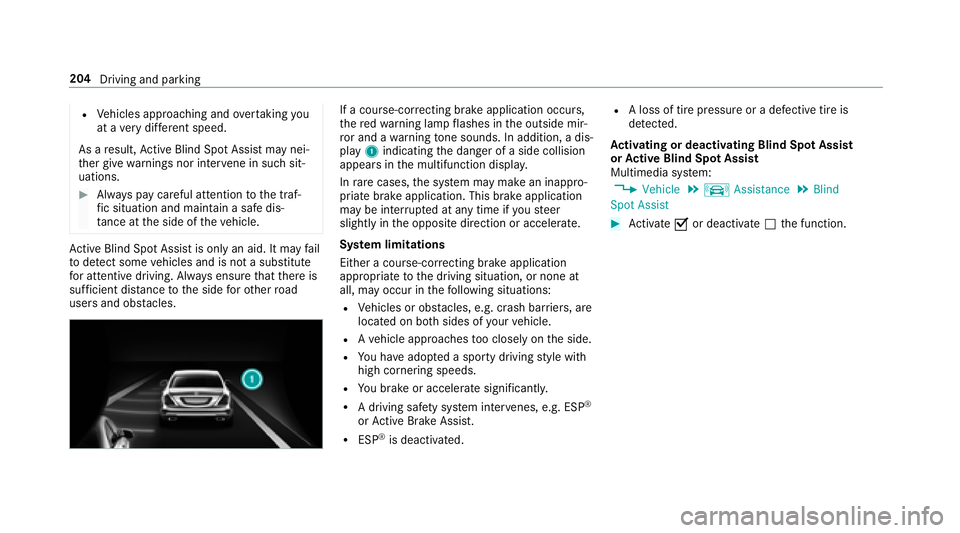
If a cours e-correcting brake application occurs,
th ere dwa rning lamp flashes in the outside mir‐
ro r and a warning tone sounds. In addition, a dis‐
pl ay 1 indicating the danger of a side collision
appears in the multifunction displa y.
In rare cases, the sy stem may make an inappro‐
priate brake application. This brake application
may be inter rupte d at any time if yousteer
slightly in the opposite direction or accelera te.
Sy stem limitations
Either a course-cor recting brake application
appropria teto the driving situation, or none at
all, may occur in thefo llowing situations:
RVe hicles or obs tacles, e.g. crash barr iers, are
located on bo thsides of your vehicle.
RAve hicle approaches too closely on the side.
RYo u ha veadop ted a sporty driving style with
high cornering speeds.
RYo ubr ake or accelerate signif icantly.
RA driving safe ty system inter venes, e.g. ESP®
or Active Brake Assi st.
RESP®is deacti vated.
RA loss of tire pressure or a defective tire is
de tected.
Ac tivating or deactivating Blind Spot Assi st
or Active Blind Spot Assi st
Multimedia sy stem:
,Vehicle.k Assistance.Blind
Spot Assist
#Ac tivate Oor deacti vate ª the function.
204
Driving and parking