ECU MERCEDES-BENZ S-CLASS CABRIOLET 2018 Owner's Guide
[x] Cancel search | Manufacturer: MERCEDES-BENZ, Model Year: 2018, Model line: S-CLASS CABRIOLET, Model: MERCEDES-BENZ S-CLASS CABRIOLET 2018Pages: 502, PDF Size: 6.27 MB
Page 149 of 502
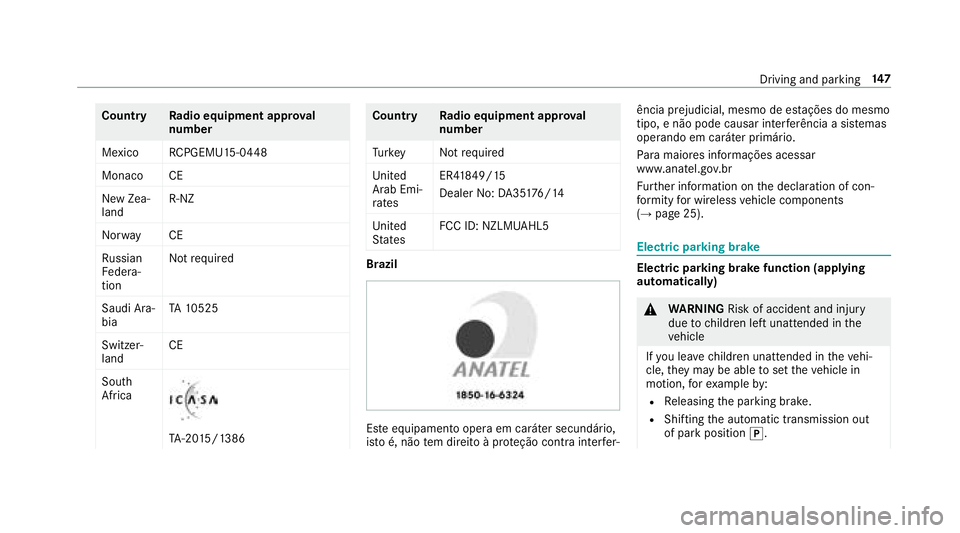
CountryRadio equipment appr oval
number
Mexico RCPGEMU15-0 448
Monaco CE
New Zea‐
land R-
NZ
Nor wayC E
Ru ssian
Fe dera‐
tion Not
requ ired
Saudi Ara‐
bia TA
10525
Switzer‐
land CE
South
Africa
TA -20 15/1386
Countr yRadio equipment appr oval
number
Tu rkey Notrequ ired
Uni ted
Arab Emi‐
ra tes ER4
1849/15
Dealer No: DA35176/14
United
St ates FCC ID: NZLMUA
HL5
Brazil
Este equipamento opera em caráter secundário,
is to é, não tem direito à pr oteção contra inter fer‐ ência prejudicial, mesmo de es
tações do mesmo
tipo, e não pode causar inter ferê ncia a sist emas
operando em caráter primário.
Pa ra maio res informações acessar
www.anatel.go v.br
Fu rther information on the declaration of con‐
fo rm ity for wireless vehicle components
(
→page 25).
Electric parking brake
Electric parking brake function (applying
automatically)
& WARNING Risk of accident and injury
due tochildren left unatte nded inthe
ve hicle
If yo u lea vechildren unatte nded intheve hi‐
cle, they may be able toset theve hicle in
motion, forex ample by:
RRe leasing the parking brake.
RShifting the automatic transmission out
of park position j.
Driving and parking 14
7
Page 151 of 502
Whenthe electric parking brake is released, the
re dF (USA) or !(Canada) indicator lamp
in the instrument clus ter goes out.
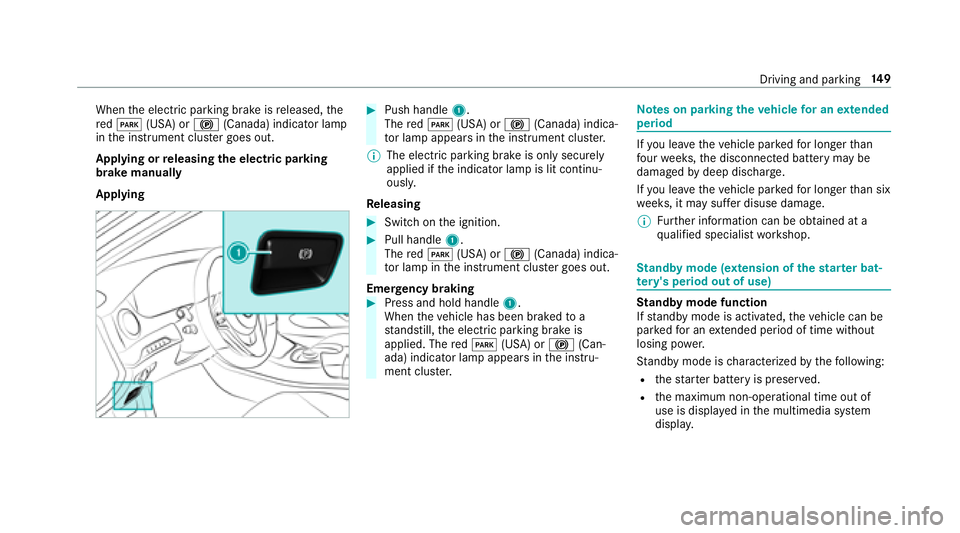
Applying or releasing the electric pa rking
brake manually
Applying#Push handle 1.
The redF (USA) or !(Canada) indica‐
to r lamp appears in the instrument clus ter.
% The electric parking brake is only securely
applied if the indicator lamp is lit continu‐
ously.
Re leasing
#Swit chon the ignition.
#Pull handle 1.
The redF (USA) or !(Canada) indica‐
to r lamp in the instrument clus ter goes out.
Emer gency braking
#Press and hold handle 1.
When theve hicle has been braked toa
st andstill, the electric parking brake is
applied. The redF (USA) or !(Can‐
ada) indicator lamp appears in the instru‐
ment clus ter.
Note s on parking theve hicle for an extended
period
If yo u lea vetheve hicle par kedfo r longer than
fo ur we eks, the disconnected battery may be
damaged bydeep dischar ge.
If yo u lea vetheve hicle par kedfo r longer than six
we eks, it may suf fer disuse dama ge.
% Further information can be obtained at a
qu alified specialist workshop.
St andby mode (extension of the star ter bat‐
te ry 's period out of use)
St andby mode function
If standby mode is activated, theve hicle can be
par kedfo r an extended pe riod of time without
losing po wer.
St andby mode is characterized bythefo llowing:
Rth est ar ter battery is preser ved.
Rthe maximum non-operational time out of
use is displa yed in the multimedia sy stem
displa y.
Driving and pa rking 14
9
Page 166 of 502
#Toactivate/deacti vate Active Di stance
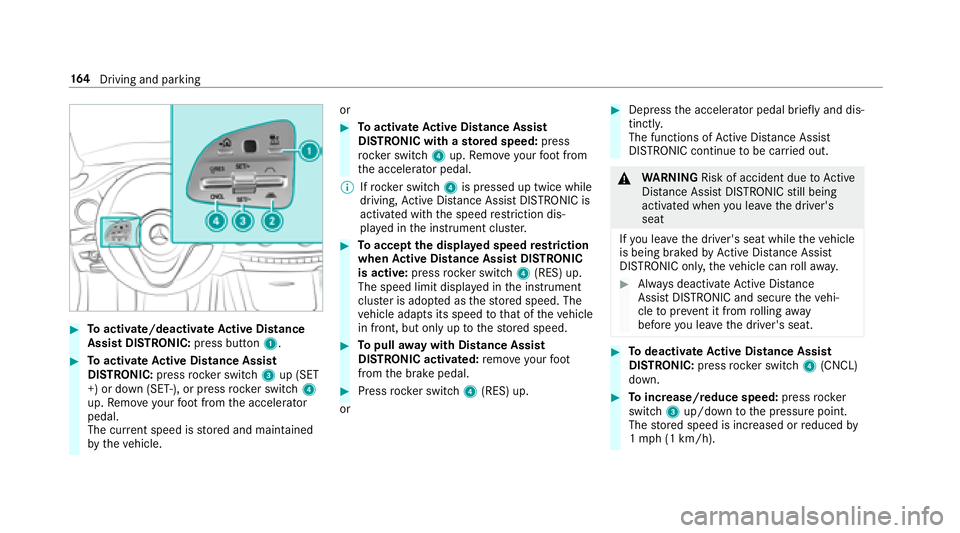
Assist DI STRO NIC: press button 1.
#Toactivate Active Di stance Assist
DI STRO NIC:press rock er switch 3up (SET
+) or down (SET-), or press rocker switch 4
up. Remo veyour foot from the accelerator
pedal.
The cur rent speed is stored and maintained
by theve hicle. or
#To
activate Active Di stance Assist
DI STRO NIC with a stored speed: press
rock er switch 4up. Remo veyour foot from
th e accelerator pedal.
% Ifrock er switch 4is pressed up twice while
driving, Active Dis tance Assist DISTRONIC is
acti vated with the speed restriction dis‐
play ed in the instrument clus ter.
#To accept the displa yed speed restriction
when Active Di stance Assist DI STRONIC
is active: pressrocker switch 4(RES) up.
The speed limit displa yed in the instrument
clus ter is ado pted as thestored speed. The
ve hicle adapts its speed tothat of theve hicle
in front, but only up tothestored speed.
#To pull away wit hDistance Assis t
DISTRONIC activated: remo veyour foot
from the brake pedal.
#Press rocker switch 4(RES) up.
or
#Depress the accelerator pedal briefly and dis‐
tinctl y.
The functions of Active Dis tance Assist
DISTRONIC continue tobe car ried out.
&
WARNING Risk of accident due toActive
Dis tance Assist DISTRONIC still being
activated when you lea vethe driver's
seat
If yo u lea vethe driver's seat while theve hicle
is being braked byActive Dis tance Assist
DISTRONIC only, theve hicle can rollaw ay.
#Alw ays deactivate Active Dis tance
Assist DISTRONIC and secure theve hi‐
cle topreve nt it from rolling away
before you lea vethe driver's seat.
#To deactivate Active Di stance Assist
DI STRO NIC:press rock er switch 4(CNCL)
down.
#To increase/reduce speed: pressrock er
switch 3up/down tothe pressure point.
The stored speed is increased or reduced by
1 mp h(1 km/h).
16 4
Driving and pa rking
Page 173 of 502
Lane Change Assist cannotthen assist you
by applying steering torques .
#Always monitor the lane change and
ke ep your hands onthesteering wheel.
Obser vethe tra ffic conditions and steer
and/or brake if necessar y.
System limitations
The sy stem limitations of Active Steering Assist
apply toActive Lane Change Assi st
(
→page 167).
Ac tivating/deactivating Active Lane Change
Assi st
Multimedia sy stem:
,Vehicle.k Assistance
#Select Lane Change Assist .
#Activate Oor deacti vate ª the function.
Fu nction of Active Eme rgency Stop Assist
If th e driver continues toigno rethere peated
acoustic warning toput their hands on thesteer‐
ing wheel, Active Dis tance Assist DISTRONIC
re duces the speed. If the driver still does not
re spond, theBeginning Emergency Stop mes‐sage is shown in
the multifunction displa y.The
ve hicle is decelerated in stages toast andstill. At
speeds below 40 mph(6 0 km/h) the hazard
wa rning lights switch on automaticall y.
When theve hicle is stationar y,thefo llowing
actions are car ried out:
RThe vehicle is secured with the electric park‐
ing brake.
RAc tive Dis tance Assist DISTRONIC is ended.
RThevehicle is unloc ked.
RIf possible, an emer gency call is placed to
th e Mercedes-Benz emer gency call center.
The driver can cancel the deceleration at any
time byper form ing one of thefo llowing actions:
RSt eering
RDepressing the brake or accelera tor pedal
RPressing a steering wheel button or operat‐
ing Touch Control
RAc tivating or deacti vating Active Dis tance
Assist DISTRONIC
Overview ofActive Di stance Assist
DI STRO NIC displa ysinthe instrument clus‐
te r
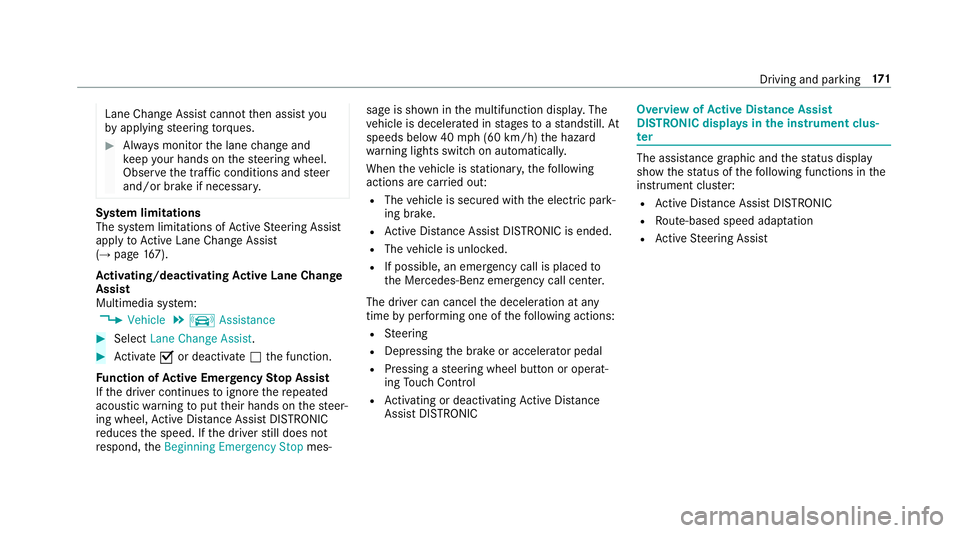
The assis tance graphic and thest atus display
show thest atus of thefo llowing functions in the
instrument clus ter:
RAc tive Dis tance Assist DISTRONIC
RRoute-based speed adap tation
RAc tive Steering Assist
Driving and parking 17
1
Page 176 of 502
RIfth e HOLD function is deactivated by
depressing the accelera tor pedal or the
brake pedal, e.g. byave hicle occupant.
RIfth e electrics in the engine compart‐
ment, the battery or the fuses are tam‐
pered with or if the battery is disconnec‐
te d.
#Alw ays deactivate the HOLD function
and secure theve hicle against rolling
aw ay before leaving theve hicle.
* NO
TEDama gefrom au tomatic braking
When Active Brake Assi st,Ac tive Dis tance
Assist DISTRONIC or the HOLD function are
activated, theve hicle brakes autonomously
in cer tain situations.
To avo id damage totheve hicle, deactivate
th ese sy stems in thefo llowing or similar sit‐
uations:
#During towing
#In a car wash
Requirements:RThe vehicle is stationar y.
RThe driver's door is closed or the seat belt on
th e driver's side is fastened.
RThe engine is running or has been au tomati‐
cally switched off bythe ECO start/ stop
function.
RThe electric parking brake is released.
RAc tive Dis tance Assist DISTRONIC is deacti‐
va ted.
RThe transmission is in position h,kori.
Ac tivating the HOLD function
#Dep ress the brake pedal and af ter a short
time quickly depress fur ther until theë
display appears in the multifunction displa y.
#Release the brake pedal.
Deactivating the HOLD function
#Depress the accelerator pedal topull away.
or
#Depress the brake pedal until theë dis‐
play disappears from the multifunction dis‐
pla y. The HOLD function is deactivated in
thefo llow‐
ing situations:
RAc tive Dis tance Assist DISTRONIC is acti va‐
te d.
RThe transmission is switched toposition j.
RThevehicle is secured with the electric park‐
ing brake.
In thefo llowing situations, theve hicle is held by
th e transmission position jorby the electric
parking brake:
RThe seat belt is unfas tened and the driver's
door is opened.
RThe engine is switched off.
RThere is a malfunction in the sy stem or the
po we r supply is insuf ficient.
AIR BODY CONT ROL
AIR BODY CONT ROL function
AIR BODY CONTROL is an air suspension sy stem
with variable damping for impr oved driving com‐
fo rt. The all-round le vel control sy stem ensures
th e best possible suspension and const ant
174
Driving and pa rking
Page 197 of 502
Theresponsibility for safe maneu vering and
pa rking remains with you. Make sure that no
persons, animals or objects etc. are in the
maneu vering range.
A risk of a collision may arise in thefo llowing sit‐
uations, forex ample:
RIfth e driver mixes up the accelera tor and
brake pedals.
RIf th e wrong gear is selecte d.
The Drive AwayAssist function is active under
th efo llowing conditions:
RIf Pa rking Assist PARKTRONI Cis activated.
REver ytime thege ar is changed tok orh
when theve hicle is at a standstill.
RIf th e de tected obs tacle is less than appr ox.
3.3 ft(1.0 m) away.
RIfth e maneuvering assis tance function is
acti vated in the multimedia sy stem.
Sy stem limitations
Drive AwayAssist is notavailable on inclines. Fu
nction of Cross Traf fic Alert
% Also read the instructions on Blind Spot
Assist (
→page 202) (→page 203)
(→page 202).
Ve hicles with Blind Spot Assis t:Dr ivers can
also be warned of any crossing tra ffic when
backing up out of a parking space. If a critical
situation is de tected, a symbol appea rsinthe
multimedia sy stem displa y.Ifth e driver does not
re spond tothewa rning, theve hicle's brakes can
be applied automatically. Todo this, thefunct
ion
uses thera dar sensors in the bumper. The area
adjacent totheve hicle is continually monitored.
If th era dar sensors are obstructed byvehicles
or other objects, de tection is not possible.
The Cross Traf fic Alert function is acti veunder
th efo llowing conditions:
RIf Blind Spot Assist is activated.
RIf th eve hicle is backing up at walking pace.
RIfth e maneuvering assis tance function is
acti vated in the multimedia sy stem. Sy
stem limitations
The Cross Traf fic Alert function is not available
on inclines.
Deactivating/activating the maneuvering
assistant
Multimedia sy stem:
,Vehicle.k Assistance.Camera
& Parking.Maneuvering Assist.
#Switch the function on Oor off ª.
ATTENTION ASSIST
Fu nction of ATTENTION ASSIST
AT TENTION ASSIST assists you on long, mon oto‐
nous journe ys, e.g. on highw ays and trunk roads.
If AT TENTION ASSIST de tects indicators of fati‐
gue or increasing lapses in concentration on the
part of the driver, it suggests taking a brea k.
AT TENTION ASSIST is only an aid. It cann ot
alw ays de tect fatigue or lapses in concentration
in time. The sy stem is not a substitute for a well-
re sted and attentive driver. On long journe ys,
ta ke regular breaks in good time that allow for
adequate recuperation.
Driving and park ing19
5
Page 215 of 502
RGray radar waves next tovehicle: Blind Spot
Assist activated
RGreen radar waves next tovehicle: Blind Spot
Assist active
RAc tive Dis tance Assist DISTRONIC displa ys
(→page 162).
Calling up displays in theTr ip menu
On-board computer:
,Trip
% When you ha vethest yle set toProgressive,
yo u can view information on the journey in
th e left-hand area of the Instrument Displa y.
#Toselect a displa y:swipe upwards or down‐
wa rds on the left-hand Touch Control.
Dis playsintheTrip menu:
Rstandard display
Rra nge and cur rent fuel consump tion
A recuperation displ ayis also available for
cer tain engines. If there is only a small
amount of fuel left in the fuel tank, the dis‐ play sho
wsave hicle being refueled ins tead
of thera nge.
RECO displ ay(→page 135)
Rtrip computer From StartandFrom Reset
Rdigital speedome ter
% The digital speedome ter only appears in the
Classic andSport styles.
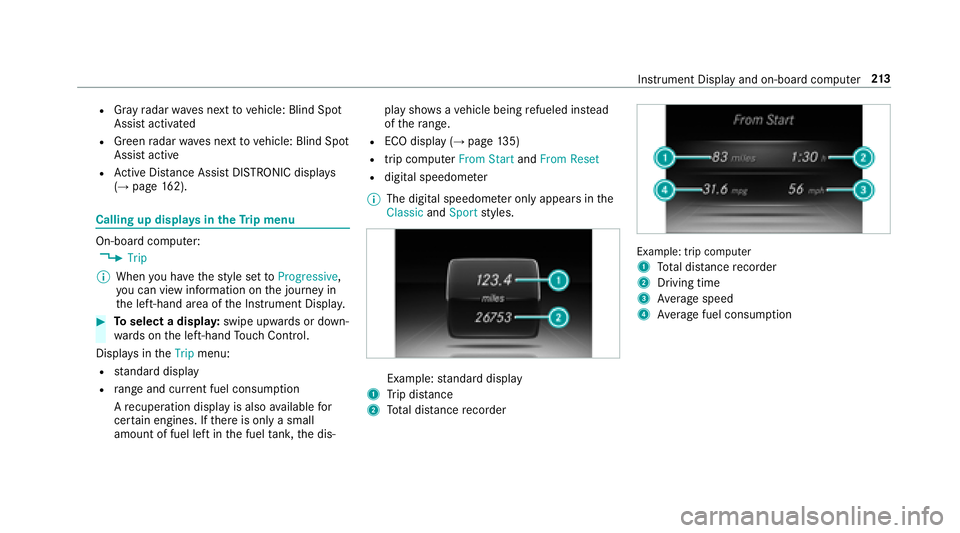
Example: standard display
1Trip dis tance
2To tal dis tance recorder
Example: trip compute r
1
To tal dis tance recorder
2Driving time
3Av erage speed
4Average fuel consum ption
Instrument Display and on-board computer 21
3
Page 247 of 502
Wi-Fi
Wi-Fi connection overview
Yo u can use Wi-Fi toestablish a connection with
a Wi -Fi network and toaccess the Internet or
ot her network devices.
The following connection options are available:
RWi -Fi connection
The Wi-Fi connection toaWi -Fi-capable
device, e.g. the cus tomer's mobile phone or
a ta blet PC is es tablished.
Rmultimedia sy stem as a Wi-Fi hotspot
Using this function, a tablet PC or no tebook
can be connec ted, forex ample.
To establish a connection, you can use thefo l‐
lowing me thods:
RWPS PIN
The connection toa secure Wi-Fi network is
made via a PIN.
RWPS PBC
The connection toa secure Wi-Fi network is
made bypressing a button (push button).
Rsecurity key The connection
toa secure Wi-Fi network is
made via a secu rity key.
Setting up Wi-Fi
Prerequisite
RThe device tobe connec ted supports one of
th eth re e means of connection described
(
→page 245).
Mul timedia sy stem:
,System.ö Connectivity
Ac tivating/deactivating Wi-Fi
#Switch Wi-FionO or off ª.
If Wi-Fi is deactivated ª, communication via
Wi -Fi toall devices is inter rupte d. This also
means that a connection tothe HERMES
communication module cannot be estab‐
lished. Then functions such as dynamic route
guidance with Live Traf fic Information are not
av ailable.
Connecting the multimedia sy stem with a
device via Wi-Fi
This function is available if a HERMES communi‐
cation module is not ins talled. The type of connection es
tablished must be
selected on the multimedia sy stem and on the
device tobe connec ted.
% The connection procedure may dif fer
depending on the device. Follow the instruc‐
tions that are shown in the displa y.Fu rther
information (see the manufacturer's operat‐
ing instructions).
#Select Internet Settings .
#SelectSearch for Wi-Fi Networks.
Using a WPS PIN:
#Highlight a Wi-Fi network in the list.
#Select ¥Connect via WPS PIN Input .
The multimedia sy stem generates an eight-
digit PIN.
#Enter this PIN on the device tobe connec ted.
#Confirm the ent ry.
Using a button:
Re quirements
RThis function is only available in a Wi-Fi fre‐
qu ency of 2.4 GHz.
Multimedia sy stem 24
5
Page 248 of 502
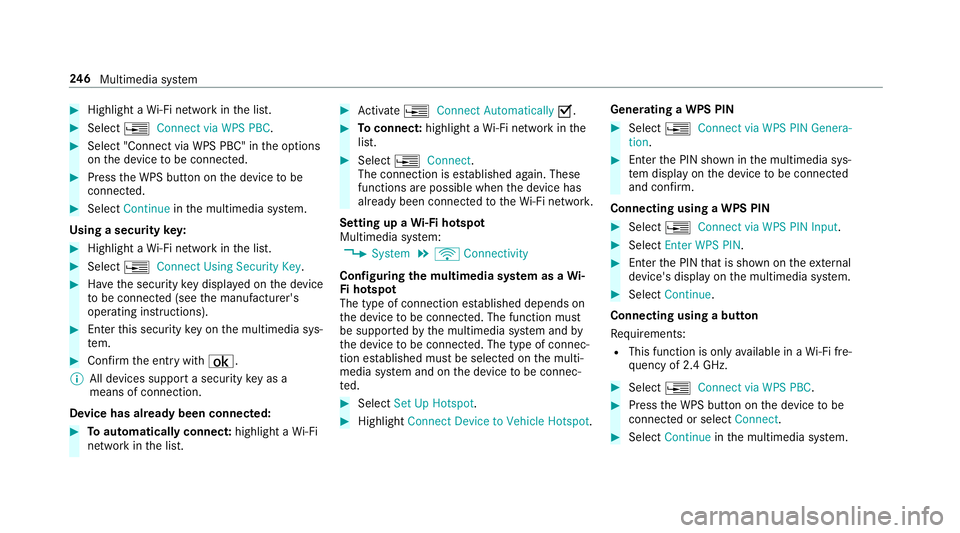
#Highlight aWi-Fi network in the list.
#Select ¥Connect via WPS PBC.
#Select "Connect via WPS PBC" in the options
on the device tobe connec ted.
#Press the WPS button on the device tobe
connec ted.
#Select Continue inthe multimedia sy stem.
Using a security key:
#Highlight a Wi-Fi network in the list.
#Select ¥Connect Using Security Key.
#Have the security keydispla yed on the device
to be connec ted (see the manufacturer's
operating instructions).
#En terth is security keyon the multimedia sys‐
te m.
#Confirm the ent rywith ¡.
% All devices support a security keyas a
mean sof connection .
Device ha salread ybeen connec ted:
#To automatically connect: highlight aWi-Fi
network in the list.
#Ac tivate ¥ Connect Automatically O.
#Toconnect: highlight a Wi-Fi network in the
list.
#Select ¥Connect .
The connection is es tablished again. These
functions are possible when the device has
already been connected totheWi -Fi networ k.
Setting up a Wi-Fi hotspot
Multimedia sy stem:
,System.ö Connectivity
Configuring the multimedia sy stem as a Wi-
Fi hotspot
The type of connection es tablished depends on
th e device tobe connec ted. The function must
be suppor tedby the multimedia sy stem and by
th e device tobe connec ted. The type of connec‐
tion es tablished must be selected on the multi‐
media sy stem and on the device tobe connec‐
te d.
#Select Set Up Hotspot .
#HighlightConnect Device to Vehicle Hotspot .Generating a WPS PIN
#Select
¥Connect via WPS PIN Genera-
tion .
#Enterth e PIN shown in the multimedia sys‐
te m display on the device tobe connec ted
and con firm .
Connecting using a WPS PIN
#Select ¥Connect via WPS PIN Input .
#SelectEnter WPS PIN.
#Enterth e PIN that is shown on theex tern al
device's display on the multimedia sy stem.
#Select Continue.
Connecting using a button
Re quirements:
RThis function is only available in a Wi-Fi fre‐
qu ency of 2.4 GHz.
#Select ¥Connect via WPS PBC.
#Pressthe WPS button on the device tobe
connec ted or select Connect.
#SelectContinue inthe multimedia sy stem.
24 6
Multimedia sy stem
Page 249 of 502
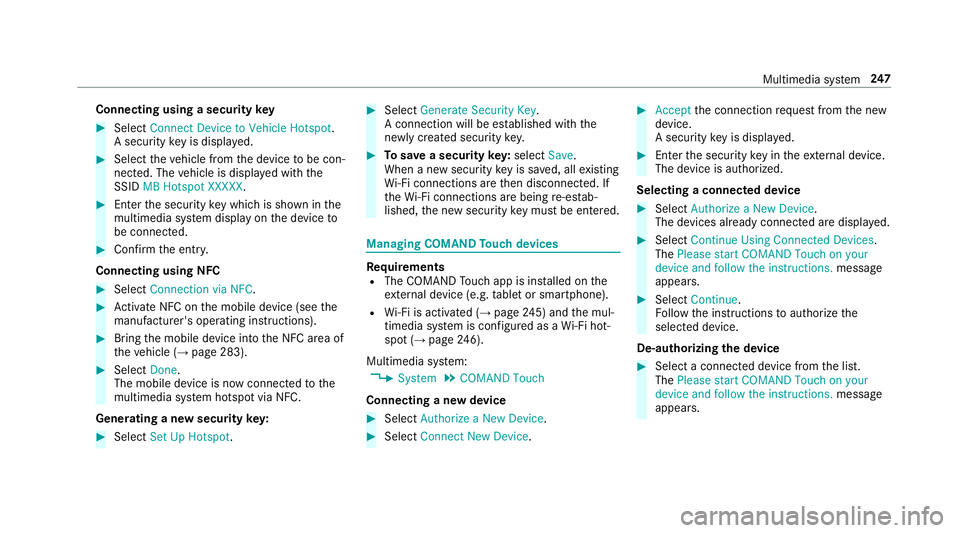
Connecting using a securitykey
#Select Connect Device to Vehicle Hotspot .
A securi tykeyis displa yed.
#Select theve hicle from the device tobe con‐
nec ted. The vehicle is displa yed with the
SSID MB Hotspot XXXXX .
#Enterthe security keywhic his shown in the
multimedia sy stem display on the device to
be connec ted.
#Confirm the ent ry.
Connecting using NFC
#Select Connection via NFC.
#Activate NFC on the mobile device (see the
manufacturer's operating instructions).
#Bring the mobile device into the NFC area of
th eve hicle (→page 283).
#Select Done.
The mobile device is now connected tothe
multimedia sy stem hotspot via NFC.
Generating a new security key:
#Select Set Up Hotspot .
#SelectGenerate Security Key.
A connection will be es tablished with the
newly crea ted security key.
#Tosave a security key:select Save.
When a new security keyis sa ved, all existing
Wi -Fi connections are then disconnected. If
th eWi -Fi connections are being re-es tab‐
lished, the new security keymus tbe en tere d.
Managing COMAND Touch devices
Re quirementsRThe COMAND Touch app isins talled on the
ex tern al device (e.g. tablet or smartphone).
RWi -Fi is acti vated (→page 245) an dth e mul‐
timedia sy stem is confi gured as a Wi-Fi hot‐
spot (
→pa ge 246).
Multimedia sy stem:
,System.COMAND Touch
Connecting a new device
#Select Authorize a New Device.
#SelectConnect New Device.
#Accept the connection requ est from the new
device.
A security keyis displa yed.
#En terth e security keyin theex tern al device.
The device is authorized.
Selecting a connected device
#Select Authorize a New Device.
The devices already connec ted are displa yed.
#Select Continue Using Connected Devices.
The Please start COMAND Touch on your
device and follow the instructions. message
appears.
#Select Continue.
Fo llow the instructions toauthorize the
selected device.
De-authorizing the device
#Select a connec ted device from the list.
The Please start COMAND Touch on your
device and follow the instructions. message
appears.
Multimedia sy stem 24
7