trunk MERCEDES-BENZ SL-Class 2001 R129 User Guide
[x] Cancel search | Manufacturer: MERCEDES-BENZ, Model Year: 2001, Model line: SL-Class, Model: MERCEDES-BENZ SL-Class 2001 R129Pages: 302, PDF Size: 7.21 MB
Page 41 of 302
37 Central locking system
Te ch n ica l
data Instruments
and controlsOperationDrivingInstrument
cluster displayPractical hints Car care Index Automatic central locking
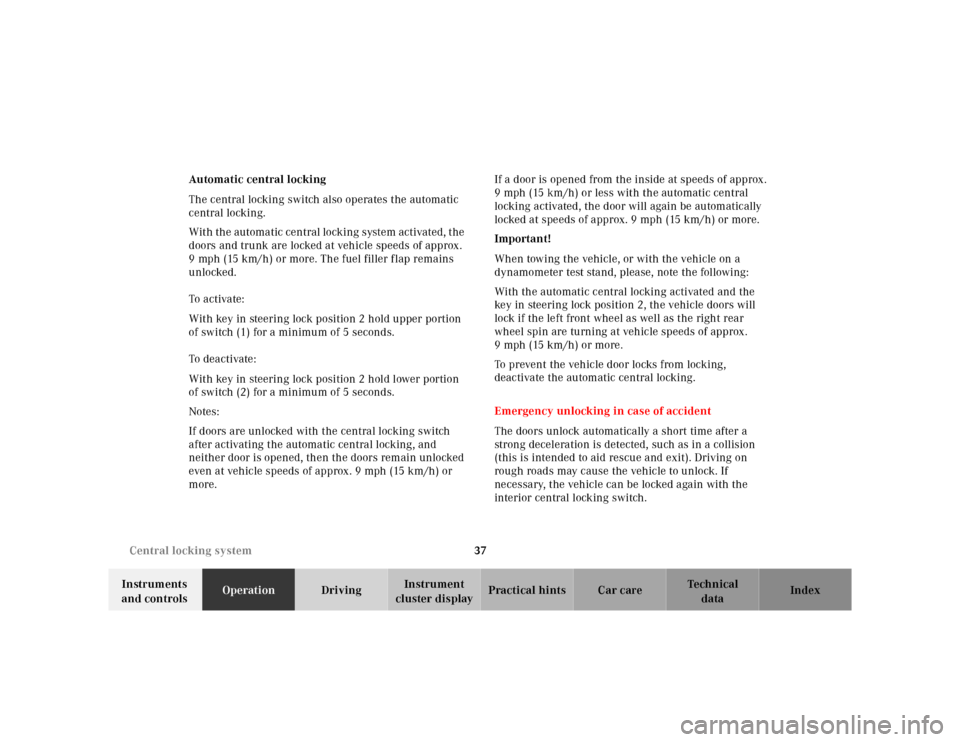
The central locking switch also operates the automatic
central locking.
With the automatic central locking system activated, the
doors and trunk are locked at vehicle speeds of approx.
9 mph (15 km/h) or more. The fuel filler flap remains
unlocked.
To a ctiva te:
With key in steering lock position 2 hold upper portion
of switch (1) for a minimum of 5 seconds.
To deactivate:
With key in steering lock position 2 hold lower portion
of switch (2) for a minimum of 5 seconds.
Notes:
If doors are unlocked with the central locking switch
after activating the automatic central locking, and
neither door is opened, then the doors remain unlocked
even at vehicle speeds of approx. 9 mph (15 km/h) or
more.If a door is opened from the inside at speeds of approx.
9 mph (15 km/h) or less with the automatic central
locking activated, the door will again be automatically
locked at speeds of approx. 9 mph (15 km/h) or more.
Important!
When towing the vehicle, or with the vehicle on a
dynamometer test stand, please, note the following:
With the automatic central locking activated and the
key in steering lock position 2, the vehicle doors will
lock if the left front wheel as well as the right rear
wheel spin are turning at vehicle speeds of approx.
9mph (15km/h) or more.
To prevent the vehicle door locks from locking,
deactivate the automatic central locking.
Emergency unlocking in case of accident
The doors unlock automatically a short time after a
strong deceleration is detected, such as in a collision
(this is intended to aid rescue and exit). Driving on
rough roads may cause the vehicle to unlock. If
necessary, the vehicle can be locked again with the
interior central locking switch.
Page 42 of 302
38 Central locking system
Te ch n ica l
data Instruments
and controlsOperationDrivingInstrument
cluster displayPractical hints Car care Index
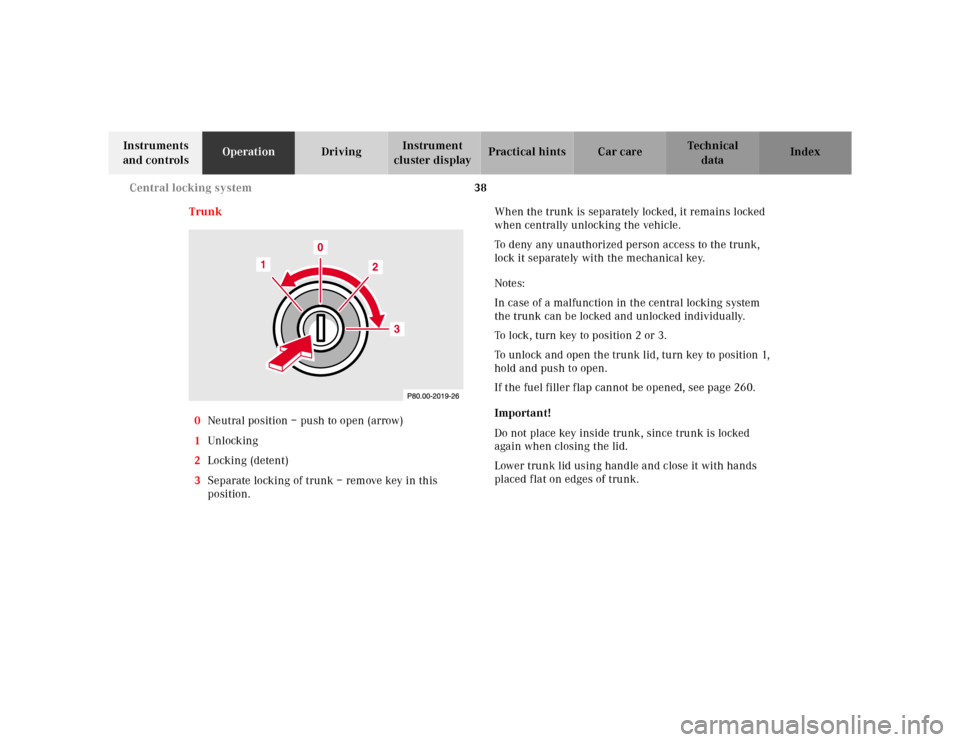
Trunk
0Neutral position – push to open (arrow)
1Unl ock ing
2Locking (detent)
3Separate locking of trunk – remove key in this
position.When the trunk is separately locked, it remains locked
when centrally unlocking the vehicle.
To deny any unauthorized person access to the trunk,
lock it separately with the mechanical key.
Notes:
In case of a malfunction in the central locking system
the trunk can be locked and unlocked individually.
To lock, turn key to position 2 or 3.
To unlock and open the trunk lid, turn key to position 1,
hold and push to open.
If the fuel filler flap cannot be opened, see page 260.
Important!
Do not place key inside trunk, since trunk is locked
again when closing the lid.
Lower trunk lid using handle and close it with hands
placed flat on edges of trunk.
Page 43 of 302
39 Central locking system
Te ch n ica l
data Instruments
and controlsOperationDrivingInstrument
cluster displayPractical hints Car care Index Trunk lid release switch
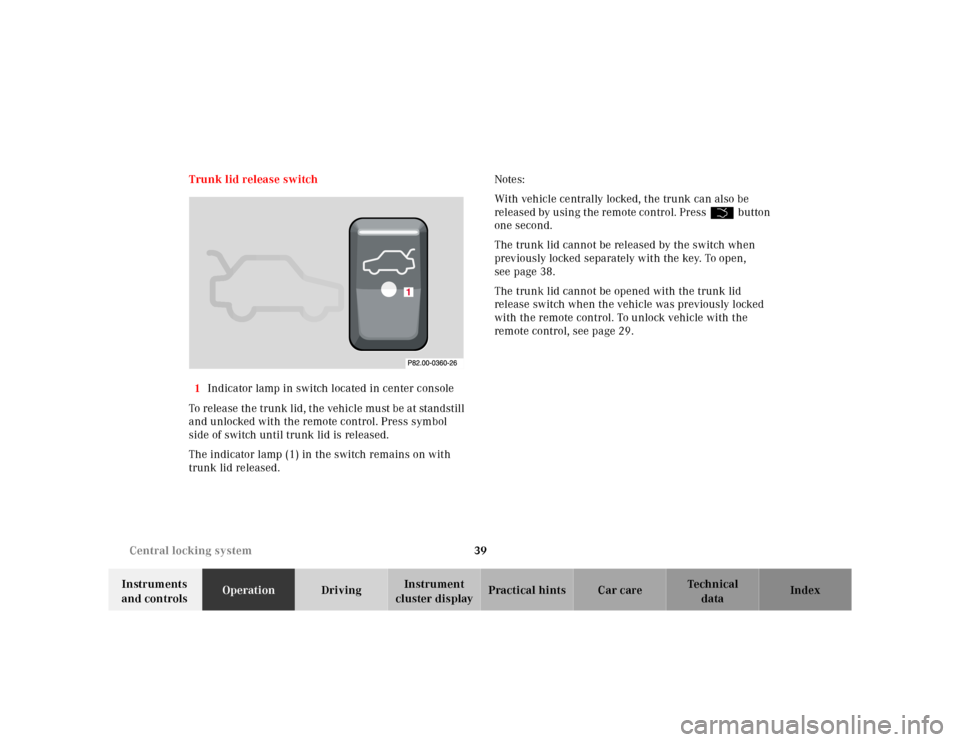
1Indicator lamp in switch located in center console
To release the trunk lid, the vehicle must be at standstill
and unlocked with the remote control. Press symbol
side of switch until trunk lid is released.
The indicator lamp (1) in the switch remains on with
trunk lid released.Notes:
With vehicle centrally locked, the trunk can also be
released by using the remote control. PressŠbutton
one second.
The trunk lid cannot be released by the switch when
previously locked separately with the key. To open,
see page 38.
The trunk lid cannot be opened with the trunk lid
release switch when the vehicle was previously locked
with the remote control. To unlock vehicle with the
remote control, see page 29.
1
Page 44 of 302
40 Central locking system
Te ch n ica l
data Instruments
and controlsOperationDrivingInstrument
cluster displayPractical hints Car care Index
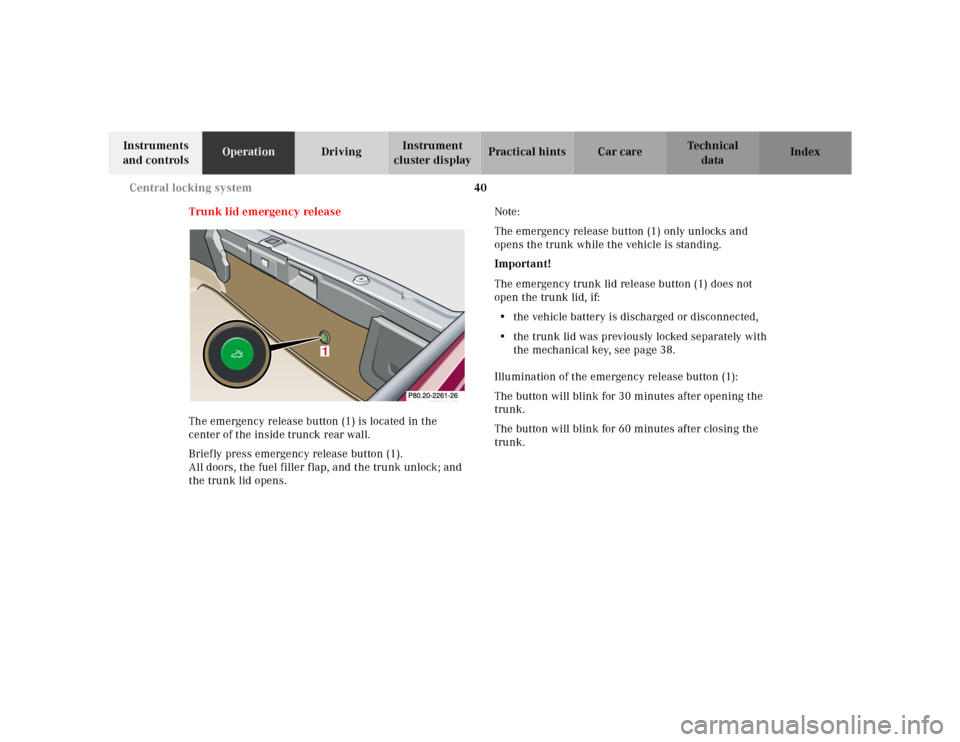
Trunk lid emergency release
The emergency release button (1) is located in the
center of the inside trunck rear wall.
Briefly press emergency release button (1).
All doors, the fuel filler flap, and the trunk unlock; and
the trunk lid opens.Note:
The emergency release button (1) only unlocks and
opens the trunk while the vehicle is standing.
Important!
The emergency trunk lid release button (1) does not
open the trunk lid, if:
• the vehicle battery is discharged or disconnected,
• the trunk lid was previously locked separately with
the mechanical key, see page 38.
Illumination of the emergency release button (1):
The button will blink for 30 minutes after opening the
trunk.
The button will blink for 60 minutes after closing the
trunk.
1
Page 45 of 302
41 Central locking system
Te ch n ica l
data Instruments
and controlsOperationDrivingInstrument
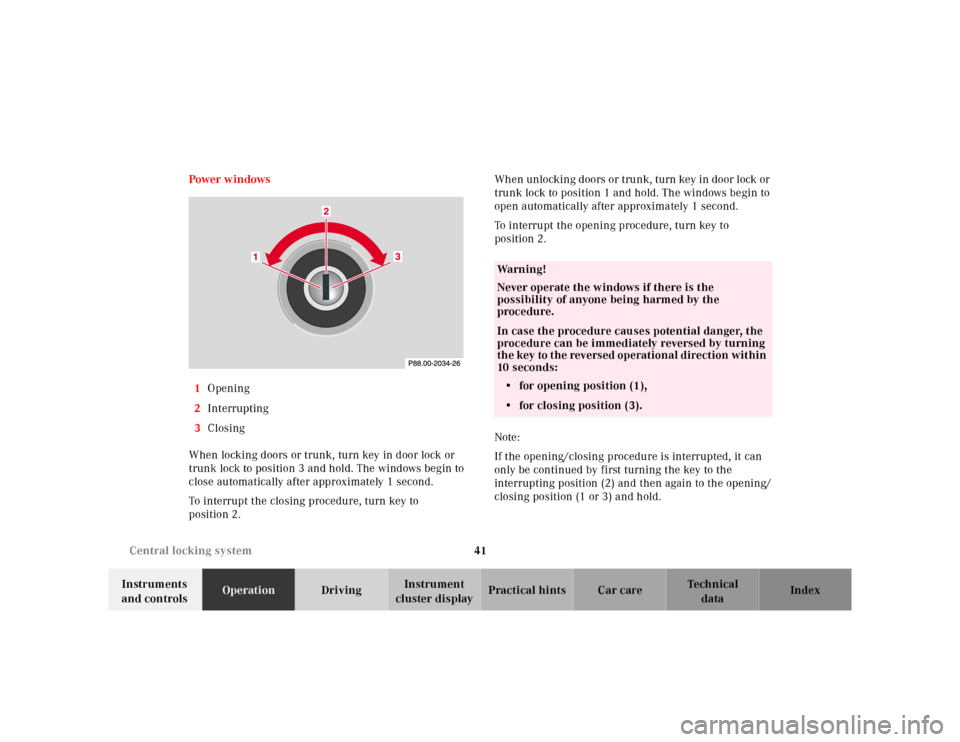
cluster displayPractical hints Car care Index Power w indows
1Opening
2Interrupting
3Closing
When locking doors or trunk, turn key in door lock or
trunk lock to position 3 and hold. The windows begin to
close automatically after approximately 1 second.
To interrupt the closing procedure, turn key to
position 2.Wh en unlocking d oors or tru nk, turn key in door l ock or
trunk lock to position 1 and hold. The windows begin to
open automatically after approximately 1 second.
To interrupt the opening procedure, turn key to
position 2.
Note:
If the opening/closing procedure is interrupted, it can
only be continued by first turning the key to the
interrupting position (2) and then again to the opening/
closing position (1 or 3) and hold.
Wa r n i n g !
Never operate the windows if there is the
possibility of anyone being harmed by the
procedure.In case the procedure causes potential danger, the
procedure can be immediately reversed by turning
the key to the reversed operational direction within
10 seconds:
• for opening position (1),
• for closing position (3).
Page 46 of 302
42 Antitheft alarm system
Te ch n ica l
data Instruments
and controlsOperationDrivingInstrument
cluster displayPractical hints Car care Index
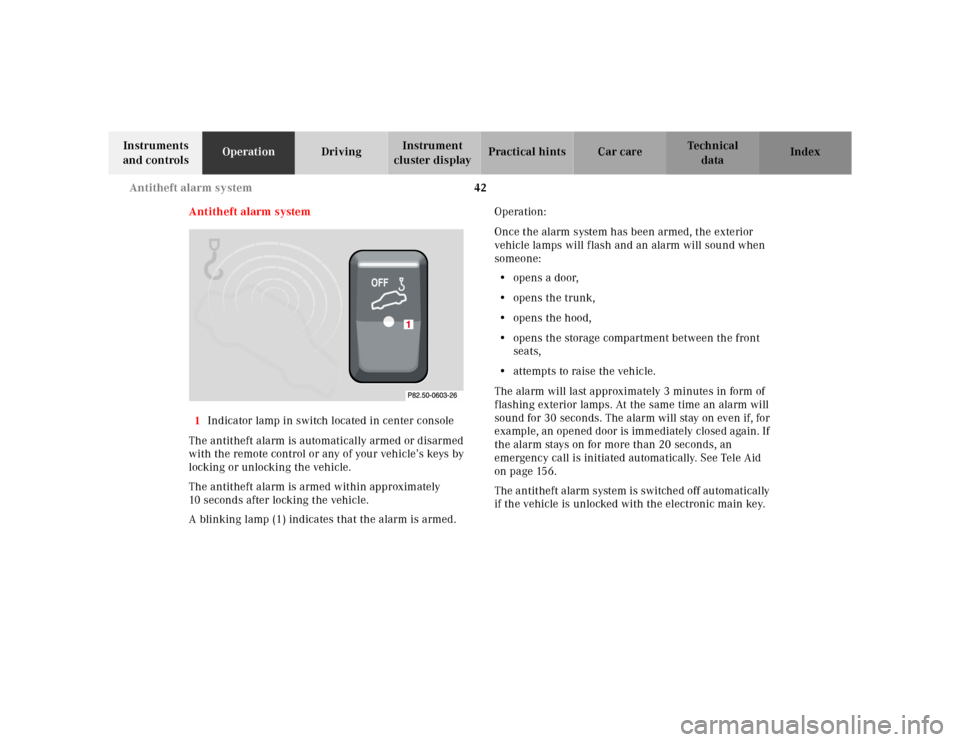
Antitheft alarm system
1Indicator lamp in switch located in center console
The antitheft alarm is automatically armed or disarmed
with the remote control or any of your vehicle’s keys by
locking or unlocking the vehicle.
The antitheft alarm is armed within approximately
10 seconds after locking the vehicle.
A blinking lamp (1) indicates that the alarm is armed.Operation:
Once the alarm system has been armed, the exterior
vehicle lamps will flash and an alarm will sound when
someone:
• opens a door,
• opens the trunk,
•opens the hood,
• opens the storage compartment between the front
seats,
• attempts to raise the vehicle.
The alarm will last approximately 3 minutes in form of
flashing exterior lamps. At the same time an alarm will
sound for 30 seconds. The alarm will stay on even if, for
example, an opened door is immediately closed again. If
the alarm stays on for more than 20 seconds, an
emergency call is initiated automatically. See Tele Aid
on page 156.
The antitheft alarm system is switched off automatically
if the vehicle is unlocked with the electronic main key.
Page 121 of 302

117 Interior equipment
Te ch n ica l
data Instruments
and controlsOperationDrivingInstrument
cluster displayPractical hints Car care Index Express opening of door windows
Press switch k past resistance point and release –
window lowers to fully open position. To interrupt
procedure, briefly press j or k.
Note:
The power windows can also be closed with the key or
infrared remote control while locking the vehicle doors
or trunk, see page 41.
Important!
Do not close a door with the windows fully closed while
the power supply is interrupted (battery disconnected or
empty). Doing so could damage the window frame.
The power windows should first be resynchronized.
After a power interruption, first synchronize the
windows to enable activation of the soft top.Synchronizing power windows
When opening a door after the power supply was
interrupted (battery disconnected or low), the window
will open slightly, indicating that the express feature
should be resynchronized.
Press j side of power window switch until the
window is completely closed and hold for additional 2
seconds. Repeat procedure for each window.
The automatic full opening procedure of the windows
should now be restored.
Page 128 of 302
124 Interior equipment
Te ch n ica l
data Instruments
and controlsOperationDrivingInstrument
cluster displayPractical hints Car care Index
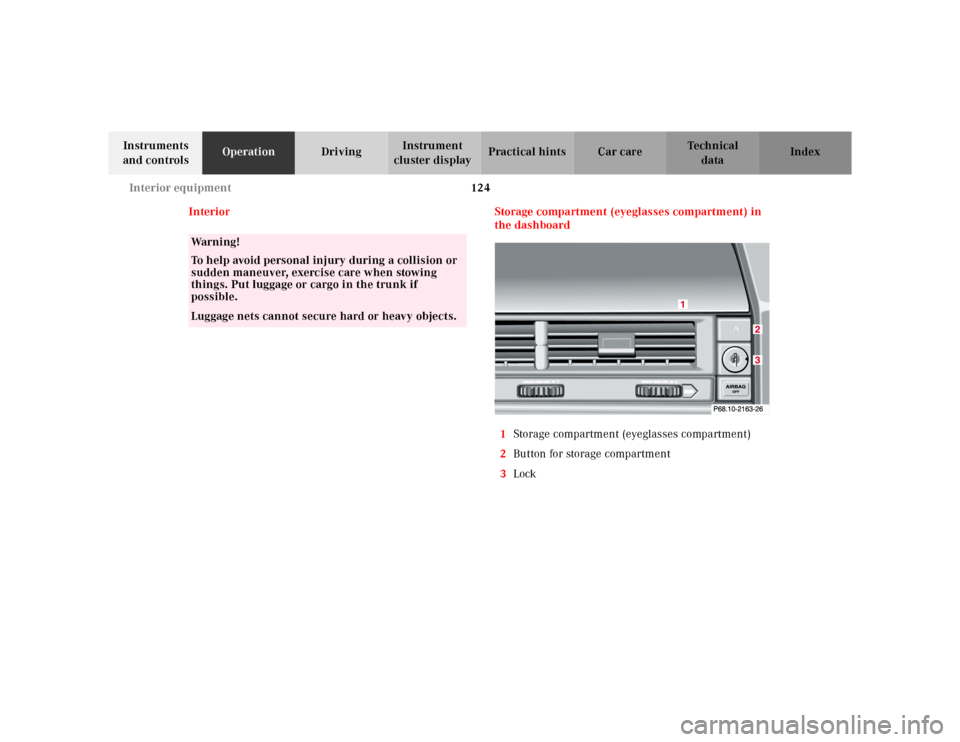
Interior Storage compartment (eyeglasses compartment) in
the dashboard
1Storage compartment (eyeglasses compartment)
2Button for storage compartment
3Lock
Wa r n i n g !
To help avoid personal injury during a collision or
sudden maneuver, exercise care when stowing
things. Put luggage or cargo in the trunk if
possible.Luggage nets cannot secure hard or heavy objects.
Page 152 of 302
148 Wind screen
Te ch n ica l
data Instruments
and controlsOperationDrivingInstrument
cluster displayPractical hints Car care Index
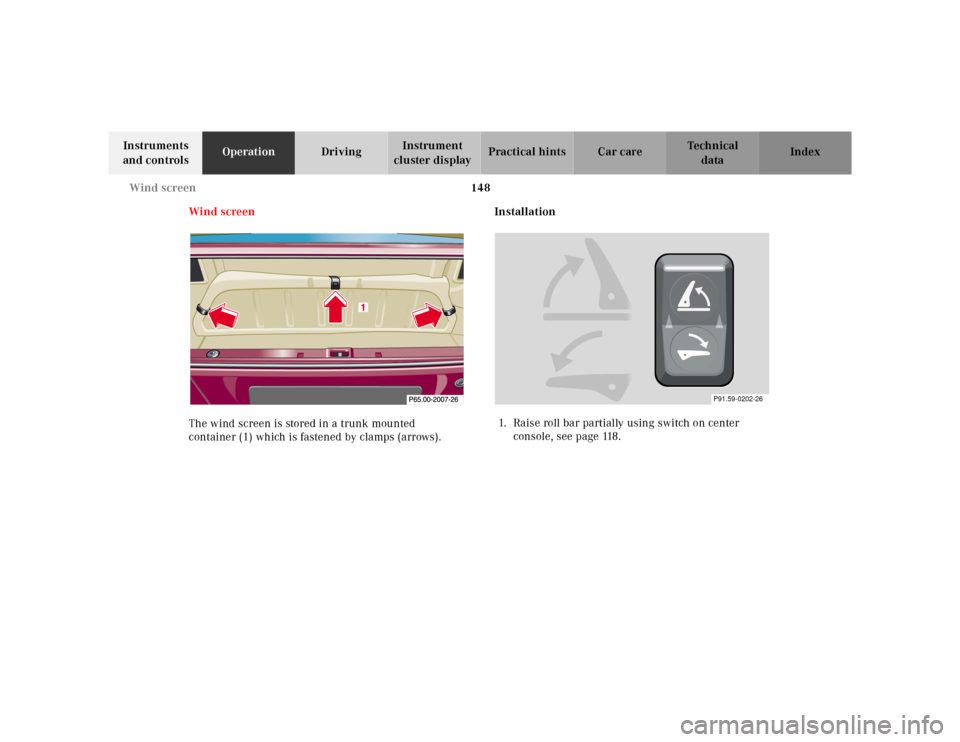
Wind screen
The wind screen is stored in a trunk mounted
container (1) which is fastened by clamps (arrows).Installation
1. Raise roll bar partially using switch on center
console, see page 118.
P91.59-0202-26
Page 155 of 302
151 Wind screen
Te ch n ica l
data Instruments
and controlsOperationDrivingInstrument
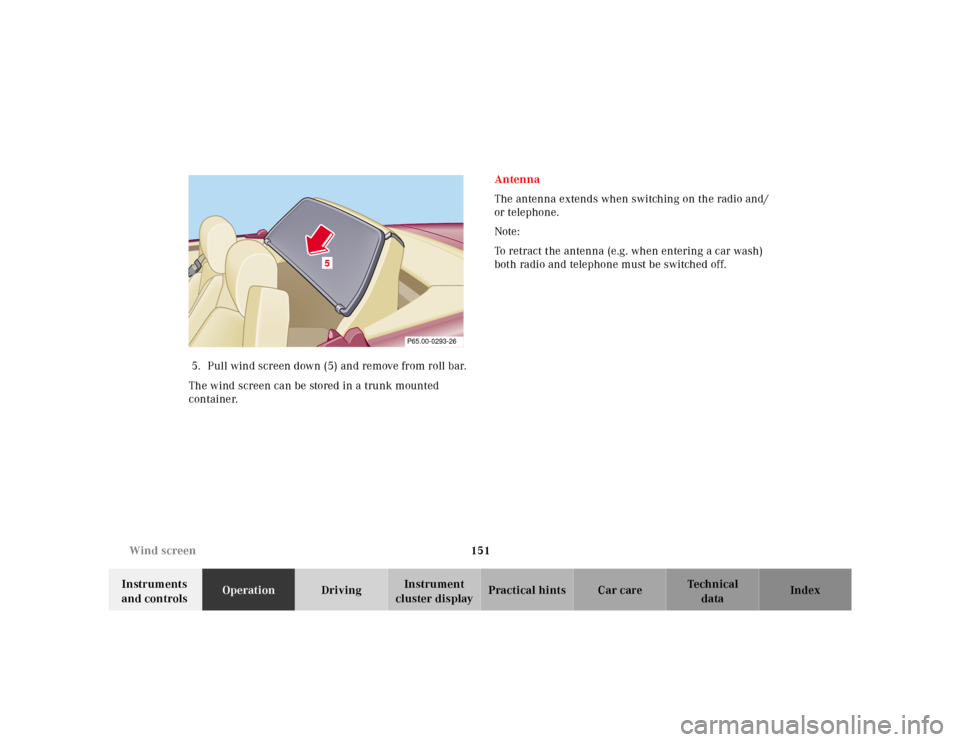
cluster displayPractical hints Car care Index 5. Pull wind screen down (5) and remove from roll bar.
The wind screen can be stored in a trunk mounted
container.Antenna
The antenna extends when switching on the radio and/
or telephone.
Note:
To retract the antenna (e.g. when entering a car wash)
both radio and telephone must be switched off.
5
P65.00-0293-26