navigation system MERCEDES-BENZ SLC ROADSTER 2019 Owner's Manual
[x] Cancel search | Manufacturer: MERCEDES-BENZ, Model Year: 2019, Model line: SLC ROADSTER, Model: MERCEDES-BENZ SLC ROADSTER 2019Pages: 306, PDF Size: 47.03 MB
Page 171 of 306
0063
0064 Press
andhold:
R In the Audio Audio
menu: selects apre-
set listorastation listinthe
desired frequency range,selects
an audio trackorvideo scene
using rapidscrolling
R In the Tel Tel
(Telephone) menu:
starts rapidscrolling ifthe phone
book isopen 0076 R
Confirms theselection ordisplay
message
R In the Tel Tel
(Telephone) menu:
switches tothe telephone book
and starts dialingthe selected
number 0038 Press
briefly:
R Back
R Switches offvoice-operated con-
trol fornavigation orthe Voice
Control System
R Hides display messages orcalls
up the last Trip Trip
menu function
used
R Exit sthe telephone book/redial
memory 0038 Press
andhold:
R Call sup the standard displayin
the Trip Trip
menu Right
control panel 0076 R
Rejects orends acall
R Exit sthe telephone book/redial
memory 0061 R
Makes oraccepts acall
R Switches tothe redial memory 0081
0082 R
Adjusts thevolume 0063 R
Mute 0059 R
Switches onvoice-operated con-
trol fornavigation orthe Voice
Control System You
canfind further information onvoice-oper-
ated controlfor navigation inthe manufactur- er's
operating instructionsinvehicles withan
Audio 20multimedia system.
Vehicles withtheCOMAND multimedia sys-
tem: youcan find further information onthe
Voice Control System inthe separate operat-
ing instruct ions. Multifunction
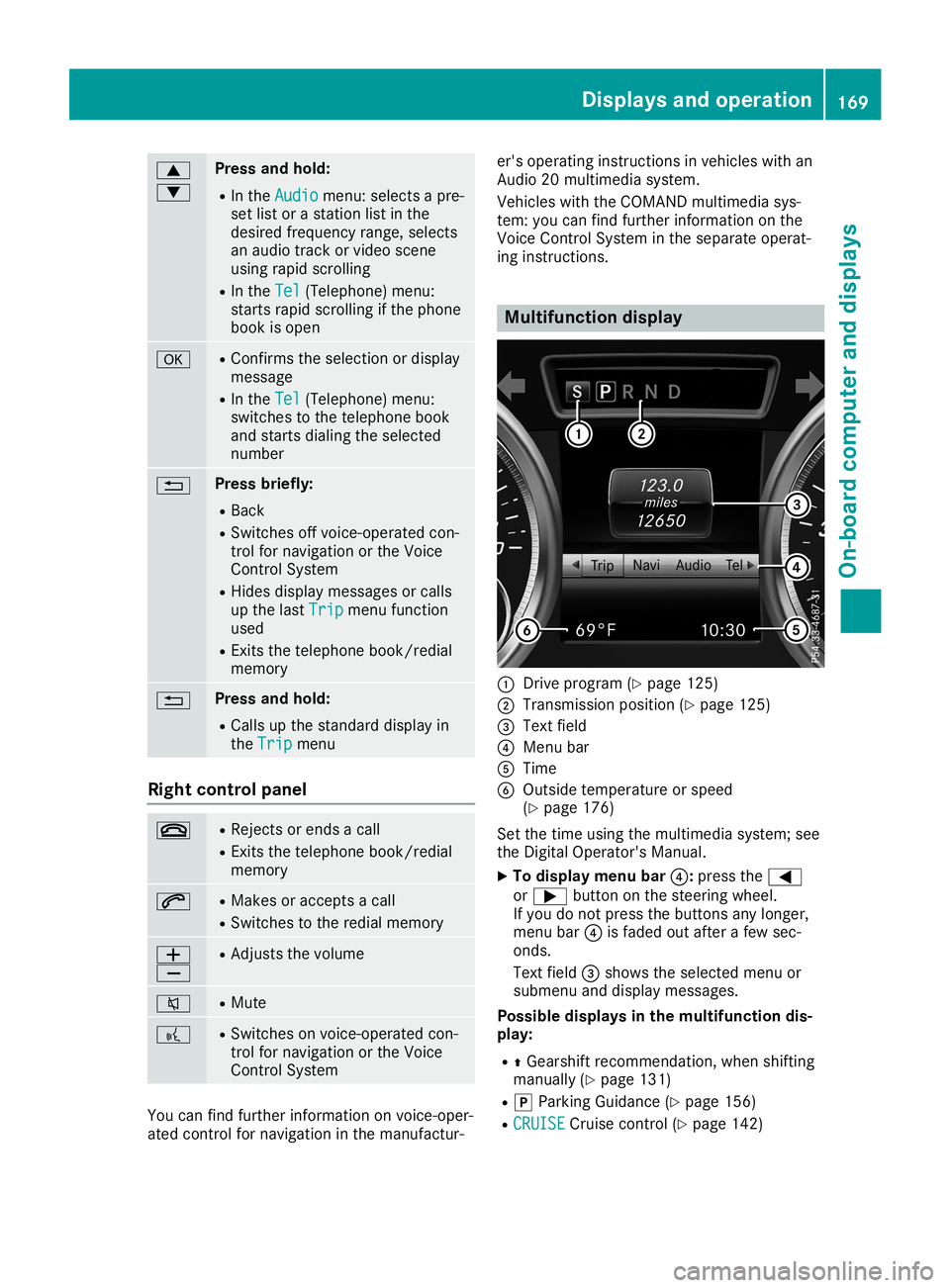
display 0043
Drive program (Ypage 125)
0044 Transmission position(Ypage 125)
0087 Text field
0085 Menu bar
0083 Time
0084 Outside temperature orspeed
(Y page 176)
Set thetime using themultimedia system;see
the Digital Operator's Manual.
X To display menubar0085:press the0059
or 0065 button onthe steering wheel.
If you donot press thebuttons anylonger,
menu bar0085isfaded outafter afew sec-
onds.
Text field 0087shows theselected menuor
submenu anddisplay messages.
Possible displaysinthe multifu nctiondis-
play:
R 0097Gearshift recommen dation,whenshifting
manually (Ypage 131)
R 005D Parking Guidance(Ypage 156)
R CRUISE CRUISE
Cruisecontrol(Ypage 142) Displays
andoperat ion
169On-board computerand displays Z
Page 174 of 306
Route
guidanc eacti ve No
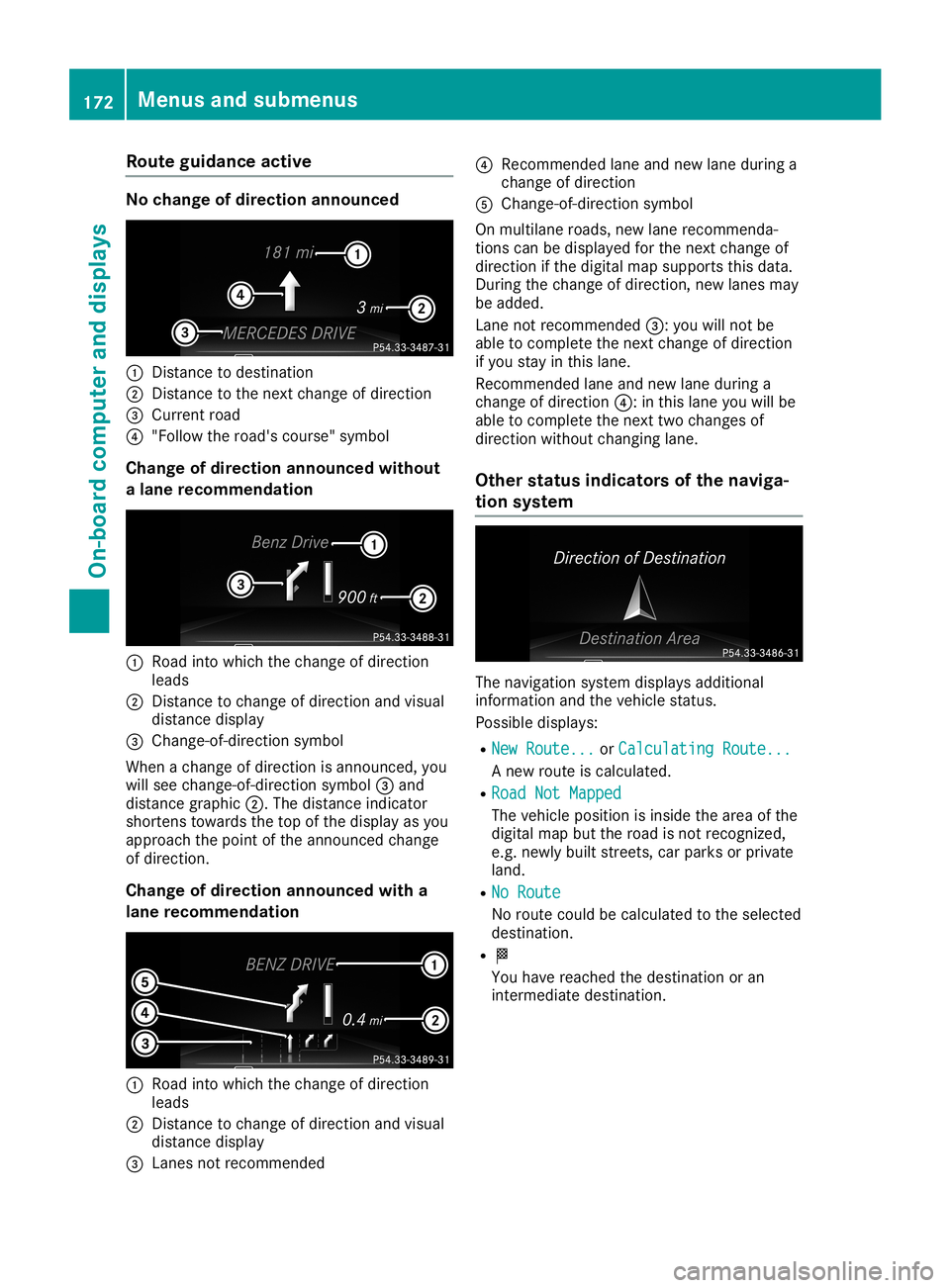
cha ngeof dire ction ann oun ced 0043
Dista ncetodes tina tion
0044 Dista ncetothe next change ofdirecti on
0087 Current road
0085 "Follow the road's cou rse"sy mbo l
Cha ngeof dire ction ann oun cedwi thout
a lan erec omme ndation 0043
Road into which the change ofdirecti on
le ad s
0044 Dista ncetocha nge ofdirecti onand visual
di stance displ ay
0087 Chang e-of -directi onsymbo l
Whe nacha nge ofdirecti onisanno unced,you
wi llsee change-o f-directi onsymbo l0087 and
di stance graphic0044. The distance indicator
sho rtens towardsthe top ofthe displ ayasyou
ap pro ach thepointofthe anno uncedcha nge
of directi on.
Cha ngeof dire ction ann oun cedwi th a
lan erec omme ndation 0043
Road into which the change ofdirecti on
le ad s
0044 Dista ncetocha nge ofdirecti onand visual
di stance displ ay
0087 Lane snot reco mmend ed 0085
Recomme ndedlane and new lane during a
cha nge ofdirecti on
0083 Chang e-of -directi onsymbo l
On mul tilane roads, new lane reco mmend a-
tions canbedispl ayed for the next change of
di recti onifthe digital map supp orts thisdata.
Duri ngthe change ofdirecti on,new lanes may
be added .
Lane notreco mmend ed0087: youwi llnot be
ab leto comp lete the next change ofdirecti on
if yo ustay inthis lane.
Re comme ndedlane and new lane during a
cha nge ofdirecti on0085: inthis lane youwi llbe
ab leto comp lete the next twochanges of
di recti onwithou tcha nging lane.
Othe rstatus indic ators ofthe navi ga-
tio nsys tem The
navigation system displ aysad ditiona l
info rma tion andthevehiclestatu s.
Pos sibledispl ays:
R New Route... New
Route... orCalc ulatingRoute... Calc
ulatingRoute...
A new routeiscal cul ate d.
R Road NotMapped Road
NotMapped
The vehiclepos ition isinsi dethe areaof the
di gital map butthe roadis not reco gnize d,
e.g. newlybu ilt stree ts,car parks orprivate
la nd.
R No Rout e No
Rout e
No routecou ldbe calcul ate dto the selected
des tina tion.
R 004B
Yo uha ve rea ched thedestina tion oran
inter mediate des tina tion. 17
2 Men
usand submen usOn-bo ard computer anddisplays
Page 178 of 306
X
Press 0064or0063 toset Off Off,
Standard Standard
or
Adaptive Adaptive.
X Press the0076 button tosave thesetting.
When LaneKeeping Assistisactivat ed,the
multifunc tiondisplay showsthelane mark-
ings asbright linesinthe assistanc e
graphic.
Further informationonLane Keeping Assist
(Y page 165). Service
menu
Dependin gon the equipment installedinthe
vehicle, youhave thefollowing optionsinthe
Serv. Serv.
menu:
R Calli ngup display messages (Ypage 182)
R Restartin gthe tire pressure losswarning
system (Ypage 274)
R Checking thetire pressure electronically
(Y page 274)
R Calli ngup the service duedate
(Y page 245) Settings
menu
Introdu ction Dependin
gon the equipment installedinthe
vehicle, inthe Sett. Sett.
menuyouhave thefol-
lowing options:
R Changing theinstr ument cluster settings
(Y page 176)
R Changing thelight settings (Ypage 176)
R Changing thevehicle settings (Ypage 178)
R Changing theconv enienc esett ings
(Y page 178)
R Restoring thefactor ysett ings (Ypage 179)
Instru mentcluster Selecting
thedista nceunit
The Display UnitSpeed-/Odo meter: Display
UnitSpeed-/Odo meter:func-
tion allows youtochoose whether certaindis-
plays appear inkilometer sor miles inthe mul-
tifunc tiondisplay.
X Press the0059 or0065 button onthe steer-
ing wheel toselect theSett. Sett.
menu.
X Press the0064 or0063 button toselect the
Instrument Cluster Instrument
Clustersubmenu. X
Press 0076toconf irm.
X Press the0064 or0063 button toselect the
Display UnitSpeed-/Odo meter: Display
UnitSpeed-/Odo meter:func-
tion.
The curren tsett ingkm km
ormiles miles
appears.
X Press the0076 button tosave thesetting.
The selected unitofmeasurement fordistanc e
applies to:
R the digital speedometer inthe Trip Trip
menu
R the odometer andtripodometer
R the trip computer
R the curren tcons umption andtherange
R navigation instruction sin the Navi Navi
menu
R cruise control
R DIS TRONIC
R ASS YST PLUS
Selecting permanent display
The Permanent Display: Permanent
Display:functionallows you
to choose whether themultifunc tiondisplay
alway sshows theoutside temperat ureorthe
speed.
The speed display isinverse tothe speedome-
ter.
X Press the0059 or0065 button onthe steer-
ing wheel toselect theSett. Sett.
menu.
X Press the0064 or0063 button toselect the
Instrument Cluster Instrument
Clustersubmenu.
X Press 0076toconf irm.
X Press the0064 or0063 button toselect the
Permanent Display: Permanent
Display:function.
The curren tsett ing, Outside Temperatur e Outside
Temperatur e
or Speedomete r[km/h] Speedomete
r[km/h] orSpeedomete r Speedomete
r
[mph] [mph],
appears.
X To change thesetting: press0076again.
Lights Setting
thedayt imerunning lamps
This funct ionisnot availabl ein Canada.
X Press the0059 or0065 button onthe steer-
ing wheel toselect theSett. Sett.
menu.
X Press the0064 or0063 button toselect the
Light Light
submenu.
X Press 0076toconf irm.
X Press the0064 or0063 button toselect the
Daytime Running Lights Daytime
Running Lightsfunction.
If the Daytime RunningLights Daytime
RunningLightsfunction
has been switched on,the cone oflight and 176
Menus
andsubmenusOn-board computerand display s
Page 212 of 306
Safety
systems Warning/
indicator
lamp 00510051
Signal type
Possible causes/co nsequences and0050 0050
Solutions 0027004D
0051
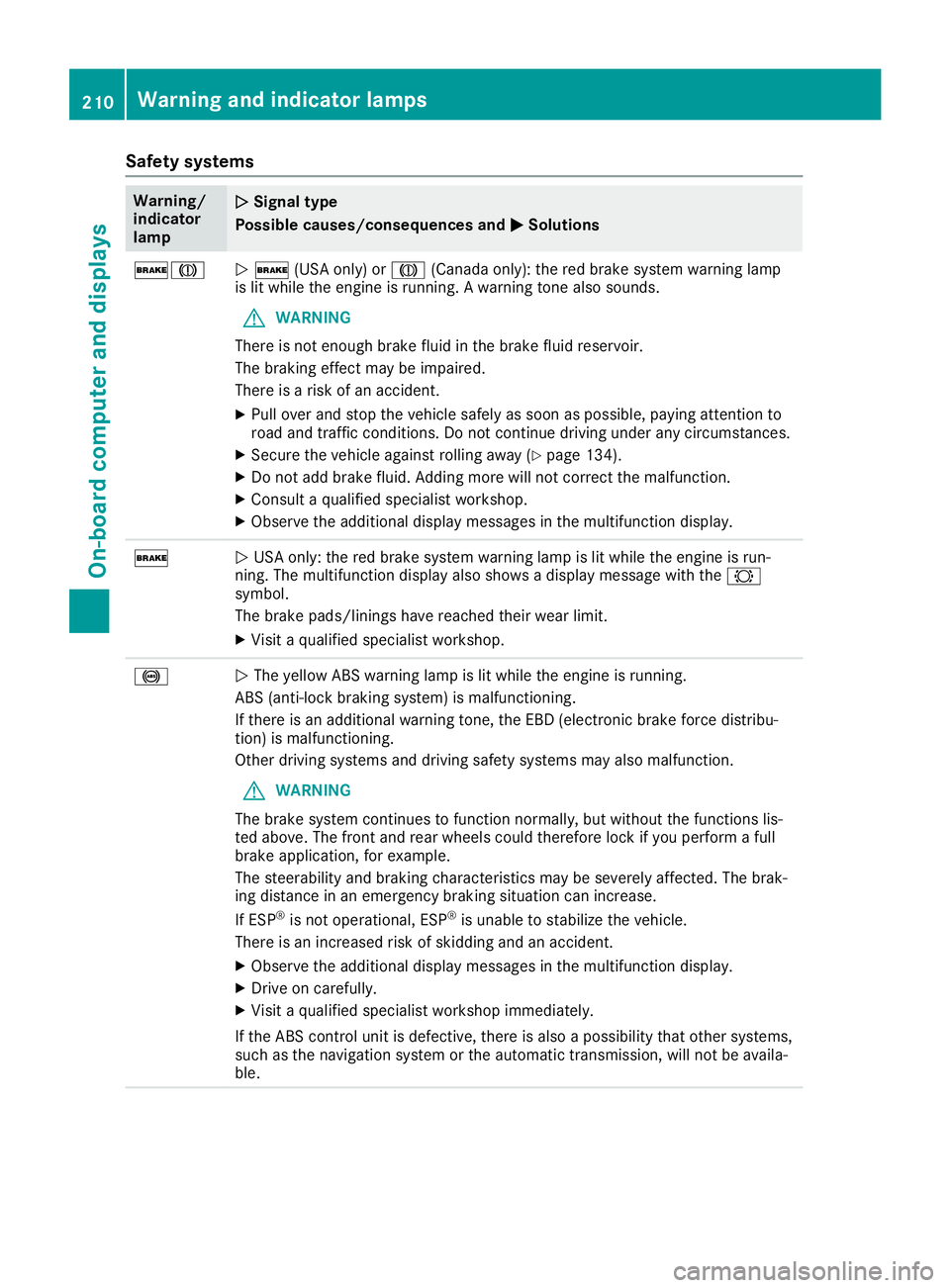
0027 (USAonly)or004D (Canada only):thered brake system warning lamp
is lit while theengine isrunning. Awarning tonealsosounds.
G WARNING
There isnot enough brakefluidinthe brake fluidreservoir.
The braking effectmaybeimpaired.
There isarisk ofan accident.
X Pull over andstop thevehicle safelyassoon aspossible, payingatten tionto
road andtraffic condition s.Do not cont inue driving underanycircumst ances.
X Secure thevehicle against rollingaway(Ypage 134).
X Do not add brake fluid.Adding morewillnotcorrect themalfunction .
X Consult aquali fiedspecialist workshop.
X Observe theadditional displaymessages inthe multifunct iondisplay . 0027
0051
USA only: thered brake system warning lampislit while theengine isrun-
ning. Themultifunct iondisplay alsoshows adisplay message withthe0026
symbol.
The brake pads/linings havereached theirwear limit.
X Visit aquali fiedspecialist workshop. 0025
0051
The yellow ABSwarning lampislit while theengine isrunning.
ABS (anti-lock brakingsystem) ismalfunction ing.
If there isan additional warningtone,theEBD (electronic brakeforcedistribu-
tion) ismalfunction ing.
Other driving systems anddriving safetysystems mayalsomalfunction .
G WARNING
The brake system continues tofunct ionnormally, butwithout thefunct ionslis-
ted above. Thefront andrear wheels couldtherefore lockifyou perform afull
brake application, forexample.
The steerability andbraking characterist icsmay beseverely affected. Thebrak-
ing distance inan emergency brakingsituation canincrease.
If ESP ®
is not operational, ESP®
is unable tostabilize thevehicle.
There isan increased riskofskidding andanaccident.
X Observe theadditional displaymessages inthe multifunct iondisplay .
X Drive oncarefully.
X Visit aquali fiedspecialist workshop immediately.
If the ABS controlunit isdefective, thereisalso apossibili tythat other systems,
such asthe navigation systemorthe automatic transmission,willnotbeavaila -
ble. 210
War
ning andindicator lampsOn-board computerand displays
Page 220 of 306
Opera
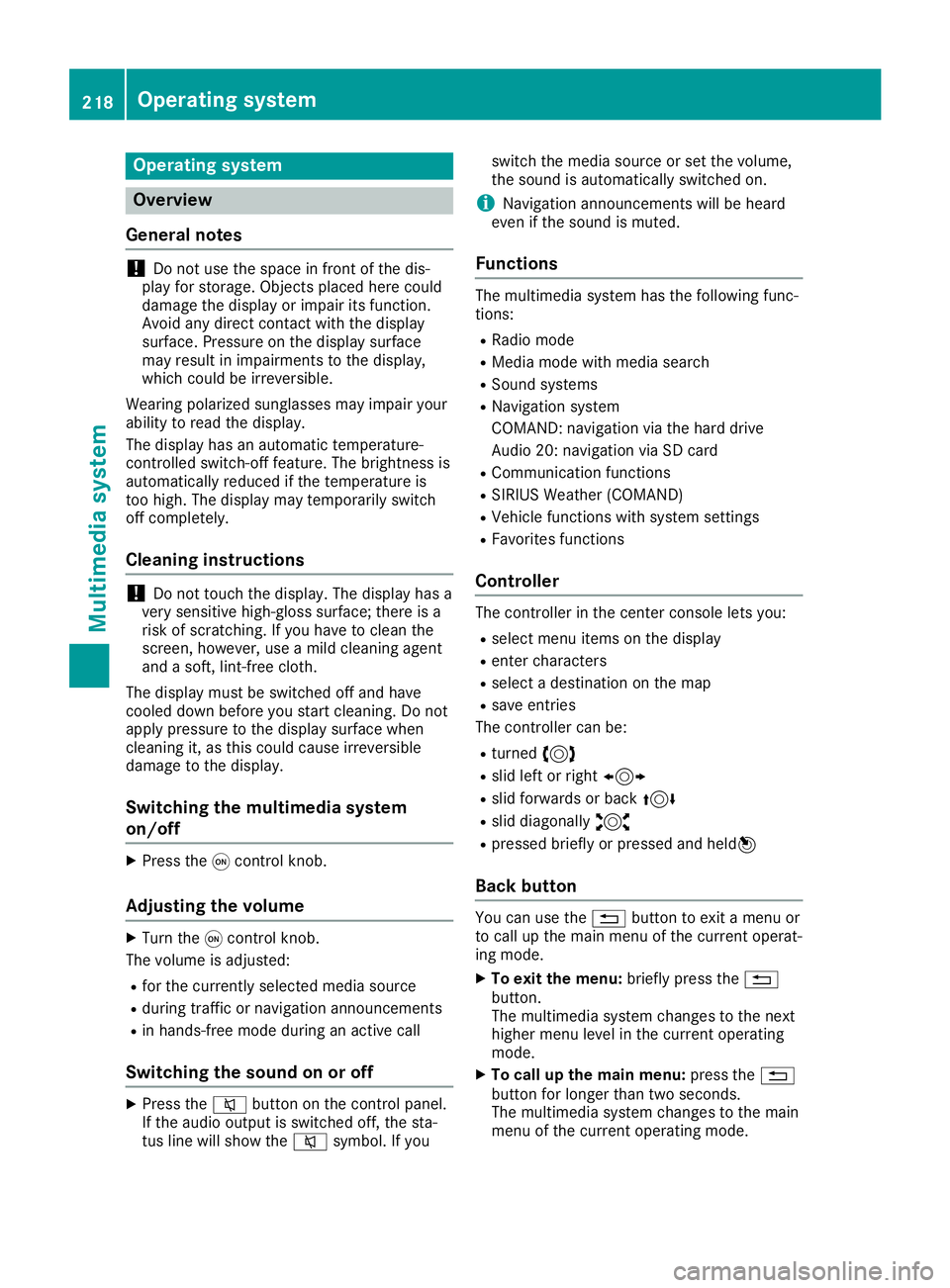
tingsystem Overview
General notes !
Do
not use thespace infron tof the dis-
play forstor age. Objec tsplaced herecould
damage thedisplay orimpair itsfunc tion.
Avoid anydirect contact with thedisplay
surface. Pressure onthe display surface
may result inimpairment sto the display,
which couldbeirrever sible.
Wearing polarized sunglasses mayimpair your
ability toread thedisplay.
The display hasanautomatic temperature-
con trolled switch- offfeature. Thebrightn essis
automatic allyreduced ifthe temper atureis
too high. Thedisplay maytempor arilyswitch
off complet ely.
Cleaning instructions !
Do
not touch thedisplay. Thedisplay hasa
very sensit ivehigh-gloss surface;thereisa
risk ofscrat ching .If you have toclean the
screen ,however, useamild cleanin gagent
and asoft ,lint- free cloth .
The display mustbeswitched offand have
cooled downbefore youstart cleanin g.Do not
apply pressure tothe display surface when
cleanin git, as this could cause irreversible
damage tothe display.
Switching themult imedia system
on/off X
Press the0043con trol knob.
Adju sting thevolume X
Turn the0043con trol knob.
The volume isadjusted:
R for the curren tlyselect edmedia source
R during trafficor navigation announcements
R in hands- freemode during anactive call
Switching thesound onoroff X
Press the0063 button onthe control panel.
If the audio output isswitched off,thesta-
tus line willshow the0063 symbol. Ifyou switch
themedia source orset the volume,
the sound isautomatic allyswitched on.
i Navigation
announcementswill beheard
even ifthe sound ismuted.
Functions The
multimedia systemhasthefollowing func-
tion s:
R Radio mode
R Media modewithmedia search
R Sound systems
R Navigation system
COMAND :navigation viathe hard drive
Audio 20:navigation viaSD card
R Communicat ionfunc tions
R SIRIUS Weather (COMAND )
R Vehicle functionswith system settings
R Favorit esfunc tions
Controller The
controller inthe cent ercon sole letsyou:
R select menuitemsonthe display
R ent ercharact ers
R select adestin ationonthe map
R save entries
The controller canbe:
R turn ed3
R slid leftorright 1
R slid forwards orback 4
R slid diagonally 2
R pressed brieflyorpressed andheld7
Back button You
canusethe0038 button toexit amenu or
to call upthe main menu ofthe curren toperat-
ing mode.
X To exit themenu: brieflypressthe0038
button .
The multimedia systemchanges tothe next
higher menulevelinthe curren toperatin g
mode.
X To call upthe main menu: pressthe0038
button forlonger thantwosecon ds.
The multimedia systemchanges tothe main
menu ofthe curren toperatin gmode. 218
Opera
tingsystemMult imedia system
Page 222 of 306
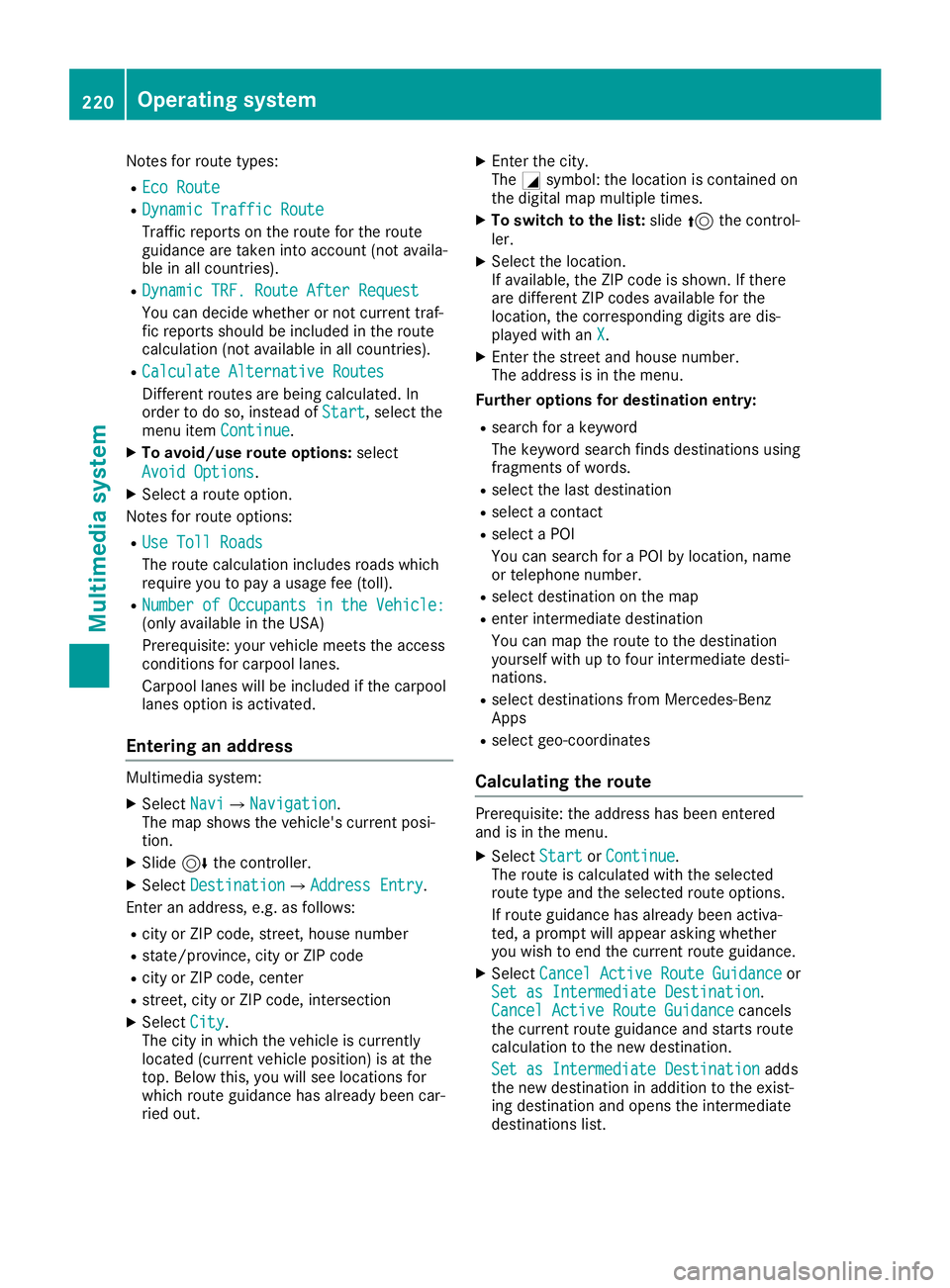
Notes
forroute types:
R Eco Route Eco
Route
R Dynamic Traffic Route Dynamic
Traffic Route
Traffic reports onthe route forthe route
guid ance aretaken intoaccount (notavaila-
ble inall countries).
R Dynamic TRF.Route AfterRequest Dynamic
TRF.Route AfterRequest
You candecide whether ornot current traf-
fic reports shouldbe included inthe route
calcul ation(notavailablein all countries).
R Calculate Alternative Routes Calculate
Alternative Routes
Different routesarebeing calculated.In
order todo so, instead ofStart Start,
selectthe
menu itemContinue Continue.
X To avoid/use routeoptions: select
Avoid Options Avoid
Options.
X Select aroute option.
Notes forroute options:
R Use Toll Roads Use
Toll Roads
The route calculationincludes roadswhich
requi reyou topay ausag efee (toll).
R Number ofOccupants inthe Vehicle: Number
ofOccupants inthe Vehicle:
(only availablein the USA)
Prerequ isite:yourvehicle meetstheaccess
conditions forcarpool lanes.
Carp oollanes willbe included ifthe carpool
lanes option isactivated.
Entering anaddr ess Multimed
iasystem:
X Select Navi Navi007BNavigation Navigation.
The map shows thevehicle's currentposi-
tion.
X Slide 6thecontroller.
X Select Destination Destination007BAddre
ssEntry Address
Entry.
Ent eran addre ss,e.g. asfollow s:
R city orZIP code, street, housenumber
R state/province, cityorZIP code
R city orZIP code, center
R street, cityorZIP code, intersection
X Select City City.
The cityinwhich thevehicle iscurrently
located (current vehicleposition) isat the
top. Below this,youwillsee locations for
which routeguidance hasalrea dybeen car-
ried out. X
Ent erthe city.
The 0043symbol :the location iscontained on
the digitalmap multipl etimes.
X To switc hto the list: slide 5thecontrol-
ler.
X Select thelocation.
If avai lable,the ZIPcode isshown. Ifthere
are different ZIPcodes availablefor the
location, thecorresponding digitsare dis-
play edwith anX X.
X Ent erthe street andhouse number.
The addre ssisin the menu.
Further options fordestination entry:
R search forakeyword
The keyword searchfindsdestinations using
fragments ofwords.
R select thelast destination
R select acontact
R select aPOI
You cansearch foraPOI bylocation, name
or telephone number.
R select destination onthe map
R enter intermediate destination
You canmap theroute tothe destination
you rself withuptofour intermediate desti-
nations.
R select destinations fromMercedes-Benz
Apps
R select geo-coordinates
Calc ulating theroute Prerequ
isite:theaddre sshas been entered
and isin the menu.
X Select Start Start
orContinue Continue.
The route iscalcul atedwiththeselected
route typeandtheselected routeoptions.
If route guidance hasalrea dybeen activa-
ted, aprompt willappe arasking whether
you wish toend thecurrent routeguidance.
X Select Cancel ActiveRouteGuidance Cancel
ActiveRouteGuidance or
Set asIntermediate Destination Set
asIntermediate Destination.
Cancel Active RouteGuidance Cancel
Active RouteGuidance cancels
the current routeguidance andstarts route
calcul ationtothe new destination.
Set asIntermediate Destination Set
asIntermediate Destinationadds
the new destination inaddi tion tothe exist-
ing destination andopens theintermediate
destinations list.220
Operating
systemMultimedia system