cooling MITSUBISHI iMiEV 2017 1.G User Guide
[x] Cancel search | Manufacturer: MITSUBISHI, Model Year: 2017, Model line: iMiEV, Model: MITSUBISHI iMiEV 2017 1.GPages: 296, PDF Size: 7.79 MB
Page 150 of 296
Instrument cluster 5-42 Features and controls
5
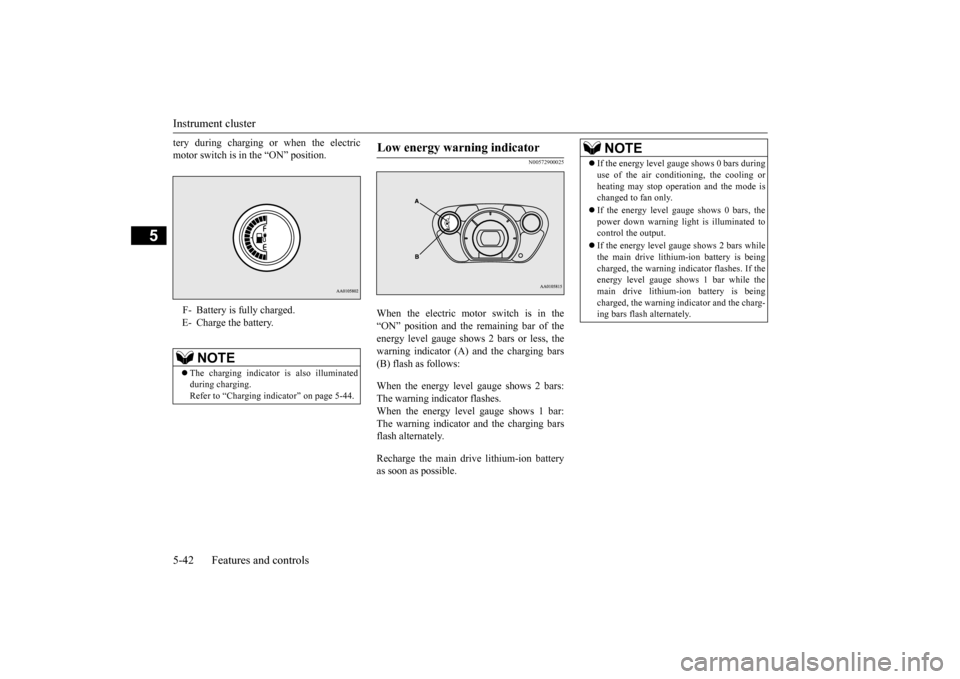
tery during charging or when the electric motor switch is in the “ON” position.
N00572900025
When the electric motor switch is in the “ON” position and the
remaining bar of the
energy level gauge shows 2 bars or less, thewarning indicator (A) and the charging bars (B) flash as follows: When the energy level gauge shows 2 bars: The warning indicator flashes.When the energy level gauge shows 1 bar: The warning indicator and the charging bars flash alternately. Recharge the main drive lithium-ion battery as soon as possible.
F- Battery is fully charged. E- Charge the battery.
NOTE
The charging indicator
is also illuminated
during charging. Refer to “Charging indi
cator” on page 5-44.
Low energy warning indicator
NOTE
If the energy level gauge shows 0 bars during use of the air conditioning, the cooling orheating may stop opera
tion and the mode is
changed to fan only. If the energy level gauge shows 0 bars, the power down warning light
is illuminated to
control the output. If the energy level gauge shows 2 bars while the main drive lithium-ion battery is being charged, the warning i
ndicator flashes. If the
energy level gauge shows 1 bar while the main drive lithium-ion battery is being charged, the warning indicator and the charg-ing bars flash alternately.
BK0220401US.book 42 ページ 2015年6月3日 水曜日 午前7時42分
Page 192 of 296
Economical driving 6-2 Driving safety
6
N00628500029
For economical driving,
there are some tech-
nical requirements that
have to be met. In
order to achieve longer life of the vehicle andthe most economical
operation, we recom-
mend you to have the vehicle checked at reg- ular intervals according to the “WARRANTYAND MAINTENANCE MANUAL”. Avoid driving with the
accelerator pedal fully
depressed, such as for unnecessarily sudden starts, accelerati
on and deceleration.
Smoothly depress the
accelerator pedal.
Observe the speed limit and keep the speed as constant as possi
ble while driving.
Parking for a long period with the ready indi- cator illuminated will shorten the cruisingrange. At higher the vehicle speed the more main drive lithium-ion battery
is consumed. Avoid
driving at full speed. Even a slight release of the accelerator pedal wi
ll save a significant
amount of main drive lithium-ion battery charge. Check the tire inflation pressures at regular intervals Low tire inflat
ion pressure increases
road resistance. In addi
tion, low tire pressures
adversely affect tire we
ar and driving stabil-
ity. Do not drive with unnecessary articles in the luggage compartment. Too much cooling/heating can affect the cruising range, so maintain an appropriatetemperature to exte
nd the cruising range.
N00628900010
Drunk driving is one of the most frequent causes of accidents.
Your driving ability ca
n be seriously impaired
even with blood alcohol levels far below thelegal minimum. If you
have been drinking,
don’t drive. Ride with a designated non- drinking driver, call a cab or a friend, or usepublic transportation. Drinking coffee or tak- ing a cold shower will not make you sober. Similarly, prescription and nonprescriptiondrugs affect your aler
tness, perception and
reaction time. Consul
t with your doctor or
pharmacist before dr
iving while under the
influence of any of
these medications.
N00628600017
The original equipmen
t floor mat provided
with your vehicle was
specifically designed
for your vehicle. Always properly position the floor mat and assure it does not interfere with operation of the pedals. Always use theretaining clip on the driver’s floorboard to secure the floor mat. When used, this clip will help prevent the floor mat from moving for-ward and possibly interfering with the opera- tion of the pedals. To prevent the floor mat
Economical driving Starting and acceleration Idling Speed
Tire inflation pressure Cargo loads Air conditioning Driving, alcohol and drugs
WA R N I N G NEVER DRINK AND DRIVE. Your perceptions ar
e less accurate, your
reflexes are slower and your judgment is impaired.
Floor mat
BK0220401US.book 2 ページ 2015年6月3日 水曜日 午前7時42分
Page 204 of 296
Vents 7-2 Comfort controls
7
N00729900265 N00730200314
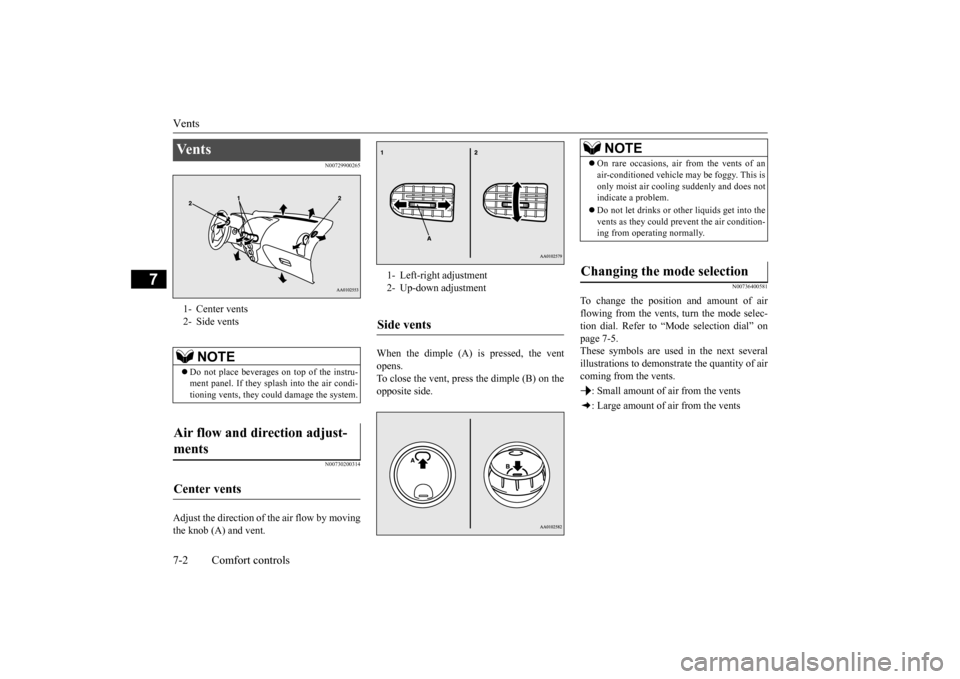
Adjust the direction of the air flow by moving the knob (A) and vent.
When the dimple (A) is pressed, the vent opens.To close the vent, press the dimple (B) on the opposite side.
N00736400581
To change the position and amount of air flowing from the vents,
turn the mode selec-
tion dial. Refer to “Mode selection dial” on page 7-5. These symbols are used
in the next several
illustrations to demonstrate the quantity of air coming from the vents. : Small amount of air from the vents: Large amount of air from the vents
Ve n t s 1- Center vents 2- Side vents
NOTE
Do not place beverages on top of the instru- ment panel. If they splash into the air condi- tioning vents, they coul
d damage the system.
Air flow and direction adjust- ments Center vents
1- Left-right adjustment 2- Up-down adjustmentSide vents
NOTE
On rare occasions, air from the vents of an air-conditioned vehicle
may be foggy. This is
only moist air cooling suddenly and does notindicate a problem. Do not let drinks or ot
her liquids get into the
vents as they could pr
event the air condition-
ing from operating normally.
Changing the mode selection
BK0220401US.book 2 ページ 2015年6月3日 水曜日 午前7時42分
Page 207 of 296
Air conditioning
Comfort controls 7-5
7
N00736500191
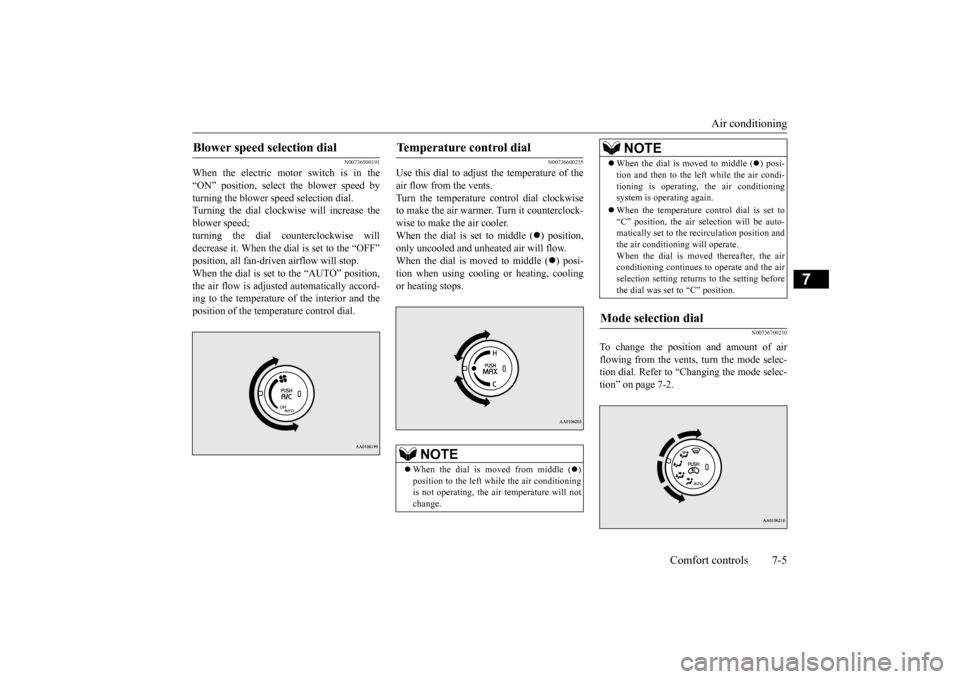
When the electric motor switch is in the “ON” position, select the blower speed by turning the blower speed selection dial.Turning the dial clockwise will increase the blower speed; turning the dial c
ounterclockwise will
decrease it. When the dial is set to the “OFF” When the dial is set to the “AUTO” position, the air flow is adjusted automatically accord- ing to the temperature of the interior and theposition of the temperature control dial.
N00736600235
Use this dial to adjust the temperature of the air flow from the vents. Turn the temperature control dial clockwiseto make the air warmer. Turn it counterclock- wise to make the air cooler. When the dial is set to middle (
) position,
only uncooled and unheated air will flow. When the dial is moved to middle (
) posi-
tion when using cooling or heating, cooling or heating stops.
N00736700210
To change the position and amount of air flowing from the vents, turn the mode selec-tion dial. Refer to “Changing the mode selec- tion” on page 7-2.
Blower speed selection dial
Temperature control dial
NOTE
When the dial is moved from middle (
)
position to the left while the air conditioning is not operating, the ai
r temperature will not
change.
When the dial is moved to middle (
) posi-
tion and then to the left while the air condi-tioning is operating,
the air conditioning
system is operating again. When the temperature control dial is set to “C” position, the air se
lection will be auto-
matically set to the re
circulation position and
the air conditioning will operate.When the dial is moved thereafter, the air conditioning continues to
operate and the air
selection setting returns to the setting beforethe dial was set to “C” position.
Mode selection dial
NOTE
BK0220401US.book 5 ページ 2015年6月3日 水曜日 午前7時42分
Page 208 of 296
Air conditioning 7-6 Comfort controls
7
The vents change to the following positions according to the position of the temperaturecontrol dial. Refer to “Temperature
control dial” on page
7-5.
N00736800400
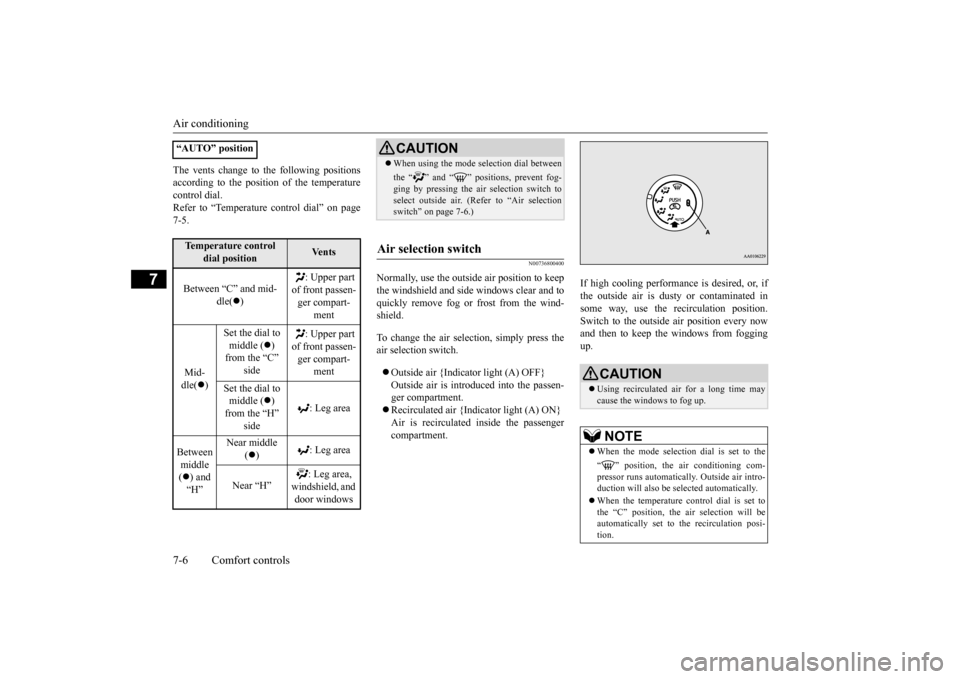
Normally, use the outside
air position to keep
the windshield and side windows clear and to quickly remove fog or frost from the wind- shield. To change the air selection, simply press the air selection switch. Outside air {Indicator light (A) OFF} Outside air is introduced into the passen- ger compartment. Recirculated air {Indicator light (A) ON} Air is recirculated
inside the passenger
compartment.
If high cooling performance is desired, or, if the outside air is dusty
or contaminated in
some way, use the
recirculat
ion position.
Switch to the outside
air position every now
and then to keep the windows from foggingup.
“AUTO” positionTemperature control
dial position
Ve n t s
Between “C” and mid-
dle(
)
: Upper part
of front passen- ger compart-
ment
Mid- dle(
)
Set the dial to middle (
)
from the “C”
: Upper part
of front passen- ger compart-
ment
Set the dial to middle (
)
from the “H”
: Leg area
Between middle ( ) and “H”
Near middle
( )
: Leg area
Near “H”
windshield, and door windows
CAUTION When using the mode se
lection dial between
the “ ” and “ ” positions, prevent fog- ging by pressing the air selection switch toselect outside air. (Refer to “Air selection switch
Page 209 of 296
Air conditioning
Comfort controls 7-7
7
N00731000465
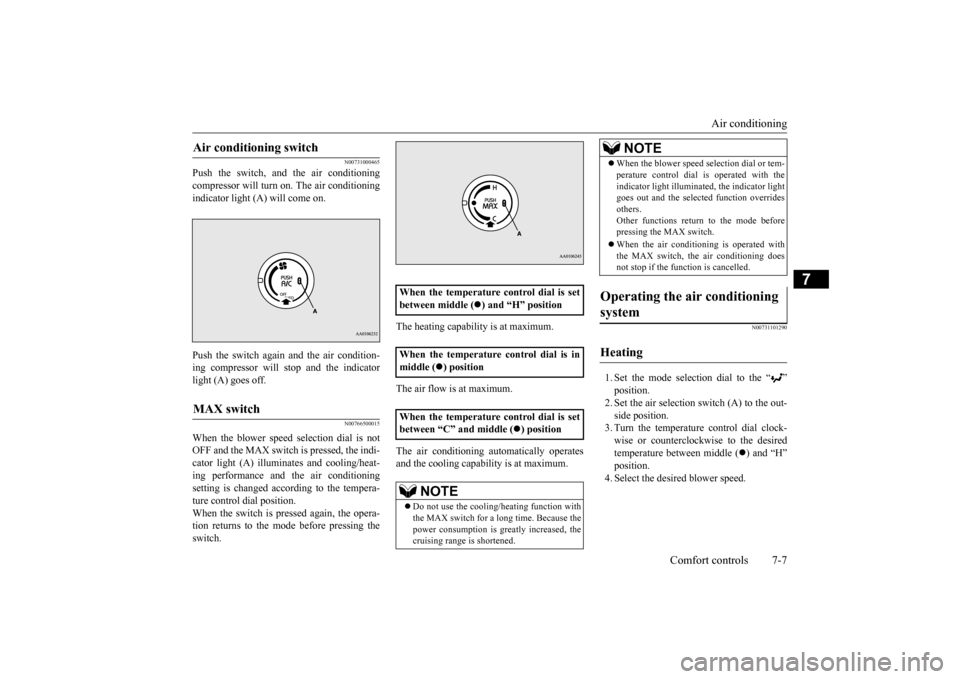
Push the switch, and the air conditioning compressor will turn on. The air conditioning indicator light (A) will come on. Push the switch again and the air condition- ing compressor will stop and the indicatorlight (A) goes off.
N00766500015
When the blower speed selection dial is notOFF and the MAX switch is pressed, the indi- cator light (A) illumina
tes and cooling/heat-
ing performance and
the air conditioning
setting is changed according to the tempera- ture control dial position. When the switch is pr
essed again, the opera-
tion returns to the mode before pressing the switch.
The heating capability is at maximum. The air flow is at maximum. The air conditioning au
tomatically operates
and the cooling capabi
lity is at maximum.
N00731101290
1. Set the mode selection dial to the “ ” 2. Set the air selection switch (A) to the out- side position.3. Turn the temperature control dial clock- wise or counterclockw
ise to the desired
temperature between middle (
) and “H”
position. 4. Select the desi
red blower speed.
Air conditioning switch MAX switch
When the temperature control dial is set between middle ( When the temperature control dial is in middle (
) position
When the temperature control dial is set between
Page 211 of 296
Air conditioning
Comfort controls 7-9
7
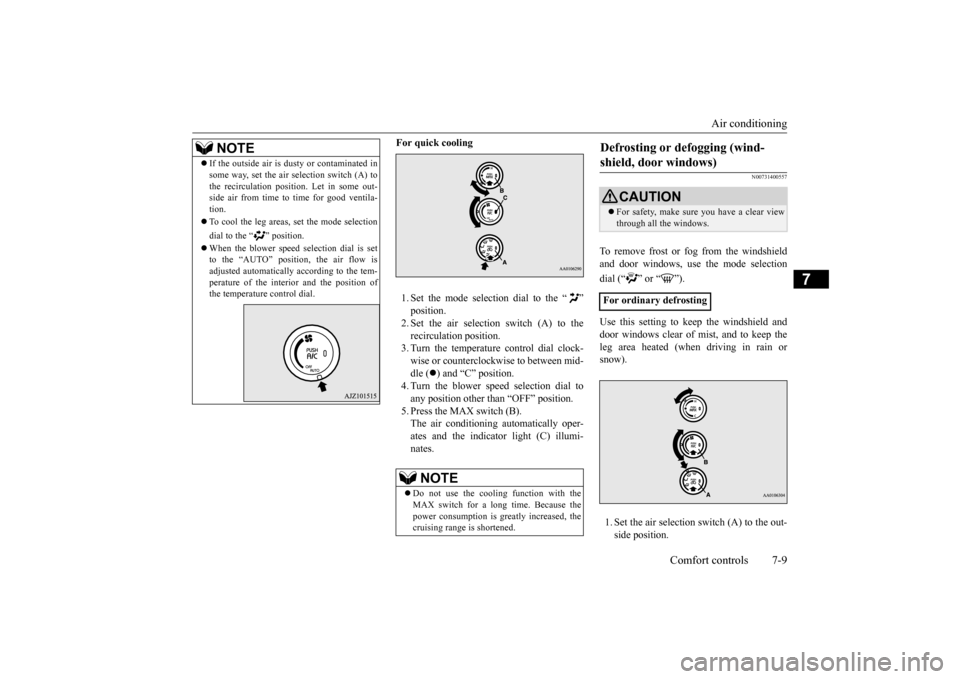
For quick cooling 1. Set the mode selection dial to the “ ”2. Set the air selection switch (A) to the recirculati
on position.
3. Turn the temperature control dial clock-wise or counterclockwise to between mid- dle (
) and “C” position.
4. Turn the blower speed selection dial toany position other than “OFF” position. 5. Press the MAX switch (B). The air conditioning automatically oper-ates and the indicator light (C) illumi- nates.
N00731400557
To remove frost or fog from the windshield and door windows, use
the mode selection
dial (“ ” or “ ”). Use this setting to ke
ep the windshield and
door windows clear of mist, and to keep the leg area heated (when driving in rain orsnow). 1. Set the air selection switch (A) to the out- side position.
NOTE
If the outside air is dus
ty or contaminated in
some way, set the air selection switch (A) tothe recirculation positi
on. Let in some out-
side air from time to time for good ventila- tion. To cool the leg areas,
set the mode selection
dial to the “ ” position. When the blower speed
selection dial is set
to the “AUTO” position, the air flow is adjusted automatically according to the tem-perature of the interior and the position of the temperature control dial.
NOTE
Do not use the cooling function with the MAX switch for a l
ong time. Because the
power consumption is gr
eatly increased, the
cruising range is shortened.
Defrosting or defogging (wind- shield, door windows)
CAUTION For safety, make sure you have a clear view through all the windows.
For ordinary defrosting
BK0220401US.book 9 ページ 2015年6月3日 水曜日 午前7時42分
Page 212 of 296
Important air condit
ioning operating tips
7-10 Comfort controls
7
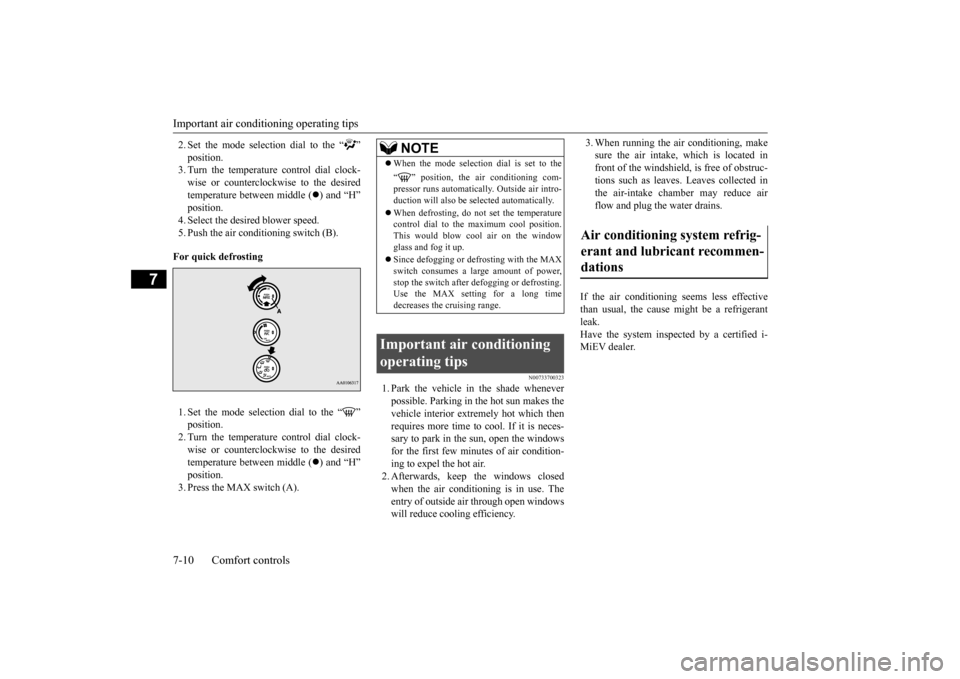
2. Set the mode select
ion dial to the “ ”
3. Turn the temperature control dial clock-wise or counterclockw
ise to the desired
temperature between middle (
) and “H”
position.4. Select the desi
red blower speed.
5. Push the air conditioning switch (B). For quick defrosting 1. Set the mode selection dial to the “ ”2. Turn the temperature control dial clock- wise or counterclockw
ise to the desired
temperature between middle (
) and “H”
position. 3. Press the MAX switch (A).
N00733700323
1. Park the vehicle in the shade whenever possible. Parking in the hot sun makes thevehicle interior extremely hot which then requires more time to cool. If it is neces- sary to park in the sun, open the windowsfor the first few minutes of air condition- ing to expel the hot air. 2. Afterwards, keep the windows closedwhen the air conditioning is in use. The entry of outside air through open windows will reduce cooling efficiency.
3. When running the air conditioning, make sure the air intake, which is located infront of the windshield, is free of obstruc- tions such as leaves. Leaves collected in the air-intake chamber may reduce airflow and plug the water drains.
If the air conditioning seems less effective than usual, the cause might be a refrigerant leak. Have the system inspected by a certified i-MiEV dealer.
NOTE
When the mode selection dial is set to the “ ” position, the air conditioning com- pressor runs automatically. Outside air intro-duction will also be se
lected automatically.
When defrosting, do not set the temperature control dial to the
maximum cool position.
This would blow c
ool air on the window
glass and fog it up. Since defogging or defrosting with the MAX switch consumes a la
rge amount of power,
stop the switch after
defogging or defrosting.
Use the MAX setting for a long time decreases the cruising range.
Important air conditioning operating tips
Air conditioning system refrig- erant and lubricant recommen- dations
BK0220401US.book 10 ページ 2015年6月3日 水曜日 午前7時42分
Page 235 of 296
Jump-starting
For emergencies 8-3
8
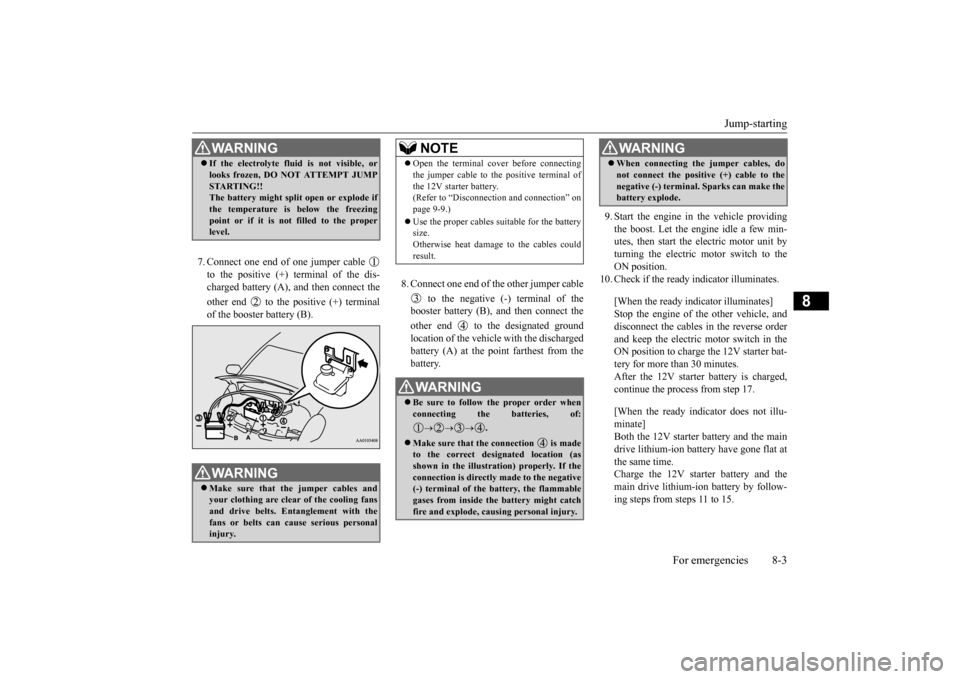
7. Connect one end of one jumper cable to the positive (+) terminal of the dis- charged battery (A),
and then connect the
other end to the positive (+) terminal of the booster battery (B).
8. Connect one end of the other jumper cable
to the negative (-) terminal of the booster battery (B), and then connect the other end to the designated ground location of the vehicle with the discharged battery (A) at the point farthest from the battery.
9. Start the engine in the vehicle providing the boost. Let the engine idle a few min- utes, then start the electric motor unit byturning the electric motor switch to the ON position.
10. Check if the ready
indicator illuminates.
[When the ready indicator illuminates] Stop the engine of the other vehicle, and disconnect the cables in the reverse order and keep the electric motor switch in theON position to charge the 12V starter bat- tery for more than 30 minutes. After the 12V starter battery is charged,continue the process from step 17. [When the ready indicator does not illu- minate] Both the 12V starter battery and the maindrive lithium-ion battery
have gone flat at
the same time. Charge the 12V starter battery and themain drive lithium-i
on battery by follow-
ing steps from steps 11 to 15.
WA R N I N G If the electrolyte flui
d is not visible, or
looks frozen, DO NOT ATTEMPT JUMPSTARTING!! The battery might split open or explode if the temperature is below the freezing point or if it is not filled to the properlevel. WA R N I N G Make sure that the jumper cables and your clothing are clear of the cooling fansand drive belts. Entanglement with the fans or belts can cause serious personal injury.
NOTE
Open the terminal cover before connecting the jumper cable to the positive terminal ofthe 12V starter battery. (Refer to “Disconnect
ion and connection” on
page 9-9.) Use the proper cables suitable for the battery size. Otherwise heat damage
to the cables could
result.WA R N I N G Be sure to follow the proper order when connecting the batteries, of:
.
Make sure that the connection is made to the correct designated location (as shown in the illustration) properly. If theconnection is directly made to the negative (-) terminal of the battery, the flammable gases from inside the battery might catchfire and explode, caus
ing personal injury.
When connecting the jumper cables, do not connect the positive (+) cable to thenegative (-) terminal. Sparks can make thebattery explode.WA R N I N G
BK0220401US.book 3 ページ 2015年6月3日 水曜日 午前7時42分
Page 252 of 296
Coolant/Hot water heater fluid 9-6 Vehicle care and maintenance
9
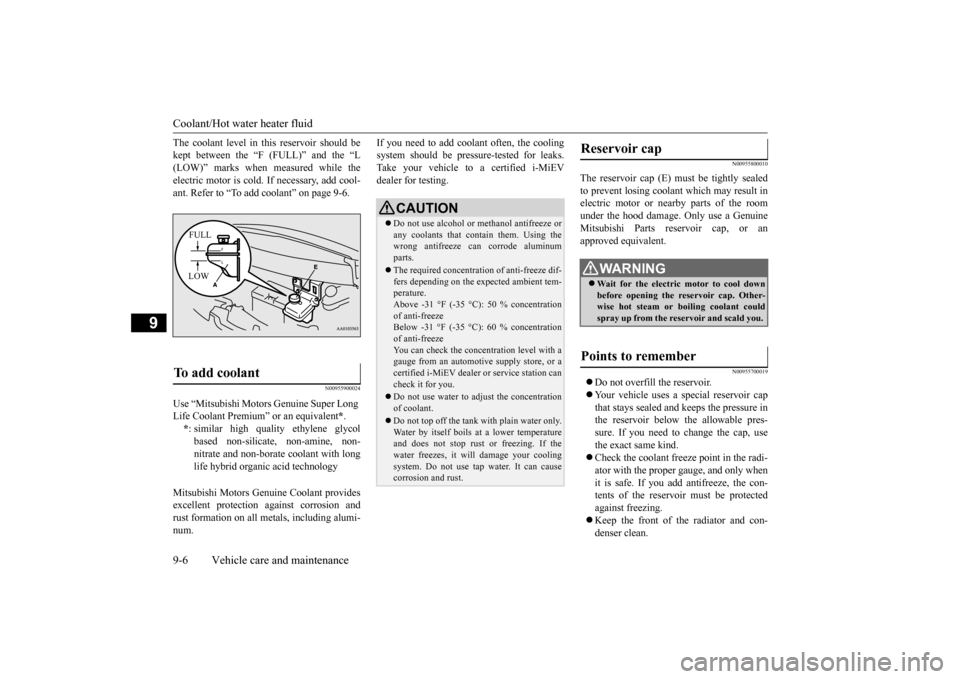
The coolant level in th
is reservoir should be
kept between the “F (FULL)” and the “L electric motor is cold. If necessary, add cool- ant. Refer to “To add coolant” on page 9-6.
N00955900024
Mitsubishi Motors Genui
ne Coolant provides
excellent protection against corrosion and rust formation on all metals, including alumi- num.
If you need to add coolant often, the cooling system should be pressure-tested for leaks.Take your vehicle to a certified i-MiEV dealer for testing.
N00955800010
The reservoir cap (E) must be tightly sealedto prevent losing coolant which may result in electric motor or nearby parts of the roomunder the hood damage. Only use a Genuine Mitsubishi Parts rese
rvoir cap, or an
approved equivalent.
N00955700019
Do not overfill the reservoir. Your vehicle uses a special reservoir cap that stays sealed and keeps the pressure inthe reservoir below the allowable pres- sure. If you need to change the cap, use the exact same kind. Check the coolant freeze point in the radi- ator with the proper gauge, and only when it is safe. If you add antifreeze, the con-tents of the reservoi
r must be protected
against freezing. Keep the front of the radiator and con- denser clean.
To add coolant Use “Mitsubishi Motors
Genuine Super Long
Life Coolant Premium”
*.
* : similar high qual
ity ethylene glycol
based non-silicate, non-amine, non-nitrate and non-borate coolant with long life hybrid organic acid technologyFULL LOW
CAUTION Do not use alcohol or
methanol antifreeze or
any coolants that c
ontain them. Using the
wrong antifreeze can corrode aluminumparts. The required concentration of anti-freeze dif- fers depending on the
expected ambient tem-
perature. Above -31 °F (-35 °C): of anti-freeze Below -31