fog light MITSUBISHI LANCER EVOLUTION 2014 10.G User Guide
[x] Cancel search | Manufacturer: MITSUBISHI, Model Year: 2014, Model line: LANCER EVOLUTION, Model: MITSUBISHI LANCER EVOLUTION 2014 10.GPages: 338, PDF Size: 40.99 MB
Page 182 of 338
Indicators
Features and controls 5-121
5
N00519900127 N00520000216
The arrows will flash in
time with the corre-
sponding exterior turn signals when the turnsignal lever is used. Both arrows will flas
h when the hazard warn-
ing flasher switch is pressed.
N00520100086
A blue light comes on when the headlightsare on high beam.
N00520200191
This indicator comes on while the front foglights are on.
N00551300026
This indicator light illuminates while theposition lights are on.
Screen
Do this
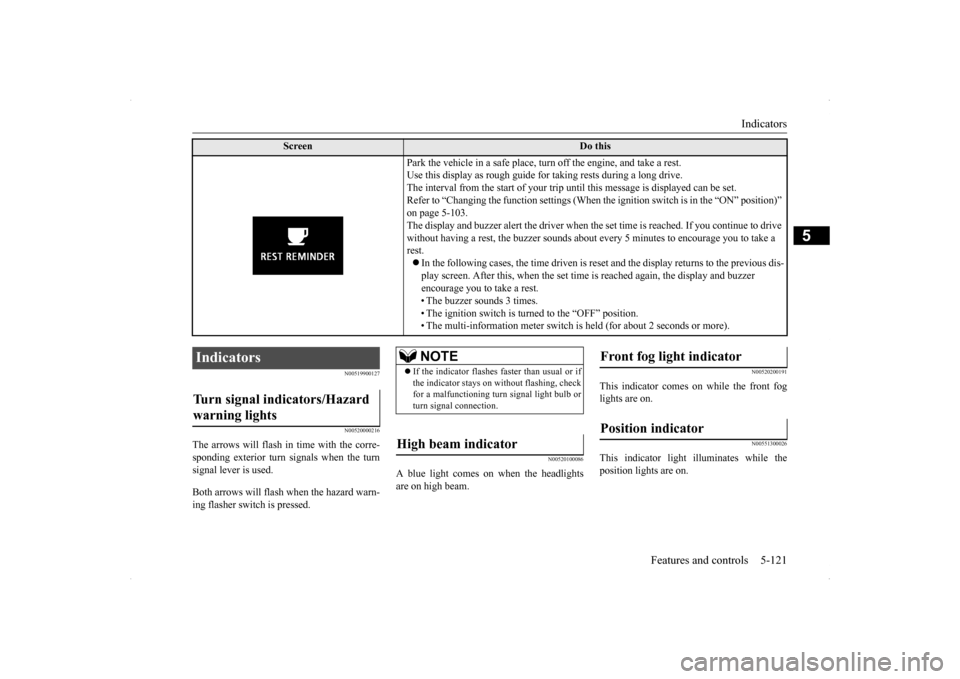
Park the vehicle in a safe place, turn off the engine, and take a rest. Use this display as rough guide for taking rests during a long drive.The interval from the start of your trip until this message is displayed can be set.Refer to “Changing the function settings (When
the ignition switch is in the “ON” position)”
on page 5-103. The display and buzzer alert the driver when the
set time is reached. If you continue to drive
without having a rest, the buzzer sounds about every 5 minutes to encourage you to take a rest. In the following cases, the time driven is reset and the display returns to the previous dis- play screen. After this, when the set time is reached again, the display and buzzer encourage you to take a rest. • The buzzer sounds 3 times.• The ignition switch is turned to the “OFF” position. • The multi-information meter switch is held (for about 2 seconds or more).
Indicators Turn signal indicators/Hazard warning lights
NOTE
If the indicator flashes faster than usual or if the indicator stays on without flashing, checkfor a malfunctioning turn signal light bulb or turn signal connection.
High beam indicator
Front fog light indicator Position indicator
BK0200800US.book
121 ページ 2013年2月14日 木曜日 午後2時28分
Page 186 of 338
Combination headlights and dimmer switch
Features and controls 5-125
5
N00522501788
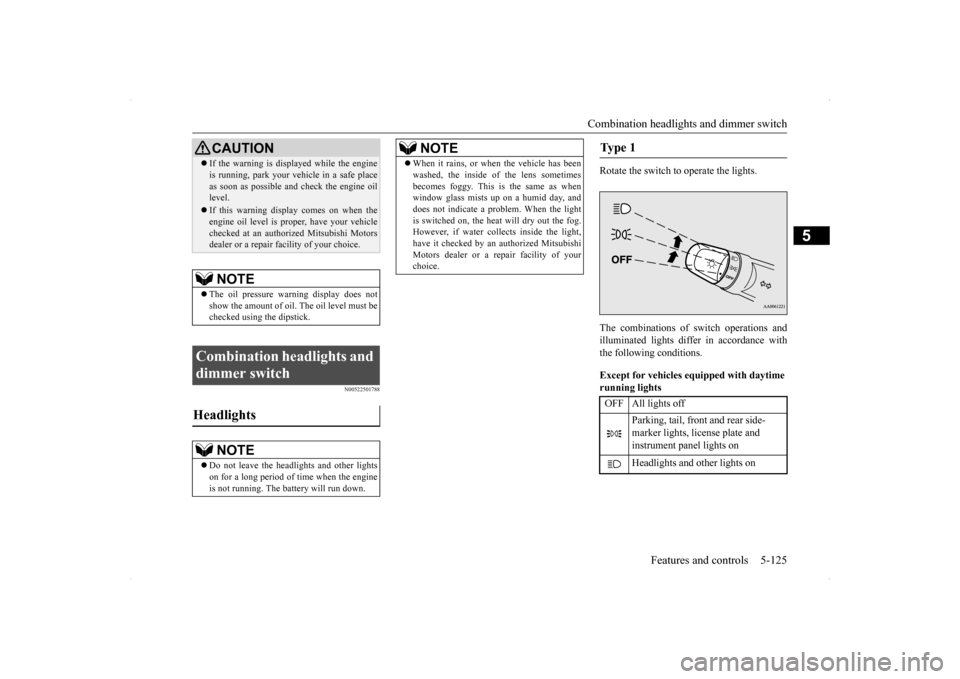
Rotate the switch to operate the lights. The combinations of switch operations and illuminated lights differ in accordance with the following conditions. Except for vehicles equipped with daytime running lights
If the warning is displayed while the engine is running, park your vehicle in a safe place as soon as possible and check the engine oil level. If this warning display comes on when the engine oil level is proper, have your vehicle checked at an authorized Mitsubishi Motorsdealer or a repair facility of your choice.NOTE
The oil pressure warning display does not show the amount of oil. The oil level must be checked using the dipstick.
Combination headlights and dimmer switch Headlights
NOTE
Do not leave the headlights and other lights on for a long period of time when the engineis not running. The battery will run down.CAUTION
When it rains, or when the vehicle has been washed, the inside of the lens sometimes becomes foggy. This is the same as when window glass mists up on a humid day, and does not indicate a problem. When the lightis switched on, the heat will dry out the fog. However, if water collects inside the light, have it checked by an authorized MitsubishiMotors dealer or a repair facility of your choice.NOTE
Ty p e 1 OFF All lights off
Parking, tail, front and rear side- marker lights, license plate and instrument panel lights on Headlights and other lights on
BK0200800US.book
125 ページ 2013年2月14日 木曜日 午後2時28分
Page 192 of 338
Turn signal lever
Features and controls 5-131
5
N00522601558
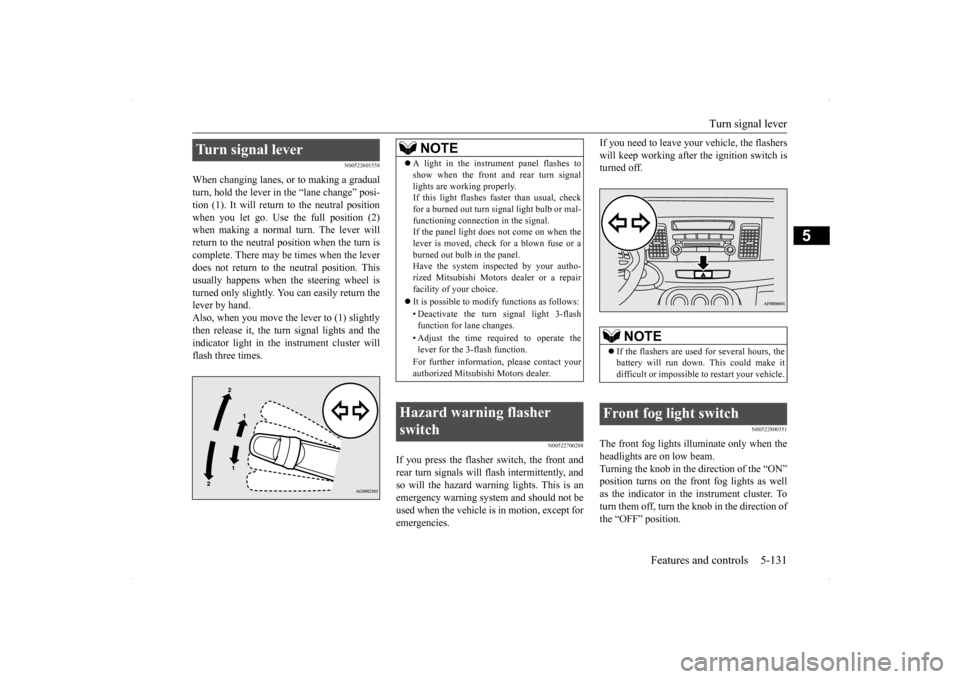
When changing lanes, or to making a gradual turn, hold the lever in
the “lane change” posi-
tion (1). It will return to the neutral position when you let go. Use the full position (2) when making a normal turn. The lever willreturn to the neutral position when the turn is complete. There may be times when the lever does not return to the neutral position. Thisusually happens when the steering wheel isturned only slightly. You can easily return the lever by hand. Also, when you move the lever to (1) slightlythen release it, the turn signal lights and the indicator light in the instrument cluster will flash three times.
N00522700288
If you press the flasher switch, the front andrear turn signals will flash intermittently, and so will the hazard warning lights. This is an emergency warning system and should not beused when the vehicle is in motion, except for emergencies.
If you need to leave your vehicle, the flashers will keep working after the ignition switch is turned off.
N00522800351
The front fog lights illuminate only when the headlights are on low beam. Turning the knob in the direction of the “ON” position turns on the front fog lights as wellas the indicator in the instrument cluster. To turn them off, turn the knob in the direction of the “OFF” position.
Turn signal lever
NOTE
A light in the instrument panel flashes to show when the front and rear turn signal lights are working properly. If this light flashes faster than usual, check for a burned out turn signal light bulb or mal-functioning connection in the signal. If the panel light does not come on when the lever is moved, check for a blown fuse or aburned out bulb in the panel. Have the system inspected by your autho- rized Mitsubishi Motors dealer or a repairfacility of your choice. It is possible to modify functions as follows: • Deactivate the turn signal light 3-flash function for lane changes. • Adjust the time required to operate the lever for the 3-flash function. For further information, please contact your authorized Mitsubishi Motors dealer.
Hazard warning flasher switch
NOTE
If the flashers are used for several hours, the battery will run down. This could make it difficult or impossible to restart your vehicle.
Front fog light switch
BK0200800US.book
131 ページ 2013年2月14日 木曜日 午後2時28分
Page 193 of 338
Wiper and washer switch 5-132 Features and controls
5
The knob will return to the neutral position when it is released.
N00523001692
The windshield wiper and washer can be operated with the ignition switch in the “ON” or “ACC” position.If the blades are frozen to the windshield, do not operate the wipers until the ice has melted and the blades are freed, otherwise the wipermotor may be damaged.
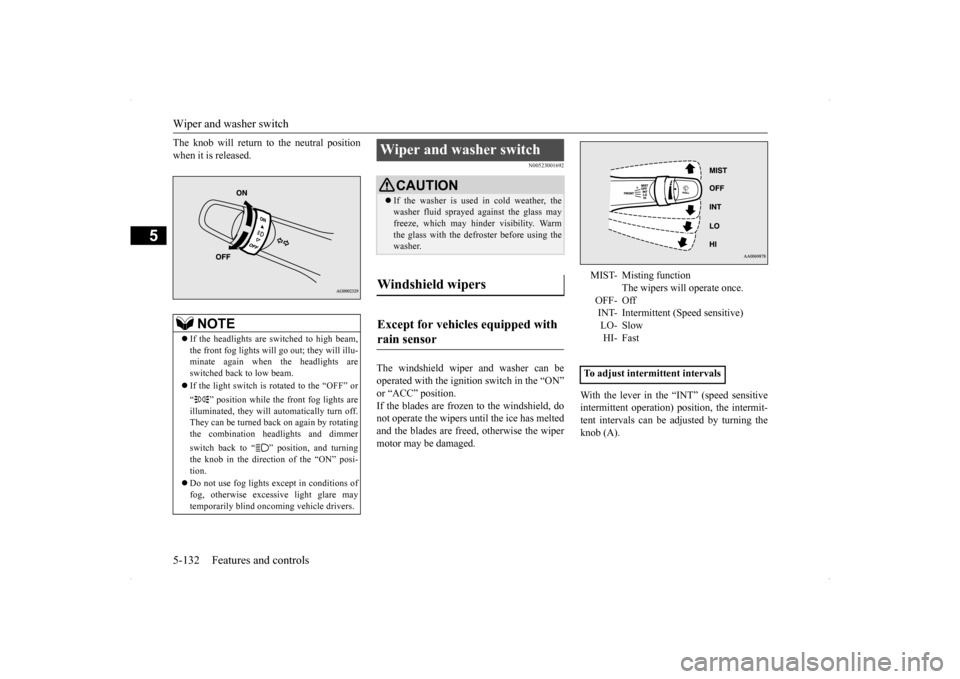
With the lever in the “INT” (speed sensitive intermittent operation) position, the intermit- tent intervals can be adjusted by turning theknob (A).
NOTE
If the headlights are switched to high beam, the front fog lights will go
out; they will illu-
minate again when the headlights are switched back to low beam. If the light switch is rotated to the “OFF” or “ ” position while the front fog lights are illuminated, they will automatically turn off. They can be turned back on again by rotatingthe combination headlights and dimmer switch back to “ ” position, and turning the knob in the direction of the “ON” posi- tion. Do not use fog lights except in conditions of fog, otherwise excessive light glare maytemporarily blind oncoming vehicle drivers.
Wiper and washer switch
CAUTION If the washer is used in cold weather, the washer fluid sprayed against the glass may freeze, which may hinder visibility. Warm the glass with the defroster before using thewasher.
Windshield wipers Except for vehicles equipped with rain sensor
MIST- Misting function
The wipers will operate once.
OFF- Off INT- Intermittent (Speed sensitive) LO- SlowHI- Fast
To adjust intermittent intervals
BK0200800US.book
132 ページ 2013年2月14日 木曜日 午後2時28分
Page 197 of 338
Electric rear window defogger switch 5-136 Features and controls
5
N00523500212
N00523700360
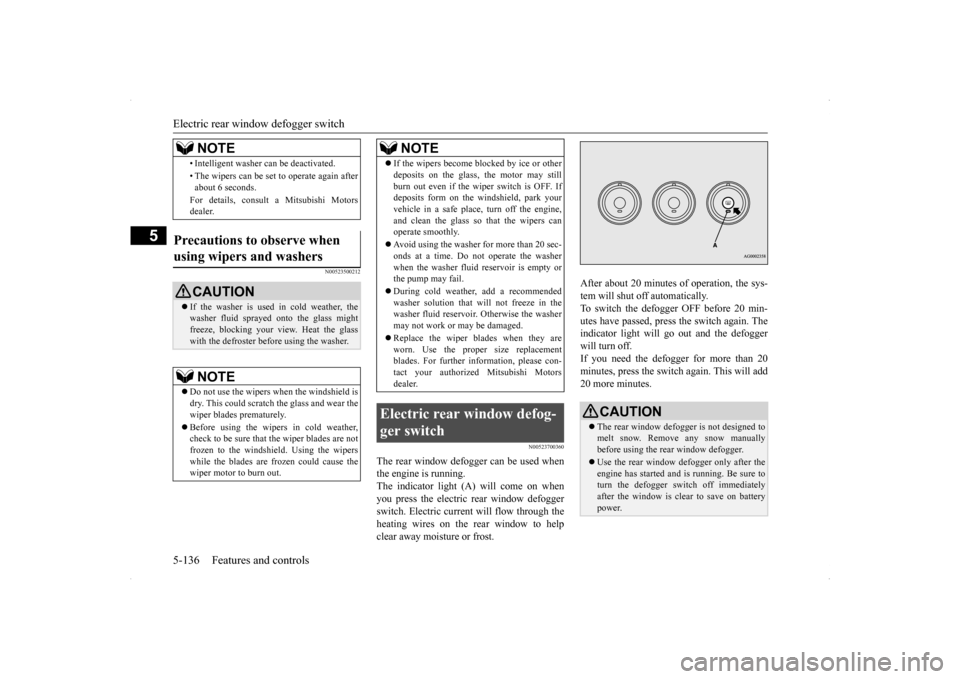
The rear window defogger can be used when the engine is running.The indicator light (A) will come on when you press the electric rear window defogger switch. Electric current will flow through theheating wires on the rear window to help clear away moisture or frost.
After about 20 minutes of operation, the sys- tem will shut off automatically. To switch the defogger OFF before 20 min-utes have passed, press the switch again. The indicator light will go out and the defogger will turn off.If you need the defogger for more than 20minutes, press the switch again. This will add 20 more minutes.
• Intelligent washer can be deactivated. • The wipers can be set to operate again after about 6 seconds. For details, consult a Mitsubishi Motors dealer.
Precautions to observe when using wipers and washers
CAUTION If the washer is used in cold weather, the washer fluid sprayed onto the glass might freeze, blocking your view. Heat the glass with the defroster before using the washer.NOTE
Do not use the wipers when the windshield is dry. This could scratch the glass and wear the wiper blades prematurely. Before using the wipers in cold weather, check to be sure that the wiper blades are not frozen to the windshield. Using the wipers while the blades are frozen could cause thewiper motor to burn out.NOTE
If the wipers become blocked by ice or other deposits on the glass, the motor may still burn out even if the wiper switch is OFF. If deposits form on the windshield, park your vehicle in a safe place, turn off the engine,and clean the glass so that the wipers can operate smoothly. Avoid using the washer for more than 20 sec- onds at a time. Do not operate the washer when the washer fluid reservoir is empty orthe pump may fail. During cold weather, add a recommended washer solution that will not freeze in the washer fluid reservoir. Otherwise the washer may not work or may be damaged. Replace the wiper blades when they are worn. Use the proper size replacementblades. For further information, please con- tact your authorized Mitsubishi Motors dealer.
Electric rear window defog- ger switch
NOTE
CAUTION The rear window defogger is not designed to melt snow. Remove any snow manuallybefore using the rear window defogger. Use the rear window defogger only after the engine has started and is running. Be sure to turn the defogger switch off immediately after the window is clear to save on batterypower.
BK0200800US.book
136 ページ 2013年2月14日 木曜日 午後2時28分
Page 198 of 338
Horn switch
Features and controls 5-137
5
N00523800130
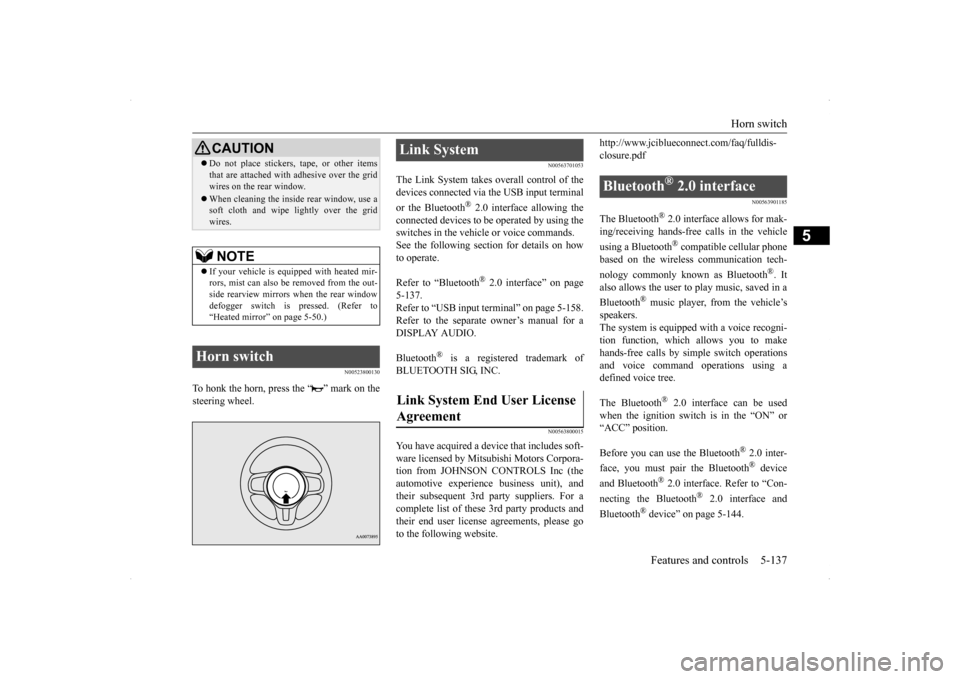
To honk the horn, press the “ ” mark on the steering wheel.
N00563701053
The Link System takes overall control of thedevices connected via the USB input terminal or the Bluetooth
® 2.0 interface allowing the
connected devices to be operated by using the switches in the vehicle or voice commands.See the following section for details on how to operate. Refer to “Bluetooth
® 2.0 interface” on page
5-137. Refer to “USB input terminal” on page 5-158.Refer to the separate owner’s manual for a DISPLAY AUDIO. Bluetooth
® is a registered trademark of
BLUETOOTH SIG, INC.
N00563800015
You have acquired a device that includes soft-ware licensed by Mitsubishi Motors Corpora- tion from JOHNSON CONTROLS Inc (the automotive experience business unit), andtheir subsequent 3rd party suppliers. For a complete list of these 3rd party products and their end user license agreements, please goto the following website.
http://www.jciblueconnect.com/faq/fulldis- closure.pdf
N00563901185
The Bluetooth
® 2.0 interface allows for mak-
ing/receiving hands-free calls in the vehicle using a Bluetooth
® compatible cellular phone
based on the wireless communication tech- nology commonly known as Bluetooth
®. It
also allows the user to
play music, saved in a
Bluetooth
® music player, from the vehicle’s
speakers.The system is equipped with a voice recogni- tion function, which allows you to make hands-free calls by simple switch operationsand voice command operations using a defined voice tree. The Bluetooth
® 2.0 interface can be used
when the ignition switch is in the “ON” or“ACC” position. Before you can use the Bluetooth
® 2.0 inter-
face, you must pair the Bluetooth
® device
and Bluetooth
® 2.0 interface. Refer to “Con-
necting the Bluetooth
® 2.0 interface and
Bluetooth
® device” on page 5-144.
Do not place stickers, tape, or other items that are attached with adhesive over the grid wires on the rear window. When cleaning the inside rear window, use a soft cloth and wipe lightly over the grid wires.NOTE
If your vehicle is equipped with heated mir- rors, mist can also be removed from the out-side rearview mirrors when the rear window defogger switch is pressed. (Refer to “Heated mirror” on page 5-50.)
Horn switch
CAUTION
Link System Link System End User License Agreement
Bluetooth
® 2.0 interface
BK0200800US.book
137 ページ 2013年2月14日 木曜日 午後2時28分
Page 244 of 338
Automatic air conditioning with
Fahrenheit scale (if so equipped)
Comfort controls 7-5
7
N00737000223
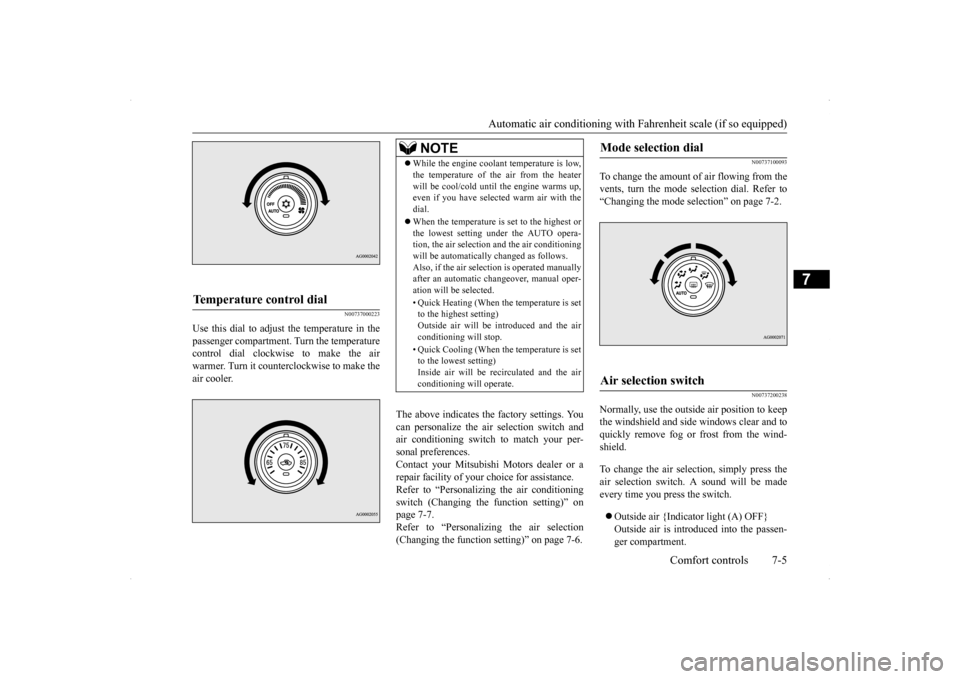
Use this dial to adjust the temperature in the passenger compartment. Turn the temperaturecontrol dial clockwise to make the air warmer. Turn it counterclockwise to make the air cooler.
The above indicates the factory settings. You can personalize the air selection switch and air conditioning switch to match your per-sonal preferences. Contact your Mitsubishi Motors dealer or a repair facility of your choice for assistance.Refer to “Personalizing the air conditioning switch (Changing the function setting)” on page 7-7.Refer to “Personalizing the air selection (Changing the function setting)” on page 7-6.
N00737100093
To change the amount of air flowing from the vents, turn the mode selection dial. Refer to“Changing the mode selection” on page 7-2.
N00737200238
Normally, use the outside air position to keepthe windshield and side windows clear and toquickly remove fog or frost from the wind- shield. To change the air selection, simply press the air selection switch. A sound will be madeevery time you press the switch. Outside air {Indicator light (A) OFF} Outside air is introduced into the passen- ger compartment.
Temperature control dial
NOTE
While the engine coolant temperature is low, the temperature of the air from the heater will be cool/cold until the engine warms up, even if you have selected warm air with the dial. When the temperature is set to the highest or the lowest setting under the AUTO opera-tion, the air selection and the air conditioning will be automatically changed as follows. Also, if the air selection is operated manuallyafter an automatic changeover, manual oper- ation will be selected. • Quick Heating (When the temperature is set to the highest setting) Outside air will be introduced and the airconditioning will stop. • Quick Cooling (When the temperature is set to the lowest setting) Inside air will be recirculated and the air conditioning will operate.
Mode selection dial
Air selection switch
BK0200800US.bo
ok 5 ページ 2013年2月14日 木曜日 午後2時28分
Page 245 of 338
Automatic air conditioning with
Fahrenheit scale (if so equipped)
7-6 Comfort controls
7
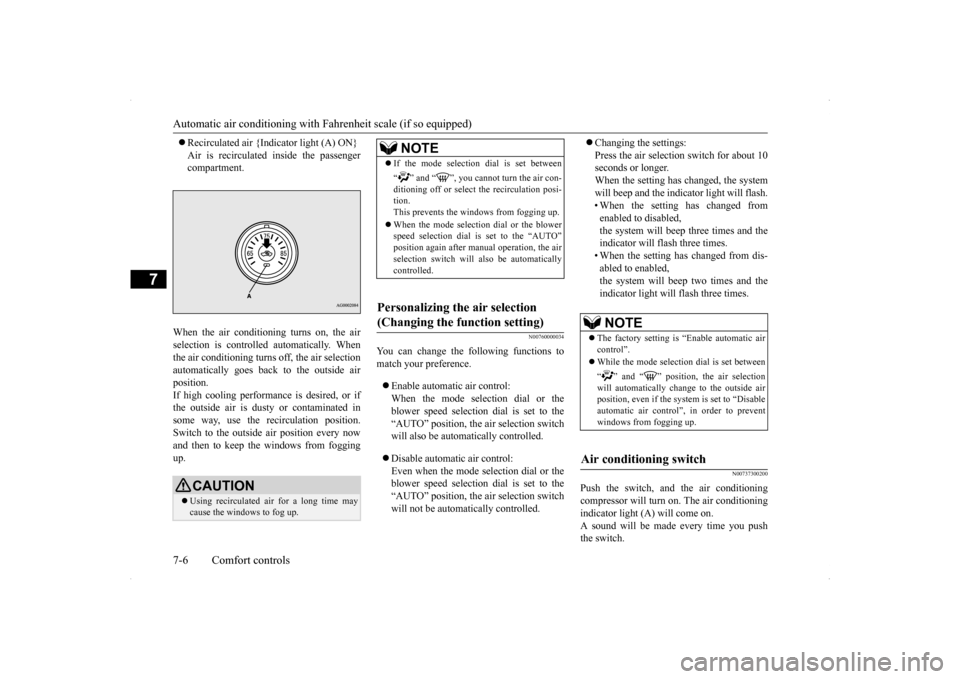
Recirculated air {Indicator light (A) ON} Air is recirculated inside the passenger compartment.
When the air conditioning turns on, the air selection is controlled automatically. When the air conditioning turns off, the air selection automatically goes back to the outside airposition.If high cooling performance is desired, or if the outside air is dusty or contaminated in some way, use the recirculation position.Switch to the outside air position every now and then to keep th
e windows from fogging
up.
N00760000034
You can change the following functions tomatch your preference. Enable automatic air control: When the mode selection dial or the blower speed selection dial is set to the“AUTO” position, the air selection switch will also be automatically controlled. Disable automatic air control: Even when the mode selection dial or theblower speed selection dial is set to the “AUTO” position, the air selection switch will not be automatically controlled.
Changing the settings: Press the air selection switch for about 10 seconds or longer. When the setting has changed, the systemwill beep and the indicator light will flash. • When the setting has changed from enabled to disabled,the system will beep three times and the indicator will flash three times. • When the setting has changed from dis-abled to enabled,the system will beep two times and the indicator light will flash three times.
N00737300200
Push the switch, and the air conditioning compressor will turn on. The air conditioning indicator light (A) will come on. A sound will be made every time you pushthe switch.
CAUTION Using recirculated air for a long time may cause the windows to fog up.
NOTE
If the mode selection dial is set between “ ” and “ ”, you cannot turn the air con- ditioning off or select the recirculation posi- tion.This prevents the windows from fogging up. When the mode selection dial or the blower speed selection dial is set to the “AUTO” position again after manual operation, the air selection switch will also be automatically controlled.
Personalizing the air selection (Changing the function setting)
NOTE
The factory setting is “Enable automatic air control”. While the mode selection dial is set between “ ” and “ ” position, the air selection will automatically change to the outside airposition, even if the sy
stem is set to “Disable
automatic air control”, in order to prevent windows from fogging up.
Air conditioning switch
BK0200800US.bo
ok 6 ページ 2013年2月14日 木曜日 午後2時28分
Page 246 of 338
Automatic air conditioning with
Fahrenheit scale (if so equipped)
Comfort controls 7-7
7
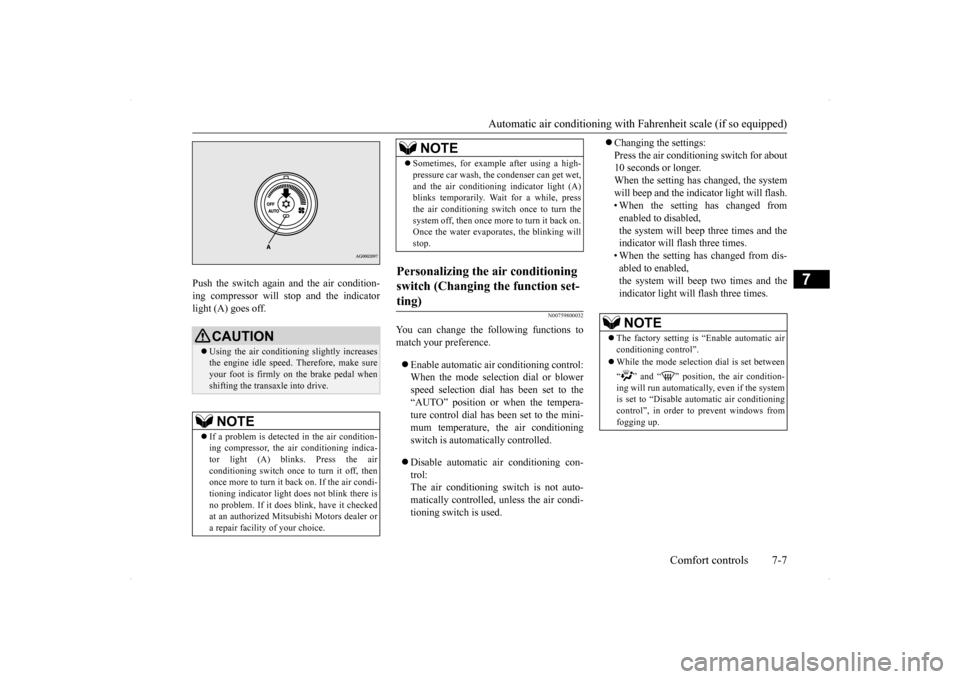
Push the switch again and the air condition- ing compressor will stop and the indicator light (A) goes off.
N00759800032
You can change the following functions tomatch your preference. Enable automatic air conditioning control: When the mode selection dial or blower speed selection dial has been set to the“AUTO” position or when the tempera- ture control dial has been set to the mini- mum temperature, the air conditioningswitch is automatically controlled. Disable automatic air conditioning con- trol: The air conditioning switch is not auto-matically controlled, unless the air condi- tioning switch is used.
Changing the settings: Press the air conditioning switch for about 10 seconds or longer. When the setting has changed, the systemwill beep and the indicator light will flash. • When the setting has changed from enabled to disabled,the system will beep three times and the indicator will flash three times. • When the setting has changed from dis-abled to enabled,the system will beep two times and the indicator light will flash three times.
CAUTION Using the air conditioning slightly increases the engine idle speed. Therefore, make sureyour foot is firmly on the brake pedal when shifting the transaxle into drive.NOTE
If a problem is detected in the air condition- ing compressor, the air conditioning indica- tor light (A) blinks. Press the air conditioning switch once to turn it off, thenonce more to turn it back on. If the air condi- tioning indicator light does not blink there is no problem. If it does blink, have it checkedat an authorized Mitsubishi Motors dealer or a repair facility of your choice.
Sometimes, for example after using a high- pressure car wash, the condenser can get wet, and the air conditioning indicator light (A) blinks temporarily. Wait for a while, press the air conditioning switch once to turn thesystem off, then once more to turn it back on. Once the water evaporates, the blinking will stop.
Personalizing the air conditioning switch (Changing the function set- ting)
NOTE
NOTE
The factory setting is “Enable automatic air conditioning control”. While the mode selection dial is set between “ ” and “ ” position, the air condition- ing will run automatically, even if the systemis set to “Disable automatic air conditioning control”, in order to prevent windows from fogging up.
BK0200800US.bo
ok 7 ページ 2013年2月14日 木曜日 午後2時28分
Page 250 of 338
Automatic air conditioning with
Celsius scale (if so equipped)
Comfort controls 7-11
7
N00737200241
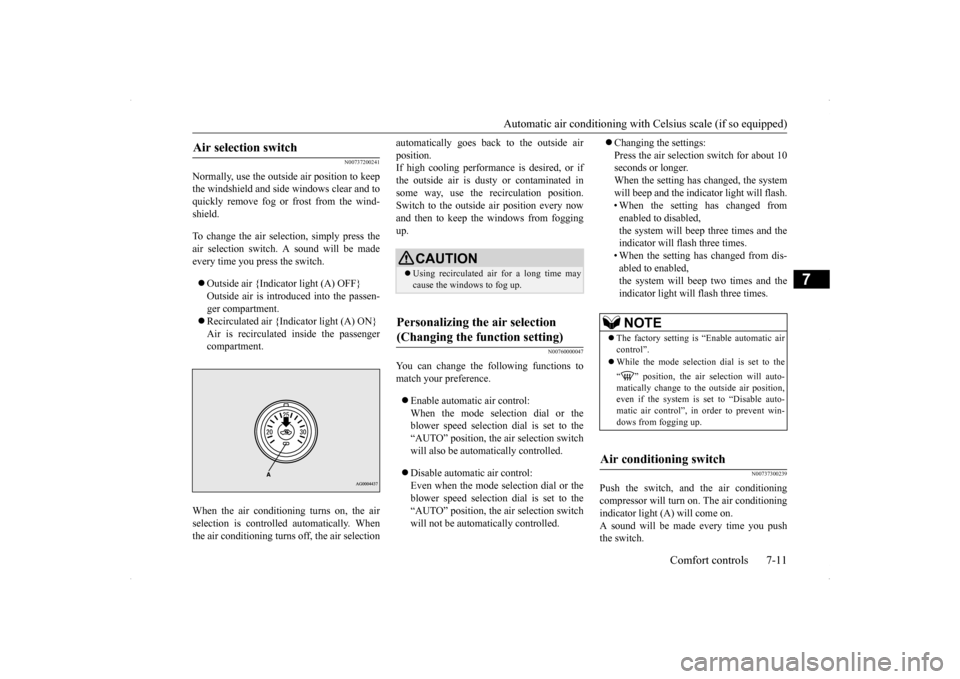
Normally, use the outside air position to keep the windshield and side windows clear and toquickly remove fog or frost from the wind- shield. To change the air selection, simply press the air selection switch. A sound will be madeevery time you press the switch. Outside air {Indicator light (A) OFF} Outside air is introduced into the passen- ger compartment. Recirculated air {Indicator light (A) ON} Air is recirculated inside the passenger compartment.
When the air conditioning turns on, the air selection is controll
ed automatically. When
the air conditioning turns off, the air selection
automatically goes back to the outside air position. If high cooling performance is desired, or if the outside air is dusty or contaminated insome way, use the recirculation position. Switch to the outside air position every now and then to keep th
e windows from fogging
up.
N00760000047
You can change the following functions tomatch your preference. Enable automatic air control: When the mode selection dial or the blower speed selection dial is set to the“AUTO” position, the air selection switch will also be automatically controlled. Disable automatic air control: Even when the mode selection dial or theblower speed selection dial is set to the “AUTO” position, the air selection switch will not be automatically controlled.
Changing the settings: Press the air selection switch for about 10 seconds or longer. When the setting has changed, the systemwill beep and the indicator light will flash. • When the setting has changed from enabled to disabled,the system will beep three times and the indicator will flash three times. • When the setting has changed from dis-abled to enabled,the system will beep two times and the indicator light will flash three times.
N00737300239
Push the switch, and the air conditioning compressor will turn on. The air conditioning indicator light (A) will come on. A sound will be made every time you pushthe switch.
Air selection switch
CAUTION Using recirculated air for a long time may cause the windows to fog up.
Personalizing the air selection (Changing the function setting)
NOTE
The factory setting is “Enable automatic air control”. While the mode selection dial is set to the “ ” position, the air selection will auto- matically change to the outside air position,even if the system is set to “Disable auto- matic air control”, in order to prevent win- dows from fogging up.
Air conditioning switch
BK0200800US.bo
ok 11 ページ 2013年2月14日 木曜日 午後2時28分