change time MITSUBISHI OUTLANDER PHEV 2016 (in English) Owner's Guide
[x] Cancel search | Manufacturer: MITSUBISHI, Model Year: 2016, Model line: OUTLANDER PHEV, Model: MITSUBISHI OUTLANDER PHEV 2016Pages: 490, PDF Size: 22.02 MB
Page 185 of 490
When you want to keep the
lamps on:
1. Turn the lamp switch in the “OFF” posi-
tion while the operation mode of the power switch is in OFF or ACC.
2. Turn on the lamps with the switch in the
“”
or “” position again, then the
lamps will remain on.
LED headlamp warning lamp*
E00538101041
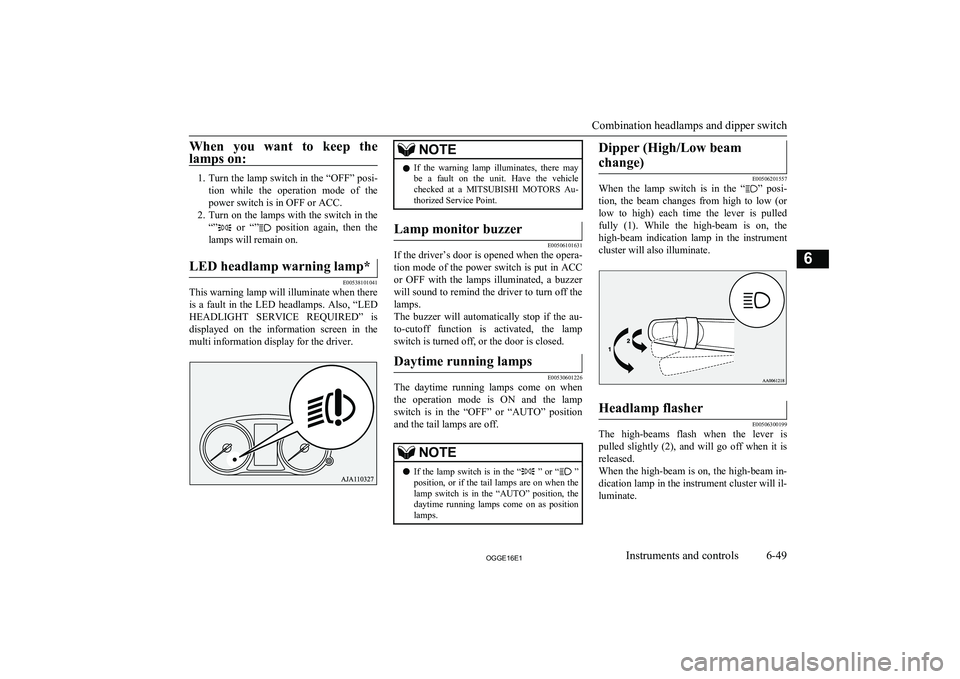
This warning lamp will illuminate when there is a fault in the LED headlamps. Also, “LED
HEADLIGHT SERVICE REQUIRED” is displayed on the information screen in the
multi information display for the driver.
NOTEl If the warning lamp illuminates, there may
be a fault on the unit. Have the vehicle
checked at a MITSUBISHI MOTORS Au-
thorized Service Point.Lamp monitor buzzer
E00506101631
If the driver’s door is opened when the opera-
tion mode of the power switch is put in ACCor OFF with the lamps illuminated, a buzzer
will sound to remind the driver to turn off the
lamps.
The buzzer will automatically stop if the au- to-cutoff function is activated, the lamp switch is turned off, or the door is closed.
Daytime running lamps
E00530601226
The daytime running lamps come on when
the operation mode is ON and the lamp switch is in the “OFF” or “AUTO” position
and the tail lamps are off.
NOTEl If the lamp switch is in the “ ” or “
”
position, or if the tail lamps are on when the
lamp switch is in the “AUTO” position, the daytime running lamps come on as positionlamps.Dipper (High/Low beam
change)
E00506201557
When the lamp switch is in the “” posi-
tion, the beam changes from high to low (or
low to high) each time the lever is pulled fully (1). While the high-beam is on, the
high-beam indication lamp in the instrument
cluster will also illuminate.
Headlamp flasher
E00506300199
The high-beams flash when the lever is pulled slightly (2), and will go off when it is
released.
When the high-beam is on, the high-beam in- dication lamp in the instrument cluster will il-
luminate.
Combination headlamps and dipper switch
6-49OGGE16E1Instruments and controls6
Page 187 of 490
NOTE•Pull the lever towards you.
• Turn the combination headlamps and dip-
per switch to the “
” or “” position.
• Put the operation mode in ON.
l It is possible to modify functions as follows:
• The time that the headlamps remain on
can be changed.
• The coming home light function can be
deactivated.
For further information, please contact your
MITSUBISHI MOTORS Authorized Serv-
ice Point.
On vehicles equipped with MITSUBISHI
Multi-Communication System (MMCS),
screen operations can be used to make the adjustment. Refer to the separate owner’s
manual for details.
Headlamp levelling
E00517400031Headlamp levelling switch (ex-cept for vehicle with LEDheadlamps)
E00517501925
The angle of the headlamp beam varies de-
pending on the load carried by the vehicle.
The headlamp levelling switch can be used to adjust the headlamp illumination distance(when the lower beam is illuminated) so that the headlamps’ glare does not distract other
drivers.
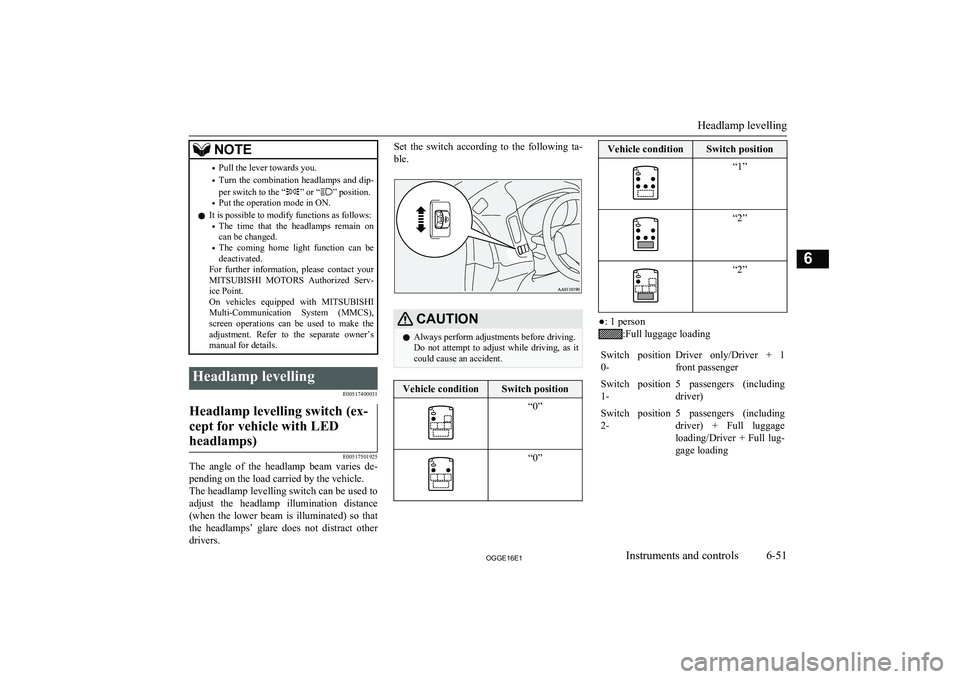
Set the switch according to the following ta-
ble.CAUTIONl Always perform adjustments before driving.
Do not attempt to adjust while driving, as it could cause an accident.Vehicle conditionSwitch position“0”“0”Vehicle conditionSwitch position“1”“2”“2”
●: 1 person
:Full luggage loading
Switch position
0-Driver only/Driver + 1
front passengerSwitch position 1-5 passengers (including
driver)Switch position 2-5 passengers (including
driver) + Full luggage loading/Driver + Full lug-
gage loading
Headlamp levelling
6-51OGGE16E1Instruments and controls6
Page 188 of 490
Automatic headlamp levelling(vehicles with LED headlamps)
E00517601652
This mechanism automatically adjusts the di-
rection of the headlamps (beam position) de- pending on changes in the condition of the
vehicle, such as the number of occupants or
luggage weight. When the headlamps are il- luminated with the operation mode of the power switch in ON, the beam position of theheadlamps is automatically adjusted when the
vehicle stops.
Turn-signal lever
E00506502658
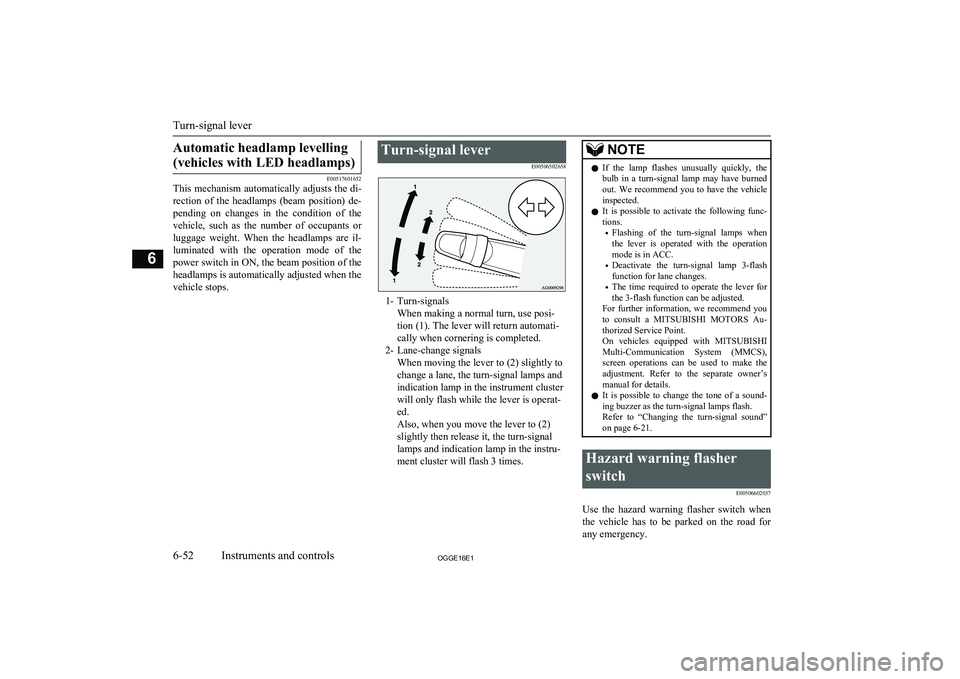
1- Turn-signalsWhen making a normal turn, use posi-
tion (1). The lever will return automati-
cally when cornering is completed.
2- Lane-change signals When moving the lever to (2) slightly to
change a lane, the turn-signal lamps and
indication lamp in the instrument cluster
will only flash while the lever is operat-
ed.
Also, when you move the lever to (2)
slightly then release it, the turn-signal
lamps and indication lamp in the instru-
ment cluster will flash 3 times.
NOTEl If the lamp flashes unusually quickly, the
bulb in a turn-signal lamp may have burned out. We recommend you to have the vehicle
inspected.
l It is possible to activate the following func-
tions.
• Flashing of the turn-signal lamps when
the lever is operated with the operation
mode is in ACC.
• Deactivate the turn-signal lamp 3-flash
function for lane changes.
• The time required to operate the lever for
the 3-flash function can be adjusted.
For further information, we recommend you
to consult a MITSUBISHI MOTORS Au-
thorized Service Point.
On vehicles equipped with MITSUBISHI
Multi-Communication System (MMCS), screen operations can be used to make theadjustment. Refer to the separate owner’s
manual for details.
l It is possible to change the tone of a sound-
ing buzzer as the turn-signal lamps flash.
Refer to “Changing the turn-signal sound” on page 6-21.Hazard warning flasher
switch E00506602037
Use the hazard warning flasher switch when
the vehicle has to be parked on the road for
any emergency.
Turn-signal lever
6-52OGGE16E1Instruments and controls6
Page 197 of 490
NOTElThe wiper de-icer is activated/deactivated,
depending on the operation of the rear win-
dow demister. Refer to “Rear window de- mister switch” on page 6-61.Rear window demister
switch E00507902297
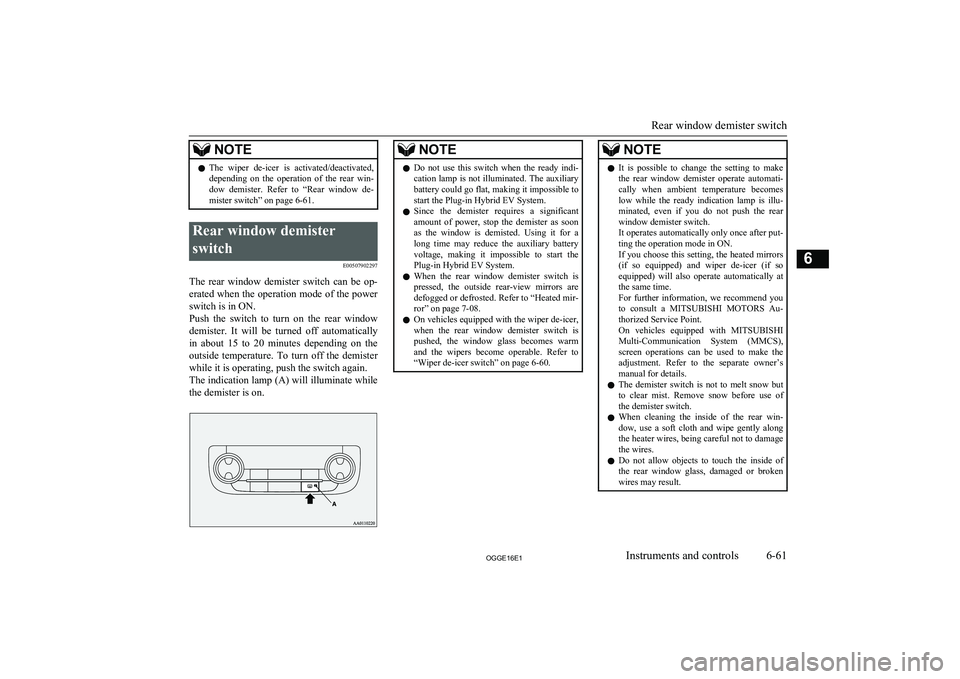
The rear window demister switch can be op-erated when the operation mode of the power
switch is in ON.
Push the switch to turn on the rear window
demister. It will be turned off automatically
in about 15 to 20 minutes depending on the outside temperature. To turn off the demister
while it is operating, push the switch again. The indication lamp (A) will illuminate while the demister is on.
NOTEl Do not use this switch when the ready indi-
cation lamp is not illuminated. The auxiliary battery could go flat, making it impossible to
start the Plug-in Hybrid EV System.
l Since the demister requires a significant
amount of power, stop the demister as soonas the window is demisted. Using it for along time may reduce the auxiliary battery
voltage, making it impossible to start the
Plug-in Hybrid EV System.
l When the rear window demister switch is
pressed, the outside rear-view mirrors are
defogged or defrosted. Refer to “Heated mir-
ror” on page 7-08.
l On vehicles equipped with the wiper de-icer,
when the rear window demister switch is pushed, the window glass becomes warm
and the wipers become operable. Refer to “Wiper de-icer switch” on page 6-60.NOTEl It is possible to change the setting to make
the rear window demister operate automati-
cally when ambient temperature becomes
low while the ready indication lamp is illu- minated, even if you do not push the rear
window demister switch.
It operates automatically only once after put-
ting the operation mode in ON.
If you choose this setting, the heated mirrors (if so equipped) and wiper de-icer (if so
equipped) will also operate automatically at the same time.
For further information, we recommend you
to consult a MITSUBISHI MOTORS Au-
thorized Service Point.
On vehicles equipped with MITSUBISHI
Multi-Communication System (MMCS), screen operations can be used to make theadjustment. Refer to the separate owner’s
manual for details.
l The demister switch is not to melt snow but
to clear mist. Remove snow before use of
the demister switch.
l When cleaning the inside of the rear win-
dow, use a soft cloth and wipe gently along the heater wires, being careful not to damage
the wires.
l Do not allow objects to touch the inside of
the rear window glass, damaged or broken wires may result.
Rear window demister switch
6-61OGGE16E1Instruments and controls6
Page 210 of 490
NOTElYour vehicle is equipped with an electronic
immobilizer.
To start the Plug-in Hybrid EV System, the ID code which the transponder inside the
key sends, must match the one registered in the immobilizer computer. Refer to “Elec-
tronic immobilizer (Anti-theft starting sys-
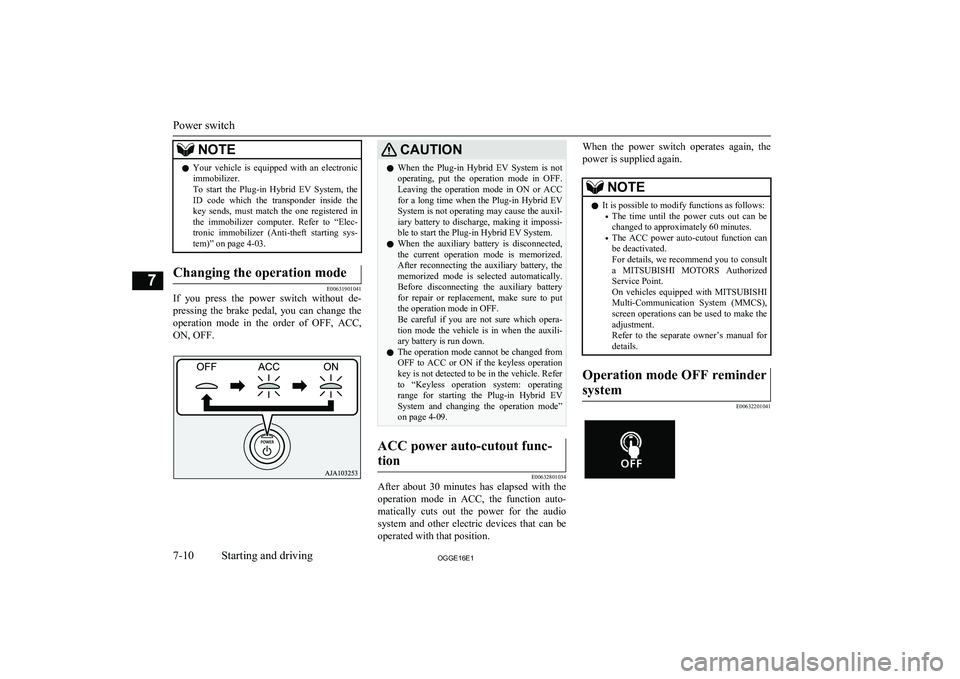
tem)” on page 4-03.Changing the operation mode
E00631901041
If you press the power switch without de-
pressing the brake pedal, you can change the
operation mode in the order of OFF, ACC,
ON, OFF.
CAUTIONl When the Plug-in Hybrid EV System is not
operating, put the operation mode in OFF.
Leaving the operation mode in ON or ACC for a long time when the Plug-in Hybrid EV
System is not operating may cause the auxil- iary battery to discharge, making it impossi-
ble to start the Plug-in Hybrid EV System.
l When the auxiliary battery is disconnected,
the current operation mode is memorized. After reconnecting the auxiliary battery, thememorized mode is selected automatically.
Before disconnecting the auxiliary battery
for repair or replacement, make sure to put the operation mode in OFF.
Be careful if you are not sure which opera-
tion mode the vehicle is in when the auxili-
ary battery is run down.
l The operation mode cannot be changed from
OFF to ACC or ON if the keyless operation key is not detected to be in the vehicle. Refer
to “Keyless operation system: operating
range for starting the Plug-in Hybrid EV System and changing the operation mode”on page 4-09.ACC power auto-cutout func-
tion
E00632801034
After about 30 minutes has elapsed with the operation mode in ACC, the function auto-
matically cuts out the power for the audio system and other electric devices that can be
operated with that position.
When the power switch operates again, the
power is supplied again.NOTEl It is possible to modify functions as follows:
• The time until the power cuts out can be
changed to approximately 60 minutes.
• The ACC power auto-cutout function can
be deactivated.
For details, we recommend you to consult
a MITSUBISHI MOTORS Authorized
Service Point.
On vehicles equipped with MITSUBISHI
Multi-Communication System (MMCS), screen operations can be used to make theadjustment.
Refer to the separate owner’s manual for
details.Operation mode OFF reminder
system
E00632201041Power switch
7-10OGGE16E1Starting and driving7
Page 212 of 490
Stopping the Plug-in HybridEV System
E00620801268
1. Stop your vehicle completely.
2. Apply the parking brake firmly while
depressing the brake pedal.
3. After pressing the electrical parking
switch, press the power switch to stop Plug-in Hybrid EV System. (Refer to
“Electrical Parking switch” on page 7-15.)
WARNINGl Never stop Plug-in Hybrid EV System
during running except in emergency. The effectiveness of the brake becomes very
poor and the steering wheel becomes very
heavy, which can easily lead to an acci- dent.NOTEl Do not operate the power switch during run-
ning except in emergency. If you have tostop Plug-in Hybrid EV System in emergen-cy during running, continue to press the power switch for three seconds or longer or
press the power switch three times or more
quickly. Plug-in Hybrid EV System stops, the operation mode turns to ACC, and the
selector lever position shifts to the “P” posi- tion at very slow speed.NOTEl If you press the power switch when the se-
lector lever position is other than “P” posi-tion while your vehicle is stopped, the selec-
tor lever position automatically shifts to “P”
position, Plug-in Hybrid EV System stops, and the power mode turns to “OFF”.
l If the parking lock mechanism is faulty, a
warning is displayed on the information
screen in the multi-information display. When this warning is displayed, Plug-in Hy-
brid EV System cannot be stopped unless you apply the parking brake and then press the power switch. Park on a flat place with
the parking brake securely applied. Have your vehicle inspected by a MITSUBISHI
MOTORS Authorized Service Point.If the keyless operation key is
not operating properly
E00632901178
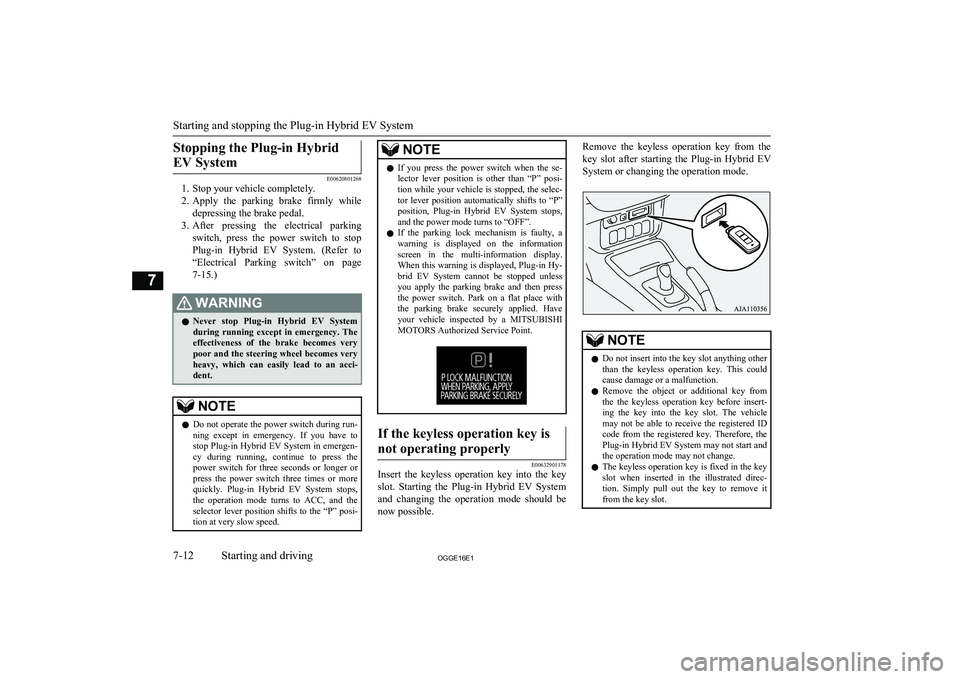
Insert the keyless operation key into the key
slot. Starting the Plug-in Hybrid EV System and changing the operation mode should be now possible.
Remove the keyless operation key from the
key slot after starting the Plug-in Hybrid EV
System or changing the operation mode.NOTEl Do not insert into the key slot anything other
than the keyless operation key. This couldcause damage or a malfunction.
l Remove the object or additional key from
the the keyless operation key before insert-ing the key into the key slot. The vehicle
may not be able to receive the registered ID
code from the registered key. Therefore, the Plug-in Hybrid EV System may not start and
the operation mode may not change.
l The keyless operation key is fixed in the key
slot when inserted in the illustrated direc- tion. Simply pull out the key to remove it
from the key slot.
Starting and stopping the Plug-in Hybrid EV System
7-12OGGE16E1Starting and driving7
Page 223 of 490
WARNINGlWhen you leave the vehicle, be sure that
you have stopped the Plug-in Hybrid EV
System. Refer to “Parking” on page 7-04.
l Since the engine will also start if the vehi-
cle stops with the battery charge switch pressed, do not use it around the garage
or the vehicle in situations when there’s snow etc. while stopping and parking.
Doing so, the exhaust gas enters into the vehicle and there is a possibility of being
poisoned by carbon monoxide.
Be sure to use at the well-ventilated place.
l Do not use the battery charge switch near
flammable objects such as dried grass or
a paper etc.
This might cause a fire because the ex- haust pipe has a high temperature.CAUTIONl If something is left too close to the front of
the vehicle, do not operate the battery charg- er switch.NOTEl Use the battery charge switch before the up-
hill climb.
l Even if the battery charge switch is pressed,
the battery charge mode may not be activa- ted depending on the remaining drive battery
capacity or the remaining fuel quantity and the control.NOTEl It is recommended to use the battery charg-
ing switch at least 20 minutes before you
climb towards the speed of more than
100 km/h (62 mph) or when a long slope
(gradient of more than 4 %) is expected.
(According to a towing weight, it may not be able to continue the speed.)
l When using the battery charge switch with a
vehicle that has been parked in the heath a
long time, it may not charge.
l The charging time close to the full charging
of the drive battery becomes longer depend- ing on the condition of the drive battery, a
driving condition or an environment.
l The engine may stop near full charge.
l If you press the battery charge switch in or-
der to generate electricity while using gaso-
line, the fuel consumption will suffer. We recommend you to consider the environ- ment.
l When the engine is started while parking,
there is a risk of receiving a penalty due to
idling stop ordinances.
You should use the battery charge switch that conforms to the relevant municipality.
If you press the battery charge switch in or-
der to generate electricity while using gaso- line, the fuel consumption will suffer.When the Battery save switch
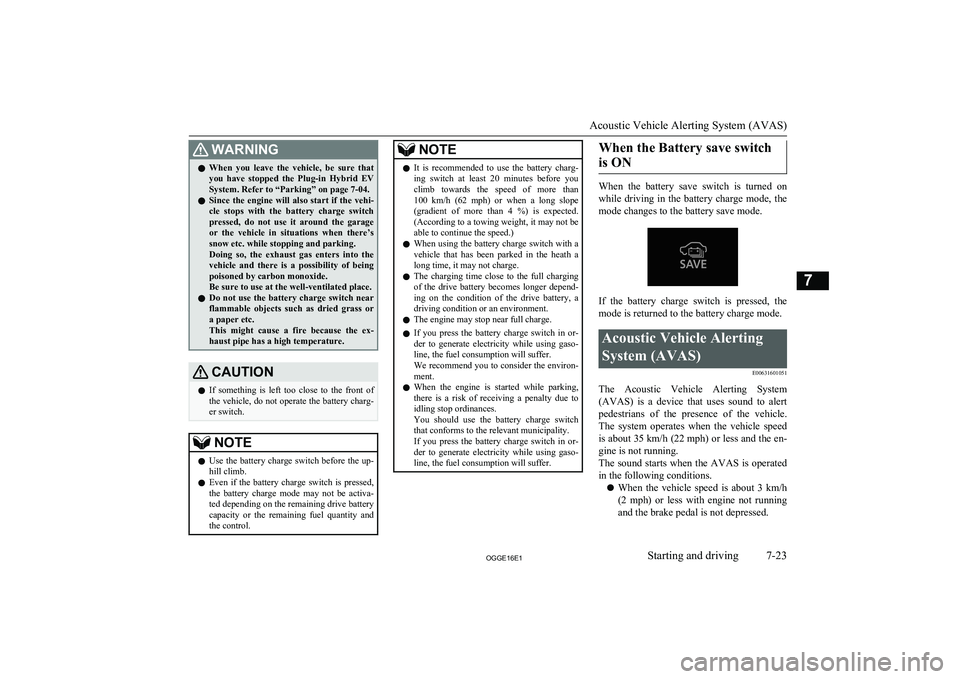
is ON
When the battery save switch is turned on while driving in the battery charge mode, the
mode changes to the battery save mode.
If the battery charge switch is pressed, the
mode is returned to the battery charge mode.
Acoustic Vehicle Alerting
System (AVAS) E00631601051
The Acoustic Vehicle Alerting System(AVAS) is a device that uses sound to alert
pedestrians of the presence of the vehicle. The system operates when the vehicle speed
is about 35 km/h (22 mph) or less and the en-
gine is not running.
The sound starts when the AVAS is operated
in the following conditions.
l When the vehicle speed is about 3 km/h
(2 mph) or less with engine not runningand the brake pedal is not depressed.
Acoustic Vehicle Alerting System (AVAS)
7-23OGGE16E1Starting and driving7
Page 246 of 490
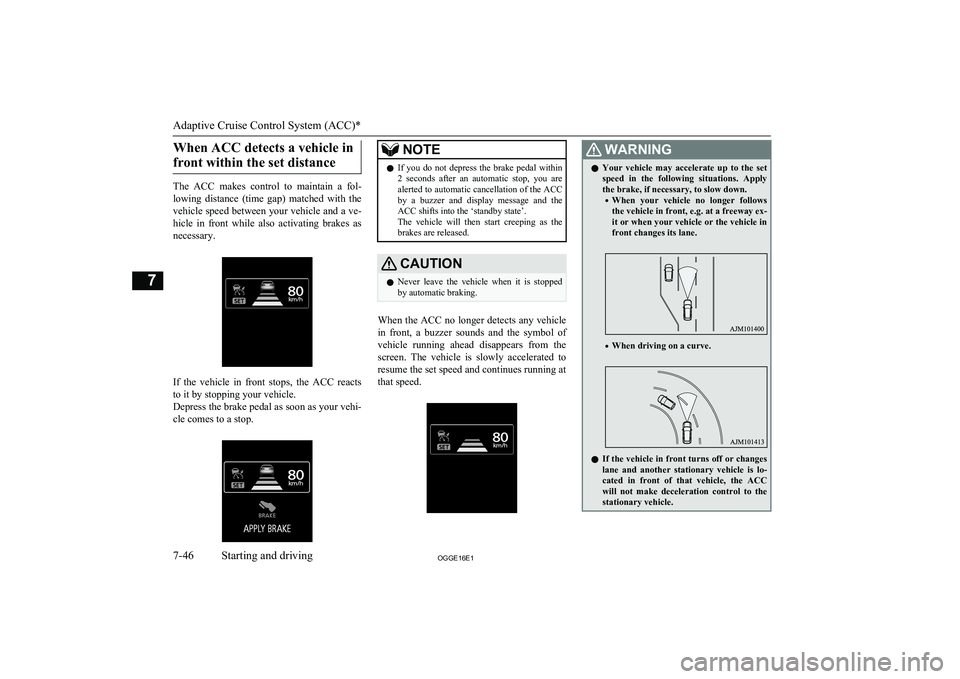
When ACC detects a vehicle infront within the set distance
The ACC makes control to maintain a fol- lowing distance (time gap) matched with the vehicle speed between your vehicle and a ve-
hicle in front while also activating brakes as necessary.
If the vehicle in front stops, the ACC reacts
to it by stopping your vehicle.
Depress the brake pedal as soon as your vehi- cle comes to a stop.
NOTEl If you do not depress the brake pedal within
2 seconds after an automatic stop, you arealerted to automatic cancellation of the ACC
by a buzzer and display message and the
ACC shifts into the ‘standby state’.
The vehicle will then start creeping as the
brakes are released.CAUTIONl Never leave the vehicle when it is stopped
by automatic braking.
When the ACC no longer detects any vehicle
in front, a buzzer sounds and the symbol of
vehicle running ahead disappears from the
screen. The vehicle is slowly accelerated to
resume the set speed and continues running at
that speed.
WARNINGl Your vehicle may accelerate up to the set
speed in the following situations. Apply the brake, if necessary, to slow down.
• When your vehicle no longer follows
the vehicle in front, e.g. at a freeway ex-it or when your vehicle or the vehicle in
front changes its lane.
• When driving on a curve.
l If the vehicle in front turns off or changes
lane and another stationary vehicle is lo- cated in front of that vehicle, the ACCwill not make deceleration control to the
stationary vehicle.
Adaptive Cruise Control System (ACC)*
7-46OGGE16E1Starting and driving7
Page 250 of 490
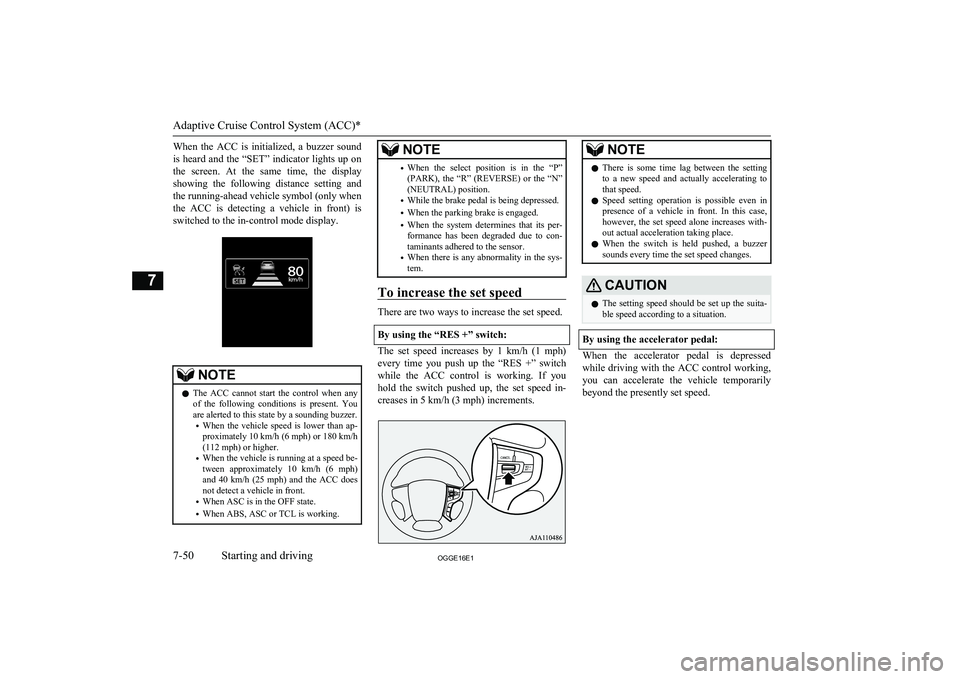
When the ACC is initialized, a buzzer soundis heard and the “SET” indicator lights up on the screen. At the same time, the display showing the following distance setting and
the running-ahead vehicle symbol (only when
the ACC is detecting a vehicle in front) is switched to the in-control mode display.NOTEl The ACC cannot start the control when any
of the following conditions is present. You
are alerted to this state by a sounding buzzer.
• When the vehicle speed is lower than ap-
proximately 10 km/h (6 mph) or 180 km/h
(112 mph) or higher.
• When the vehicle is running at a speed be-
tween approximately 10 km/h (6 mph)
and 40 km/h (25 mph) and the ACC does
not detect a vehicle in front.
• When ASC is in the OFF state.
• When ABS, ASC or TCL is working.NOTE•When the select position is in the “P”
(PARK), the “R” (REVERSE) or the “N”
(NEUTRAL) position.
• While the brake pedal is being depressed.
• When the parking brake is engaged.
• When the system determines that its per-
formance has been degraded due to con-
taminants adhered to the sensor.
• When there is any abnormality in the sys-
tem.
To increase the set speed
There are two ways to increase the set speed.
By using the “RES +” switch:
The set speed increases by 1 km/h (1 mph) every time you push up the “RES +” switch
while the ACC control is working. If you hold the switch pushed up, the set speed in-creases in 5 km/h (3 mph) increments.
NOTEl There is some time lag between the setting
to a new speed and actually accelerating tothat speed.
l Speed setting operation is possible even in
presence of a vehicle in front. In this case, however, the set speed alone increases with-
out actual acceleration taking place.
l When the switch is held pushed, a buzzer
sounds every time the set speed changes.CAUTIONl The setting speed should be set up the suita-
ble speed according to a situation.
By using the accelerator pedal:
When the accelerator pedal is depressed
while driving with the ACC control working,you can accelerate the vehicle temporarily
beyond the presently set speed.
Adaptive Cruise Control System (ACC)*
7-50OGGE16E1Starting and driving7
Page 251 of 490
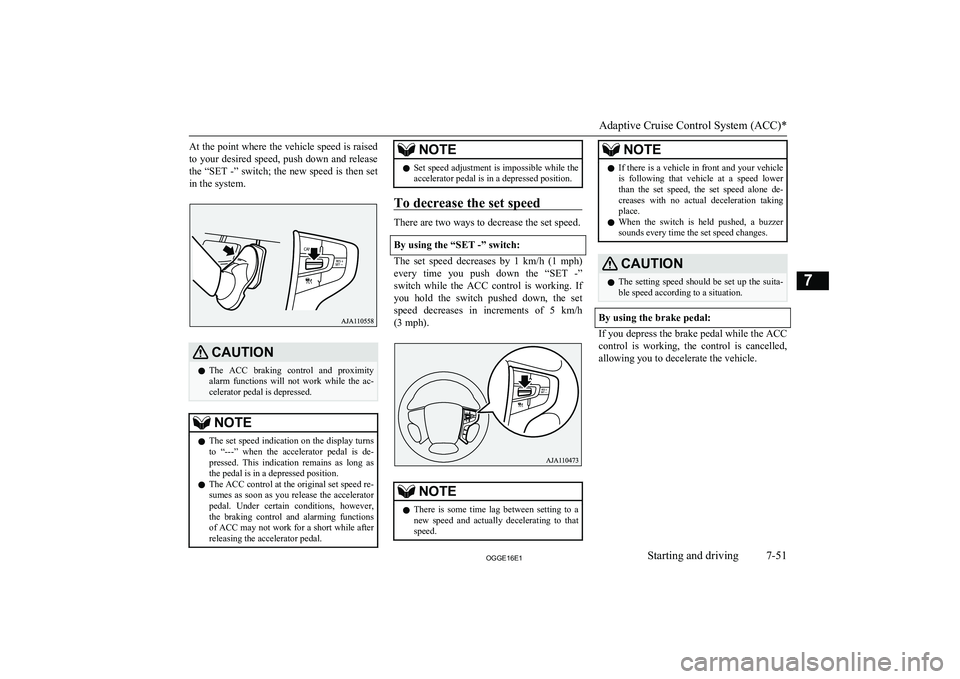
At the point where the vehicle speed is raisedto your desired speed, push down and release
the “SET -” switch; the new speed is then set
in the system.CAUTIONl The ACC braking control and proximity
alarm functions will not work while the ac- celerator pedal is depressed.NOTEl The set speed indication on the display turns
to “---” when the accelerator pedal is de- pressed. This indication remains as long as
the pedal is in a depressed position.
l The ACC control at the original set speed re-
sumes as soon as you release the accelerator
pedal. Under certain conditions, however,
the braking control and alarming functions of ACC may not work for a short while afterreleasing the accelerator pedal.NOTEl Set speed adjustment is impossible while the
accelerator pedal is in a depressed position.
To decrease the set speed
There are two ways to decrease the set speed.
By using the “SET -” switch:
The set speed decreases by 1 km/h (1 mph) every time you push down the “SET -”switch while the ACC control is working. If
you hold the switch pushed down, the set
speed decreases in increments of 5 km/h (3 mph).
NOTEl There is some time lag between setting to a
new speed and actually decelerating to that
speed.NOTEl If there is a vehicle in front and your vehicle
is following that vehicle at a speed lower
than the set speed, the set speed alone de- creases with no actual deceleration taking
place.
l When the switch is held pushed, a buzzer
sounds every time the set speed changes.CAUTIONl The setting speed should be set up the suita-
ble speed according to a situation.
By using the brake pedal:
If you depress the brake pedal while the ACC
control is working, the control is cancelled,allowing you to decelerate the vehicle.
Adaptive Cruise Control System (ACC)*
7-51OGGE16E1Starting and driving7