lane assist NISSAN KICKS 2020 Owner´s Manual
[x] Cancel search | Manufacturer: NISSAN, Model Year: 2020, Model line: KICKS, Model: NISSAN KICKS 2020Pages: 500, PDF Size: 3.43 MB
Page 18 of 500
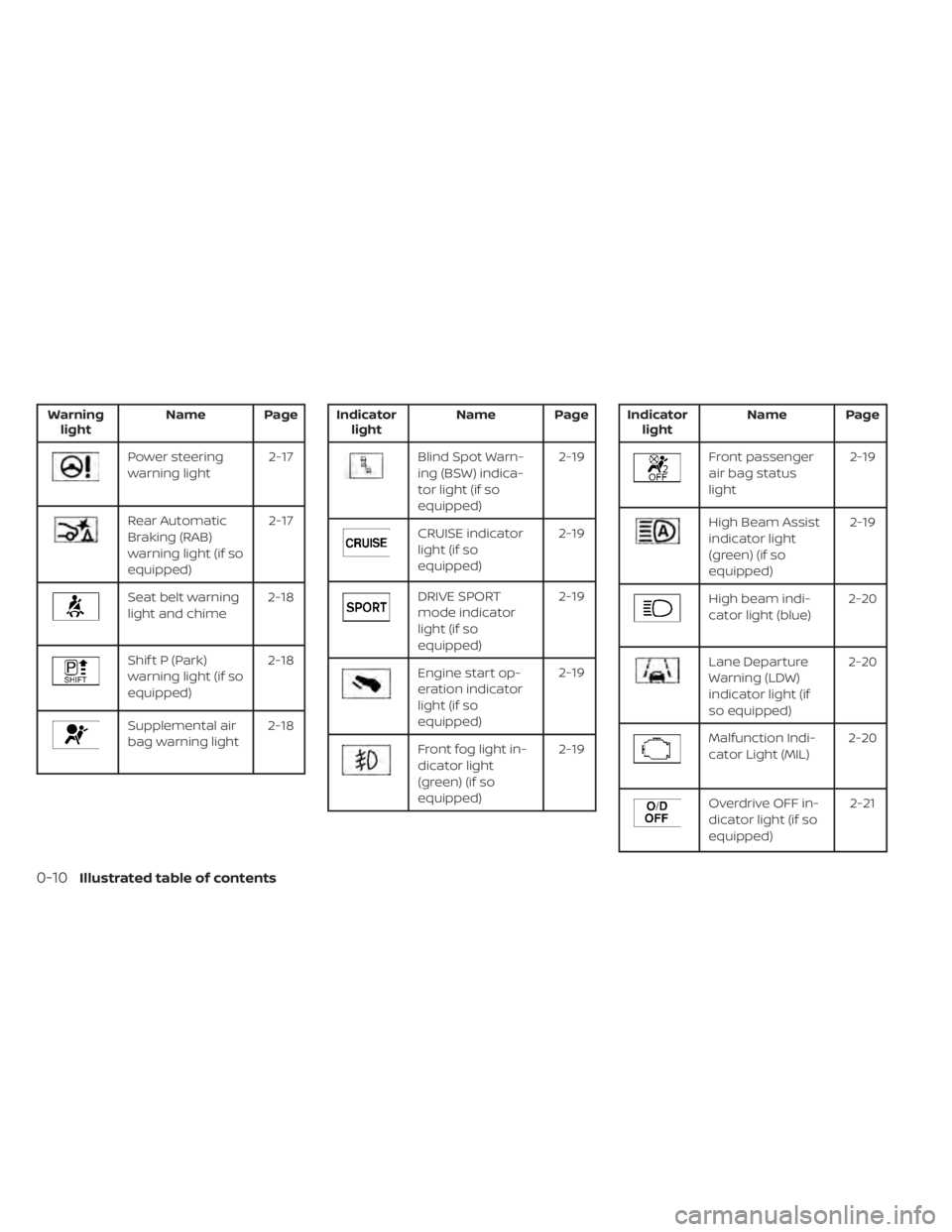
Warninglight Name Page
Power steering
warning light 2-17
Rear Automatic
Braking (RAB)
warning light (if so
equipped)2-17
Seat belt warning
light and chime
2-18
Shif t P (Park)
warning light (if so
equipped)2-18
Supplemental air
bag warning light
2-18
Indicator
light Name Page
Blind Spot Warn-
ing (BSW) indica-
tor light (if so
equipped) 2-19
CRUISE indicator
light (if so
equipped)
2-19
DRIVE SPORT
mode indicator
light (if so
equipped)2-19
Engine start op-
eration indicator
light (if so
equipped)2-19
Front fog light in-
dicator light
(green) (if so
equipped)2-19
Indicator
light Name Page
Front passenger
air bag status
light 2-19
High Beam Assist
indicator light
(green) (if so
equipped)2-19
High beam indi-
cator light (blue)
2-20
Lane Departure
Warning (LDW)
indicator light (if
so equipped)2-20
Malfunction Indi-
cator Light (MIL)
2-20
Overdrive OFF in-
dicator light (if so
equipped) 2-21
0-10Illustrated table of contents
Page 95 of 500
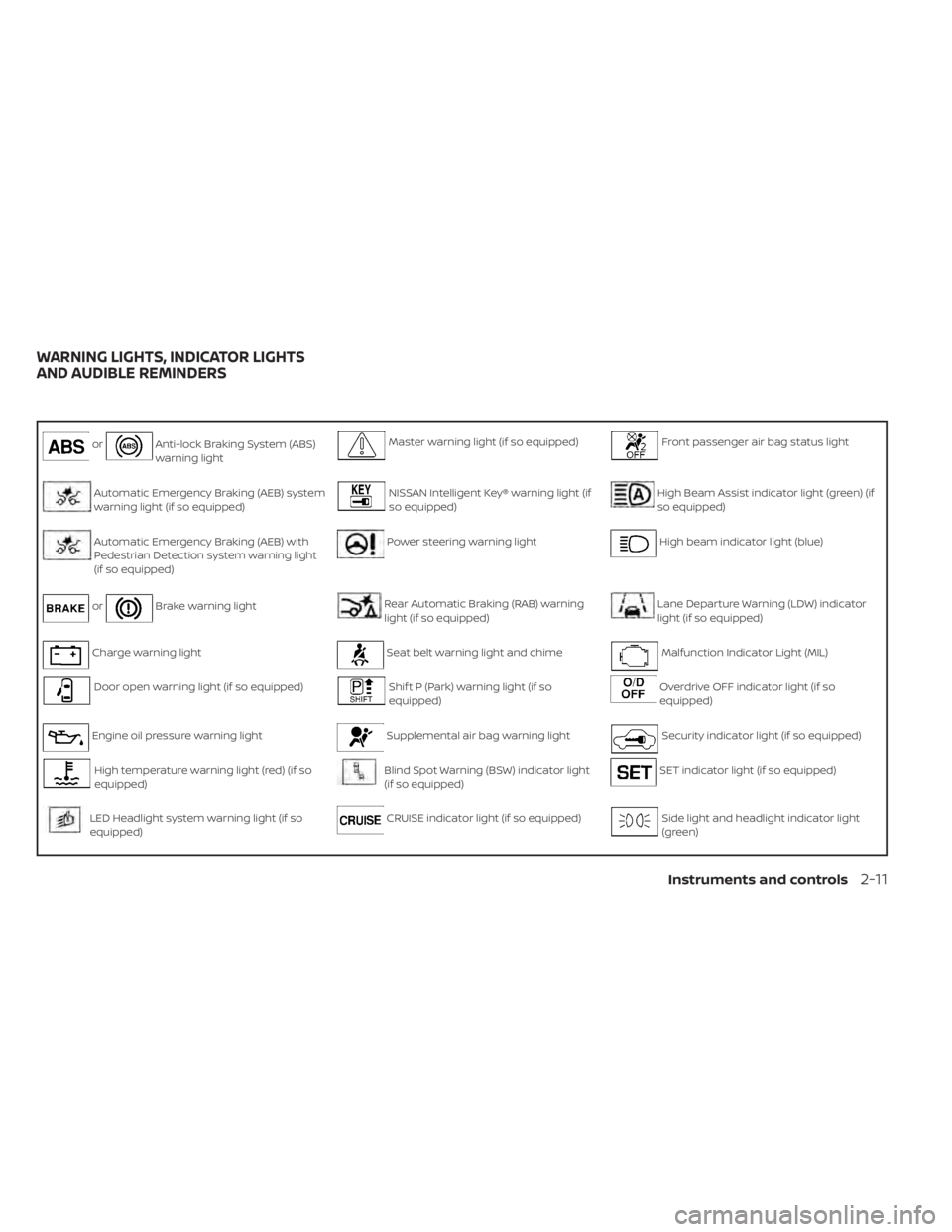
orAnti-lock Braking System (ABS)
warning lightMaster warning light (if so equipped)Front passenger air bag status light
Automatic Emergency Braking (AEB) system
warning light (if so equipped)NISSAN Intelligent Key® warning light (if
so equipped)High Beam Assist indicator light (green) (if
so equipped)
Automatic Emergency Braking (AEB) with
Pedestrian Detection system warning light
(if so equipped)Power steering warning lightHigh beam indicator light (blue)
orBrake warning lightRear Automatic Braking (RAB) warning
light (if so equipped)Lane Departure Warning (LDW) indicator
light (if so equipped)
Charge warning lightSeat belt warning light and chimeMalfunction Indicator Light (MIL)
Door open warning light (if so equipped)Shif t P (Park) warning light (if so
equipped)Overdrive OFF indicator light (if so
equipped)
Engine oil pressure warning lightSupplemental air bag warning lightSecurity indicator light (if so equipped)
High temperature warning light (red) (if so
equipped)Blind Spot Warning (BSW) indicator light
(if so equipped)SET indicator light (if so equipped)
LED Headlight system warning light (if so
equipped)CRUISE indicator light (if so equipped)Side light and headlight indicator light
(green)
WARNING LIGHTS, INDICATOR LIGHTS
AND AUDIBLE REMINDERS
Instruments and controls2-11
Page 104 of 500
beams selected. This indicates that the
high beam assist is operational.
For additional information, refer to “Head-
light and turn signal switch” in this section.
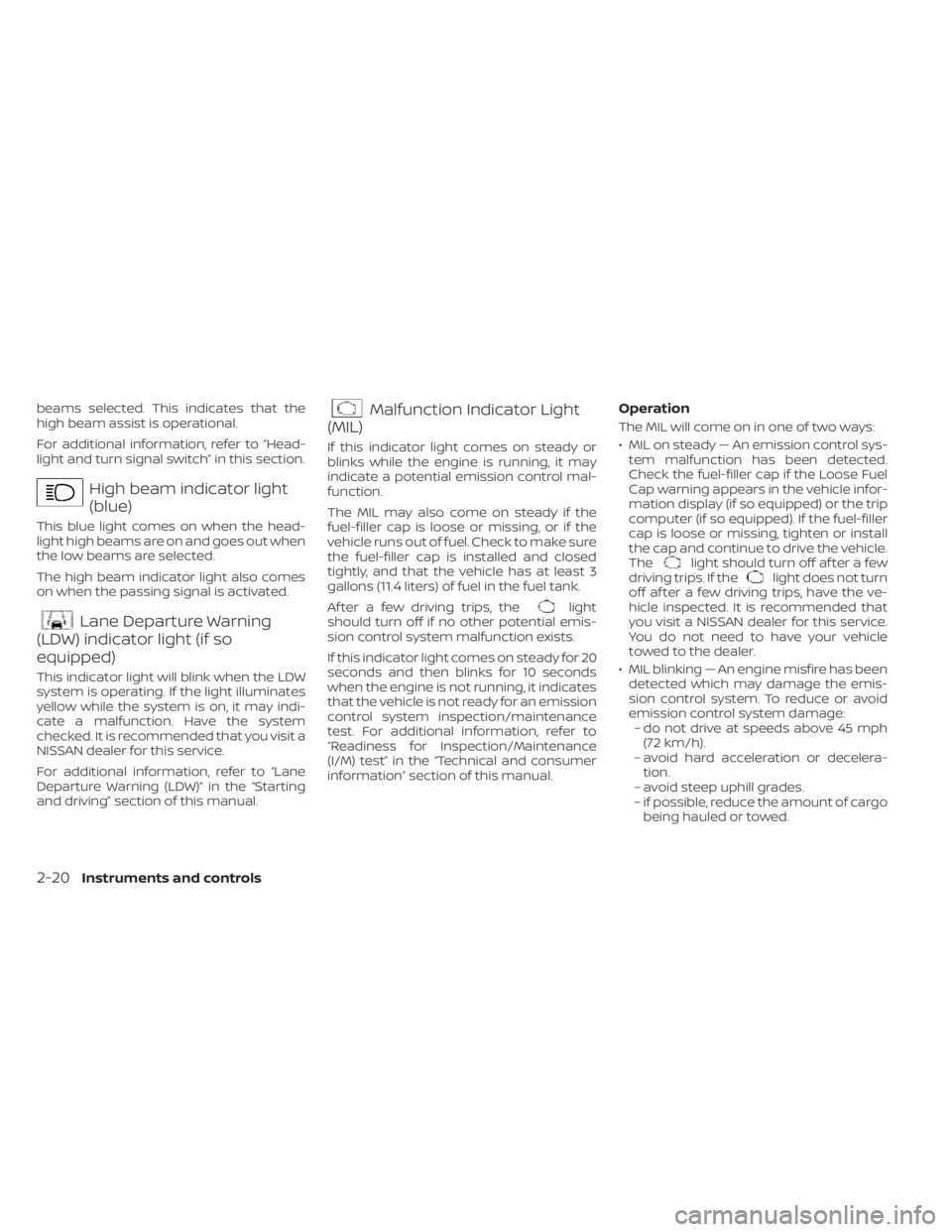
High beam indicator light
(blue)
This blue light comes on when the head-
light high beams are on and goes out when
the low beams are selected.
The high beam indicator light also comes
on when the passing signal is activated.
Lane Departure Warning
(LDW) indicator light (if so
equipped)
This indicator light will blink when the LDW
system is operating. If the light illuminates
yellow while the system is on, it may indi-
cate a malfunction. Have the system
checked. It is recommended that you visit a
NISSAN dealer for this service.
For additional information, refer to “Lane
Departure Warning (LDW)” in the “Starting
and driving” section of this manual.
Malfunction Indicator Light
(MIL)
If this indicator light comes on steady or
blinks while the engine is running, it may
indicate a potential emission control mal-
function.
The MIL may also come on steady if the
fuel-filler cap is loose or missing, or if the
vehicle runs out of fuel. Check to make sure
the fuel-filler cap is installed and closed
tightly, and that the vehicle has at least 3
gallons (11.4 liters) of fuel in the fuel tank.
Af ter a few driving trips, the
light
should turn off if no other potential emis-
sion control system malfunction exists.
If this indicator light comes on steady for 20
seconds and then blinks for 10 seconds
when the engine is not running, it indicates
that the vehicle is not ready for an emission
control system inspection/maintenance
test. For additional information, refer to
“Readiness for Inspection/Maintenance
(I/M) test” in the “Technical and consumer
information” section of this manual.
Operation
The MIL will come on in one of two ways:
• MIL on steady — An emission control sys- tem malfunction has been detected.
Check the fuel-filler cap if the Loose Fuel
Cap warning appears in the vehicle infor-
mation display (if so equipped) or the trip
computer (if so equipped). If the fuel-filler
cap is loose or missing, tighten or install
the cap and continue to drive the vehicle.
The
light should turn off af ter a few
driving trips. If thelight does not turn
off af ter a few driving trips, have the ve-
hicle inspected. It is recommended that
you visit a NISSAN dealer for this service.
You do not need to have your vehicle
towed to the dealer.
• MIL blinking — An engine misfire has been detected which may damage the emis-
sion control system. To reduce or avoid
emission control system damage:– do not drive at speeds above 45 mph (72 km/h).
– avoid hard acceleration or decelera- tion.
– avoid steep uphill grades.
– if possible, reduce the amount of cargo being hauled or towed.
2-20Instruments and controls
Page 109 of 500
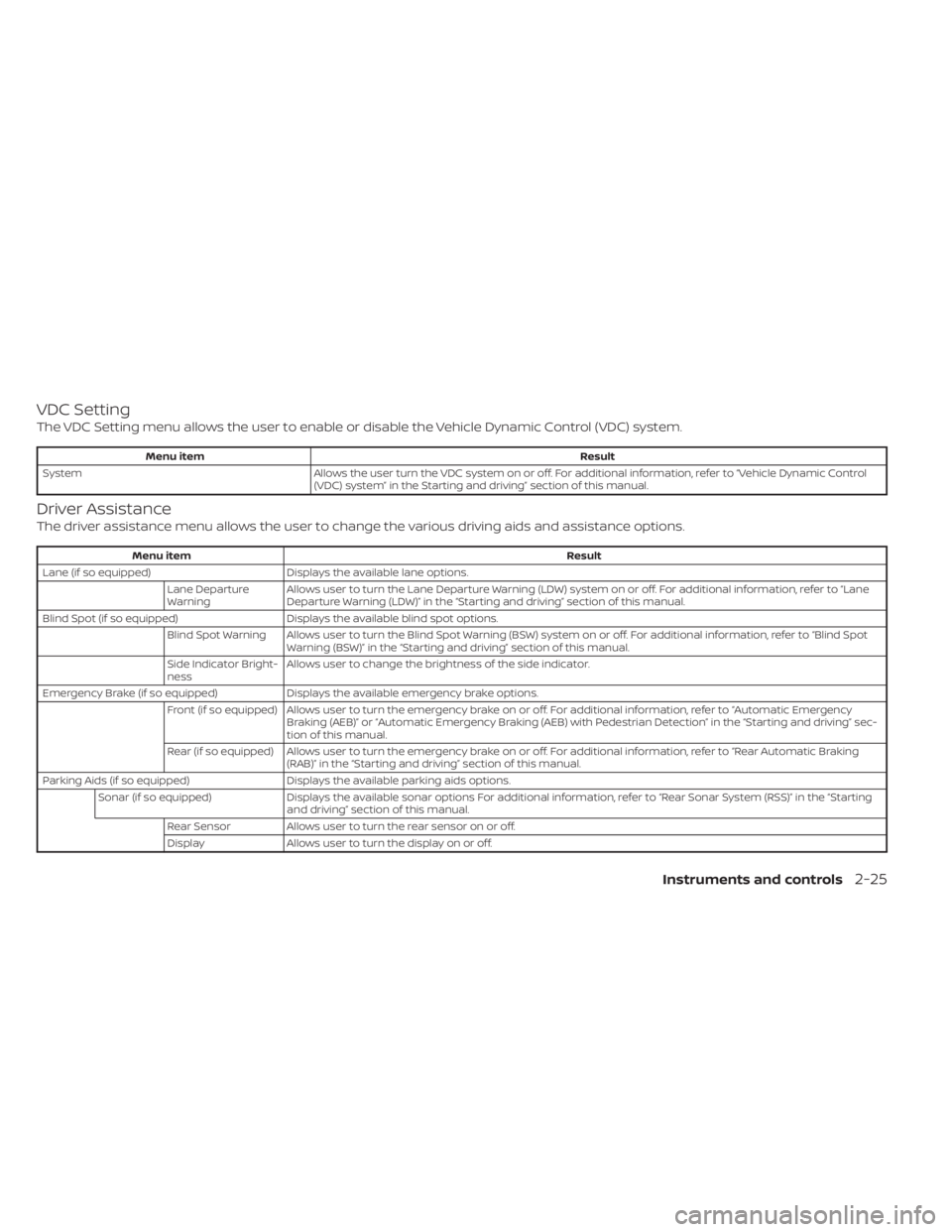
VDC Setting
The VDC Setting menu allows the user to enable or disable the Vehicle Dynamic Control (VDC) system.
Menu itemResult
System Allows the user turn the VDC system on or off. For additional information, refer to “Vehicle Dynamic Control
(VDC) system” in the Starting and driving” section of this manual.
Driver Assistance
The driver assistance menu allows the user to change the various driving aids and assistance options.
Menu item Result
Lane (if so equipped) Displays the available lane options.
Lane Departure
Warning Allows user to turn the Lane Departure Warning (LDW) system on or off. For additional information, refer to “Lane
Departure Warning (LDW)” in the “Starting and driving” section of this manual.
Blind Spot (if so equipped) Displays the available blind spot options.
Blind Spot Warning Allows user to turn the Blind Spot Warning (BSW) system on or off. For additional information, refer to “Blind Spot Warning (BSW)” in the “Starting and driving” section of this manual.
Side Indicator Bright-
ness Allows user to change the brightness of the side indicator.
Emergency Brake (if so equipped) Displays the available emergency brake options.
Front (if so equipped) Allows user to turn the emergency brake on or off. For additional information, refer to “Automatic Emergency Braking (AEB)” or “Automatic Emergency Braking (AEB) with Pedestrian Detection” in the “Starting and driving” sec-
tion of this manual.
Rear (if so equipped) Allows user to turn the emergency brake on or off. For additional information, refer to “Rear Automatic Braking (RAB)” in the “Starting and driving” section of this manual.
Parking Aids (if so equipped) Displays the available parking aids options.
Sonar (if so equipped) Displays the available sonar options For additional information, refer to “Rear Sonar System (RSS)” in the “Starting
and driving” section of this manual.
Rear Sensor Allows user to turn the rear sensor on or off.
Display Allows user to turn the display on or off.
Instruments and controls2-25
Page 295 of 500
WARNING
• Be sure the parking brake is fully re-
leased before driving. Failure to do so
can cause brake failure and lead to
an accident.
• Do not release the parking brake
from outside the vehicle.
• Do not use the shif t lever in place of
the parking brake. When parking, be
sure the parking brake is fully
engaged.
• To help avoid risk of injury or death
through unintended operation of the
vehicle and/or its systems, do not
leave children, people who require
the assistance of others or pets unat-
tended in your vehicle. Additionally,
the temperature inside a closed ve-
hicle on a warm day can quickly be-
come high enough to cause a signifi-
cant risk of injury or death to people
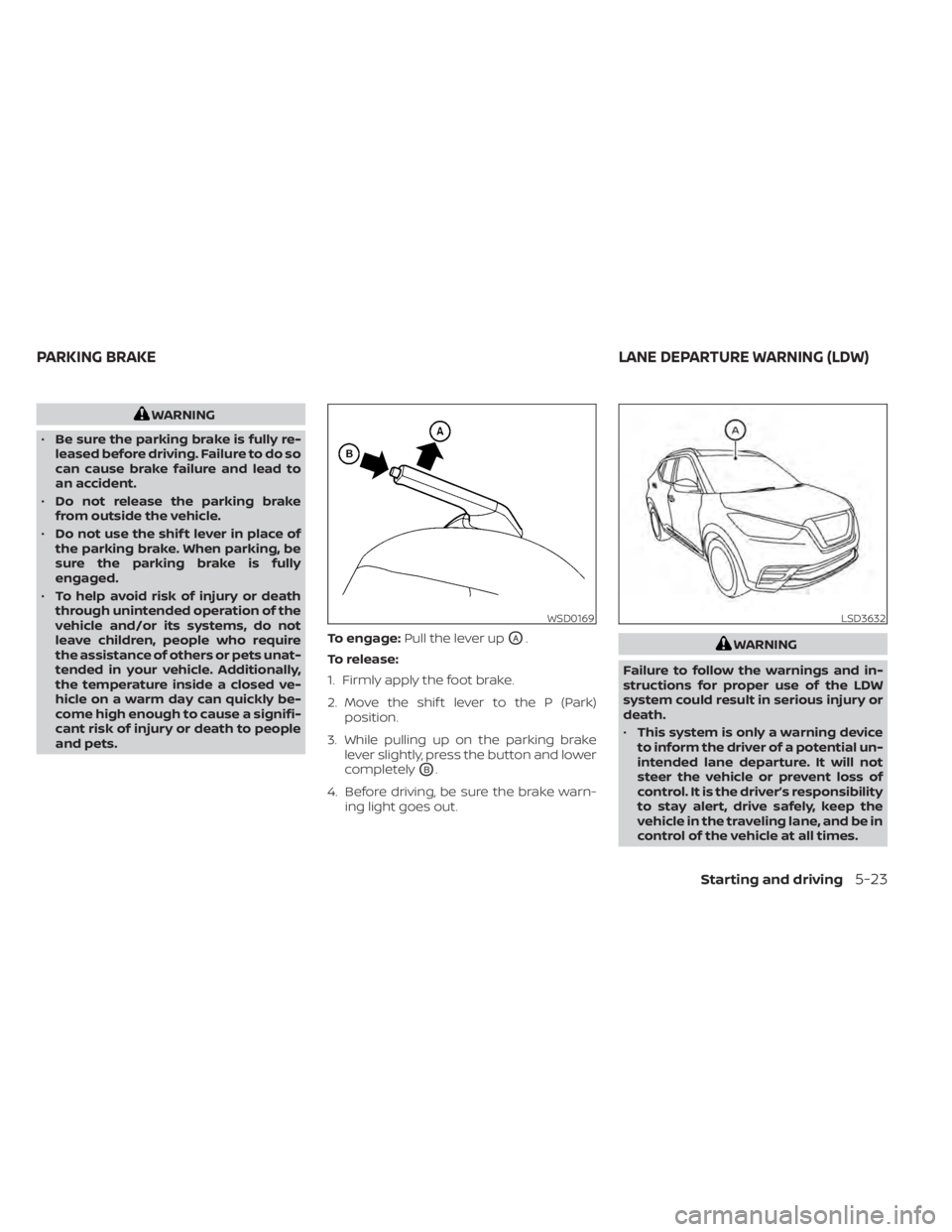
and pets. To engage:
Pull the lever up
OA.
To release:
1. Firmly apply the foot brake.
2. Move the shif t lever to the P (Park) position.
3. While pulling up on the parking brake lever slightly, press the button and lower
completely
OB.
4. Before driving, be sure the brake warn- ing light goes out.
WARNING
Failure to follow the warnings and in-
structions for proper use of the LDW
system could result in serious injury or
death.
• This system is only a warning device
to inform the driver of a potential un-
intended lane departure. It will not
steer the vehicle or prevent loss of
control. It is the driver’s responsibility
to stay alert, drive safely, keep the
vehicle in the traveling lane, and be in
control of the vehicle at all times.
WSD0169LSD3632
PARKING BRAKE LANE DEPARTURE WARNING (LDW)
Starting and driving5-23
Page 332 of 500
• Do not subject the area around the park-ing sensors
O1to strong impact. Also, do
not remove or disassemble the parking
sensors. If the parking sensors and pe-
ripheral areas are deformed in an acci-
dent, etc., have the sensors checked. It is
recommended that you visit a NISSAN
dealer for this service.
• Do not install any stickers (including transparent stickers) or accessories on
the parking sensors
O1and their sur-
rounding areas. This may cause a mal-
function or improper operation.
WARNING
Failure to follow the warnings and in-
structions for proper use of the AEB
system could result in serious injury or
death.
• The AEB system is a supplemental
aid to the driver. It is not a replace-
ment for the driver’s attention to
traffic conditions or responsibility to
drive safely. It cannot prevent acci-
dents due to carelessness or danger-
ous driving techniques.
• The AEB system does not function in
all driving, traffic, weather and road
conditions.
The AEB system can assist the driver when
there is a risk of a forward collision with the
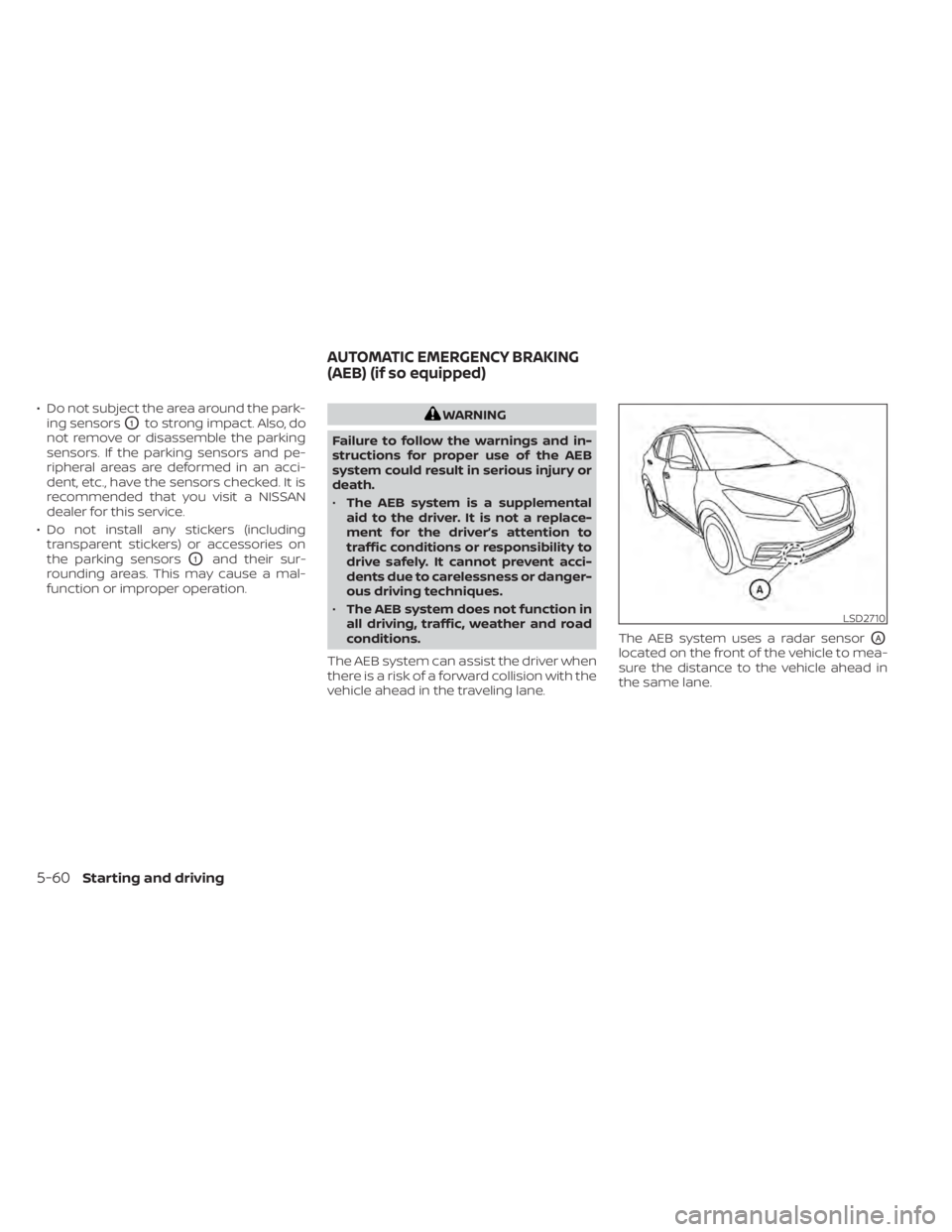
vehicle ahead in the traveling lane. The AEB system uses a radar sensor
OA
located on the front of the vehicle to mea-
sure the distance to the vehicle ahead in
the same lane.
LSD2710
AUTOMATIC EMERGENCY BRAKING
(AEB) (if so equipped)
5-60Starting and driving
Page 341 of 500
For Canada
This device complies with Industry Canada
license-exempt RSS standard(s). Operation
is subject to the following two conditions:
1. This device must not cause interference,
2. This device must accept any interfer-ence, including interference that may
cause undesired operation of the
device.
L’exploitation est autorisée aux deux condi-
tions suivantes:
1. l’appareil ne doit pas produire de brouillage,
et
2. l’utilisateur de l’appareil doit accepter tout brouillage radioélectrique subi,
même si le brouillage est susceptible
d’en compromettre le
fonctionnnement.
WARNING
Failure to follow the warnings and in-
structions for proper use of the AEB
with Pedestrian Detection system
could result in serious injury or death.
• The AEB with Pedestrian Detection
system is a supplemental aid to the
driver. It is not a replacement for the
driver’s attention to traffic condi-
tions or responsibility to drive safely.
It cannot prevent accidents due to
carelessness or dangerous driving
techniques. •
The AEB with Pedestrian Detection
system does not function in all driv-
ing, traffic, weather and road
conditions.
The AEB with Pedestrian Detection system
can assist the driver when there is a risk of
a forward collision with the vehicle ahead in
the traveling lane or with a pedestrian
ahead in the traveling lane.
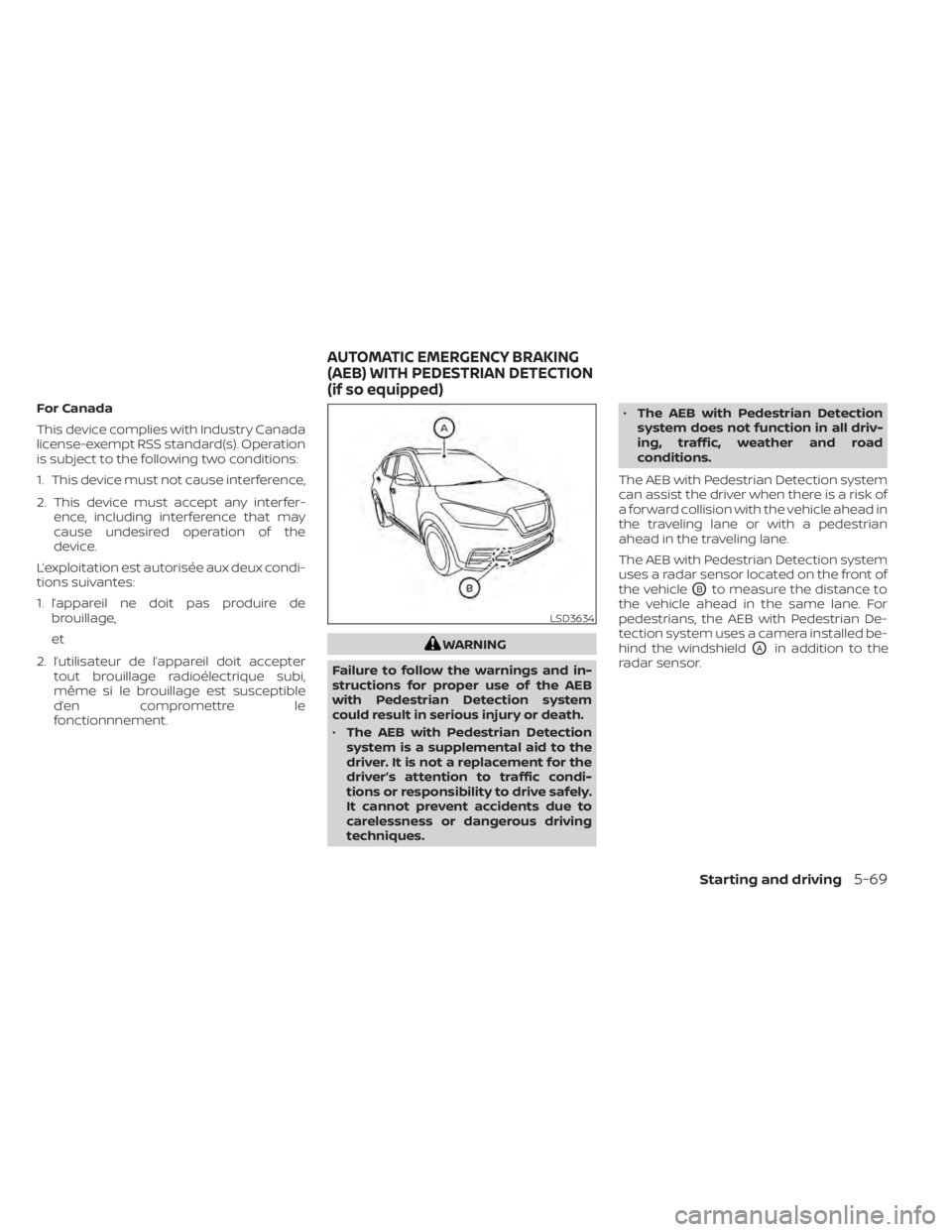
The AEB with Pedestrian Detection system
uses a radar sensor located on the front of
the vehicle
OBto measure the distance to
the vehicle ahead in the same lane. For
pedestrians, the AEB with Pedestrian De-
tection system uses a camera installed be-
hind the windshield
OAin addition to the
radar sensor.
LSD3634
AUTOMATIC EMERGENCY BRAKING
(AEB) WITH PEDESTRIAN DETECTION
(if so equipped)
Starting and driving5-69