bluetooth NISSAN VERSA 2019 Owner's Guide
[x] Cancel search | Manufacturer: NISSAN, Model Year: 2019, Model line: VERSA, Model: NISSAN VERSA 2019Pages: 372, PDF Size: 4.17 MB
Page 209 of 372
ENDING A CALL
To end an active call, press thebutton
on the steering wheel or touch the
“
Hang up” key on the screen.
TEXT MESSAGING (if so equipped)
WARNING
∙ Laws in some jurisdictions may re- strict the use of “Text-to-Speech”.
Check local regulations before using
this feature.
∙ Laws in some jurisdictions may re- strict the use of some of the applica-
tions and features, such as social net-
working and texting. Check local
regulations for any requirements.
∙ Use the text messaging feature af ter stopping your vehicle in a safe loca-
tion. If you have to use the feature
while driving, exercise extreme cau-
tion at all times so full attention may
be given to vehicle operation.
∙ If you are unable to devote full atten- tion to vehicle operation while using
the text messaging feature, pull off
the road to a safe location and stop
your vehicle. NOTE:
This feature is automatically disabled if
the connected device does not support
the Message Access Profile (MAP). For
additional information, refer to the
phone’s Owner’s Manual for details and
instructions.
NOTE:
Many phones may require special per-
mission to enable text messaging. Check
the phone’s screen during Bluetooth®
pairing. For some phones, you may need
to enable ‘Notifications’ in the phone’s
Bluetooth® menu for text messages to
appear on the headunit. For additional
information, refer to your phone’s Own-
er’s manual. Text message integration
requires that the phone support MAP
(Message Access Profile) for both receiv-
ing and sending text messages. Some
phones may not support all text mes-
saging features. Please refer to
www.nissanusa.com/bluetooth or
www.nissan.ca/bluetooth for compat-
ibility information, as well as your de-
vice’s Owner’s manual.
The system allows for the sending and re-
ceiving of text messages through the ve-
hicle interface. The availability of the text message func-
tion may vary depending on the cellular
phone.
When the cellular phone connected to the
vehicle receives a text message, a notifica-
tion will appear on the control panel dis-
play. To check the message, touch the
“Read” key. Touch the “Ignore” key to save
the message to be checked later.
Access text messaging through the ve-
hicles Bluetooth® Hands-Free Phone or
through the vehicles control panel.
Text messaging using Bluetooth®
Hands-Free Phone System (if so
equipped)
Sending a text message (if so equipped)
1. Press and hold the
button on the
steering wheel for less than 1.5 sec-
onds.
2. Say “Send Text” af ter the tone.
3. The system will provide a list of avail- able commands in order to determine
the recipient of the text message.
Choose from the following:
∙ Phonebook
∙ Quick Dial
Monitor, climate, audio, phone and voice recognition systems4-57
Page 212 of 372
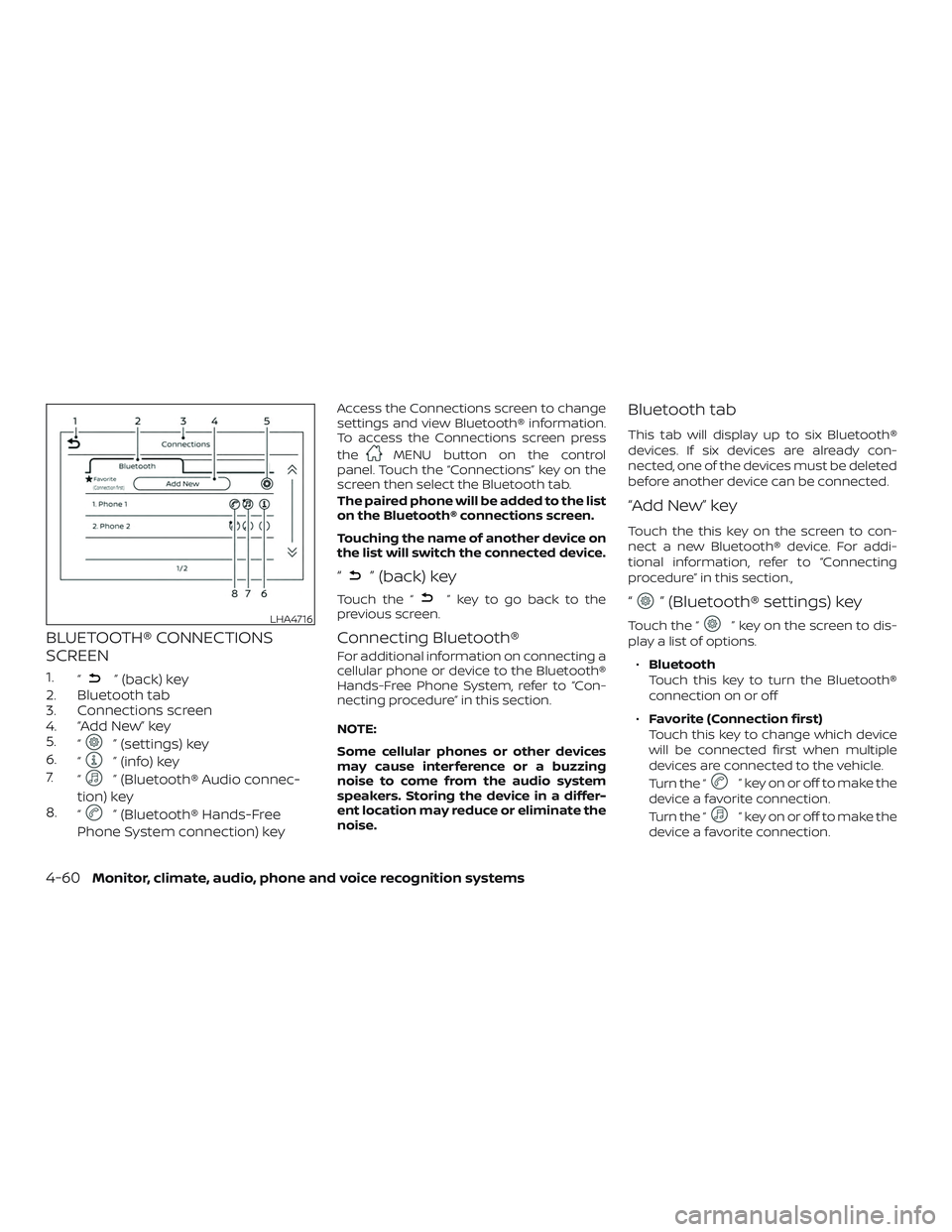
BLUETOOTH® CONNECTIONS
SCREEN
1.“” (back) key
2. Bluetooth tab
3. Connections screen
4. “Add New” key
5. “
” (settings) key
6. “
” (info) key
7. “
” (Bluetooth® Audio connec-
tion) key
8. “
” (Bluetooth® Hands-Free
Phone System connection) key
Access the Connections screen to change
settings and view Bluetooth® information.
To access the Connections screen press
the
MENU button on the control
panel. Touch the “Connections” key on the
screen then select the Bluetooth tab.
The paired phone will be added to the list
on the Bluetooth® connections screen.
Touching the name of another device on
the list will switch the connected device.
“” (back) key
Touch the “” key to go back to the
previous screen.
Connecting Bluetooth®
For additional information on connecting a
cellular phone or device to the Bluetooth®
Hands-Free Phone System, refer to “Con-
necting procedure” in this section.
NOTE:
Some cellular phones or other devices
may cause interference or a buzzing
noise to come from the audio system
speakers. Storing the device in a differ-
ent location may reduce or eliminate the
noise.
Bluetooth tab
This tab will display up to six Bluetooth®
devices. If six devices are already con-
nected, one of the devices must be deleted
before another device can be connected.
“Add New” key
Touch the this key on the screen to con-
nect a new Bluetooth® device. For addi-
tional information, refer to “Connecting
procedure” in this section.,
“” (Bluetooth® settings) key
Touch the “” key on the screen to dis-
play a list of options.
∙ Bluetooth
Touch this key to turn the Bluetooth®
connection on or off
∙ Favorite (Connection first)
Touch this key to change which device
will be connected first when multiple
devices are connected to the vehicle.
Turn the “
” key on or off to make the
device a favorite connection.
Turn the “
” key on or off to make the
device a favorite connection.
LHA4716
4-60Monitor, climate, audio, phone and voice recognition systems
Page 213 of 372
∙Pin
Touch this key to customize the PIN
code. Input a four digit number then
touch the “OK” key. The new PIN will be
set.
“” (info) key
Touch the “” key on the screen to dis-
play the information of the cellular phone
or to delete the device.
Touch the “Delete” key to remove a paired
device then select “Yes” when a message
appears.
“” (Bluetooth® Hands-Free
Phone System connection) key
A list of connected devices will be displayed
on the screen. Touch the “
” key next to
the name to connect a device to the
Hands-Free Phone System. If the phone is
listed as a favorite, a star will appear on the
icon. Select the key again to disconnect the
device. The device will not be removed
from the list. For additional information on
removing a device, refer to “
(info) key”
in this section.
“” (Bluetooth® Audio
connection) key
A list of connected devices will be displayed
on the screen. Touch the “
” key next to
the name to connect a device to
Bluetooth® Audio. If the device is listed as a
favorite, a star will appear on the icon. Se-
lect the key again to disconnect the device.
The device will not be removed from the
list. For additional information on removing
a device, refer to “
(info) key” in this
section.
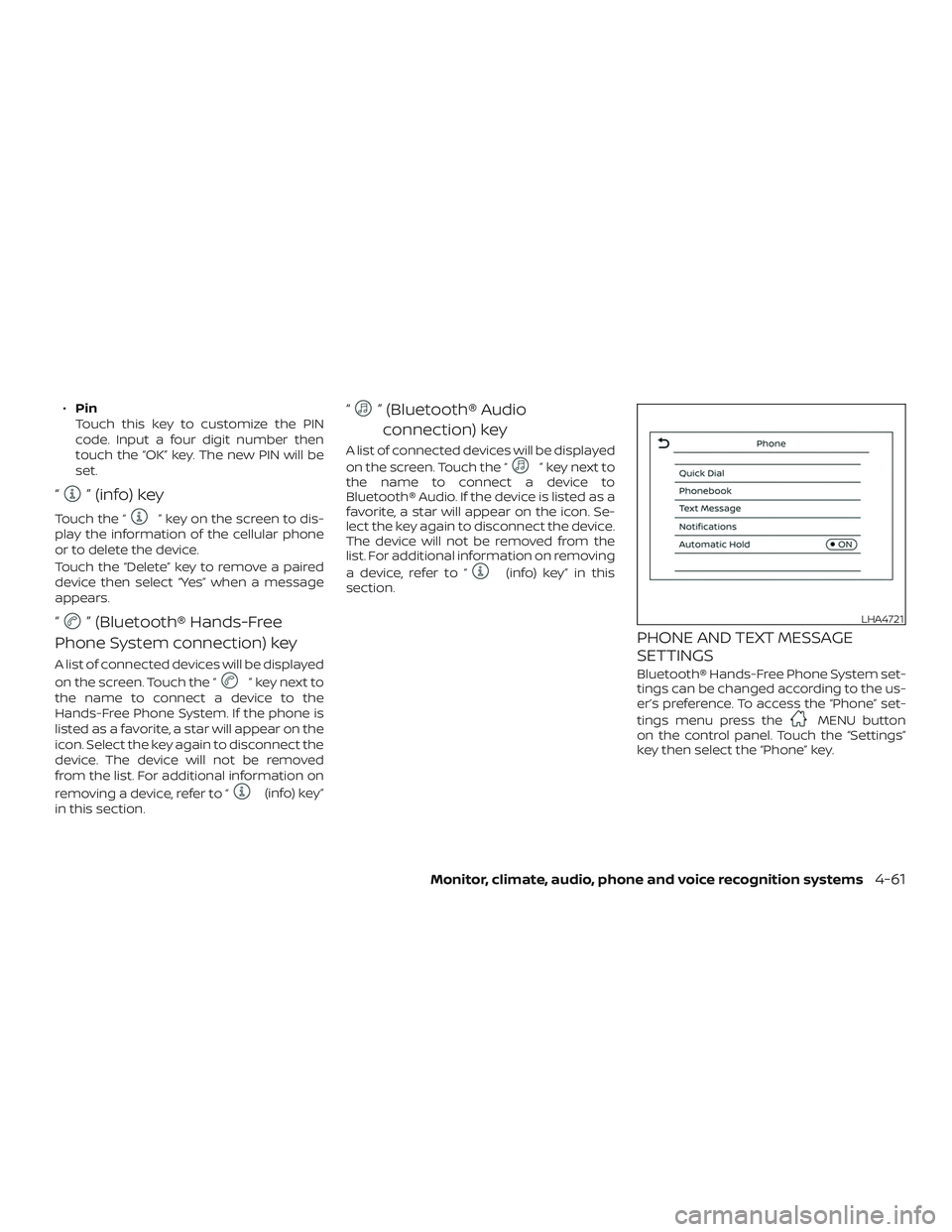
PHONE AND TEXT MESSAGE
SETTINGS
Bluetooth® Hands-Free Phone System set-
tings can be changed according to the us-
er’s preference. To access the “Phone” set-
tings menu press the
MENU button
on the control panel. Touch the “Settings”
key then select the “Phone” key.
LHA4721
Monitor, climate, audio, phone and voice recognition systems4-61
Page 359 of 372
11 Index
A
Air bag (See supplemental restraint
system) .................... .1-42
Air bag system Front (See supplemental front impact air
bagsystem)............... .1-52
Air bag warning labels ............1-60
Airbagwarninglight..........1-61, 2-18
Air bag warning light,
supplemental ..............1-61, 2-18
Air cleaner housing filter ...........8-17
Air conditioner Air conditioner operation ........4-18
Air conditioner service ..........4-22
Air conditioner specification label . .10-13
Air conditioner system refrigerant and oil
recommendations ............10-8
Air conditioner system refrigerant
recommendations ............10-8
Heater and air conditioner controls .4-14
Servicing air conditioner ........4-22
Air flow charts .................4-19
Alarm system
(See vehicle security system) ........2-21
Anchor point locations ...........1-25
Antenna ....................4-42
Antifreeze ...................5-34
Anti-lock brake warning light ........2-13
Anti-lock Braking System (ABS) ......5-30
Audible reminders ..............2-21
Audio system .................4-22 AM/FMradio ............4-27,4-29
AM radio operation
............4-29
AMradioreception............4-23
Auxliliary (AUX) devices operation . . .4-31
Bluetooth® audio .............4-38
FM radio operation ............4-30
FMradioreception............4-22
iPod®Player................4-35
iPod® player operation .........4-35
Radio ....................4-22
Steering wheel audio control
switch....................4-42
USB Connections .............4-33
USBinterface...............4-32
USB (Universal Serial Bus) Connection
Port.....................4-32
Automatic Automatic power window switch . . .2-34
Automatic door locks .............3-8
B
Battery..................5-34,8-13 Charge warning light ...........2-14
Battery replacement ............8-22
Keyfob................8-22,8-23
NISSAN Intelligent Key® .........8-24
Before starting the engine .........5-14
Belt(Seedrivebelt)..............8-15
Bluetooth® audio ...............4-38
Bluetooth® hands-free phone system . .4-46 Bluetooth® connections ........4-60Connecting procedure
.........4-51
Phone indicators .............4-50
Text messaging ..............4-57
Voice commands ............4-52
Booster seats .................1-38
Brake Anti-lock Braking System (ABS) ....5-30
Brakefluid.................8-10
Brakelight(Seestoplight).......8-28
Brakesystem...............5-30
Brakewarninglight............2-13
Brakewearindicators.......2-21,8-19
Parking brake operation ........5-23
Self-adjustingbrakes ..........8-19
Brakeassist..................5-31
Brakefluid...................8-10
B r
akes......................8-19
Brakesystem.................5-30
Break-in schedule ..............5-26
Brightness/contrast button .........4-7
Brightness control Instrument panel .............2-26
Bulb check/instrument panel .......2-13
Bulb replacement ..............8-28
C
Capacities and recommended fuel/
lubricants....................10-2
Cargo
(See vehicle loading information) . . . .10-14
Car phone or CB radio ...........4-46
Page 361 of 372
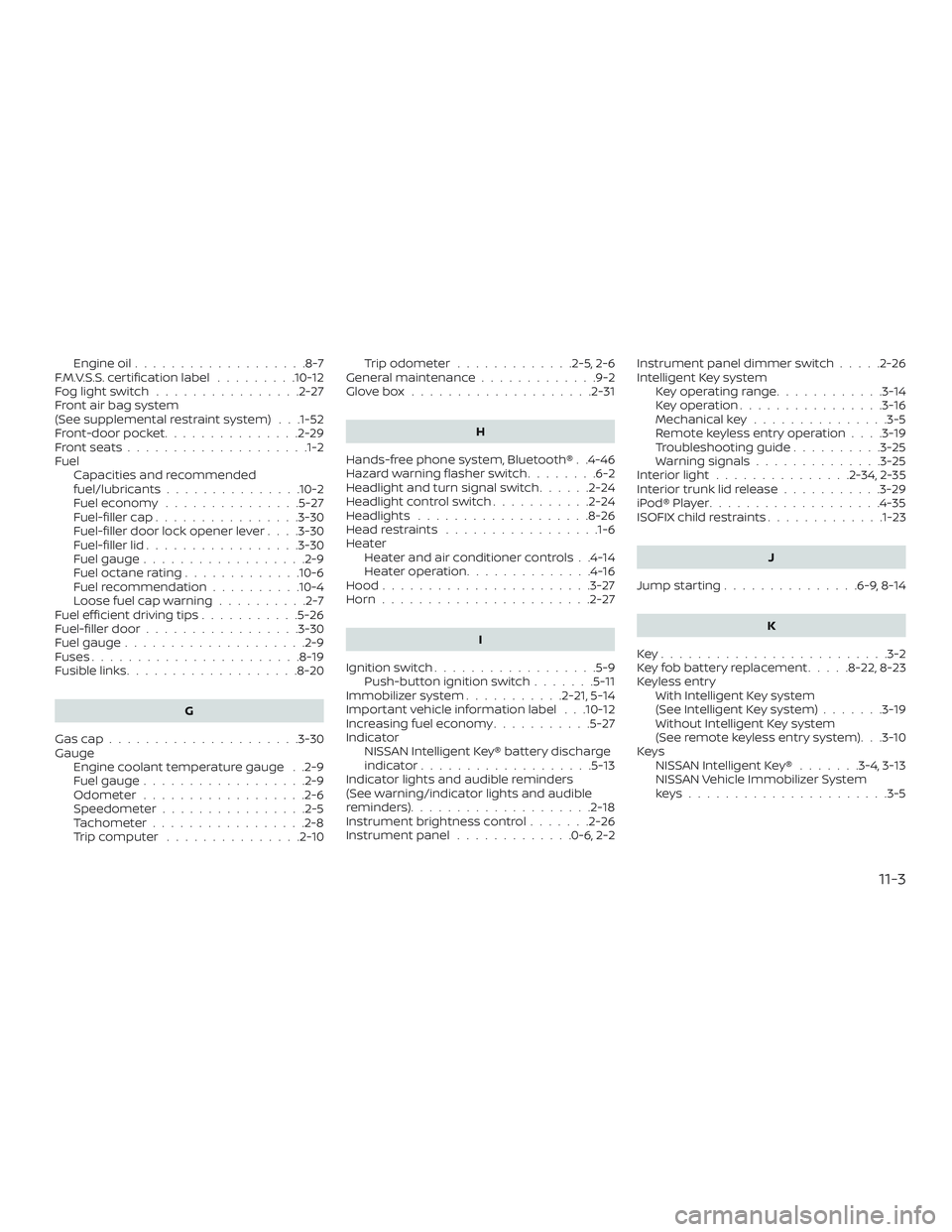
Engine oil...................8-7
F.M.V.S.S. certification label .........10-12
Foglightswitch ................2-27
Front air bag system
(See supplemental restraint system) . . .1-52
Front-door pocket ...............2-29
Frontseats....................1-2
Fuel Capacities and recommended
fuel/lubricants...............10-2
Fuel economy ...............5-27
Fuel-filler cap ................3-30
Fuel-filler door lock opener lever ....3-30
Fuel-filler lid .................3-30
Fuel gauge ..................2-9
Fueloctanerating.............10-6
Fuel recommendation ..........10-4
Loose fuel cap warning ..........2-7
Fuelefficientdrivingtips...........5-26
Fuel-filler door .................3-30
Fuel gauge ....................2-9
Fuses .......................8-19
Fusiblelinks...................8-20
G
Gascap.....................3-30
Gauge Engine coolant temperature gauge . .2-9
Fuel gauge ..................2-9
Odometer ..................2-6
Speedometer ................2-5
Tachometer .................2-8
Trip computer ...............2-10 Trip odometer
.............2-5,2-6
General maintenance .............9-2
Glovebox ....................2-31
H
Hands-free phone system, Bluetooth® . .4-46
Hazard warning flasher switch ........6-2
Headlight and turn signal switch ......2-24
Headlightcontrolswitch...........2-24
Headlights ...................8-26
Headrestraints .................1-6
Heater Heater and air conditioner controls . .4-14
Heater operation ..............4-16
Hood .......................3-27
Horn.......................2-27
I
Ignition switch ..................5-9
Push-button ignition switch .......5-11
Immobilizer system ...........2-21,5-14
Important vehicle information label . . .10-12
Increasing fuel economy ...........5-27
Indicator NISSAN Intelligent Key® battery discharge
indicator...................5-13
Indicator lights and audible reminders
(See warning/indicator lights and audible
reminders) ....................2-18
Instrument brightness control .......2-26
Instrument panel .............0-6,2-2 Instrument panel dimmer switch
.....2-26
Intelligent Key system Key operating range ............3-14
Key operation ................3-16
Mechanical key ...............3-5
Remote keyless entry operation ....3-19
Troubleshooting guide ..........3-25
Warning signals ..............3-25
Interiorlight...............2-34,2-35
Interiortrunklidrelease...........3-29
iPod®Player...................4-35
ISOFIX child restraints .............1-23
J
Jumpstarting...............6-9,8-14
K
Key.........................3-2
K e
y fob battery replacement .....8-22,8-23
Keyless entry With Intelligent Key system
(See Intelligent Key system) .......3-19
Without Intelligent Key system
(See remote keyless entry system). . .3-10
Keys NISSAN Intelligent Key® .......3-4,3-13
NISSAN Vehicle Immobilizer System
keys..................... .3-5
11-3
Page 363 of 372
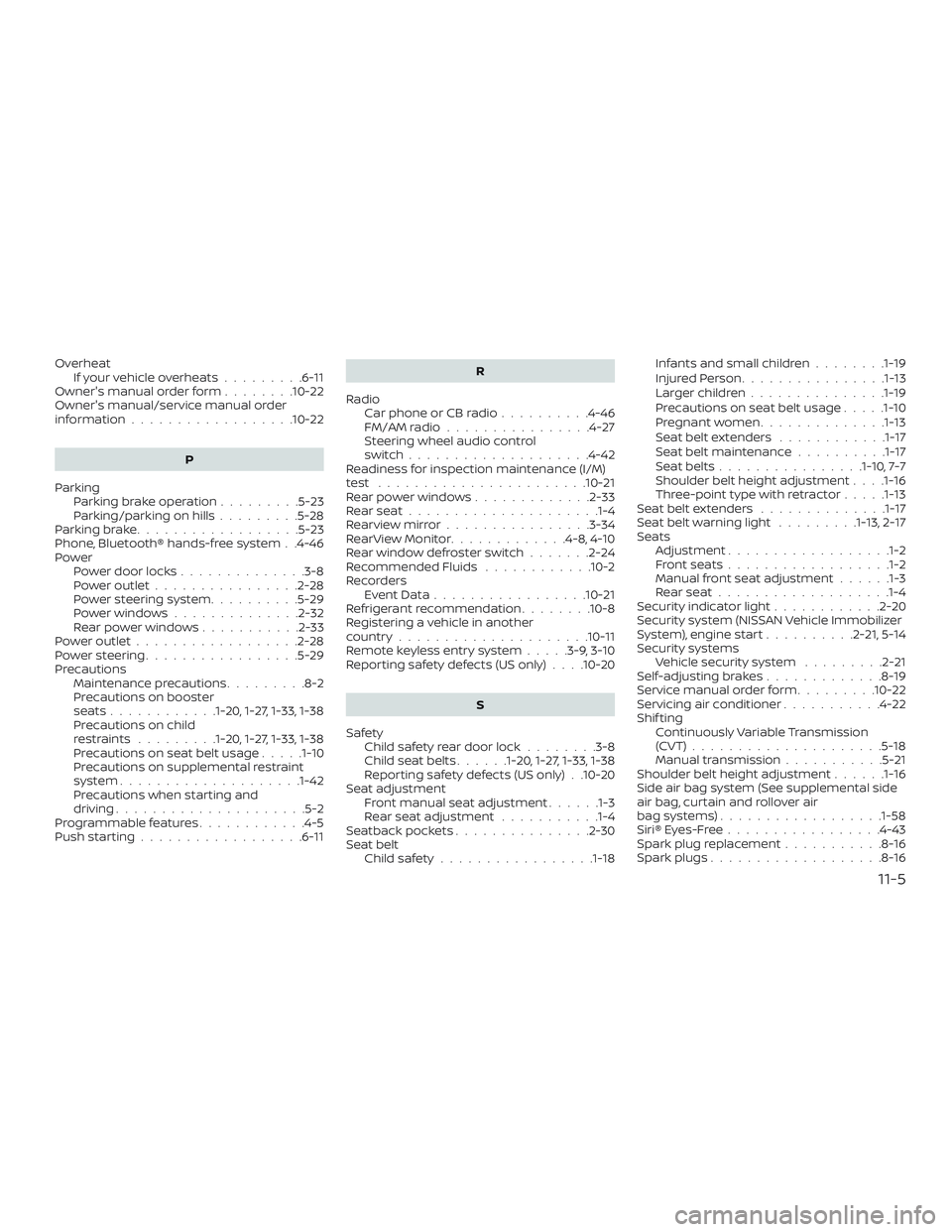
OverheatIfyourvehicleoverheats.........6-11
Owner's manual order form ........10-22
Owner's manual/service manual order
information..................10-22
P
Parking Parking brake operation .........5-23
Parking/parkingonhills.........5-28
Parkingbrake..................5-23
Phone, Bluetooth® hands-free system . .4-46
Power Power door locks ..............3-8
Poweroutlet................2-28
Power steering system ..........5-29
Powerwindows..............2-32
Rearpowerwindows...........2-33
Poweroutlet..................2-28
Powersteering.................5-29
Precautions Maintenance precautions .........8-2
Precautions on booster
seats............1-20, 1-27, 1-33, 1-38
Precautions on child
restraints .........1-20, 1-27, 1-33, 1-38
Precautions on seat belt usage .....1-10
Precautions on supplemental restraint
system ....................1-42
Precautions when starting and
driving.....................5-2
Programmable features ............4-5
Push starting ..................6-11 R
Radio Car phone or CB radio ..........4-46
FM/AMradio................4-27
Steering wheel audio control
switch....................4-42
Readiness for inspection maintenance (I/M)
test .......................10-21
Rearpowerwindows.............2-33
Rearseat.....................1-4
Rearviewmirror................3-34
RearViewMonitor.............4-8,4-10
Rearwindowdefrosterswitch.......2-24
Recommended Fluids ............10-2
Recorders EventData.................10-21
Refrigerant recommendation ........10-8
Registering a vehicle in another
country .....................10-11
Remote keyless entry system .....3-9, 3-10
Reporting safety defects (US only) . . . .10-20
S
Safety Child safety rear door lock ........3-8
Childseatbelts......1-20, 1-27, 1-33, 1-38
Reporting safety defects (US only) . .10-20
Seat adjustment Front manual seat adjustment ......1-3
Rear seat adjustment ...........1-4
Seatback pockets ...............2-30
Seat belt Childsafety................ .1-18Infants and small children
........1-19
InjuredPerson............... .1-13
Largerchildren.............. .1-19
Precautionsonseatbeltusage.....1-10
Pregnant women ..............1-13
Seat belt extenders ............1-17
Seat belt maintenance ..........1-17
Seatbelts................1-10, 7-7
Shoulder belt height adjustment . . . .1-16
Three-pointtypewithretractor.....1-13
Seat belt extenders ..............1-17
Seatbeltwarninglight .........1-13,2-17
Seats Adjustment .................
.1-2
Frontseats..................1-2
Manual front seat adjustment ......1-3
Rearseat...................1-4
Security indicator light ............2-20
Security system (NISSAN Vehicle Immobilizer
System), engine start ..........2-21, 5-14
Security systems Vehicle security system .........2-21
Self-adjustingbrakes.............8-19
Service manual order form .........10-22
Servicing air conditioner ...........4-22
Shif ting Continuously Variable Transmission
(CVT) .....................5-18
Manual transmission ...........5-21
Shoulder belt height adjustment ......1-16
Side air bag system (See supplemental side
air bag, curtain and rollover air
bag systems) ..................1-58
Siri® Eyes-Free .................4-43
Spark plug replacement ...........8-16
Spark plugs ...................8-16
11-5