door lock Oldsmobile Cutlass Supreme 1993 Owner's Manuals
[x] Cancel search | Manufacturer: OLDSMOBILE, Model Year: 1993, Model line: Cutlass Supreme, Model: Oldsmobile Cutlass Supreme 1993Pages: 340, PDF Size: 16.21 MB
Page 11 of 340
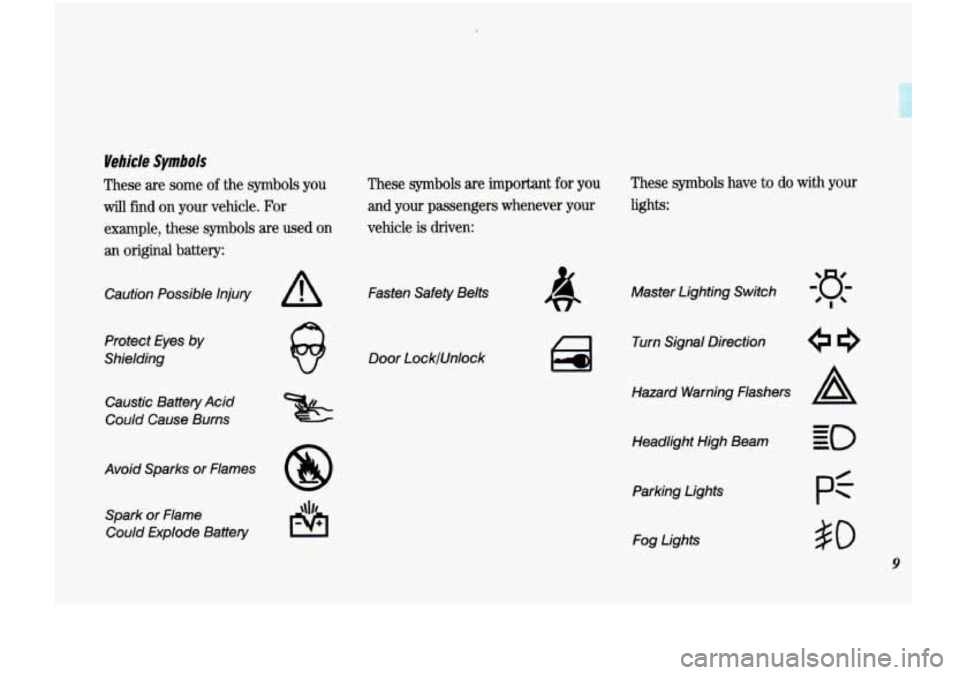
Vehicle Symbols
These are some of the symbols you
will find on your vehicle. For
example, these
symbols are used on
an original battery:
Caution Possible Injury A
Protect Eyes by
Shielding
Caustic Battery Acid
Could Cause Burns
Avoid Sparks or Flames
8
Spark or Flame Could Explode Battery
These symbols are important for you
and your passengers whenever your
vehicle
is driven:
Fasten Safety Belts
Door LocklUnlock
These symbols have to do with your
lights:
Master Lighting Switch
Turn Signal Direction
Hazard Warning Flashers
A
Headlight High Beam Parking Lights Fog Lights
pf
#O
9
Page 18 of 340
16
Seats & Safety Belts
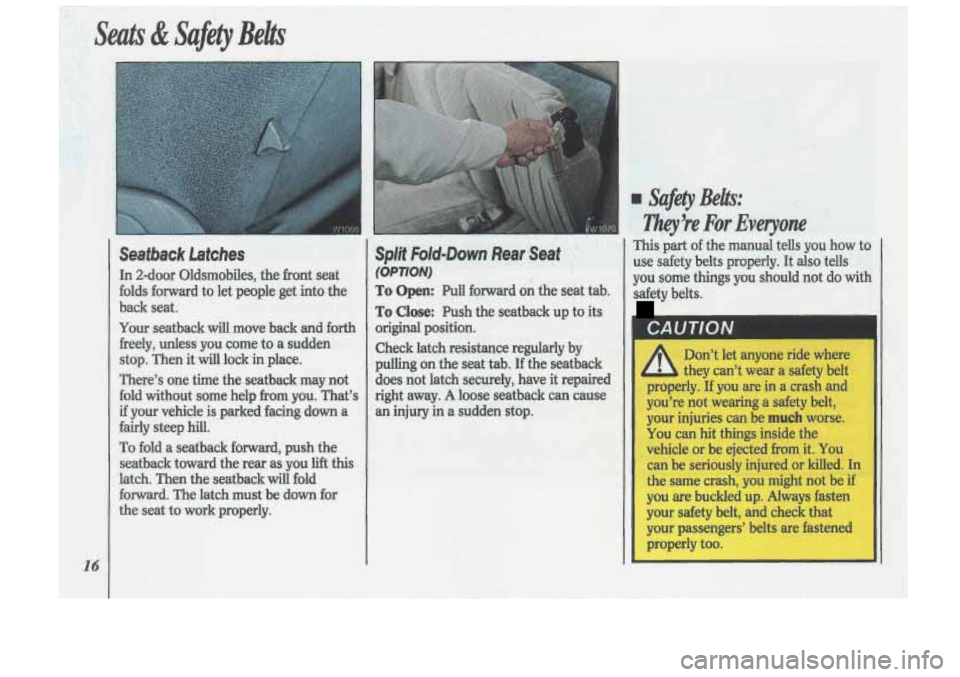
Seatback Latches
In 2-door Oldsmobiles, the front seat
folds forward
to let people get into the
back seat.
Your seatback will move back and forth
freely, unless you come to a sudden
stop. Then it
will lock in place.
There’s one time the seatback may not
fold without some help from you. That’s
if your vehicle is parked facing down a
fairly steep hill.
To fold a seatback forward, push the
seatback toward the rear as you lift this
latch. Then the seatback will fold
forward. The latch must be
down for
the seat to work properly.
Split Fold-Down Rearmseat ’ ,”
(OPTION)
To Open: Pull forward on the seat tab.
To Close: Push the seatback up to its
original position.
Check latch resistance regularly by
pulling on the seat tab. If the seatback
does not latch securely, have it repaired
right away.
A loose seatback can cause
an injury in a sudden stop.
I Safety Belts:
Ziky!re For Everyone
This part of the manual tells you how to
use safety belts properly. It
also tells
you some things you should not do
with
safety belts.
CAUTION
Don’t let anyone ride where
they can’t wear a safety belt
properly.
If you are in a crash and
you’re not wearing
a safety belt,
your injuries can be
much worse.
You can hit things inside the
vehicle or be ejected
from it. You
can be seriously injured
or killed. In
the same crash, you might not be if
you are buckled up. Always fasten
your safety belt, and check that
your passengers’ belts are fastened
properly too.
Page 25 of 340
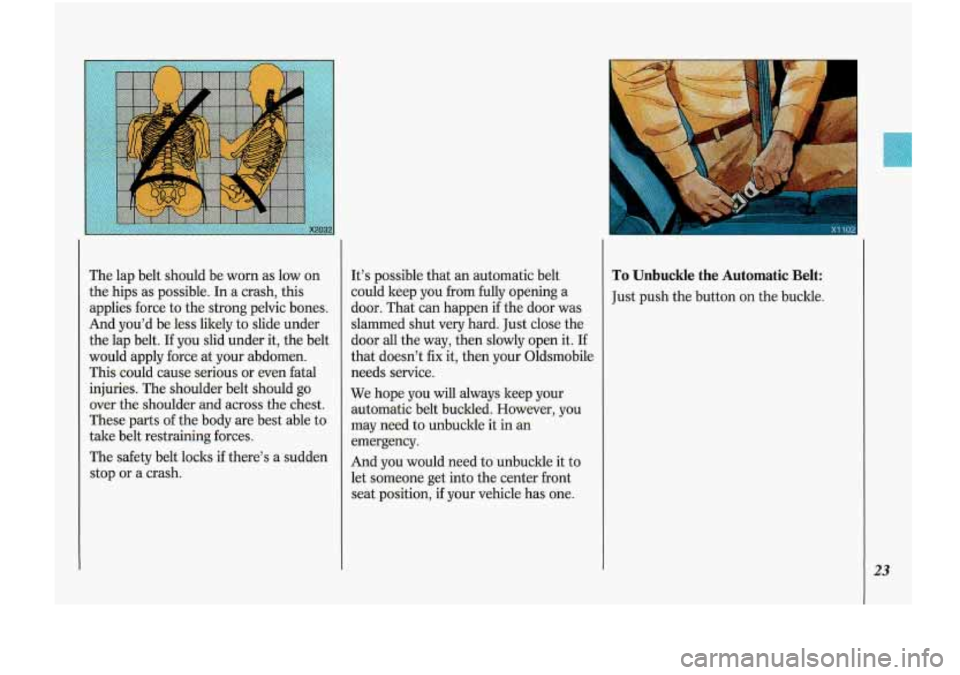
The lap belt should be worn as low on
the hips as possible. In a crash, this
applies force to the strong pelvic bones.
And you’d be less likely to slide under
the lap belt.
If you slid under it, the belt
would apply force at your abdomen.
This could cause serious or even fatal
injuries. The shoulder belt should go
over the shoulder and across the chest.
These parts of the body are best able to
take belt restraining forces.
The safety belt locks if there’s a sudden
stop or a crash. It’s
possible that an automatic belt
could keep you from fully opening a
door. That can happen
if the door was
slammed shut very hard. Just close the
door
all the way, then slowly open it. If
that doesn’t fix it, then your Oldsmobile
needs service.
We hope you will always keep your
automatic belt buclded. However, you
may need to unbuckle it
in an
emergency.
And you would need to unbuckle it to
let someone
get into the center front
seat position, if your vehicle has one.
To Unbuckle the Automatic Belt:
Just push the button on the buckle.
23
Page 26 of 340
Seats & Safety Belts
Automatic Lap-Shoulder Belt
(CONT.)
To Reattach the Automatic Belt:
1. Close and lock the door.
2. Adjust the seat (to see how, see the
Index under Seat Controls) so you
can sit up straight.
3. Pick up the latch plate and pull the
belt across you. Don’t let it get
twisted.
until it clicks.
4. Push the latch plate into the buckle
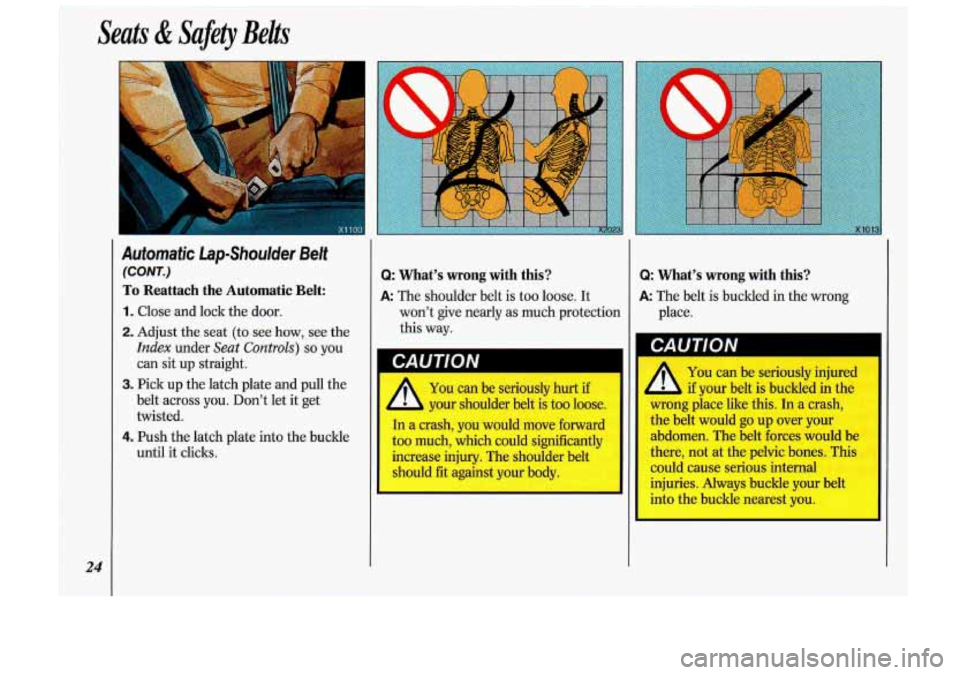
Q: What’s wrong with this?
A: The shoulder belt is too loose. It
Q: What’s wrong with this?
A: The belt is buckled in the wrong
won’t give nearly as much protection
this way.
’I I A You can be seriously hurt if
- your shoulder belt is too loose.
In a crash, you would move forward
too much, which could significantly
increase injury. The shoulder belt
should fit against your body.
24
place.
CAUTION
You can be seriously injured
if your belt is buckled in the
wrong place like this. In a crash,
the belt would go up over your
abdomen. The belt forces would be
there, not at the pelvic bones. This
could cause serious internal
injuries. Always buckle your belt
into the buckle nearest you.
I
Page 49 of 340
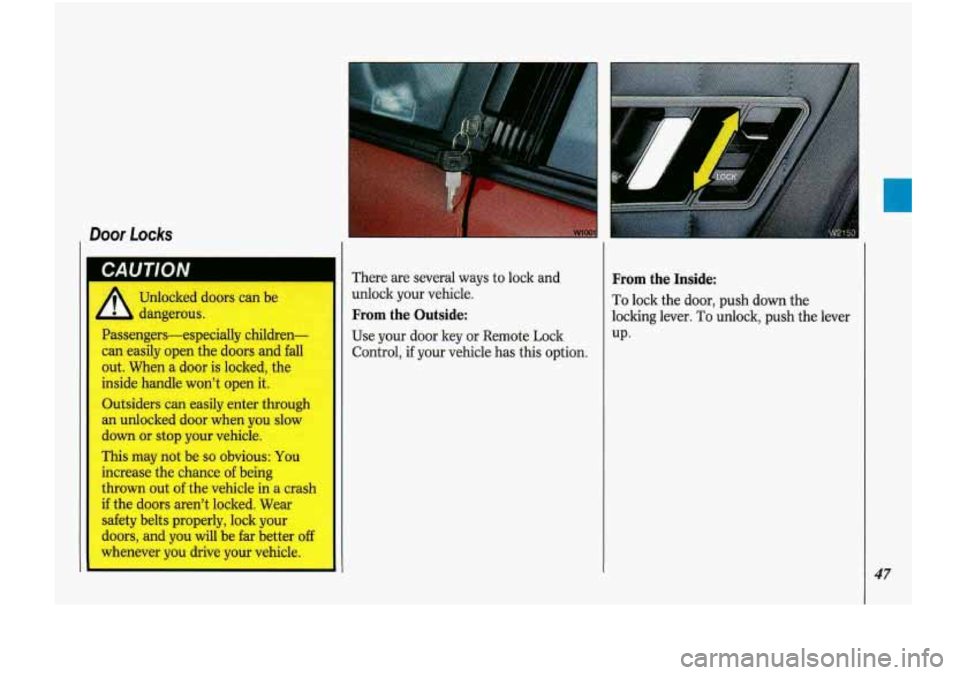
Door Locks
GAU I IVN
Unlocked doors can be
dangerous.
Passengers-especially children-
can easily open the doors and fall
out. When a door is locked, the
inside handle won’t open it.
Outsiders can easily enter through
an unlocked door when you slow
down
or stop your vehicle.
This may not be
so obvious: You
increase the chance of being
thrown out of the vehicle in a crash
if the doors aren’t locked. Wear
safety belts properly, lock your
doors, and you will be far better off
whenever you drive your vehicle. There are
several ways to lock and
unlock your vehicle.
From the Outside:
Use your door ley or Remote Lock
Control, if your vehicle has this option.
From the Inside:
To lock the door, push down the
locking lever. To unlock, push the lever
UP*
47
Page 50 of 340
Features & Controls
48
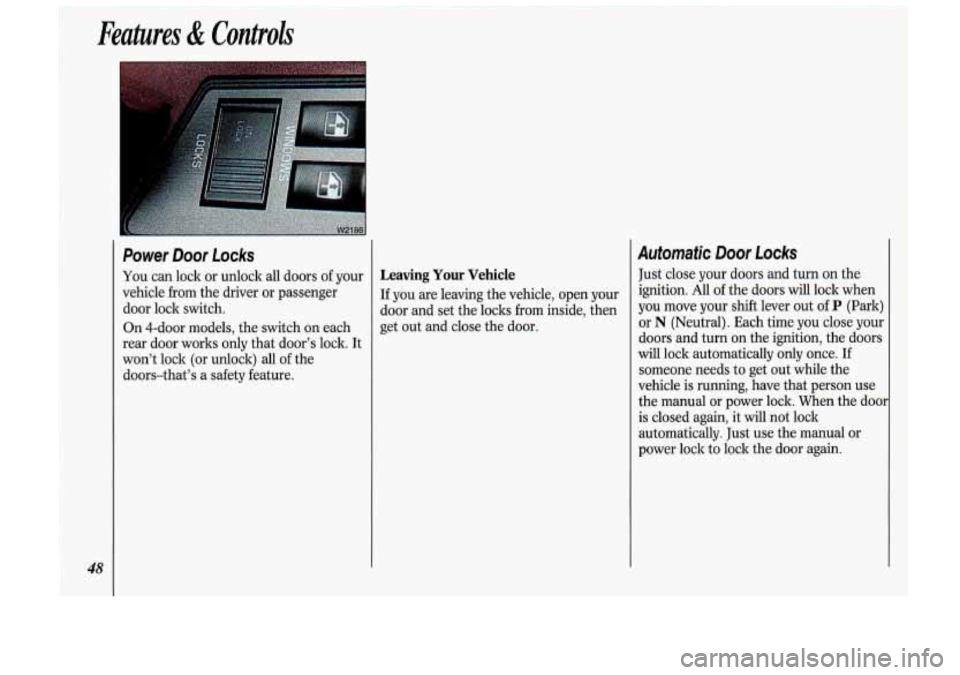
Power Door Locks
You can lock or unlock all doors of your
vehicle from the driver or passenger
door lock switch.
On 4-dOOr models, the switch on each
rear door works only that door’s lock. It
won’t lock (or unlock) all of the
doors-that’s a safety feature. Leaving Your Vehicle
If you are leaving the vehicle, open your
door and set the loclts from inside, then
get out and close the door.
Automatic Door Locks
Just close your doors and turn on the
ignition. All of the doors will lock when
you move your shift lever out of
P (Park)
or
N (Neutral). Each time you close your
doors and turn on the ignition, the doors
will lock automatically only once. If
someone needs to get out while the
vehicle is running, have that person use
the manual or power lock. When the do01
is closed again, it will not lock
automatically. Just use the manual
or
power lock to lock the door again.
Page 53 of 340
Programming the Module
You will need to program your Remote
Lock Control module if any of the
following things occur:
You replace your Remote Lock
Control transmitter;
You add a second transmitter;
Something grounds the data encoder
You replace the Remote Lock Control
connector
in the trunk;
module.
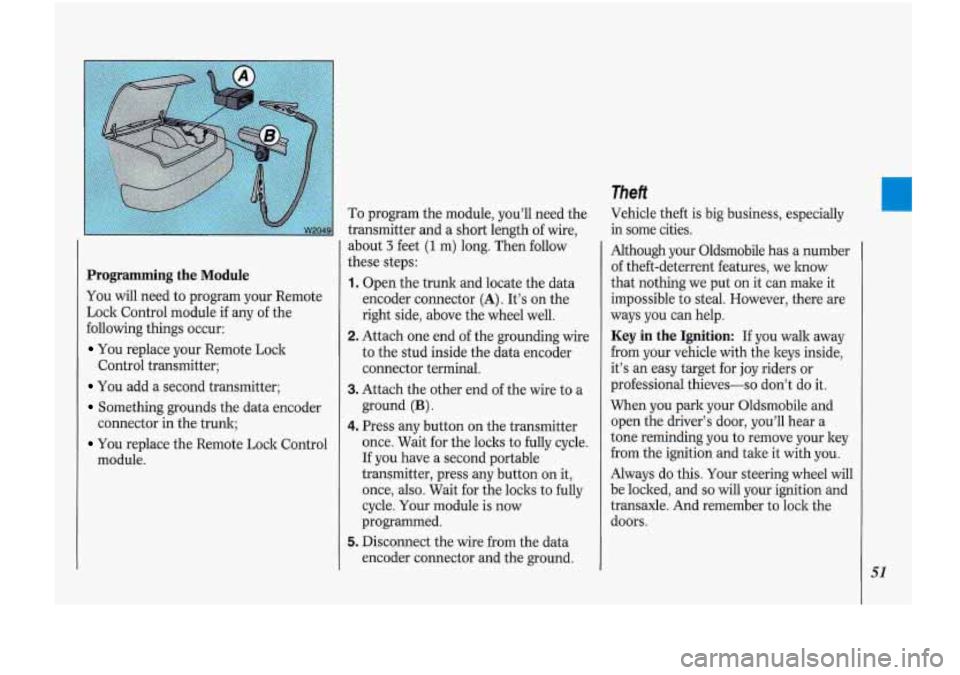
To program the module, you'll need the
transmitter and a short length of wire,
about
3 feet (1 m) long. Then follow
these steps:
1. Open the trunk and locate the data
encoder connector
(A). It's on the
right side, above the wheel well.
2. Attach one end of the grounding wke
to the stud inside the data encoder
connector terminal.
3. Attach the other end of the wire to a
ground
(B).
4. Press any button on the transmitter
once. Wait for the locks to fully cycle.
If you have a second portable
transmitter, press any button on it,
once, also. Wait for the locks to fully
cycle. Your module is now
programmed.
5. Disconnect the wire Gom the data
encoder connector and the ground.
Theft
Vehicle theft is big business, especially
in some cities.
Although your Oldsmobile has a number
of theft-deterrent features, we lmow
that nothing we put on it can make it
impossible to-steaL However, there are
ways you can help.
Key in the Ignition: If you walk away
from your vehicle with the keys inside,
it's
an easy target for joy riders or
professional thieves-so don't do it.
When you park your Oldsmobile and
open the driver's door, you'll hear a
tone reminding you to remove your key
from the ignition and take it with you.
Always do this. Your steering wheel will
be locked, .and
so will your ignition and
transaxle. And remember to lock the
doors.
51
Page 55 of 340
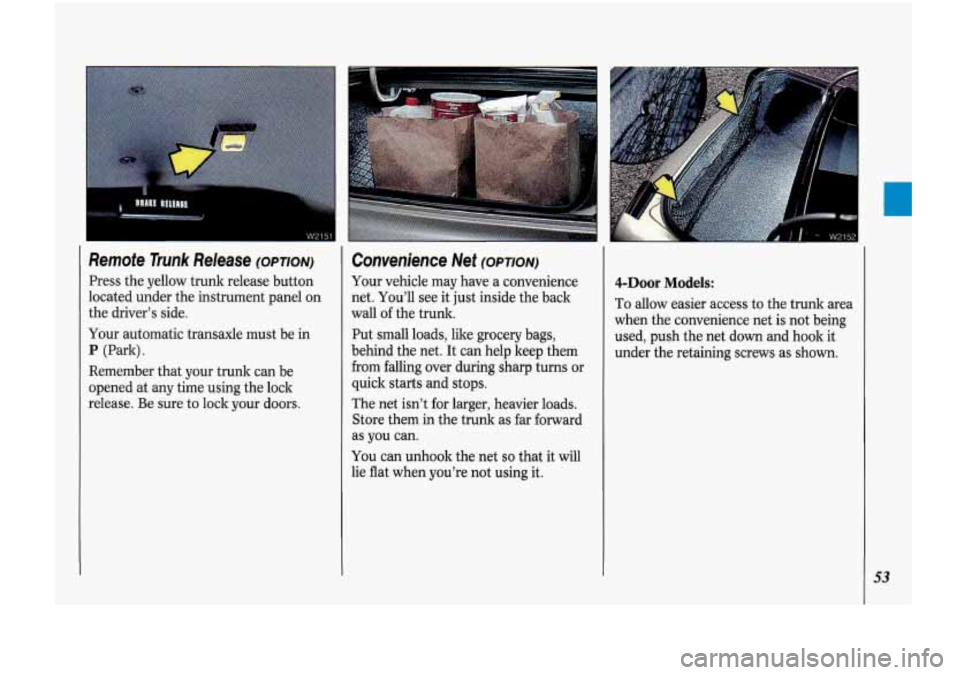
Remote Trunk Release (OPTION)
Press the yellow trunk release button
located under the instrument panel on
the driver’s side.
Your automatic transaxle must be in
P (Park).
Remember that your trunk can be
opened at
any time using the lock
release. Be sure to lock your doors.
Convenience Net (OPTION)
Your vehicle may have a convenience
net. You’ll see it just inside the back
wall
of the trunk.
Put small loads, like grocery bags,
behind the net. It can help keep them
from falling over during sharp turns
or
quick stafts and stops.
The net isn’t for larger, heavier loads.
Store them in the trunk as far forward
as you can.
You can unhook the net so that it will
lie flat when you’re not using it.
4-Door Models:
To allow easier access to the trunk area
when the convenience net is not being
used, push the net down and hook it
under the retaining screws
as shown.
53
Page 70 of 340
~ Features di Controls
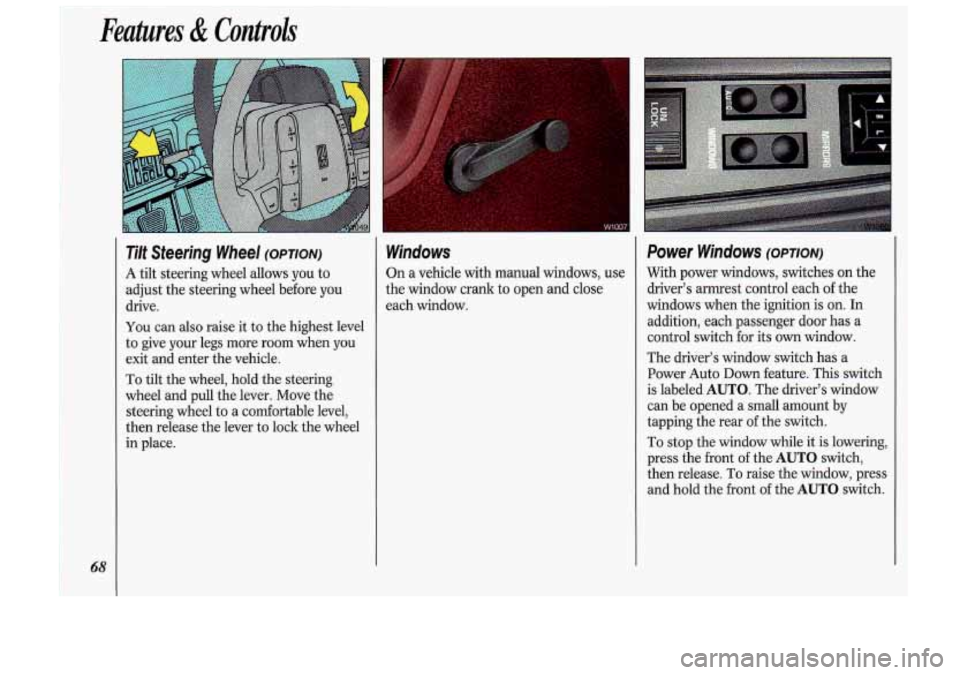
Tilt Steering Wheel (OPTION)
A
tilt steering wheel allows you to
adjust the steering wheel before you
drive.
You can also raise it to the highest level
to give your legs more room when you
exit and enter the vehicle.
To tilt the wheel, hold the steering
wheel and pull the lever. Move the
steering wheel to a comfortable level,
then release the lever to lock the wheel
in place.
Windows
On a vehicle with manual windows, use
the window crank to open and close
each window.
Power Windows (OPTION)
With power windows, switches on the
driver’s armrest control each of the
windows when the ignition is on. In
addition, each passenger door has a
control switch for its
own window.
The driver’s window switch has a
Power Auto
Down feature. This switch
is labeled
AUTO. The driver’s window
can be opened a small amount by
tapping the rear of the switch.
To stop the window while it is lowering,
press the front of the
AUTO switch,
then release. To raise the window, press
and hold the front of the
AUTO switch.
Page 71 of 340
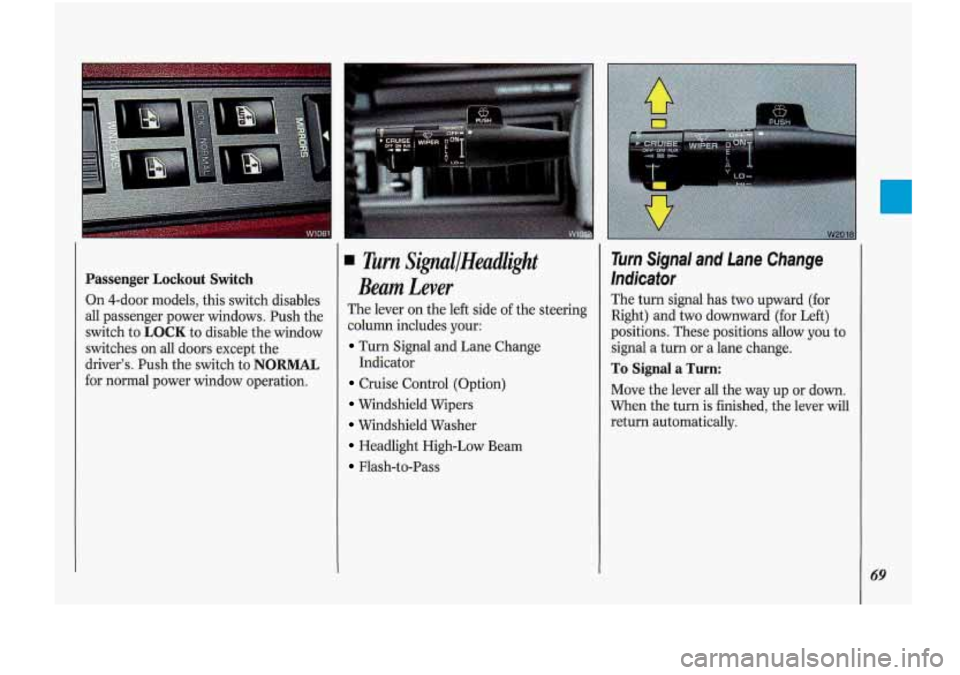
Passenger Lockout Switch
On 4-door models, this switch disables
all passenger power windows. Push the
switch to
LOCK to disable the window
switches on all doors except the
driver’s. Push the switch to
NORMAL
for normal power window operation.
Turn SiflallHeadlight
Beam Lever
The lever on the left side of the steering
column includes your:
Turn Signal and Lane Change
Cruise Control (Option)
Windshield Wipers
Windshield Washer
Headlight High-Low Beam
Flash-to-Pass Indicator
Turn Signal and Lane Change
Indicator
The turn signal has two upward (for
Right) and
two downward (for Left)
positions. These positions allow you to
signal a turn or a lane change.
To Signal a Turn:
Move the lever all the way up or down.
When the turn
is finished, the lever will
return automatically.
69