change time OLDSMOBILE SILHOUETTE 1993 Owners Manual
[x] Cancel search | Manufacturer: OLDSMOBILE, Model Year: 1993, Model line: SILHOUETTE, Model: OLDSMOBILE SILHOUETTE 1993Pages: 323, PDF Size: 17.13 MB
Page 53 of 323
several different models of these systems
on their vehicles.) Each vehicle can have
up to four transmitters matched to it.
See your Oldsmobile dealer to match
transmitters to another vehicle.
Your remote keyless entry operates on a
radio frequency subject to Federal
Communications Commission (FCC)
Rules.
This device complies with
Part 15 of the
FCC Rules. Operation is subject
to the
following two conditions:
(1) This
device may
not cause harmful
interference, and
(2) This device must
accept any interference received,
including interference that may cause
undesired operation. Should interference to
this system occur,
try this:
Check to determine if battery
replacement is necessary. See the
instructions on battery replacement
later in this section.
Check the distance. You may be too
far from your vehicle. This product
has a maximum range.
Check the location. Other vehicles or
objects may be blocking the signal.
See your Oldsmobile dealer or a
qualified technician for service.
Changes or modifications to this system
by other than an authorized service
facility could void authorization to use
this equipment.
. .~ ~- ~.
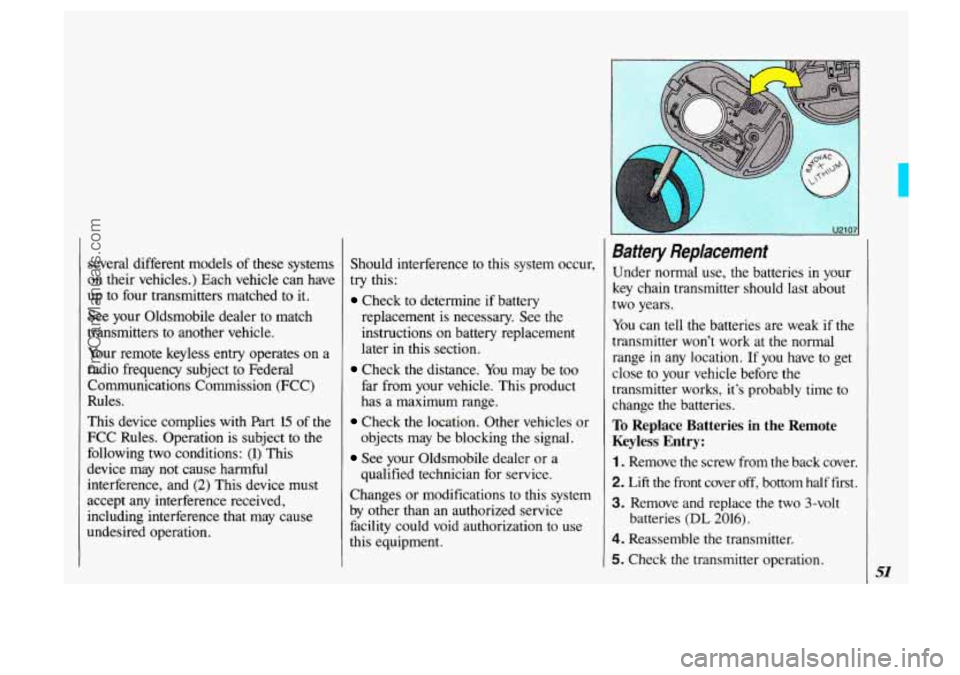
Battery Replacement
Under normal use, the batteries in your
key chain transmitter should last about
two years.
You can tell the batteries are weak if the
transmitter won’t work at the normal
range
in any location. If you have to get
close to your vehicle before the
transmitter works, it’s probably time to
change the batteries.
To Replace Batteries in the Remote
Keyless Entry:
1 . Remove the screw from the back cover.
2. Lift the front cover off, bottom half fmt .
3. Remove and replace the two 3-volt
4. Reassemble the transmitter. batteries
(DL 2016).
5. Check the
transmitter operation.
ProCarManuals.com
Page 82 of 323
Features & Controls
80
Operation of Lights
Although your vehicle’s lighting system (headlamps, parking lamps, fog lamps,
side marker lamps and tail lamps) meets
all applicable federal lighting
requirements, certain states ahd provinces
may apply their own lighting regulations
that may require special attention before
you operate these lamps. For example,
some jurisdictions may require that you
operate your lower beam lamps with fog
lamps at all times, or that headlamps be
turned on whenever you must use your
windshield wipers. In addition, most
jurisdictions prohibit driving solely with parking lamps, especially at dawn or
dusk. It is recommended that you check
with your own state or provincial
highway authority for applicable lighting
regulations.
Lights On Reminder
If you turn the ignition key to the Off or
Lock position while leaving the lights
on, you will hear a warning chime.
I
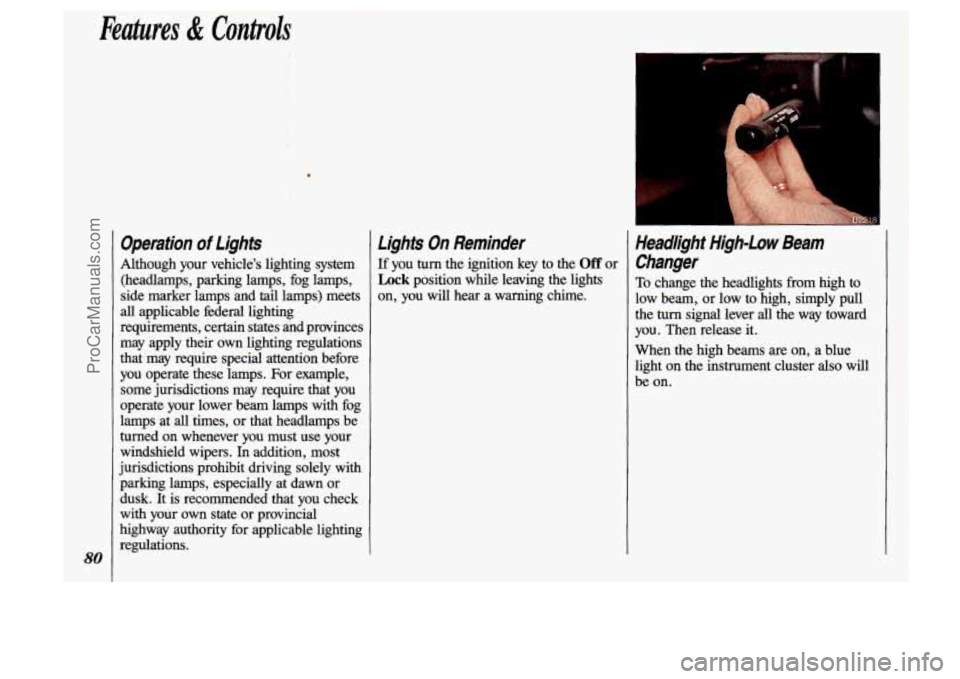
Headlight High-Low Beam
Changer
To change the headlights from high to
low beam, or low to high, simply pull
the turn signal lever all the way toward
you. Then release it.
When the high beams are on, a blue
light on the instrument cluster also will
be on.
ProCarManuals.com
Page 101 of 323
. ., .
Electronic Level Control
(OWION)
With this option, the rear of the vehicle
automatically adjusts
to changes in load
weight.
(See the Idex under Loading
Your Vehicle.)
You may hear the compressor operating
when you load or unload your vehicle,
and periodically
as the system self-
adjusts.
This is normal.
The compressor should operate for brief
periods
of time. If the sound continues
: for an extended period of time, your
vehicle
needs service. To keep your
battery
ffom being drained, you may
want to remove the 20-amp
ELC fuse in
the fuse control panel until you can get
your vehicle serviced
(see the Index
under Fuses & Circuit Breakers).
c
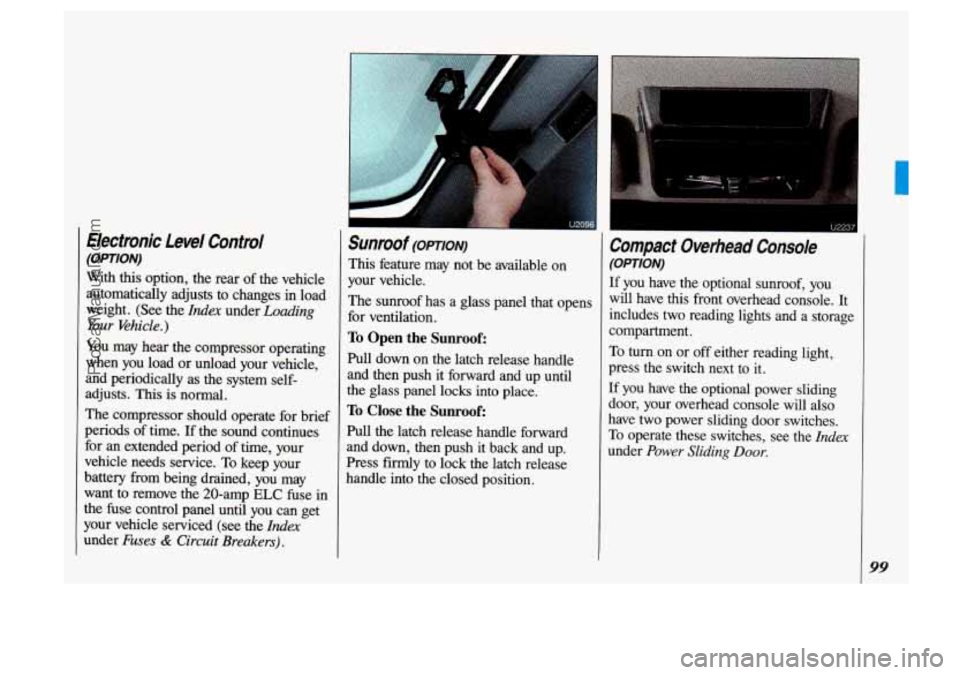
Sunroof (OPTION)
This feature may not be available on
your vehicle.
The sunroof has a glass panel that opens
for ventilation.
To Open the Sunroof:
Pull down on the latch release handle
and then push
it forward and up until
the glass panel locks into place.
To Close the Sunroof:
Pull the latch release handle forward
and down, then push it back and up.
Press firmly
to lock the latch release
handle into the closed position.
Compact Overhead Console
(OPTION)
If you have the optional sunroof, you
will have this front overhead console.
It
includes two reading lights and a storage
compartment.
To turn on or off either reading light,
press the switch next
to it.
If you have the optional power sliding
door, your overhead console will also
have two-power sliding door switches.
To operate these switches, see the Zrzdex
under Power Sliding Door.
99
ProCarManuals.com
Page 117 of 323
When the air conditioner compressor is
on, you may sometimes notice slight
changes in your vehicle’s engine
performance and power. This is normal,
because the system is designed to help
fuel economy while it maintains the
desired cooling level.
The air conditioner removes moisture
from the air,
so you may sometimes
notice water dripping from under your
vehicle when it is idling or after it has
been turned off. This is normal.
On very hot days, your vehicle will cool
down more quickly and economically if
you open the windows long enough to
let hot inside air escape. For all settings,
adjust the temperature control lever and
fan speed as desired.
Directional Controls
RECIRC (Recirculate): Press to get
maximum cooling or quick cool-down
on very hot days. This setting
recirculates much of the air inside your
vehicle.
It should not be used for long
periods
of time because the air may
become too cold and dry.
Slide the temperature control lever down
to the coolest setting and adjust the fan
speed as desired.
UPPER: For normal cooling on hot
days, press
A/C along with UPPER.
This setting cools outside air and directs
it through the instrument panel outlets.
Adjust the temperature of the air with
the temperature control lever.
BI-LEV (Bi-Level): This setting is
designed for use
on sunny days when
the air is only moderately warm or cool.
On days like these, the sun may
adequately warm your upper body, but
your lower body may not be warm
enough.
The
BI-LEV setting directs outside air
into your vehicle
in two ways. Cooler
air is directed toward your upper body
through the front instrument panel
outlets, while warmed air
is directed
through the heater ducts at your feet.
At
times this temperature difference may be
more apparent than others. For best
results, slide
the temperature control
lever to the middle position, and then
adjust for comfort.
ProCarManuals.com
Page 125 of 323
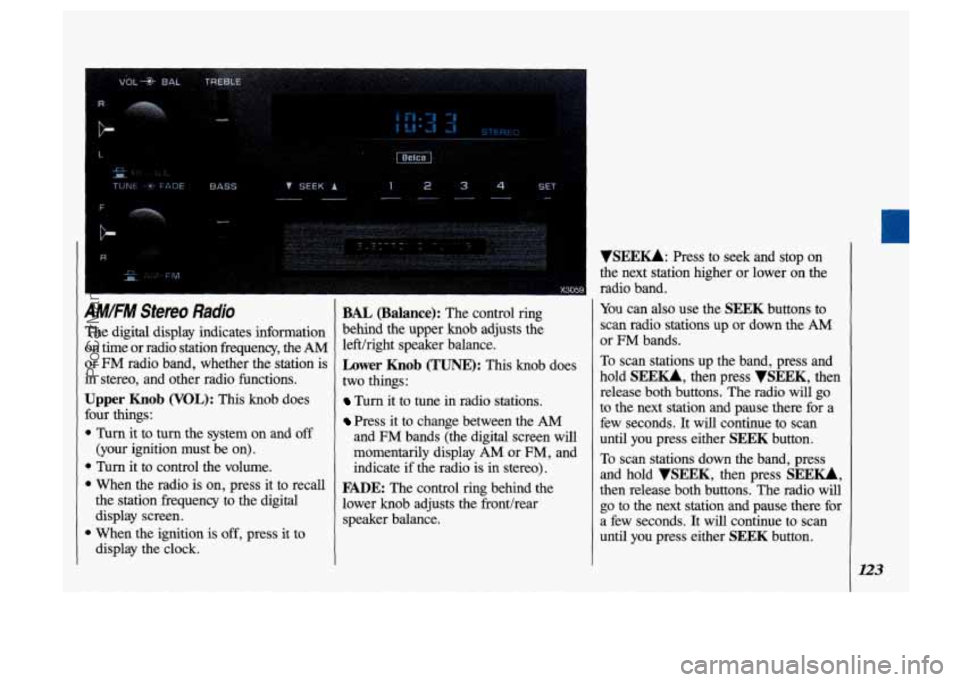
IM.FM Stereo Radio
'he digital display indicates information In time or radio station fi-equency, the AM
Nr FM radio band, whether the station is
n stereo, and other radio functions.
Jpper Knob (VOL): This knob does
mr things:
Turn it to turn the system on and off
(your ignition must be on).
Turn it to control the volume.
the station frequency to the digital
display screen.
1 When the ignition is off, press it to
display the clock.
1 When the radio is on, press it to recall
BAL (Balance): The control ring
behind the upper knob adjusts the
left/right speaker balance.
Lower Knob (TUNE): This knob does
two things
:
Turn it to tune in radio stations.
Press it to change between the AM
and FM bands (the digital screen will
momentarily display AM or
FM, and
indicate
if the radio is in stereo).
FADE: The control ring behind the
lower knob adjusts the fronthear
speaker balance.
VSEEU: Press to seek and stop on
the next station higher or lower on the
radio band.
You can also use the SEEK buttons to
scan radio stations up or down the
AM
or FM bands.
To scan stations up the band, press and
hold
SEE-, then press VSEEK, then
release both buttons. The radio will go
to the next station and pause there for a
few seconds. It will continue to scan
until you press either
SEEK button.
To scan stations down the band, press
and hold
VSEEK, then press SEE-,
then release both buttons. The radio will
go to the next station and pause there for
a few seconds. It will continue to scan
until you press either
SEEK button.
123
ProCarManuals.com
Page 127 of 323
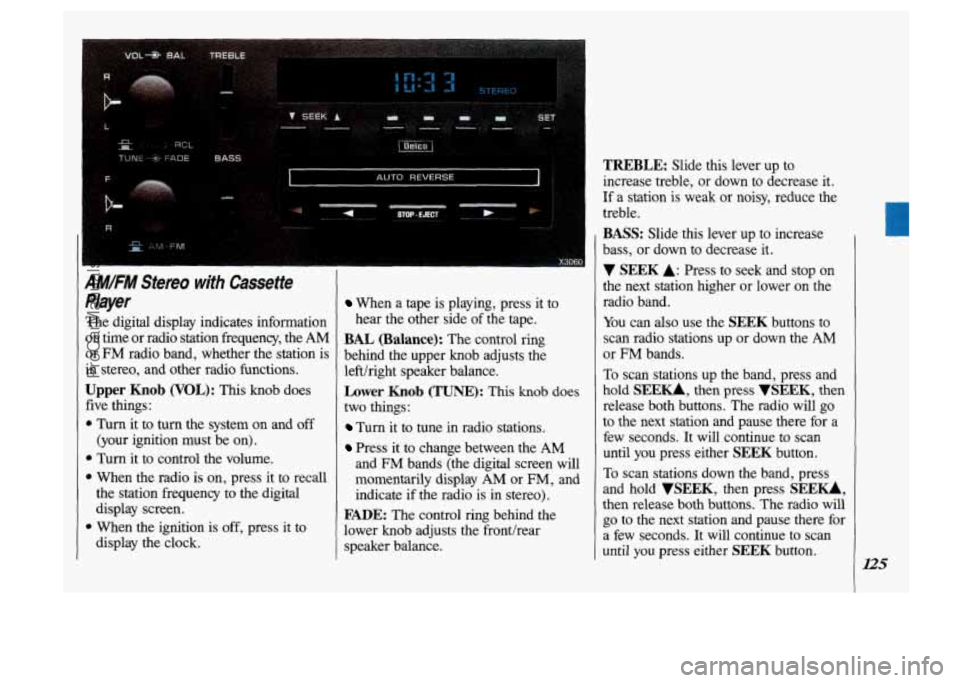
IMIFM Stereo with Cassette
'layer
'he digital display indicates information
In time or radio station frequency, the
AM
lr FM radio band, whether the station is
n stereo, and other radio functions.
Jpper Knob (VOL): This knob does
ive things:
Turn it to turn the system on and off
(your ignition must be on).
1 Turn it to control the volume.
1 When the radio is on, press it to recall
the station frequency to the digital
display screen.
1 When the ignition is off, press it to
display the clock.
When a tape is playing, press it to
hear the other side of the tape.
BAL (Balance): The control ring
behind the upper knob adjusts the
lefthght speaker balance.
Lower Knob (TUNE): This knob does
two things:
Turn it to tune in radio stations.
Press it to change between the AM
and FM bands (the digital screen will
momentarily display
AM or FM, and
indicate if the radio is in stereo).
FADE: The control ring behind the
lower knob adjusts the fronthear
speaker balance.
TREBLE: Slide this lever up to
increase treble, or down to decrease it.
If a station is weak
or noisy, reduce the
treble.
BASS: Slide this lever up to increase
bass, or down to decrease it.
V SEEK A: Press to seek and stop on
the next station higher or lower on the
radio band.
You can also use the
SEEK buttons to
scan radio stations up or down the
AM
or FM bands.
To scan stations up the band, press and
hold
SEE-, then press VSEEK, then
release both buttons. The radio will go
to the next station and pause there for a
few seconds. It will continue to scan
until you press either
SEEK button.
To scan stations down the band, press
and hold
VSEEK, then press SEEU,
then release both buttons. The radio will
go to the next station and pause there for
a few seconds.
It will continue to scan
until
you press either SEEK button.
ProCarManuals.com
Page 128 of 323
Comfort Controls & Audio Systems
126
AM/FM Stereo with Cassette
Player (CONT.)
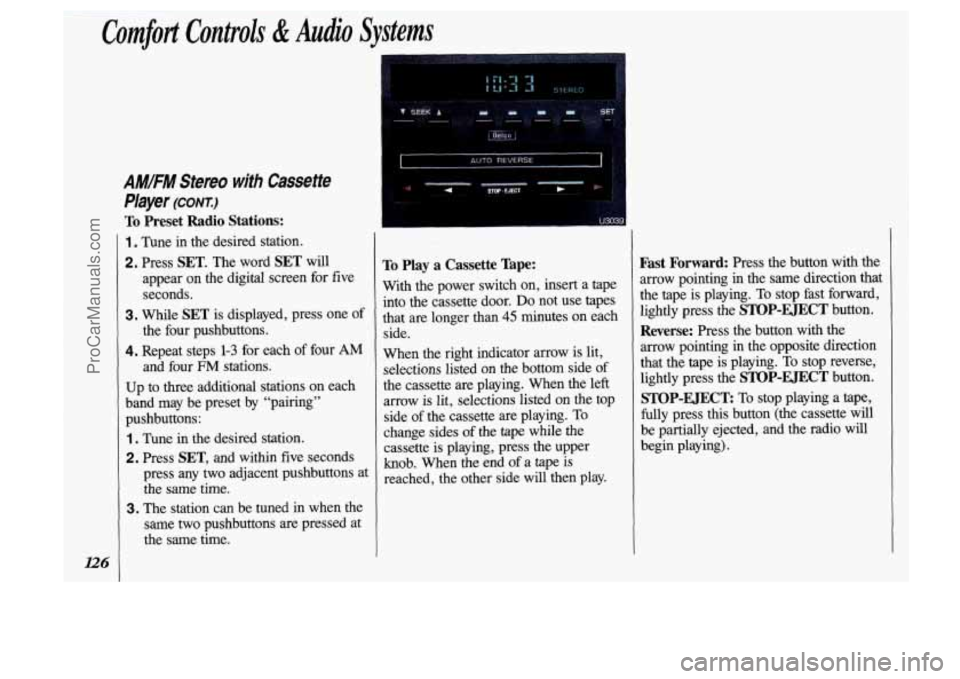
To Preset Radio Stations:
1 . Tune in the desired station.
2. Press SET. The word SET will
appear on the digital screen for five seconds.
3. While SET is displayed, press one of
the four pushbuttons.
4. Repeat steps 1-3 for each of four AM
and four FM stations.
Up to three additional stations on each
band may be preset by "pairing"
pushbuttons:
1. Tune in the desired station.
2. Press SET, and within five seconds
press any two adjacent pushbuttons at the same time.
3. The station can be tuned in when the
same two pushbuttons are pressed at
the same time.
I_".__.
To Play a Cassette Tape:
With the power switch on, insert a tape
into the cassette door.
Do not use tapes
that are longer than
45 minutes on each
side.
When the right indicator arrow is lit,
selections listed on the bottom side of
the cassette are playing. When the left
arrow is lit, selections listed on the
top
side of the cassette are playing. To
change sides of the
tape while the
cassette is playing, press the upper
knob. When the end
of a tape is
reached, the other side will then play.
Fast Forward: Press the button with the
arrow pointing in the same direction that
the tape is playing.
To stop fast forward,
lightly press the
STOP-EJECT button.
Reverse: Press the button with the
arrow pointing
in the opposite direction
that the tape is playing. To stop reverse,
lightly press the
STOP-EJECT button.
STOP-EJECT To stop playing a tape,
fully press this button (the cassette will
be partially ejected, and the radio will
begin playing).
ProCarManuals.com
Page 129 of 323
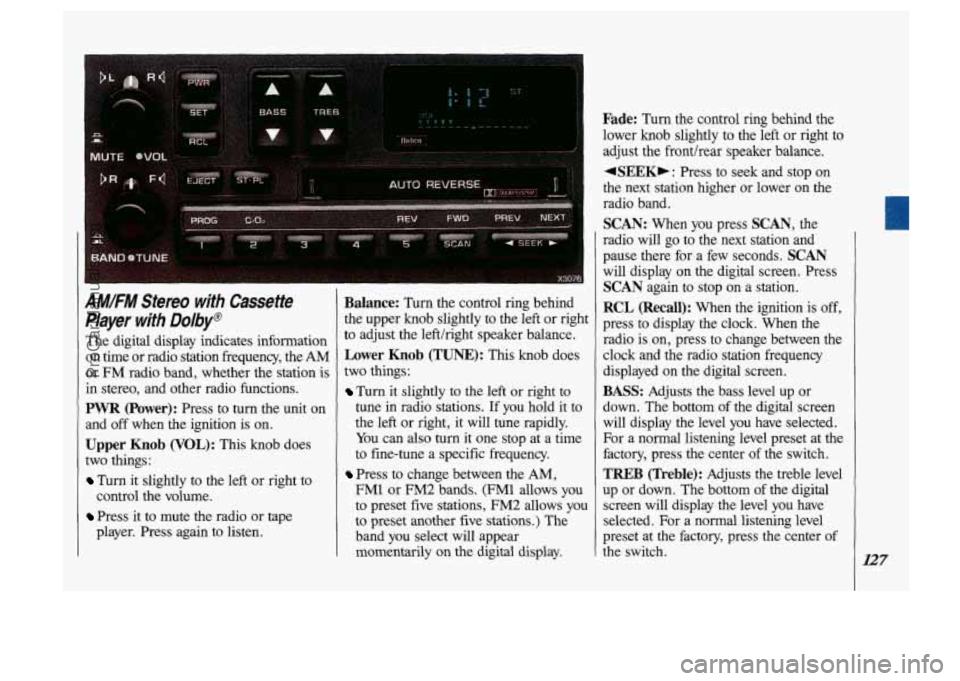
AM/FM Stereo with Cassette
Player with Dolby@
The digital display indicates information
on time or radio station frequency, the
AM
or FM radio band, whether the station is
in stereo, and other radio functions.
PWR (Power): Press to turn the unit on
and
off when the ignition is on.
Upper Knob (VOL): This knob does
two things:
Turn it slightly to the left or right to
Press it to mute the radio or tape
control
the volume.
player. Press again to listen.
Balance: Turn the control ring behind
the upper knob slightly to the left or right
to adjust the left/right speaker balance.
Lower Knob (TUNE): This knob does
two things:
Turn it slightly to the left or right to
tune in radio stations. If you hold it to
the left or right, it will tune rapidly.
You can also
turn it one stop at a time
to fine-tune a specific frequency.
Press to change between the AM,
FM1 or FM2 bands. (FM1 allows you
to preset five stations, FM2 allows
you
to preset another five stations.) The
band you select will appear
momentarily on the digital display.
Fade: Turn the control ring behind the
lower knob slightly to the left or right to
adjust the fronthear speaker balance.
+SEEK,: Press to seek and stop on
the next station higher
or lower on the
radio band.
SCAN: When you press SCAN, the
radio will go to the next station and
pause there for a few seconds.
SCAN
will display on the digital screen. Press
SCAN again to stop on a station.
RCL (Recall): When the ignition is off,
press to display the clock. When the
radio is on, press to change between the
clock and the radio station frequency
displayed on the digital screen.
BASS: Adjusts the bass level up or
down. The bottom of the digital screen
will display the level you have selected.
For a normal listening level preset at the
factory, press the center of the switch.
TREB (Treble): Adjusts the treble level
up or down. The
bottom of the digital
screen will display the level you have
selected. For a normal listening level
preset at the factory, press the center of
the switch.
127
ProCarManuals.com
Page 131 of 323
![OLDSMOBILE SILHOUETTE 1993 Owners Manual .. .................... .. , ......
~Iz;iiico]
.. .. ............. -----.-...I- ..... ............ ... .~ I
VOL , TUNE PREV NEXT REV FF COMP - _ - -. __ ...... ...... . :. ."/,. I ,=. , .ll?. 7 , -](/img/31/58209/w960_58209-130.png "OLDSMOBILE SILHOUETTE 1993 Owners Manual .. .................... .. , ......
~Iz;iiico]
.. .. ............. -----.-...I- ..... ............ ... .~ I
VOL , TUNE PREV NEXT REV FF COMP - _ - -. __ ...... ...... . :. .\"/,. I ,=. , .ll?. 7 , -")
.. .................... .. , ......
~Iz;iiico]
.. .. ............. -----.-...I- ..... ............ ... .~ I
VOL , TUNE PREV NEXT REV FF COMP - _ - -. __ ...... ...... . :. ."/,. I ,=. , .ll?. 7 , - -- .. ..
0 0 . ... ............... .. ......... ..
. .,i.
1 EJCT - ST/PL 0 .____I 0 ~ .I ,$. ..... ...... .._.. .. .......... X306 1
AMIFM Stereo wrth Compact
Disc
Player
The digital display indicates information
on time or radio station frequency, the AM
or
FM radio band, whether the station is
in stereo, and other radio functions.
POWER: Turns the unit on and off
when
the ignition is on.
VOL (Volume): Adjusts the volume up
or down, and the bottom
of the digital
screen displays
the setting. For a normal
listening level preset at the factory, press
the center of the switch.
TUNE: Press the top of the switch to
tune in radio stations higher on the AM or
FM band. Press the bottom to tune in
stations lower on
the band.
BASS: Adjusts the bass level up or
down. The bottom
of the digital screen
will display the level you have selected.
For a normal listening level preset at
th
factory, press the center of the switch. e
TREB (Treble): Adjusts the treble level
up or down. The bottom
of the digital
screen will display the level you have
selected. For a normal listening level
preset at the factory, press the center
of
the switch,
BAL (Balance): Adjusts the lefthight
and fronthear speaker balance to your
individual taste. When you change
either adjustment, the bottom
of the
digital screen will display the point of
balance
you have selected. For the
normal setting preset at the factory,
press the left and right or front and rear
buttons at the same time.
129
ProCarManuals.com
Page 145 of 323
m%p&:*g%
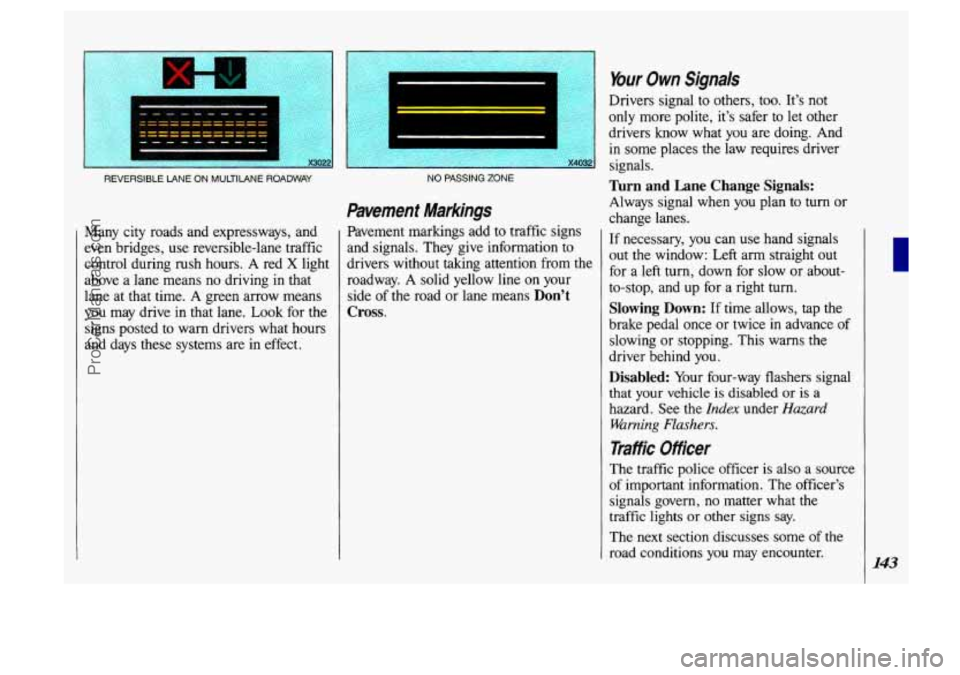
REVERSIBLE LANE ON MULTILANE ROADWAY
Many city roads and expressways, and
even bridges, use reversible-lane traffic
control during rush hours.
A red X light
above a lane means no driving in that
lane at that time. A green arrow means
you may drive in that lane.
Look for the
signs posted to warn drivers what hours
and days these systems are in effect.
~ ~~~
NO PASSING ZONE
Pavement Markings
Pavement markings add to traffic signs
and signals. They give information to
drivers without taking attention from the
roadway.
A solid yellow line on your
side of the road or lane means
Don’t
Cross.
Your Own Signals
Drivers signal to others, too. It’s not
only more polite, it’s safer
to let other
drivers know what
you are doing. And
in some places the law requires driver
signals.
Turn and Lane Change Signals:
Always signal when you plan to turn or
change lanes.
If necessary, you can use hand signals
out the window: Left arm straight out
for a left turn, down for slow or about-
to-stop, and up for a right turn.
Slowing Down: If time allows, tap the
brake pedal once or twice in advance of
slowing or stopping. This warns the
driver behind you.
Disabled: Your four-way flashers signal
that your vehicle is disabled or
is a
hazard. See the
Index under Hazard
Warning Flashers.
Traffic Officer
The traffic police officer is also a source
of important information. The officer’s
signals govern, no matter what the
traffic lights
or other signs say.
The next section discusses some
of the
road conditions you may encounter.
143
ProCarManuals.com