display OPEL GRANDLAND X 2019.75 Manual user
[x] Cancel search | Manufacturer: OPEL, Model Year: 2019.75, Model line: GRANDLAND X, Model: OPEL GRANDLAND X 2019.75Pages: 273, PDF Size: 7.85 MB
Page 162 of 273
160Driving and operatingAdopting speed by the speed limit
recognition
The intelligent speed adaptation
informs the driver when a speed limit
is detected by the speed limit
recognition. The detected speed limit
can be taken over as new set speed
for the adaptive cruise control.
Using the camera at the top of the
windscreen, this system detects and
reads speed limit and end of speed
limit signs.
If the adaptive cruise control is active, the recognised speed limit will be
displayed in the Driver Information Centre and MEM illuminates.
Press MEM on the steering wheel to
request saving of the suggested
speed.
Press MEM on the steering wheel
once more to confirm and save the
new speed setting.
This speed limit is now the new set
speed of the adaptive cruise control.
The function can be activated or
deactivated in the personalisation
menu 3 104.Overriding set speed
It is always possible to drive faster
than the selected set speed by
depressing the accelerator pedal.
When the accelerator pedal is
released, the vehicle returns to the
stored speed. If a slower moving
vehicle is ahead, the following
distance selected by the driver is
restored.
If the set speed is exceeded, the
indicated speed setting flashes in the Driver Information Centre and a
warning message appears.9 Warning
Accelerating by the driver
deactivates automatic braking by
the system. This is indicated as a
pop-up warning in the Driver
Information Centre.
Resuming stored speed
Move the thumb wheel to RES/+ at a
speed above 30 km/h. The adaptive
cruise control is activated with the
stored set speed.
Adaptive cruise control on
vehicles with automatic
transmission
For vehicles with automatic
transmission, adaptive cruise control
allows to maintain the selected
distance behind a stopping vehicle
until a complete stop is reached.
If the system has stopped your
vehicle behind another vehicle, then
the set speed is replaced by a green
control indicator .. This symbol
notifies, that the vehicle is hold
automatically in stop position.
If the stopped vehicle ahead was
stopped for a longer time and then
begins to move forward, the green
illuminated vehicle ahead control
indicator . will flash and a warning
chime will sound as a reminder to check traffic before resuming.
When the vehicle ahead drives away,
press the accelerator pedal until
30 km/h and then move the thumb
wheel to SET- or RES+ to resume
adaptive cruise control. If the vehicle
stays stopped for more than
5 minutes or if the driver's door is
Page 163 of 273
Driving and operating161opened and the driver's seat belt is
unfastened, then the electric parking
brake is applied automatically to hold
the vehicle. Control indicator m will
illuminate. To release electric parking
brake, press the accelerator pedal.
Electric parking brake 3 147.9 Warning
When the system is deactivated or
cancelled, the vehicle will no
longer be held at a stop and can
start moving. Be always prepared
to manually apply the brake to hold the vehicle stationary.
Do not leave the vehicle while it is
being held at a stop by adaptive
cruise control. Always move
selector lever to park position P
and switch off the ignition before
leaving the vehicle.
Setting the following distance
When adaptive cruise control detects
a slower moving vehicle in the driving path, it will adjust the vehicle speed tomaintain the following distance
selected by the driver.
The following distance can be set to
close (1 bar), normal (2 bars) or far (3 bars).
If the engine is running and the
adaptive cruise control is enabled
(grey), you can modify the following
distance setting:
Press Ö, the current setting is shown
in the Driver Information Centre.
Press Ö again to change the following
distance: The new setting is
displayed in the Driver Information
Centre.
The selected following distance is
indicated by full bars in the adaptive
cruise control page.9 Warning
The driver accepts full
responsibility for the appropriate
following distance based on traffic, weather and visibility conditions.
Following distance must be
adjusted or the system switched
off when required by the prevailing
conditions.
Detecting the vehicle ahead
If the system detects a vehicle in the
driving path, the adaptive cruise
control symbol displayed in the Driver
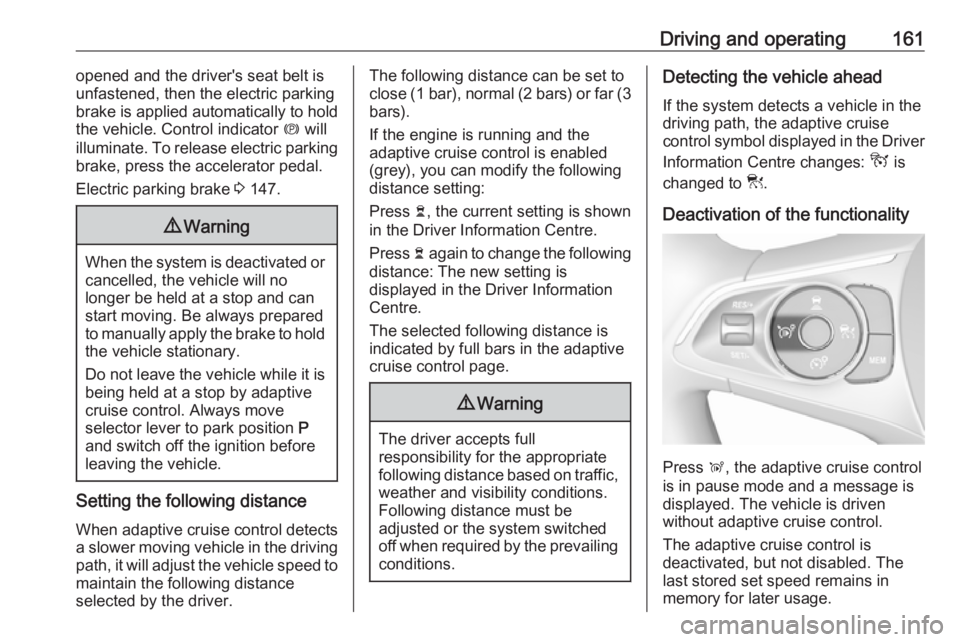
Information Centre changes: - is
changed to w.
Deactivation of the functionality
Press Ñ, the adaptive cruise control
is in pause mode and a message is
displayed. The vehicle is driven
without adaptive cruise control.
The adaptive cruise control is
deactivated, but not disabled. The
last stored set speed remains in
memory for later usage.
Page 166 of 273
164Driving and operatingtake action and depress the brake
pedal, if you need to brake more
quickly.
Hill considerations9 Warning
Do not use the adaptive cruise
control on steep hill roads.
System performance on hills depends
on vehicle speed, vehicle load, traffic
conditions and the road gradient. It
may not detect a vehicle in your path
while driving on hills. On steep hills,
you may have to use the accelerator
pedal to maintain your vehicle speed.
When going downhill you may have to brake to maintain or reduce your
speed.
Note that applying the brake
deactivates the system.
Radar unit
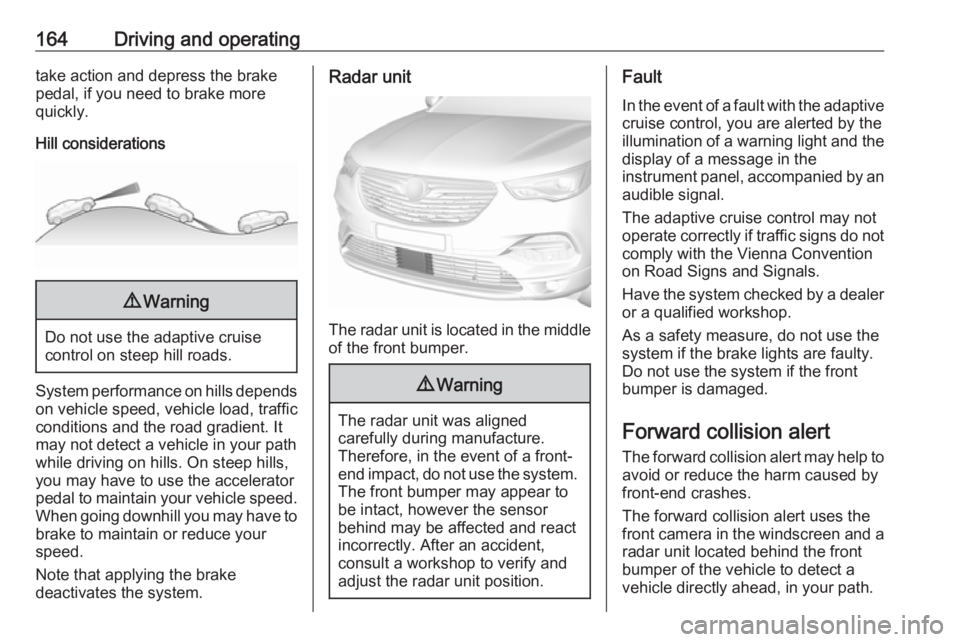
The radar unit is located in the middle of the front bumper.
9 Warning
The radar unit was aligned
carefully during manufacture.
Therefore, in the event of a front-
end impact, do not use the system. The front bumper may appear to
be intact, however the sensor
behind may be affected and react
incorrectly. After an accident,
consult a workshop to verify and
adjust the radar unit position.
Fault
In the event of a fault with the adaptive
cruise control, you are alerted by the
illumination of a warning light and the display of a message in the
instrument panel, accompanied by an
audible signal.
The adaptive cruise control may not
operate correctly if traffic signs do not comply with the Vienna Convention
on Road Signs and Signals.
Have the system checked by a dealer
or a qualified workshop.
As a safety measure, do not use the
system if the brake lights are faulty. Do not use the system if the front
bumper is damaged.
Forward collision alertThe forward collision alert may help to
avoid or reduce the harm caused by
front-end crashes.
The forward collision alert uses the
front camera in the windscreen and a radar unit located behind the front
bumper of the vehicle to detect a
vehicle directly ahead, in your path.
Page 167 of 273
Driving and operating165If a vehicle directly ahead is
approached too quickly, a warning
chime and alert in the Driver
Information Centre is provided.9 Warning
Forward collision alert is just a
warning system and does not
apply the brakes. When
approaching a vehicle ahead too
rapidly, it may not provide you
enough time to avoid a collision.
The driver accepts full
responsibility for the appropriate
following distance based on traffic, weather and visibility conditions.
The complete attention of the
driver is always required while
driving. The driver must always be
ready to take action and apply the
brakes.
Activation
Forward collision alert detects
vehicles and operates automatically
at all speeds between 5 km/h and 140 km/h.
Alerting the driver
The driver is warned by following
alerts:
● Symbol , illuminates and a
warning message is displayed in
the Driver Information Center,
when the distance to the vehicle
ahead gets to small.
● Symbol , illuminates, a warning
message is displayed in the
Driver Information Center and a
warning chime sounds, when a
collision is imminent and
immediate driver's action is
required.9 Warning
Forward collision alert is just a
warning system and does not
apply the brakes. When
approaching a vehicle ahead too
rapidly, it may not provide you
enough time to avoid a collision.
The driver accepts full
responsibility for the appropriate
following distance based on traffic, weather and visibility conditions.
The complete attention of the
driver is always required while
driving. The driver must always be
ready to take action and apply the
brakes.Caution
The colour lighting of this control
indicator does not correspond to
local traffic laws on following
distance. The driver bears full
responsibility for maintaining safe
following distance according to
applicable traffic rules, weather
and road conditions etc. at all
times.
Selecting the alert sensitivity
7'' Colour Info Display: Adjust the alert
sensitivity in the vehicle
personalisation 3 104.
Page 168 of 273
166Driving and operating8'' Colour Info Display: Adjust the alert
sensitivity in the settings of the active safety brake in the vehicle
personalisation 3 104.
The chosen setting will remain until it
is changed. The alert timing will vary
based on vehicle speed. The faster
the vehicle speed, the farther away
the alert will occur. Consider traffic
and weather conditions when
selecting the alert timing.
Deactivation The system can only be deactivated
by deactivating the active emergency
braking in the vehicle personalisation
3 104.
System limitations
Forward collision alert is designed to
warn on vehicles only, but may react
also to other objects.
In the following cases, forward
collision alert may not detect a vehicle ahead or sensor performance is
limited:
● driving on winding or hilly roads
● driving during nighttime● weather limits visibility, such as fog, rain, or snow
● the sensor in the windscreen or the radar unit behind the front
bumper are blocked by snow, ice,
slush, mud, dirt etc.
● the windscreen is damaged or affected by foreign objects, e.g.
stickers
Active emergency braking Active emergency braking can help to
reduce the damage and injury from
crashes with vehicles, pedestrians and obstacles directly ahead, when a collision can no longer be avoided
either by manual braking or by
steering. Before the active
emergency braking applies, the driver
is warned by the forward collision
alert or the front pedestrian protection
alert.
Forward collision alert 3 164
Front pedestrian protection 3 169
Active emergency braking can be
deactivated in the personalisation
menu 3 104. If deactivated, milluminates in the instrument cluster
and a warning message is displayed
in the Driver Information Centre.
The feature uses various inputs (e.g.
camera sensor, radar sensor, brake
pressure, vehicle speed) to calculate
the probability of a frontal collision.9 Warning
This system is not intended to
replace the driver responsibility for
driving the vehicle and looking
ahead. Its function is limited to
supplemental use only to reduce
the vehicle speed before a
collision.
The system may not react to
animals. After a sudden lane
change, the system needs a
certain time to detect the next
preceding vehicle.
The driver must always be ready
to take action and apply the brakes and steer to avoid collisions.
Page 171 of 273
Driving and operating169● sensor in the windscreen isblocked by snow, ice, slush, mud,dirt
● windscreen damaged or stickered
Complete attention is always required while driving, and you should beready to take action and apply the
brakes and / or steer the vehicle to
avoid crashes.
We recommend to deactivate the
system in the vehicle personalisation
in the following cases:
● when towing a trailer or caravan
● when carrying long objects on roof bars or a roof rack
● when the vehicle is being towed with the engine running
● when a spare wheel is fitted that is smaller than the other wheels
● before using an automatic car wash with the engine running
● before placing the vehicle on a rolling road in a workshop
● if the windscreen has been damaged close to the camera● if the front bumper has beendamaged
● if the brake lamps are not working
Fault
In case the system requires a service, a message is displayed in the Driver
Information Centre.
If the system does not work as it
should do, vehicle messages are
displayed in the Driver Information
Centre.
Vehicle messages 3 103.
Front pedestrian protection Front pedestrian protection may help
to avoid or reduce the harm caused
by front-end crashes with pedestrians when driving forward.
The system uses the front camera in
the windscreen and a radar unit in the front bumper to detect a pedestrian
directly ahead in your path.
Front pedestrian protection can
detect and alert to pedestrians in a forward gear at speeds between
5 km/h and 60 km/h. Additionally frontpedestrian protection can provide a
boost to braking or automatically
brake the vehicle.
During nighttime driving, system
performance is limited.9 Danger
Front pedestrian braking does not
provide an alert or automatically
brake the vehicle, unless it detects
a pedestrian.
The system may not detect
pedestrians, including children,
when the pedestrian is not directly ahead, not fully visible, not
standing upright, or when part of a
group.
Front pedestrian protection includes:
● detecting front pedestrian ahead● front pedestrian alert
Front pedestrian protection is
activated together with forward
collision alert.
Forward collision alert 3 164.
Page 172 of 273
170Driving and operatingDetecting front pedestrian aheadA pedestrian ahead up to a distance
of approx. 40 m is indicated by a
symbol in the instrument cluster.
Front pedestrian alert
When approaching a detected
pedestrian too quickly, a warning
message is displayed in the Driver
Information Centre. A warning chime
is provided.
Cruise control or adaptive cruise
control may be disengaged when the
front pedestrian alert occurs.
System limitations
In the following cases, front
pedestrian protection may not detect
a pedestrian ahead or sensor
performance is limited:
● vehicle speed is out of range from
5 km/h to 60 km/h in forward gear
● the distance to an pedestrian ahead is more than 40 m
● driving on winding or hilly roads
● driving during nighttime● weather limits visibility, such as fog, rain, or snow
● the sensor in the windscreen or the radar unit behind the front
bumper are blocked by snow, ice,
slush, mud, dirt etc.
● the windscreen is damaged or affected by foreign objects, e.g.
stickers
Parking assist
General information
When attaching a trailer or bicycle
carrier to the trailer hitch, the parking
assist is deactivated.9 Warning
The driver bears full responsibility
for the parking manoeuvre.
Always check the surrounding
area when driving backwards or
forwards while using parking
assist system.
Rear parking assist
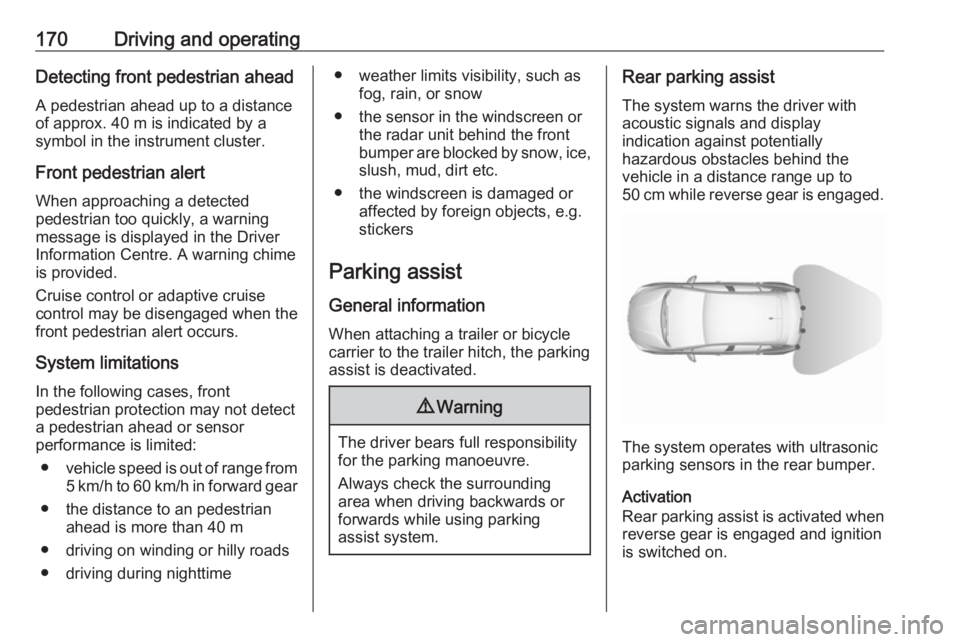
The system warns the driver with
acoustic signals and display
indication against potentially
hazardous obstacles behind the
vehicle in a distance range up to
50 cm while reverse gear is engaged.
The system operates with ultrasonic
parking sensors in the rear bumper.
Activation
Rear parking assist is activated when reverse gear is engaged and ignition
is switched on.
Page 173 of 273
Driving and operating171The system is ready to operate when
the LED in the parking assist button
¼ is not illuminated.
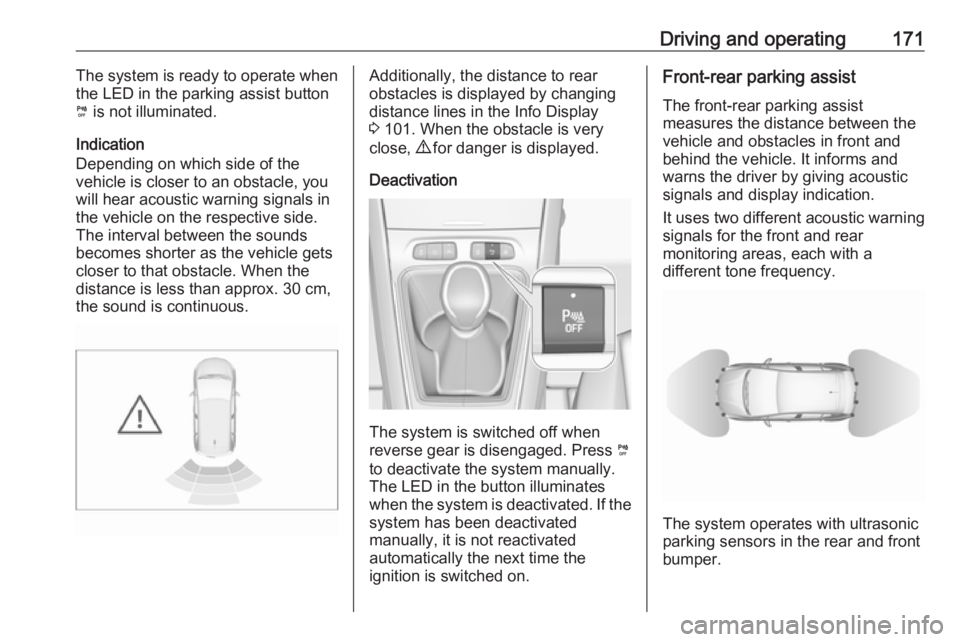
Indication
Depending on which side of the
vehicle is closer to an obstacle, you will hear acoustic warning signals inthe vehicle on the respective side.
The interval between the sounds
becomes shorter as the vehicle gets
closer to that obstacle. When the
distance is less than approx. 30 cm,
the sound is continuous.Additionally, the distance to rear
obstacles is displayed by changing
distance lines in the Info Display
3 101. When the obstacle is very
close, 9 for danger is displayed.
Deactivation
The system is switched off when
reverse gear is disengaged. Press ¼
to deactivate the system manually.
The LED in the button illuminates
when the system is deactivated. If the
system has been deactivated
manually, it is not reactivated
automatically the next time the
ignition is switched on.
Front-rear parking assist
The front-rear parking assist
measures the distance between the
vehicle and obstacles in front and
behind the vehicle. It informs and
warns the driver by giving acoustic
signals and display indication.
It uses two different acoustic warning
signals for the front and rear
monitoring areas, each with a
different tone frequency.
The system operates with ultrasonic
parking sensors in the rear and front
bumper.
Page 174 of 273
172Driving and operatingActivation
In addition to the rear parking assist,
the front parking assist is triggered
when an obstacle is detected in front
and the speed of the vehicle is below 10 km/h.
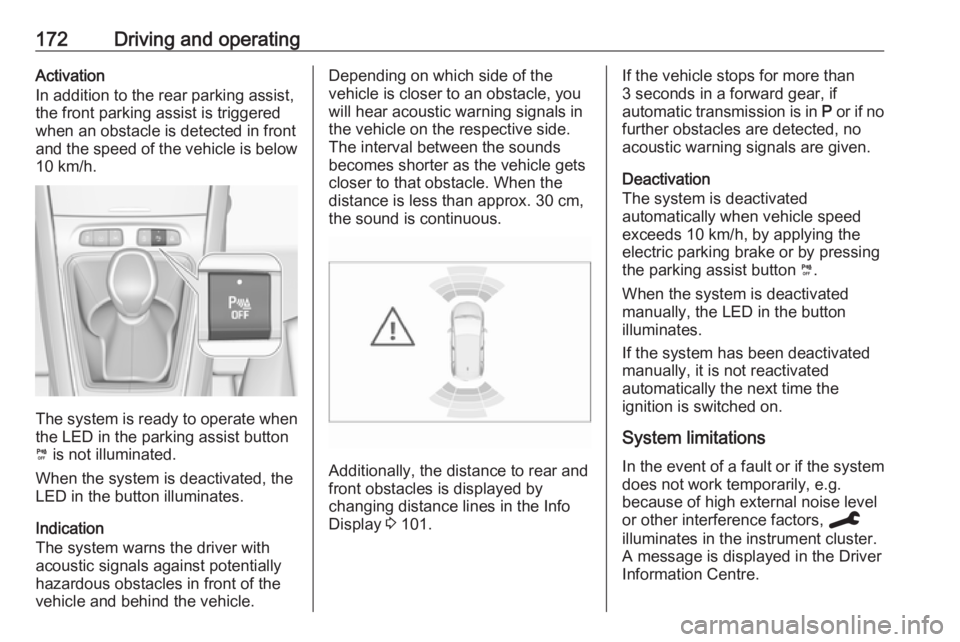
The system is ready to operate when
the LED in the parking assist button
¼ is not illuminated.
When the system is deactivated, the
LED in the button illuminates.
Indication
The system warns the driver with
acoustic signals against potentially
hazardous obstacles in front of the
vehicle and behind the vehicle.
Depending on which side of the
vehicle is closer to an obstacle, you
will hear acoustic warning signals in the vehicle on the respective side.
The interval between the sounds
becomes shorter as the vehicle gets
closer to that obstacle. When the
distance is less than approx. 30 cm,
the sound is continuous.
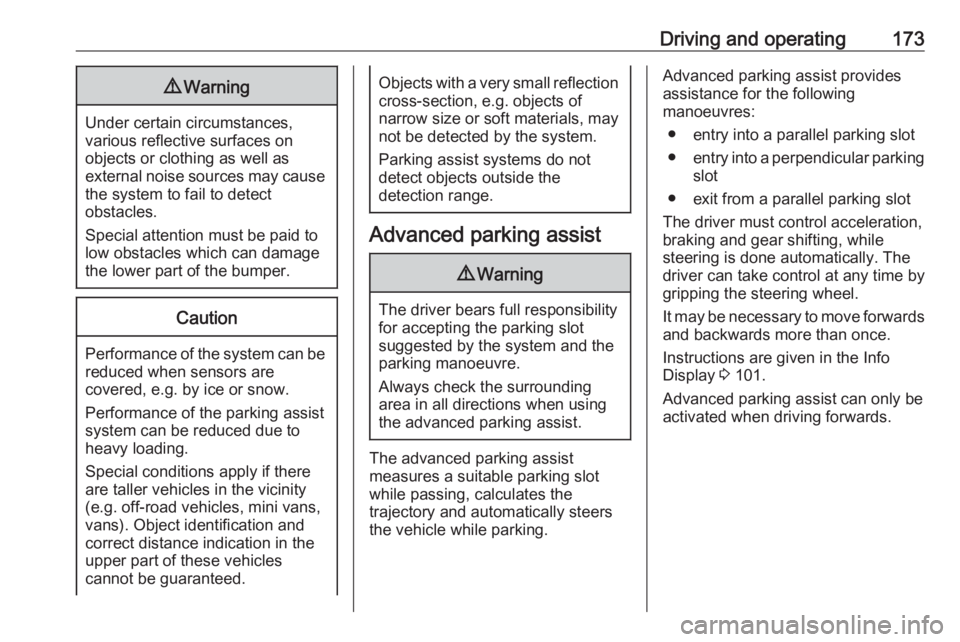
Additionally, the distance to rear and
front obstacles is displayed by
changing distance lines in the Info
Display 3 101.
If the vehicle stops for more than
3 seconds in a forward gear, if
automatic transmission is in P or if no
further obstacles are detected, no
acoustic warning signals are given.
Deactivation
The system is deactivated
automatically when vehicle speed
exceeds 10 km/h, by applying the
electric parking brake or by pressing
the parking assist button ¼.
When the system is deactivated
manually, the LED in the button
illuminates.
If the system has been deactivated
manually, it is not reactivated
automatically the next time the
ignition is switched on.
System limitations In the event of a fault or if the system does not work temporarily, e.g.
because of high external noise level
or other interference factors, C
illuminates in the instrument cluster.
A message is displayed in the Driver Information Centre.
Page 175 of 273
Driving and operating1739Warning
Under certain circumstances,
various reflective surfaces on
objects or clothing as well as
external noise sources may cause the system to fail to detect
obstacles.
Special attention must be paid to
low obstacles which can damage
the lower part of the bumper.
Caution
Performance of the system can be reduced when sensors are
covered, e.g. by ice or snow.
Performance of the parking assist
system can be reduced due to
heavy loading.
Special conditions apply if there
are taller vehicles in the vicinity
(e.g. off-road vehicles, mini vans,
vans). Object identification and correct distance indication in the
upper part of these vehicles
cannot be guaranteed.
Objects with a very small reflection
cross-section, e.g. objects of
narrow size or soft materials, may
not be detected by the system.
Parking assist systems do not
detect objects outside the
detection range.
Advanced parking assist
9 Warning
The driver bears full responsibility
for accepting the parking slot
suggested by the system and the
parking manoeuvre.
Always check the surrounding
area in all directions when using
the advanced parking assist.
The advanced parking assist
measures a suitable parking slot
while passing, calculates the
trajectory and automatically steers
the vehicle while parking.
Advanced parking assist provides
assistance for the following
manoeuvres:
● entry into a parallel parking slot
● entry into a perpendicular parking
slot
● exit from a parallel parking slot
The driver must control acceleration, braking and gear shifting, while
steering is done automatically. The driver can take control at any time by
gripping the steering wheel.
It may be necessary to move forwards and backwards more than once.
Instructions are given in the Info
Display 3 101.
Advanced parking assist can only be activated when driving forwards.