14-04-2003
YOUR 307 SW IN DETAIL71
CD CHANGER
This is located in the centre of the fascia under the radio. It holds up to 5 discs.
To load the changer, insert the discs with the printed side upwards.
To remove a disc, press and hold one of the buttons "1"to "5" .
The use of copied compact discs may cause faults.
Insert circular compact discs only.
14-04-2003
YOUR 307 SW IN DETAIL
72
SATELLITE NAVIGATION SYSTEM Introduction The satellite navigation system guides you, by means of vocal and
visual instructions (graphics), to
your chosen destination. The heart of the system lies in the use of a map data base and GPS
(Global Positioning System) . With
this system you can fix the positionof your vehicle by means of a satelli-te network. The system uses the following elements:
- the CD-Rom drive,
- the configuration CD-Rom,
- the navigation CD-Rom,
- the last voice message recall control,
- the control keypad
- the CT monochrome screen or the DT colour screen . The CD-Rom drive
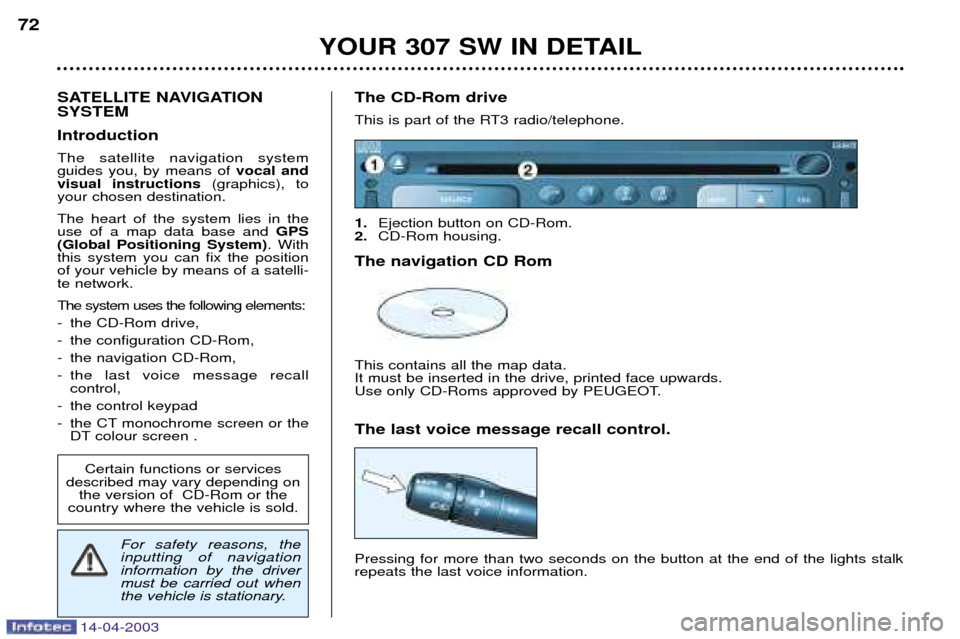
This is part of the RT3 radio/telephone. 1.
Ejection button on CD-Rom.
2. CD-Rom housing.
The navigation CD RomThis contains all the map data. It must be inserted in the drive, printed face upwards.
Use only CD-Roms approved by PEUGEOT. The last voice message recall control. Pressing for more than two seconds on the button at the end of the lights stalk repeats the last voice information.
Certain functions or services
described may vary depending on the version of CD-Rom or the
country where the vehicle is sold.
For safety reasons, the inputting of navigationinformation by the drivermust be carried out when
the vehicle is stationary.
14-04-2003
YOUR 307 SW IN DETAIL73
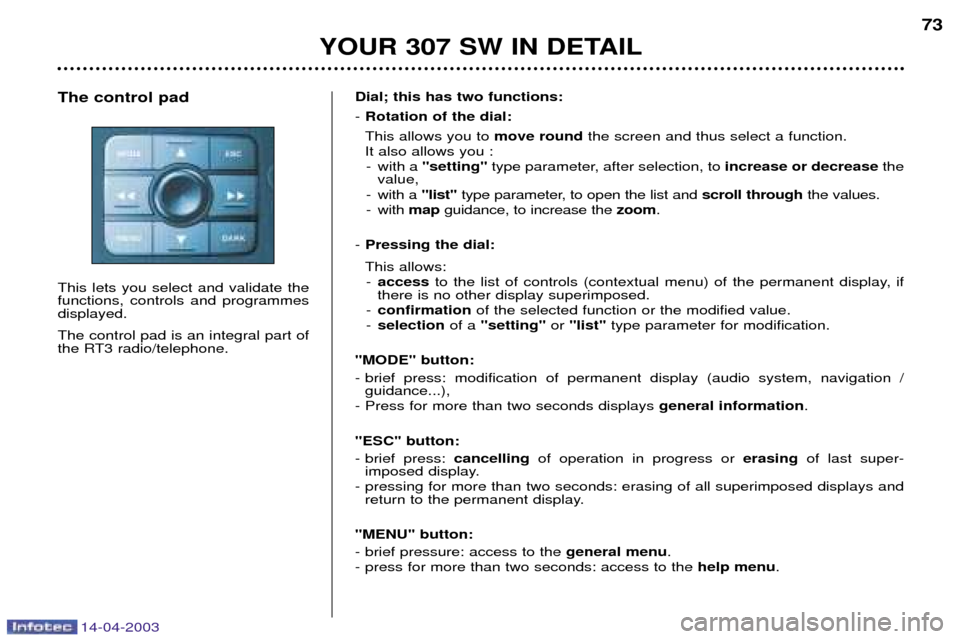
Dial; this has two functions: - Rotation of the dial:
This allows you to move roundthe screen and thus select a function.
It also allows you : - with a "setting" type parameter, after selection, to increase or decreasethe
value,
- with a "list"type parameter, to open the list and scroll throughthe values.
- with mapguidance, to increase the zoom.
- Pressing the dial: This allows:
- access to the list of controls (contextual menu) of the permanent display, if
there is no other display superimposed.
- confirmation of the selected function or the modified value.
- selection of a "setting" or "list" type parameter for modification.
"MODE" button:
- brief press: modification of permanent display (audio system, navigation / guidance...),
- Press for more than two seconds displays general information.
"ESC" button:
- brief press: cancellingof operation in progress or erasingof last super-
imposed display.
- pressing for more than two seconds: erasing of all superimposed displays and return to the permanent display.
"MENU" button:
- brief pressure: access to the general menu.
- press for more than two seconds: access to the help menu.
The control pad This lets you select and validate the functions, controls and programmesdisplayed. The control pad is an integral part of
the RT3 radio/telephone.