wheel PONTIAC GRAND-PRIX 1993 User Guide
[x] Cancel search | Manufacturer: PONTIAC, Model Year: 1993, Model line: GRAND-PRIX, Model: PONTIAC GRAND-PRIX 1993Pages: 338, PDF Size: 17.3 MB
Page 73 of 338
![PONTIAC GRAND-PRIX 1993 User Guide Features & Controls
6 Cmke Control (OPTION)
With cruise control, you can maintain a
spesd of about 25 mph (40 Wh] or
more without keeping your foot on the
accelerator. This
can really help](/img/50/58389/w960_58389-72.png "PONTIAC GRAND-PRIX 1993 User Guide Features & Controls
6 Cmke Control (OPTION)
With cruise control, you can maintain a
spesd of about 25 mph (40 Wh] or
more without keeping your foot on the
accelerator. This
can really help")
Features & Controls
6 Cmke Control (OPTION)
With cruise control, you can maintain a
spesd of about 25 mph (40 Wh] or
more without keeping your foot on the
accelerator. This
can really help on long
trips
.
Cruise control does not work at speeds
‘be1.0~ about
25 mph (40’ Wh).
When you apply your brakes, or the
clutch pedal, the cruise
control shuts
off.
1 CAUTION
I
‘ Cruise control can be
-D dangerous where you can’t
drive safely at
a steady speed. So,
don’t use your cruise control on
winding roads or in heavy traffic.
Cruise control can be dangerous
on slippery roads. On such roads,
fast changes in tire traction can
cause needless wheel
spinning,
and YQU could lose control. Don’t
use cruise control
on slippery
roads.
To Set Cruise Control I
1. Move the cruise control switch to
ON. I
A
CAUTION
If you leave your cruise
control switch
ON when
you’re not using cruise, you might
hit a button and go into cruise
when you don’t want to.
You could
be startled and even lose control.
Keep the cruise control switch
OFF
until you want to use it.
2. Get up to the speed you want.
ProCarManuals.com
Page 94 of 338
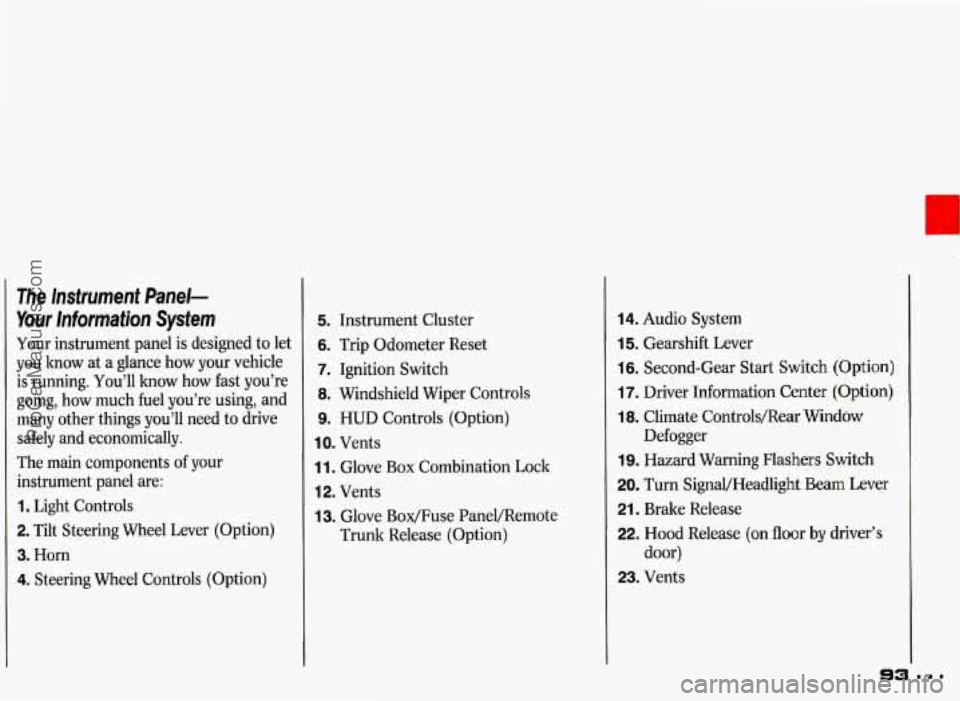
The Instrument Panel-
Your Information System
Your instrument panel is designed to let
you know at
a glance how your vehicle
is running. You’ll how how fast you’re
going, how much fuel you’re using, and
many other things you’ll need to drive
safely and economically.
The main components of your
instrument panel are:
1. Light Controls
2. Tilt Steering Wheel Lever (Option)
3. Horn
4. Steering Wheel Controls (Option)
5. Instrument Cluster
6. Trip Odometer Reset
7. Ignition Switch
8. Windshield Wiper Controls
9. HUD Controls (Option)
IO. Vents
1 1. Glove Box Combination Lock
12. Vents
13. Glove Box/Fuse PaneVRemote
Trunk Release (Option)
14. Audio System
15. Gearshift Lever
16. Second-Gear Start Switch (Option)
17. Driver Information Center (Option)
18. Climate Controls/Rear Window
19. Hazard Warning Flashers Switch
20. Turn SignaVHeadlight Beam Lever
21. Brake Release
22. Hood Release (on floor by driver’s
door)
23. Vents Defogger
ProCarManuals.com
Page 112 of 338
_1
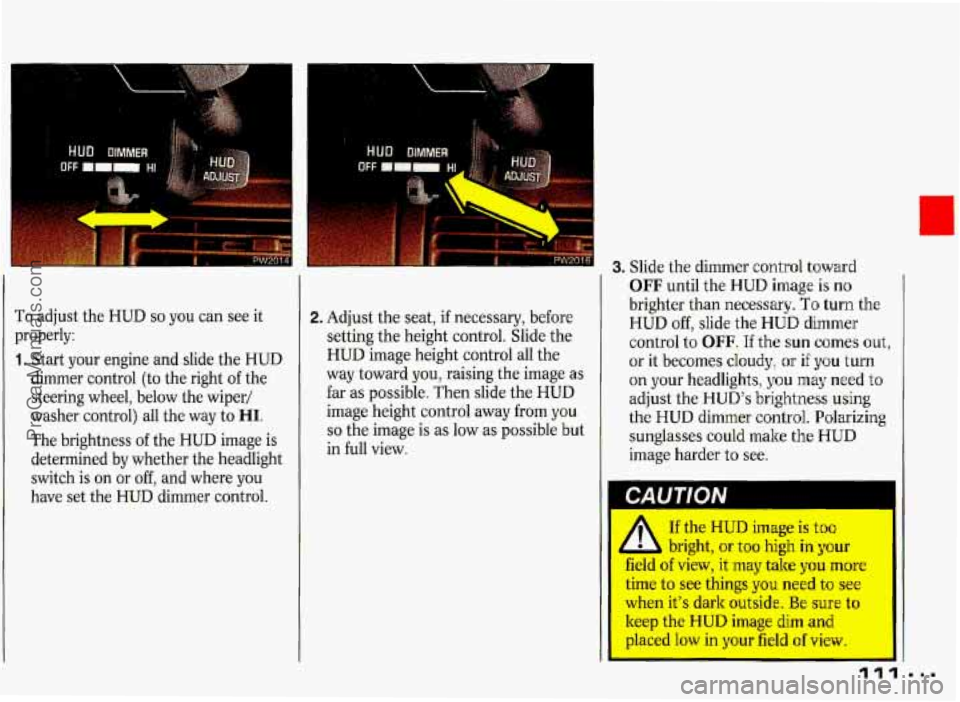
To adjust the HUD so you can see it
properly:
1. Start your engine and slide the HUD
dimmer control (to the right
of the
steering wheel, below the wiper/
washer control) all the way to
HI.
The brightness of the HUD image is
determined
by whether the headlight
switch is on or off, and where you
have set the HUD dimmer control.
2. Adjust the seat, if necessary, before
setting the height control. Slide the
HUD image height control all the
way toward you, raising the image as
far as possible, Then slide the HUD
image height control away from you
so the image is as low as possible but
in full view.
3. Slide the dimmer control toward
OFF until the HUD image is no
brighter than necessary. To turn the
HUD off, slide the HUD dimmer
control to OFF. If the
sun comes out,
or it becomes cloudy,
or if you turn
on your headlights,
you may need to
adjust the HUD’s brightness
using
the HUD dimmer control. Polarizing
sunglasses could make
the HUD
image harder to see.
If the HUD image is too
1 L bright, or too high in your
field of view, it may take you more
time to see things you need to see
when it’s dark outside. Be sure to
keep the HUD image dim and
placed low in your field of view.
ProCarManuals.com
Page 116 of 338
Part 3
Comfort Controls &
Audio Systems
1 n this part you'll find out how to
operate the comfort control systems
and audio systems offered with your Pontiac
. Be sure to read about the
particular system supplied with your
vehicle
.
Climate Control ........................................................................\
............................... 116
Setting the Clock ........................................................................\
............................. 120
AM/FM Stereo Radio ........................................................................\
...................... 122
AM/FM Stereo Radio with Cassette Player ........................................................... 124
ETR AM/FM Stereo Radio with Cassette Player and Equalizer ........................... 126
AM/FM Stereo with Compact Disc Player ............................................................. 128
Steering Wheel Controls for Audio System ............................................................ 131
Understanding Radio Reception ........................................................................\
..... 133
Care of Your Cassette Tape Player ........................................................................\
. 133
Fixed Mast Antenna 134
Power Antenna Mast Care 135
CD Player Anti-Theft
Feature
........................................................................\
......... 130
Gain Control ........................................................................\
.................................... 132
Care of Your Compact Discs ........................................................................\
........... 134
........................................................................\
........................
........................................................................\
..............
115
ProCarManuals.com
Page 132 of 338
To Disable the Anti-Theft System:
Enter your secret code by following
these steps (you will have only
15
seconds between each step).
1. Turn the ignition on and the radio
off, then press the PREV and FF
buttons of the station presets. SEC
will appear, showing the radio is
secure.
2. Press SET and 000 appears on the
display.
3. Depress SEEK until the first digit of
your secret code appears.
4. Depress SCAN until the second and
third digits of your code appear.
5. Press AM-FM (000 will appear on
the display).
6. Depress SEEK until the fourth digit
of your code appears.
7. Depress SCAN until the fifth and
sixth digits
of your code appear.
8. Press AM-FM. If the display shows
will play again. If the display shows
SEC, the steps were not successful
and the numbers did not match the
secret code.
If you lose or forget your code, see your
dealer.
If
you lose battery power, when the
battery
is reconnected, the radio will
not turn on and LOC will appear.
Follow steps 1-8 for disabling your
system, but the time will appear if
you
are successful. If SEC appears, the
numbers did not match and your unit is
still locked.
ii " the radio is unsecured and ---
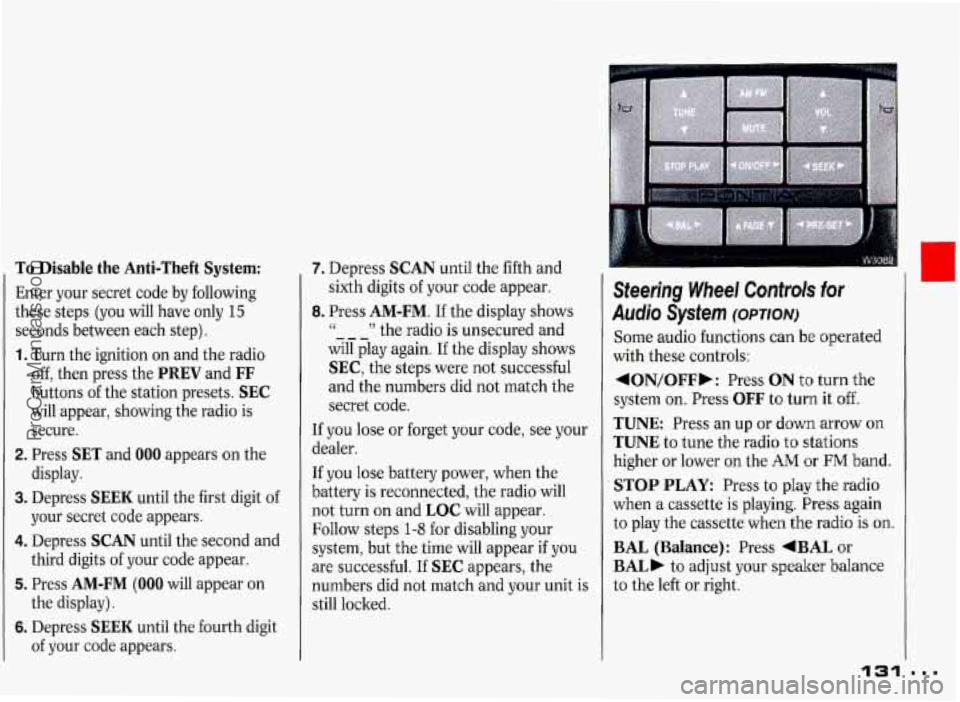
Steering Wheel Controk for
Audio System (omow
Some audio functions can be operated
with these controls:
4ON/OFFb: Press ON t'o turn the
system
on. Press OFF to turn it off.
TUNE Press an up or down arrow on
TUNE to tune the radio to stations
higher or lower
on the AM or FM band.
STOP PLAY: Press to play the radio
when a cassette is playing. Press again
to play the cassette
when the radio is on.
BAL (Balance): Press +BAL or
BAL) to adjust your speaker balance
to the left or right.
131
I
...
I
ProCarManuals.com
Page 133 of 338
Comfort Controls & Audio Systems
Steering Wheel Controls for
Asrdjo Sysfem (CONT.)
AMflM: Press to select either the AM
or FM radio band. The band you select
will be displayed on the digital screen.
The frequency of the station will be
-displayed, and
if the station is in stereo,
the
STEREO indicator will also be
displayed.
MUTE: Press to silence your audio
system temporarily. Press
MUTE again
to play your system normally again.
l ON/OFF: Turns the unit on and off
when the ignition is on.
FADE: Press +FADE or FADE, to
adjust your speaker balar ce forward or
rearward.
VOL (Volume): Press A to increase
volume. Press
7 to lower the volume.
SEEK: Each time you press a right or
left arrow
on SEEK, you will tune in
the next station up or down the AM or
FM radio band.
When listening to
a cassette tape or
compact disc, you can change to the
previous or next selection by pressing
the
SEEK right or left arrow.
PRE-SET Press this to hear the radio
stations that are set
on your system.
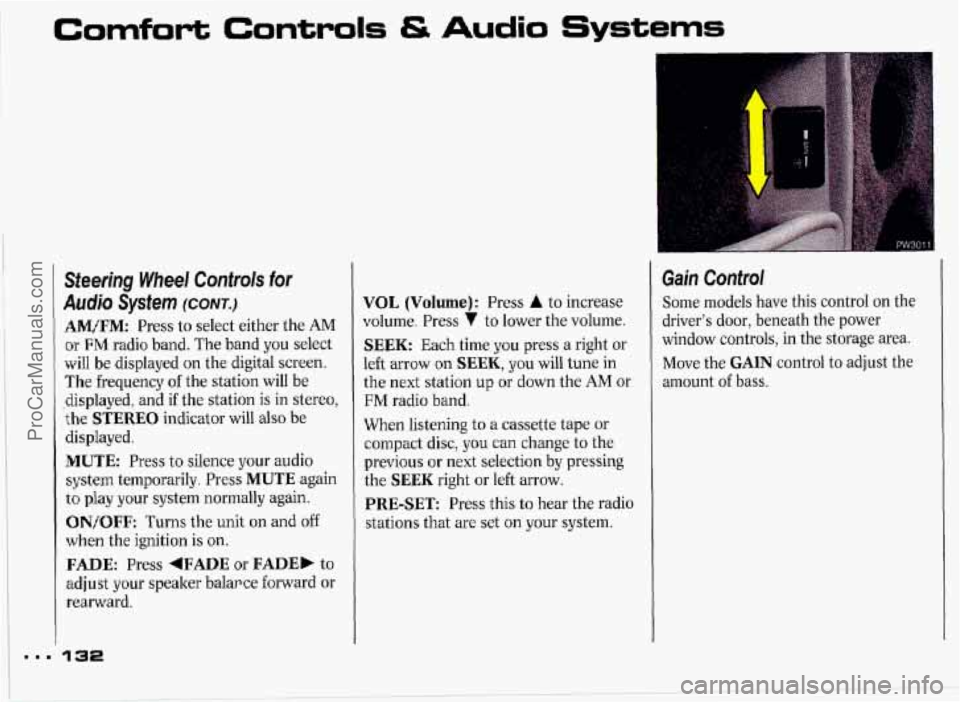
Gain Control
Some models have this control on the
driver's door, beneath the power
window controls, in the storage area.
Move the
GAIN control to adjust the
amount
of bass.
ProCarManuals.com
Page 149 of 338
ma.
Your Driving and the Road
Anti-lock Brakes (CONT.)
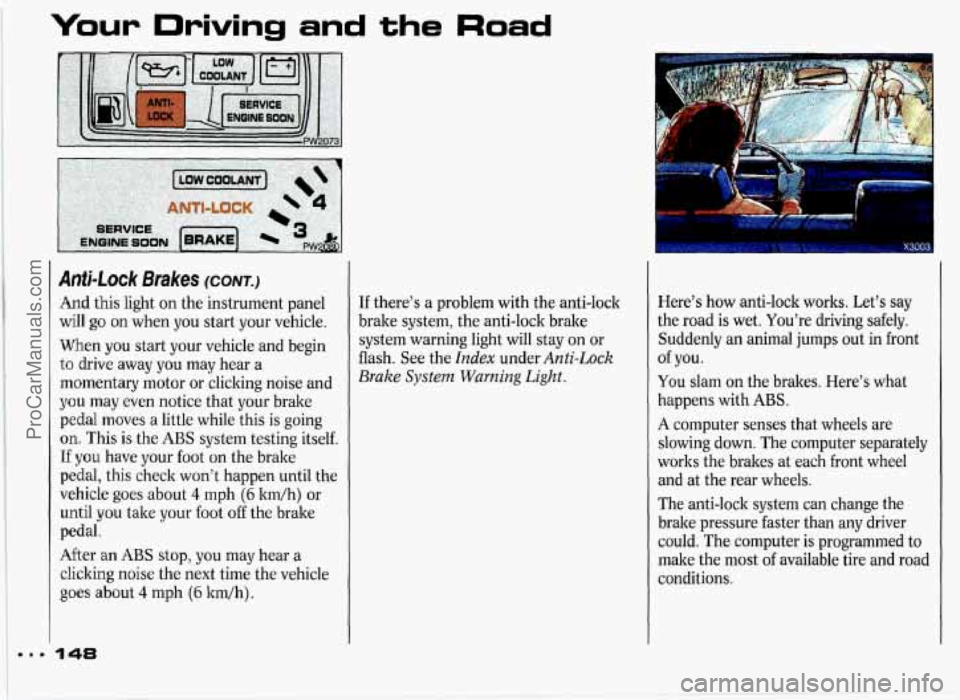
And this light on the instrument panel
will
go on when you start your vehicle.
When you start your vehicle and begin
to drive away you may hear a
momentary motor or clicking noise and
you may even notice that your brake
pedal moves a little while this is going
on. This is the ABS system testing itself.
If you have your foot on the brake
pedal, this check won't happen until the
vehicle goes about
4 mph (6 ltm/h) or
until you take your foot off the brake
pedal.
After
an ABS stop, you may hear a
clicking noise the next time the vehicle
goes about 4 mph (6 ltdh).
148
If there's a problem with the anti-lock
brake system, the anti-lock brake
system warning light will stay on or
flash. See the
Index under Anti-Lock
Brake
System Warning Light.
Here's how anti-lock works. Let's say
the road is wet. You're driving safely.
Suddenly an animal jumps out in front
You slam on the brakes. Here's what
happens with
ABS.
A computer senses that wheels are
slowing down. The computer separately
works the brakes at each front wheel
and at the rear wheels.
The anti-lock system can change the
brake pressure faster than any driver
could. The computer is programmed to
make the most
of available tire and road
conditions.
of you.
ProCarManuals.com
Page 150 of 338
I
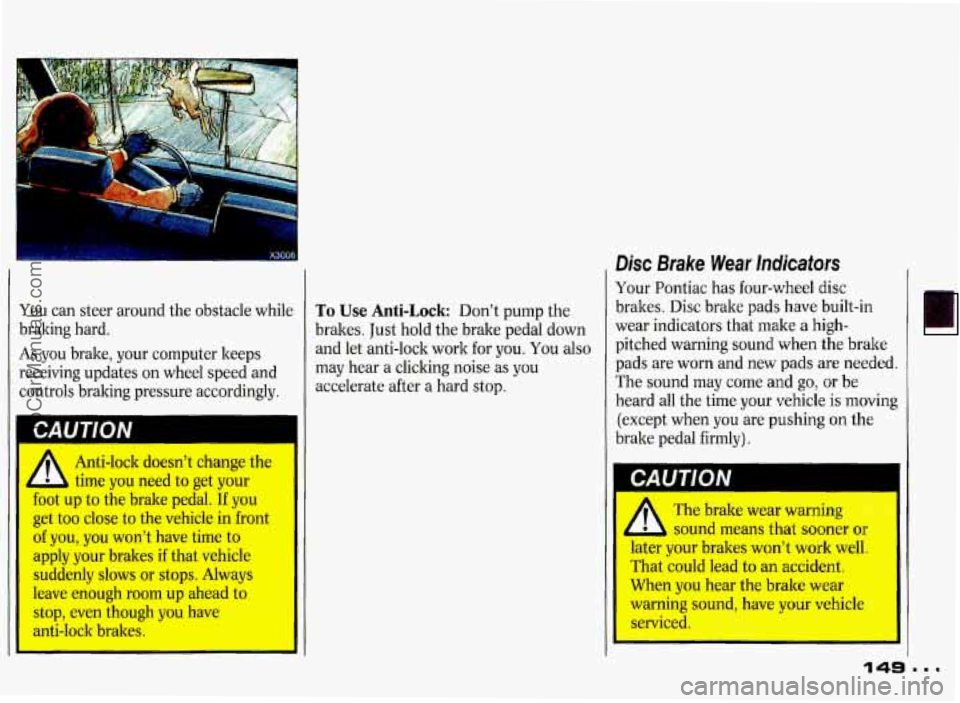
You can steer around the obstacle while To Use Anti-Lock Don’t pump the
braking hard.
brakes. Just hold the brake pedal down
As you brake, your computer keeps and
let anti-lock work for you. You also
receiving updates on wheel speed and
may hear a cliclting noise as you
controls braking pressure accordingly. accelerate
after a hard stop.
Anti-lock doesn’t change the
time you need to get your
foot up to the brake pedal. If you
get too close to the vehicle in front
of you,
you won’t have time to
apply your braltes
if that vehicle
suddenly slows or stops. Always
leave enough
room up ahead to
stop, even though you have
anti-lock brakes.
Disc Brake Wear Indicators
Your Pontiac has four-wheel disc
braltes. Disc brake pads have built-in
wear indicators that make a high-
pitched warning sound when the brake
pads are worn and new pads are needed.
The sound may come and go,
or be
heard all the time your vehicle
is moving
(except when you are pushing on the
brake pedal firmly).
I
A The brake wear warnin&
sound means that sooner
or
later your brakes won’t work well,
That could lead
to an accident.
When you hear the brake wear
warning sound, have
your vehicle
serviced.
ProCarManuals.com
Page 152 of 338
Braking In Emergencies
At some time, nearly every driver gets into a situation that requires hard
braking. If you have anti-lock, you can
steer and brake at the same time.
However, if you don’t have anti-lock,
your first reaction-to hit the brake
pedal hard and hold it down-may be
the wrong thing to do. Your wheels
can stop rolling. Once they do, the
vehicle can’t respond to your steering.
Momentum will carry it in whatever
direction it
was headed when the
wheels stopped rolling. That could be
off the road, into the very thing you
were trying to avoid, or into traffic.
If you don’t have anti-lock, use a
“squeeze” braking technique. This will give you
maximum braking while
maintaining steering control. You do
this by pushing on the brake pedal with
steadily increasing pressure.
In an emergency you will probably want
to “squeeze” the brakes hard without
locking the wheels. If you hear or feel
the wheels sliding, ease off the brake
pedal. This will help you retain steering
control. (If you
do have anti-lock, it’s
different: see the
Index under Anti-Lock
Brake System.)
In many emergencies,
steering can help you more than even
the very best braking.
Power Steering
If you lose power steering assist
because the engine stops or the system
fails to function, you can steer but it
will take much more effort.
151
ProCarManuals.com
Page 153 of 338
Your Driving and the Road
Steering Tips-Driving on Curves
It’s important to take curves at a
reasonable speed.
A lot of the “driver lost control”
accidents mentioned on the news
happen on curves. Here’s why:
Experienced driver or beginner, each of
us
is subject to the same laws of physics
when driving on curves. The traction of
the tires against the road surface makes
it possible for the vehicle to change its
path when you turn the front wheels. If
there’s
no traction, inertia will keep the
vehicle going in the same direction. If
you’ve ever tried to steer a vehicle
on
wet ice, you’ll understand this.
The traction you can get in a curve
depends on the condition
of your tires
and the road surface, the angle at which
the curve
is banked, and your speed.
While you’re in
a curve, speed is the one
factor you can control.
152
Suppose you’re steering through a
sharp curve. Then you suddenly apply
the brakes. Both control systems-
steering and braking-have to do their
work where the tires meet the road.
Unless you have four-wheel anti-lock
brakes, adding the hard braking can
demand too much at those places. You
can lose control.
The same thing can happen
if you’re
steering through a sharp curve and you
suddenly accelerate. Those two control
systems-steering and acceleration-
can overwhelm those places where the
tires meet the road and make you lose
control.
What should you do if this ever
happens? Let up on the brake or
accelerator pedal, steer the vehicle the
way you want it to go, and slow down. Speed limit signs near curves
warn that
you should adjust your speed. Of
course, the posted speeds are based on
good weather and road conditions.
Under less favorable conditions you’ll
want to
go slower.
If you need to reduce your speed
as you
approach a curve, do it before you enter
the curve, while your front wheels are
straight ahead.
Try to adjust your speed
so you can “drive” through the curve.
Maintain a reasonable, steady speed.
Wait to accelerate until you are out
of
the curve, and then accelerate gently
into the straightaway.
When you drive into a curve at night,
it’s harder to see the road ahead of you
because it bends away from the straight
beams
of your lights. This is one good
reason to drive slower.
ProCarManuals.com