fuel consumption Seat Altea 2015 Owner's Manual
[x] Cancel search | Manufacturer: SEAT, Model Year: 2015, Model line: Altea, Model: Seat Altea 2015Pages: 236, PDF Size: 4.23 MB
Page 6 of 236
Table of Contents
Technical specifications . . . . . . . . . . . . . . . 207
Technical features . . . . . . . . . . . . . . . . . . . . . . . 207
Important information . . . . . . . . . . . . . . . . . . . . 207
Information on fuel consumption . . . . . . . . . . . 208
Towing a trailer . . . . . . . . . . . . . . . . . . . . . . . . . . 209
Wheels . . . . . . . . . . . . . . . . . . . . . . . . . . . . . . . . 210
Engine specifications . . . . . . . . . . . . . . . . . . . . . 211
Dimensions and capacities . . . . . . . . . . . . . . . . 221
Index . . . . . . . . . . . . . . . . . . . . . . . . . . . . . . . . . 223
4
Page 36 of 236
Operation
●
Due care must be taken to avoid any risk of
fire or explosion.
● When parking the vehicle in a closed area
(e.g. in a garage), make sure that there is ad-
equate ventilation, either natural or mechani-
cal, to neutralise the LPG in the event of a
leak. Note
● The values shown in the average fuel con-
sumption and distance to empty indications
on the multifunction display (MFI) 1)
on the in-
strument panel display 2)
are approximate val-
ues only.
● Two different consumption values are given
on the MFI, depending on whether the vehi-
cle is running in gas or petrol mode.
● Please check the fuel level on the fuel level
gauge on the instrument panel ››› page 33.
● If frequent short journeys are made, espe-
cially when the outside temperature is low,
the vehicle will tend to run on petrol more of-
ten than on LPG. Therefore, the petrol tank
may empty before the LPG tank. Engine coolant temperature gauge
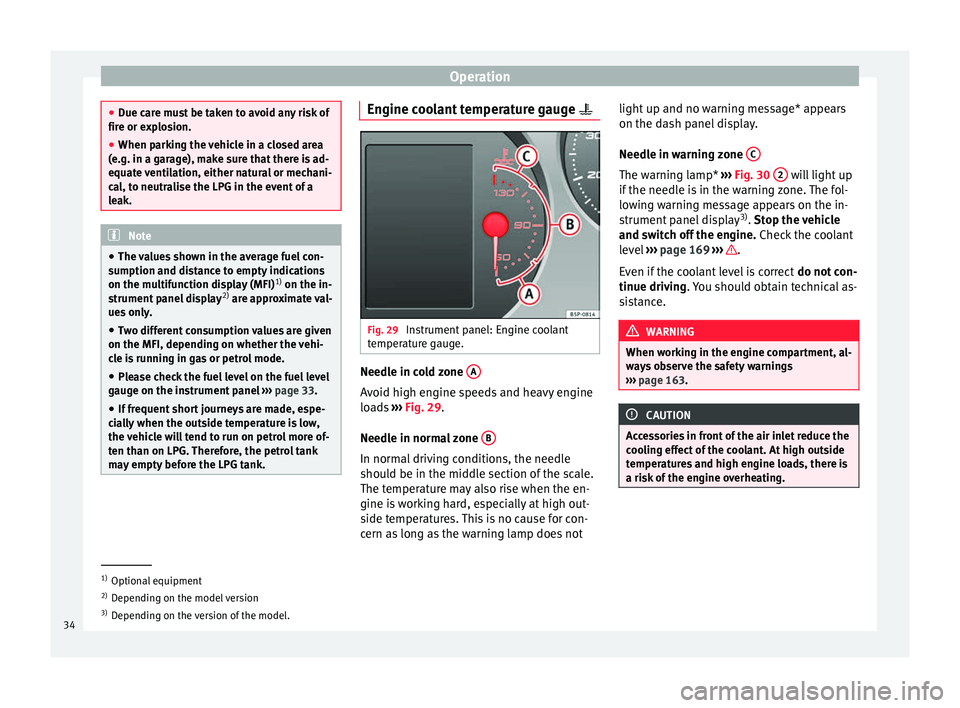
Fig. 29
Instrument panel: Engine coolant
temperature gauge. Needle in cold zone
A Avoid high engine speeds and heavy engine
loads
››› Fig. 29 .
Needl e in norm
al zone B In normal driving conditions, the needle
should be in the middle section of the scale.
The temperature may also rise when the en-
gine is working hard, especially at high out-
side temperatures. This is no cause for con-
cern as long as the warning lamp does notlight up and no warning message* appears
on the dash panel display.
Needle in warning zone
C The warning lamp*
››› Fig. 30 2 will light up
if the needle is in the warning zone. The fol-
lowing warning message appears on the in-
strument panel display 3)
. Stop the vehicle
and sw it
ch off the engine. Check the coolant
level ››› page 169 ››› .
Even if the coolant level is correct do not con-
tinue driving . You should obtain technical as-
s i
stance. WARNING
When working in the engine compartment, al-
ways observe the safety warnings
››› page 163. CAUTION
Accessories in front of the air inlet reduce the
cooling effect of the coolant. At high outside
temperatures and high engine loads, there is
a risk of the engine overheating. 1)
Optional equipment
2) Depending on the model version
3) Depending on the version of the model.
34
Page 54 of 236
OperationMain
menuFunction
Configura-
tionThis option allows the time, the speed
warning when using winter tyres, units,
language, independent heating, the
Light and visibility menu and the Conven-
ience menu to be reset.
a) Only in vehicles fitted with a radio navigation system. Note
For electronic and vehicle equipment one or
more of these menus will be displayed. Multifunction display menu (MFI)
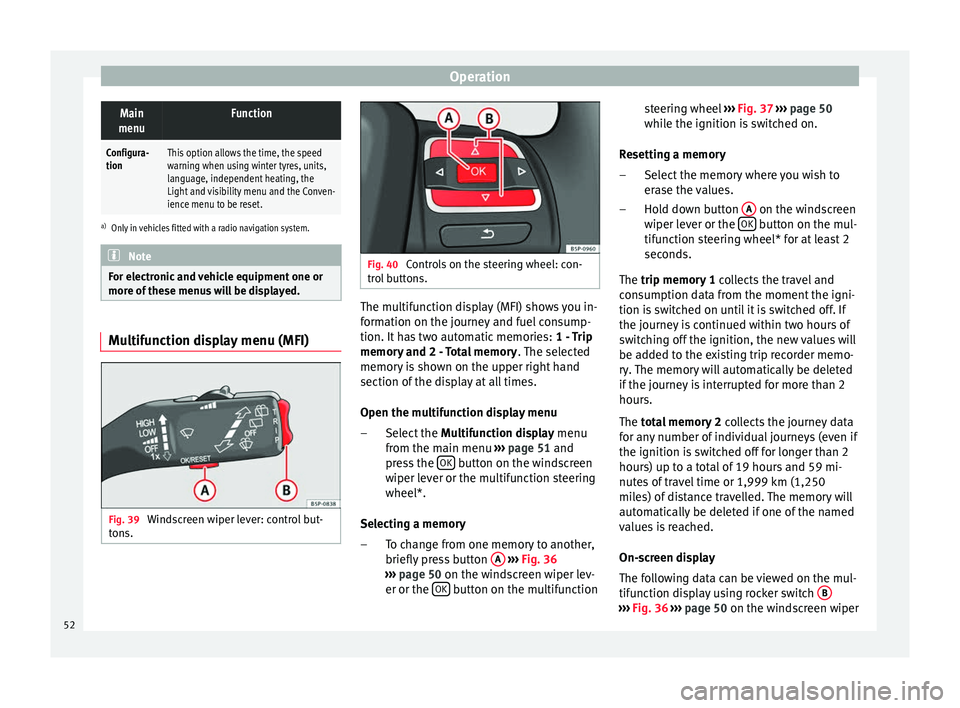
Fig. 39
Windscreen wiper lever: control but-
tons. Fig. 40
Controls on the steering wheel: con-
trol buttons. The multifunction display (MFI) shows you in-
formation on the journey and fuel consump-
tion. It has two automatic memories:
1 - Trip
memory and 2 - Total memory . The selected
memory is shown on the upper right hand
section of the display at all times.
Open the multifunction display menu
Select the Multifunction display menu
from the main menu ››› page 51 and
press the OK button on the windscreen
wiper lever or the multifunction steering
wheel*.
Selecting a memory To change from one memory to another,
briefly press button A
››› Fig. 36
››› page 50 on the windscreen wiper lev-
er or the OK button on the multifunction
–
– steering wheel
››› Fig. 37
›
›› p
age 50
while the ignition is switched on.
Resetting a memory Select the memory where you wish to
erase the values.
Hold down button A on the windscreen
wiper lever or the OK button on the mul-
tifunction steering wheel* for at least 2
seconds.
The trip memory 1
c
o
llects the travel and
consumption data from the moment the igni-
tion is switched on until it is switched off. If
the journey is continued within two hours of
switching off the ignition, the new values will
be added to the existing trip recorder memo-
ry. The memory will automatically be deleted
if the journey is interrupted for more than 2
hours.
The total memory 2 co
llects the journey data
for any number of individual journeys (even if
the ignition is switched off for longer than 2
hours) up to a total of 19 hours and 59 mi-
nutes of travel time or 1,999 km (1,250
miles) of distance travelled. The memory will
automatically be deleted if one of the named
values is reached.
On-screen display
The following data can be viewed on the mul-
tifunction display using rocker switch B ›››
Fig. 36
›
›› p
age 50 on the windscreen wiper
–
–
52
Page 55 of 236
Dash panel
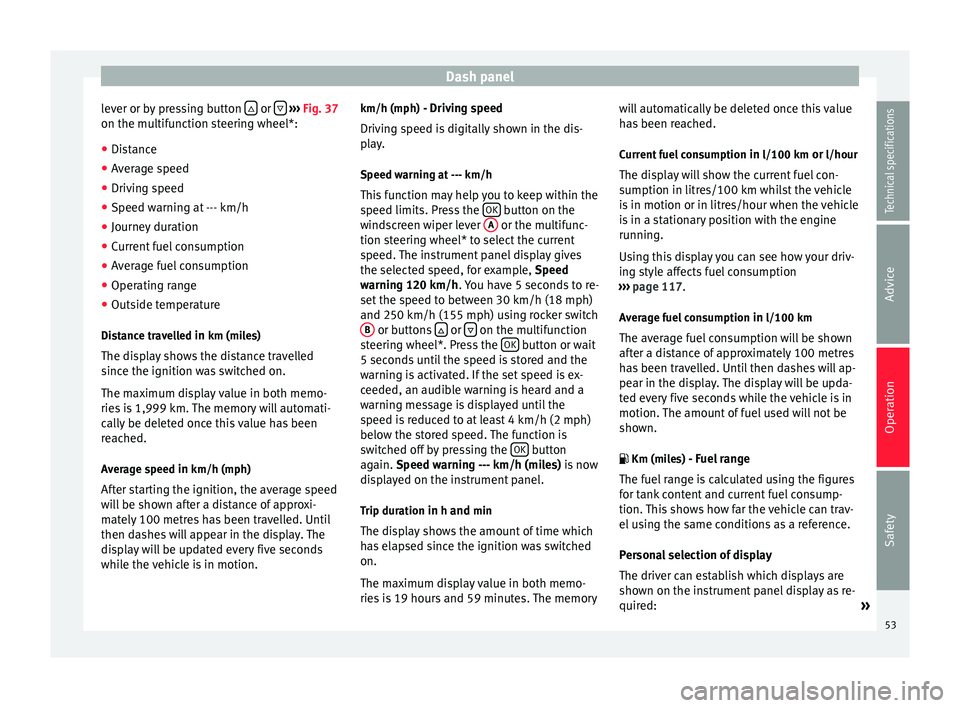
lever or by pressing button or
››› Fig. 37
on the multifunction steering wheel*:
● Distance
● Average speed
● Driving speed
● Speed warning at --- km/h
● Journey duration
● Current fuel consumption
● Average fuel consumption
● Operating range
● Outside temperature
Distance travelled in km (miles)
The display shows the distance travelled
since the ignition was switched on.
The maximum display value in both memo-
ries is 1,999 km. The memory will automati-
cally be deleted once this value has been
reached.
Average speed in km/h (mph) After starting the ignition, the average speed
will be shown after a distance of approxi-
mately 100 metres has been travelled. Until
then dashes will appear in the display. The
display will be updated every five seconds
while the vehicle is in motion. km/h (mph) - Driving speed
Driving speed is digitally shown in the dis-
play.
Speed warning at --- km/h
This function may help you to keep within the
speed limits. Press the OK button on the
windscreen wiper lever A or the multifunc-
tion steering wheel* to select the current
speed. The instrument panel display gives
the selected speed, for example, Speed
warning 120 km/h . You have 5 seconds to re-
set the s
peed to between 30 km/h (18 mph)
and 250 km/h (155 mph) using rocker switch B or buttons
or
on the multifunction
steering wheel*. Press the OK button or wait
5 seconds until the speed is stored and the
warning is activated. If the set speed is ex-
ceeded, an audible warning is heard and a
warning message is displayed until the
speed is reduced to at least 4 km/h (2 mph)
below the stored speed. The function is
switched off by pressing the OK button
again. Speed warning --- km/h (miles) is now
di s
played on the instrument panel.
Trip duration in h and min The display shows the amount of time which
has elapsed since the ignition was switched
on.
The maximum display value in both memo-
ries is 19 hours and 59 minutes. The memory will automatically be deleted once this value
has been reached.
Current fuel consumption in l/100 km or l/hour
The dis
play will show the current fuel con-
sumption in litres/100 km whilst the vehicle
is in motion or in litres/hour when the vehicle
is in a stationary position with the engine
running.
Using this display you can see how your driv-
ing style affects fuel consumption
››› page 117.
Av
erage fuel consumption in l/100 km
The average fuel consumption will be shown
after a distance of approximately 100 metres
has been travelled. Until then dashes will ap-
pear in the display. The display will be upda-
ted every five seconds while the vehicle is in
motion. The amount of fuel used will not be
shown.
Km (miles) - Fuel range
The fuel range is calculated using the figures
for tank content and current fuel consump-
tion. This shows how far the vehicle can trav-
el using the same conditions as a reference.
Personal selection of display
The driver can establish which displays are
shown on the instrument panel display as re-
quired: »
53
Technical specifications
Advice
Operation
Safety
Page 57 of 236
Dash panelDisplayed on
the screenFunction
TimeThe hours and minutes of the clock
and the navigation system can be
changed. Choose between 12 and 24-
hour format and change to summer
time.
Winter tyresThe menu allows the setting of a
speed at which an optical and acous-
tic warning will be given by the sys-
tem. You can use this function, for ex-
ample, if you have fitted winter tyres
which are not suited for the top speed
of your vehicle. Please see the section
“Wheels and tyres”.
LanguageThe display texts and the navigation
system texts can be seen in different
languages.
UnitsThis option allows you to select the
units for displaying temperature, fuel
consumption values and distances.
sel. speedThe instrument panel also displays
the speed in another different unit of
measurement (mph or km/h) to that
given on the speedometer.
Inter. ServiceConsult service messages and reset
service interval display here.
Factory set-
tingsThe manufacturer's predefined values
for the functions of this menu are re-
stored.
Back a)This returns to the main menu.
a)
Only if the windscreen wiper lever is used (MFI). Note
● For electronic and vehicle equipment one or
more of these menus will be displayed.
● SEAT dealerships are able to programme
other functions or change the existing func-
tions depending upon the vehicle equipment.
● The Configuration menu is only accessible
when the vehicle is at a standstill. Convenience menu
Open menu Convenience
– Choose the option Configuration
from the
m
ain menu and press the button OK
A ›››
Fig. 36 on the windscreen wiper lever.
– Pr e
ss button or
on the multifunction
steering wheel* ›››
Fig. 37 until the
C
onfigu-
r
ation menu is displayed.
– Choose the option
Convenience from the
main menu and press the button A on the
windscreen wiper lever.
Example of menu use ›››
page 50
Displayed on
the screenFunction
Central lock-
ing.One door: Individual unlocking activa-
ted.
Auto lock: The doors are automatically
locked when the vehicle is travelling
at more than approx. 15 km/h
(10 mph).
Auto unlock: the doors are unlocked
when the key is removed from the ig-
nition.
Elec. window
controlOpening and closing electric win-
dows: this determines whether to
open or close all the windows when
the vehicle is unlocked or locked. The
open function can also be activated
for the driver door only.
Exterior mirror
adjust.If synchronised adjustment is selec-
ted, when the driver side exterior mir-
ror is adjusted, the passenger exterior
mirror is also moved.
Factory set-
tingsThe predefined factory values for the
functions of this menu are restored.
BackThis returns to the Configuration
menu. Note
For electronic and vehicle equipment one or
more of these menus will be displayed. 55
Technical specifications
Advice
Operation
Safety
Page 121 of 236
DrivingMessage in the instru-
ment panel displayHow to proceed
Gas operating mode cur-
rently impossible See the
manual!
Check that all conditions
for LPG operating mode
have been met
››› page 118. If so, have
the system checked imme-
diately by a specialised
workshop.
Petrol operating mode cur-
rently impossible. See the
manual!Have the system checked
immediately by a special-
ised workshop. LPG quality and consumption
Quality requirements for LPG are regulated
for all Europe in DIN EN 589 and permit the
use of LPG throughout Europe without any
problems.
LPG is a mixture of propane and butane.
A difference is drawn between winter gas and
summer gas. Winter gas has a higher propor-
tion of propane gas. As a result, the driving
range of winter gas may be lower (due to in-
creased consumption) than that of summer
gas.
The vehicle's engine management adapts au-
tomatically to the LPG used. Therefore, both
types of LPG can be mixed in the tank, with-
out the need for comprehensive draining be-
fore applying a different quality LPG. LPG and safety
If you smell gas or suspect that there is a
leak in the LPG system.
››› ●
Stop the vehicle immediately.
● Switch the ignition off.
● Open all the doors to properly ventilate the
vehicle.
● Extinguish cigarettes immediately.
● Move away from the vehicle or switch off
objects that may cause sparks or a fire.
● If you continue to smell gas, do not contin-
ue driving!
● Seek specialist assistance. Have the fault
repaired. WARNING
LPG is a highly explosive and inflammable
substance. It may cause severe burns and
other injury.
● Due care must be taken to avoid any risk of
fire or explosion.
● When parking the vehicle in a closed area
(for example in a garage), make sure that
there is adequate ventilation, either natural
or mechanical, to neutralise the LPG in the
event of a leak. WARNING
Failure to act when you can smell gas in the
vehicle or when refuelling can cause serious
injuries.
● Carry out the necessary operations.
● Leave the danger zone.
● If necessary, warn the emergency services. Note
● The LPG system must be subject to regular
inspections at a specialised workshop in ac-
cordance with the Maintenance Plan.
● The engine is always started with petrol,
even when LPG was being used when it was
switched off. For this reason the tank should
never be drained of petrol completely.
● If frequent short journeys are made, espe-
cially when the outside temperature is low,
the vehicle will tend to run on petrol more of-
ten than on LPG. Therefore, the petrol tank
may empty before the LPG tank.
● If while driving the system switches auto-
matically to petrol operating mode because
the LPG tank is almost empty, the next few
times the engine starts up, and depending on
the outside temperature and driving style, it
may automatically switch briefly to LPG oper-
ating mode to use up what is left in the tank.
● When the system automatically switches to
petrol operating mode because the LPG tank
is almost empty, you can revert to gas operat-
ing mode by pressing the ››› Fig. 121 GAS »
119
Technical specifications
Advice
Operation
Safety
Page 122 of 236
Operation
button while driving slowly and with low ac-
celeration. This procedure can be repeated
several times while driving carefully until all
the LPG left in the tank has been used up.
● Vehicles that display information or warn-
ing messages on the dash panel may show
information related to LPG operation.
● The notification LPG mode not possible may
be displayed. Journeys abroad
To drive abroad, the following must be taken
into consideration:
● For vehicles fitted with a catalytic converter
ensure that unleaded petrol is available for
the journey. See the chapter “Refuelling”. Au-
tomobile organisations will have information
about service station networks selling unlea-
ded fuel.
● In some countries, your vehicle model may
not be available, and therefore some spare
parts may not available or technical services
can only carry out limited repairs.
SEAT importers and distributors will gladly
provide information about the technical prep-
aration that your vehicle requires and also
about necessary maintenance and repair
possibilities. Adhesive strips for headlights
If you have to drive a right-hand drive vehicle
in a left-hand drive country, or vice versa, the
asymmetric dipped beam headlights will daz-
zle oncoming traffic.
To prevent dazzling, you must apply stickers
to certain parts of the headlight lenses. Fur-
ther information is available at any Technical
Service.
In vehicles with adaptive headlights, the ro-
tation system must previously be disconnec-
ted. To do this, please go to a specialised
workshop.
Ignition lock
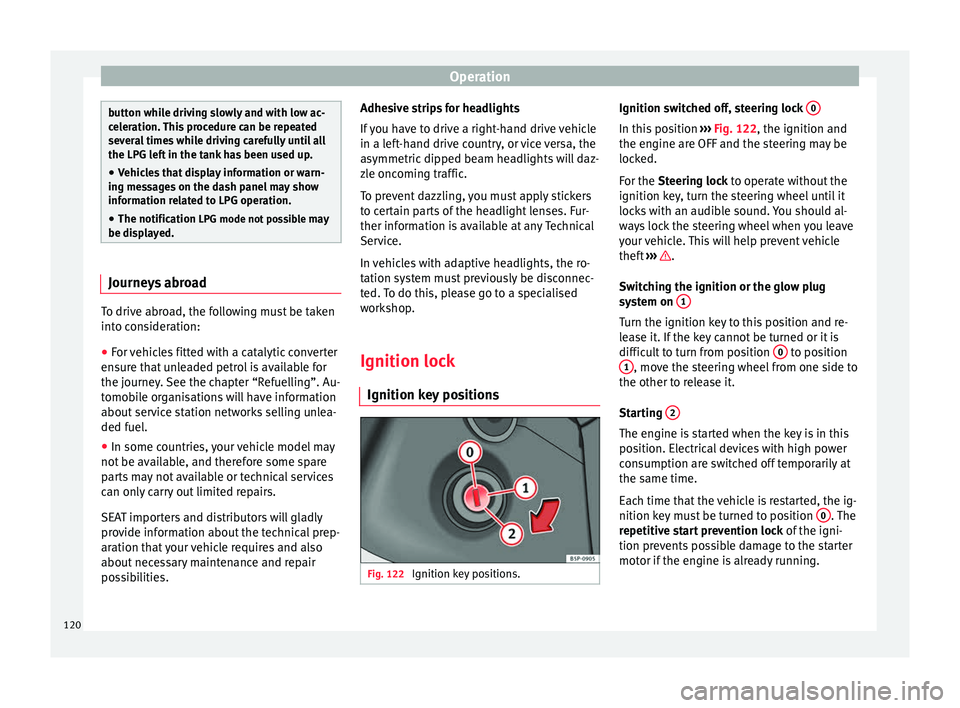
Ignition key positions Fig. 122
Ignition key positions. Ignition switched off, steering lock
0 In this position
››› Fig. 122, the ignition and
the engine are OFF and the steering may be
locked.
For the Steering lock
to operate without the
ignition k
ey, turn the steering wheel until it
locks with an audible sound. You should al-
ways lock the steering wheel when you leave
your vehicle. This will help prevent vehicle
theft ››› .
Switching the ignition or the glow plug
system on 1 Turn the ignition key to this position and re-
lease it. If the key cannot be turned or it is
difficult to turn from position
0 to position
1 , move the steering wheel from one side to
the other to release it.
Starting 2 The engine is started when the key is in this
position. Electrical devices with high power
consumption are switched off temporarily at
the same time.
Each time that the vehicle is restarted, the ig-
nition key must be turned to position
0 . The
repetitive start prevention lock of the igni-
tion prevents possible damage to the starter
motor if the engine is already running.
120
Page 133 of 236
Driving
From 1,000 to 1,500 kilometres
– Speeds can be gradually increased to the
maximum road speed or maximum
permissible engine speed (rpm).
During its first few hours of running, the in-
ternal friction in the engine is greater than
later on, when all the moving parts have bed-
ded in. For the sake of the environment
If the engine is run in gently, its life will be in-
creased and its oil consumption reduced. Environmental friendliness
Environmental protection is a top priority in
the design, choice of materials and manufac-
ture of your new SEAT.
Constructive measures to encourage
recycling
● Joints and connections designed for easy
dismantling
● Modular construction to facilitate disman-
tling
● Increased use of single-grade materials.
● Plastic parts and elastomers are marked in
accordance with ISO 1043, ISO 11469 and
ISO 1629. Choice of materials
●
Use of recycled materials.
● Use of compatible plastics in the same part
if its components are not easily separated.
● Use of recycled materials and/or materials
originating from renewable sources.
● Reduction of volatile components, includ-
ing odour, in plastic materials.
● Use of CFC-free coolants.
Ban on heavy metals, with the exceptions
dictated by law (Annex II of ELV Directive
2000/53/EC): cadmium, lead, mercury, hexa-
v al
ent chromium.
Manufacturing methods
● Reduction of the quantity of thinner in the
protective wax for cavities.
● Use of plastic film as protection during ve-
hicle transport.
● Use of solvent-free adhesives.
● Use of CFC-free coolants in cooling sys-
tems.
● Recycling and energy recovery from resi-
dues (RDF).
● Improvement in the quality of waste water.
● Use of systems for the recovery of residual
heat (thermal recovery, enthalpy wheels,
etc.).
● Use of water-soluble paints. Catalytic converter To maintain the useful life of the catalytic
converter
– Use only unleaded petrol with petrol en-
gines, as lead damages the catalytic con-
verter.
– Do not let the fuel get too low in the tank.
– For engine oil changes, do not replenish
with too much engine oil ››› page 168, Top-
ping up engine oil .
– Never tow the vehicle to start it, use jump
leads if necessary ›››
page 189.
If you notice misfiring, uneven running or
loss of power when the vehicle is moving, re-
duce speed immediately and have the vehi-
cle inspected at the nearest specialised
workshop. In general, the exhaust warning
lamp will light up when any of the described
symptoms occur ›››
page 35 . If this happens,
u nb
urnt fuel can enter the exhaust system
and escape into the environment. The cata-
lytic converter can also be damaged by over-
heating. WARNING
The catalytic converter reaches very high
temperatures! Risk of fire!
● Never park where the catalytic converter
could come into contact with dry grass or
flammable materials under the vehicle. » 131
Technical specifications
Advice
Operation
Safety
Page 134 of 236
Operation
●
Do not apply additional underseal or anti-
corrosion coatings to the exhaust pipes, cata-
lytic converter or the heat shields on the ex-
haust system. These materials could catch
fire when the vehicle is being driven. CAUTION
Never run the fuel tank completely dry be-
cause the irregularity of the fuel supply may
cause ignition problems. This allows unburnt
fuel to enter the exhaust system, which could
cause overheating and damage the catalytic
converter. For the sake of the environment
Even when the emission control system is
working perfectly, there may be a smell of
sulphur from the exhaust gas under some
conditions. This depends on the sulphur con-
tent of the fuel used. Quite often the problem
can be solved by changing to another brand
of fuel. Diesel engine particulate filter*
Fig. 130
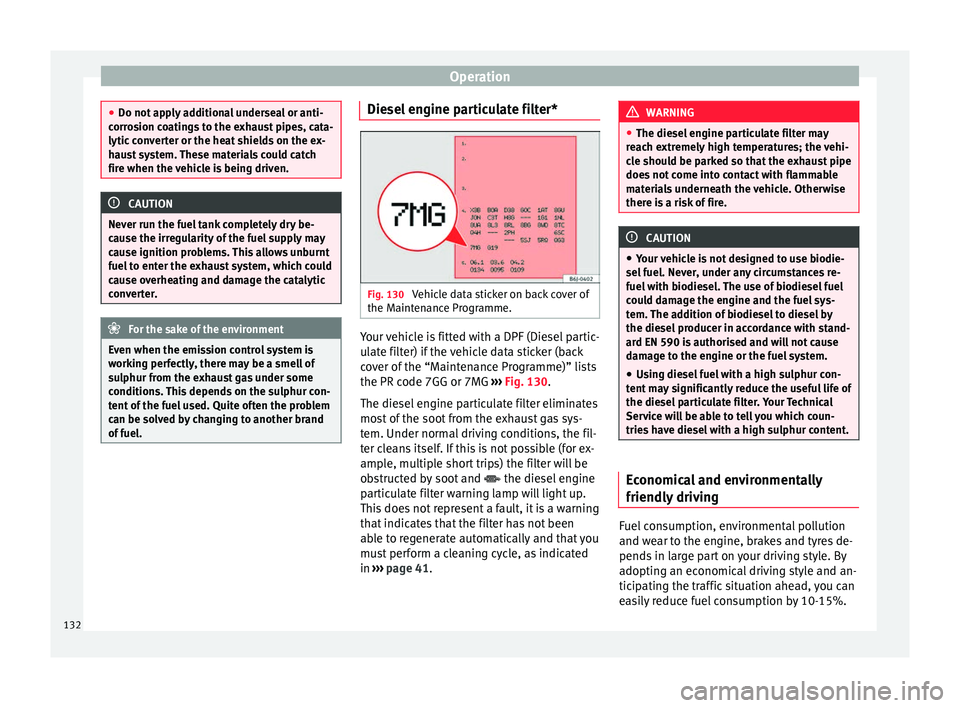
Vehicle data sticker on back cover of
the Maintenance Programme. Your vehicle is fitted with a DPF (Diesel partic-
ulate filter) if the vehicle data sticker (back
cover of the “Maintenance Programme)” lists
the PR code 7GG or 7MG
››› Fig. 130 .
The die sel
engine particulate filter eliminates
most of the soot from the exhaust gas sys-
tem. Under normal driving conditions, the fil-
ter cleans itself. If this is not possible (for ex-
ample, multiple short trips) the filter will be
obstructed by soot and the diesel engine
particulate filter warning lamp will light up.
This does not represent a fault, it is a warning
that indicates that the filter has not been
able to regenerate automatically and that you
must perform a cleaning cycle, as indicated
in ››› page 41
. WARNING
● The diesel engine particulate filter may
reach extremely high temperatures; the vehi-
cle should be parked so that the exhaust pipe
does not come into contact with flammable
materials underneath the vehicle. Otherwise
there is a risk of fire. CAUTION
● Your vehicle is not designed to use biodie-
sel fuel. Never, under any circumstances re-
fuel with biodiesel. The use of biodiesel fuel
could damage the engine and the fuel sys-
tem. The addition of biodiesel to diesel by
the diesel producer in accordance with stand-
ard EN 590 is authorised and will not cause
damage to the engine or the fuel system.
● Using diesel fuel with a high sulphur con-
tent may significantly reduce the useful life of
the diesel particulate filter. Your Technical
Service will be able to tell you which coun-
tries have diesel with a high sulphur content. Economical and environmentally
friendly driving
Fuel consumption, environmental pollution
and wear to the engine, brakes and tyres de-
pends in large part on your driving style. By
adopting an economical driving style and an-
ticipating the traffic situation ahead, you can
easily reduce fuel consumption by 10-15%.
132
Page 135 of 236
Driving
Some tips on how to help you reduce pollu-
tion while saving money are listed below.
Drive anticipating the traffic situation
A vehicle uses most fuel when accelerating.
When you anticipate situations, you have to
brake less often and, thus, accelerate less. If
it is possible, let the vehicle roll with a gear
engaged , for example, if you see a red light
ahe a
d. The braking effect achieved in this
way helps to reduce the wear of brakes and
tyres; emissions and fuel consumption are
reduced to zero (disconnection due to iner-
tia).
Change gear early to save energy
An effective way of saving fuel is to change
up
quickly through the gears. Running the
engine at high rpm in the lower gears uses
an unnecessary amount of fuel.
Manual gearbox: shift up from first to second
gear as soon as possible. We recommend
that, whenever possible, you change to a
higher gear upon reaching 2000 rpm. Follow
the “recommended gear” indication that ap-
pears on the instrument panel ››› page 47.
Avoid driving at high speed
We advise you not to drive at the top speed
permitted by the vehicle. Fuel consumption,
exhaust emissions and noise levels all in- crease very rapidly at higher speeds. Driving
at moderate speeds will help to save fuel.
Avoid idling
It is worthwhile switching off the engine
when waiting in a traffic jam, at level cross-
ings or at traffic lights with a long red phase.
The fuel saved after only 30 - 40 seconds is
greater than the amount of fuel needed to re-
start the engine.
The engine takes a long time to warm up
when it is idling. Mechanical wear and pollu-
tant emissions are also especially high dur-
ing this initial warm-up phase. It is therefore
best to drive off immediately after starting
the engine. Avoid running the engine at high
speed.
Periodic maintenance
Periodic maintenance work guarantees that,
before beginning a journey, you will not con-
sume more than the required amount of fuel.
A well-serviced engine gives you the benefit
of
improved fuel efficiency as well as maxi-
mum reliability and an enhanced resale val-
ue.
A badly serviced engine can consume up to
10% more fuel than necessary.
Avoid short journeys
To reduce the consumption and emission of
polluting exhaust gases, the engine and the exhaust gas filtration systems should reach
the optimum operating temperature.
With the en
gine cold, fuel consumption is
proportionally higher. The engine does not
warm up and fuel consumption does not nor-
malise until having driven approximately four
kilometres. This is why we recommend avoid-
ing short trips whenever possible.
Maintain the correct tyre pressures
Bear in mind that keeping the tyres at an ad-
equate pressure saves fuel. If the tyre pres-
sure is just one bar (14.5 psi / 100 kPa) too
low, fuel consumption can increase by as
much as 5%. Due to the greater rolling resist-
ance, under-inflation also increases tyre wear
and impairs handling.
The tyre pressures should always be checked
when the tyres are cold.
Do not u
se winter tyres
all year round as they
increase fuel consumption by up to 10%.
Avoid unnecessary weight
Given that every kilo of extra weight
will in-
crease the fuel consumption, it is advisable
to always check the luggage compartment to
make sure that no unnecessary loads are be-
ing transported.
A roof rack is often left in place for the sake
of convenience, even when it is no longer
needed. At a speed of 100 km/h (62 mph) »
133
Technical specifications
Advice
Operation
Safety