ignition Seat Ateca 2017 User Guide
[x] Cancel search | Manufacturer: SEAT, Model Year: 2017, Model line: Ateca, Model: Seat Ateca 2017Pages: 328, PDF Size: 6.36 MB
Page 37 of 328
The essentials
If you wish to hide a saving tip immediately
af t
er it appears, press any button on the
windscreen wiper lever*/multifunction steer-
ing wheel*. Note
● If
you hide a saving tip, it will reappear af-
ter you switch the ignition on again.
● The saving tips do not appear in all situa-
tions, b
ut rather with a large separation of
time. Speed warning device
The speed warning device warns the driver
when they
h
ave exceeded the pre-set speed
limit by 3 km/h (2 mph). An audible warning
signal sounds, and the warning lamp and
the driver message Speed limit excee-
ded! will be displayed simultaneously on the
instrument panel. The warning lamp
switches off when reducing speed below the
stored maximum limit.
Speed warning programming is recommen-
ded if you wish to be reminded of a maxi-
mum speed, such as when travelling in a
country with different speed limits or for a
maximum speed for winter tyres.
Setting speed limit warning
You can use the radio or the Easy Connect* to
set, alter or cancel the speed limit warning. ●
Vehicle
s with radio : press the button SETUP > control button
Driver Assistant >
Speed warning .
● Vehicles with Easy Connect : pre
ss the but-
ton Systems or else Vehicle systems >
Driver assistant > Speed warning.
The warning limit can be set from 30 to
240 km/h (20 to 149 mph). The adjustment
is made at 10 km/h (5 mph) intervals. Note
● Ple
ase bear in mind that, even with the
speed warning function, it is still important
to keep an eye on the vehicle speed with the
speedometer and to observe the legal speed
limits.
● The speed limit warning function in the ver-
sion f
or some countries warns you at a speed
of 120 km/h (75 mph). This is a factory-set
speed limit. Service intervals
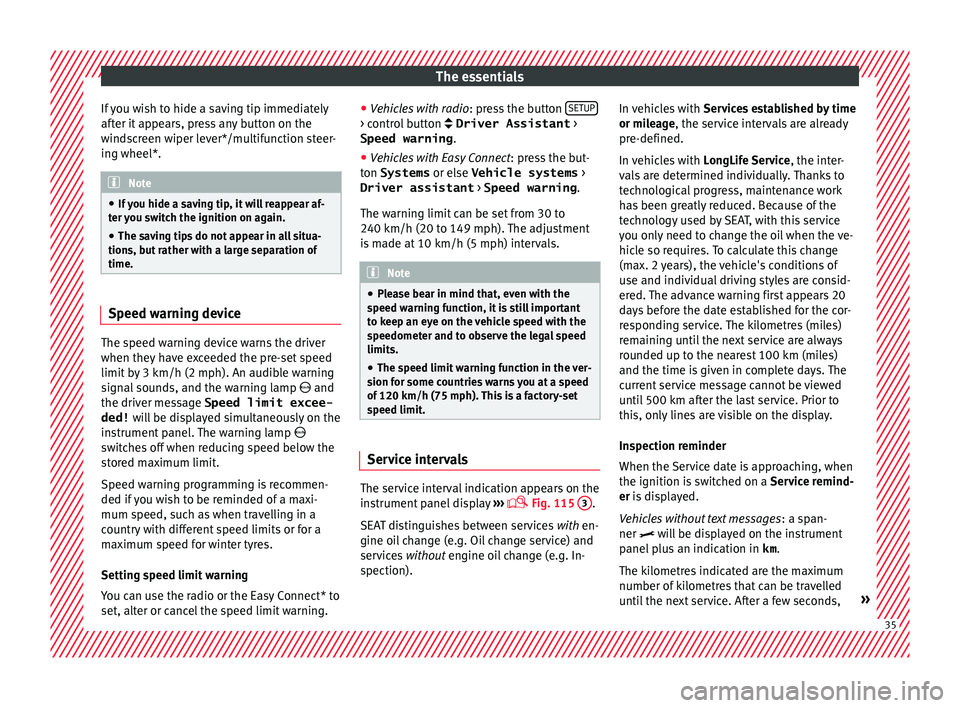
The service interval indication appears on the
in
s
trument panel display ›››
Fig. 115
3 .
S EA
T distinguishes between services with en-
gine oil change (e.g. Oil change service) and
services without engine oil change (e.g. In-
spection). In vehicles with
Serv
ices established by time
or mileage, the service intervals are already
pre-defined.
In vehicles with LongLife Service , the inter-
vals are determined individually. Thanks to
technological progress, maintenance work
has been greatly reduced. Because of the
technology used by SEAT, with this service
you only need to change the oil when the ve-
hicle so requires. To calculate this change
(max. 2 years), the vehicle's conditions of
use and individual driving styles are consid-
ered. The advance warning first appears 20
days before the date established for the cor-
responding service. The kilometres (miles)
remaining until the next service are always
rounded up to the nearest 100 km (miles)
and the time is given in complete days. The
current service message cannot be viewed
until 500 km after the last service. Prior to
this, only lines are visible on the display.
Inspection reminder
When the Service date is approaching, when
the ignition is switched on a Service remind-
er is displayed.
Vehicles without text messages : a span-
ner will be displayed on the instrument
panel plus an indication in km.
The kilometres indicated are the maximum
number of kilometres that can be travelled
until the next service. After a few seconds, » 35
Page 38 of 328
The essentials
the display mode changes. A clock symbol
ap pe
ars and the number of days until the
next service is due.
Vehicles with text messages : Service in
--- km or --- days will be shown on the
instrument panel display.
Service due
When the service date is due , an audible
warning is given when the ignition is switch-
ed on and the spanner displayed on the
screen flashes for a few seconds .
Vehicles with text messages : Service now
will be shown on the instrument panel dis-
play.
Reading a service notification
With the ignition switched on, the engine off
and the vehicle at a standstill, the current
service notification can be read:
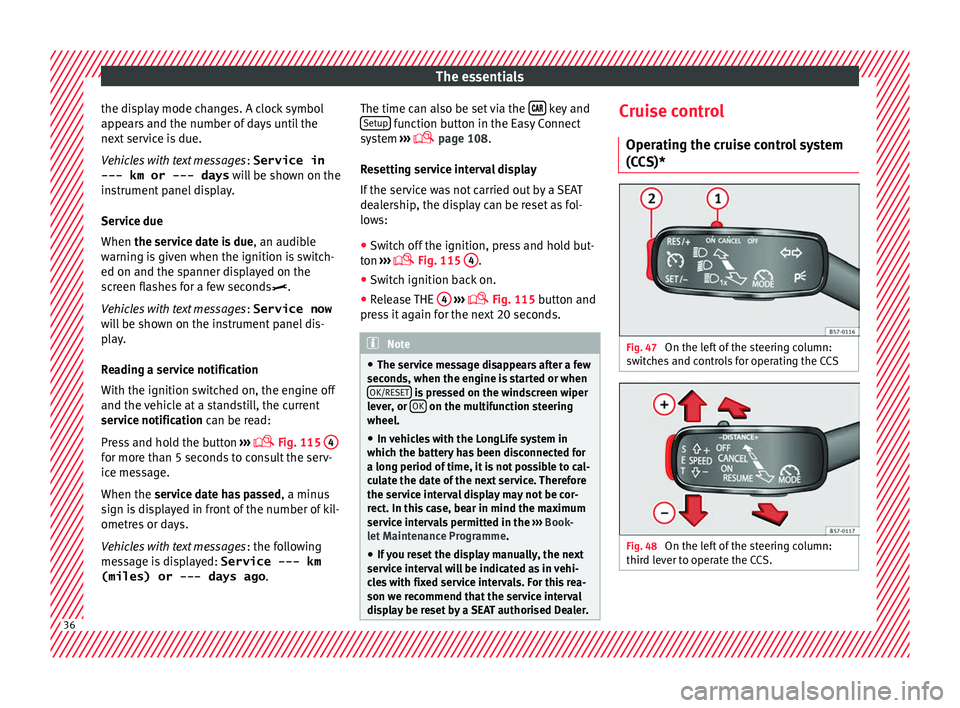
Press and hold the button ›››
Fig. 115
4 for more than 5 seconds to consult the serv-
ic
e me
ssage.
When the service date has passed , a minus
sign is displayed in front of the number of kil-
ometres or days.
Vehicles with text messages : the following
message is displayed: Service --- km
(miles) or --- days ago .The time can also be set via the
key and
Set up function button in the Easy Connect
sy s
tem ›››
page 108.
Resetting service interval display
If the service was not carried out by a SEAT
dealership, the display can be reset as fol-
lows: ● Switch off the ignition, press and hold but-
ton ›
›› Fig. 115
4 .
● Switch ignition back on.
● Release THE 4
› ›
›
Fig. 115 button and
press it again for the next 20 seconds. Note
● The ser v
ice message disappears after a few
seconds, when the engine is started or when OK/RESET is pressed on the windscreen wiper
l ev
er, or OK on the multifunction steering
wheel .
● In
vehicles with the LongLife system in
which the b
attery has been disconnected for
a long period of time, it is not possible to cal-
culate the date of the next service. Therefore
the service interval display may not be cor- rect. In this case, bear in mind the maximum
service intervals permitted in the ››› Book-
let Maintenance Programme.
● If you reset the display manually, the next
serv
ice interval will be indicated as in vehi-
cles with fixed service intervals. For this rea-
son we recommend that the service interval
display be reset by a SEAT authorised Dealer. Cruise control
Oper atin
g the cruise control system
(CCS)* Fig. 47
On the left of the steering column:
sw it
ches and controls for operating the CCS Fig. 48
On the left of the steering column:
thir d l
ever to operate the CCS. 36
Page 41 of 328
The essentials
Front brake pads worn.
›››
page
173 it lights up:
Fault in the ESC, or dis-
connection caused by the system.
flashes: ESC or ASR activated.
ASR manually deactivated.›››
page
173ESC in Sport mode.
ABS faulty or does not work.
Rear fog light switched on.›››
page
131
lights up or flashes:
fault in the
emission control system.››› page
186
it lights up:
pre-heating of diesel
engine.
››› page
187
flashes: fault in the diesel engine
management.
fault in the petrol engine manage-
ment.›››
page
187
lights up or flashes:
fault in the
steering system.››› page
273
Tyre pressure too low, or fault in
the tyre pressure monitoring sys-
tem.›››
page
295
Fuel tank almost empty.›››
page
102
Fault in airbag system and seat
belt tensioners.›››
page
73
Lane Assist is switched on, but not
active.›››
page
213 Other warning lamps
Left or right turn signal.›››
page
131
Hazard warning lights on.››› page
135
Trailer turn signals.›››
page
255
it lights up green:
Auto Hold activa-
ted.››› page
191
it lights up green:
Press the brake
pedal!
It blinks in green: the selector lever
locking button has not engaged.››› page
177
it lights up green:
cruise control ac-
tivated or speed limiter switched
on and active.
››› page
193
it blinks in green: the speed set by
the speed limiter has been excee-
ded.
it lights up green:
Lane Assist is
switched on and active.››› page
213
Main beam on or flasher on.›››
page
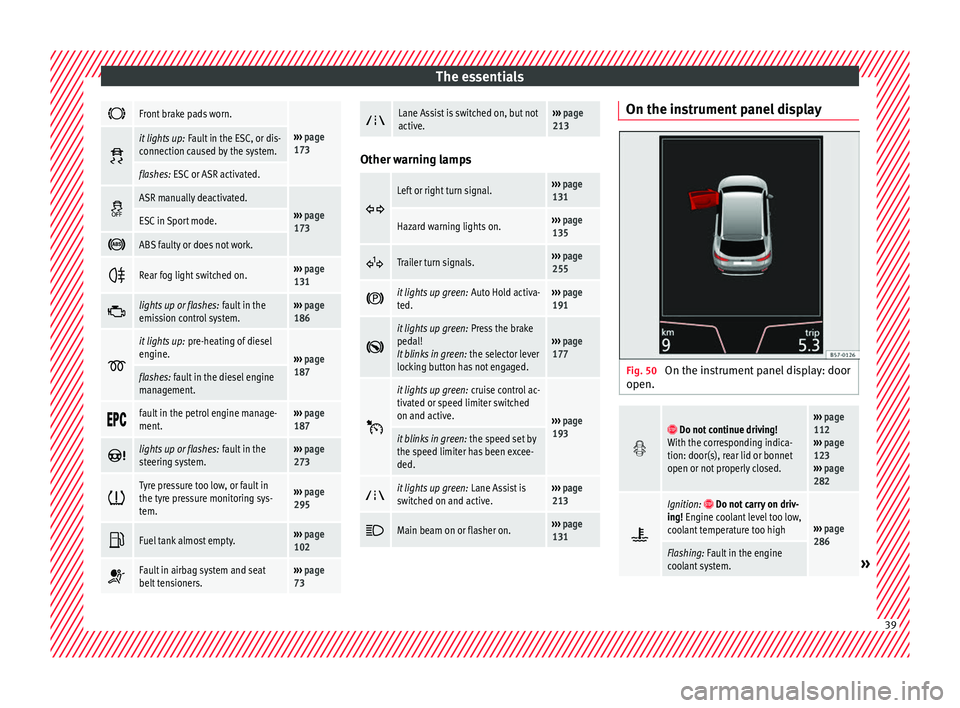
131 On the instrument panel display
Fig. 50
On the instrument panel display: door
open.
Do not continue driving!
With the corresponding indica-
tion: door(s), rear lid or bonnet
open or not properly closed.››› page
112
››› page
123
››› page
282
Ignition: Do not carry on driv-
ing! Engine coolant level too low,
coolant temperature too high
››› page
286
Flashing: Fault in the engine
coolant system.» 39
Page 42 of 328

The essentials
Do not continue driving!
Engine oil pressure too low. If
the warning lamp flashes, stop
driving, even if the oil level is
correct. Do not even run the en-
gine at idle speed!
››› page
284
Fault in the battery.›››
page
289
Driving light totally or partially
faulty.›››
page
93
Fault in the cornering light sys-
tem.››› page
131
Diesel particulate filter blocked›››
page
186
Level of windscreen washer fluid
too low.›››
page
139
Flashing: Fault in the oil level de-
tection. Control manually.›››
page
284
Ignition: Insufficient engine oil.
Fault in the gearbox.›››
page
183
Light Assist on.›››
page
132
Immobiliser active.
Service interval display›››
page
35
Mobile telephone is connected
via Bluetooth to the original tele-
phone device.›››
Book-
let Radio
or
››› Book-
let Navi-
gation
system
Mobile telephone battery charge
meter. Available only for devices
pre-installed in factory.
Freezing warning. The outside
temperature is lower than +4°C
(+39°F).›››
page
31
Start-Stop system activated.›››
page
188
Start-Stop system unavailable.
Low consumption driving status›››
page
30 On the instrument panel
Fig. 51
Warning lamp for disabling the front
p a
ssenger airbag.
Front passenger front airbag is
disabled (
).
››› page
73
The front passenger front airbag
is activated (
).
››› page
73
››› in Warning and control lamps on
page 107
››› page 106 Gearbox lever
M anua
l gearbox Fig. 52
Gear shift pattern of a 5 or 6-speed
m anual
gearbox The position of the gears is indicated on the
g
e
arbox lever ››› Fig. 52.40
Page 53 of 328
The essentials
Emergencies F u
ses
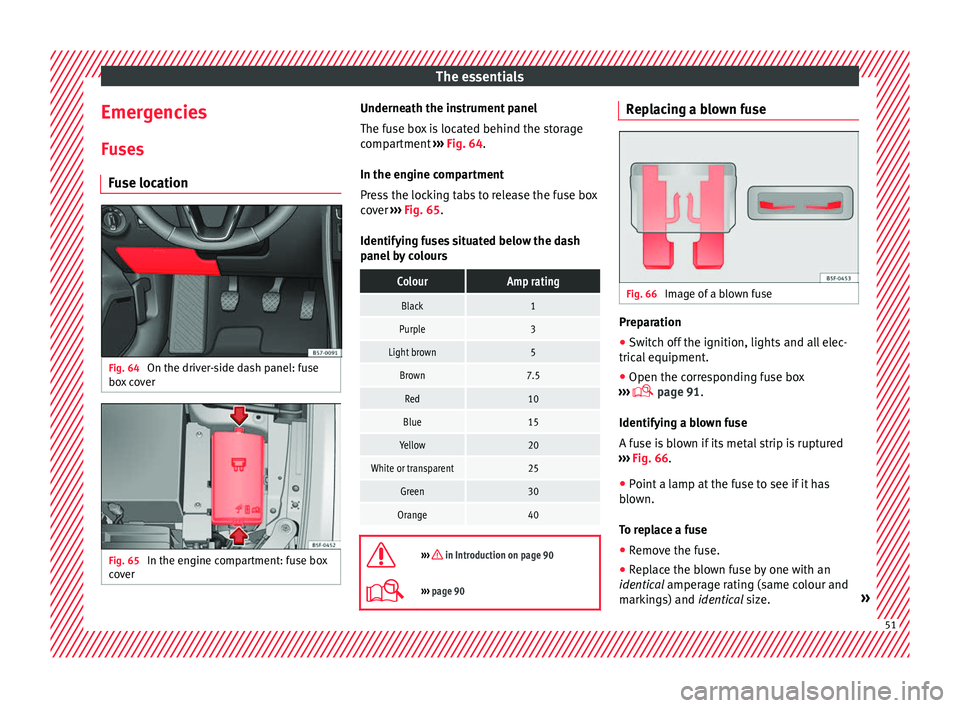
Fuse location Fig. 64
On the driver-side dash panel: fuse
bo x
cover Fig. 65
In the engine compartment: fuse box
c o
ver Underneath the instrument panel
The f
u
se box is located behind the storage
compartment ››› Fig. 64.
In the engine compartment
Press the locking tabs to release the fuse box
cover ››› Fig. 65.
Identifying fuses situated below the dash
panel by colours
ColourAmp rating
Black1
Purple3
Light brown5
Brown7.5
Red10
Blue15
Yellow20
White or transparent25
Green30
Orange40
››› in Introduction on page 90
›››
page 90 Replacing a blown fuse
Fig. 66
Image of a blown fuse Preparation
● Switch off the ignition, lights and all elec-
tric al
equipment.
● Open the corresponding fuse box
››
› page 91.
Identifying a blown fuse
A fuse is blown if its metal strip is ruptured
››› Fig. 66.
● Point a lamp at the fuse to see if it has
blo
wn.
To replace a fuse
● Remove the fuse.
● Replace the blown fuse by one with an
identic
al amperage rating (same colour and
markings) and identical size. » 51
Page 60 of 328
The essentials
Do not pull too hard with the towing vehicle
and t ak
e care to avoid jerking the tow rope.
When towing on an unpaved road, there is al-
ways a risk of overloading and damaging the
anchorage points.
Switch on the ignition so that the turn sig-
nals, windscreen wipers and windscreen
washer can work. Ensure that the steering
wheel is unlocked and moves freely.
Place the gear lever in neutral on vehicles
with a manual gearbox. With an automatic
gearbox, place the lever in N.
To brake, press the brake pedal firmly. The
brake servo does not work when the engine
is switched off.
The power steering only works when the igni-
tion is switched on and the vehicle is moving,
provided that the battery is sufficiently charg-
ed. Otherwise, it will need more force.
Ensure that the tow rope remains taut at all
times.
››› in Introduction on page 86
››› page 86 Tow-starting
If the engine will not start, first try starting it
u
s
ing the battery of another vehicle
››› page 58. You should only attempt to tow-
start a vehicle if charging the battery does
not work. This is done by leveraging wheel
movement.
When tow-starting a vehicle with a petrol en-
gine, do not tow it more than a short dis-
tance, otherwise unburned fuel can enter the
catalytic converter.
● Engage 2nd or 3rd gear before moving off.
● Press the clutch and hold the pedal down.
● Switch the ignition on.
● Once both vehicles are moving, release the
c lut
ch.
● As soon as the engine has started, press
the clut
ch and move the gear lever to neutral.
How to jump start Jump le
ads The jump lead must have a sufficient wire
c
r
oss section.
If the engine fails to start because of a dis-
charged battery, the battery can be connec-
ted to the battery of another vehicle to start
the engine. Jump leads must comply with standard
DIN
72553 (see cab
le manufacturer's instruc-
tions). The wire cross section must be at least
25 mm 2
for petrol engines and at least
35 mm 2
for diesel engines. Note
● The v
ehicles must not touch each other,
otherwise electricity could flow as soon as
the positive terminals are connected.
● The discharged battery must be properly
connect
ed to the on-board network.58
Page 61 of 328
The essentials
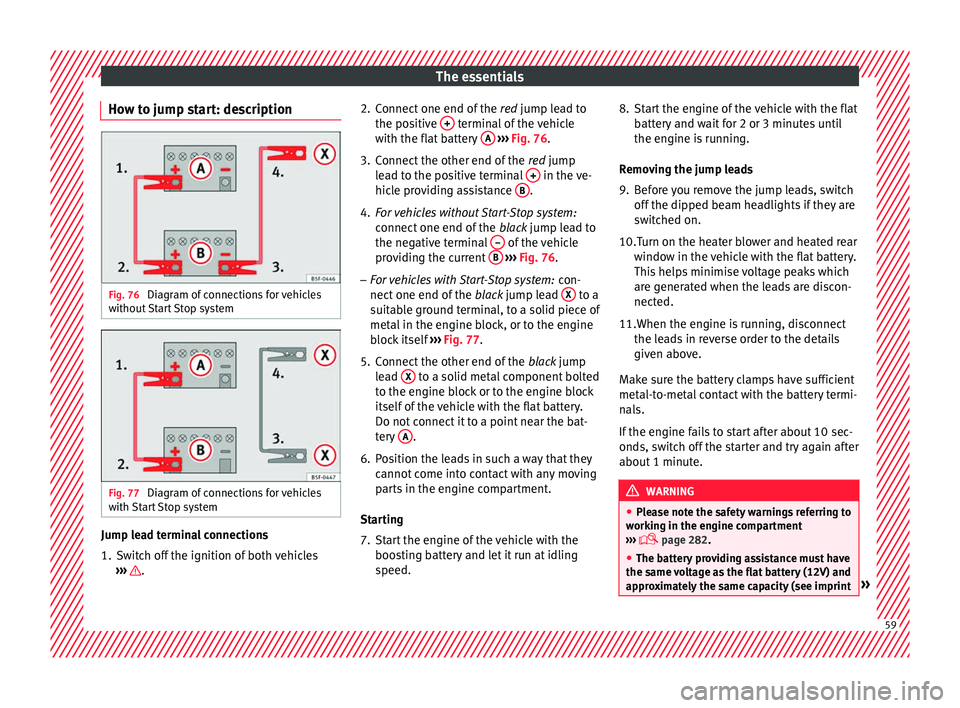
How to jump start: description Fig. 76
Diagram of connections for vehicles
w ithout
Start Stop system Fig. 77
Diagram of connections for vehicles
w ith
Start Stop system Jump lead terminal connections
1. Switch off the ignition of both vehicles
››
› . 2. Connect one end of the
re
d jump lead to
the positive + terminal of the vehicle
w ith the fl
at battery A
› ››
Fig. 76 .
3. Connect the other end of the re
d jump
lead to the positive terminal + in the ve-
hic l
e providing assistance B .
4. For vehicles without Start-Stop system:
connect
one end of the black jump lead to
the negative terminal – of the vehicle
pr o
viding the current B
› ››
Fig. 76 .
– For vehicles with Start-Stop system: con-
nect
one end of the black jump lead X to a
s uit
able ground terminal, to a solid piece of
metal in the engine block, or to the engine
block itself ››› Fig. 77.
5. Connect the other end of the blac
k jump
lead X to a solid metal component bolted
t o the en
gine block or to the engine block
itself of the vehicle with the flat battery.
Do not connect it to a point near the bat-
tery A .
6. Position the leads in such a way that they cannot
come into contact with any moving
parts in the engine compartment.
Starting
7. Start the engine of the vehicle with the boos
ting battery and let it run at idling
speed. 8. Start the engine of the vehicle with the flat
batt
ery and wait for 2 or 3 minutes until
the engine is running.
Removing the jump leads
9. Before you remove the jump leads, switch off the dip
ped beam headlights if they are
switched on.
10.Turn on the heater blower and heated rear windo
w in the vehicle with the flat battery.
This helps minimise voltage peaks which
are generated when the leads are discon-
nected.
11.When the engine is running, disconnect the le
ads in reverse order to the details
given above.
Make sure the battery clamps have sufficient
metal-to-metal contact with the battery termi-
nals.
If the engine fails to start after about 10 sec-
onds, switch off the starter and try again after
about 1 minute. WARNING
● Ple
ase note the safety warnings referring to
working in the engine compartment
››› page 282.
● The battery providing assistance must have
the same
voltage as the flat battery (12V) and
approximately the same capacity (see imprint » 59
Page 62 of 328
The essentials
on battery). Failure to comply could result in
an e
xp
losion.
● Never use jump leads when one of the bat-
terie
s is frozen. Danger of explosion! Even af-
ter the battery has thawed, battery acid could
leak and cause chemical burns. If a battery
freezes, it should be replaced.
● Keep sparks, flames and lighted cigarettes
aw
ay from batteries, danger of explosion.
Failure to comply could result in an explo-
sion.
● Observe the instructions provided by the
manuf
acturer of the jump leads.
● Do not connect the negative cable from the
other v
ehicle directly to the negative terminal
of the flat battery. The gas emitted from the
battery could be ignited by sparks. Danger of
explosion.
● Do not attach the negative cable from the
other v
ehicle to parts of the fuel system or to
the brake line.
● The non-insulated parts of the battery
cl
amps must not be allowed to touch. The
jump lead attached to the positive battery
terminal must not touch metal parts of the ve-
hicle, this can cause a short circuit.
● Position the leads in such a way that they
cannot
come into contact with any moving
parts in the engine compartment.
● Do not lean on the batteries. This could re-
su
lt in chemical burns. Note
The vehicles must not touch each other, oth-
er w
ise electricity could flow as soon as the
positive terminals are connected. Changing the wiper blades
W ind
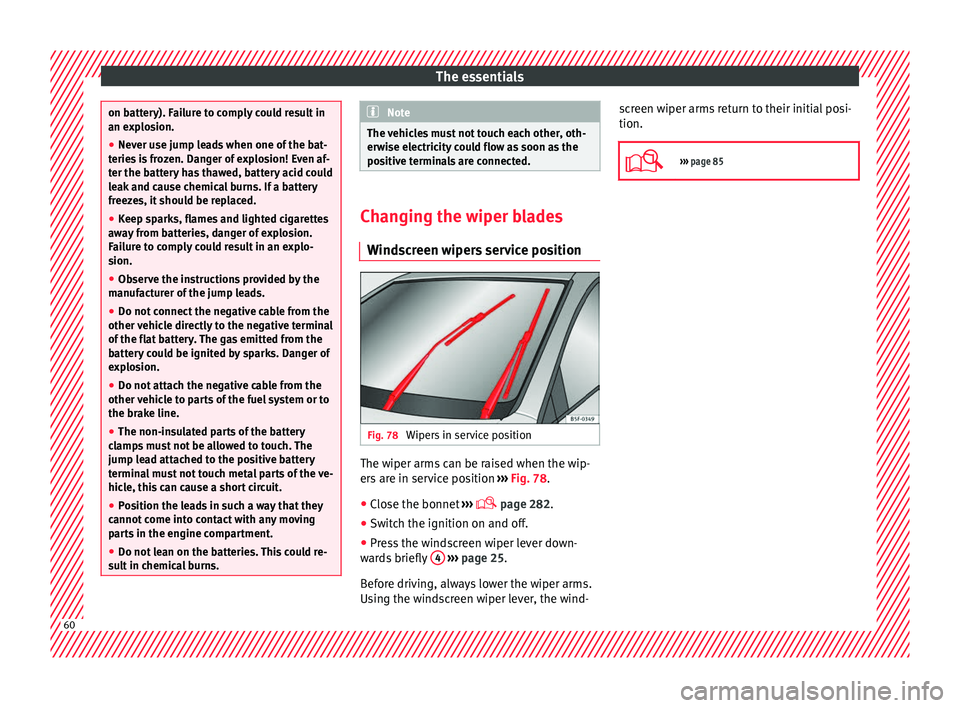
screen wipers service position Fig. 78
Wipers in service position The wiper arms can be raised when the wip-
er
s
are in service position ››› Fig. 78.
● Close the bonnet ››
›
page 282.
● Switch the ignition on and off.
● Press the windscreen wiper lever down-
war
ds briefly 4
› ››
page 25.
Before driving, always lower the wiper arms.
Using the windscreen wiper lever, the wind- screen wiper arms return to their initial posi-
tion.
››› page 85 60
Page 70 of 328
Safety
Seat belts
Wh y
wear a seat belt?
Number of seats Your vehicle has
five
seats, two in the front
and three in the rear. Each seat is equipped
with a three-point seat belt.
In some versions, your vehicle is approved
only for four seats. Two front seats and two
rear seats. WARNING
● Nev er tr
ansport more than the permitted
amount of people in your vehicle.
● Every vehicle occupant must properly fas-
ten and w
ear the seat belt belonging to his or
her seat. Children must be protected with an
appropriate child restraint system. Seat belt lamp*
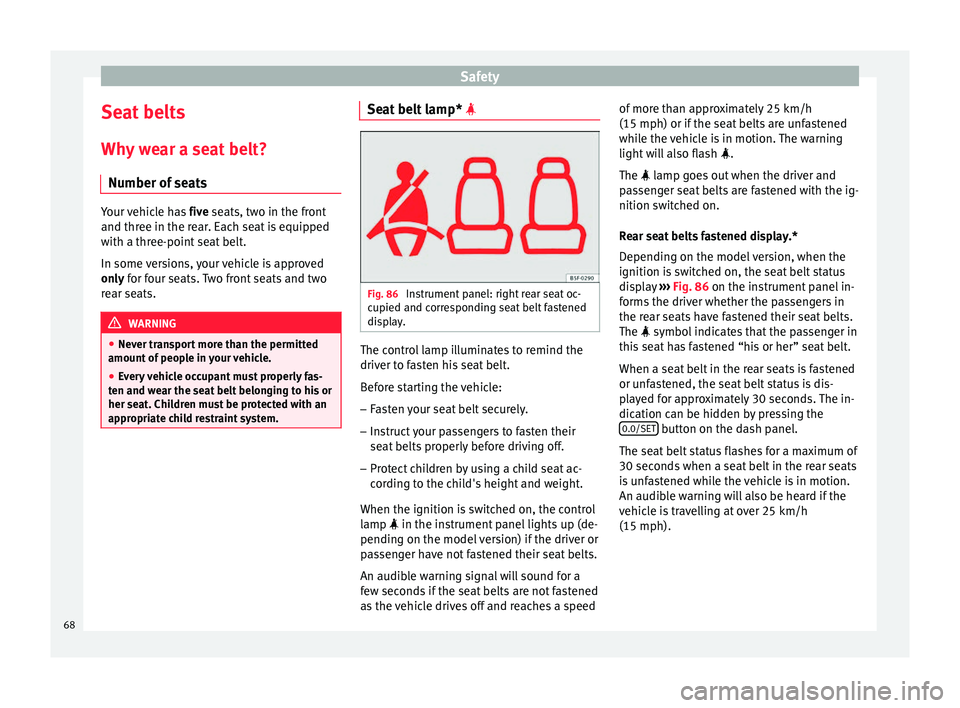
Fig. 86
Instrument panel: right rear seat oc-
c upied and c
orresponding seat belt fastened
display. The control lamp illuminates to remind the
driv
er t
o fasten his seat belt.
Before starting the vehicle: – Fasten your seat belt securely.
– Instruct your passengers to fasten their
seat
belts properly before driving off.
– Protect children by using a child seat ac-
cor
ding to the child's height and weight.
When the ignition is switched on, the control
lamp in the instrument panel lights up (de-
pending on the model version) if the driver or
passenger have not fastened their seat belts.
An audible warning signal will sound for a
few seconds if the seat belts are not fastened
as the vehicle drives off and reaches a speed of more than approximately 25 km/h
(15 mph) or if the se
at belts are unfastened
while the vehicle is in motion. The warning
light will also flash .
The lamp goes out when the driver and
passenger seat belts are fastened with the ig-
nition switched on.
Rear seat belts fastened display.*
Depending on the model version, when the
ignition is switched on, the seat belt status
display ››› Fig. 86 on the instrument panel in-
forms the driver whether the passengers in
the rear seats have fastened their seat belts.
The symbol indicates that the passenger in
this seat has fastened “his or her” seat belt.
When a seat belt in the rear seats is fastened
or unfastened, the seat belt status is dis-
played for approximately 30 seconds. The in-
dication can be hidden by pressing the 0.0/SET button on the dash panel.
The se at
belt status flashes for a maximum of
30 seconds when a seat belt in the rear seats
is unfastened while the vehicle is in motion.
An audible warning will also be heard if the
vehicle is travelling at over 25 km/h
(15 mph).
68
Page 76 of 328
Safety
travel on the rear seat. Never transport
c
hi
ldren in the vehicle if they are not restrain-
ed or the restraint system is not appropriate
for their age, size or weight.
● If you are not wearing a seat belt, or if you
le
an forward or to the side while travelling or
assume an incorrect sitting position, there is
a substantially increased risk of injury. This
increased risk of injury will be further in-
creased if you are struck by an inflating air-
bag.
● To reduce the risk of injury from an inflating
airbag, a
lways wear the seat belt properly
››› page 68.
● Always adjust the front seats properly. Description of the airbag system
Read the additional information carefully
› ›
› page 15.
The airbag system is not a substitute for the
seat belts. The airbag system offers addition-
al protection for the driver and passenger in
combination with the seat belts.
The airbag system comprises the following
modules (as per vehicle equipment):
● Electronic control unit
● Front airbags for driver and passenger
● Knee airbag for the driver
● Side airbags ●
Hea
d airbag
● Airbag control lamp on the ins
trument
panel
● Key-operated switch for front passenger air-
bag
● C
ontrol lamp to disconnect/connect the
front
airbag.
The airbag system operation is monitored
electronically. The airbag control lamp will il-
luminate for a few seconds every time the ig-
nition is switched on (self-diagnosis).
There is a fault in the system if the control
lamp :
● does not light up when the ignition is
swit
ched on,
● turns off after 4 seconds after the ignition
is
switched on
● turns off and then lights up again after the
ignition is
switched on
● illuminates or flashes while the vehicle is
mov
ing.
The airbag system is not triggered if:
● the ignition is switched off
● there is a minor frontal collision
● there is a minor side collision
● there is a rear-end collision
● the vehicle turns over. WARNING
● The se at
belts and airbags can only provide
maximum protection if the occupants are
seated correctly ››› page 63, Correct position
for passengers.
● If a fault has occurred in the airbag system,
hav
e the system checked immediately by a
specialised workshop. Otherwise there is a
danger that during a collision, the system
may fail to trigger, or not trigger correctly. Airbag activation
The airbags deploy extremely rapidly, within
thou
s
andths of a second, to provide addi-
tional protection in the event of an accident.
A fine dust may develop when the airbag de-
ploys. This is normal and it is not an indica-
tion of fire in the vehicle.
The airbag system is only ready to function
when the ignition is on.
In special accidents instances, several air-
bags may activate at the same time.
In the event of minor head-on and side colli-
sions, rear-end collisions, overturning or roll-
over of the vehicle, airbags do not activate.
Activation factors
The conditions that lead to the airbag system
activating in each situation cannot be gener-
alised. Some factors play an important role,
74